@maclee said:
I was just about ready to give up...
Lee
Please don't... Stick around until the point you will be able to help others as others helped you.
The cycle must not stop 
 Offline
@maclee said:
I was just about ready to give up...
Lee
Please don't... Stick around until the point you will be able to help others as others helped you.
The cycle must not stop
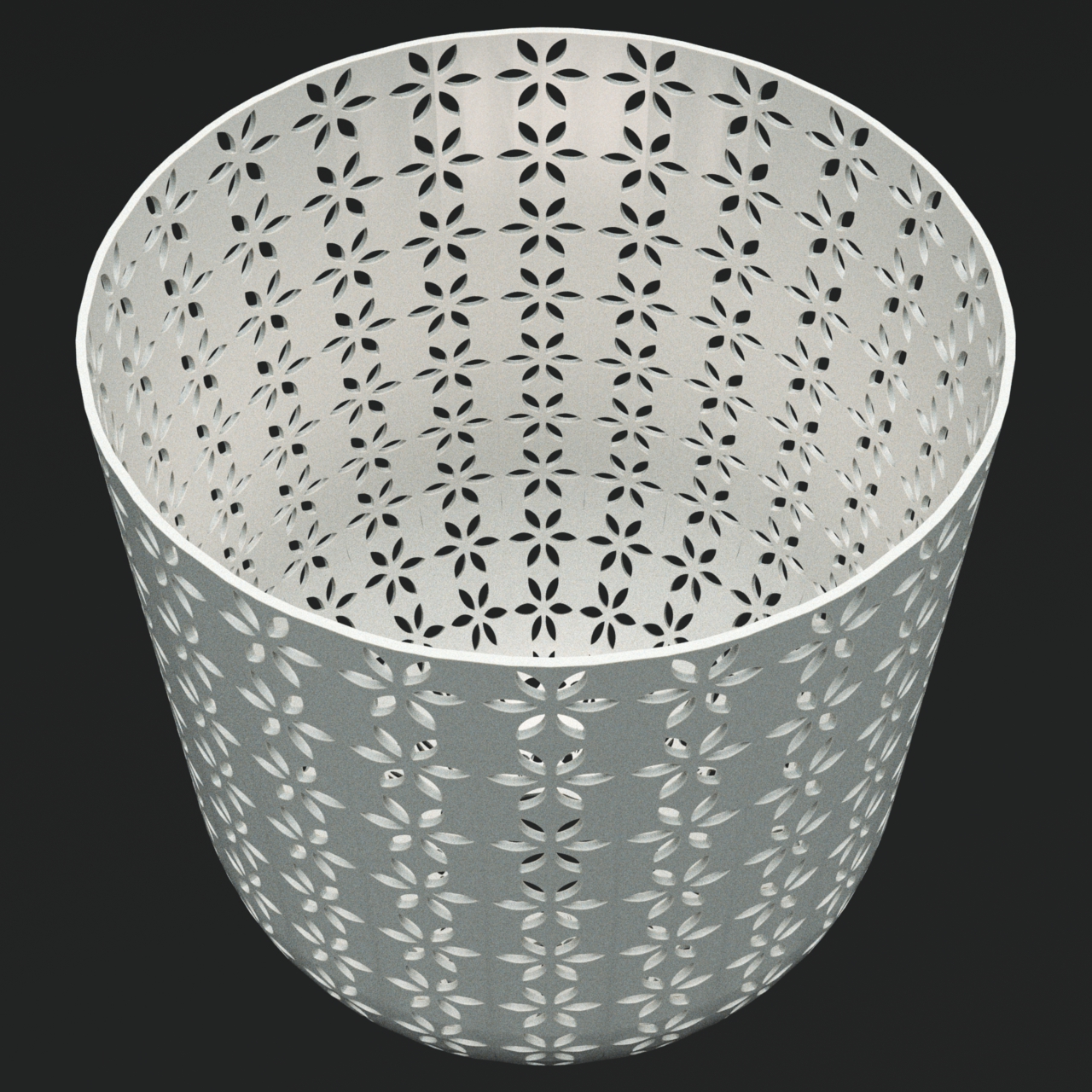
The pattern isn't right but it was a 15 minute doodle.
Using a single plugin: shape bender. Some kind of steped tutorial inside Skp.
I think we can agree on that Saurus.
The thing is that most architecture is inhuman anyway. It is boring and lacks individuallity. Standardized to a point that makes BIM possible.
And that's also why I was impressed with the architectural examples I cited above. I wanted to see how the complex structural presentations and building take offs Plusspec seems to do with Standardized housing, would compare to those BIM model examples.
Medeek.
I've no doubt you could do a MacGarage plugin. The MacBuilding plugin would be very handy too.
Plusspec homeowners version is also incredible and the idea of a building modeller will take a lot of people out of business for good.
However, there's a difference between construction and architecture that will always be where the humans cannot be replaced.
Or, to put it in other terms, if humans can be replaced there, it's because the replacements are also not machines anymore.
I'm impressed by 3 things: La Rochelle, Guggenheim, Ville Savoye. Are there tutorials on how to create BIM models from them?
The problem is that the alpha of the png isn't automaticalky getting through the renderer. What is your renderer?
If it's Thea, you have to edit your material, go to clipping option, assign the png to it, and then right click the texture and choose the chammel you want to use, which is the alpha.
Those many lines are the way sketchup has to convert CAD splines into sketchup curves with high accuracy. You probably don't need that much accuracty for terrain contours.
@dave r said:
I think the trays are a great idea and wouldn't want to go back to the old way. I was setting up SketchUp for years with the utility windows stacked on the right outside of the drawing window so the tray thing mimics my old setup with the added benefit of a little more toolbar space across the top. I found it incredibly annoying to have the windows covering the modeling space. Keeping them outside the modeling space eliminates that.
+1
I don't know if you guys are using make or pro, but every new version of Sketchup, even if it doesn't bring a whole new set of features, represented a significant improvement for me, mainly because of Layout, but still an improvement that I can appreciate.
So which are the questions?
The trays are great!
Offline you cannot dowbload extensions, geolocation and 3d waregouse objects, which are assumed by trimble as useful features.
However they are not imposing you to be online as sketchup works offline.
I like using the regular make terrain plugin. However, before I use it, I simplify contours either with curvizard or edgetools2
What they needed was Tomasz... Fortunately he's with Thea! 
I'm one of those people that try to push sketchup beyond what is meant to, but what I found when doing that, is Sketchup is able to stretch and I gain productivity.
I ditched away CAD in exchange for SU and there is more people doing that each year. I believe that Sketchup will adjust in time and be even more competent for that.
Revit is what it is, it's much more than Sketchup for certain architectural businesses, but Sketchup is fit for 90% of the other scenarios.
What I like about Sketchup is that it isn't as streamlined as Revit and so allows for a multidisciplinar approach and a very flexible workflow that I couldn't find with Revit. I have quit using Revit long ago and adopted Sketchup instead. I didn't fully use Revit, but it seemed to me a standard architectural software that somehow forced us to work in a standard way. I don't know how Revit evolved since then but Sketchup, even limited as an Architectural software, allows for creative freedom. The downside is that it forces us to find convoluted methods to get standard output done.
Even so, I rather keep using Sketchup as I cherish that design freedom. I find advantage on that freedom even in the latest stages of design and construction documentation.
It's probably because of that that I also don't use your plugins Meedek. I admire your work but cannot think in standards nor work always on similar contexts. Your plugins represent standards so I have no great use for them, hence I thought Revit was fit for them.
However, as you see with Plusspec, Sketchup is useful for people that deal with standards too. The problem with plusspec might be about Layout then, as it isn't yet as capable as Revit for documentation standard output.
I honestly think sketchup is capable o getting there fast if some plugin developers would commit to it amd if Layout keeps grwoing stronger.
Layout by itself must grow easier to use and more compliant to architectural standards, as well as drafting workflows.
The real thing to explore that is not being correctly adressed by Trimble yet, is the bridge between SU modelling and project documentation, labelling and information management inside Layout.
Trimble, imho, doesn't want to assume sketchup+layout as a purely architectural software, while Revit is exactly that.
People work with sketchup mainly for first design stages and visualization purposes. It is capable of much more but you must find workflows for that. Revit is built thinking on this.
Sketchup usually is used to complement Revit or CAD as those are where final product output comes from.
So what lacks in sketchup is tools that allow project documentation to be much easier and faster so Sketchup can be as good at producing the final arch output for construction stage, as it is at preliminary design stages.
Let me tell you that, even if it's not meant to, I and a lot of other people, use Sketchup for construction docs too, and I feel LO+SU are getting better and better each year.
So, in a 5 year period, Sketchup will be at the same level than revit, but much more pleasent to use and still adipted by other industries, and at a 10 year period it will be more popular than Revit...
Am I being too positive?
Right now though, you should be developing your plugins for Revit too (as long as you don't discard Sketchup).
Note that Autodesk is nowadays getting very strong at implementing revit as the standard for architectural projects, that is both because of the merits of revit, and the agressive position autodesk has on the market. So Revit will always be a safe bet.
It looks to me like ypu have a dynamic component constrained to scale and perhaps position too.
Sketchup has all kinds of users, that's the beauty of it. People who know what they're doing will have good results, people who don't... well, they can always learn how to do it.
The click+click operation is great!
I use this workflow all the time:
This allows for collaborative workflow between team members but requires organization as there is no plugin that effectivelly manages the workflow.
How detailed are the parts, depends on the project. If it's a Master plan we separate buildings from terrain and work on each as a unit.
If it's a big building we separated floors or wings and work on each as a unit.
If it's a small building we detach small interior and isolatable spaces to work as units as shown above and we also export details like windows or other special cases.
We create files for each and develop each separatelly but always have increasing LOD.
We export things in a way that Masterplans don't have all the details you get in the building design, only outershell. Otherwise the models become unbearable.
These plugins could help you:

SketchUp Plugin and Extension Store by SketchUcation provides free downloads of hundreds of SketchUp extensions and plugins
(sketchucation.com)
Your library of custom third-party extensions created to optimize your SketchUp workflow.
(extensions.sketchup.com)
@chippwalters said:
Most programs allow you to scale about a given point. The SU scale tool only allows you to scale from the middle or one of the 'edge' points. Anyone know a way to scale about a chosen point? I know I can scale then move, but was looking for something a bit more interactive.
Thanks!
I use a technique fo placing and rotating spot light features that will suit you, but also have several other suggestions:
1 LIGHT FIXTURES - create a box with the x, y and z center point located where you want the base point to be. Scale the box with native SU tool, using centered scale until it hides the fixture component. If you need to do it with precision scale the box unly to max component extents. Make a comvonent with both box and fixture. Hide the box inside the component.
I use this to rotate the light fixtures using the red grips of the move tool, but you can use it for scale.
2 - FREDOSCALE - I use box scale to target in similar occasions.
3 - WIIKI GIZMO PLUGIN - I don't know if it can do that but probably it can.