sketchucation logo sketchucation
    • Login
    1. Home
    2. jamesmentzos
    3. Posts
    Oops, your profile's looking a bit empty! To help us tailor your experience, please fill in key details like your SketchUp version, skill level, operating system, and more. Update and save your info on your profile page today!
    ⚠️ Important | Libfredo 15.6b introduces important bugfixes for Fredo's Extensions Update
    J
    Offline
    • Profile
    • Following 0
    • Followers 0
    • Topics 8
    • Posts 24
    • Groups 1

    Posts

    Recent Best Controversial
    • "Make Fur" plugin - Scaling issue

      Goodmorning everyone.
      I have been struggling trying to create a grass covered surface.
      After following tutorials, I created a single 4" tall grass blade component (view attached).
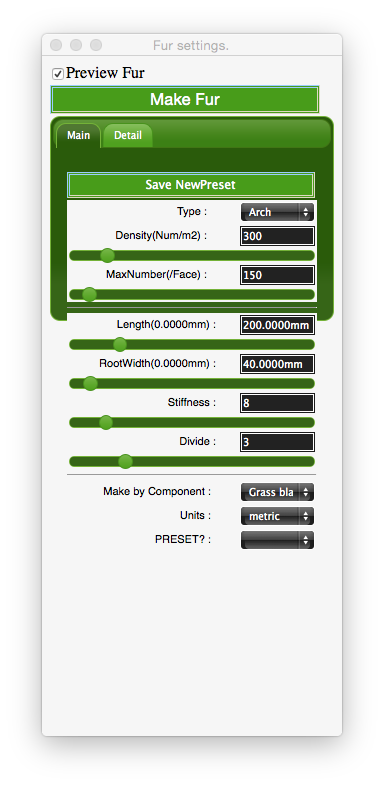
      I input the settings in the make fur dialog box (view 2nd attached).
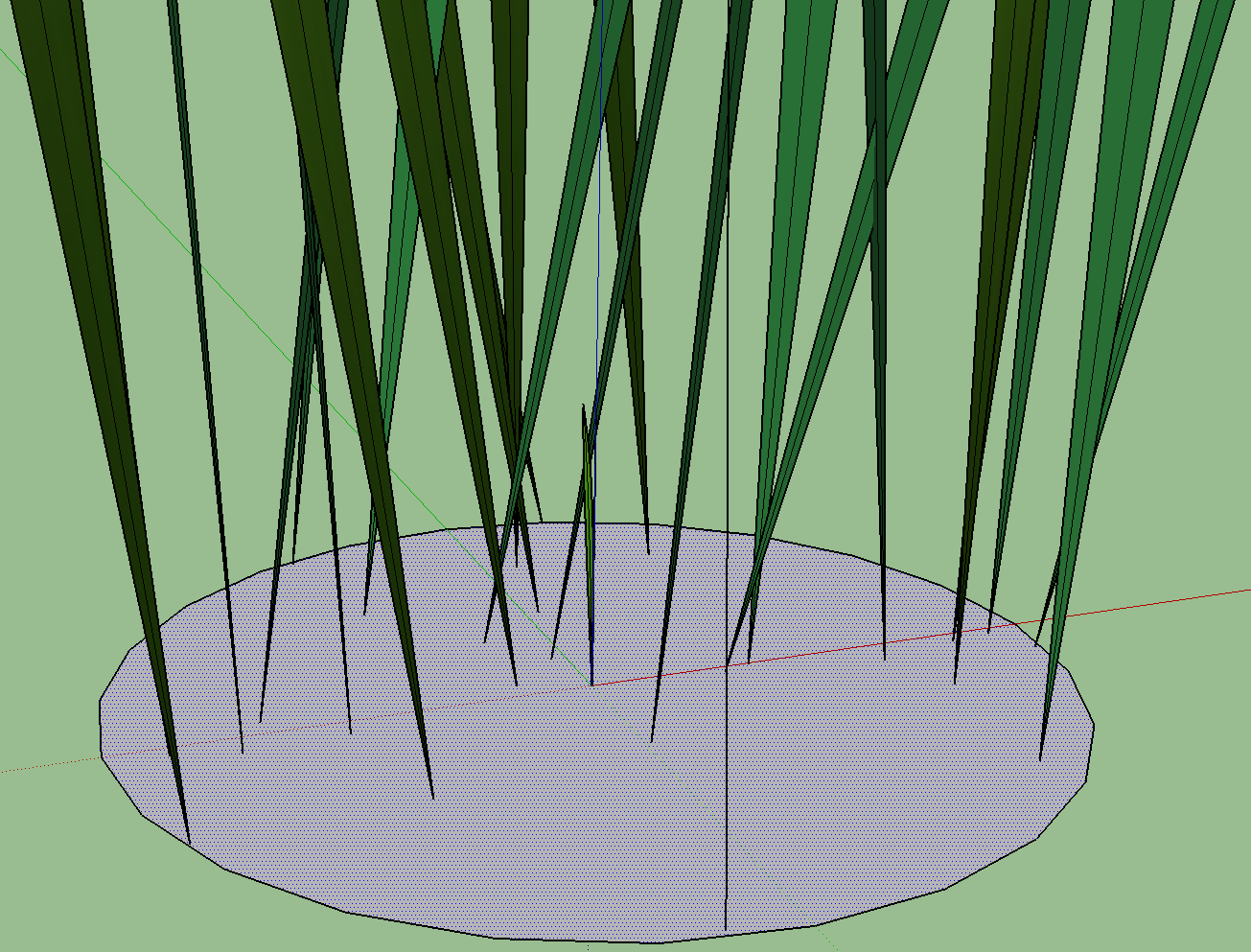
      Then when i hit "Make Fur", it created a cluster of grass blades that were about 100" tall! (view 3rd attached)
      Is somebody able to help me out here? I feel like there is some minor step i am missing.
      Thank you very much.

      I'm using Sketchup 2015, VRay 2.0, Make Fur 2.1.0, 27" iMac, OSX 10.10.2
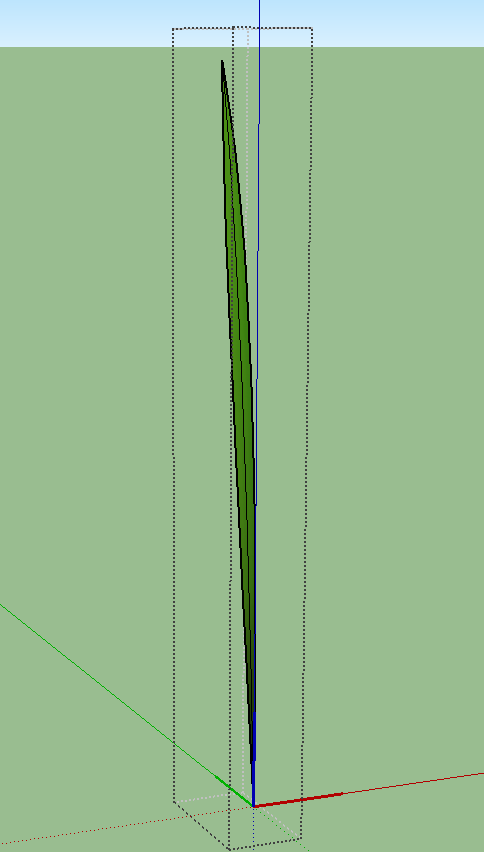

      Screen Shot 2015-02-17 at 9.01.19 AM.png


      Screen Shot 2015-02-17 at 9.02.00 AM.png


      Screen Shot 2015-02-17 at 9.02.13 AM.png

      posted in Plugins
      J
      jamesmentzos
    • RE: Sketchup 8 crashes when opening MAC 10.8.4

      Well for all the people out there with the same unresolved issue, i got a reply from sketchup and here it is:
      "You may have a plugin installed that is causing the issue that you described. To test if this is the case, I recommend reviewing the following article to disable the Ruby plugin interface:

      help.sketchup.com/en/article/1700320

      If disabling Ruby resolves the issue, then I recommend disabling or uninstalling any recently installed plugins.

      If you continue to encounter the crash, I suggest these steps to ensure that SketchUp isn't trying to re-open a bad SketchUp model:

      1. Open System Preferences (Finder > Applications)
      2. Click the General button
      3. Check "Close windows when quitting an application" or UNcheck "Restore windows when quitting and re-opening apps." It depends on which version of OS X you're using that determines the name of the feature.
      4. Open new Terminal window (Finder > Applications > Utilities)
        SketchUp 8 - 5. Type "open -F /Applications/Google\ SketchUp\ 8/SketchUp.app" without quotes.
        SketchUp 2013 - 5. Type "open -F /Applications/SketchUp\ 2013/SketchUp.app" without quotes.

      You only have to do this procedure once. You can open SketchUp normally from here on out. "

      That second method is what worked for me.
      Hope this helps all you frustrated sketchup-ers

      posted in SketchUp Discussions
      J
      jamesmentzos
    • Sketchup 8 crashes when opening MAC 10.8.4

      I have been using sketchup pro 8 on my 27" imac with 10.8.4 for about a month now.
      This morning i was working in it, i quit the program to take a break.
      I came back, reopened sketchup, i saw the layers, components, etc windows (but no working window) for a second, and then it crashed.

      I emailed the support team hours ago, still waiting for a reply. My work has come to a complete standstill.
      I am frustrated that there is no phone number to call for direct help.
      My next option was to read forum after forum of people with the same issue and there is NEVER A SOLUTION.
      I havent seen one post that said "thank you for that suggestion, it helped and now sketchup is working".

      I completely uninstalled sketchup, then reinstalled. When i opened sketchup, i saw my project for a quick second before it crashed again.
      All my software is up to date. I did not make any preference, file, etc changes.

      Could somebody please give me some much-needed help?

      Regards

      James

      posted in SketchUp Discussions sketchup
      J
      jamesmentzos
    • MAC Vray 1.6 crashes when Sketchup 8 opens

      Hello everyone.
      I have spent the better part of my day trying to find resources, or someone else who has had the same problem as me, but have come up short.
      I purchased Vray yesterday, went to download it today.
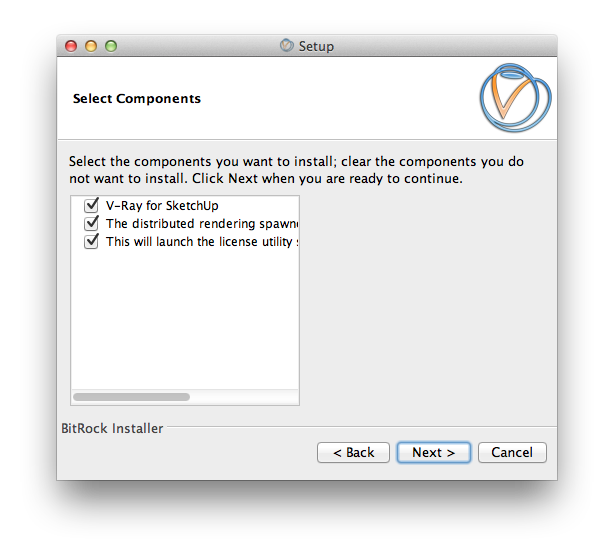
      During the setup process, some components were missing (view screenshot2).
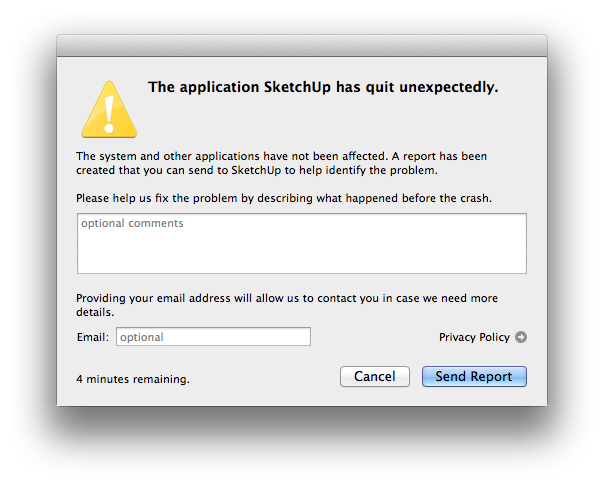
      I continued with the installation. Once it was finished and i opened sketchup, i saw the vray toolbar, but when i tried opening a model, sketchup closed and this window popped up (view screenshot4).
      Can somebody please tell me what i am doing wrong?
      Now that i have Vray in my possession i REALLY want to start using it.
      Any help would be immensely appreciated.
      JAMES


      screenshot2.png


      screenshot4.png

      posted in V-Ray render plugins extensions
      J
      jamesmentzos
    • 1
    • 2
    • 2 / 2