sketchucation logo sketchucation
    • Login
    1. Home
    2. glro
    3. Posts
    Oops, your profile's looking a bit empty! To help us tailor your experience, please fill in key details like your SketchUp version, skill level, operating system, and more. Update and save your info on your profile page today!
    🔌 Easy Offset | Offset selected faces in SketchUp in positive and negative offsets. Download
    G
    Offline
    • Profile
    • Following 0
    • Followers 0
    • Topics 29
    • Posts 403
    • Groups 1

    Posts

    Recent Best Controversial
    • RE: REQ: Checking if components (solids) intersect

      @pgarmyn said:

      @TIG
      In method def self.intersectALL()

      (ens.length-1).times{|i|
      >          (ens.length-1).times{|j|
      >             next if j<=i # in place of  ; next if j==i
      >             if self.intersect?(ens[i], ens[j])
      >                ss.add(ens[i])
      >                ss.add(ens[j])
      >             end
      >          }
      

      next if j<=i ( in place of next if j==i )
      prevents double checking (slower) and double results.
      If intersect?(ens[1], ens[2]) has been tested, then we don't have to test intersect?(ens[2], ens[1])

      I don't know why, but neither TIG's version, nor yours, works on my computer

      this is how i changed the code:

      		model=Sketchup.active_model
      		ss=model.selection
      		ents=model.active_entities
      		ss.clear
      		gps=ents.grep(Sketchup;;Group)
      		ins=ents.grep(Sketchup;;ComponentInstance)
      		ens=gps+ins
      		ens.uniq!
      		ens.compact!
      		for i in (0..ens.length-1)
      			for j in ((i+1)..ens.length-1)
      				if TIG.intersect?(ens[i], ens[j])
      					ss.add(ens[i])
      					ss.add(ens[j])
      				end
      			end
      		end
              puts "Any intersecting groups/component-instances are highlighted..."
      

      length-1 because it because i begins at 0...
      and the i+1 to avoid comparing i to itself

      is this version much slower than yours?

      posted in Plugins
      G
      glro
    • RE: REQ: Checking if components (solids) intersect

      @bobvandevoort said:

      ..
      If I run the code normally I get the following output "Done. Ruby says: red"
      However the faces aren't red they just stay the original color.

      they are red, actually... but inside. Faces a reversed

      posted in Plugins
      G
      glro
    • RE: [Plugin] Translit

      very nice! Everything that improves communication between people of different culture seems good to me

      posted in Plugins
      G
      glro
    • RE: REQ: Checking if components (solids) intersect

      component check
      https://docs.google.com/file/d/0Bw8zdmaKDWIfNzdiNmQ5MmItOGJhNC00MzY1LWJmNjYtMzhlYWY3NzliYTkx/edit?hl=en_US%26amp;pli=1

      does part of the job you are asking for, as far as i understand

      detection based on the bounding box position is relatively easy to achieve, so this plugin could be hacked in the way you want it

      but if the component is not square, it is much more difficult

      you can also try SUsolid
      http://www.susolid.com/

      this plugin can detect any intersection of components, even if not square, but they must be solids

      posted in Plugins
      G
      glro
    • RE: Sketchup 8 faster than sketchup 13?

      @tt_su said:

      Does anyone have examples to follow this discussion?

      Runs with 25 fps in Sketchup 8 and sucks with 5 fps in Sketchup 2014 ...

      posted in Developers' Forum
      G
      glro
    • RE: [Extension][$] iSelect

      @renderiza said:

      [pre:1w1z3q12]Authors:: Renderiza
      Plugin Name:: iSelect
      Version:: 1.0.1
      Date:: 11/6/2013
      Cost:: Free[/pre:1w1z3q12]
      iSelect v1.0.1 is now available for download.

      http://jroot.sketchucation.com/pluginrepo/image/RND_iSelect_v1.0.0.png

      %(#909090)[What is new:

      • Group & Component selection is fixed
      • Context Menu Added (right click > iSelect)
      • Add keyboard shortcut

      How to set keyboard shortcut:
      Window > Preference > Shortcuts > Function = Edit/Item/iSelect > Add Shortcut

      Thanks for Feedback! 👍]

      i use Iselect 1.0.1 to select components, but sometimes i forget to clic on the plugin button after selecting to filter them

      i wouldn't forget if the filtering was automatic after selection

      so would it be possible modify the order of operations, and embed your plugin in a "filtered selection" tool:

      you click on the button corresponding to "filtered selection"
      you select
      and only then "iselect" is launched to filter the selection

      i tried to add some lines of code to yours to do that, but after calling the native select tool, everything stops ...

      posted in Plugins
      G
      glro
    • RE: [REQ] / Question if exists: Stamp Watermark Plugin

      something similar to what you ask is

      http://sketchucation.com/forums/viewtopic.php?t=38171

      maybe

      posted in Plugins
      G
      glro
    • RE: Interactive scenes list

      @pbacot said:

      On the Mac if I double-click on the scene name in the Scenes window it switches the SU window to that scene. This looks like a nice compact scene "picker". Would people want this in a contextual menu?

      you are right
      on my pc also; i never thought i could double click on the scene name to see it....
      thank you

      posted in Plugins
      G
      glro
    • RE: Interactive scenes list

      @pbacot said:

      Is this related to some developer advanced requirement, because this sounds like the "Scenes" window to me?

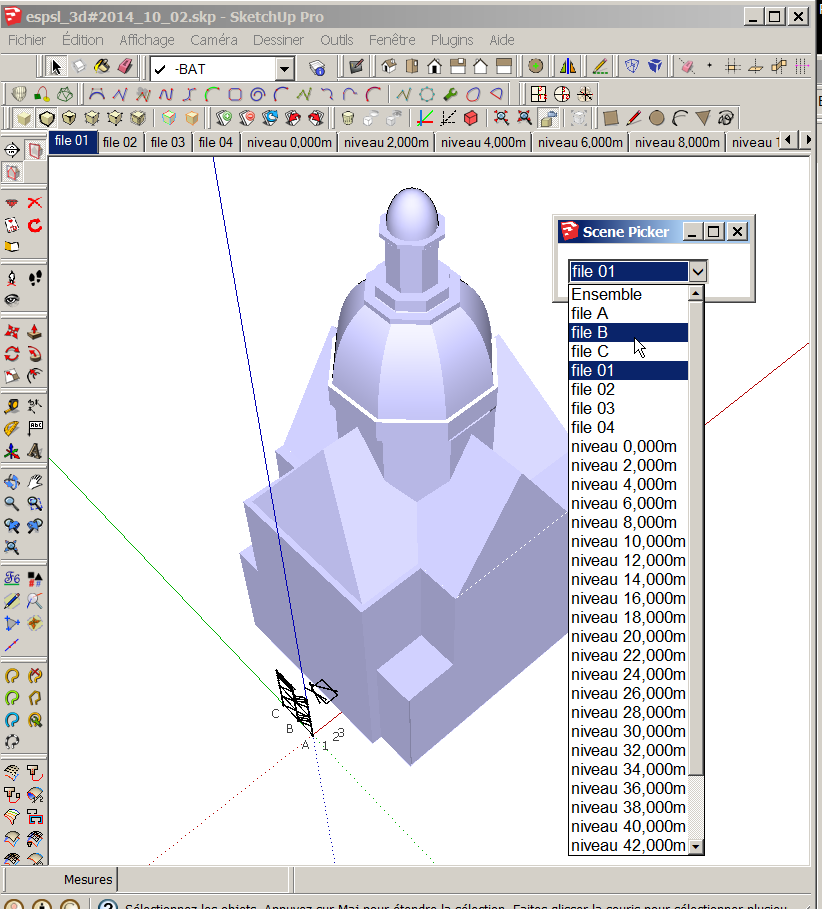
      with the scenes windows, you cannot choose the scene you want to show on the screen

      with dsmitch plugin, you can

      2014-10-02 18_21_17-D__000 experience_programmation_ruby_EXT_plugins complementaires.png

      posted in Plugins
      G
      glro
    • Interactive scenes list

      When there are many scenes in a model, depending upon the screen width, not all the scene tabs can be seen above the working area.

      So if you want to go to a scene the tab of which is not visible, you have to click many times on the black arrow backward or forward until the scene tab appears

      ... and then click on it

      I have been searching through all existing scene related plugins, but i didn't find any that would do that:

      open an html window with the names of all the scenes
      make active the scene the name of which is clicked on in that window

      is there any?

      posted in Plugins
      G
      glro
    • RE: [Plugin] Layers Panel 1.2.1

      @tt_su said:

      Did you submit that BugSplat? Did you enter any info in the Description or Name field we can use to look it up by?

      No

      but if you think it might help, i shall

      posted in Plugins
      G
      glro
    • RE: [Plugin] Layers Panel 1.2.1

      @jiminy-billy-bob said:

      Did you get an error message?
      What happened exactly?

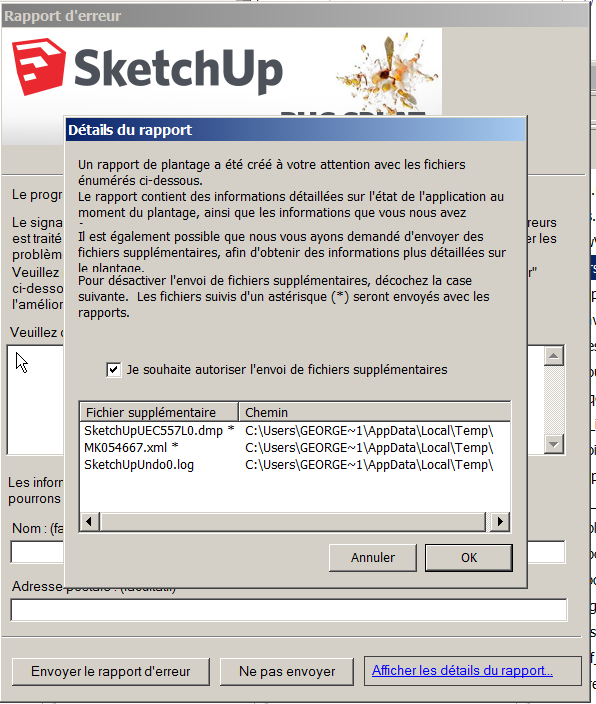
      sketchup stopped suddenly, and that was it

      bugsplat

      i tried to remove some newly installed extensions, and this way i found out that "Layers panel" was involved

      I can't write more since i don't understand what's happening; your plugin might be perfect; i just know that if i remove it, i don't have the problem

      posted in Plugins
      G
      glro
    • RE: [Plugin] Layers Panel 1.2.1

      @jiminy-billy-bob said:

      This is normal behaviour. It is triggered by the fact that there are existing layers that need to be identified by LP. This is a one-time thing, and won't trigger again (unless there are layers created while LP is disabled).
      Maybe I should change it to say that issues have been fixed, not only that there are no issues. It may be misleading as is.

      Do you guys still have issues with Eneroth's Rotate3D? I can't reproduce your errors.

      I have been using your "layers panel.rb" for 2 or 3 days, it worked fine
      but today, it proved to be not compatible with a plugin containing rotate3D code

      i am not skilled enough to say why, but it seems to confirm there is a problem...
      too bad, it improves a lot the sketchup native layers panel

      posted in Plugins
      G
      glro
    • RE: [Plugin] Layers Panel 1.2.1

      @jiminy-billy-bob said:

      This is normal behaviour. It is triggered by the fact that there are existing layers that need to be identified by LP. This is a one-time thing, and won't trigger again (unless there are layers created while LP is disabled).
      Maybe I should change it to say that issues have been fixed, not only that there are no issues. It may be misleading as is.

      Do you guys still have issues with Eneroth's Rotate3D? I can't reproduce your errors.

      yes, maybe the message is not totaly accurate ; there is no problem;it is just that the existing layers must be registered by layers panel plugin

      somebody suggested that there was a conflict between Eneroth's Rotate 3D and your plugin, but gave no evidence; so i don't know about it; i shall be using layers panel in the coming daus, and i also run Rotate 3D code, so if i notice something wrong, i shall report it

      posted in Plugins
      G
      glro
    • RE: [Plugin] Layers Panel 1.2.1

      @jiminy-billy-bob said:


      New version 1.2.1 !

      Changelog :

      • Fixed a major issue that could corrupt the model (Caused by SU14 and below)
      • Fixed States dialog
      • Added API methods

      Download in the plugin store !


      thank you

      i give it a try to check if it solves the issues i had

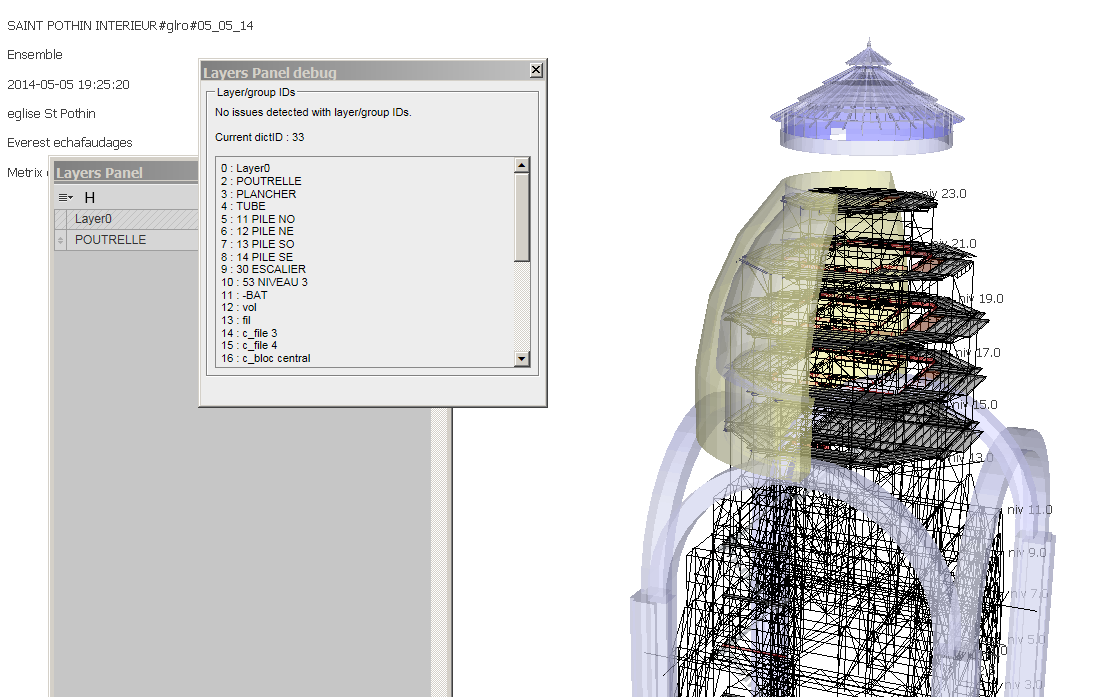
      when i launch the plugin for the first time in a model made before the installation, an almost empty layers panel window opens, with only one layer, and i get a message "layers panel needs to be fixed"; i click "OK"
      An html windows pops up, saying no issues are detected...
      I close the pop up window and the empty layers panel window
      The next time i open the layers panel window, all layers are shown

      close the model, open it again ...
      everything seems to be working fine...


      no issues detected

      posted in Plugins
      G
      glro
    • RE: [Plugin] Layers Panel 1.2.1

      @fountainhead said:

      The offending plugin is eneroth 3D rotate. With associated . rb file removed, no layer loading issues.

      i have strange behaviours with Layers panel, and i use eneroth 3D rotate too...

      any suggestion to modify one or both plugins to make them work together?

      posted in Plugins
      G
      glro
    • RE: [Plugin] Tube cutting optimisation

      @inteloide said:

      Hello everybody !

      Can somebody try the new version to check if everything goes ok ?
      Then I'll post it in pluginstore.
      Thank you.

      NB : I added an help file to explain how to use it.
      Inteloide

      it seems to be working fine

      i don't understand the concept of "waste allowed", though
      since the goal is to minimize the waste (loss...)it should be put at 0 everytime, no?
      what is the use of a limit?
      i tried to change it and the result is the same

      posted in Plugins
      G
      glro
    • RE: [Plugin] Layers Panel 1.2.1

      @jiminy-billy-bob said:

      @glro said:

      sketchup just freezed when i clicked on "select highlighted layer"

      Any more detail which could help me identify the issue?

      nothing much to say

      i had created some scenes previously, and then i launched layers panel plugin to select one layer, and it freezed the computer

      i shall give it another try, and try to atch better the next time i have a bug

      posted in Plugins
      G
      glro
    • RE: [Plugin] Layers Panel 1.2.1

      @fountainhead said:

      I've had some strange behaviour creep in with layers panel recently.

      i have too

      sketchup just freezed when i clicked on "select highlighted layer"

      the plugin would be very useful, but it doesn't seem stable

      posted in Plugins
      G
      glro
    • RE: That plugin for adding elevation data....?

      @utiler said:

      Thanks fellas, as you can see below in this case they were random points on a site so not bounded my a perimeter line.
      Quite often I get spot levels given to me on a hardcopy of a plan so I want a simple way to turn elevation data into a reasonable terrain mesh. 👍

      so maybe you shouldn't focus on the perimeter; instead, build a set of 3d points (boundaries AND inside points)

      run TIG-points cloud triangulation
      http://sketchucation.com/forums/viewtopic.php?t=34232

      i am not sure about the result with as few points as in your example

      posted in Plugins
      G
      glro
    • 1 / 1