[Plugin] GKWare Cabinet Maker
-
Thank you Nathaniel for your kind words.
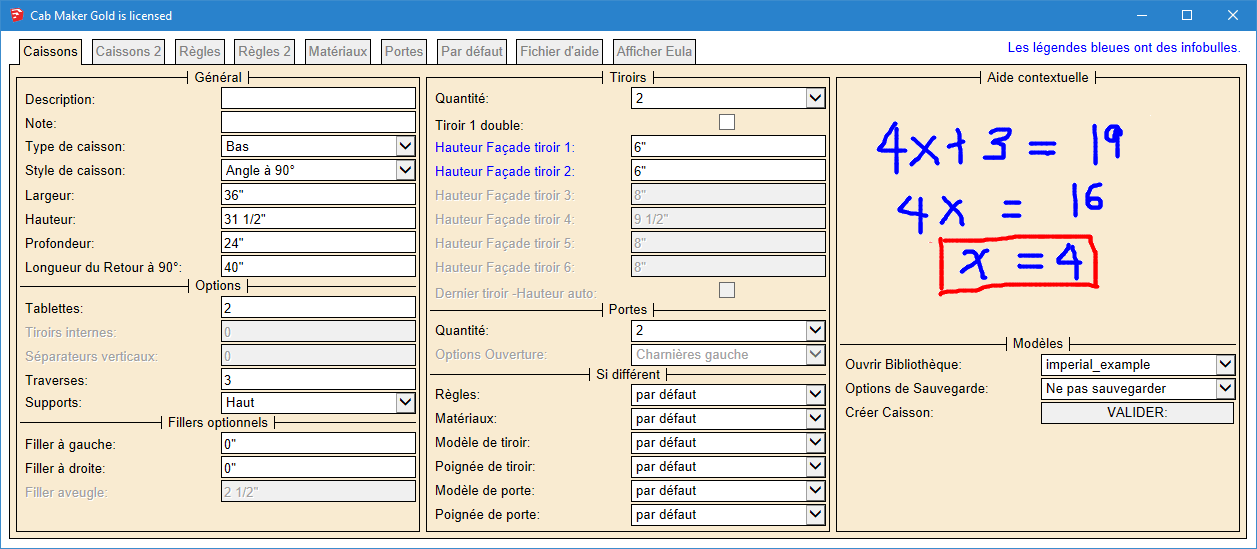
Here is the first tab in French.
-
Working on requested features and bug fixes.
- Fillers now work with Face Frame Construction.
- Fixed drawer handle position. Return cabinets had handles on drawer fronts and shouldn't have.
- Embossed Shaker ignored edge profiles. Fixed.
- Added library location so that your libraries can be on a server.
- Added logic to check for other language pdfs. If language is fr then first look for the French help file named 'cabmaker_fr.pdf' and if not found then loads the English 'cabmaker.pdf'. The same for other languages.
-
- Toolbar is now restored to previous state for Mac. It is is also now shown on first install.
- Added a handle called 'No Handle' It is simply an invisible line - use where you do not want a handle to show up.
- Added Bottom Gap for Upper Doors. Changed Bottom Gap to Base Bottom Gap. Enter negative amount for door to extend beyond cabinet.
-
- Added a handle called 'No Handle' It is simply an invisible line - use where you do not want a handle to show up.
- Toolbar is now restored to previous state for Mac. Also Tool Bar now shows at first install.
- Angled Sink cabinets missing tilt out drawer front. Fixed
- For frame less construction and upper cabinets fillers extend below cabinet if doors extend below cabinet.
-
- You can now save templates using mixed case.
- The Defaults Tab now has a default Upper Handle and a default Base Handle.
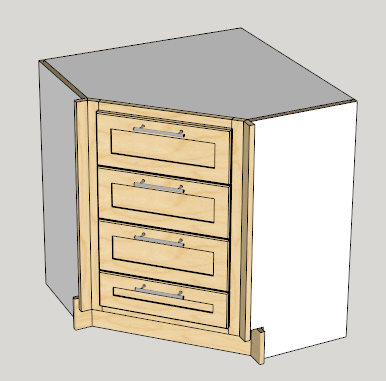
I've had a request to allow drawer banks with angled cabinets and with return cabinets. Anyone else interested. Any other feature requests?
-
- Added angled drawer bank.
-
It would be nice if we could add DXF file export to the cabmaker so the CNC users could send it direct to their CAM software.
-
I've alreday started adding dxf export to my cutmaster Gold.
-
Great addition Garry
I can't wait to see the gold version of cutmaster. -
It'll be around a month before it comes out.
-
- Drawer auto height - Edit now shows actual height for last drawer in drawer bank.
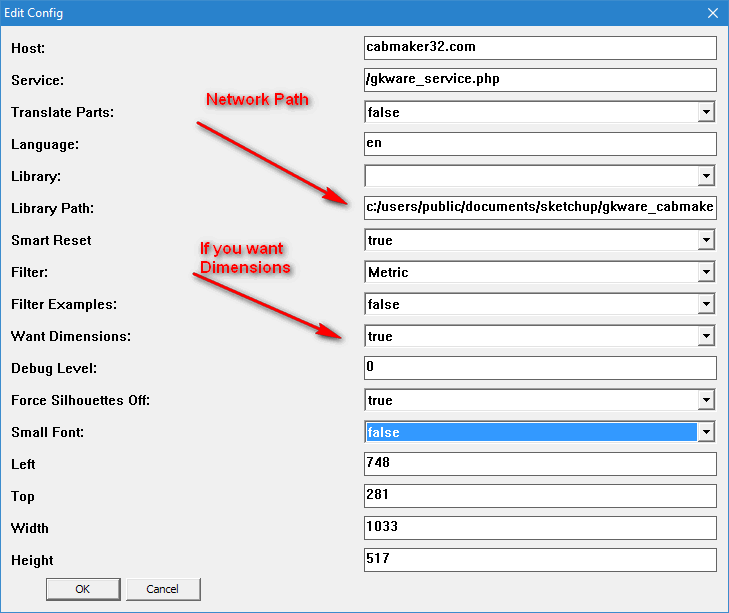
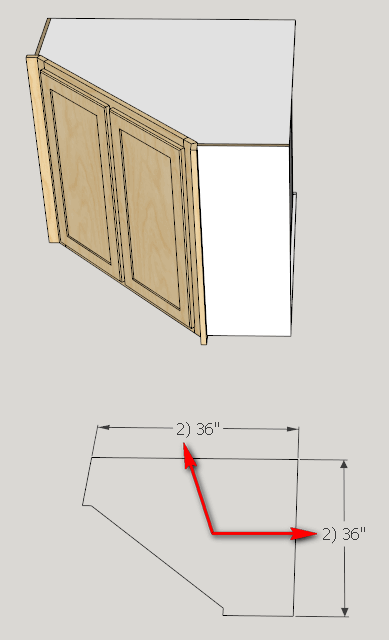
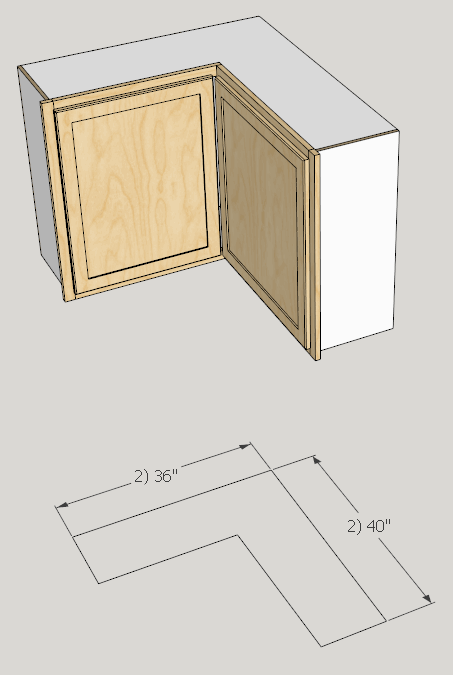
- 2D cabinet dimensioning on layer called "Dimensions"
Set Config if you want dimensioning. Also you can set a network path here.
New version available shortly.
-
Garry,
I have tried to make a standard upper cabinet without drawers/doors with a 18mm thick back board, 0mm back offset and 0mm back dado:
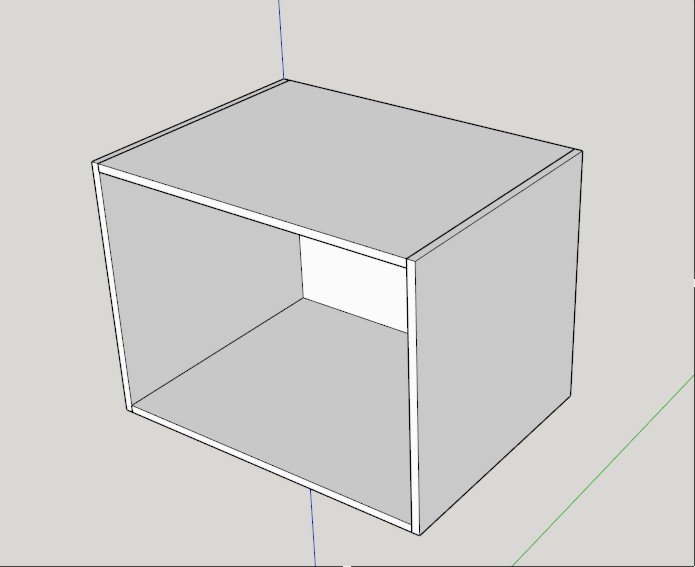
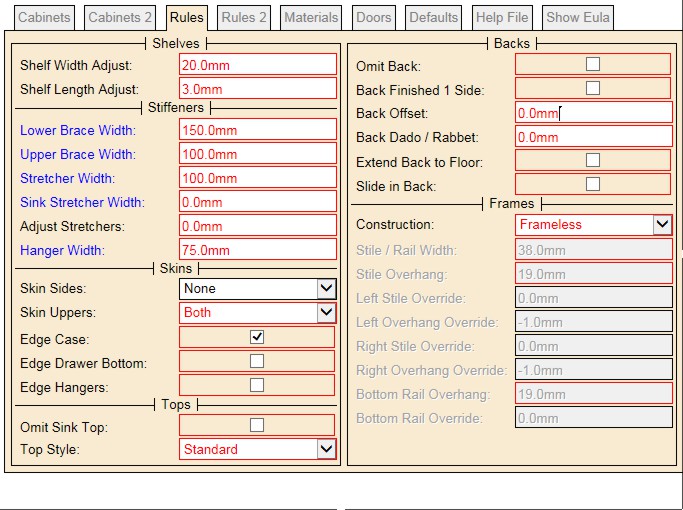
But the problem now is the back board not placed in a correct position:
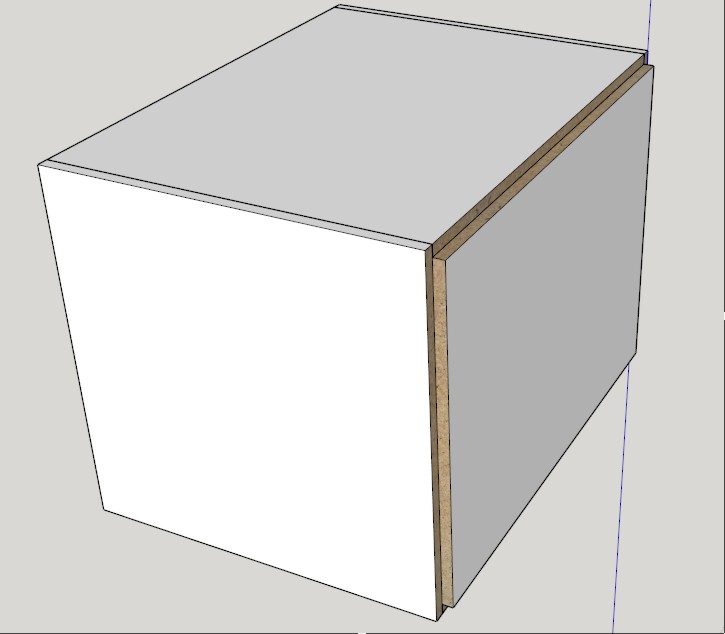
I have tried to solve it by making back offset in minus figure but it didn't work for me. Finally I changed the thickness of back board to minus figure which return the back board to the right place:
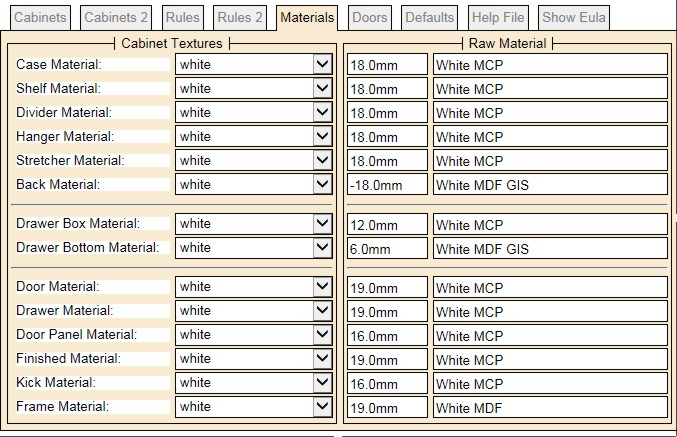
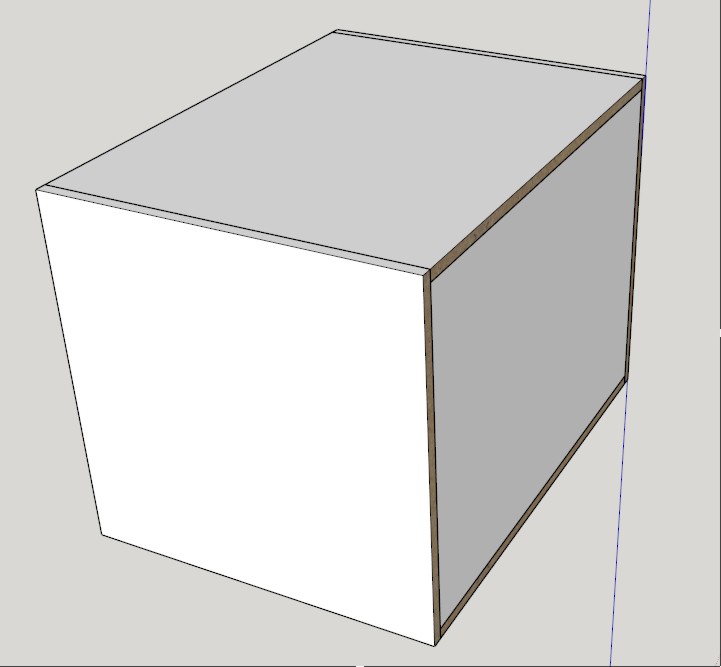
I do not know if this Ok especially with the reports also I could't use the back offset after this modification. -
This is a bug. I will fix this and include it in today's version 1.0.37
-
The fix is now in version 1.0.37.
I've set:
Corner brace width = 0
back material thickness = 5/8"
Back offset = 0
Back dado = 0
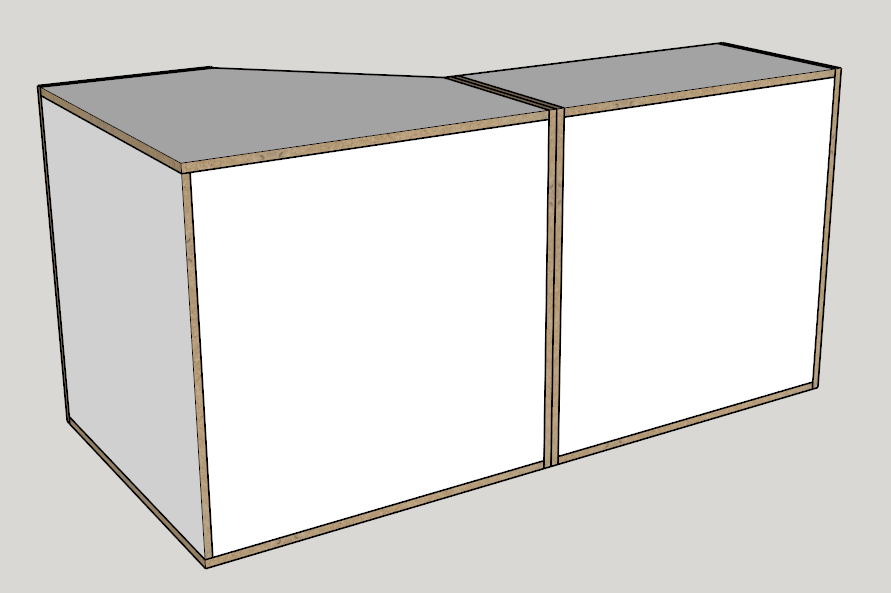
-
Thank you Garry for graet support. It works for me now.
But I have another issue. I have drawn the following cabinet: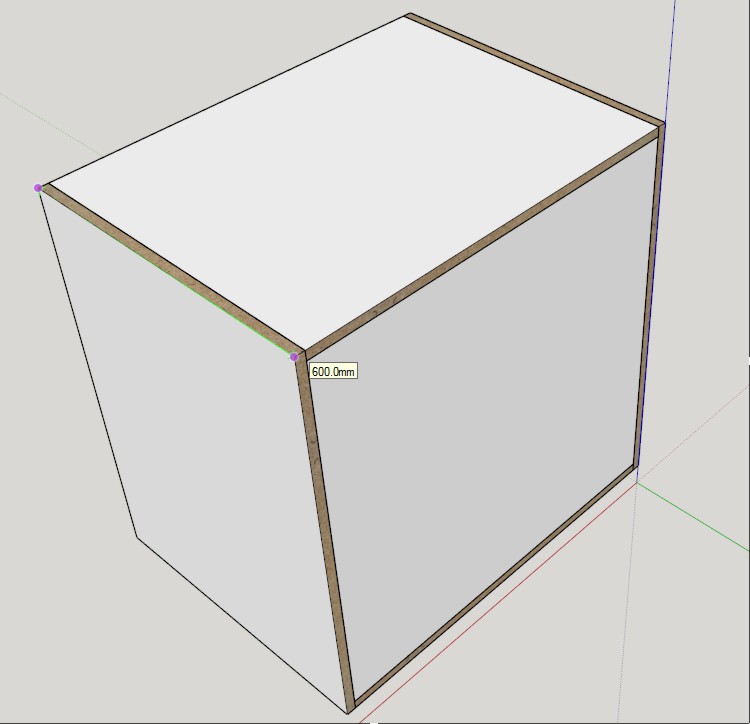
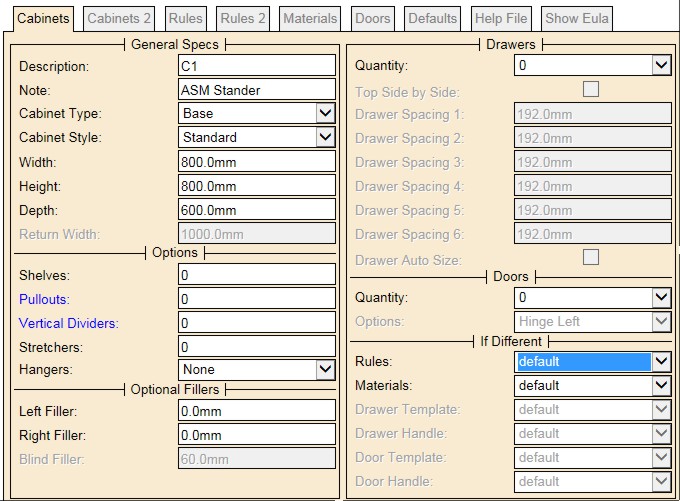
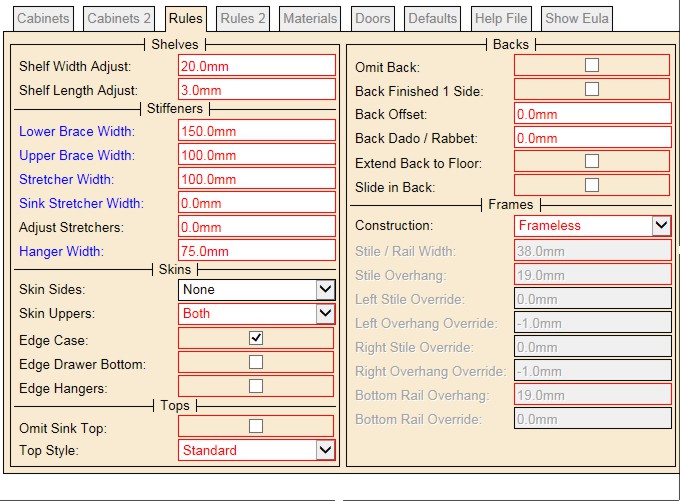
The problem now is the width of the side panel in the parts list report is greater than the actual width by 10mm :

-
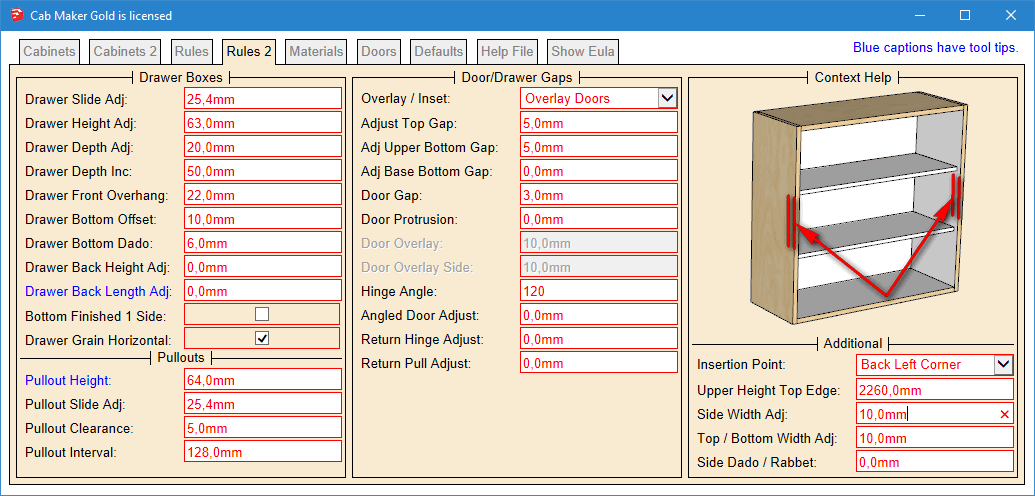
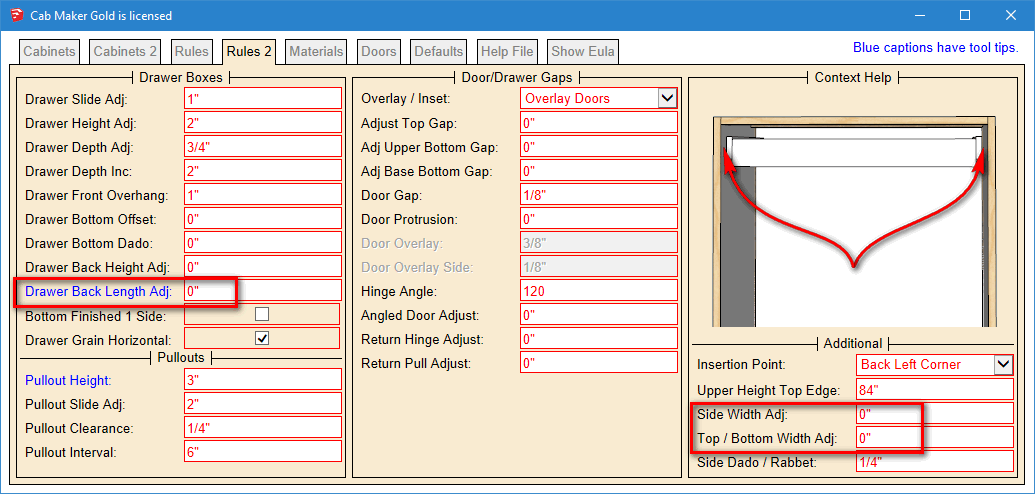
Please check the 'Additional' section in the Rules 2 tab
Side Width Adj:
Top / Bottom Width Adj:There are several adjustments that are required for cabinet makers who need to increase the size of various parts. That includes:
Sides, Tops, Bottoms, Drawer Box Fronts and Backs and Door parts (Stiles, Rails and Panels)
-
You are right, I changed side width adj to 0mm. Now the parts list report give me 600mm instead of 610mm.
I think if you change the title from Additional to Final Cut Adjustments it will become more clear. -
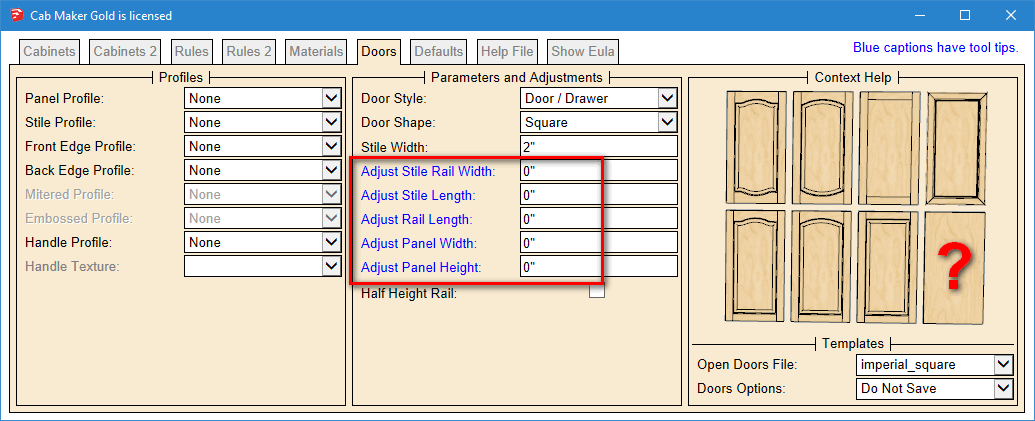
I see what you mean however these are actually 'Additional' since there are 5 items.
only 2 of them are Part adjustmentsThen there is 1 part adjustment in the drawer box section and then each door template has 5 adjustments.
-
Version 1.0.38 now ready for download.
Fixed a network path issue.
-
Hi Garry,
The following wall cabinet is from IKEA website: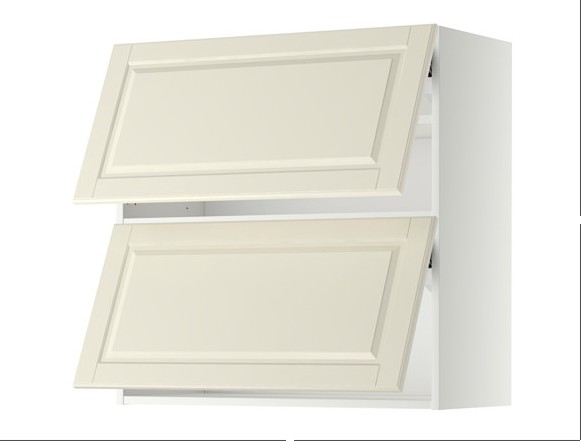
I have tried to make a semillar cabinet with cabmaker but it allow for one door if I select hinge top in the door options:
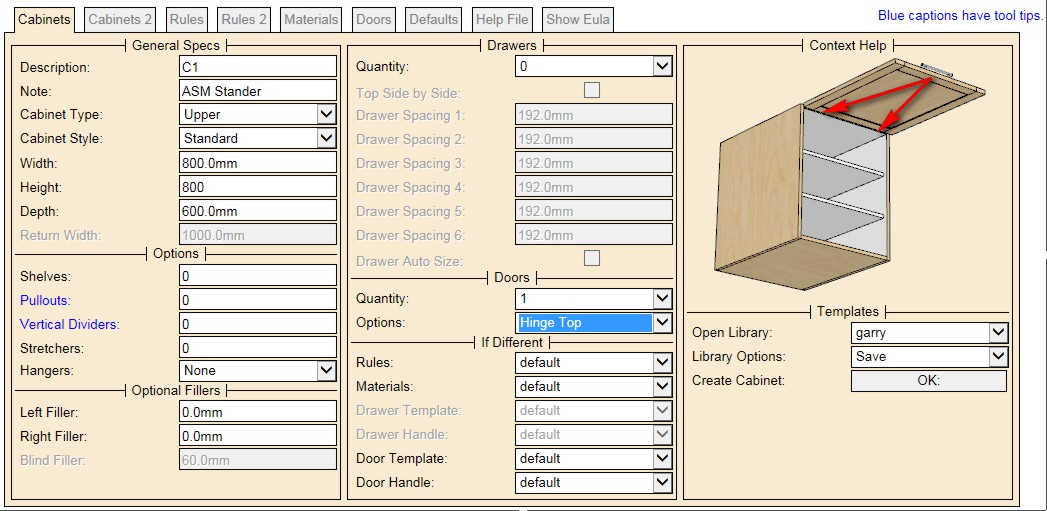
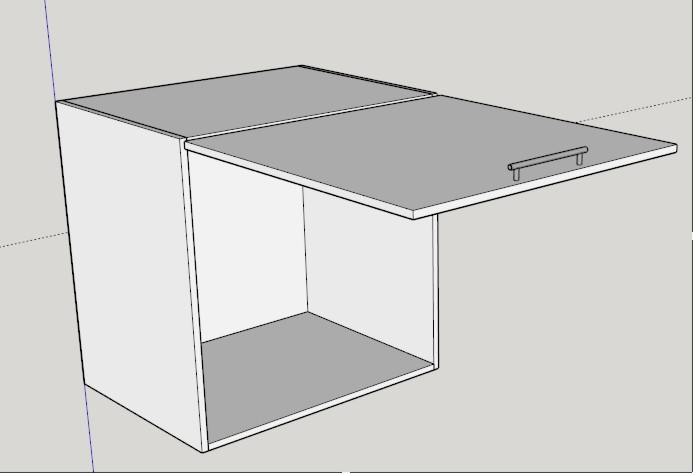
Is it possible to make a cabinet with two horizental door in cabmaker?
Hello! It looks like you're interested in this conversation, but you don't have an account yet.
Getting fed up of having to scroll through the same posts each visit? When you register for an account, you'll always come back to exactly where you were before, and choose to be notified of new replies (either via email, or push notification). You'll also be able to save bookmarks and upvote posts to show your appreciation to other community members.
With your input, this post could be even better 💗
Register Login


Advertisement