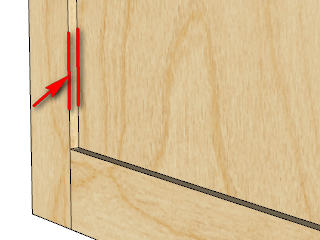
One option is to detect whether the user has Pro or Make. If Make - then skip the rebar. If Pro then use the available boolean functions.
Oops, your profile's looking a bit empty! To help us tailor your experience, please fill in key details like your SketchUp version, skill level, operating system, and more. Update and save your info on your profile page today!
Urasik Extensions | Lots of new extensions to check out Learn More
G
Offline
Posts
-
RE: Boolean Subtraction or ???
-
RE: [Plugin] GKWare Cabinet Maker
CabMaker2 Version 2.0.76 is now available
- Small change to Reporting for Fridge cabinet
CutMaster Version 2.0.1.40 is now available
- Added support for Fridge cabinet
- Modified Dxf files Now compatible with acad
- Dxf Files optionally 2D or 3D.
-
RE: [Plugin] GKWare Cabinet Maker
Version 2.0.74 is now available.
- Added Fridge cabinet
- Fixed a bug with Frames
-
RE: [Plugin] GKWare Cabinet Maker
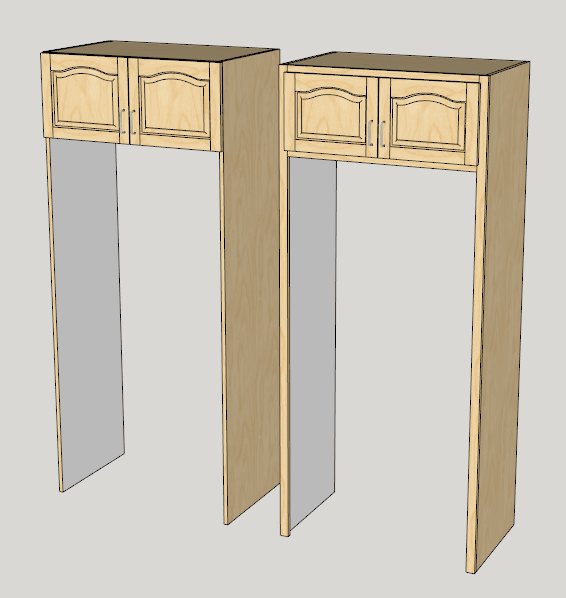
I have added a Fridge cabinet to this next version for all construction types.
-
RE: [Plugin] GKWare Cabinet Maker
CutMaster 2.0.1.39 is now available.
- Tall cabinets now have shelf supports in top 2 sections.
- With inches the DXF files had illegal characters in their names. Fixed
- Modified labels for A4 printer.
-
RE: [Plugin] GKWare Cabinet Maker
CabMaker 2 Version 2.0.73 is now available.
- The beaded frames had some reversed faces. Fixed.
- Fixed stretcher placement for blind cabinets with integrated kicks.
- Fixed insertion point for face frame cabinets Blind inset.
- Modified Reports to synchronize with CutMaster.
-
RE: [Plugin] GKWare Cabinet Maker
Working on 2.0.73
Anyone interested in a sliding door option for inset doors.
I'm guessing we would need an overlap parameter and the sliding door option would require a pair of doors. -
RE: [Plugin] Window Maker
What is your problem - can you provide a sketchup model.
-
RE: Medeek Wall Plugin
I've got an architect who wants a different type of wall maker. He wants to play around with the house design in 2D plan view then raise the walls and finally put on the roof. What he wants is a wall plugin that allows him to edit walls - change length - move them around - change a door - add a window - slide the door over etc.
I think it is all about workflow and whether it is intuitive and comfortable.
-
RE: Medeek Wall Plugin
I think interior finishing should be separated from exterior walls regardless. Often interior finishing changes room to room yet the exterior wall may be the same.
Even interior walls can have different finishes on either side.
Furthermore by separating the construction from the finishing (cladding) you can simplify the number of different templates will be required.
-
RE: [Plugin] GKWare Cabinet Maker
Version 2.0.72 is now available for download.
- Modified Beaded frames so that they are now Sketchup solids.
- Fixed Insertion point for Full and Partial Frame construction.
- Added Tall Top parameter. You can have Default (as before) or Treat As Base or Treat As Upper. Provides more consistency and flexibility.
- You can now set Frameless Cabinet Depth to 0 to get Doors and Drawer fronts only. You can set Full and Partial Framed Cabinet Depth to the same thickness as the frames to get Frames, Doors and Drawer fronts only.
- You can use the new cabinet parameter Pullout when 0 Depth.
-
RE: [Plugin] GKWare Cabinet Maker
Cab Maker can now produce doors and drawer fronts with or without frames.
Treats Doors and Frames like any other cabinet. Reports include doors and frames.
Batch editing works with these as well as regular editing.Framleess overlay
Set Cabinet Depth = 0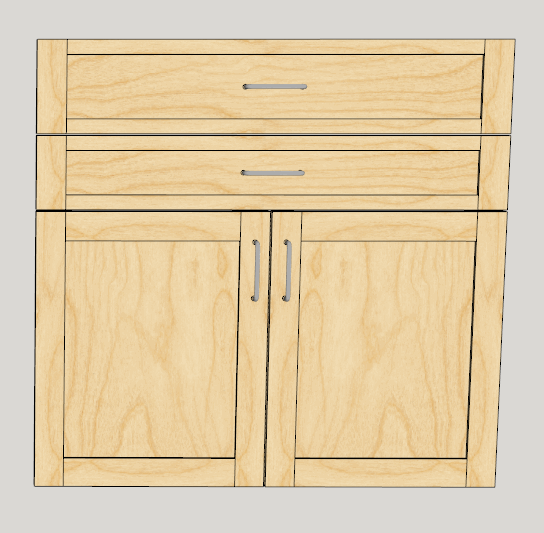
Inset Full Frame
Set Cabinet Depth = Frame Thickness for correct insertion point.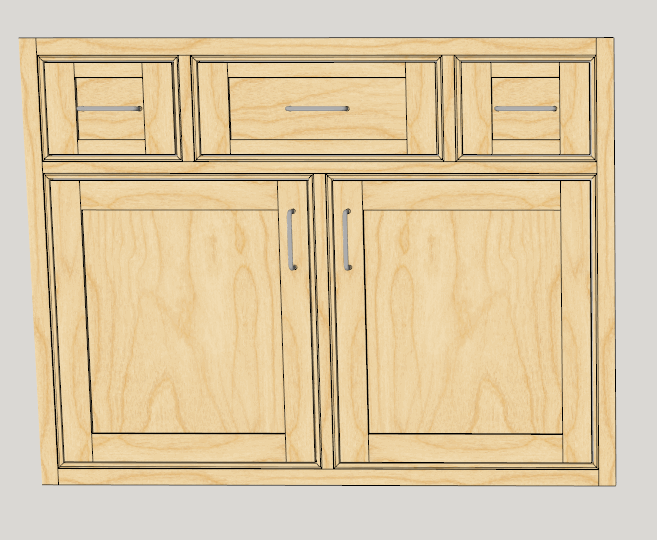
-
RE: [Plugin] GKWare Cabinet Maker
I found an error in the insertion point for full and partial frames. Fixed
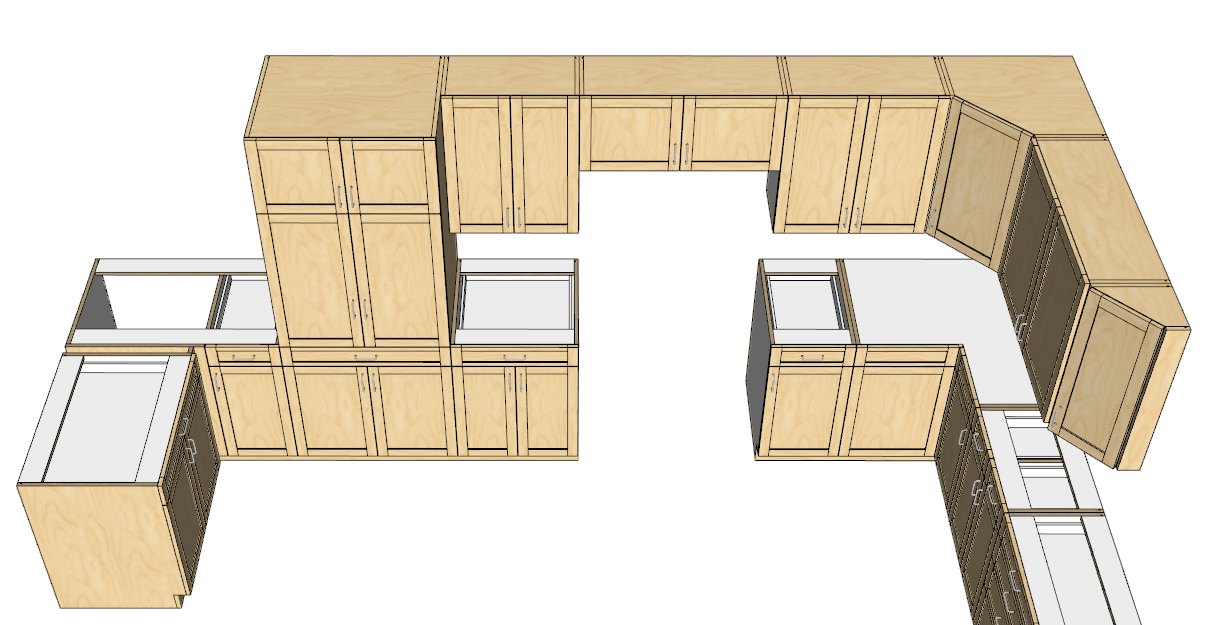
Tall cabinet tops can have 3 modifiers:
- Default(no change)
- Treat As Base (Tall cabinet takes on top style used for base cabinets)
- Treat As Upper (Top and top edge of sides take on the same finish as the top of upper cabinets)
Tall - Treat as Upper.
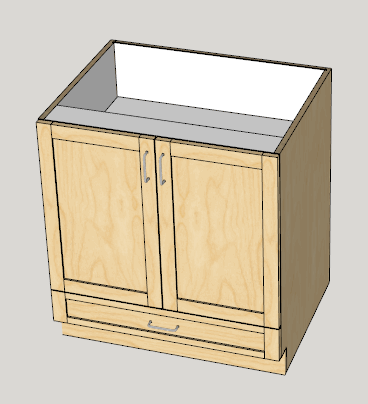
Tall - Treat as Base. Top section is turned off (height = 0), Cabinet Height is 768 and Mid Section is 640 leaving 128 mm for a bottom drawer. You set the number of drawers. I used mid section because you can adjust the position of the handle.
-
RE: [Plugin] GKWare Cabinet Maker
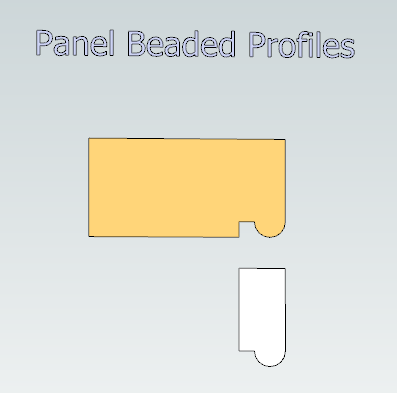
The various parts of the beaded frame are now solid (has volume) which could help in determining amount of finished material.
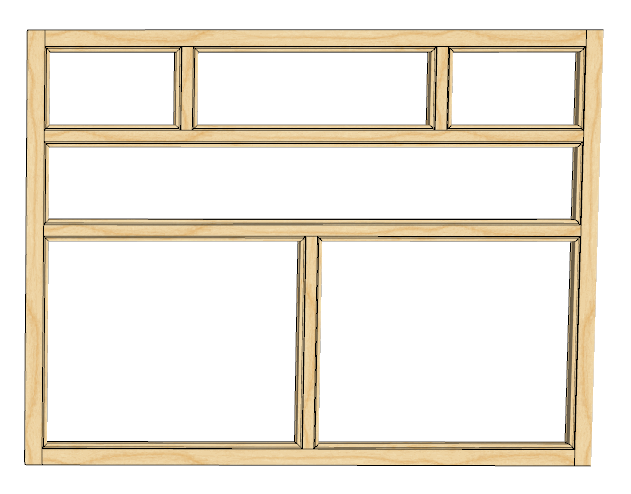
Here are the parts in an exploded view.
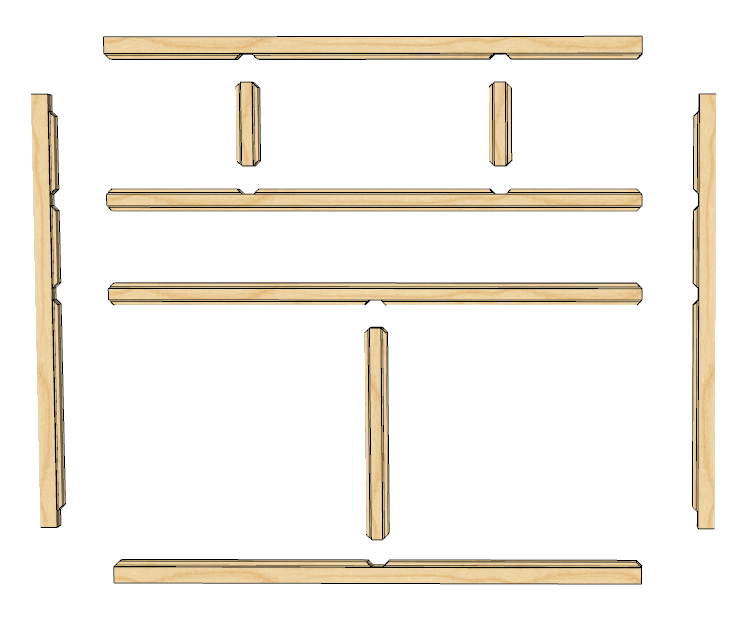
CabMaker's profile builder now has another category for beads for frames. The important part is the profile needs to be the same as the thickness of the frame. This allows the cleanup to work properly and the back edge is then removed to create a true solid.
-
RE: [Plugin] GKWare Cabinet Maker
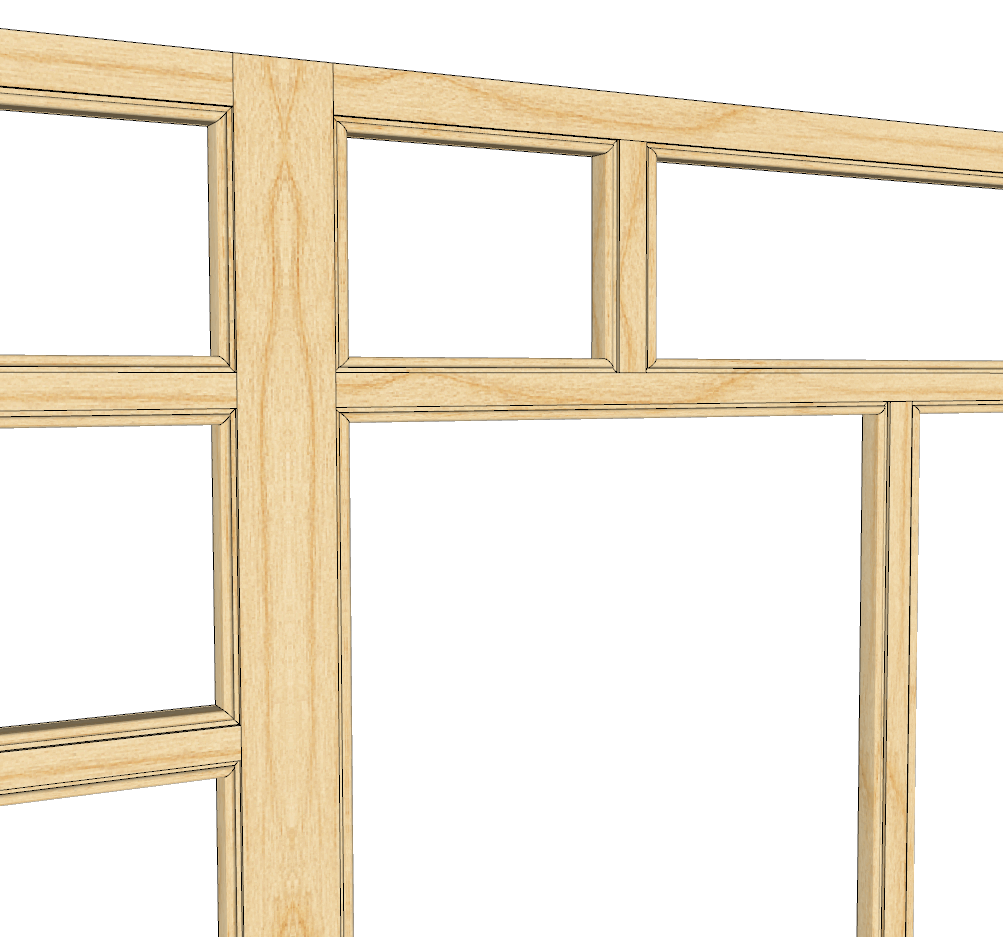
I have now finished the beaded frames. I have included a simple bead. Users can add additional beads if they wish.
Version 2.0.71 will be available shortly. Just finishing up with the documentation.
-
RE: [Plugin] GKWare Cabinet Maker
Version 2.0.70 is now available from my website
The beaded frames are not finished so they aren't in the plugin.
-
RE: [Plugin] GKWare Cabinet Maker
Alex - please provide me with your printer model and the labels you are using (manufacturer and part number). If you could provide exact measurements in mm for the labels and all margins.
The problem is that most printers can't print to the absolute edge and some label companies produce labels without margins. Are you using A4 or letter labels?
The model might give us that information.
-
RE: [Plugin] GKWare Cabinet Maker
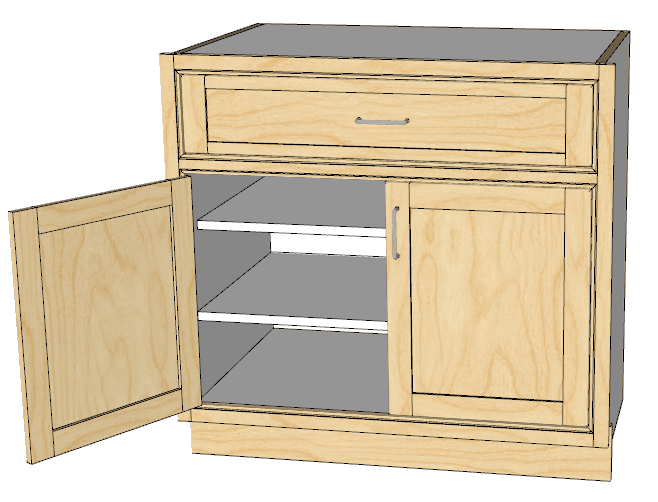
I'm now working on adding Beaded frames. You can add your own beading profiles.
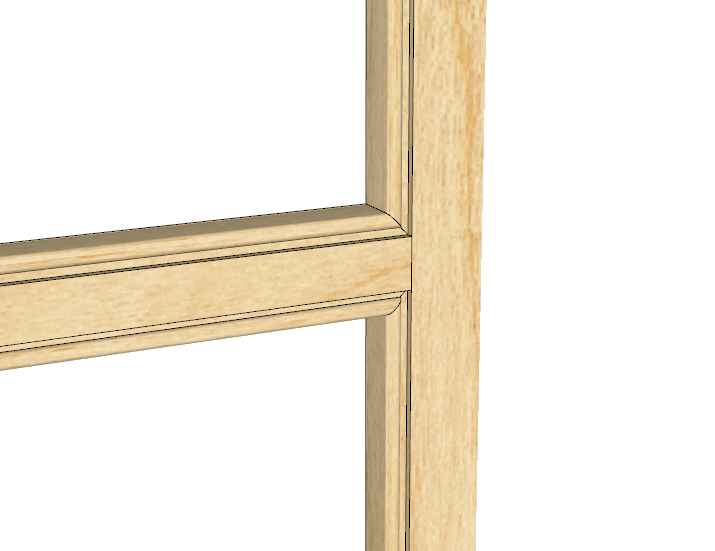
Here is a cabinet with a beaded frame and shaker style doors.
-
RE: [Plugin] GKWare Cabinet Maker
I've been working on version 2.0.70
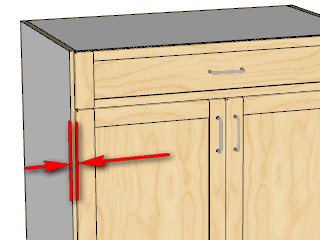
Added Side Gap for Frameless Overlay construction.
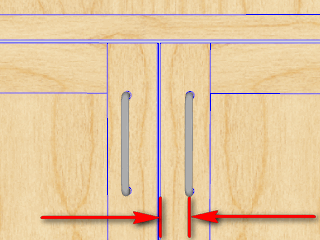
Added more control for doors. Handles by default are centered in the stiles. Now you can adjust the position on a door style basis.
You now can adjust the thickness of panels (especially good with Shaker style doors)
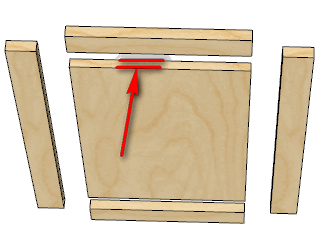
And you can adjust how far the panel is set back.