sketchucation logo sketchucation
    • Login
    1. Home
    2. Garry K
    3. Posts
    Oops, your profile's looking a bit empty! To help us tailor your experience, please fill in key details like your SketchUp version, skill level, operating system, and more. Update and save your info on your profile page today!
    🔌 Easy Offset | Offset selected faces in SketchUp in positive and negative offsets. Download
    G
    Offline
    • Profile
    • Following 0
    • Followers 0
    • Topics 33
    • Posts 976
    • Groups 2

    Posts

    Recent Best Controversial
    • RE: The future of Fillets and Round Corners

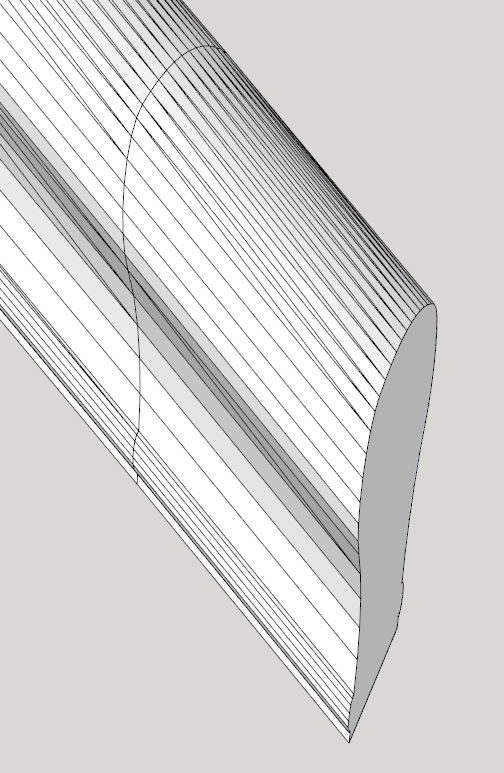
      What I do is first test to see if it can be a quad - if so then let it be - otherwise it follows triangulation.
      handrail.png

      posted in SketchUp Discussions
      G
      Garry K
    • RE: Foundation Plugin

      For what ever it is worth I believe I share this sentiment with Nathaniel. I want my plugins to work with Make and Pro.

      However I do use a few Pro only features. What I do is disable them in the web dialog if Make is running. So I can manage one source code and not worry. The features that I disable are not show stoppers.

      posted in Plugins
      G
      Garry K
    • RE: The future of Fillets and Round Corners

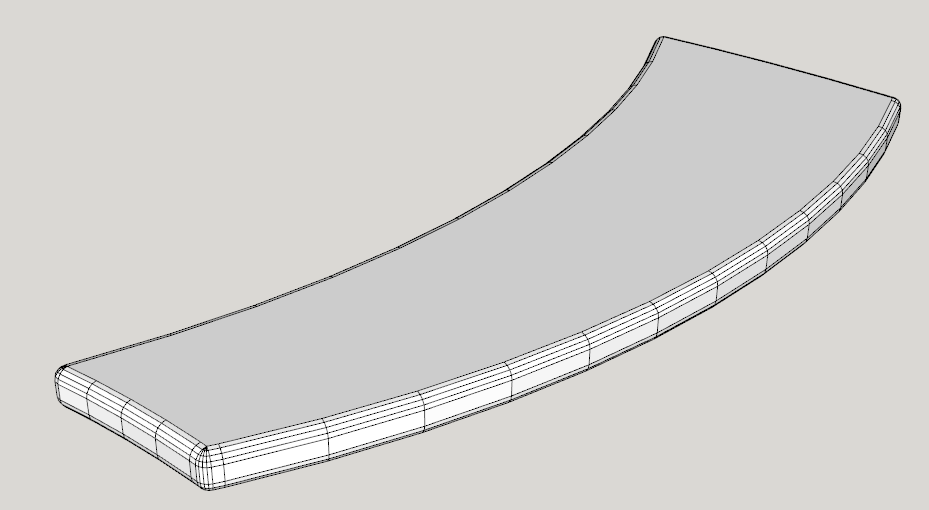
      I've programmed simple rounded corners which are on plane. I have made use of meshes for the stringers, treads and handrail - mostly for speed.

      This curved stair is created in under a second with 1 click of the button (after the parameters are entered).

      open riser.png

      Here is a curved and flared tread.

      tread.png

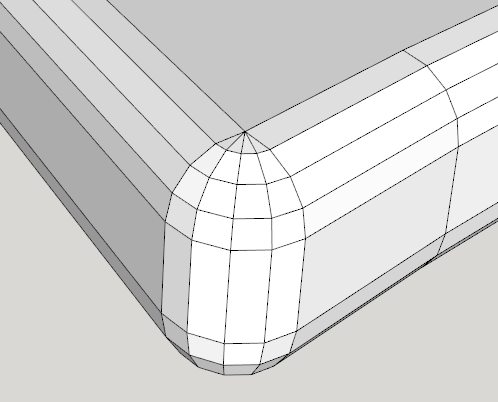
      And zoomed in

      zoom.png

      Essentially I had to find the pivot point that satisfies rounding over of the ends and then calculate all the points using the radius of the round over as an offset.

      posted in SketchUp Discussions
      G
      Garry K
    • RE: [Plugin] GKWare Cabinet Maker

      CabMaker Version 2.0.85 is now available.

      Version 2.0.85 – Jun 10, 2017

      1. Added main menu item “Edit Cabinet 2”. You can now create a shortcut for editing
        cabinets.
      2. Fixed some translation issues.
      3. Top and bottom eding for Finished Panels, Finished Backs, Blind Panels and Fillers
        now working.
      posted in Plugins
      G
      Garry K
    • RE: [Plugin] GKWare Cabinet Maker

      New version available

      Version 2.0.84 – Jun 1, 2017

      1. Upper top edging wasn't working – fixed.
      2. Cabmaker was not honoring last drawer offset for some cabinet construction types –
        fixed.
      3. Panel material was not being honored – fixed.
      4. Editor was not showing the library template that produced the cabinet – fixed.

      You can now create cabinets with a different inside panel
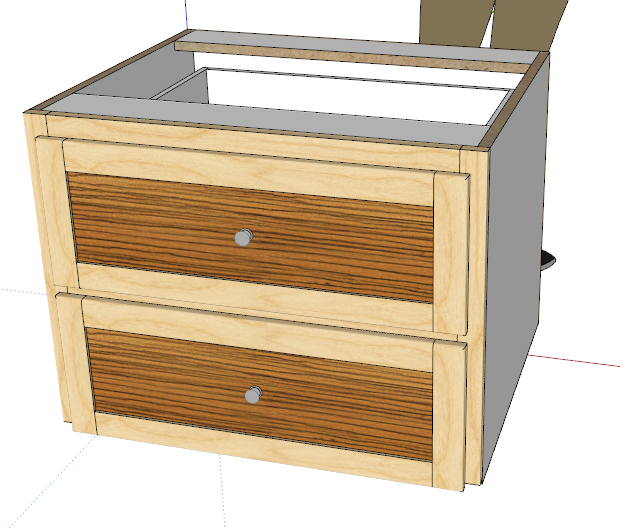

      Different panel.png

      posted in Plugins
      G
      Garry K
    • RE: [Plugin] GKWare Cabinet Maker

      CabMaker 2.0.83 is now available

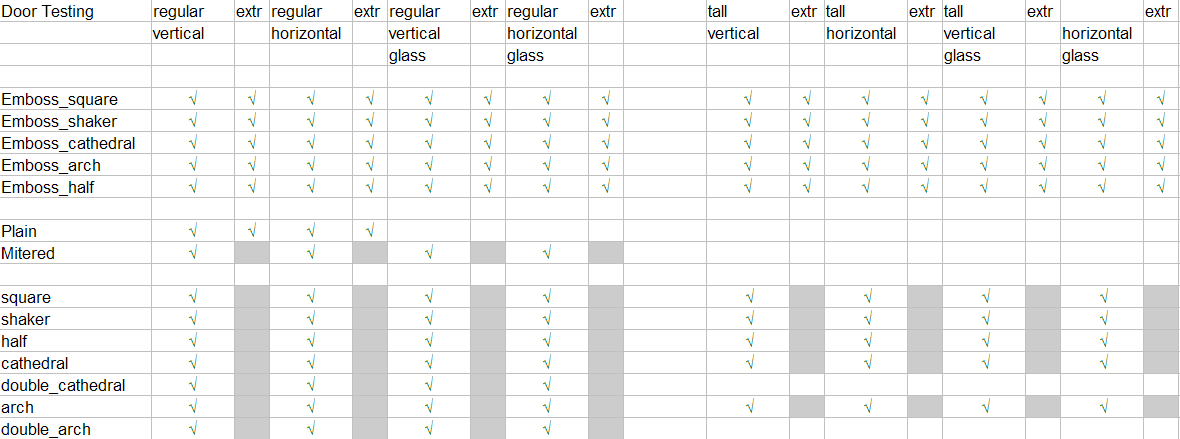
      1. Tested all the door types and modified routines to complete the horizontal door options.
      2. Added door parameter so you can now set the mid rail height.
      3. Added override for extruded handle placement.

      door testing.png

      posted in Plugins
      G
      Garry K
    • RE: [Plugin] GKWare Cabinet Maker

      Adding the ability to adjust the height of the middle rail. This way you can have the middle rail for tall doors line up with your regular doors.
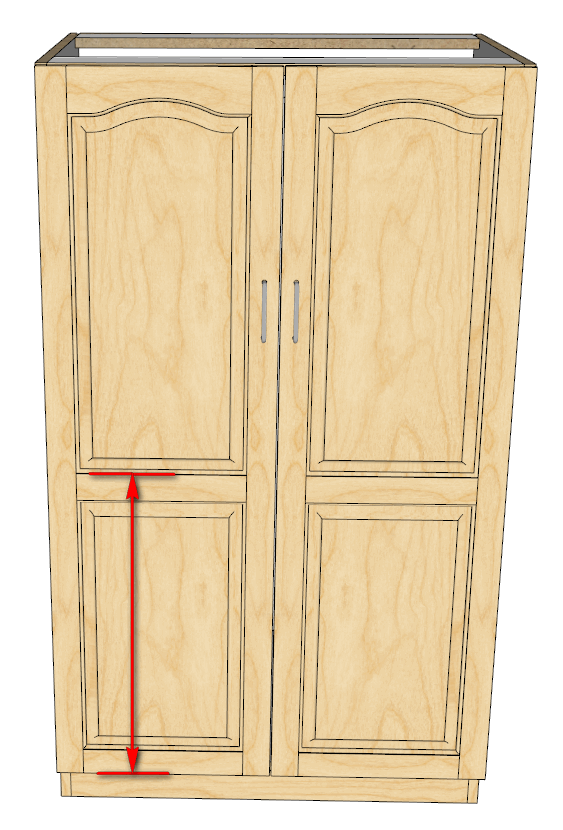
      Mid doors.png

      I'm also adding the ability to override the placement of and extruded handle. So you can set up a top drawer and have the handle at the bottom and have the handle for the rest of your drawers on the top.

      posted in Plugins
      G
      Garry K
    • RE: Problem introducing inches or feet

      I just tried it and it works fine with Windows on Sketchup 2014 and 2017 (your information says you are on Windows and Sketchup 2014)

      My model is mm
      I start the line click where the line is to start and move the mouse in the direction that I want the line. Then I type 8' 6" and the line completes as expected.

      posted in Newbie Forum
      G
      Garry K
    • RE: [Plugin] GKWare Cabinet Maker

      CabMaker 2.0.82 and CutMaster 2.0.1.47 are now available.

      CabMaker

      1. Doors now have a horizontal grain option.
      2. Materials for skinned parts in the parts listing now have "_F1S" appended to the name.
      3. Sketchup followme has issues with certain Extruded handle profiles such as the new mondern one. Added an option to use Solid tools "Subtract" where Sketchup is Pro.
      4. Modified CabMaker DXF import to understand CutMasters new DXF options.

      CutMaster

      1. Options now work properly with inches. Requires " mark
      2. Lists now can have last argument as c1 or c2 forcing CutMaster to divide the space by 2 or by 3
      3. Slides table in Database no longer restricted to 30 characters for holes.
      4. Options in red (mostly depths) can receive fractional inches.
      5. Added additional optional configuration for dxf files
      6. Added more layer names
      7. Added horizontal boring for dxf where 3D and where one part per dxf.
      posted in Plugins
      G
      Garry K
    • RE: [Plugin] GKWare Cabinet Maker

      Version 2.0.80 of CabMaker 2 now available. Also CutMaster 2.0.1.45 is available.

      CabMaker 2

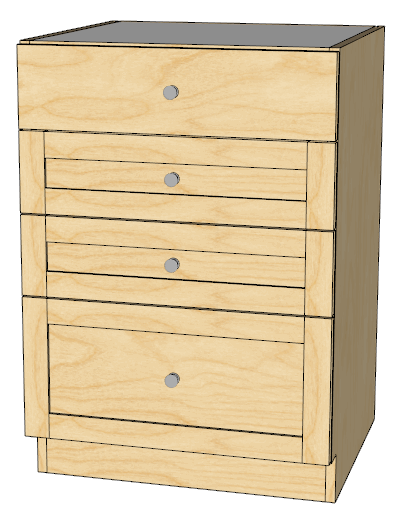
      1. You can now specify a different Top Drawer Style.
      2. Stretchers not position correctly for tall Frameless Overlay cabinets with drawers and stretchers. Fixed.
      3. Adjusted List_Parts_2 reports.

      CutMaster

      1. Side Panels now only have hinge holes where necessary. So for a cabinet with 1 door hinged right would not have hinge holes on left side.
      2. DXF files for CNC can be created 1 per part for CNC operators with pod style CNC.

      drawer bank.png

      posted in Plugins
      G
      Garry K
    • RE: [Plugin] GKWare Cabinet Maker

      CabMaker Version 2.0.79 is now available for download from my website

      1. Drawer Height overrides not working for Tall Cabinets. Fixed
      2. Added Drawer Depth overrides for 6 drawers.
      3. Added pullout Height overrides for 4 pullouts.
      4. Added pullout Depth overrides for 4 pullouts.
      5. Added shelf spacing override for 4th shelf.

      CutMaster Version 2.0.1.44 is now available for download
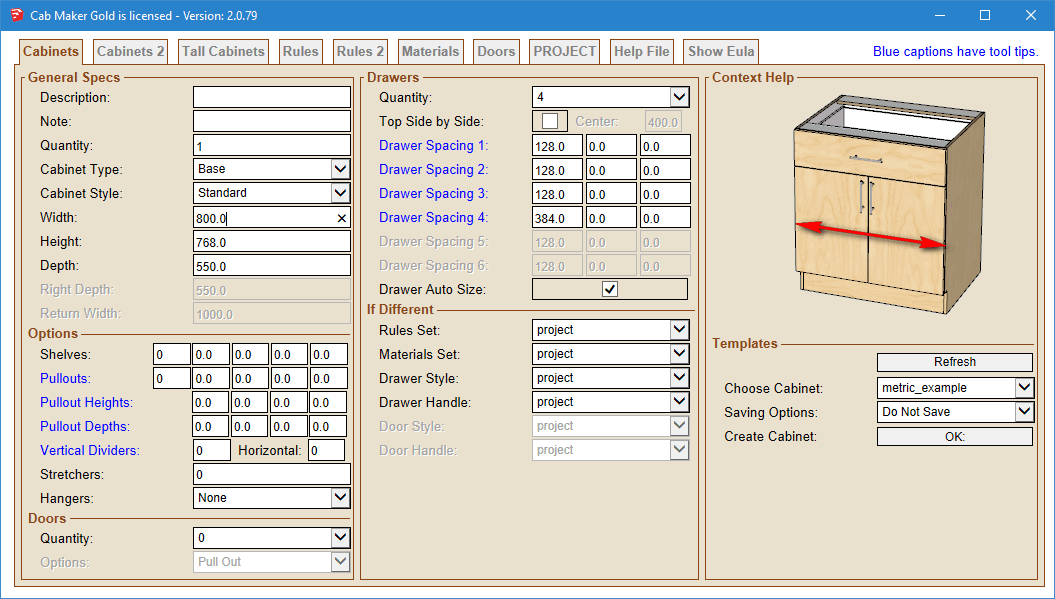
      1. Added Blind dadoing for Backs where the back is the same thickness as the sides.

      __Cabinets Tab.png

      posted in Plugins
      G
      Garry K
    • RE: [Plugin] GKWare Cabinet Maker

      I am now considering working on using doors as finished panels. The only problems that I see are with extra wide back panels for narrow islands and peninsulas.

      Anyone care to comment on how they would like to see this done?

      posted in Plugins
      G
      Garry K
    • RE: [Plugin] GKWare Cabinet Maker

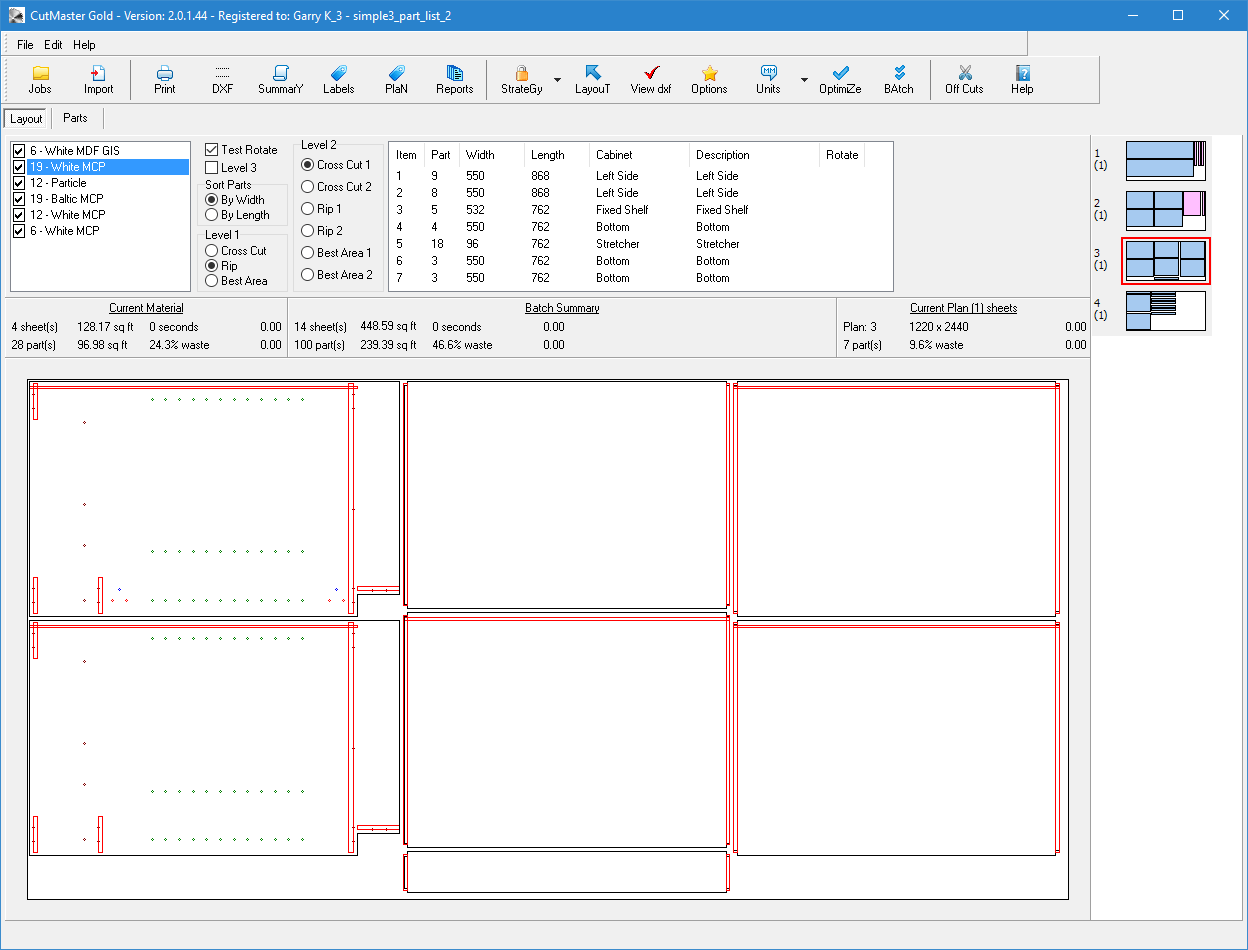
      CabMaker 2 now supports stretcher dados and kick dados (integrated kicks). Users the same Side Dado parameter.

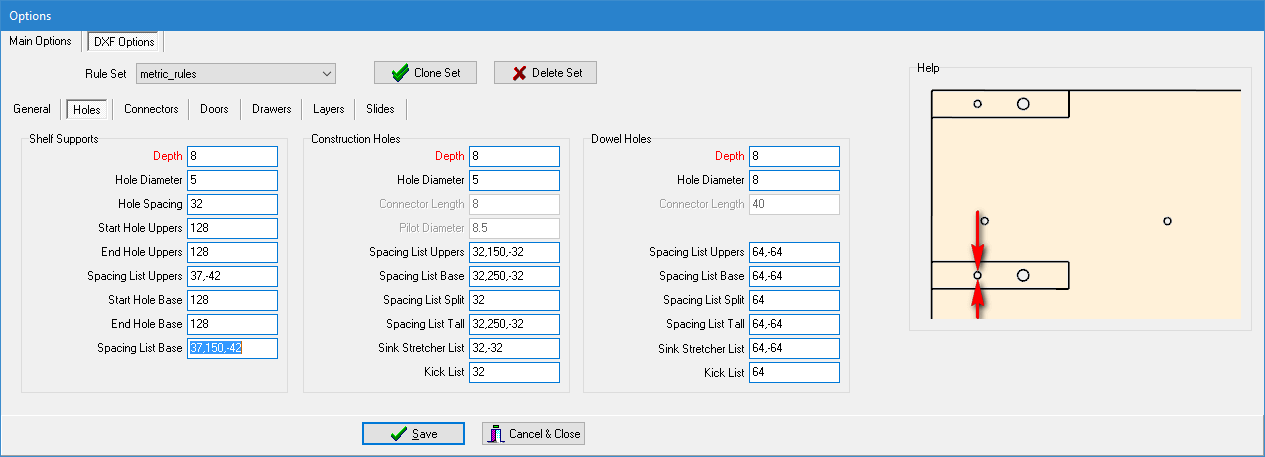
      CutMaster now has context sensitive help images for DXF Configuration.
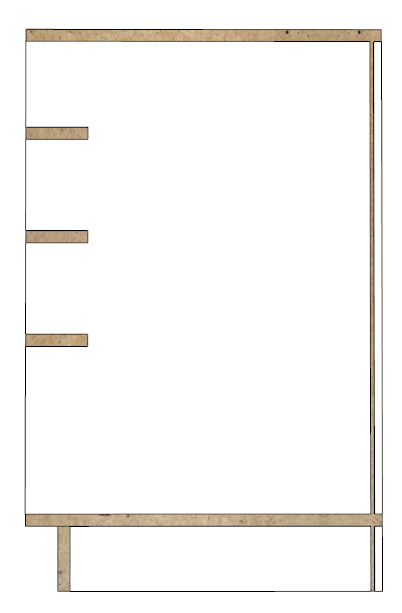

      Full dado stretchers.png


      Configuration.png


      optimized.png

      posted in Plugins
      G
      Garry K
    • RE: [Plugin] GKWare Cabinet Maker

      Sorry Doug -

      I do have a C++ compiler that supports both Mac and Windows and I started porting my code over but there were just too many bugs in the compiler. So I went back to Windows only.

      I do have a number of Mac users that use bootcamp or parallels or vmware.

      posted in Plugins
      G
      Garry K
    • RE: [Plugin] GKWare Cabinet Maker

      CabMaker 2 Version 2.0.78 and CutMaster Version 2.0.1.43 are now available

      CutMaster Version 2.0.1.43

      1. Completed the context sensitive help.
      2. Added Dado Sides Only for cabinet backs.
      3. Added Last Front Overhang. You now can have the slide holes in the sides positioned the same for cabinet bottoms and for stretchers.
      4. Fixed bug for middle doors of tall cabinets when Tight Gap was 0.
      5. Fixed bug for shelf support placement on Middle and Top sections of Tall cabinet when using integrated kicks and Overlay doors on Frameless cabinets.

      CabMaker 2 Version 2.0.78

      1. Added Dado Side Only for backs.
      2. Added Last Front Overhang for the bottom most drawer.
      3. Fixed situation that could cause Sketchup to crash when using Sketchup 2017. This was when dadoing side panels for backs and for tops and bottoms where the dado depths are different.
      posted in Plugins
      G
      Garry K
    • RE: Installing Sketchucation tools in SU2017

      Attention Required! | Cloudflare

      favicon

      (help.sketchup.com)

      posted in SketchUp Discussions
      G
      Garry K
    • RE: [Plugin] GKWare Cabinet Maker

      CabMaker 2 Version 2.0.77 and CutMaster Version 2.0.1.42 are now available

      CutMaster Version 2.0.1.42

      1. Fixed Label report for A4 printer.
      2. Reorganized Dxf Options tabs. Rules and Miscellaneous are now on General tab and Shelf Supports are now on Holes tab.
      3. Added context sensitive help to options. Not complete but a good start.
      4. Fixed top hinge placement for doors.
      5. Fixed bug when using partial sheets.

      CabMaker 2 Version 2.0.77

      1. Modified Dxf inport to handle changes to the DXF format.
      posted in Plugins
      G
      Garry K
    • RE: Polygon Positioning Tool

      I totally agree. I use Notepad++ as well and I do not use tabs.

      The main reason is everyone can set their tabs differently - but spaces are spaces so the reader gets to see what you want them to see.

      posted in Developers' Forum
      G
      Garry K
    • RE: [Plugin] GKWare Cabinet Maker

      You still can - however you have to turn it on.
      From the Sketchup menu choose
      Extensions \ GKWare CabMaker 2 \ Cab Maker 2 - Edit Config
      Set Animate Doors to true.

      Any new cabinets or edited cabinets will now have the proper attributes.

      I had to do it this way because the Extension Warehouse kept failing CabMaker during automatic testing. Pretty crazy - because Dynamic Components would also fail (if they let it)

      posted in Plugins
      G
      Garry K
    • RE: Boolean Subtraction or ???

      I have sent you a PM with a code snippet.
      select the face of the slab and run the code and you will have construction points offset by 50 mm.

      Adjust the code to fit your needs.

      posted in Developers' Forum
      G
      Garry K
    • 1 / 1