If you aren't going to use ruby methods etc that were introduced in SU2017 then you could run SU 2016 and SU 2017 simultaneously - one with all your plugins and one with a bare set. This might be a solution for testing your code.
Just a thought.
If you aren't going to use ruby methods etc that were introduced in SU2017 then you could run SU 2016 and SU 2017 simultaneously - one with all your plugins and one with a bare set. This might be a solution for testing your code.
Just a thought.
You can now type in the drawer box height (to the right of the drawer front spacing) or leave it as -1 which means the rule for drawer height adjustment is in effect.
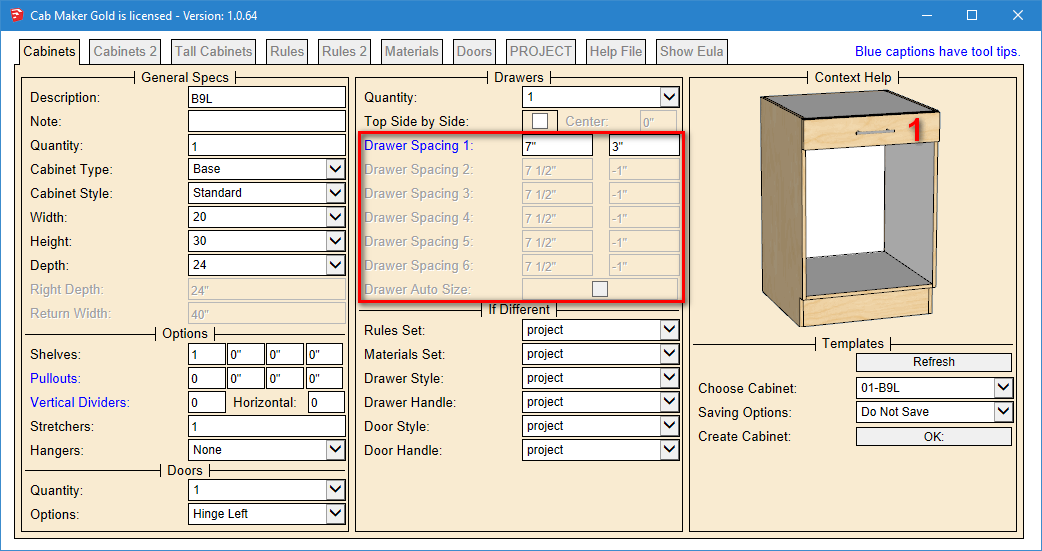
I've added a strategy for users who like to work with templates and fixed sizes. Templates are in library folders and have file extensions of .txt
So if you have a base sink cabinet with 2 doors you could name it somethiing like BSD This means there will be a file named BSD.txt If you want to provide a number of widths then you simply create a text file called BSD.dat and in it you would have 1 line:
widths=30|36|42|48
I'm also supporting heights and depths
Now CabMaker will give you a drop down list with these 4 widths for template BSD. All other templates that do not have a corresponding file with a line for widths will give you a text box and you enter a width.
I've also added a parameter that allows you to override the insertion height for upper cabinets (or leave as -1 to use the height in the rules)
There have been several requests to set drawer box heights. I am now working on this feature that will override the drawer box adjustment in the rules.
You can do it with 2 plugin folders and 2 desktop shortcuts to 2 batch files.
Call them something like "SU Light.bat" and "SU Full.bat"
Have the batch file rename the plugin folder's accordingly and then start sketchup
Or you can have to loader.rb files each containing 2 lines
Have the batch file copy the correct loader.rb file into the plugins folder and start sketchup
require 'sketchup.rb'
require_all('c:/users/public/documents/sketchup/plugins_light')
require 'sketchup.rb'
require_all('c:/users/public/documents/sketchup/plugins_full')
Version 1.0.63 of CabMaker now available.
Also Version 2.0.1.33 of DxfConfig and CutMaster now available on my website.
Merry Christmas
I'm working on CabMaker 1.0.63
New version available shortly.
Update your Dynamic Components for each version of Sketchup to the latest version 1.4.2
The load_material function works in all versions of Sketchup from SU 7 through to SU 2017.
Users can add jpg and or png files to the images folder. I do it this way because I wanted to supply a number of wood grain textures write out of the box (since Sketchup has so very few).
This is what I do
  # load_material('c;\...\images', 'Glass', '.png', 36, 0.4)
  def load_material(images, image_name, extension, ht, alpha = 1.0)
    file_name = File.join(images, "#{image_name}#{extension}" )

    if (File.exist?(file_name))
      model = Sketchup.active_model()
      materials = model.materials

      # check to see if material is already loaded in the model
      materials.each do |material|
        return if (material.texture && material.texture.filename == file_name)
      end

      m = materials.add(image_name)
      m.texture = file_name
      m.texture.size = ht
      m.alpha = alpha
    end
  end
Log on to my website and email me from there. I'll walk you through it.
New versions are now available.
What about the users that don't bother updating their profiles?
FYI - all my plugins still work in all versions of Sketchup since SU 7.
In 10's of thousand lines of code there are surprisingly few lines that need to worry about versions.
There is only one feature that I ignore if the version is too old and I need to handle versions in one other spot. That's all. Also my web dialogs work fine in all versions - biggest issue was supporting both Windows and Mac.
Delete the layers you don't want and make sure that "Move Contents to Default Layer" is selected
You should be able to slide the controls over to Darker.
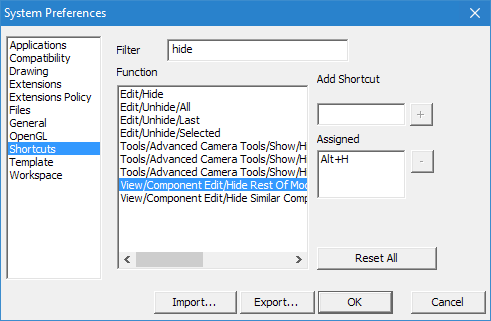
What I do is set up a short cut Alt+H to toggle the hide check box
DxfConfig and CutMaster versions 2.0.1.31 are now available from my web site.
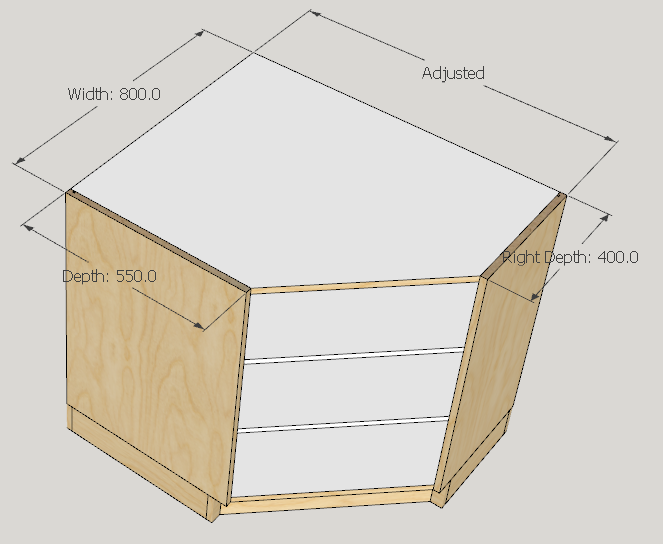
They both now support Corner Tops, Bottoms and Shelves which have different depths for each side.
CabMaker version 1.0.61 is now available from my web site.
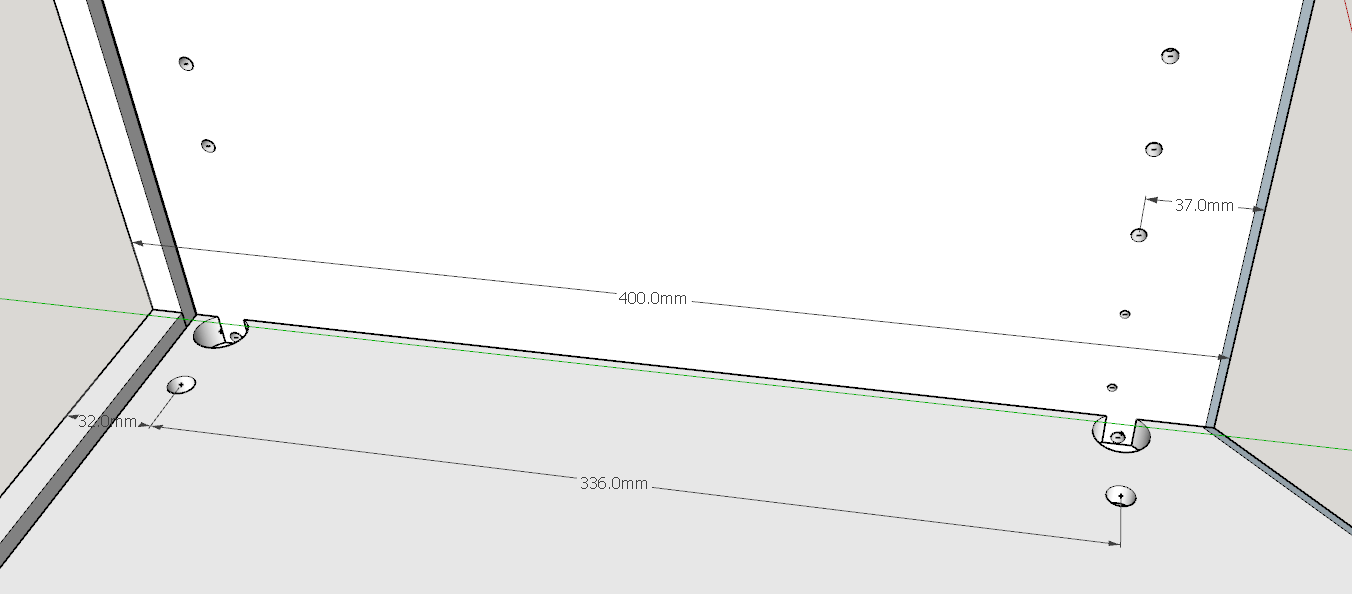
I imported all the parts into cutmaster and then created the dxf file. Then I imported the dxf file back into sketchup to check the accuracy.
The trickiest part is the angled corner top and bottom panels lining up properly with the sides. I set up for 3 mm edging and wanted a 400 mm finished side and for all the drilling to line up.
The setup includes system holes at 37 mm from the finished edge and drilling for rafix 32 mm from back and front edges 400 mm - 64 mm = 336 mm. So accuracy is there.
Now working on Version 1.0.61
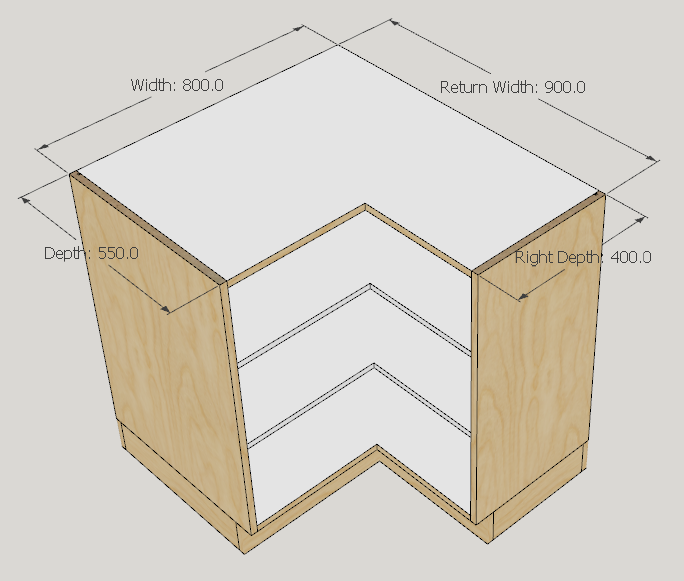
Here is a return cabinet and an angled cabinet with different depths
I'm not sure what you mean by straight skeleton algorithm. First of all an algorithm and code are two different things. Secondly, I spent 20 years in GIS, GPS and M2M communication. I do have algorithms for topography maps where we work with elevations. In addition we reduced poly counts through generalization thus reducing overall size of maps.
Is this something you are interested in?
CabMaker version 1.0.60 is now ready for download
CutMaster version 2.0.30 is now ready for download
DxfConfig version 2.0.30 is now ready for download