Looks really nice! I could have used this on a project about 2 years ago 
How do the threads turn out on your Formlabs? Are supports required, and if so are the threads usable without post-processing?
Looks really nice! I could have used this on a project about 2 years ago
How do the threads turn out on your Formlabs? Are supports required, and if so are the threads usable without post-processing?
#8 (location)
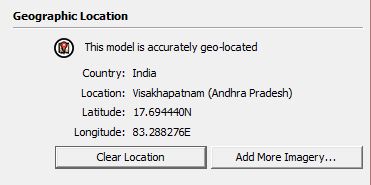
#9 Chisinau (description)
#11 Portalegre ??(Generate report)
Haha, I totally saw and overlooked Boulder and Wagga Wagaa 
Edit: updated my numbers since TIG edited his post up there 

You might try LSS Toolbar or Shape Bender for better results.
Hi Stuart, will you be printing Dudley all in one piece, or do you want him to move? If you want him articulated, printing the pieces separately and snapping them together like a ball jointed robot afterwards is recommended, because the clearances needed to print a moving assembly in one go will leave the joints loose and sloppy.
You will want all the parts in one group of you mean to print him in one piece. I wouldn't explode everything though, or you'll end up with a non-solid mess. It's usually better to make the individual groups solid and then use the Outer Shell tool to combine them into one solid group.
If I were you, I'd make this model one piece first to get a feel for the process, and then if you want to mess around with clearances for joints and assembling pieces, make another model. Just an idea.
Yep, I'm really liking Onshape too. I got in this week and have been playing with it. It's very similar to Fusion 360 - basically Google Docs for mechanical CAD. Fusion 360 is more advanced since it's been in production for a couple of years, but I feel more comfortable in Onshape because the workflow is like Solidworks, which I am already familiar with.
Here's a great review of Onshape by Adam Ohearn from Cadjunkie
I recently purchased this one, and it works awesome. 5*
The Structure Sensor is an attachment that turns smartphones and tablets into 3D scanners.
![sensor_detail_upright[1].jpg](/uploads/imported_attachments/5srt_sensor_detail_upright1.jpg)
A few months ago, http://www.Structure.io and http://www.Shapeways.com hosted a 3d printing design competition to make a case that would attach the Structure Sensor to the new iPhone 6. This was my entry, winning a runner-up title. Designed in Sketchup and presented with Layout.

BTW, I have a $50 credit for Structure that I don't really want. Anyone interested?
Google is looking to develop a better building with architects Thomas Heatherwick and Bjarke Ingels.
Long video, but likely interesting for the architects among us 
Edit: Here's a blog post with more detail: http://googleblog.blogspot.com/2015/02/rethinking-office-space.html
Makes sense for architects to use a printing bureau. Thanks for the replies.
@roland joseph said:
Fantastic models...I think the stake holders in this business are out of their minds....
@unknownuser said:$300,000 to produce
The business seems badly over-invested and dragging under the burden of shareholder liability. Seems to be so many useful applications but no one really can afford the entry fee except to build trinkets.
The $300K price tag was for a different modeling technique...not for 3D printing
Superb prints, especially the massive SF model! Nice work, thanks for posting 
Following the link in one of the videos you posted, I found this very informative CG Architect article. I was interested that as much as the models cost, they are still better quality and cheaper than other methods of making physical models.
@unknownuser said:
As it turns out 3D printing was not only significantly cheaper and quicker to build, but also produced a significantly more detailed model. A comparable, lesser detailed, model was quoted to cost around $300,000 to produce. The team was able to print their model at a fraction of that cost, though those Connex printers don’t come cheap. The two machines used over at Pier 9 would set you back a whopping half million dollars.
Do you know if there are any other architecture firms that are 3D printing models?
Can you talk about why you used Sketchup to make the model for 3D printing vs. something like 3DS Max?
Real project, or just for fun? Great renders!
The most important thing to know for curvy stuff in Sketchup is you'll need to scale the model up to work, or else Sketchup has trouble creating geometry. Something like 100x is usually good.
If you have more specific questions, post your model or images of what you have so far, and we can help you from there!
Hi beikaboda, welcome to the forum! Great questions.
Yes, you will need to model in a margin for the slide , usually 0.3 - 0.5mm clearance is a good starting point. You may need to adjust the margin depending on the accuracy of the printer.
For the screw, do you want it to slide in easily, or do you want the threads to 'bite' into the hole? 4mm hole for a 4mm screw is going to be a tight fit, so make it a ~0.2mm larger or smaller depending on how you want it to work. For such a tiny hole, fewer segments are better - 6 or 8 segments should be plenty.
Hope that helps!
Welcome to the forum, Zach!
There are some plugins that attempt to do this inside of Sketchup - TIG's Image Trimmer and Thomthom's Bitmap to Mesh plugin are two of them. These can work, but I have found other methods to work better.
Cura Slicer will automatically make an STL from an image. You can then print the model directly, or save the STL and import it into Sketchup for further work.
Shapeways 2D to 3D utility will make a model. You can then download the model and convert to STL with Netfabb Basic for further work.
Convert the image to vector format using Illustrator or Inkscape, then save as DWG and import into Sketchup. This method usually makes the cleanest lines.
There are other methods you may find by searching "image to stl".
Hope that helps!
@michaliszissiou said:
Any advices about a new decent mouse? A decent desktop mouse, not these gamer's mice with 40 buttons, I mean.
I just got this one a few months ago, and it works awesome ($11): http://www.amazon.com/gp/product/B00IAM78WS/ref=oh_aui_detailpage_o03_s00?ie=UTF8%26amp;psc=1
@ballbearing said:
I tried MeshMixer, but for some reason it did not want to do straight pillars or when it did they were not touching the base plate of my figure.
Good to know. Isn't it nice that Sketchup is so versatile you can even make your own supports?