If I can not find any solution, is there any way to make custom toolbars ?
Aerilius: Toolbar Editor does not work and also the nativ one 
Oops, your profile's looking a bit empty! To help us tailor your experience, please fill in key details like your SketchUp version, skill level, operating system, and more. Update and save your info on your profile page today!
Check out Febhouse | New extensions for Shadow Analysis in SketchUp Download
 C
Offline
C
Offline
Posts
-
RE: Fredo6 Lords of toolbar
-
RE: Fredo6 Lords of toolbar
Thank you for your answer Rich but already tried and nothing.
I really do not understand because it works well at work.
Maybe a problem with my Nvidia graphic card or something like that. -
Fredo6 Lords of toolbar
Hi everyone,
Here is my problem.
I can't scroll down the master toolbar manager window anymore in Lords of toolbar.
As you can see, no more scrollbar.
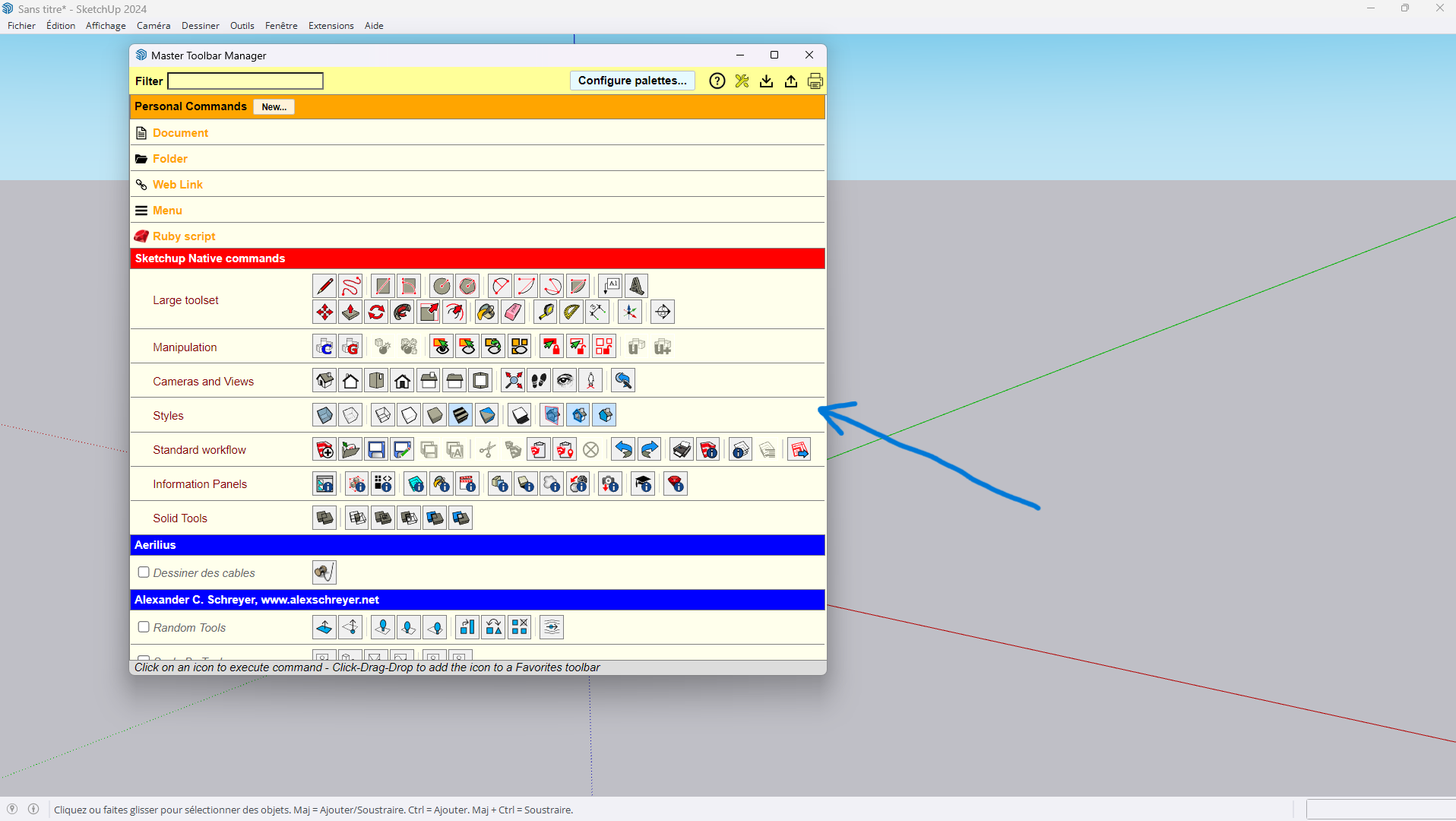
Even in full screen or not, problem is the same.
Windows, SU2024
I have approximatly same configuration at work and it works well.I really do not understand what's happening.
Is anybody can help me?
Thank you guys.
-
RE: Lords of toolbars
Thanks for your answer Fredo

Where can I find the way to do that please? -
RE: F1 key
Thank you really much for your answer
.
I wanted to be sure, now I am. -
RE: Lords of toolbars
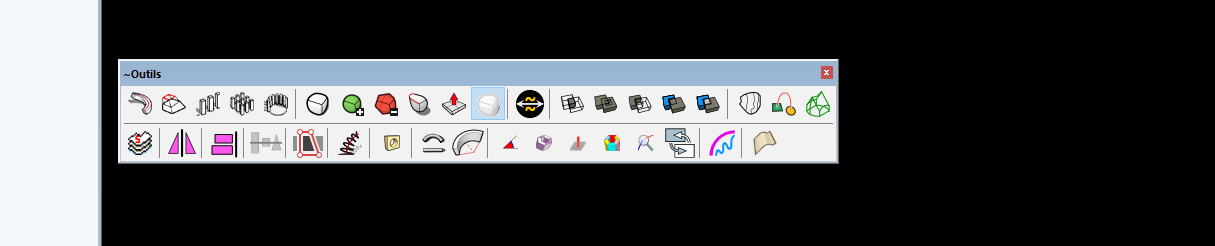
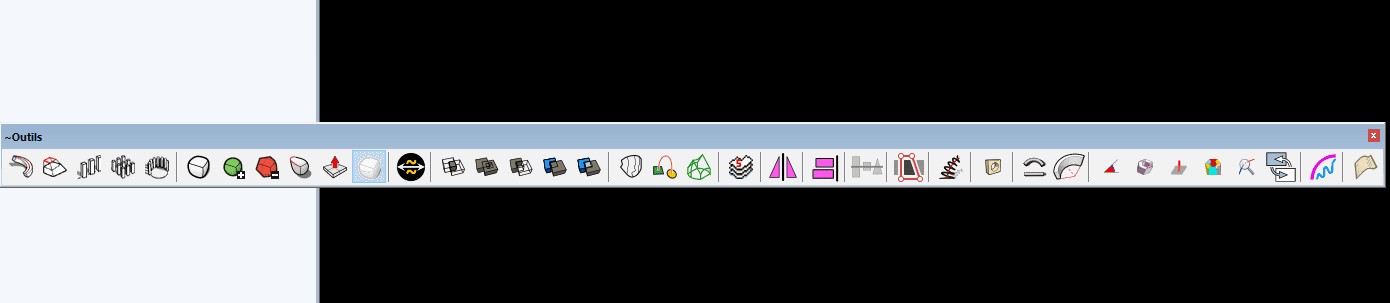
I forgot to mention that first picture is what I want, and the second one is what I get after closing Sketchup and open it again.
-
RE: Lords of toolbars
It is with Fredo6 Lords of Toolbar.
I joined with this message 2 pictures to be more clear.
Than kyou for your reply
-
F1 key
Hi guys,
Is anybody knows how to cancel the F1 help center shortcut?
Each time I try to cancel or change it, it comes back again and again.
So frustrating.Thanks to the one who have the solution
C.real
-
Lords of toolbars
Hi Guys,
Is anybody have a solution to this problem?
I do not find the way to put a custom toolbar in 2 lines. Each time I open again Sketchup, my custom toolbar is only 1 line.
Do you know how to avoid that?Thanks a lot every one
C.real
-
Lords of toolbars
Hi Guys,
Is anybody have a solution to this problem?
I do not find the way to put a custom toolbar in 2 lines. Each time I open again Sketchup, my custom toolbar is only 1 line.
Do you know how to avoid that?Thanks a lot every one
C.real
-
RE: Remove softening
@box said:
You need to show us what you mean, what you want to do.
But basically, yes with the soften smooth dialog in the default tray.Yes you're right, you need more details for answering me sorry.
I just would like to choose some specific segments already softed and unsoft them at the same time.
Soften smooth dialog apply this action but in global and not the way I want.By the way, thank you really for this quick answer
C.real
-
Remove softening
Dear all,
Here is my questionning,
Is there any way or tool to remove softening of multiple segments at the same time?
I checked and it seams only possible to remove softening of a segement one at the time with a right clic.Damn it is so laborious

A great thank for the one who will helps me in this matter.
C.real
-
RE: ANIMATOR Fredo6
Thanks a lot for your answer and another big thank for your great job
. -
ANIMATOR Fredo6
Dear All,
here is my questioning.
I would like to know if it is possible to include an ".animator file" of a project to another project.
I mean, I made some individual animations and I would like to make 1 global project with these animations without having to redo everything.Do you know the way to do that?
Thank you all
C.real