sketchucation logo sketchucation
    • Login
    1. Home
    2. cotty
    3. Posts
    Oops, your profile's looking a bit empty! To help us tailor your experience, please fill in key details like your SketchUp version, skill level, operating system, and more. Update and save your info on your profile page today!
    πŸ”Œ Smart Spline | Fluid way to handle splines for furniture design and complex structures. Download
    Offline
    • Profile
    • Following 0
    • Followers 0
    • Topics 122
    • Posts 3,300
    • Groups 3

    Posts

    Recent Best Controversial
    • RE: How to build this model in SketchUp?

      @chippwalters said:

      Dave,

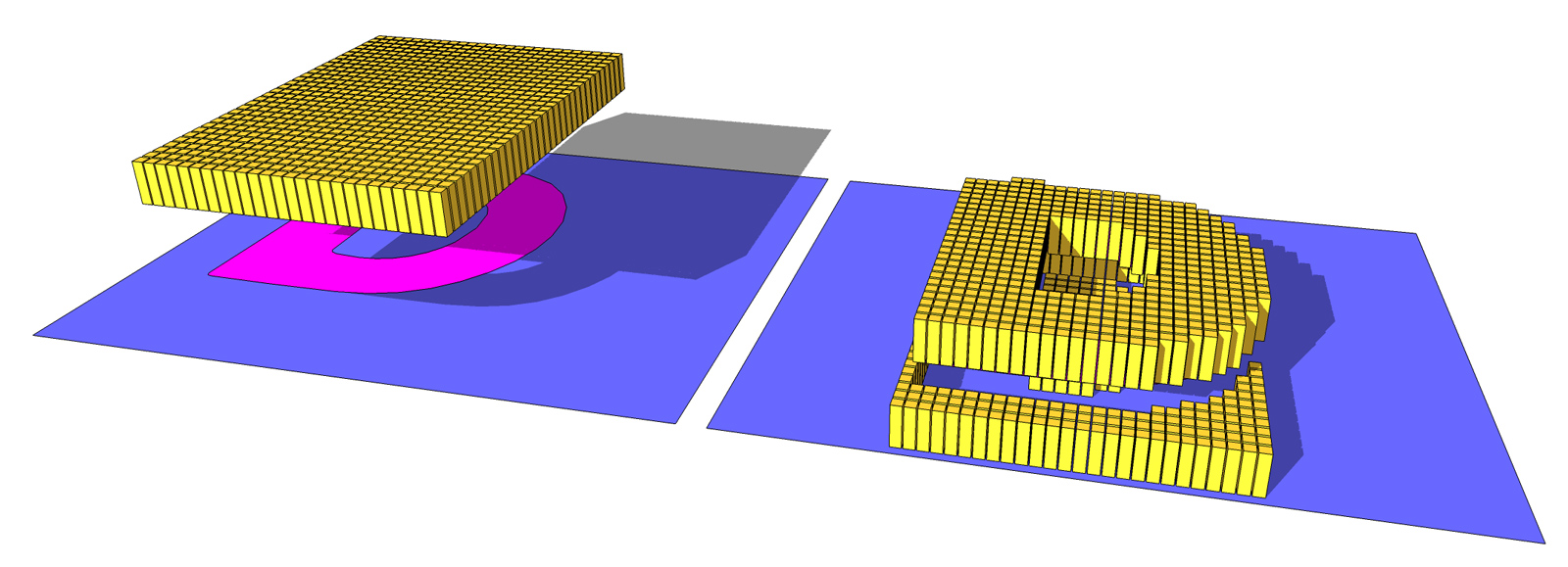
      Playing with Greeble. How did you get the originating grid in order to use Greeble? Having a tough time getting there...

      One example with ThrowTo plugin...
      throwto.jpg

      posted in SketchUp Discussions
      cottyC
      cotty
    • RE: Texture mapping on wavy form

      I would try the plugin ThruPaint (Fredo6, part of FredoTools) for this task and/or SketchUV from Whaat.

      posted in SketchUp Discussions
      cottyC
      cotty
    • RE: Toposhaper Crashing

      Fredo don't ask for it, but you can always donate via Paypal, you will find a link in the plugin menu structure...

      posted in SketchUp Discussions
      cottyC
      cotty
    • RE: Real world Wip. Glass sculptures.

      @box said:

      So if you are wondering why I'm not around too much.....

      Let's hope you're not the person on the right πŸ˜‰

      Impressive project, I'm looking forward to updates here!

      posted in WIP
      cottyC
      cotty
    • RE: How can I switch off a layer in multipe scenes in one step?

      You can add a layer that is invisible in all other scenes with e.g.:
      http://sketchucation.com/forums/viewtopic.php?f=10%26amp;t=36583#p322291

      Or you can have a look at VisMap2 for a more advanced control (haven't tested it):
      http://www.martinrinehart.com/models/rubies/vismapdoc.html

      posted in SketchUp Discussions
      cottyC
      cotty
    • RE: [Plugin] CleanUp

      @thomthom said:

      @cotty said:

      I do prefer ultra-clean... πŸ˜‰

      I recommend to enable Remove Duplicate Face only when you know there is an issue. It's extremely slow and not always reliable.

      Thank you for the tip!

      posted in Plugins
      cottyC
      cotty
    • RE: [Plugin] CleanUp

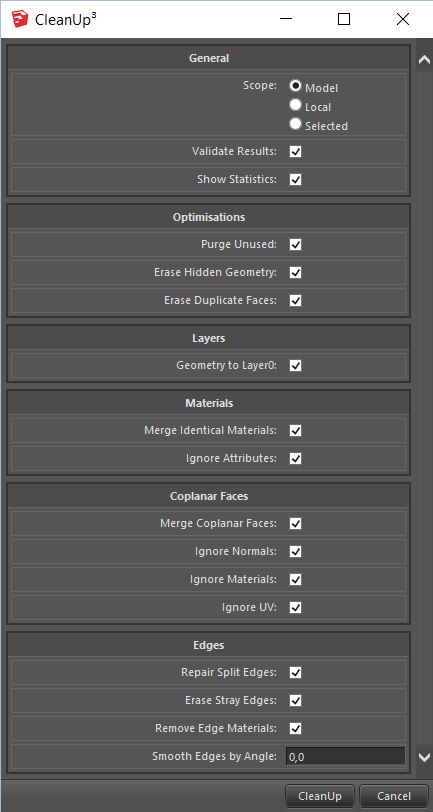
      I do prefer ultra-clean... πŸ˜‰

      cleanupproblemsettings.JPG

      posted in Plugins
      cottyC
      cotty
    • RE: Log Cabin [Merged]

      @daniel said:

      With a view like that, I'd want bigger windows.

      Maybe the windows are flat TVs... πŸ˜‰

      posted in Gallery
      cottyC
      cotty
    • RE: [Plugin] CleanUp

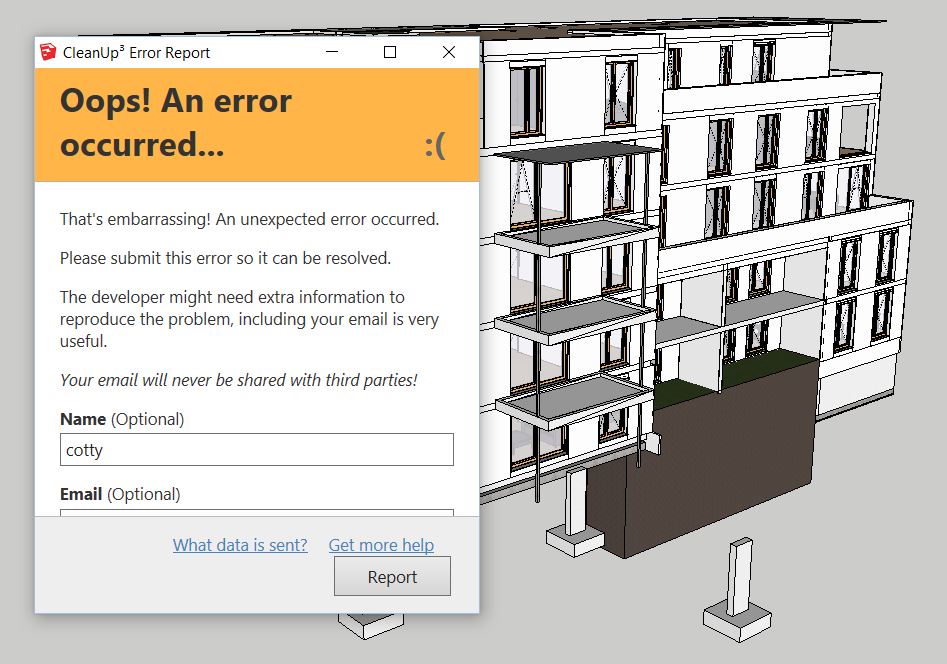
      I've got a lot of unresolved problems while opening the model, the cleanup afterwards leads to this...
      cleanupproblem.JPG

      posted in Plugins
      cottyC
      cotty
    • RE: Rock-a-Bye-Baby...

      Nice!

      posted in Woodworking
      cottyC
      cotty
    • RE: Some Frank Gehry

      Nice models!

      posted in Woodworking
      cottyC
      cotty
    • RE: How to set up MIRROR tool in Sketchup Make 2016?

      @gene davis said:

      I copied the plug in from there and pasted into 2016, and all works fine.

      You shouldn't do that because there may be incompatibilities between different versions and it's always better to download a fresh and up-to-date version of plugins. (This time you were lucky because 6.0 is the current version in the Pluginstore: http://sketchucation.com/pluginstore?pln=Mirror )

      (TIG was faster, but for me the answer was more work, so here it is.)

      posted in SketchUp Discussions
      cottyC
      cotty
    • RE: Sleepy England

      Have you ever printed one of your images at a really big size? It must look even more impressive then... (if this is possible)

      posted in Gallery
      cottyC
      cotty
    • RE: [PLUGIN] Flowify v1.1.0 (updated 150327)

      You can use the quadfacetools (Thomthom) to control the quads...

      posted in Plugins
      cottyC
      cotty
    • RE: Safari Chairs and Table--NPR

      Great! (But weren't they black? πŸ˜‰ )

      posted in Gallery
      cottyC
      cotty
    • RE: What Happened to the "Turn the sun off" icon?

      You can see the difference in this animation...
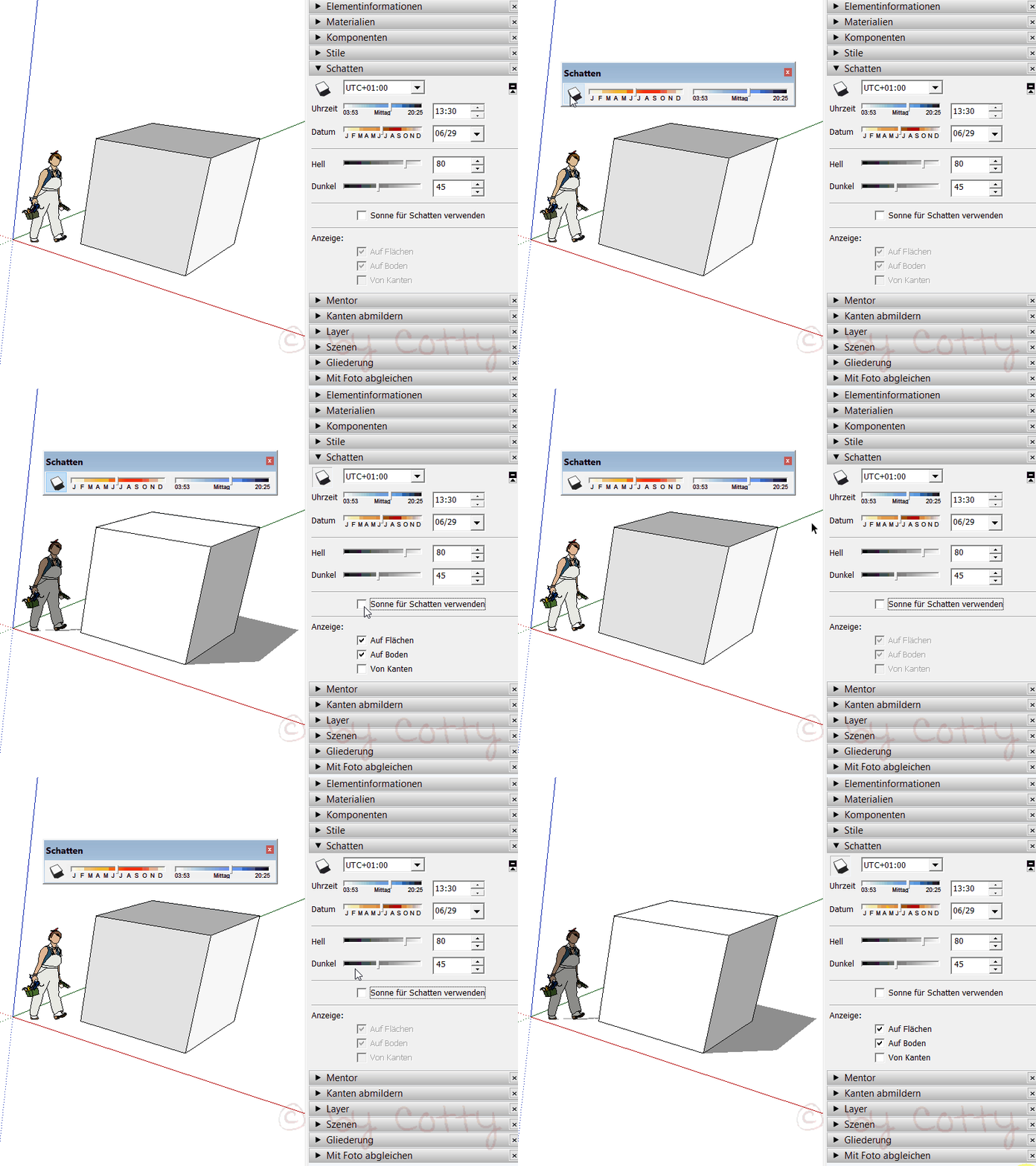
      click to animate

      posted in SketchUp Feature Requests
      cottyC
      cotty
    • RE: What Happened to the "Turn the sun off" icon?

      I've followed both your questions but I'm not sure that I've understood it correct...

      You turn on shadows with this button (as always)?!

      switchshadow.jpg

      Here's a nice explanation from Wo3dan about "sun for shading":

      "With shadows on you won't see the difference.
      With shadows off you may notice the difference by how your geometry is receiving light: Either the sun or the camera light is used. If you have the sun directly behind the camera, the differens will hardly be noticed

      p.s. if shadows is on you'll use sun for shading anyway."

      posted in SketchUp Feature Requests
      cottyC
      cotty
    • RE: Advanced, Intermediate or the other one?

      I've started a similar discussion some years ago here, but don't remember the result (if there was one?)...:
      http://sketchucation.com/forums/viewtopic.php?f=79%26amp;t=53951

      posted in Ideas Box & Board Issues
      cottyC
      cotty
    • RE: Cut face with notches?

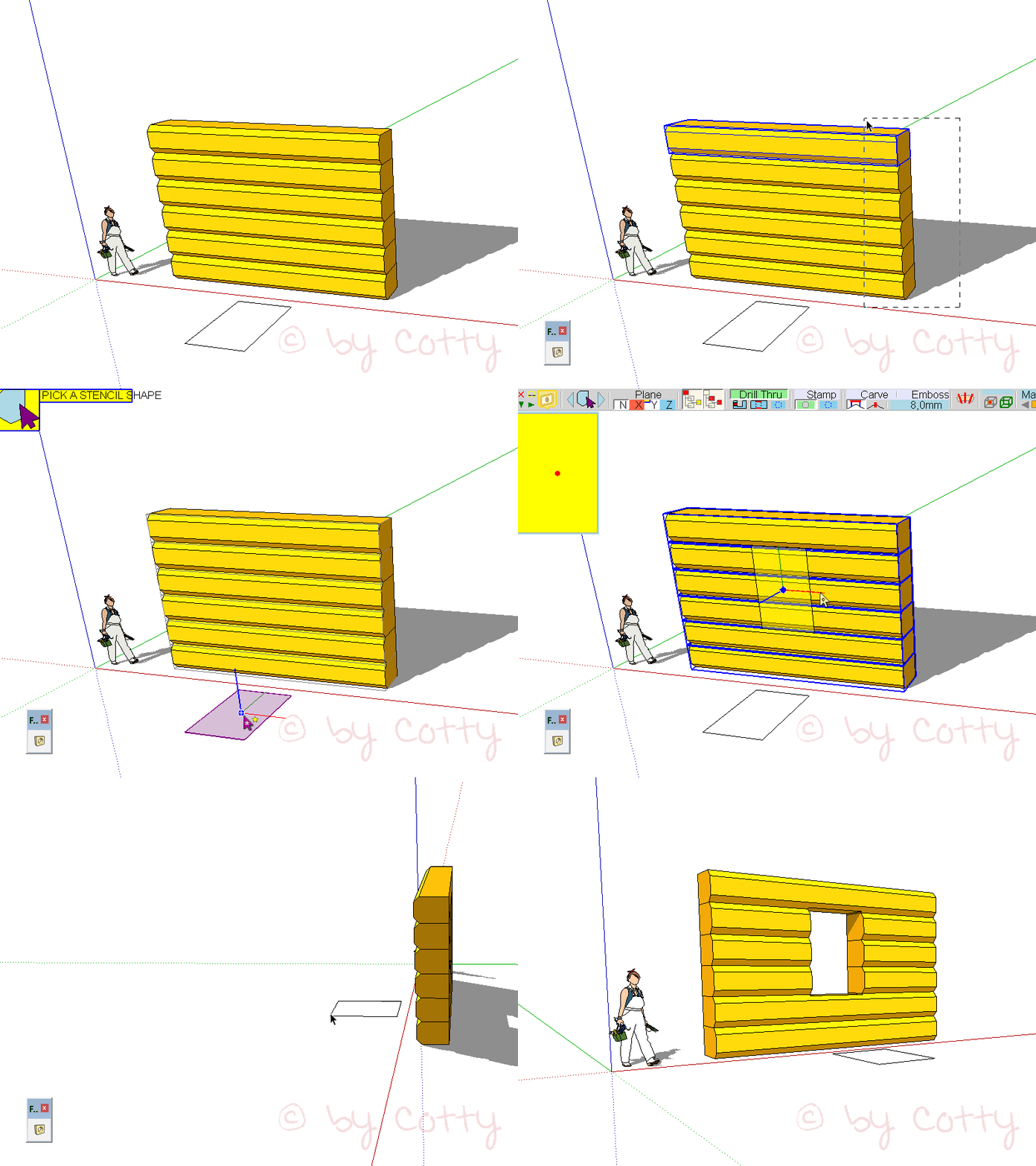
      Or with Fredos VisuHole...

      click to animate

      posted in Plugins
      cottyC
      cotty
    • RE: Import model axis wrong

      @syburn said:

      Its from Minotti - they also have the file in Obj format what ever that is?. I see you draw a construction line on the bounding box to allow easy rotating.

      Cheers!

      No, he doesn't, it's the helping line (0Β° reference) from the rotation tool.

      posted in SketchUp Discussions
      cottyC
      cotty
    • 1
    • 2
    • 13
    • 14
    • 15
    • 16
    • 17
    • 164
    • 165
    • 15 / 165