Just keep in mind that if you start attaching data to every Entity, you'll have massive file bloat.
Oops, your profile's looking a bit empty! To help us tailor your experience, please fill in key details like your SketchUp version, skill level, operating system, and more. Update and save your info on your profile page today!
🚨 Skimp | 25% Off until March 30 Buy Now
 Offline
Posts
-
RE: Writing custom aditional data in .skp
-
RE: 3D view inside my website
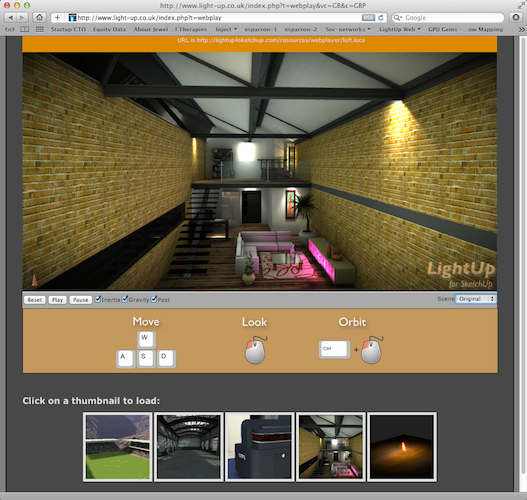
You can export your lit model and the Scenes to a website using LightUp. It supports MS Internet Explorer, Chrome, Safari and Firefox.
You can setup to autoplay the Scenes as well as allowing users to navigate in realtime using collision/gravity as well.
See http://www.light-up.co.uk/index.php?t=webplay
If you want to see your own sketchup models, just export the .luca file and use a URL like this:
http://www.light-up.co.uk/index.php?t=webplay&l={URL OF YOUR LUCA FILE}
Here's a screengrab:
-
RE: LightUp v2.5a available
@pixero said:
What does "Dynamic Resolution" do?
Gosh you found that fast!
So its a pretty neat new feature. Normally you set a "Resolution" at which to light your model which sets the spacing of the grid wrapped over your model. You might choose "10cm" meaning "light my model at 10cm intervals" - just as you might choose higher or lower image size in a traditional raytracer.
"Dynamic Resolution" bases lighting grids on how much texture detail you have. It tries to map 1 texel (texture pixel) on a Face to 1 luxel (lightmap pixel) so you can produce very high quality lightmaps that can be exported using the new "Single Layer" export option.
An example: if you have a Face with a 1024x1024 texture mapped onto it, you'll also get a 1024x1024 lightmap.
Its a powerful option but it does mean if you have a 6000x6000 texture, you'll also get very large lightmaps... I'm looking at you Jan!

The neat thing is that you get a model that comes straight into Max,Maya,Cheetah, anything - all with baked lighting.
Adam
-
RE: LightUp v2.5a available
Here's a link to the realtime version of the scene above. It should run in your browser if you have the .luca plugin.
-
LightUp v2.5a available
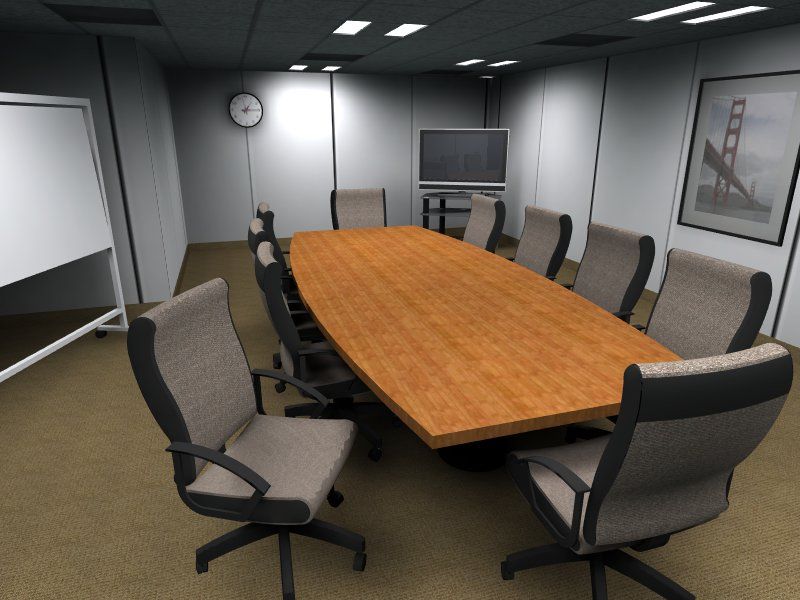
New version of LightUp is finished (Mac & Windows) and has a few new features:
-
Export single layer lit models to FBX file.
This means lit models import into many (most) CAD packages with lighting. -
Light source input accepts Kelvin and cd/m^2 forms
-
Fixes for handling Layer0 visibility
-
New "Beginner Interface" for getting started without worrying about too many controls / lighting jargon.
-
Faster lighting
Adam
-
-
RE: WebDialog Buttons
And remember you must model your buttons in SketchUp. Its the SU code...
Here's the ones I did for http://light-up.co.uk (lit and rendered with LightUp of course!):

-
RE: Podium V2 Rendered Image Size
Not to state the obvious, but if its running within the context of a 32bit app, isn't it simply running out of addressable memory?
Having 32 GB won't make any difference as the app can only access the first 2GB.
eg 15328 x 8000 (x 8 for pixel storage) is about 1GB, but you've only get 2GB address space which includes the app itself, so my guess its failing to allocate memory.
-
Short Film: Undone
Steven Hight produced this mesmerising piece of work that he posted some time back on the LU forum.
Amazing stuff that reminds me a little of Svankmajer.[flash=640,480:338wsd56]http://vimeo.com/moogaloop.swf?clip_id=36563194[/flash:338wsd56]
-
RE: Share 3D pdf
@jmilton01 said:
I am having a hard time finding reviews for "Share 3D pdf" (the software advertised on this site). Does anyone have any pros and cons for this software. It looks very impressive and is something I am considering making a purchase of. Any input is greatly appreciated.
The best review is trying it with your own workflow. If it works, buy it.
And of course I should do a little plug for LightUp exporting Sketchup files to web browsers for others to view: See here
-
Depth of Field tutorial
New tutorial on using realtime Depth of Field and how to lock focal distance:
http://www.light-up.co.uk/index.php?t=tips
-
Animated Gallery in Web browser
I've added a small gallery of animated files to be viewed within your Web browser.
If your browser doesn't have the LightUp WebPlayer plugin installed, you'll be asked if you want to install it (some browsers require may restarting).
You should then be able to click on the thumbnails at the bottom to load different models.
Adam
-
RE: Full Screen Sketchup
LightUp Player (light-up.co.uk/index.php?t=player) can switch to Fullscreen mode and has some support for Space Navigator
Adam
-
RE: Mac Safari model viewer
Yes, I think you are both using older versions of Mac OSX (10.5?)
The plugins work fine on 10.6 and up, but on Safari is supported for 10.5
Adam
-
RE: Mac Safari model viewer
If you're running Mac OSX 10.5, then you may need to upgrade the LightUp Web Player for Safari to v2.79 .
Should now all be fixed - and big ThankYou to driven for really helping nail this down.
Adam
-
Light Volumes and dust mites
Creating Volume Light effects: http://www.light-up.co.uk/index.php?t=tips

-
RE: Mac Safari model viewer
@adamb said:
After a very long wait, we've finally put up an updated Safari Web browser LightUp player with Lion compatibility!

Its version 2.75 like all the other platforms and should work exactly the same way.If you go to a page with LightUp .luca files, you should get a button to install it. For Safari you need to restart the browser, return to the page you were on and Refresh.
Here's a page with some animated .luca files on:
http://www.light-up.co.uk/index.php?t=story&p=71
http://www.light-up.co.uk/index.php?t=story&p=77Once you have the LightUp WebPlayer installed in your browser, you can also just drag & drop .luca files right on the browser and use it as a 3D viewer - but one that will do all the Scenes, Dynamic Component animation you've setup!
This means LightUp WebPlayer is now available on:
Windows Internet Explorer
Windows Firefox
Windows Chrome
Macintosh SafariEnjoy.
Adam"By the Power of Gray Skull", we now have Macintosh Google Chrome support as well!
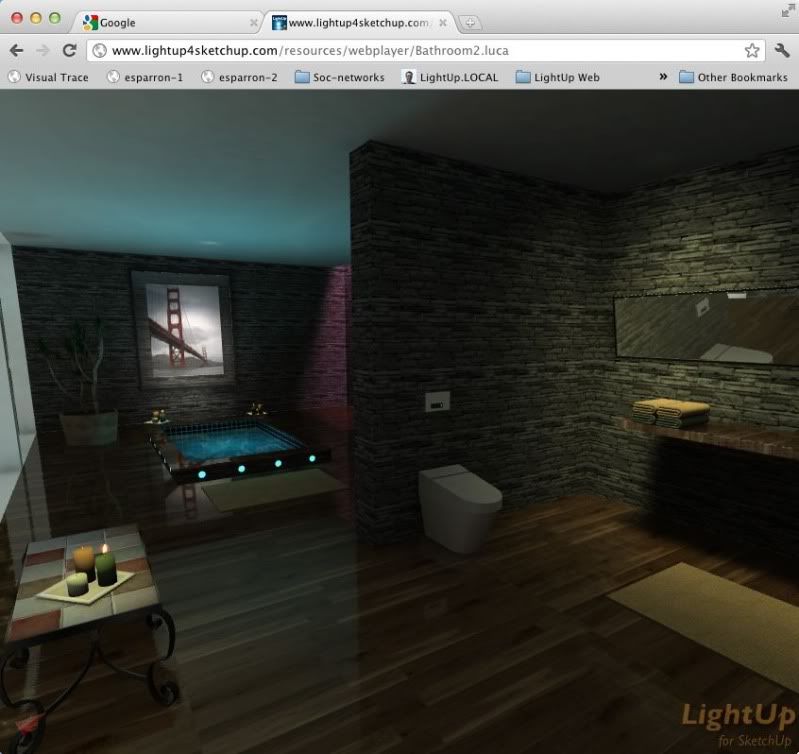
I've now got an online (dare I say Cloud..) service that can convert any Skp files you have into a format playable in a browser. You can add your own watermark (with a custom web address to go to when clicked) as well as bringing in all your Scene animation. You can then share the bookmarked address with others so they can see your work.
PM me if you're interested in trying it out.
Adam
-
RE: Mac Safari model viewer
I don't think manually installing is a good idea.
Better to remove the old LightUp WebPlayer from "/Library/Internet Plugins", restart Safari and visit a page with some .luca files on it. You should then get an Install button where the 3d view would be, and you can download the latest version of LightUp WebPlayer for Mac Safari.
Adam
-
Mac Safari model viewer
After a very long wait, we've finally put up an updated Safari Web browser LightUp player with Lion compatibility!
Its version 2.75 like all the other platforms and should work exactly the same way.If you go to a page with LightUp .luca files, you should get a button to install it. For Safari you need to restart the browser, return to the page you were on and Refresh.
Here's a page with some animated .luca files on:
http://www.light-up.co.uk/index.php?t=story&p=71
http://www.light-up.co.uk/index.php?t=story&p=77Once you have the LightUp WebPlayer installed in your browser, you can also just drag & drop .luca files right on the browser and use it as a 3D viewer - but one that will do all the Scenes, Dynamic Component animation you've setup!
This means LightUp WebPlayer is now available on:
Windows Internet Explorer
Windows Firefox
Windows Chrome
Macintosh SafariEnjoy.
Adam