AI Render Enchancer Extensions or tools
-
Lately I have been testing multiple AI Rendering solutions for my Sketchup models. Do you have any experience or recommendations for AI Rendering solutions?
I have been testing for example the below ones but there sems to be so many of these solutions. Based on first round of testing Visoid has given the best results in my use case.
In my case I have used direct Sketchup image export or then I have done a quick rendering in D5 Render and finetuned the D5 output with these tools.
Many of these solutions give nice looking renders but I still find the biggest challenge to be the lack of control. For example, it would be essential to be able to edit/render only certain materials/textures/parts of the model (colors/material IDs).
-
myarchitectai has edit abilities
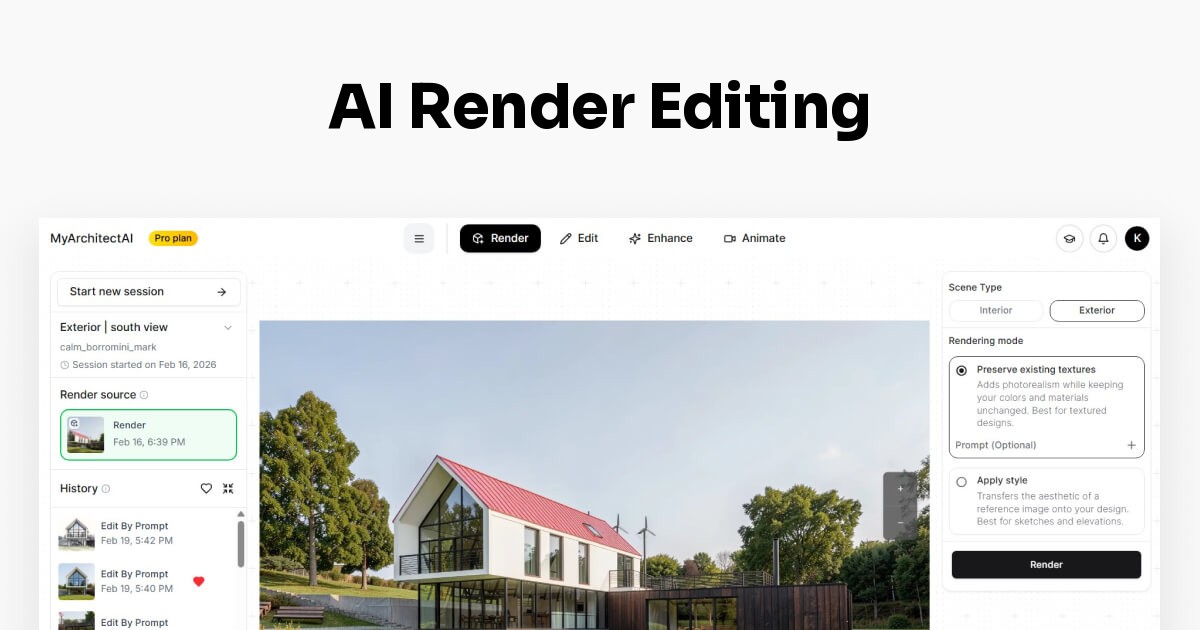
AI Render Editing | Try For Free
Quickly retexture surfaces, remove objects, and selectively enhance renders without starting from scratch or opening Photoshop. Powered by AI.

(www.myarchitectai.com)
Have you tried https://archfine.com/ ???
-
I have been testing MyArchtectureAI quite some. I also purchased the Pro version with unlimited credits. In my case the results are not that great even when doing editing. There are just too many random AI stuff happening.
I just tested Archfine.com and it gave excellent results. There was editing needed because AI didn't get creative. Unfortunately it was not possible to do more test because it was possible to do only 1 test render with the free version.
It seems that the solutions (Visoid, Archfine, Viz Maker) that use NanoBananaPro are giving the best results. https://vizmaker.vizacademy.co.uk/ has also somekind of integration with Sketchup but it seems to just export the image, no material info or anything. Viz Maker has also quite good edit possibilities.
-
Adding to the list — I've been building Deroom AI which generates AI room redesigns from a photo (not text prompts). It preserves the room's geometry and perspective so the output still matches the actual space layout, which I think matters for SketchUp users who want to test material/style ideas on a rendered scene before committing in V-Ray or Enscape.
Free to try (5 credits/day). Curious if anyone here has tried photo-based vs text-based AI viz tools in their workflow.
-
I use Spacely AI extension (https://www.spacely.ai/), it works pretty great and they have free trial credits too. I would recommend realistic render tool, it has a built-in preset that you can click and choose. Also, they have point & edit tool which allow you to change some part of the render without having to change the 3D model.
-
One more tool worth testing is Vibe3D: https://vibe3d.ai
It is focused on preserving the original geometry, materials, and composition of SketchUp scenes rather than completely reimagining the design. You can also mask a specific area and describe the change you want, which is useful for changing individual materials, furniture, landscaping, or other parts without affecting the entire render.
It can be used for generating renders from SketchUp scenes, or for enhancing and editing existing outputs from tools like D5, Enscape, V-Ray, or Lumion. There is a free trial, so it may be worth comparing it.
-
Disclosure: I work with SUAPP AI, so this is an employee perspective rather than an independent product review. The workflow below is tool-agnostic.
If control is the priority, I would not choose a tool by its best-looking first render. I would test every candidate on the same scene in three passes:
- Baseline: use the same SketchUp camera, crop, resolution, and prompt. Compare rooflines, openings, repeated windows, railings, furniture, and scale against the source model.
- Local edit: mask one material or object and request one small change. Check the mask boundary and confirm that geometry, camera, lighting, and unselected areas remain unchanged.
- Second edit: make another isolated change without regenerating the whole image. If the first correction is lost, the workflow is difficult to control in a real project.
For material-specific editing, a flat JPG is the main limitation: the AI does not actually know which pixels belong to a SketchUp material. A practical workaround is to export a clean beauty image plus a material-ID or simple color mask pass, then use the mask for local editing. Clear material groups and high-contrast boundaries help.
One workflow documented at SUAPP AI is to start from a clear, centered source view and default settings, review the result, then adjust design weight, style, and prompts one at a time. The same testing discipline applies to any tool.
My stopping rule is simple: if a local material edit changes major geometry, camera, scale, or untouched areas, I would treat that output as concept exploration, not a verified render. For comparisons, score geometry preservation, mask accuracy, iteration history, export limits, privacy, and cost separately.
-
Hi all — since Sherpa Render isn't mentioned in this list yet, I thought I'd briefly introduce it. Full disclosure: I'm the creator of Sherpa.
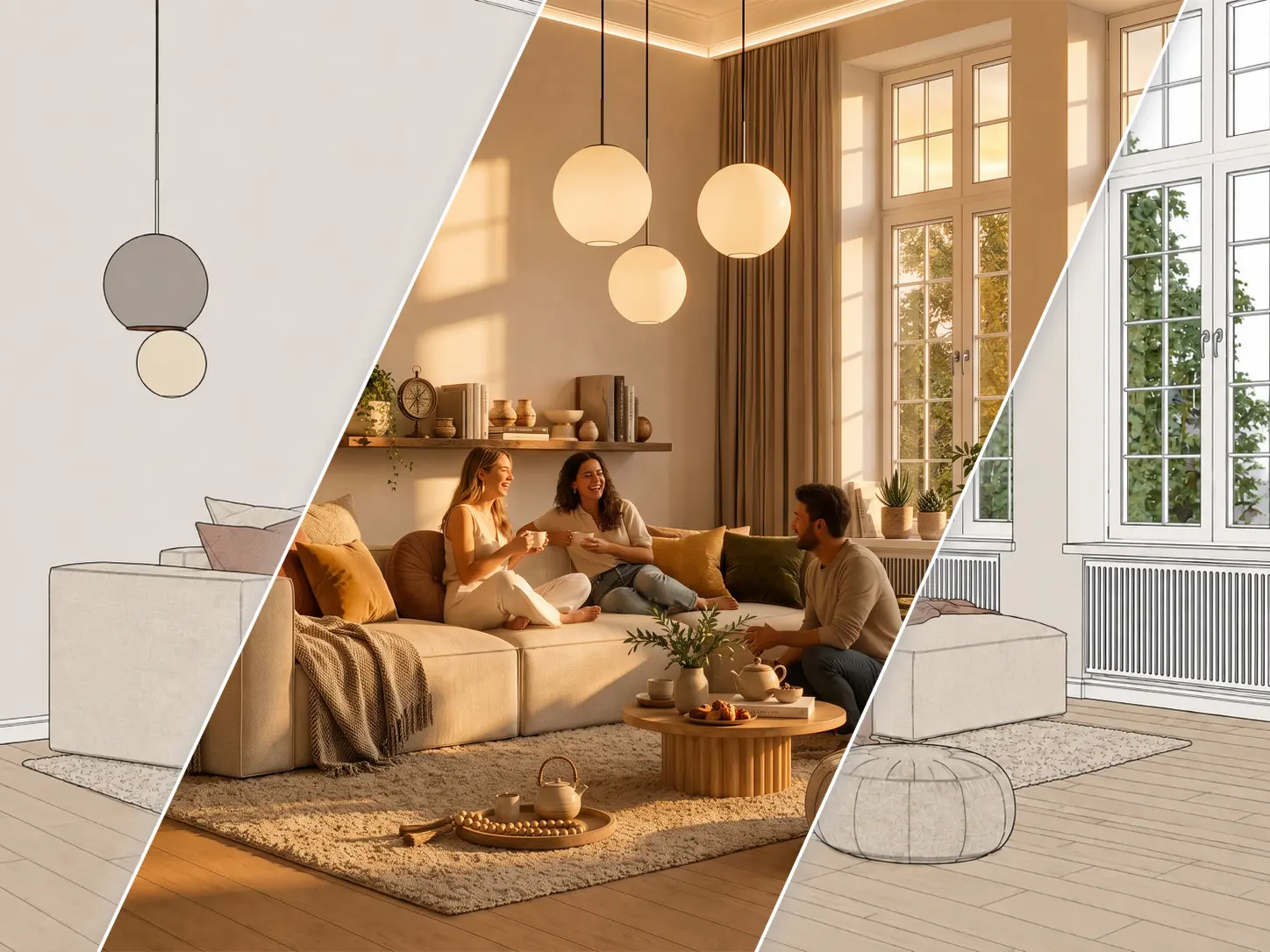
I've been working in high-end 3D visualization for over 15 years, and Sherpa really came out of my own frustration with the current AI rendering workflow: great-looking images are relatively easy to generate now, but control and predictability are much harder.
That's what we're trying to solve with Sherpa.
Instead of relying on prompt engineering and endlessly rerolling images, we've built the workflow around simple visual controls. The goal is to keep your SketchUp model and composition as the foundation and let Sherpa handle the lighting, atmosphere and realism around it.
I should also be very clear about what Sherpa is not. I don't believe any AI renderer currently replaces something like V-Ray when you need absolute accuracy and full control over every material, light and detail. Sherpa isn't pretending to do that either — at least not today.
What I do genuinely believe is that we've built one of the strongest and most user-friendly AI rendering workflows for SketchUp at the moment, especially if you want to go from a relatively simple SketchUp viewport to a client-presentable image without learning prompting, V-Ray or Enscape.
We're improving it literally every day, so if you've tried it before and it wasn't there yet, feel free to give it another go later as well.
One important thing: before testing it, I'd strongly recommend reading our “getting the best results” page first. The quality of the SketchUp source image matters, and there are a few simple things you can do that make a surprisingly big difference.
And please — if anyone here tries it, I'd genuinely love to hear what you think. Positive or negative. Especially from people who have already compared Visoid, Archfine, MyArchitectAI, etc. We take that feedback very seriously and it directly influences what we build next.
-
For what it's worth, I’ve heard of many of the services mentioned above. I work with D5 Render or Rayscaper, but when I want to test an AI solution directly from 2D captures, the issue of maintaining consistency between viewpoints doesn't seem to have been solved yet.
That said, I do think rendering engines will be replaced by AI fairly soon.
As for in-depth client presentations, it’s not quite ready for use yet because the results are too unpredictable.
However, for a single image or two, you can certainly achieve a much more photorealistic look than with standard 3D rendering.For now, I have to create high-quality textures with complex mapping, and then I can perform an "inventive upscale" using Magnific.ai. This allows for different, yet consistent, viewpoints of the model.
You can always try using AI to place a character or sculpture so that it appears across multiple views—but what a massive undertaking that is! -
@arunb24
about https://vibe3d.ai/
I think it’s reminiscent of D5 Lite, which can be very faithful to the model's geometry. The issue is that this service doesn't let you test it with your own models, so I'm giving it a pass. -
Sherpa is really just a gimmick if you can't write a prompt—especially compared to tools like GPT image inpainting or Nano B.
These tools won't replace rendering engines until they can interpret 3D data rather than just images. I have clients asking for stone cladding from a specific region in the south of France... though, on the other hand, ChatGPT is great at generating seamless textures from poor-quality photos. -
@Krass I actually agree with most of what you're saying.
Consistency between multiple viewpoints is still one of the big unsolved problems with image-based AI, and if a client specifies an exact stone from a quarry in southern France, I wouldn't trust an AI render to reproduce that accurately enough for final approval either.
Where I disagree is that “no prompt” makes it a gimmick. That was actually a deliberate choice.
In Sherpa you can still direct the image, lighting, time of day, people, styling, and materials per element but I wanted to avoid making architects learn how to write prompts just to get a useful result. For example, instead of describing the whole scene, you can simply set floor: limestone, walls: warm plaster, change the lighting and leave the rest alone.
It’s definitely not trying to solve the same problem as a fully controlled V-Ray/D5 workflow. I see it more as the step between a SketchUp viewport and that level of visualisation.
And yes, longer term I think you're right that the really interesting breakthrough will come when these systems understand the actual 3D scene rather than only interpreting a 2D image.
If you ever feel like throwing one of your own SketchUp views at Sherpa, I'd genuinely be interested in where it fails for you. That kind of test is much more useful to me than a polished demo image
-
@sherparender
The input image...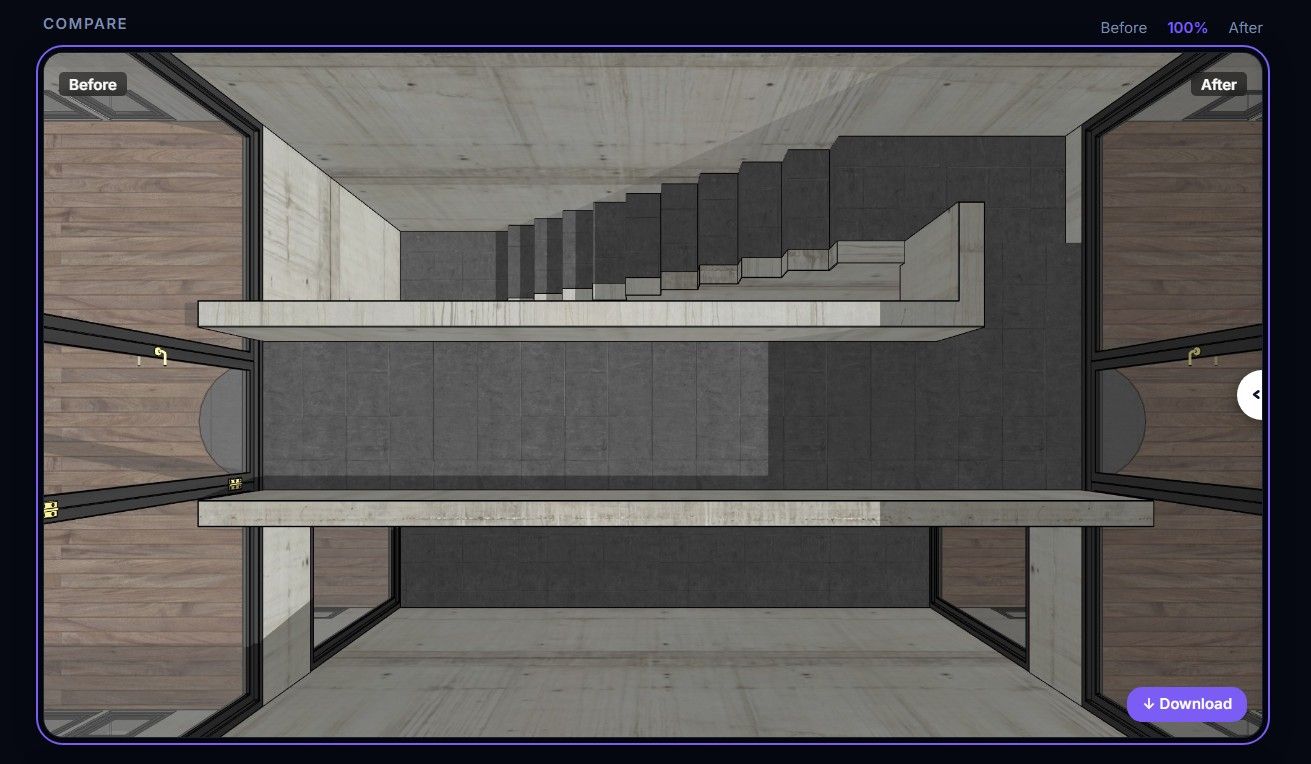
The AI output image...
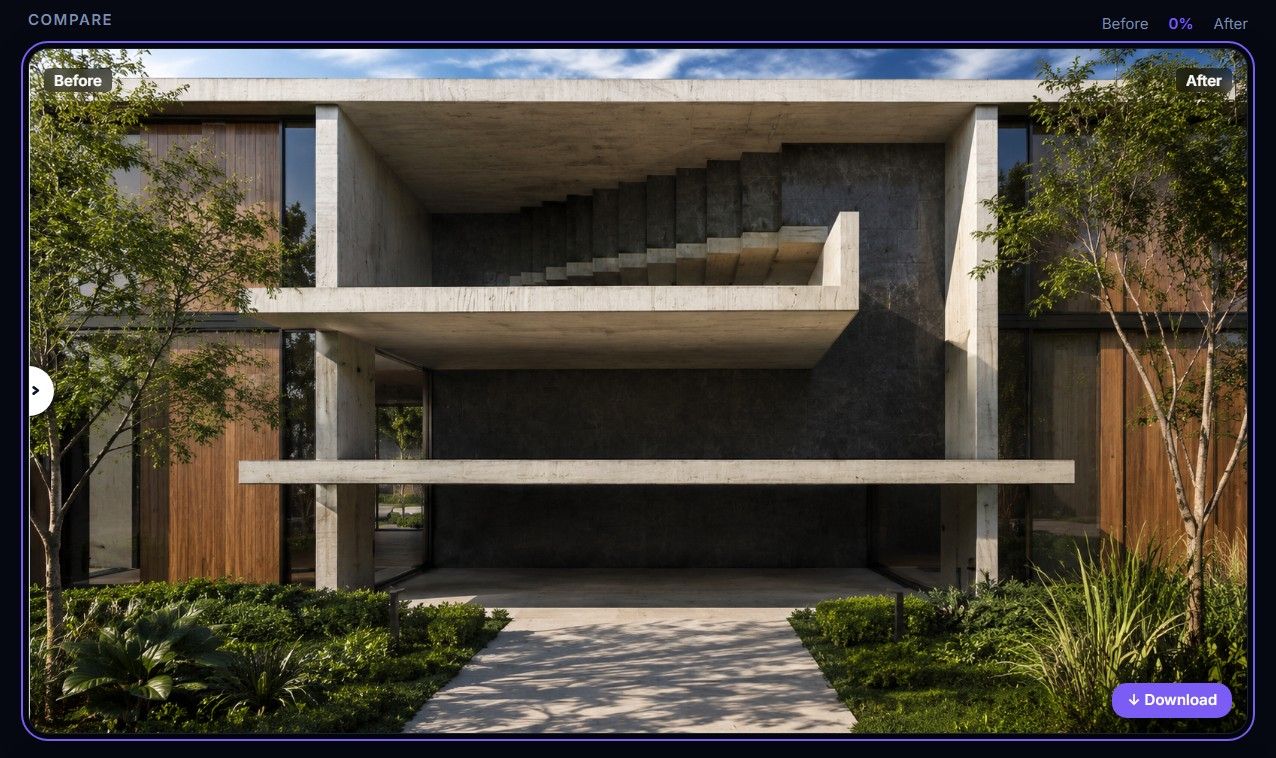
Look like it doesn't like or understand top down views. Also the 10min wait is a tad excessive.
-
@Rich-O-Brien At first, Thanks for trying it out!
I guess thats why we have added this page; https://sherpa-render.com/en/learn/common-mistakes
I think it also helps if you choose interior instead of exterior for this view
-
Not really I'm afraid
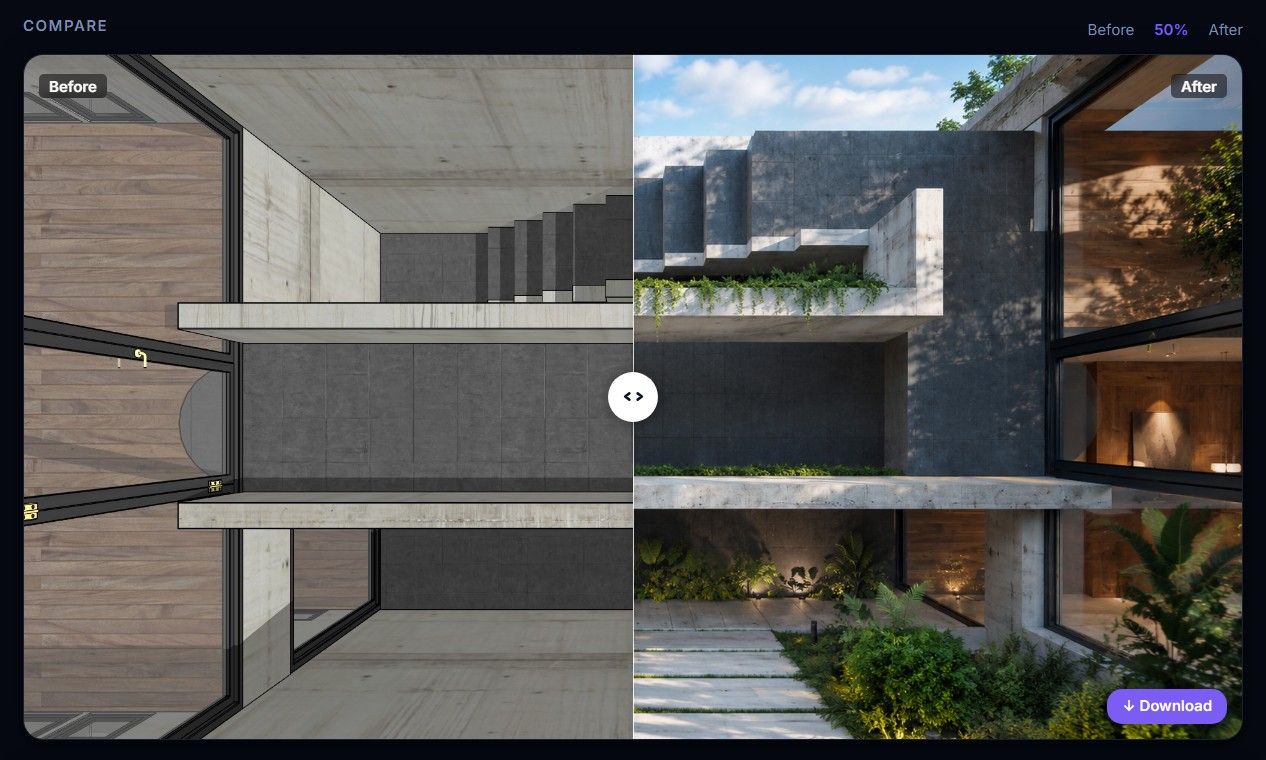
-
@Rich-O-Brien Still you choose exterior instead of interior...
-
i just gave it a try with your screenshot and choose the interior option
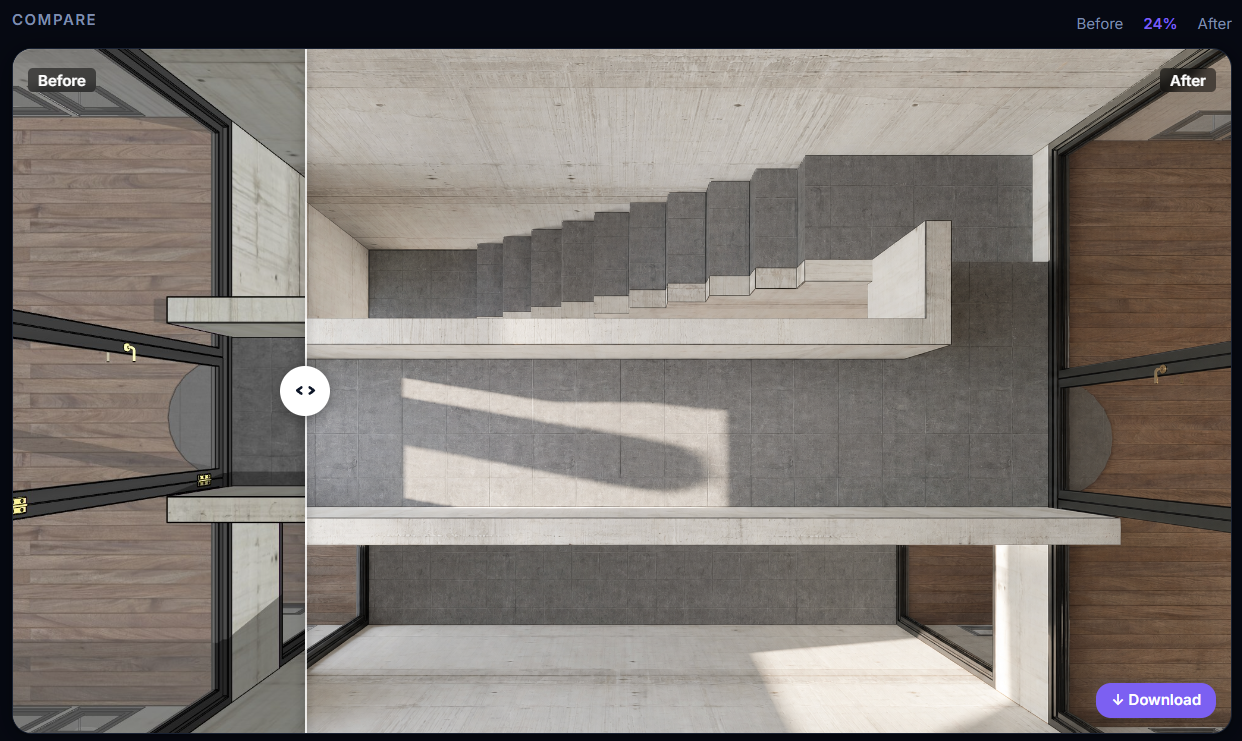
-
Rich, you're really being too hard on the AI by choosing the Eicher view.
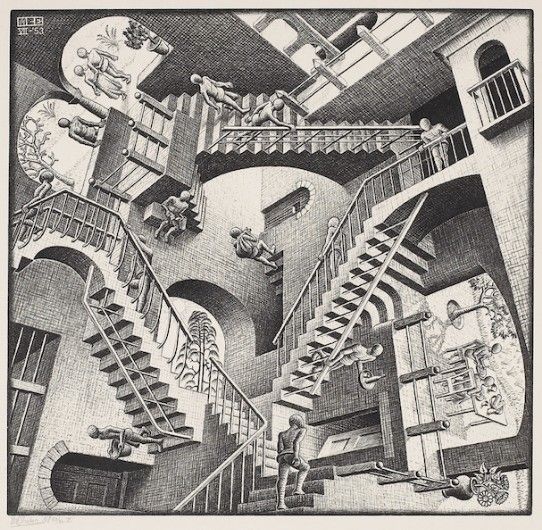
-
@sherparender
The issue is the sheer number of offers like this and the lack of available credits for thorough testing. As someone who does rendering almost daily and is keenly interested in AI for this purpose, I believe the service that truly offers a substantial free trial will stand out. If I want to test 3D modeling quality from photos, I go to Tencent HY 3D—20 free generations a day!
Where can you find an offer like that for ArchViz AI? -
@Rich O Brien
My Architect Ai : same as most other. Pay first and you will see ! I was able to do a test and it went completely haywire.



Hello! It looks like you're interested in this conversation, but you don't have an account yet.
Getting fed up of having to scroll through the same posts each visit? When you register for an account, you'll always come back to exactly where you were before, and choose to be notified of new replies (either via email, or push notification). You'll also be able to save bookmarks and upvote posts to show your appreciation to other community members.
With your input, this post could be even better 💗
Register Login


Advertisement