sketchucation logo sketchucation
    • Login
    Oops, your profile's looking a bit empty! To help us tailor your experience, please fill in key details like your SketchUp version, skill level, operating system, and more. Update and save your info on your profile page today!
    ⚠️ Important | Libfredo 15.8b introduces important bugfixes for Fredo's Extensions Update

    Rayscaper New Releases

    Scheduled Pinned Locked Moved Extensions & Applications Discussions
    rayscaperrender
    396 Posts 10 Posters 24.3k Views 11 Watching
    Loading More Posts
    • Oldest to Newest
    • Newest to Oldest
    • Most Votes
    Reply
    • Reply as topic
    Log in to reply
    This topic has been deleted. Only users with topic management privileges can see it.
    • P Offline
      pixelcruncher Extension Creator @Alattab
      last edited by

      @Alattab I haven't found the time yet to do the water material. You will have to work around it by using a caustic pattern from the internet.

      1 Reply Last reply Reply Quote 0
      • P Offline
        pixelcruncher Extension Creator
        last edited by

        Hey, Rayscaper users!

        Rayscaper 0.9.85 Beta is available. You can get it via:

        • The SketchUcation store.
        • Direct download: Rayscaper_Win_0.9.85_Beta.rbz.

        I recommend upgrading to the latest version.

        What Changed?

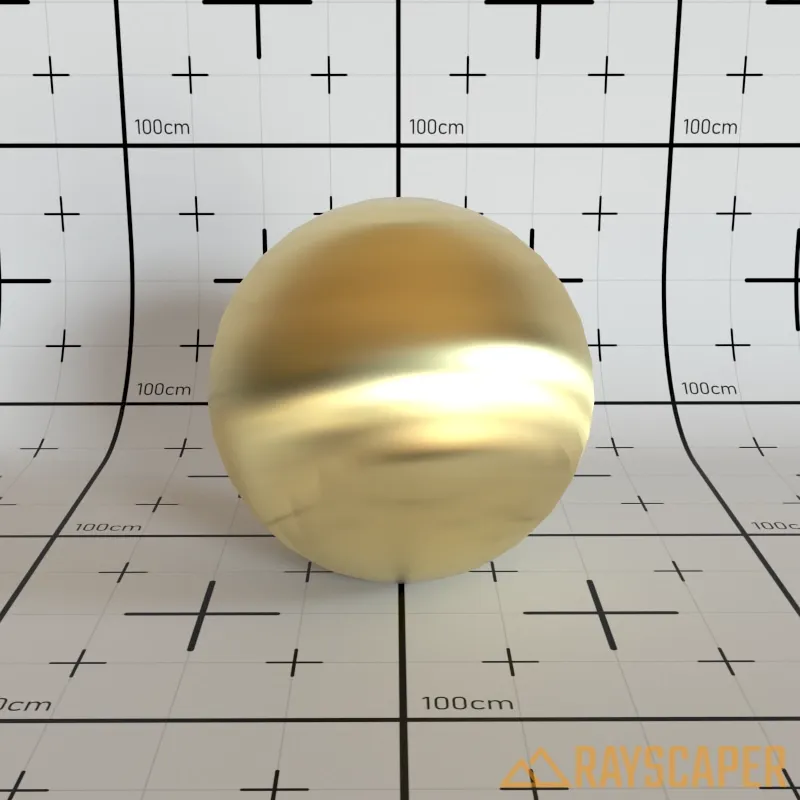
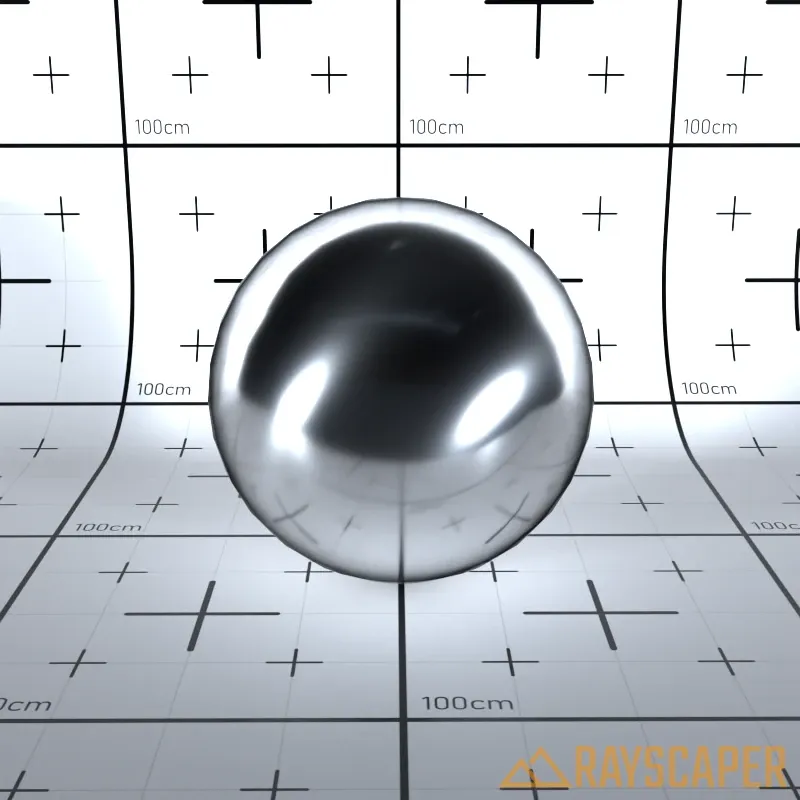
        • Add anisotropy support for metal materials. You can now create brushed metal effects by controlling the direction and amount of anisotropy in metallic surfaces.
        ed9db893-3f4f-446e-a689-2cd4a28047e8-image.png

        219f9f41-16ed-4b98-855f-5bb2115b6a78-image.png

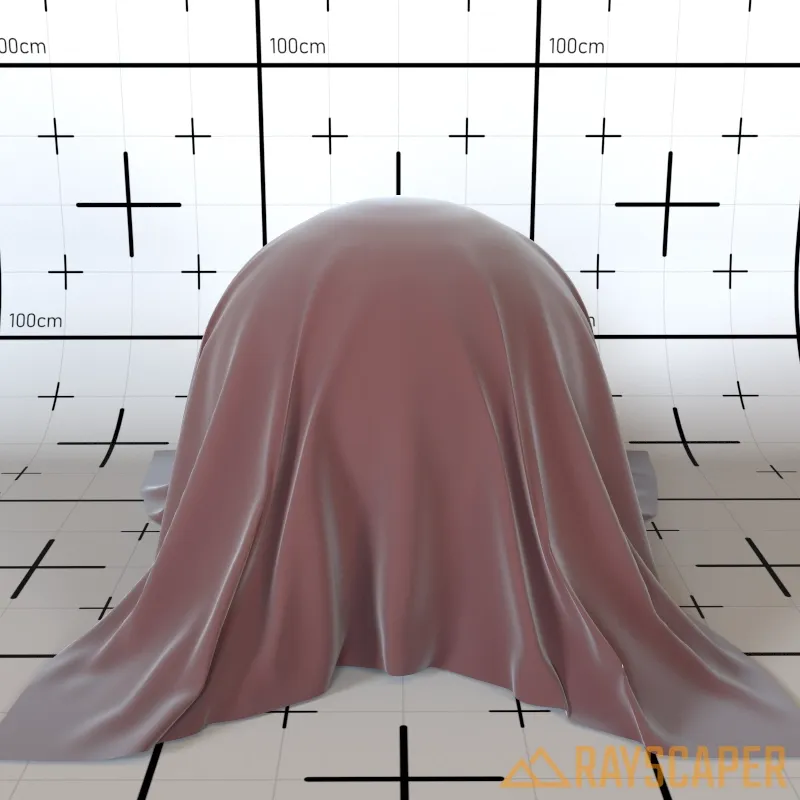
        • Add sheen roughness control to PBR materials. This gives you finer control over fabric-like reflections on surfaces.
        47db5336-36df-44a2-8ea7-0d3bf20e296b-image.png

        • Add 'Reload All Materials from SketchUp' option to the Tools menu. This makes it easy to refresh all materials after making changes in SketchUp without restarting Rayscaper.

        • Add a Reset button to the material editor toolbar. Quickly restore a material to its default settings with a single click.

        5fa2e456-59ef-431e-b983-c6d8c37097b1-image.png

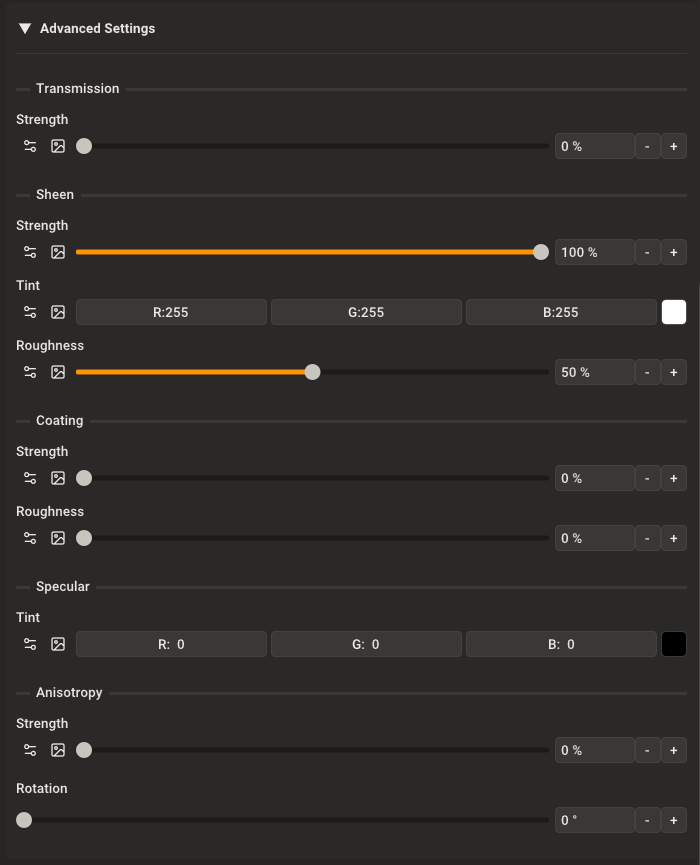
        • Improve PBR material editor with better-organized advanced settings using subgroup headers for easier navigation.
        edc7ce25-1a23-4cca-9731-a5e7e61fe172-image.png

        • Fix normal maps not automatically enabling when loading a normal map image.

        Help Me Build the Community πŸ‘

        If you like Rayscaper, please share your renders (final or work-in-progress, it doesn't matter)! This is motivating and helps me showcase its capabilities to new users.

        Follow me on X.

        Happy Rendering!
        Thomas

        1 Reply Last reply Reply Quote 0
        • KrassK Offline
          Krass
          last edited by

          C'est extra ! merci!
          Dear Pixelcruncher,
          if it's possible in a future version to change the number of pixels in height or width and have the other dimension update accordingly, that would be great. Image resolution scaling by homothety... I don't think that's the case; RS offers "double or half".

          Krass

          1 Reply Last reply Reply Quote 0
          • KrassK Offline
            Krass
            last edited by

            When I move a project, I end up with blue renders... probably an asset path issue? Or maybe it's version 9.85?
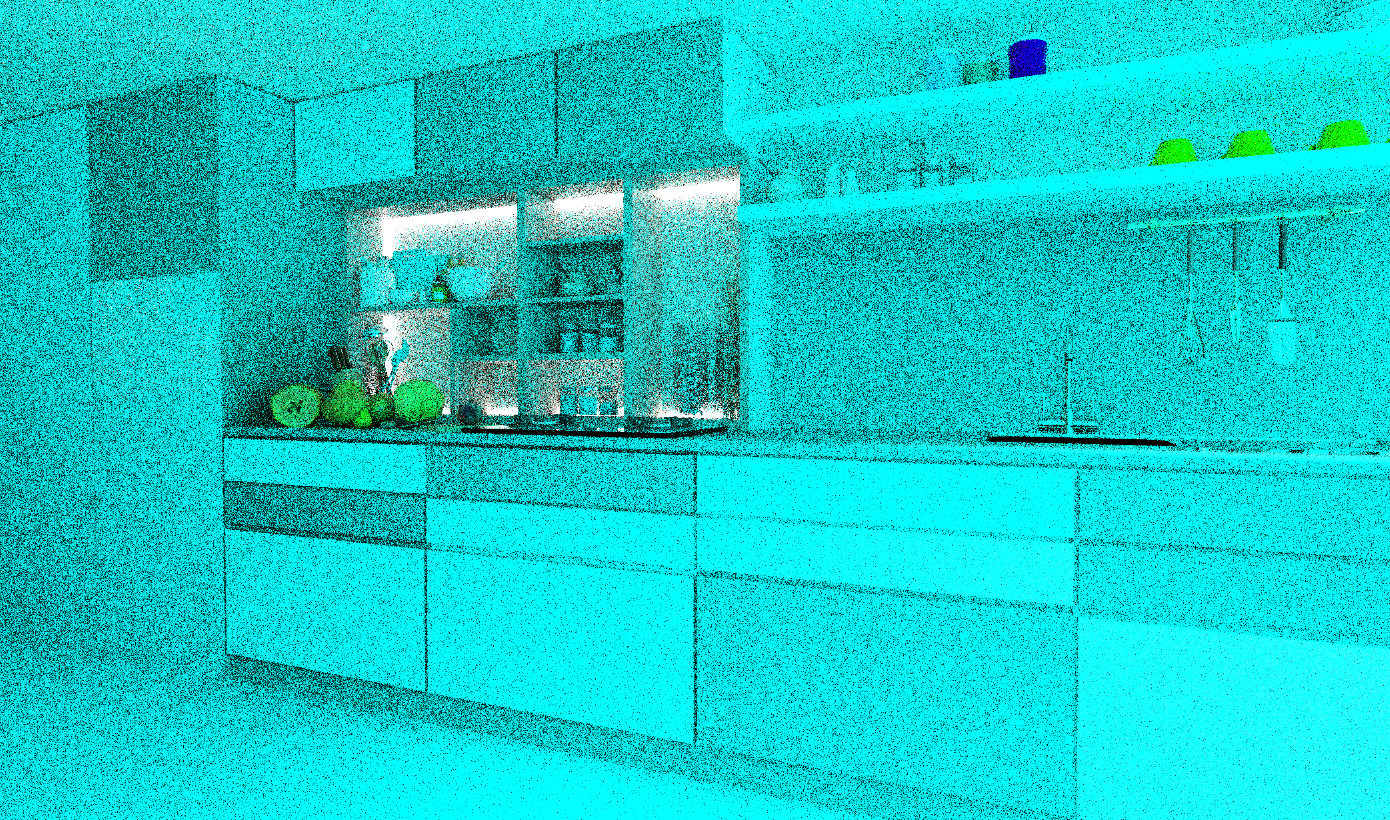
            image.png

            Krass

            P 1 Reply Last reply Reply Quote 0
            • KrassK Offline
              Krass
              last edited by

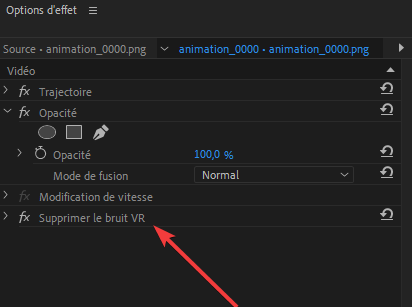
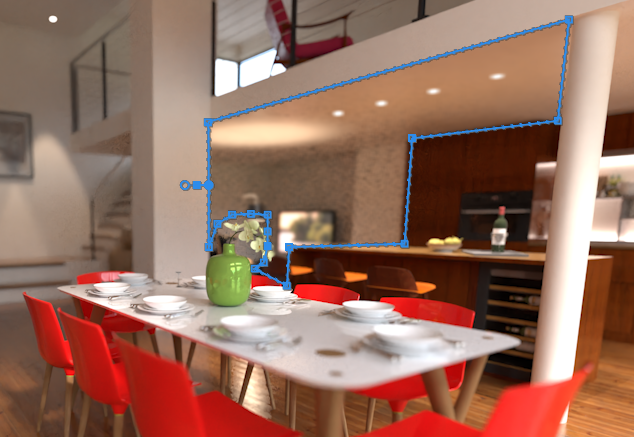
              Yes, I was able to reduce the noise with a mask to which I applied a denoiser effect, but is that the denoiser you're thinking of? It's better anyway.
              Adobe_Premiere_Pro_I8vnu3lP6R.png

              image.png

              Krass

              P 1 Reply Last reply Reply Quote 0
              • P Offline
                pixelcruncher Extension Creator @Krass
                last edited by pixelcruncher

                This post is deleted!
                1 Reply Last reply Reply Quote 0
                • P Offline
                  pixelcruncher Extension Creator @Krass
                  last edited by

                  @Krass Yes, according to the docs, that should be the one.

                  1 Reply Last reply Reply Quote 0
                  • A Offline
                    Alattab
                    last edited by

                    In the latest update, the icons disappeared.

                    P 1 Reply Last reply Reply Quote 0
                    • P Offline
                      pixelcruncher Extension Creator @Alattab
                      last edited by

                      @Alattab That sucks, I'm sorry about that.

                      As a first step, can you try reinstalling the plugin and restarting SketchUp afterwards?

                      If that doesn't work, can you send me the log files? https://www.rayscaper.com/getting-help/report-a-bug/#1-export-the-log-files - You can send them to thomas at rayscaper.com.

                      Thanks,
                      Thomas

                      A 3 Replies Last reply Reply Quote 0
                      • KrassK Offline
                        Krass
                        last edited by

                        Hello Thomas
                        Can you tell me why I get a blue display when I change the project folder?

                        Krass

                        P 1 Reply Last reply Reply Quote 0
                        • A Offline
                          Alattab @pixelcruncher
                          last edited by

                          @pixelcruncher Rayscaper_0.9.85_Beta_Windows_logs_2026-01-13_01-28-57.zip

                          1 Reply Last reply Reply Quote 0
                          • A Offline
                            Alattab @pixelcruncher
                            last edited by

                            @pixelcruncher I followed your instructions, but the problem persists.

                            KrassK 1 Reply Last reply Reply Quote 0
                            • A Offline
                              Alattab @pixelcruncher
                              last edited by

                              @pixelcruncher ![alt text](image url)screen shoot.png

                              P 1 Reply Last reply Reply Quote 0
                              • KrassK Offline
                                Krass
                                last edited by

                                Hi Thomas,

                                I'm wondering if the animation export settings in the SketchUp project have an impact on the Rayscaper output: because the last animation I made at 30 frames per second in Rayscaper is set to 24 frames per second in SketchUp...

                                Krass

                                1 Reply Last reply Reply Quote 0
                                • KrassK Offline
                                  Krass
                                  last edited by

                                  image.png

                                  Krass

                                  P 1 Reply Last reply Reply Quote 0
                                  • KrassK Offline
                                    Krass @Alattab
                                    last edited by Krass

                                    @Alattab hello,
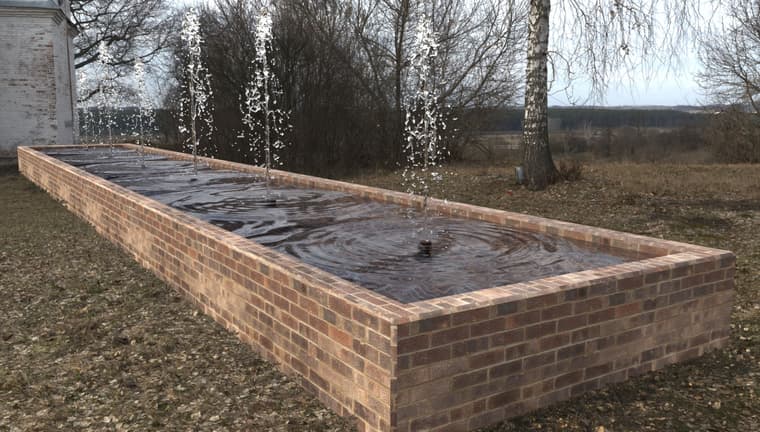
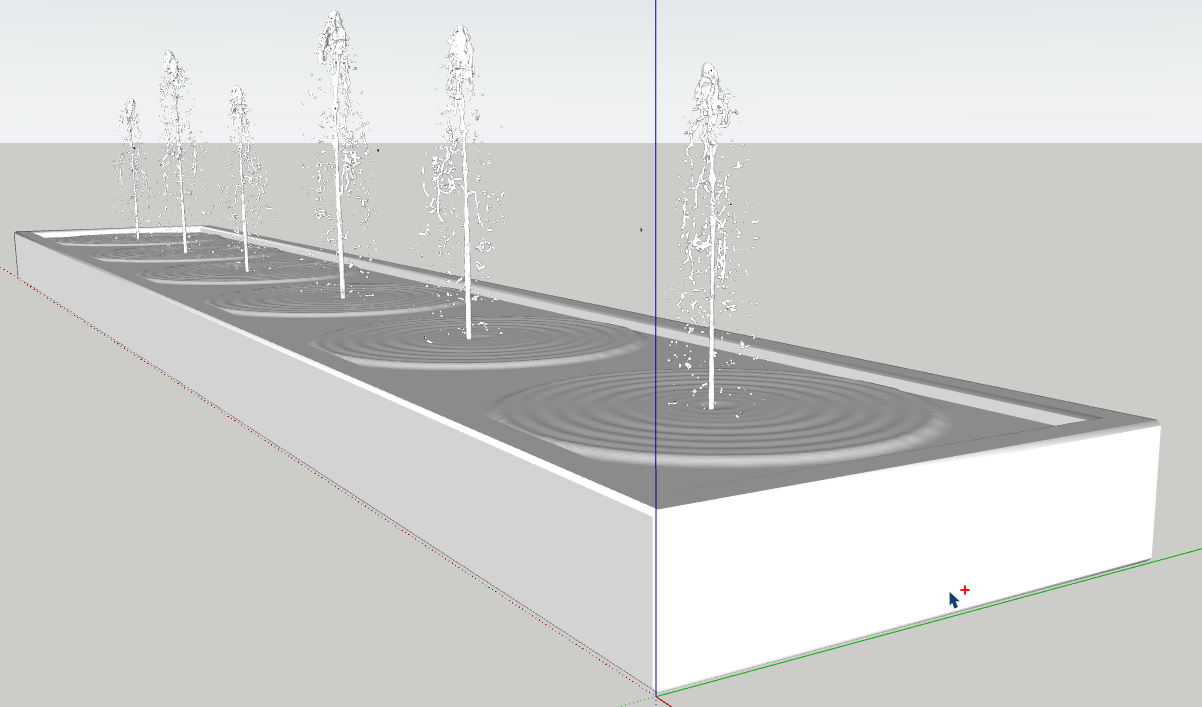
                                    I tryied to render a fountain : from a blenderkit free water jet model and a normal map for water and photoshop post processing
                                    97627878-bef8-4b67-9f3c-374afa50db20-image.png

                                    986890cd-4de8-4855-9be8-21b8edb5aa77-fontaine.jpg

                                    Krass

                                    A 1 Reply Last reply πŸ‘ Reply Quote 1
                                    • P Offline
                                      pixelcruncher Extension Creator @Krass
                                      last edited by

                                      @Krass Can you provide a screenshot of your HDRI path or the texture paths? The paths that Rayscaper couldn't find would have a danger triangle next to them. If you send me the logs then I could also have a look to see which paths aren't detected, hard to tell for me like this what went wrong.

                                      Thanks,
                                      Thomas

                                      1 Reply Last reply Reply Quote 0
                                      • KrassK Offline
                                        Krass
                                        last edited by Krass

                                        Yes Thomas, I will send it to you tomorrow morning. I tried to reload it from Rayscaper and restart RS, but non way. But did not restart SU. Mau be it 'll work tomorrow. I m not homE now. Yes there was a triangle in front of the image slot

                                        Krass

                                        1 Reply Last reply Reply Quote 0
                                        • A Offline
                                          Alattab @Krass
                                          last edited by

                                          @Krass That's great! Could you please attach the SketchUp file, the Normal Map file, and a screenshot showing the settings you used in Rayscaper?

                                          1 Reply Last reply Reply Quote 0
                                          • KrassK Offline
                                            Krass
                                            last edited by

                                            Hello yes, I will do it tomorrow. Remind it to me if I forget

                                            Krass

                                            1 Reply Last reply Reply Quote 0
                                            • 1
                                            • 2
                                            • 7
                                            • 8
                                            • 9
                                            • 10
                                            • 11
                                            • 19
                                            • 20
                                            • 9 / 20
                                            • First post
                                              Last post
                                            Buy SketchPlus
                                            Buy SUbD
                                            Buy WrapR
                                            Buy eBook
                                            Buy Modelur
                                            Buy Vertex Tools
                                            Buy SketchCuisine
                                            Buy FormFonts

                                            Advertisement