Rayscaper New Releases
-
@Mike-Amos Thank for reporting. Sorry about that!
I can reproduce the crash on minimizing, not on closing the Rayscaper window, though. Working on a fix.
-
@Mike-Amos Version 0.9.68 is out now, can you confirm that it fixes the crash you saw earlier today? Thanks!
-
Sorry, confirm that the crash still happens.
-
Hello, if I leave Rayscaper open and import a texture directly onto a face (with the import tool) it crashes
-
I can't create an emissive material with an image, if I increase the power the image disappears and the texture is white. I can't make a monitor screen. Can someone help me?
-
crash again, I wasn't doing anything special... Sketchup 2024 and Rayscaper 9.6.8
-
Another crash when reopening RS and trying to apply a texture
-
I can confirm that with the models I had issues with in Sketchup V2024, crash occurs when minimising Rayscaper. After that last build they ceased when closing Rayscaper. In Sketchup 2026, No crash on minimising or closing Rayscaper no matter which model is in use. Other apps also function better, faster, cleanup for example would freeze. NOT in Sketchup V2026.
-
I came back to 9.64 version for test
-
quelle galère
-
@Krass said in Rayscaper New Releases:
quelle galère
Patience is a virtue. Having an app have backwards compatibility along with supporting multiple different GPUs and CPUs etc is challenging for a single developer.
Download the free D'oh Book for SketchUp 📖
-
Agreed, getting this far this fast as a one man band, part time. Wow.
Being in beta still, imperfection is a given but the ride is still good and hoping I am contributing sufficiently.
-
Yes! Indeed
-
Hey guys,
Looking into the crashes.
Hello, if I leave Rayscaper open and import a texture directly onto a face (with the import tool) it crashes
Was this on the first texture, or after multiple imports?
I can't create an emissive material with an image, if I increase the power the image disappears and the texture is white. I can't make a monitor screen. Can someone help me?
Currently, Rayscaper doesn't support emission with a texture. Which image are you talking about? Maybe a screenshot of your setup helps me understand it better.
Another crash when reopening RS and trying to apply a texture
Looking into the crashes, I think (I hope) I found the root cause.
I understand the frustrations, and I appreciate your help in making the software a lot better!
Cheers,
ThomasI'm the developer of Rayscaper: https://rayscaper.com/ - Fast and easy rendering for SketchUp.
-
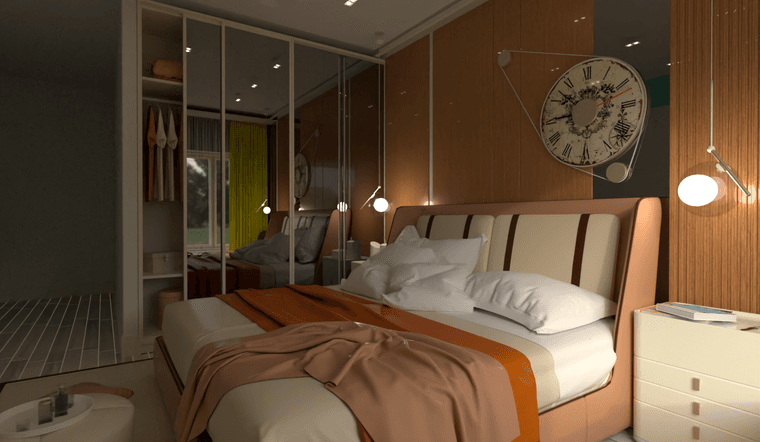
Nice render Mike!
@pixelcruncher said in Rayscaper New Releases:
Was this on the first texture, or after multiple imports?
I created a surface and imported a texture
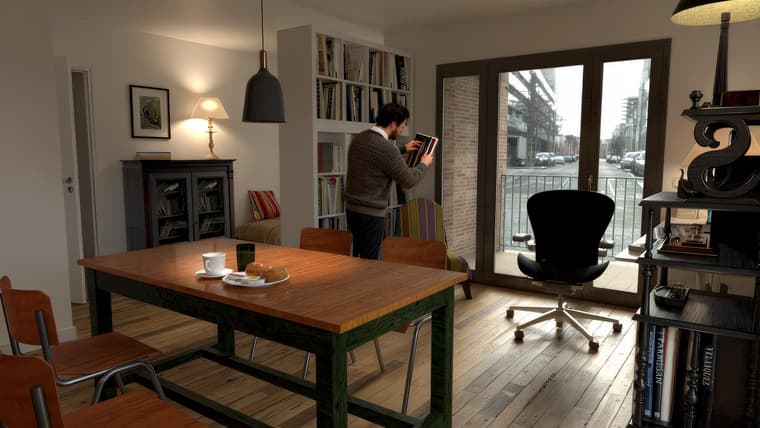
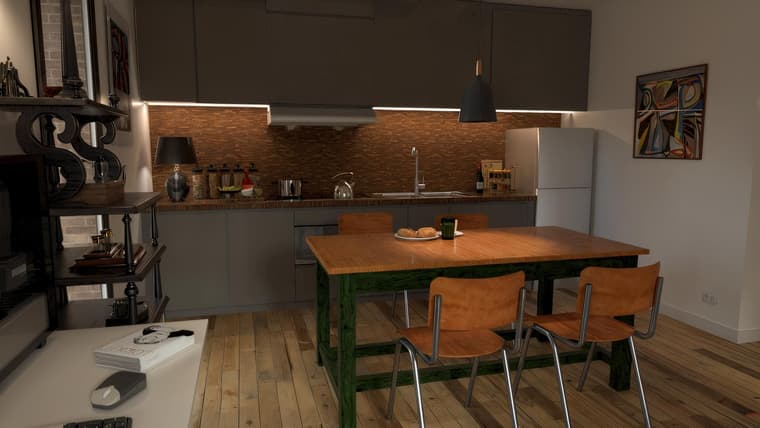
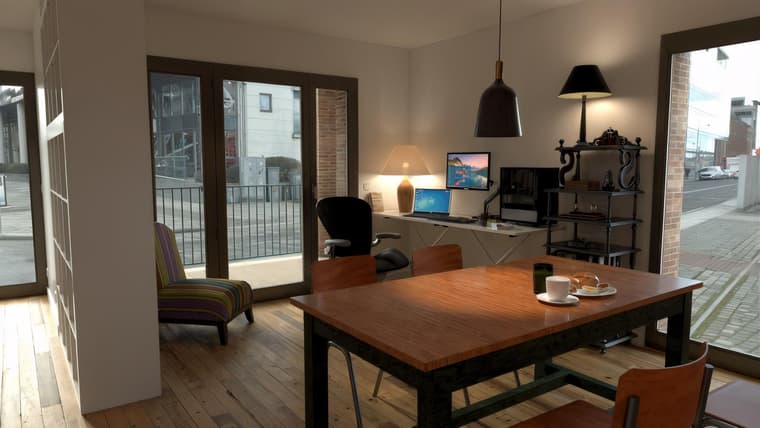
I found a solution to make an image emissive: for example for PC screens on the following images I make a copy of the face that must receive the image and I place it in front 2 or 3 millimeters of the initial face to which I applied an emissive. On this copy of the face I put my image as texture and I increase the Transmission slider, and it works well. (I just discovered this feature!)
ci-dessous 3 rendus avec un upscale KREA.AI
-
for the record, all the furniture is really at my house, but I tried to see in these images what I could fit into this apartment that I could buy....
the character is not contractual, I have a shaved head! -
@Mike-Amos Very nice render!
-
@Krass Great renders! Glad you found a workaround. That computer screen looks believable to me.

Image | KREA
Generate AI images with Flux, ChatGPT, Imagen, Ideogram, and more. Upload references and choose styles — the best text-to-image models in one place.

Krea (www.krea.ai)
You render it grainy in a low res, and then let it upscale? Or do you enhance the images in other ways with AI?
BTW, I found the issue, will post a fix shortly. The crash occurs when you load too many thumbnails in the asset browser.
Cheers,
Thomas -
I use AI Upscale to get a sharper render and correct details, characters, it improves materials, wood, etc.
-
Hey, Rayscaper users!
Another release!
Rayscaper 0.9.69 Beta is available in the SketchUcation store. As
always, I recommend upgrading to the latest version.What Changed?
- Fix a crash when scrolling the asset browser. - @Krass can you let me know if this version behaves better for you?
Help Me Build the Community

If you like Rayscaper, please share your renders (final or work-in-progress, it doesn’t matter)! This is motivating
and helps me showcase its capabilities to new users.Follow me on Twitter.
Happy Rendering!
I'm the developer of Rayscaper: https://rayscaper.com/ - Fast and easy rendering for SketchUp.



Hello! It looks like you're interested in this conversation, but you don't have an account yet.
Getting fed up of having to scroll through the same posts each visit? When you register for an account, you'll always come back to exactly where you were before, and choose to be notified of new replies (either via email, or push notification). You'll also be able to save bookmarks and upvote posts to show your appreciation to other community members.
With your input, this post could be even better 💗
Register Login


Advertisement