Rayscaper New Releases
-
@majid There's no custom preview model available right now. A while back, I hid material previews from the user interface. Would you like to have them back?
By custom, do you mean switching between a sphere/cube/plane / etc., or are you looking to load a custom model (e.g., an obj file, ...) used in the material preview?
Cheers,
ThomasI'm the developer of Rayscaper: https://rayscaper.com/ - Fast and easy rendering for SketchUp.
-
@pixelcruncher if I could load my model/preview, or knew how to or where to place it manually, it would be more than enough for me. It is not something in demand that much at this stage I believe.
-
@majid Hey Majid, I will add this to my feature list, but there's not much demand for it right now. The preview scene is baked into the Rayscaper binary, so today, there is no option to overwrite the material preview scene with an alternative scene.
I'm the developer of Rayscaper: https://rayscaper.com/ - Fast and easy rendering for SketchUp.
-
Hey, Rayscaper users!
Rayscaper 0.9.13 is available (0.9.11 and 0.9.12 were internal test releases) in the SketchUcation store. There is more good stuff, so I recommend you upgrade to this version.
What Changed?
- Fix flaky material picking. Sometimes, material picking would not work, or pick the wrong materials. This is fixed.
- Fix a cursor problem after viewport dragging; sometimes, the hand cursor would not go away.
- This release also features a simplification of the user interface:
- Add more readable icons for the Rayscaper window.
- Improved editors for the scene settings with more intuitive controls.
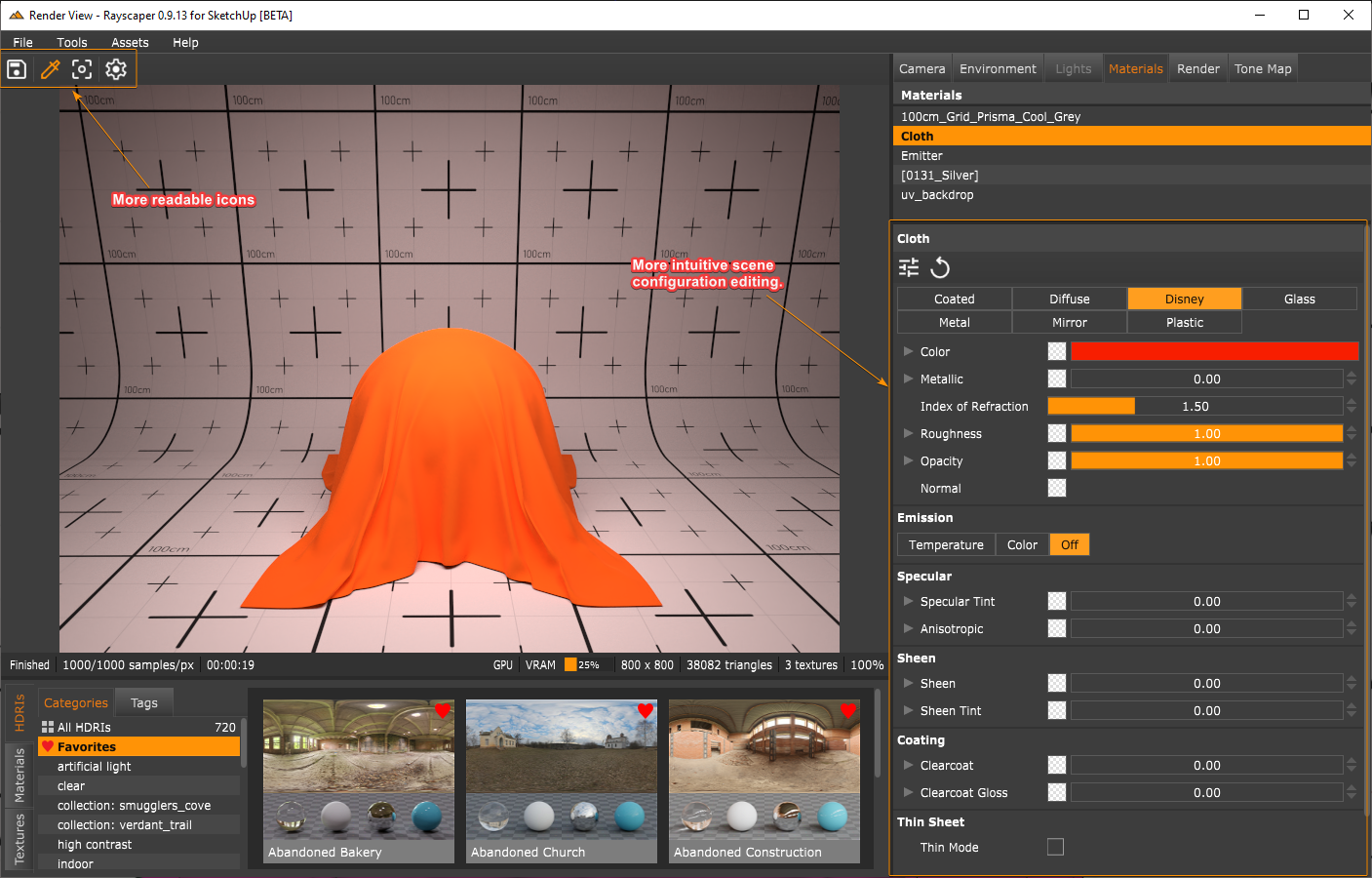
Reworking the editors was a significant code change, so let me know if something is not working or some things don't make sense to you. I'm here to help!
I'm also on Twitter (X) now: https://twitter.com/Rayscaper3d/ - Please follow the @Rayscaper3d that will help me grow the community!

Happy Rendering!
I'm the developer of Rayscaper: https://rayscaper.com/ - Fast and easy rendering for SketchUp.
-
@pixelcruncher There is no option anymore to change the texture type (color or image or perlin noise). Was this purposely removed, or is this a bug. I found the perlin noise one especially to be useful (for roughness).
-
I removed it from the user interface because I assumed the use was limited, and maybe too complex. If you have use for it I will definitely bring it back in the user interface the next release.
-
@pixelcruncher thanks!
-
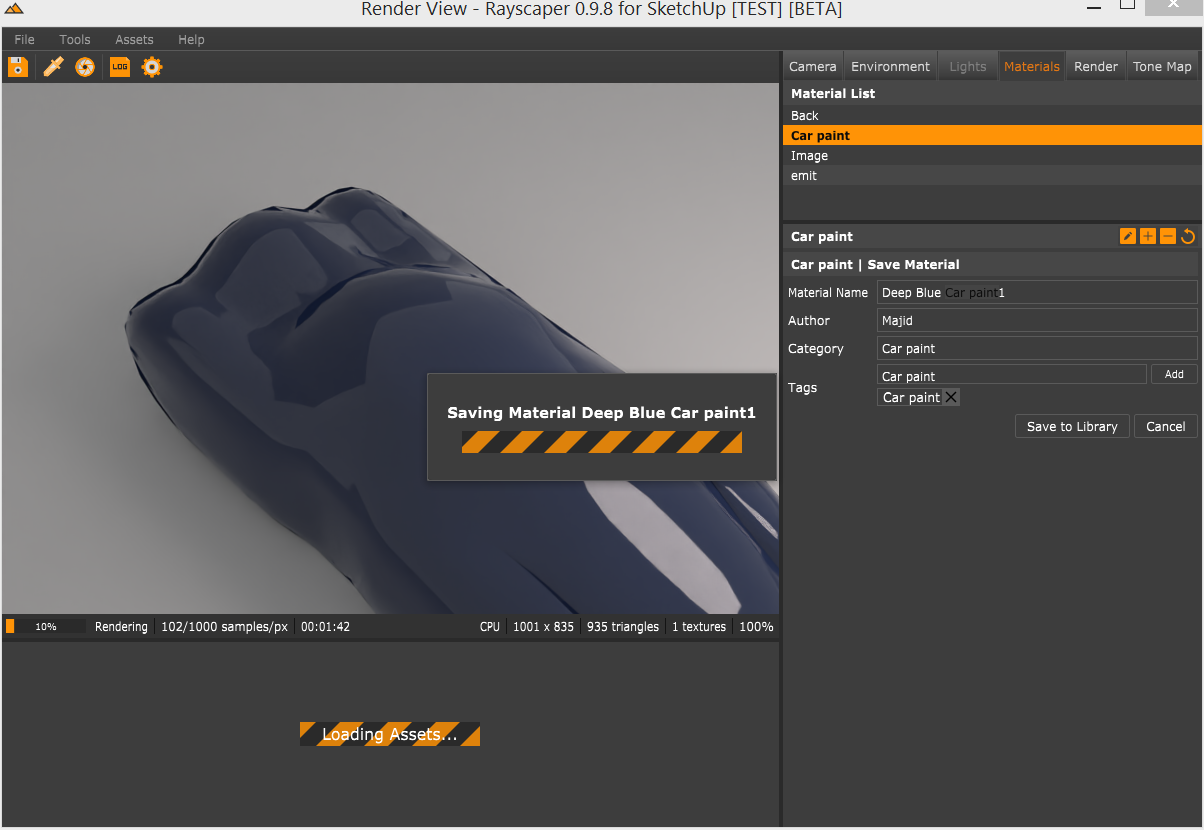
@pixelcruncher I was going to prepare a car paint material pack and thought it would be nice if I could have my custom material preview, nothing serious.
-
@pixelcruncher huge amount of job! well done!
I am wondering if this is possible to assign a map/option for "opacity" of the materials. so that I could make a perforated metal sheet i.e.?
Also I may not be able to imagine that a metal/mirror material is emitting light.. is there any real-life example? -
Hey @majid,
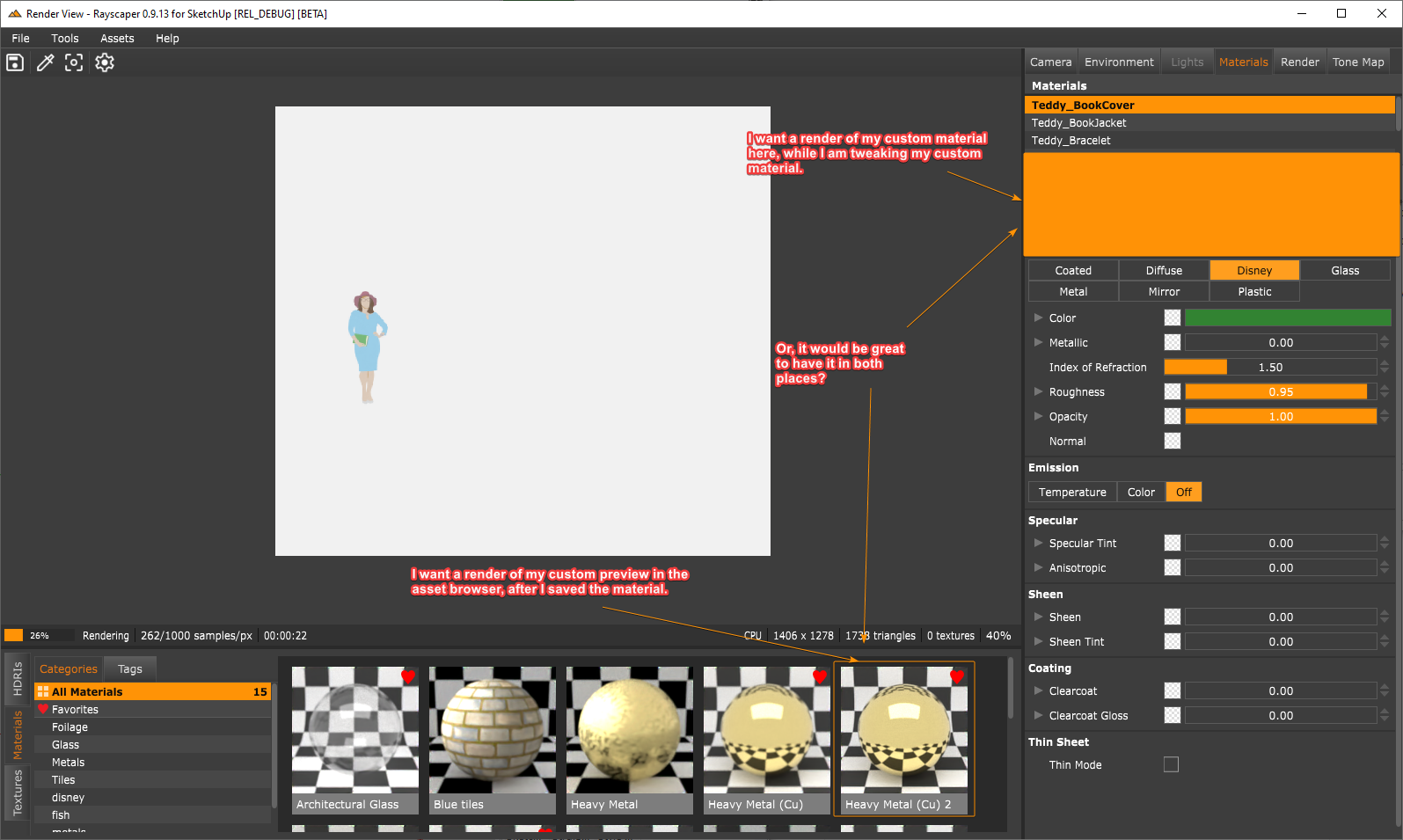
Yeah, I see how this can be handy for you. I will re-add the material previews in one of the subsequent releases and make a note to support custom material previews.
For my information, are you interested in having a custom material preview while editing the material or after saving it in the material library? Or in both places?
Cheers,
ThomasI'm the developer of Rayscaper: https://rayscaper.com/ - Fast and easy rendering for SketchUp.
-
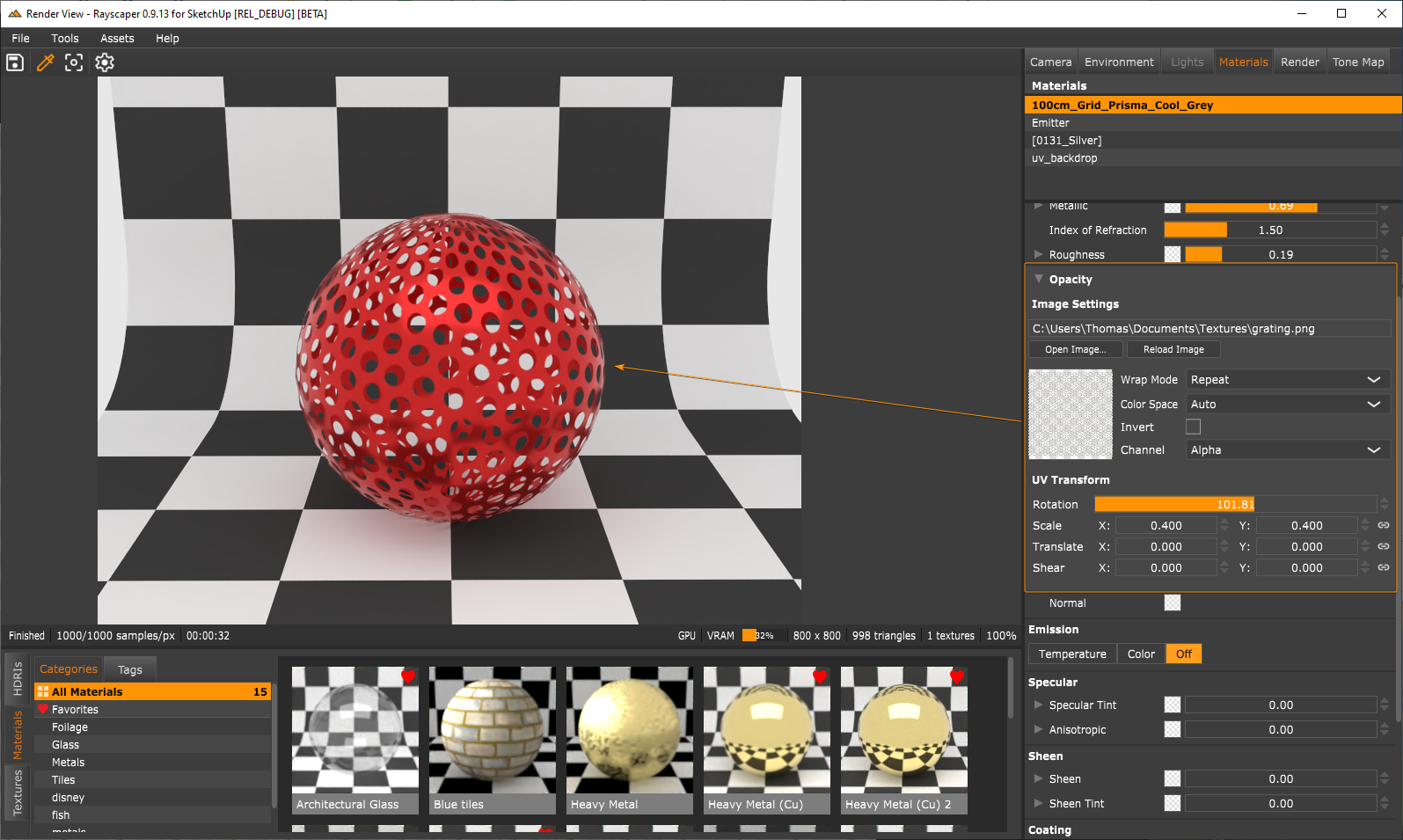
I am wondering if this is possible to assign a map/option for "opacity" of the materials. so that I could make a perforated metal sheet i.e.?
That should already be there unless you are talking about something else. You can plug a map into the material's opacity input.
Also I may not be able to imagine that a metal/mirror material is emitting light.. is there any real-life example?
I don't think so, but artists might still want to use it. Is that something that bothers you?
 The implementation of emission is shared by all materials so that I can put it on every material at no extra cost.
Cheers,
ThomasI'm the developer of Rayscaper: https://rayscaper.com/ - Fast and easy rendering for SketchUp.
-
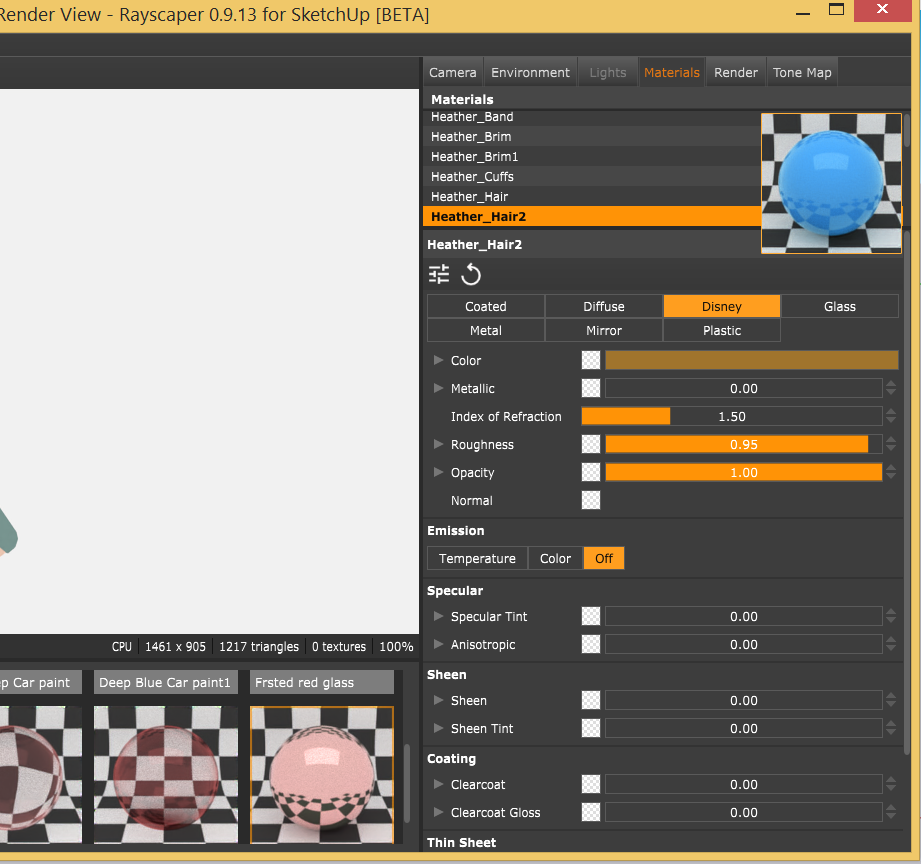
@pixelcruncher Ah I did not noticed the "square" as an "image place holder", Thank you...

-
@pixelcruncher Yeap it makes sense if is in front of its name. Much better if could be undocked , floating and enlarged.
-
Hey, Rayscaper friends!
Rayscaper 0.9.15 is available (0.9.14 was an internal test release) in the SketchUcation store. A lot of fixes and new things so I recommend you upgrade to this version.
What Changed?
Improvements
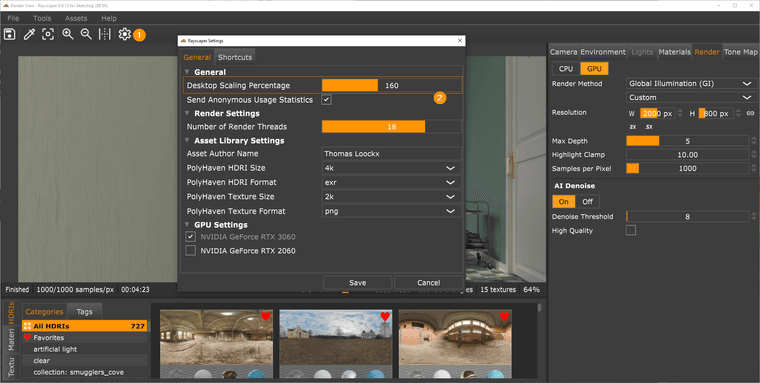
Desktop Scaling
Some users complained that Rayscaper was not legible on high-res, especially with display scaling enabled. I added a configuration option to scale the user interface to make it more readable on such displays.
Fast Tone Mapping
Improve the speed of the tone mapping operations. All operations now run in real-time, even on big render resolutions.
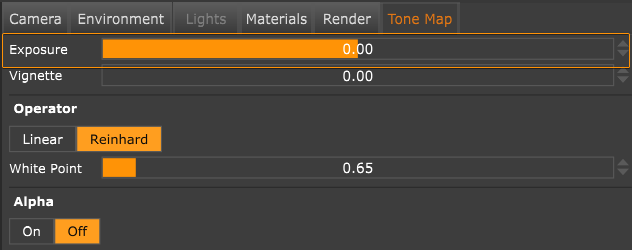
More Intuitive Exposure Control
Make the exposure slider more intuitive. Negative values darken the image, and positive values brighten it—an exposure step value of one doubles or halves the brightness. A value of 0 means a neutral exposure.
More Zoom Controls
Add zoom controls to the Rayscaper toolbar and the option to fit the viewport.

Fewer Watermarks
Although Rayscaper is commercial ( and I think it is a very affordable piece of software
 ), I also wanted to reduce the watermarking to improve the experience for free users.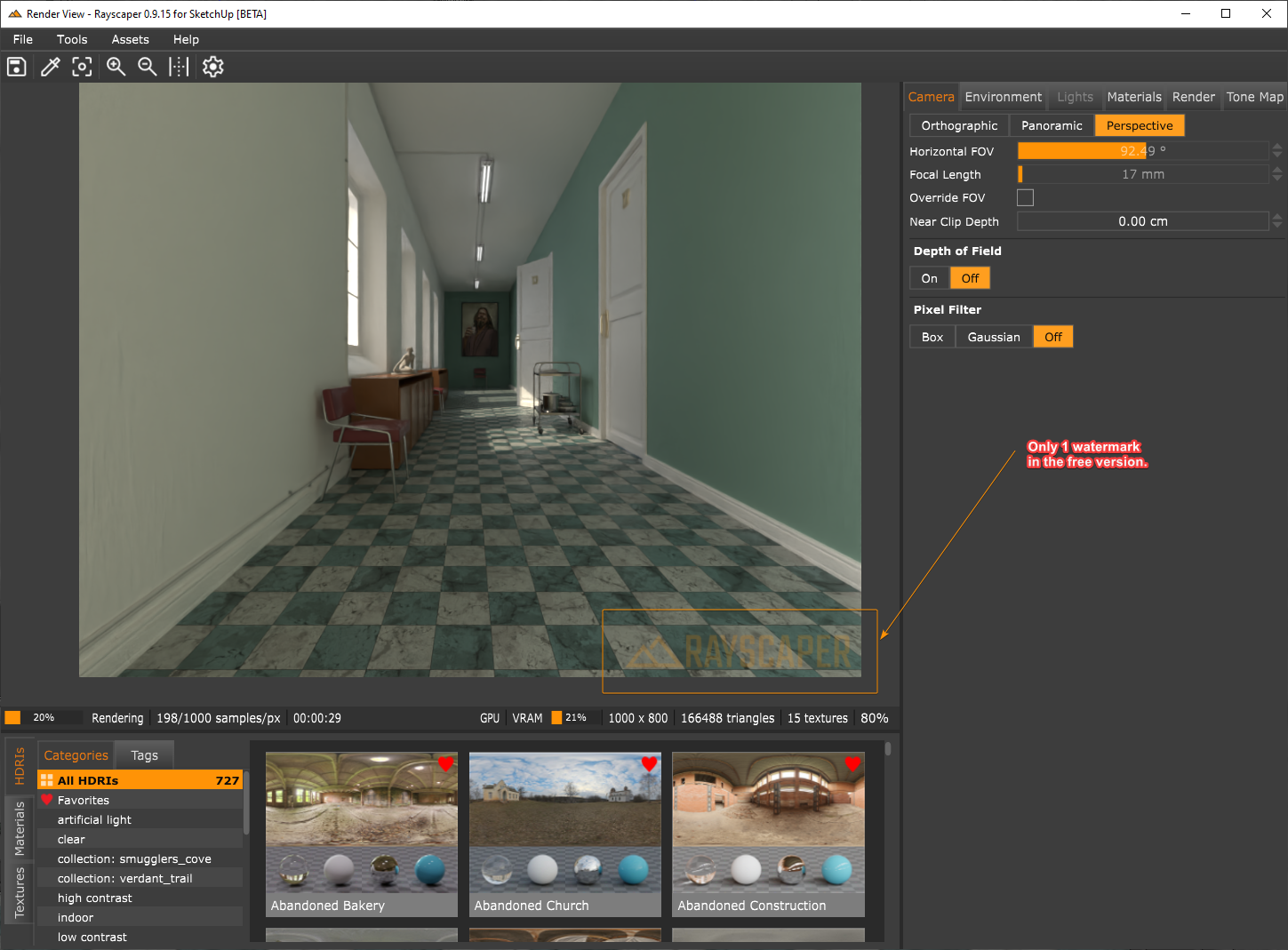
Bug Fixes
- Add the option to scale the user interface. This makes Rayscaper a lot more legible on high DPI displays.
- Bring back the capability to configure the following texture types (cc: @sashapepperspray):
- Noise Texture
- Uv Texture
- Mix Texture
- Checkerboard Texture
- Bring back the double-sided and fake emission controls for light-emitting materials (cc: @majid).
Help me build the community
I'm on Twitter (X) now: https://twitter.com/Rayscaper3d/ - Please follow the @Rayscaper3d that will help me grow the community and spread the word about Rayscaper!
Happy Rendering!
-
@pixelcruncher
thank you for this update, and putting back the noise/ mix/ checkerboard options. -
If I purchase RayScaper will I be able to install and use it with both 2024 and 2020? I also have a new laptop. Will I be able to install it on both of my laptops?
-
@ntxdave Rayscaper is not compatible with SketchUp 2021 and below.
Download the free D'oh Book for SketchUp 📖
-
@Rich-O-Brien Thanks Rich. That is what I thought but some place I thought I thought their product or web site said something about 2020.
Right now I have thr trial version but it is about to expire. I need to go try something again because u thought I saw an error but I will have to evaluate that.
-
@ntxdave We only support 2021 or higher. 2020 is not supported.
There’s no time-limited trial, you can use it for free as long as you like but the free version has a small watermark.
Cheers,
Thomas -
Hey, Rayscaper friends!
Rayscaper 0.9.23 Beta is available in the SketchUcation store. A lot of fixes and new things so I recommend you upgrade to this version.
What Changed?
Improvements
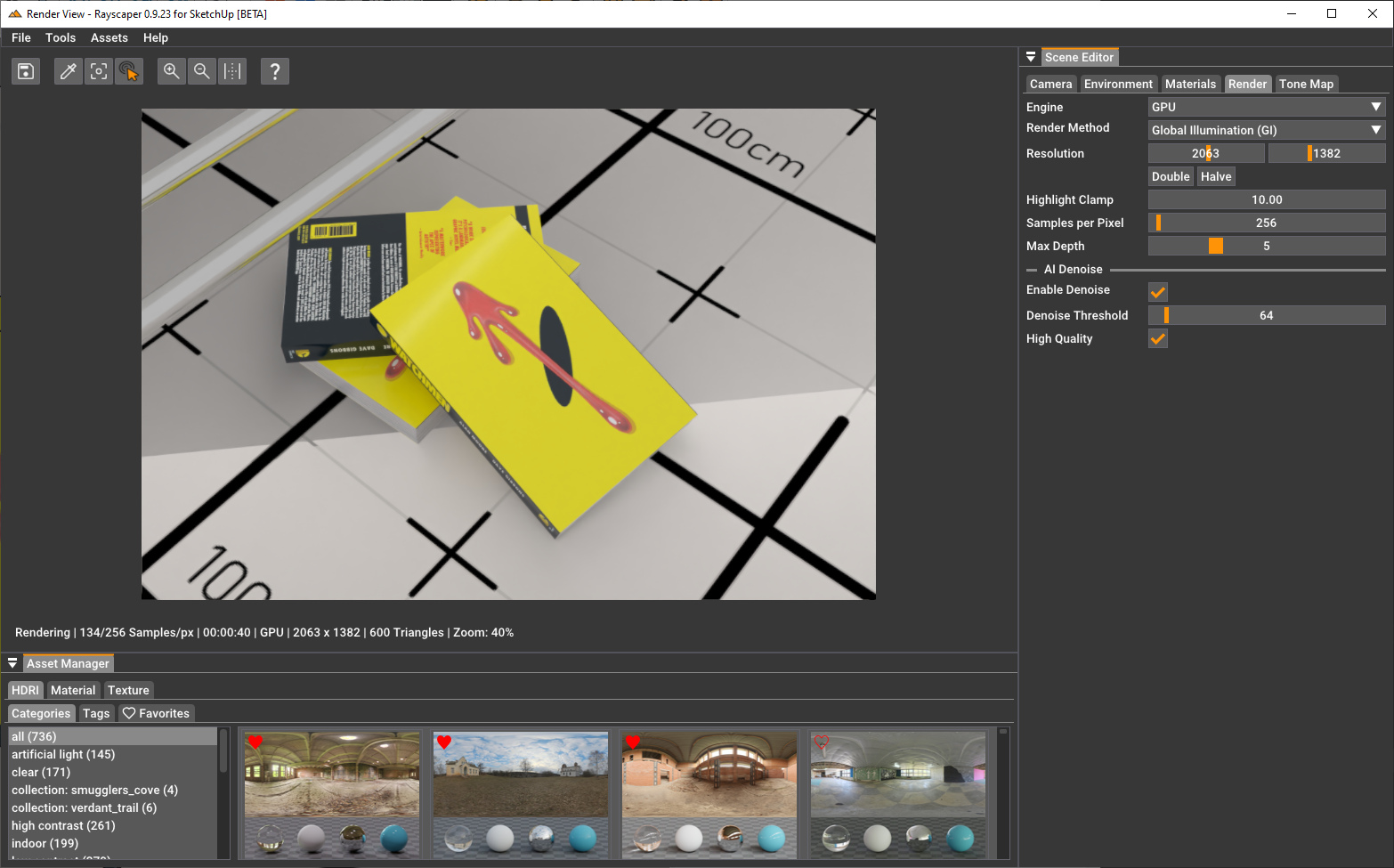
New GUI Framework
Migrated Rayscaper to a new graphical user interface (GUI) framework. This changes the look and feel of the GUI but
was done mainly to simplify Rayscaper's code base to enable faster future development. This was a significant change and why it took +1 Month since the previous release.Here's what Rayscaper looks like now:
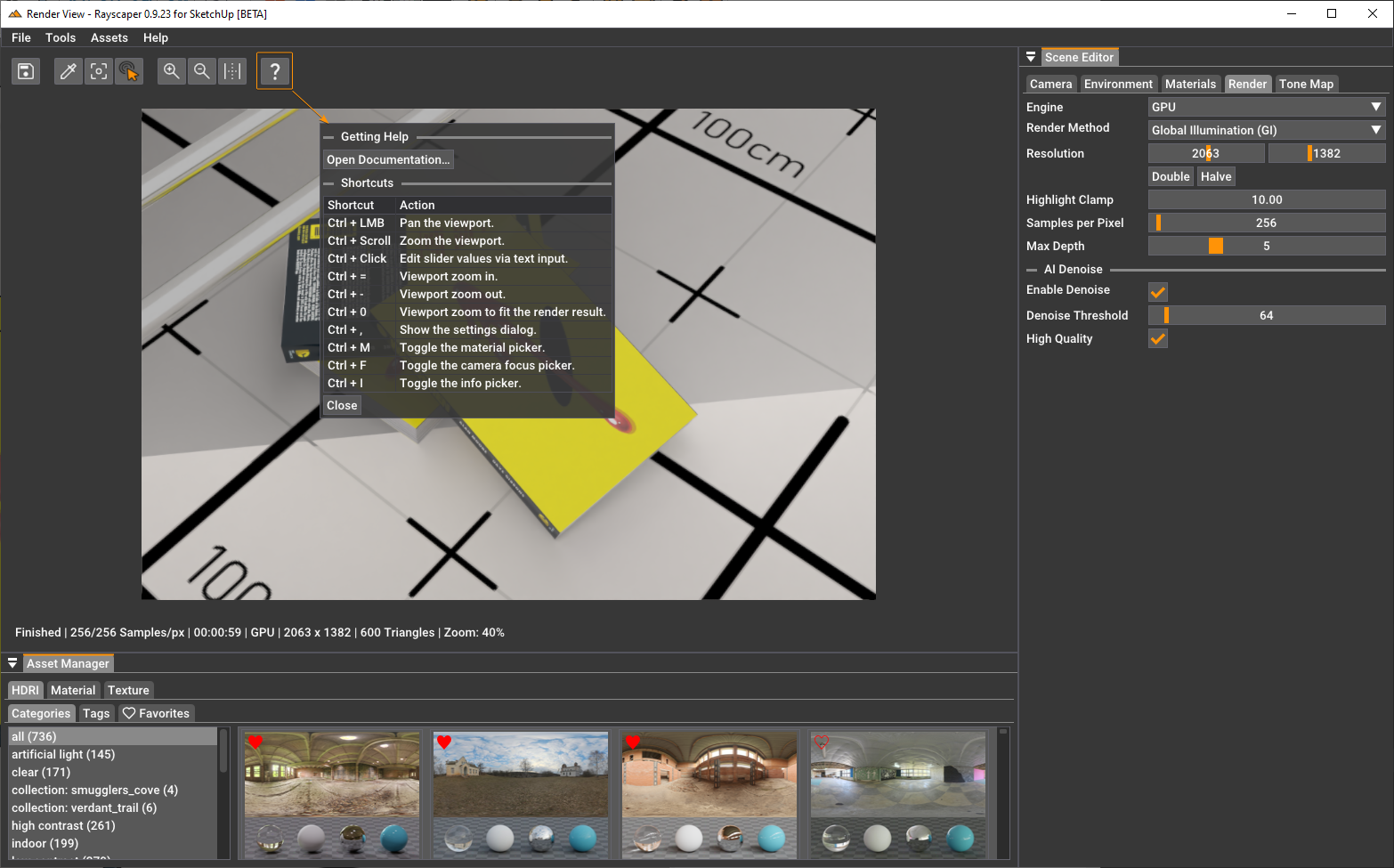
Some controls changed, so make sure to check the help:
Express Light Emitting Materials in Watt
- Controlling light emitting materials (LEMs) was sometimes tricky. I fixed some bugs in this area, and LEMs are now expressed in Watts.
Bug Fixes
- Make sure that VCB input works again with the light tools.
Help me build the community
I'm on Twitter (X) now: https://twitter.com/Rayscaper3d/ - Please follow the @Rayscaper3d that will help me grow the community and spread the word about Rayscaper!
Happy Rendering!
I'm the developer of Rayscaper: https://rayscaper.com/ - Fast and easy rendering for SketchUp.



Hello! It looks like you're interested in this conversation, but you don't have an account yet.
Getting fed up of having to scroll through the same posts each visit? When you register for an account, you'll always come back to exactly where you were before, and choose to be notified of new replies (either via email, or push notification). You'll also be able to save bookmarks and upvote posts to show your appreciation to other community members.
With your input, this post could be even better 💗
Register Login


Advertisement