sketchucation logo sketchucation
    • 登入
    Oops, your profile's looking a bit empty! To help us tailor your experience, please fill in key details like your SketchUp version, skill level, operating system, and more. Update and save your info on your profile page today!
    🔌 Smart Spline | Fluid way to handle splines for furniture design and complex structures. Download

    [Plugin] Universal Importer - v1.2.6 - 30 July 2024

    已排程 已置頂 已鎖定 已移動 Plugins
    446 貼文 109 Posters 456.7k 瀏覽 109 Watching
    正在載入更多貼文
    • 從舊到新
    • 從新到舊
    • 最多點贊
    回覆
    • 在新貼文中回覆
    登入後回覆
    此主題已被刪除。只有擁有主題管理權限的使用者可以查看。
    • samuel_tS 離線
      samuel_t
      最後由 編輯

      @treddigaetano said:

      hi, can to import also mtl texture file of .obj ?

      Hi, don't worry: MTL texture file of OBJ is automatically loaded. 😉

      1 條回覆 最後回覆 回覆 引用 0
      • K 離線
        kd8qlo
        最後由 編輯

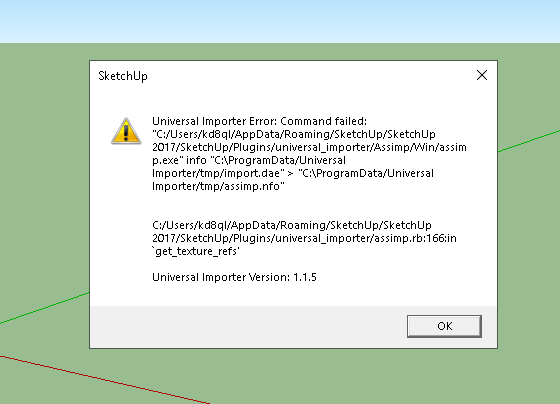
        Untitled.jpg
        Hello!
        I keep getting this same error?
        any ideas?

        1 條回覆 最後回覆 回覆 引用 0
        • samuel_tS 離線
          samuel_t
          最後由 編輯

          @kd8qlo said:

          https://sketchucation.com/forums/download/file.php?id=158823

          Hello!
          I keep getting this same error?
          any ideas?

          Hello! Reinstall Microsoft Visual C++ runtime then try to import a model with Universal Importer...

          1 條回覆 最後回覆 回覆 引用 0
          • C 離線
            christopheforet
            最後由 編輯

            Hi all!

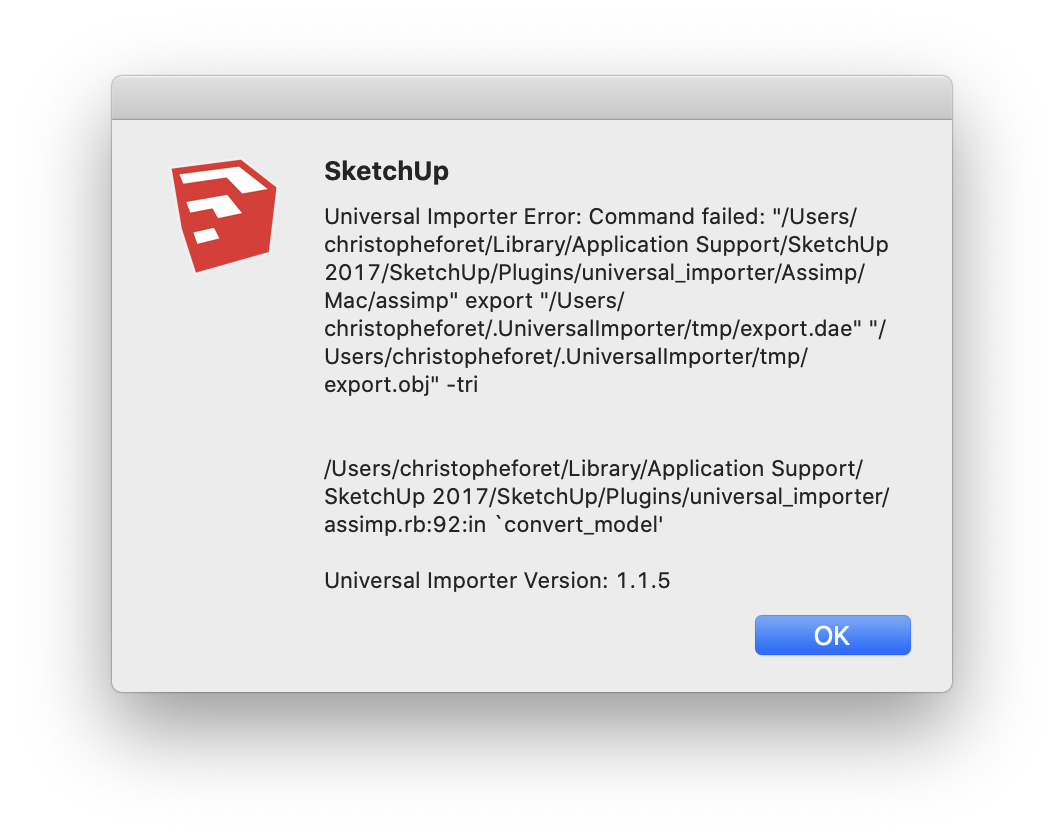
            I get errors when importing different file types...
            On Mac OS, Sketchup 2017, plugin v1.1.5.

            Any ideas on how to fix this?


            Schermafbeelding 2020-03-19 om 23.54.15.png

            1 條回覆 最後回覆 回覆 引用 0
            • Dave RD 離線
              Dave R
              最後由 編輯

              @christopheforet said:

              I get errors when importing different file types...
              On Mac OS

              What version of Mac OS? As Samuel indicated a few posts up, "...plugin is not compatible with macOS 10.12.x, you need macOS 10.13 or greater."

              Etaoin Shrdlu

              %

              (THERE'S NO PLACE LIKE)

              G28 X0.0 Y0.0 Z0.0

              M30

              %

              1 條回覆 最後回覆 回覆 引用 0
              • I 離線
                ibex
                最後由 編輯

                Thanks for providing this plugin.

                I have installed it on Sketchup 2017 and also reinstalled the Windows C+ library. The plugin appears in my options and the toolbar is in place.

                Each time I run it I get this error message trying to install an .stp file which I downloaded from here https://www.linak.com/products/linear-actuators/la22/#/2d3d
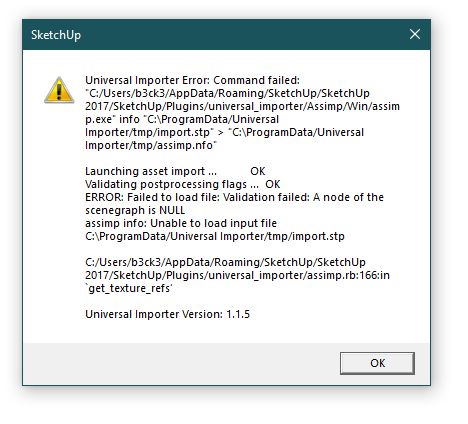

                Sketchup_Capture.PNG

                1 條回覆 最後回覆 回覆 引用 0
                • samuel_tS 離線
                  samuel_t
                  最後由 編輯

                  @ibex said:

                  Thanks for providing this plugin.

                  I have installed it on Sketchup 2017 and also reinstalled the Windows C+ library. The plugin appears in my options and the toolbar is in place.

                  Each time I run it I get this error message trying to install an .stp file which I downloaded from here https://www.linak.com/products/linear-actuators/la22/#/2d3d

                  Thank you for your report. Unfortunately I can't fix that issue. 😕

                  1 條回覆 最後回覆 回覆 引用 0
                  • L 離線
                    lema
                    最後由 編輯

                    Hi
                    Textures are not imported correctly.
                    The leaf is imported upside down.
                    This can be understood if you open the model in other applications.
                    https://drive.google.com/file/d/1-aTDHwlIvZhZY7RVeTcOy5WcILBdpfy1/view?usp=sharing

                    1 條回覆 最後回覆 回覆 引用 0
                    • samuel_tS 離線
                      samuel_t
                      最後由 編輯

                      @lema said:

                      Hi
                      Textures are not imported correctly.
                      The leaf is imported upside down.
                      This can be understood if you open the model in other applications.
                      https://drive.google.com/file/d/1-aTDHwlIvZhZY7RVeTcOy5WcILBdpfy1/view?usp=sharing

                      Hi, thank you for your report. Unfortunately I can't fix that issue. 😕

                      1 條回覆 最後回覆 回覆 引用 0
                      • T 離線
                        turbodizayn
                        最後由 編輯

                        Hi Sam!
                        This is great plugin and for me it is better than transmuttr and skimp. Genius work.
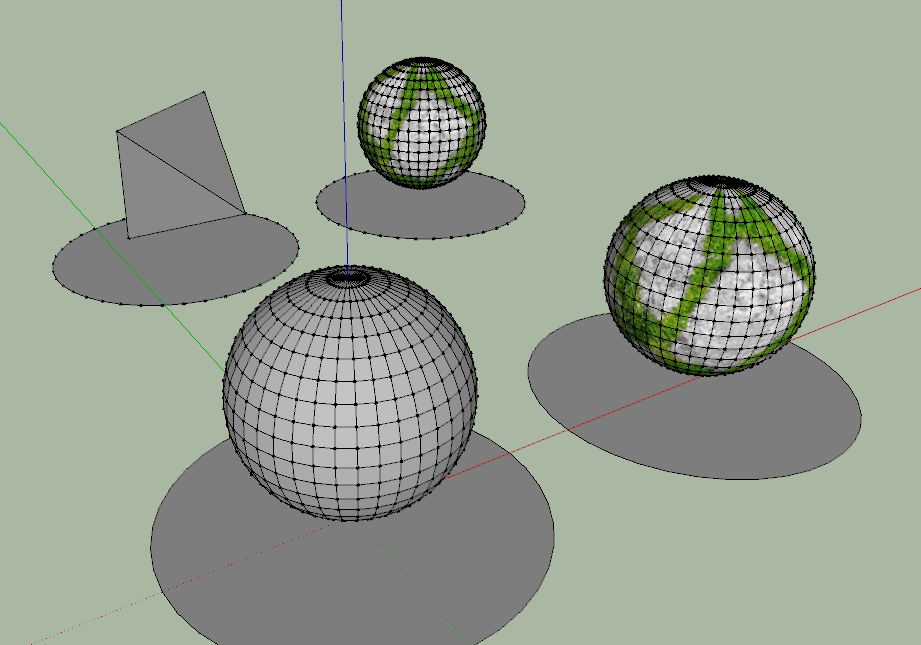
                        There is only problem-if model textured I have no polygon reduction =((( It works only with no texture material models for me. From time to time "redusePolygonCount" makes even more polygons then is in original model. May be it is 1.1.5 issue but there no source to download previous versions.

                        I hope it will be fixed, please!

                        PS You can see in second row no optimization of textured sphere

                        UI.PNG

                        1 條回覆 最後回覆 回覆 引用 0
                        • samuel_tS 離線
                          samuel_t
                          最後由 編輯

                          @turbodizayn said:

                          Hi Sam!
                          This is great plugin and for me it is better than transmuttr and skimp. Genius work.
                          There is only problem-if model textured I have no polygon reduction =((( It works only with no texture material models for me. From time to time "redusePolygonCount" makes even more polygons then is in original model. May be it is 1.1.5 issue but there no source to download previous versions.

                          I hope it will be fixed, please!

                          PS You can see in second row no optimization of textured sphere

                          Hi Turbo!

                          Issues you describe seem to come from polygon reduction program (MeshLab) used in background by plugin. This mean, I can't fix them. 😕

                          1 條回覆 最後回覆 回覆 引用 0
                          • S 離線
                            suestorm
                            最後由 編輯

                            Hi Samuel,

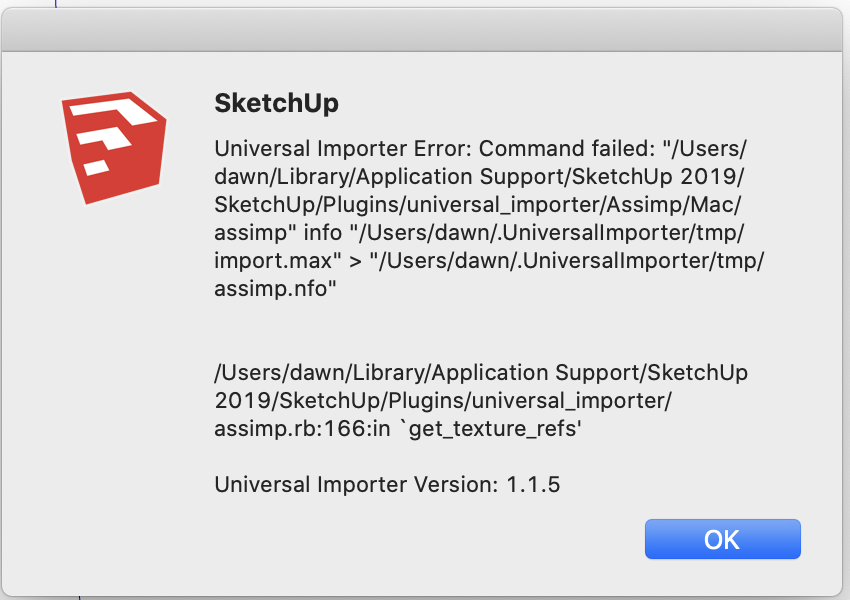
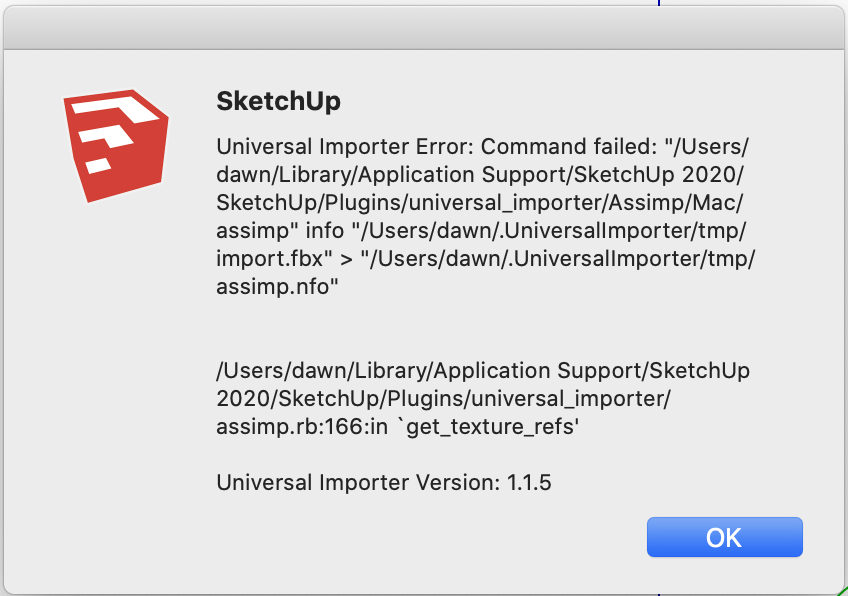
                            Thanks for the plug in, unfortunately I can not get it to work with Sketchup Pro 2019 or 2020. I downloaded universal importer v1.1.5.rbz from SketchUcation and installed it using the Extension Manager. I click on "Import with Universal Importer" in the File menu, select my .obj or .fbx model, and get the following error message. (please see attachment) and then the program crashes.

                            I am using Mac OS 10.15.1 Catalina. I have Sketchup Pro 2019 and 2018 and I get the same result on both versions.
                            Any suggestions?

                            thanks,
                            Dawn


                            Screen Shot 2020-05-09 at 7.14.35 PM.png

                            1 條回覆 最後回覆 回覆 引用 0
                            • E 離線
                              edwinfolk
                              最後由 編輯

                              Hello Samuel,

                              This looks like an awesome plugin and incredibly useful for rendering. Unfortunately, like Sue I cannot get it to work. I am using 2018 SKU and MacOS 10.15.2. Is there a work around? Or, is our OS not compatible at this time? Look forward to your answer and thanks.

                              1 條回覆 最後回覆 回覆 引用 0
                              • samuel_tS 離線
                                samuel_t
                                最後由 編輯

                                Hi suestorm, hello edwinfolk,

                                I don't have a real mac computer. 😕
                                When error occurs in SketchUp: Can you copy-paste command that fails ("/Users/.../assimp.nfo") to a terminal then show me back result?
                                This way I could maybe remotely debug...

                                1 條回覆 最後回覆 回覆 引用 0
                                • S 離線
                                  suestorm
                                  最後由 編輯

                                  Hi Samuel,

                                  Thanks for your reply. I don't understand what you mean about sending you a terminal, but I copy/pasted what comes up in the error box on my screen. Also attached a screen grab. I see several Mac users have posted the same error message, we are all having a consistent problem. I am on Mac OS 10.15.4 Sketchup Pro 2020. Thanks.

                                  Universal Importer Error: Command failed: "/Users/dawn/Library/Application Support/SketchUp 2020/SketchUp/Plugins/universal_importer/Assimp/Mac/assimp" info "/Users/dawn/.UniversalImporter/tmp/import.fbx" > "/Users/dawn/.UniversalImporter/tmp/assimp.nfo"

                                  /Users/dawn/Library/Application Support/SketchUp 2020/SketchUp/Plugins/universal_importer/assimp.rb:166:in `get_texture_refs'

                                  Universal Importer Version: 1.1.5

                                  Screen Shot 2020-05-10 at 4.27.05 PM.png

                                  1 條回覆 最後回覆 回覆 引用 0
                                  • samuel_tS 離線
                                    samuel_t
                                    最後由 編輯

                                    @suestorm said:

                                    Hi Samuel,
                                    Thanks for your reply. I don't understand what you mean about sending you a terminal [...]

                                    Hi suestorm,

                                    I mean:

                                    1. Open SketchUp.
                                    2. Import a .fbx model with Universal Importer plugin.
                                    3. Wait error... then copy-paste following command to your terminal. (See this tuto here to know how.)
                                    
                                    "/Users/dawn/Library/Application Support/SketchUp 2020/SketchUp/Plugins/universal_importer/Assimp/Mac/assimp" info "/Users/dawn/.UniversalImporter/tmp/import.fbx" > "/Users/dawn/.UniversalImporter/tmp/assimp.nfo"
                                    
                                    
                                    1. Send me back terminal result (text or screenshot).

                                    Thanks.

                                    1 條回覆 最後回覆 回覆 引用 0
                                    • TIGT 離線
                                      TIG Moderator
                                      最後由 編輯

                                      I think something might be getting lost in translation ?
                                      For 'Terminal' perhaps read 'SketchUp > Window > Ruby Console' [open it before doing anything]
                                      Although on a MAC there is a separate 'Terminal' app, surely you'd need it running before the error occurs ?

                                      TIG

                                      1 條回覆 最後回覆 回覆 引用 0
                                      • samuel_tS 離線
                                        samuel_t
                                        最後由 編輯

                                        @tig said:

                                        I think something might be getting lost in translation ?
                                        For 'Terminal' perhaps read 'SketchUp > Window > Ruby Console' [open it before doing anything]
                                        Although on a MAC there is a separate 'Terminal' app, surely you'd need it running before the error occurs ?

                                        I'm talking about that separate 'Terminal' app.

                                        1 條回覆 最後回覆 回覆 引用 0
                                        • TIGT 離線
                                          TIG Moderator
                                          最後由 編輯

                                          So do you need to explain to MAC users to open the Terminal first, and then try your tool...
                                          And any error-messages might appear in that Terminal window ?

                                          TIG

                                          1 條回覆 最後回覆 回覆 引用 0
                                          • samuel_tS 離線
                                            samuel_t
                                            最後由 編輯

                                            @tig said:

                                            So do you need to explain to MAC users to open the Terminal first, and then try your tool...
                                            And any error-messages might appear in that Terminal window ?

                                            No, command line needs to be pasted in Mac's Terminal after that Universal Importer plugin crashes.


                                            1 條回覆 最後回覆 回覆 引用 0
                                            • 1
                                            • 2
                                            • 17
                                            • 18
                                            • 19
                                            • 20
                                            • 21
                                            • 22
                                            • 23
                                            • 19 / 23
                                            • 第一個貼文
                                              最後的貼文
                                            Buy SketchPlus
                                            Buy SUbD
                                            Buy WrapR
                                            Buy eBook
                                            Buy Modelur
                                            Buy Vertex Tools
                                            Buy SketchCuisine
                                            Buy FormFonts

                                            Advertisement