sketchucation logo sketchucation
    • 登入
    Oops, your profile's looking a bit empty! To help us tailor your experience, please fill in key details like your SketchUp version, skill level, operating system, and more. Update and save your info on your profile page today!
    🔌 Smart Spline | Fluid way to handle splines for furniture design and complex structures. Download

    [Plugin] Universal Importer - v1.2.6 - 30 July 2024

    已排程 已置頂 已鎖定 已移動 Plugins
    447 貼文 110 Posters 474.3k 瀏覽 110 Watching
    正在載入更多貼文
    • 從舊到新
    • 從新到舊
    • 最多點贊
    回覆
    • 在新貼文中回覆
    登入後回覆
    此主題已被刪除。只有擁有主題管理權限的使用者可以查看。
    • G 離線
      glro
      最後由 編輯

      dxf fileHi, i tried your plugin

      It worked for a OBJ file

      but not for this DXF file (joined)

      do you know why?

      1 條回覆 最後回覆 回覆 引用 0
      • OxerO 離線
        Oxer
        最後由 編輯

        Fantastic plugin but I work on mac, is there plan for macos support?

        Spanish Language File

        es.zip

        "The result is the end what is important is the process" by Oxer
        http://www.oxervision.blogspot.com/

        1 條回覆 最後回覆 回覆 引用 0
        • K 離線
          Khai
          最後由 編輯

          ok. Cob (caligari trueSpace) is a little shakey, but don't worry, I'm likely to be the only person to be using that....

          OBJ so far is nice and solid, other than some scaling issues.. everythings coming in tiny 😉 but thats not a real issue...

          thanks again!

          1 條回覆 最後回覆 回覆 引用 0
          • samuel_tS 離線
            samuel_t
            最後由 編輯

            @glro said:

            Hi, i tried your plugin

            It worked for a OBJ file

            but not for this DXF file (joined)

            do you know why?

            Hi,

            Import fails because filename contains a '#' character.
            Substitute '#' with '_' and import will be succesful. 😉

            plateforme_202001051957_ca.dxf

            1 條回覆 最後回覆 回覆 引用 0
            • samuel_tS 離線
              samuel_t
              最後由 編輯

              @khai said:

              [...]
              thanks again!

              You're welcome! 👍

              1 條回覆 最後回覆 回覆 引用 0
              • P 離線
                paladinjnr
                最後由 編輯

                Hi
                I have installed the plugin in my SketchUp 2018 , absolutely brilliant
                how ever I am having a problem with textures , models import fine but no textures, which format should the textures be , I have tried dds and png

                1 條回覆 最後回覆 回覆 引用 0
                • kenK 離線
                  ken
                  最後由 編輯

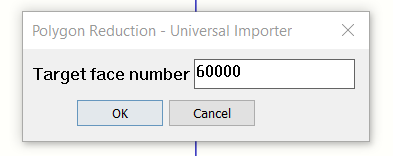
                  I have not had this program to import any files, STL or OBJ or STP. Below is the following error message I get trying to import an STP file of a nut that is 24k large.

                  I did notice in the program, it lists the file as obj file when the file name is, CROSBY 2160 300T NUT.STP.

                  Thanks for your help.

                  Ken
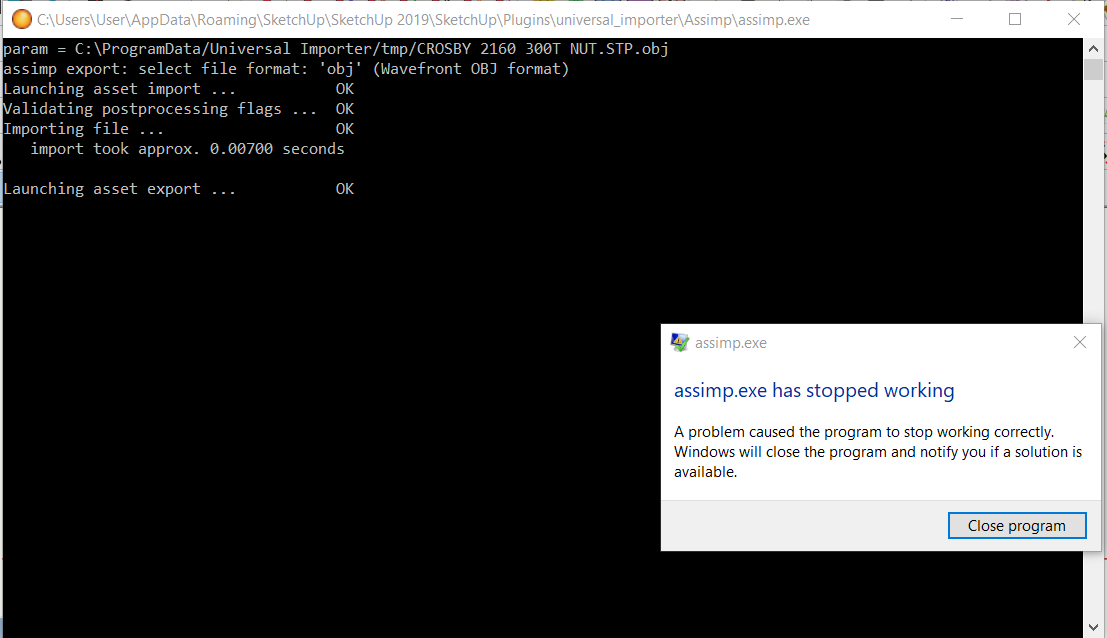

                  Image 288.png


                  Image 289.png

                  Fight like your the third monkey on Noah's Ark gangway.

                  1 條回覆 最後回覆 回覆 引用 0
                  • samuel_tS 離線
                    samuel_t
                    最後由 編輯

                    @paladinjnr said:

                    Hi
                    I have installed the plugin in my SketchUp 2018 , absolutely brilliant
                    how ever I am having a problem with textures , models import fine but no textures, which format should the textures be , I have tried dds and png

                    Could you please upload whole folder (model and textures) to a file hoster? This way I could debug it.

                    1 條回覆 最後回覆 回覆 引用 0
                    • samuel_tS 離線
                      samuel_t
                      最後由 編輯

                      @oxer said:

                      Fantastic plugin but I work on mac, is there plan for macos support?

                      Good news: I'm working on a macOS version of plugin. 😛 Stay tuned!

                      1 條回覆 最後回覆 回覆 引用 0
                      • TIGT 離線
                        TIG Moderator
                        最後由 編輯

                        @unknownuser said:

                        Run SketchUp as Administrator then re-import OBJ model. Let me know if problem persists.

                        If this step fixes the issue then it's almost certain that SketchUp was not installed correctly !

                        To fix it...
                        Whilst logged into Windows as your normal Windows user-name, ensure that SketchUp is closed.
                        Find the SketchUp installer's exe file - probably in your Downloads folder ?
                        Select the exe file's icon and right-click > context-menu > "Run as administrator"
                        When prompted choose "Repair".
                        Restart SketchUp and retry...

                        Installing any complex app in any other way can cause weird and unpredictable problems, often around permissions...
                        So never double-click an installer's exe file to 'Run' it - even if you have admin-powers, it is not the same thing.

                        TIG

                        1 條回覆 最後回覆 回覆 引用 0
                        • Didier BurD 離線
                          Didier Bur
                          最後由 編輯

                          French translation file 😄

                          fr.zip

                          DB

                          1 條回覆 最後回覆 回覆 引用 0
                          • samuel_tS 離線
                            samuel_t
                            最後由 編輯

                            @paladinjnr said:

                            [...]

                            Hi Here is a link to the model as requested.

                            Filehorst wurde abgeschaltet! Filehorst has been shut down!

                            favicon

                            (filehorst.de)

                            [...]

                            Your model had absolute paths to textures. That's not supported by plugin.
                            I converted absolute paths to relative paths with a text editor. It's OK now:
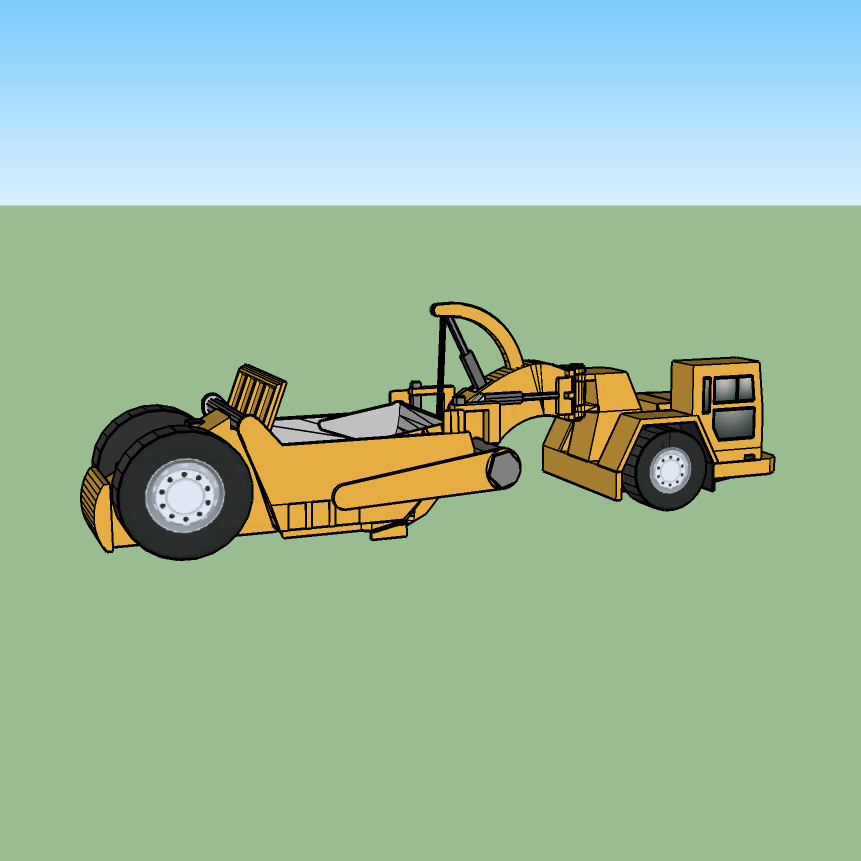
                            Fixed DirectX Model

                            Fixed model is attached below:

                            Fixed DirectX Model

                            1 條回覆 最後回覆 回覆 引用 0
                            • samuel_tS 離線
                              samuel_t
                              最後由 編輯

                              @didier bur said:

                              French translation file 😄

                              Thank you! 😄

                              1 條回覆 最後回覆 回覆 引用 0
                              • D 離線
                                Danish9762
                                最後由 編輯

                                Hi sir im using sketchup 2017 when i install this plugins by extension manager so im getting unsigned plugin please contact plugins developer. Not working please gix it or tell me how to fix it

                                1 條回覆 最後回覆 回覆 引用 0
                                • jujuJ 離線
                                  juju
                                  最後由 編輯

                                  @danish9762 said:

                                  Hi sir im using sketchup 2017 when i install this plugins by extension manager so im getting unsigned plugin please contact plugins developer. Not working please gix it or tell me how to fix it

                                  @Danish9762: You need to relax the extension loading policy you have set withing SketchUp.

                                  Save the Earth, it's the only planet with chocolate.

                                  1 條回覆 最後回覆 回覆 引用 0
                                  • samuel_tS 離線
                                    samuel_t
                                    最後由 編輯

                                    @Danish9762 "Unsigned" problem isn't a bug, it just means plugin doesn't come from SketchUp Extension Warehouse.

                                    As suggested by @juju, relax SketchUp extension loading policy settings. To access these settings, select Window > Preferences > Extensions Policy (Microsoft Windows) or SketchUp > Preferences > Extensions > Policy tab (OS X). SketchUp has three available extension policy modes: “Identified Extensions Only”, “Approve Unidentified Extensions”, and “Unrestricted”. Select “Unrestricted” then restart SketchUp.

                                    1 條回覆 最後回覆 回覆 引用 0
                                    • sketch3d.deS 離線
                                      sketch3d.de
                                      最後由 編輯

                                      based on the MeshLab engine should maybe be mentioned.

                                      1 條回覆 最後回覆 回覆 引用 0
                                      • P 離線
                                        paladinjnr
                                        最後由 編輯

                                        Will do

                                        Hi Here is a link to the model as requested.

                                        Filehorst wurde abgeschaltet! Filehorst has been shut down!

                                        favicon

                                        (filehorst.de)

                                        Many Thanks Rae

                                        Thank You for your help, I have spent most of today importing different models , some worked some didn't , so I am gong to give it a break for a couple of weeks then pick it up again .
                                        Once again many thanks for your help

                                        Keep up the good work

                                        Rae

                                        1 條回覆 最後回覆 回覆 引用 0
                                        • samuel_tS 離線
                                          samuel_t
                                          最後由 編輯

                                          @sketch3d.de said:

                                          based on the MeshLab engine should maybe be mentioned.

                                          It was already mentioned on GitHub page. And now, it's also mentioned on SketchUcation page.

                                          1 條回覆 最後回覆 回覆 引用 0
                                          • pilouP 離線
                                            pilou
                                            最後由 編輯

                                            Frenchy Pilou
                                            Is beautiful that please without concept!
                                            My Little site :)

                                            1 條回覆 最後回覆 回覆 引用 0
                                            • 1
                                            • 2
                                            • 19
                                            • 20
                                            • 21
                                            • 22
                                            • 23
                                            • 21 / 23
                                            • 第一個貼文
                                              最後的貼文
                                            Buy SketchPlus
                                            Buy SUbD
                                            Buy WrapR
                                            Buy eBook
                                            Buy Modelur
                                            Buy Vertex Tools
                                            Buy SketchCuisine
                                            Buy FormFonts

                                            Advertisement