SketchUcation Tools in 2017
-
They are not images, they are gifs, Click on them. Sorry for that I usually say you have to click on them but I believe Tig has seen those before, so I assume he knows he has to click them already. My mistake...
-
Here's how they are done with Licecap:

-
@jql said:
They are not images, they are gifs, Click on them. Sorry for that I usually say you have to click on them but I believe Tig has seen those before, so I assume he knows he has to click them already. My mistake...
If I click on them I just get a popup window with the same, mostly black, image.
EDIT: AH, no, it just takes a little time to load. Sorry.

-
@nickw said:
@jql said:
They are not images, they are gifs, Click on them. Sorry for that I usually say you have to click on them but I believe Tig has seen those before, so I assume he knows he has to click them already. My mistake...
If I click on them I just get a popup window with the same, mostly black, image.
Damn... I'm not telling everything again. Click on them and wait 3 secs...
-
Sorry JQL.Good app that though, thanks for pointing it out.
-
Can you please try this alternative RBS in the attached ZIP.
As well as setting a min height [500] it also sets a max height [900] - which I hope might make the dialog see sense for those of you with the issue - it already works for me with no tweaks...Please report back asap...
I need to get this fixed...
-
@tig said:
Can you please try this alternative RBS in the attached ZIP.
As well as setting a min height [500] it also sets a max height [900] - which I hope might make the dialog see sense for those of you with the issue - it already works for me with no tweaks...Please report back asap...
I need to get this fixed...This worked flawlessly for me.
I had the weird box problem before.
-- it also remembers the size and location. -
Nice one Tig, although I don't need it.
-
Yes, that seems to work fine, though I'm not sure I can tell the difference from the previous version.
-
So you are saying that giving an explicit min & max height resolves the issue - it is now vertically resize-able between those limits... and its last used height is remembered on a restart... ??
Can someone else confirm this works for them too, so I can make an update...
-
Here it is Tig:

-
@tig said:
So you are saying that giving an explicit min & max height resolves the issue - it is now vertically resize-able between those limits... and its last used height is remembered on a restart... ??
Can someone else confirm this works for them too, so I can make an update...
TIG,
Thanks for the RBS files it works flawlessly with the machines that had store not appearing.
I have test those behaviors and reporting to you:
The window is resize-able with some minimum restrictions
The last used height is remembered on restart as well as the width.I think it is good to be updated as 3.0.3 version.
-
Thanks for all of your responses...
I'll send Rich a signed v3.0.3 RBZ and I'm sure he'll add it to the PluginStore asap...
-
Version 3.0.3 downloaded from the SketchUcation store and working fine. Thanks TIG.
-
But I'm afraid that the next thing I downloaded (LibFred06) doesn't resize and cannot be moved.
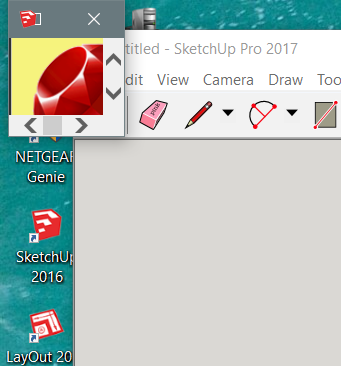
-
@nickw said:
But I'm afraid that the next thing I downloaded (LibFred06) doesn't resize and cannot be moved.
that's Fredo's Update Checker. Just close it.
-
3.0.3 Worked for me.
But I'd like to be able to make the window higher. I have a highres screen... -
I set the maximum height arbitrarily at 900px.
What do you think a reasonable maximum might be ?
I can always adjust the code... -
My screens vertical resolution is 1800 pixels. Maybe slightly less. 1600 pixels perhaps?
-
OK, I'll discuss it with Rich...






Hello! It looks like you're interested in this conversation, but you don't have an account yet.
Getting fed up of having to scroll through the same posts each visit? When you register for an account, you'll always come back to exactly where you were before, and choose to be notified of new replies (either via email, or push notification). You'll also be able to save bookmarks and upvote posts to show your appreciation to other community members.
With your input, this post could be even better 💗
Register Login


Advertisement