sketchucation logo sketchucation
    • 登入
    Oops, your profile's looking a bit empty! To help us tailor your experience, please fill in key details like your SketchUp version, skill level, operating system, and more. Update and save your info on your profile page today!
    ⚠️ Important | Libfredo 15.6b introduces important bugfixes for Fredo's Extensions Update

    SOLVED: Replacing image texture without upsetting mapping

    已排程 已置頂 已鎖定 已移動 SketchUp Discussions
    sketchup
    23 貼文 9 Posters 8.6k 瀏覽 9 Watching
    正在載入更多貼文
    • 從舊到新
    • 從新到舊
    • 最多點贊
    回覆
    • 在新貼文中回覆
    登入後回覆
    此主題已被刪除。只有擁有主題管理權限的使用者可以查看。
    • T 離線
      thomaslaidesign
      最後由 thomaslaidesign 編輯

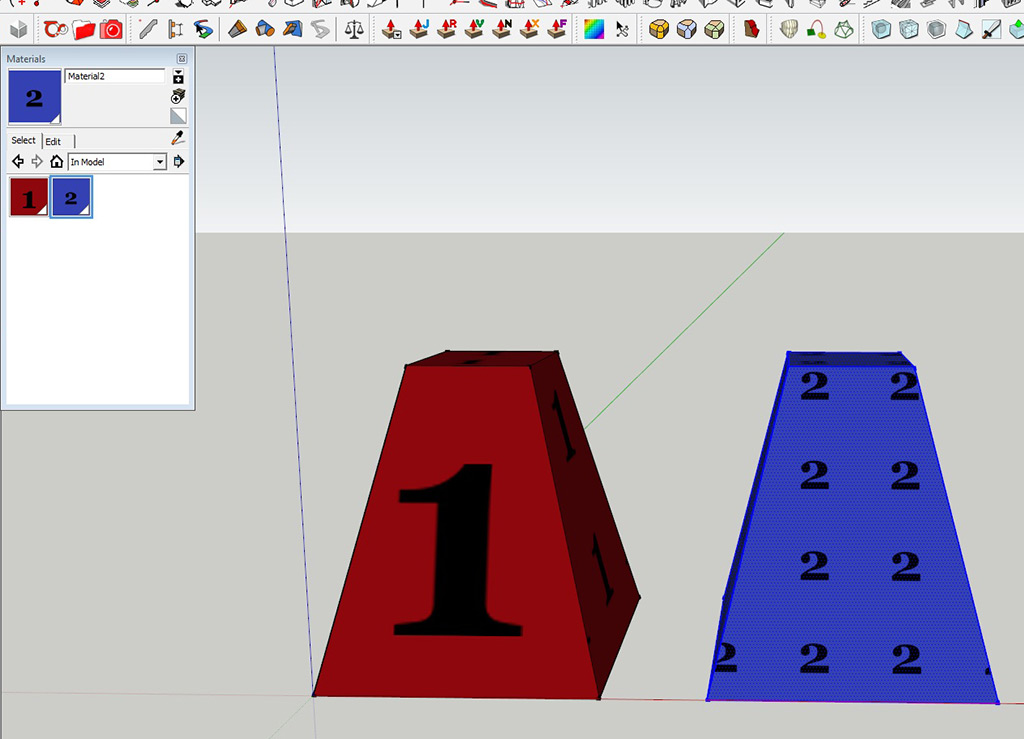
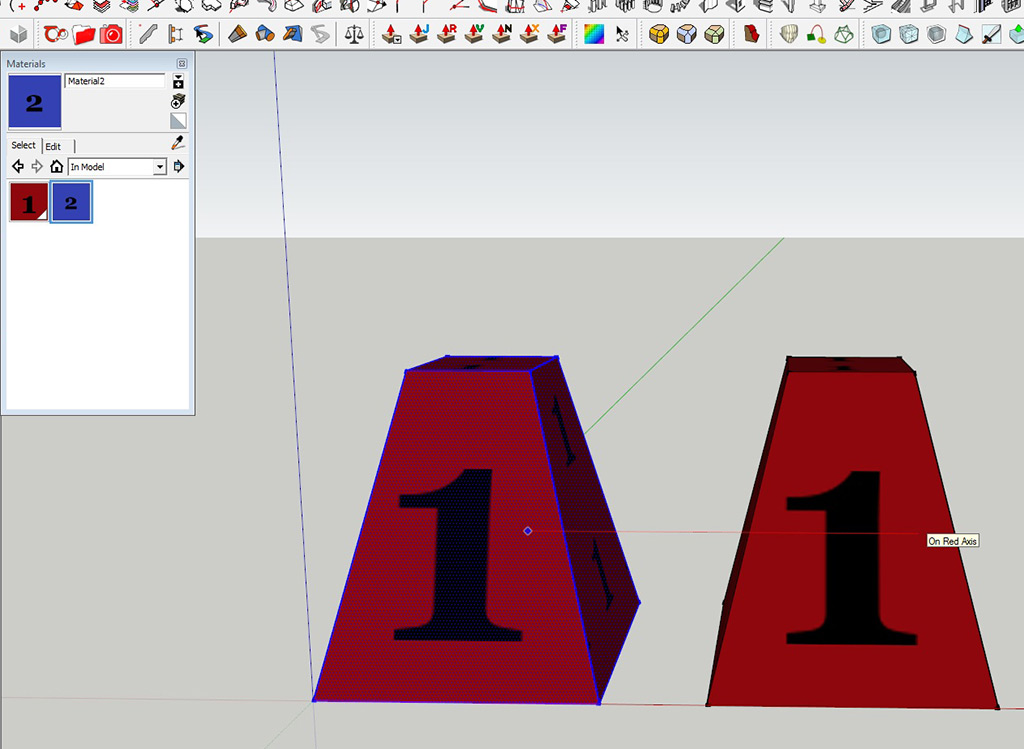
      As a sample I have created a traffic come of sorts, with image mapped to all surfaces, using a single image as source texture image. I am unable to get 2 individual mappings on 2 cones at the same time.

      If I paintbucket the image texture directly on the surface, the mapping goes haywire.

      Question: How do I have multiple objects with mapping in place but only replacing the master texture image for each instance?
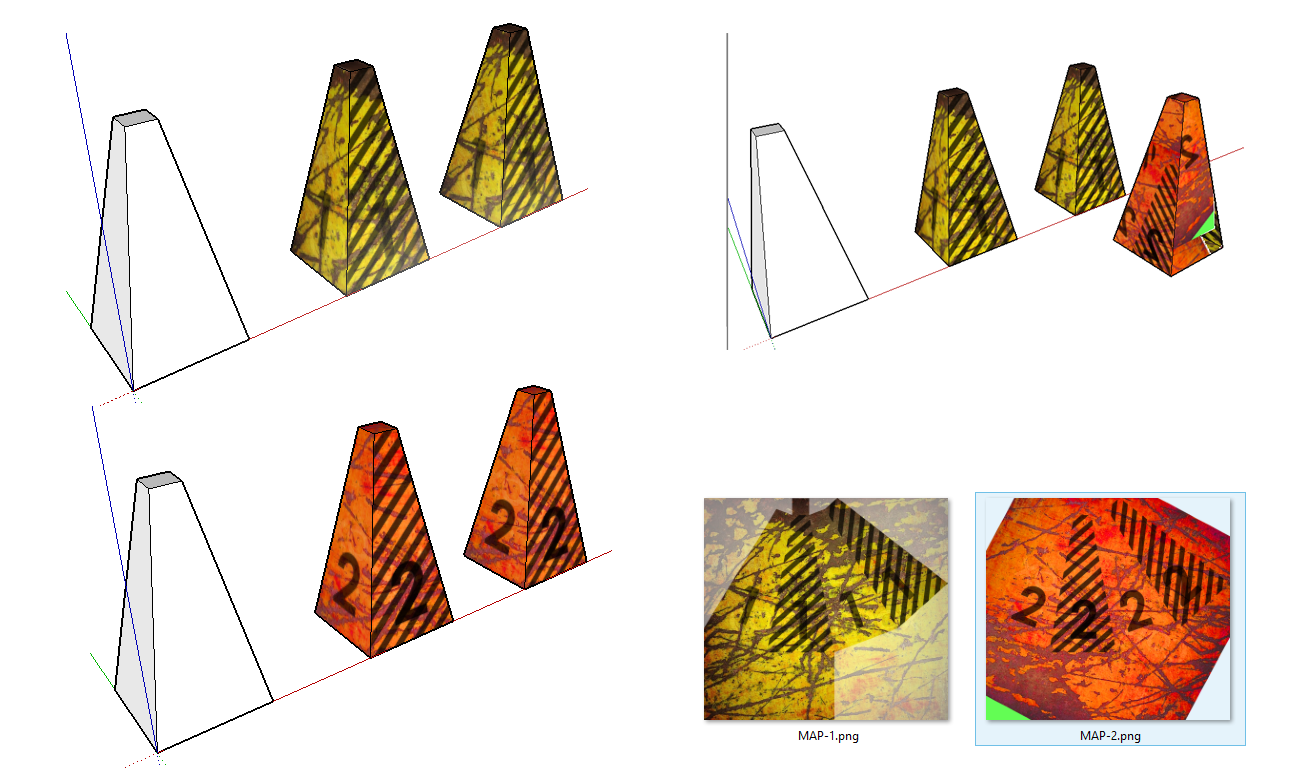

      forum.png

      1 條回覆 最後回覆 回覆 引用 0
      • T 離線
        thomaslaidesign
        最後由 編輯

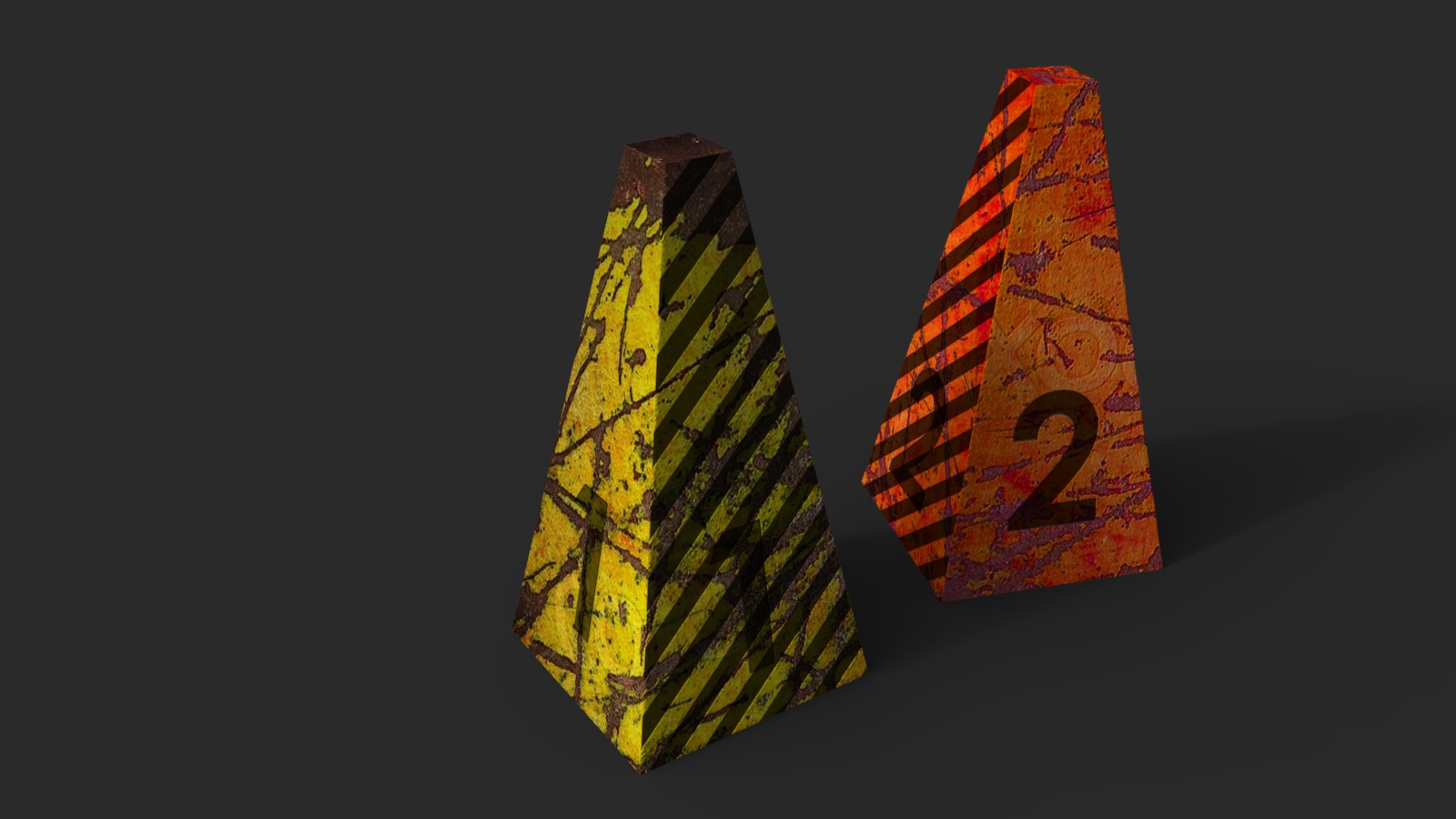
        Desired output


        Final image after putting through renderer desired .... image texture needed to be replaced in renderer (KS6) after export.

        1 條回覆 最後回覆 回覆 引用 0
        • Rich O BrienR 離線
          Rich O Brien Moderator
          最後由 編輯

          The only way to replace the texture is to use the Material Panel to swap out the texture.

          Painting doesn't inherit the UV mapping that already exists.

          Download the free D'oh Book for SketchUp 📖

          1 條回覆 最後回覆 回覆 引用 0
          • T 離線
            thomaslaidesign
            最後由 編輯

            So are you confirming that I need to manually map fresh texture if I need more than one texture in a SU file?

            That there can only exist ONE INSTANCE of a texture/mapping, unless ofcourse created from scratch.
            Bummer ...

            1 條回覆 最後回覆 回覆 引用 0
            • Rich O BrienR 離線
              Rich O Brien Moderator
              最後由 編輯

              If Cone#1 has the same UVs as Cone#2 then simple open Cone#1.skp and replace the Cone#1 texture with Cone#2 texture and save the file as Cone#2.skp

              Now in Cone#1.skp import the Cone#2.skp and both will reside in the same file.

              Painting an already textured object with another texture doesn't inherit the UVs.

              If the use Fredo's ThruPaint you can replace the texture and keep the UVs.

              Download the free D'oh Book for SketchUp 📖

              1 條回覆 最後回覆 回覆 引用 0
              • T 離線
                thomaslaidesign
                最後由 編輯

                Nope ...

                Using the "save as" technique is resulting in
                imported file with Texture2 to be replaced by Texture1 of open file.

                Further experimentation is
                on ...

                1 條回覆 最後回覆 回覆 引用 0
                • Rich O BrienR 離線
                  Rich O Brien Moderator
                  最後由 編輯

                  Upload the file.

                  Download the free D'oh Book for SketchUp 📖

                  1 條回覆 最後回覆 回覆 引用 0
                  • T 離線
                    thomaslaidesign
                    最後由 編輯

                    Exporting to DAE and reimporting has worked!

                    1 條回覆 最後回覆 回覆 引用 0
                    • T 離線
                      thomaslaidesign
                      最後由 編輯

                      For people to try for themselves!


                      MAT TEST.skp

                      1 條回覆 最後回覆 回覆 引用 0
                      • N 離線
                        numerobis
                        最後由 編輯

                        I'm not sure if i understand your problem, but if you just want to replace the material without messing up the UVs you can simply use the "Entity Info" window to select another material. This will not overwrite the mapping.
                        Or you can use a plugin to replace materials of a selection like this one:
                        http://sketchucation.com/pluginstore?pln=Global_Material_Change
                        (works for objects with more than one material, for multiple groups or components)

                        1 條回覆 最後回覆 回覆 引用 0
                        • T 離線
                          thomaslaidesign
                          最後由 編輯

                          @numberios:

                          When I have only ONE object which has been textured and mapped, it is easy to replace the texture by renaming the file link in EDIT MATERIAL TAB

                          When I copy that object, it is not possible to have TWO different maps on each of the copy. SU populates BOTH INSTANCES with the LAST texture image applied.

                          Hence this roundabout EXPORT/IMPORT to BREAK the MATERIAL TEXTURE INSTANCING LINK.

                          Of course if there is a simpler/better way to get this done, it will be welcome!


                          So in my illustrated example, I am aiming for the rendered image of FIRST CONE having MAP 1 and SECOND CONE have MAP 2

                          STEP 1 : FIRST CONE is mapped and textured with MAP 1

                          STEP 2 : DUPLICATE FIRST CONE. So we have 2 CONES with MAP 1 only

                          STEP 3 : Select material of SECOND CONE. Replace with MAP 2

                          RESULT : BOTH FIRST AND SECOND CONE now are textured with MAP 2

                          DESIRED RESULT : FIRST CONE has MAP 1 and SECOND CONE has MAP 2

                          1 條回覆 最後回覆 回覆 引用 0
                          • T 離線
                            thomaslaidesign
                            最後由 編輯

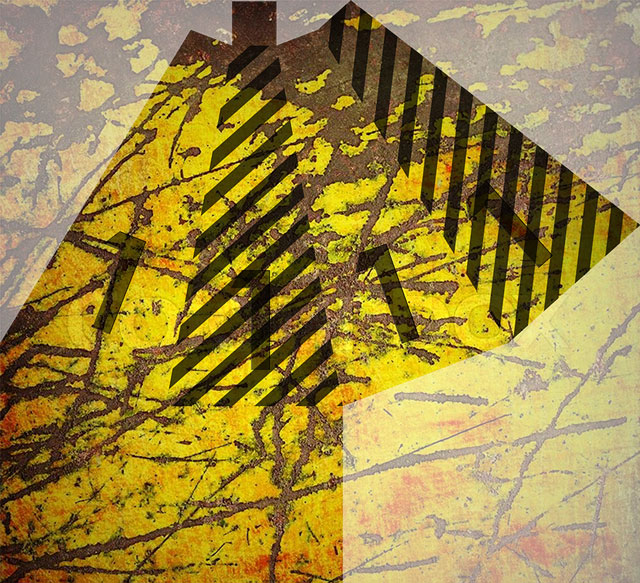
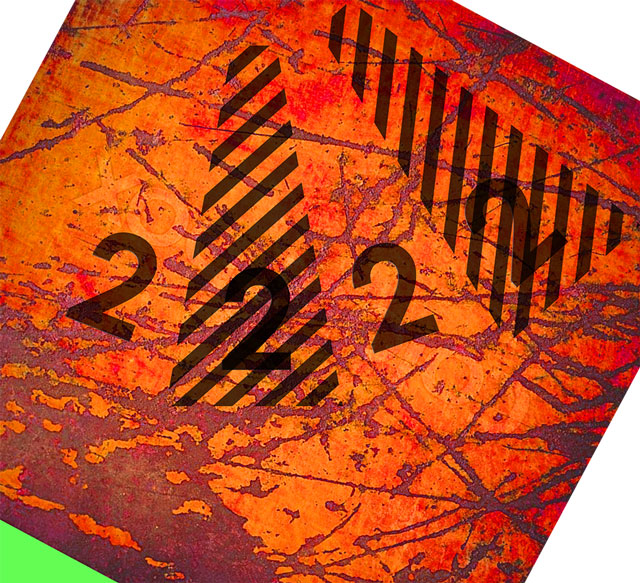
                            here are the maps


                            M1.jpg


                            M2.jpg

                            1 條回覆 最後回覆 回覆 引用 0
                            • C 離線
                              caronte01
                              最後由 編輯

                              Try this:
                              -Copy your base component
                              -Make the copy unique and save it to disk
                              -Open the copy and make a small adjustment to the material (colorize it). and save it.
                              -In the original file, reload the modified component. There should be 2 different materials in the editor, one for each component.
                              -Go to the new component, and edit the texture in an external editor, and paste the new texture over the old one. Make sure the textures line up. Flatten the image and save it.

                              When loading from disk, sketchup tries to maintain visual fidelity of components and materials, so when it finds a similarly named comp or material with different definition, it creates a new material or component definition.

                              1 條回覆 最後回覆 回覆 引用 0
                              • T 離線
                                thomaslaidesign
                                最後由 編輯

                                Ok will try this .... similar to the export/import method which also works.

                                Now imagine a row of 10 similar objects and the hassle trying to get 1 to 10 on them. There should be a simple command/plugin to split any material and make it unlinked and unique.

                                1 條回覆 最後回覆 回覆 引用 0
                                • Mistro11M 離線
                                  Mistro11
                                  最後由 編輯

                                  Another way is to combine both textures into one map and simply move the UV of the second cone to the desired area of the map....hope that helps.

                                  i7-4930k @3.4/3.7GHz, 32Gb RAM, NVidia GTX 980Ti 6Gb, Windows 7 Pro 64bit
                                  Structural Integrity is Not Just Physical...It's in the Design and Purpose

                                  1 條回覆 最後回覆 回覆 引用 0
                                  • C 離線
                                    caronte01
                                    最後由 編輯

                                    Agreed. A make unique material option would be ideal.

                                    1 條回覆 最後回覆 回覆 引用 0
                                    • T 離線
                                      thomaslaidesign
                                      最後由 編輯

                                      @Mistro11

                                      What we are aiming at is a scenario where:

                                      Instead of shifting around a relatively complex UVW mapping,
                                      simply flip in/out unique material texture images onto group/component copies.

                                      1 條回覆 最後回覆 回覆 引用 0
                                      • Mistro11M 離線
                                        Mistro11
                                        最後由 編輯

                                        @thomaslaidesign said:

                                        @Mistro11

                                        What we are aiming at is a scenario where:

                                        Instead of shifting around a relatively complex UVW mapping,
                                        simply flip in/out unique material texture images onto group/component copies.

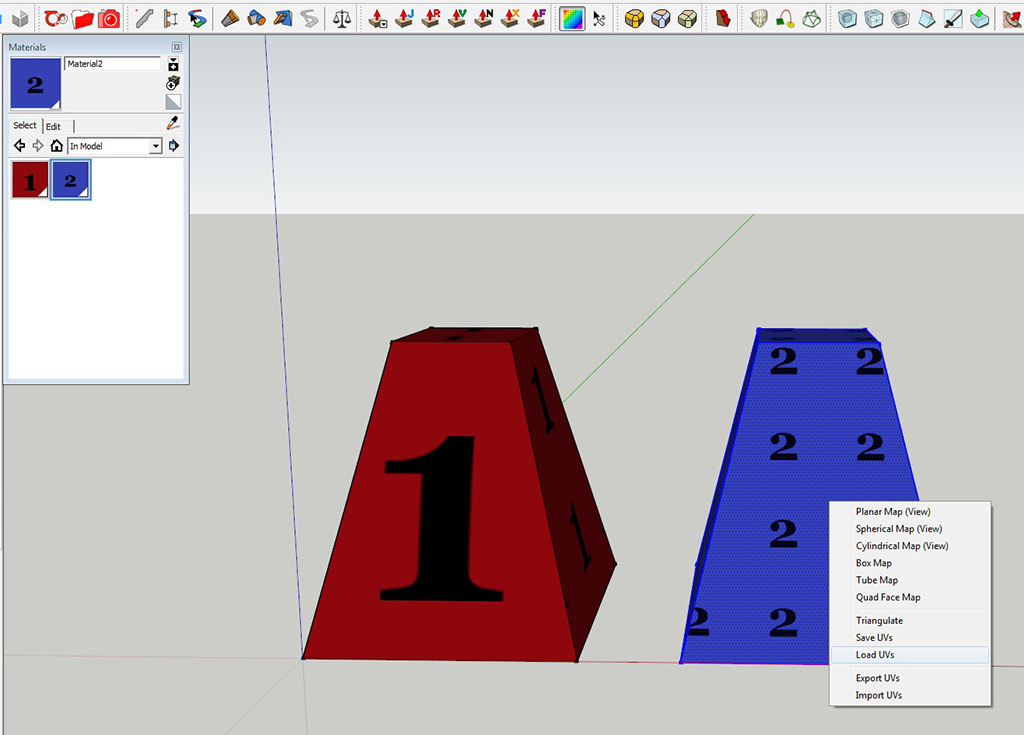
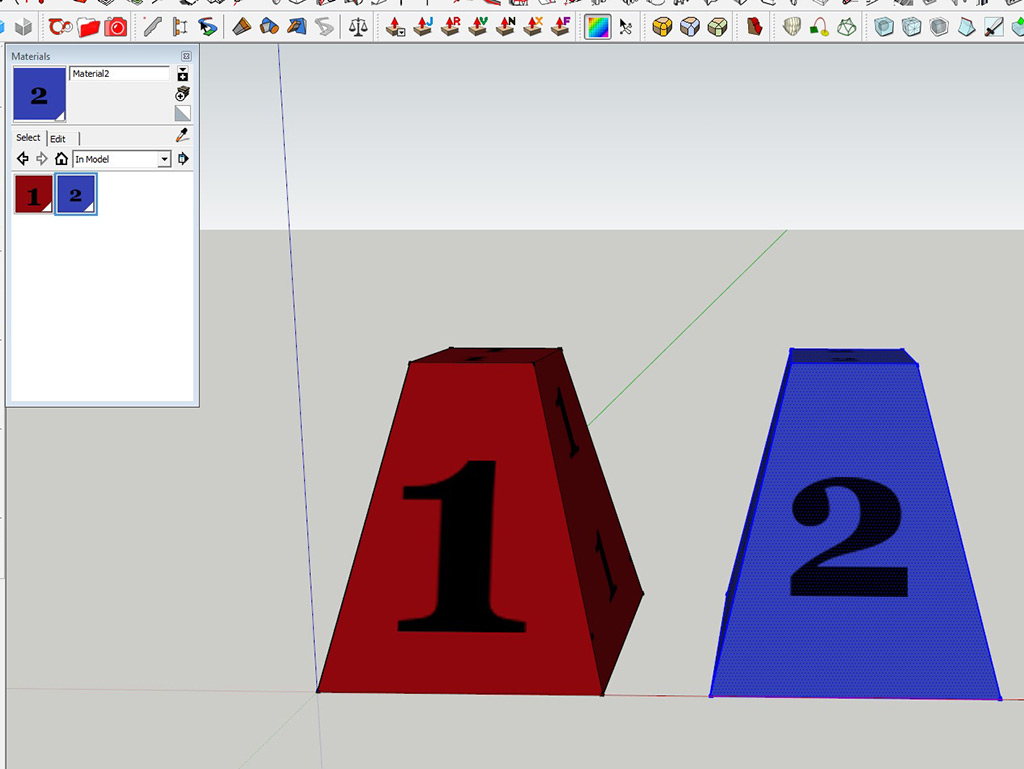
                                        Ok, I see....If you have Sketch UV, you can save the UV of the 1st cone, apply new texture to the second one and load the UV.....
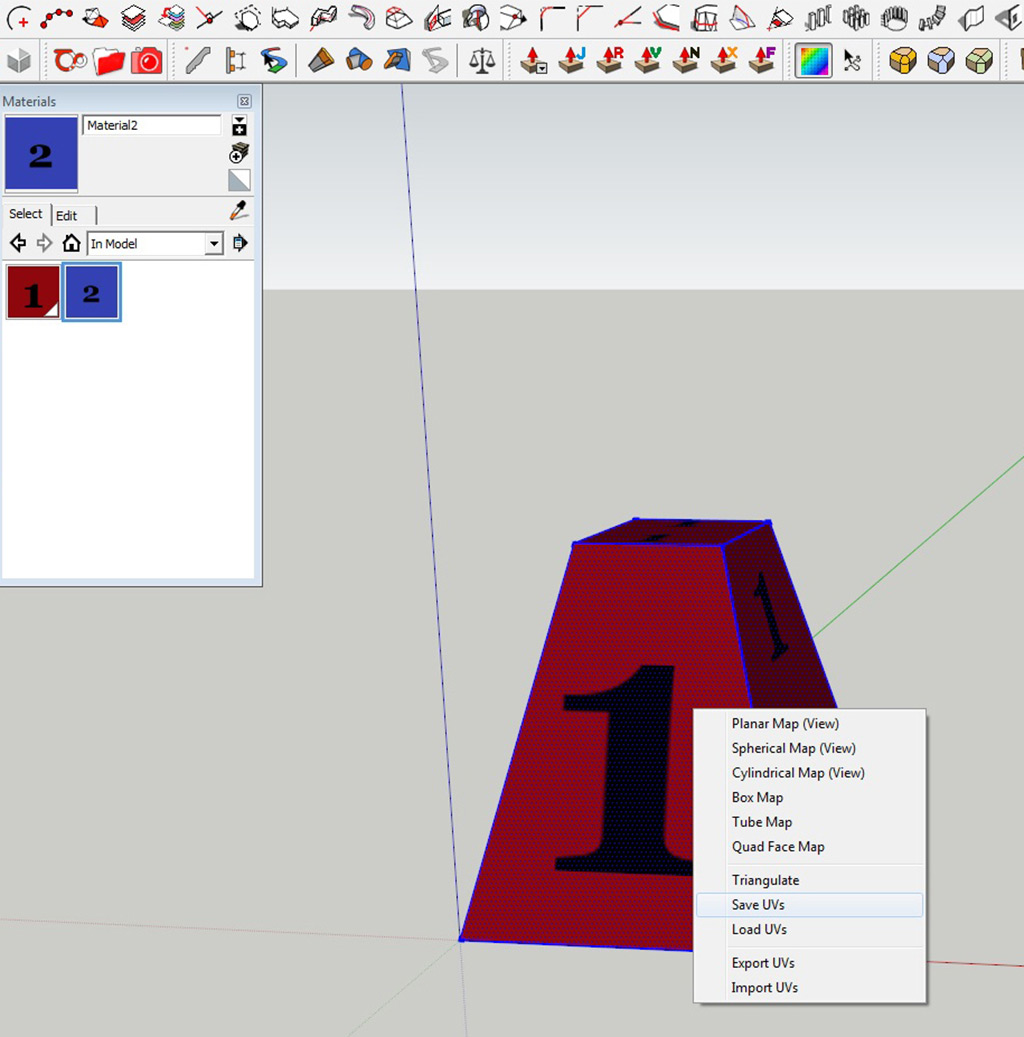
                                        ConeCopyUVTest.jpg

                                        ConeCopyUVTest2.jpg

                                        ConeCopyUVTest3.jpg

                                        ConeCopyUVTest4.jpg

                                        ConeCopyUVTest5.jpg

                                        i7-4930k @3.4/3.7GHz, 32Gb RAM, NVidia GTX 980Ti 6Gb, Windows 7 Pro 64bit
                                        Structural Integrity is Not Just Physical...It's in the Design and Purpose

                                        1 條回覆 最後回覆 回覆 引用 0
                                        • T 離線
                                          thomaslaidesign
                                          最後由 編輯

                                          @Mistro11

                                          Wow! Thanks for the Plug-in info.....

                                          Good things come in little plug-in packages!
                                          SOLVED!

                                          1 條回覆 最後回覆 回覆 引用 0
                                          • duanekempD 離線
                                            duanekemp
                                            最後由 編輯

                                            I'm so glad this question was asked. Was having the same issue and ran into some bumps. The answers here help. Had a brain fart and forgot about SketchUV's save function. Good call. Thanks.

                                            Duane Kemp

                                            Kemp Productions
                                            Puidoux, Switzerland
                                            Gallery:
                                            https://duanekemp.artstation.com/

                                            1 條回覆 最後回覆 回覆 引用 0
                                            • 1
                                            • 2
                                            • 1 / 2
                                            • 第一個貼文
                                              最後的貼文
                                            Buy SketchPlus
                                            Buy SUbD
                                            Buy WrapR
                                            Buy eBook
                                            Buy Modelur
                                            Buy Vertex Tools
                                            Buy SketchCuisine
                                            Buy FormFonts

                                            Advertisement