Oops, your profile's looking a bit empty! To help us tailor your experience, please fill in key details like your SketchUp version, skill level, operating system, and more. Update and save your info on your profile page today!
⚠️ Important | Libfredo 15.6b introduces important bugfixes for Fredo's Extensions Update
SOLVED: Replacing image texture without upsetting mapping
-
There is a similar function in ThruPaint...
-
EZ solution here. NO PLUGINS
- Map your OBJECT1 with MAP1
- Open another instance of SU
- Copy & paste your OBJECT1 to SU2 (It is mapped correctly)
- Replace MAP1 with MAP2 (only texture) in SU1
- Copy & paste your OBJECT1 From SU1 to SU2
- BAM! You have OBJECT2 in SU2 with MAP2
You might want to rename your materials after all.
-
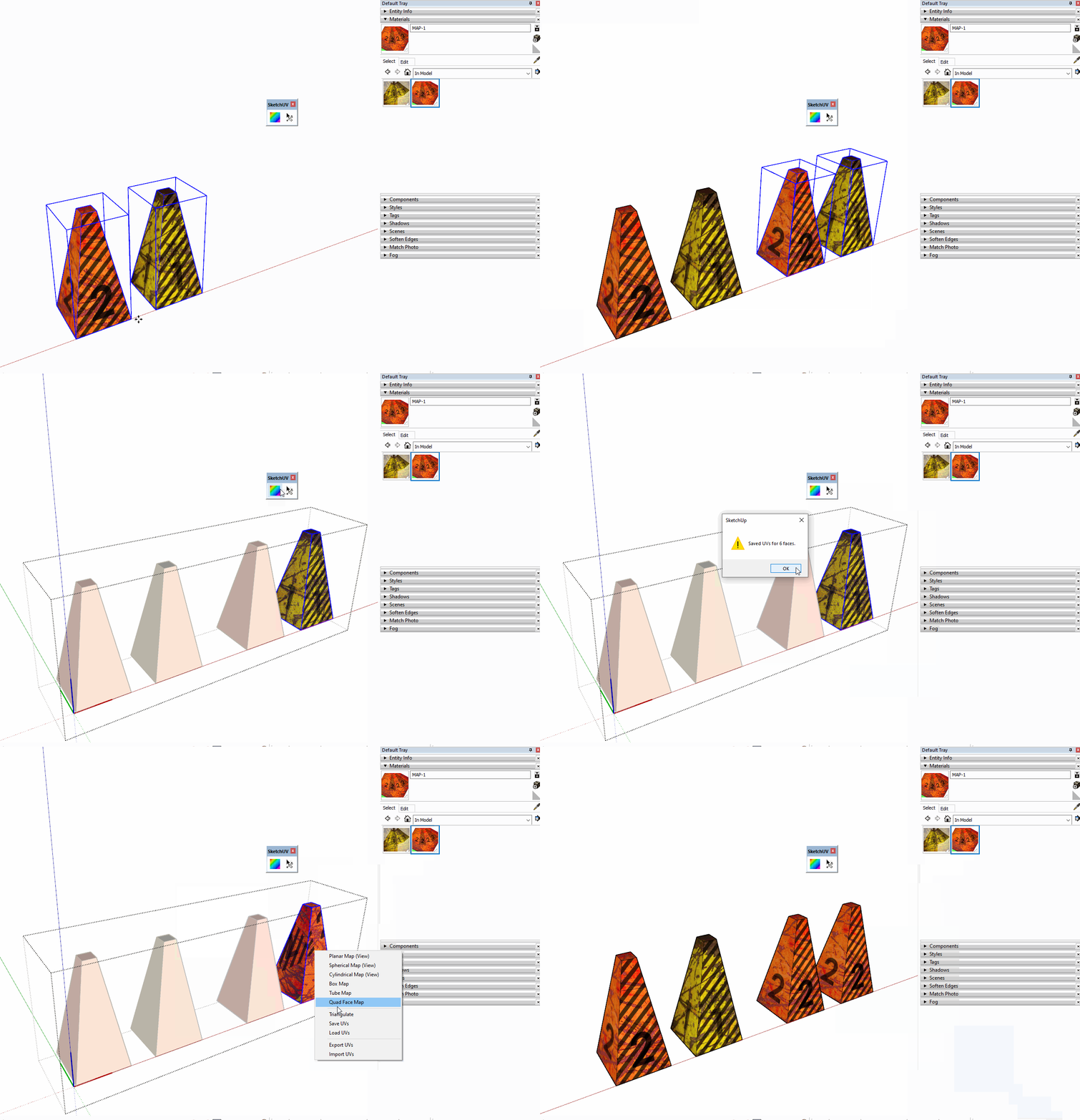
I see it says it is Solved but here is my use of SketchUV Save and Load UV feature.



Advertisement