sketchucation logo sketchucation
    • 登入
    Oops, your profile's looking a bit empty! To help us tailor your experience, please fill in key details like your SketchUp version, skill level, operating system, and more. Update and save your info on your profile page today!
    🔌 Smart Spline | Fluid way to handle splines for furniture design and complex structures. Download

    [Tips] Animator Tips and Tricks

    已排程 已置頂 已鎖定 已移動 Animator Beta
    renderpluginsextensions
    74 貼文 18 Posters 257.4k 瀏覽 18 Watching
    正在載入更多貼文
    • 從舊到新
    • 從新到舊
    • 最多點贊
    回覆
    • 在新貼文中回覆
    登入後回覆
    此主題已被刪除。只有擁有主題管理權限的使用者可以查看。
    • fredo6F 離線
      fredo6
      最後由 編輯

      You need to be more precise in your request...

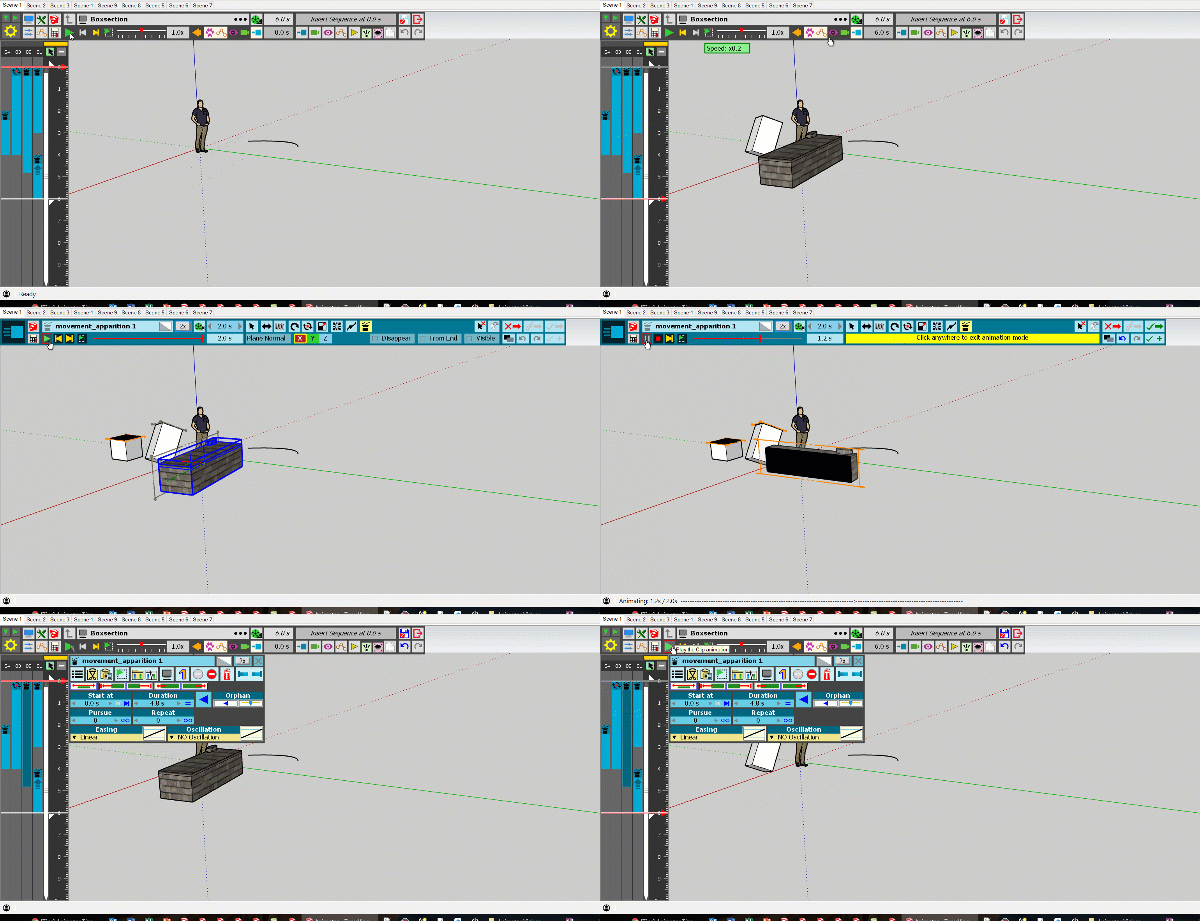
      Here is the video on movement apparition

      1 條回覆 最後回覆 回覆 引用 0
      • R 離線
        RobSpycacher
        最後由 編輯

        Incorrect ResultHi Fredo,
        AS stated before, the animator is a good program but I have BIG issues.
        I am also willing to pay for the full version but only if I am sure it is working.
        I have started several works and every time I close the work and Sketchup file; opening the file again the models have changed positions and movements are starting and heading in the wrong direction. E.g. I made the APPARITION of the pipework above ground in a construction site and TRANSLATION of the same pipework placing it below gound. Next time I open the file and activate Animator the sequence places the pipework in the correct position and translation it well below underground (disappearing below the same distance I selected in the beginning). Some other scenes disappear completely.
        I have tried several approaches, changes of parameters, etc in Animator and wasted a lot of time trying to correct it. I can't find a solution to it even if, as said, I started from zero.
        Fortunately I made a test video with the sought result and a test (1) video with the wrong results (2) see attached
        I am using MacBook Pro, Big Sur IOS 11.4. SketchUp Pro 2020 and your latest (I presume) Animator 3.5a - 28 May 21 version

        Im sorry I have to be so blunt but I need help solving this issue.
        I appreciate your time and help.
        Thank you
        Rob

        1 條回覆 最後回覆 回覆 引用 0
        • R 離線
          RobSpycacher
          最後由 編輯

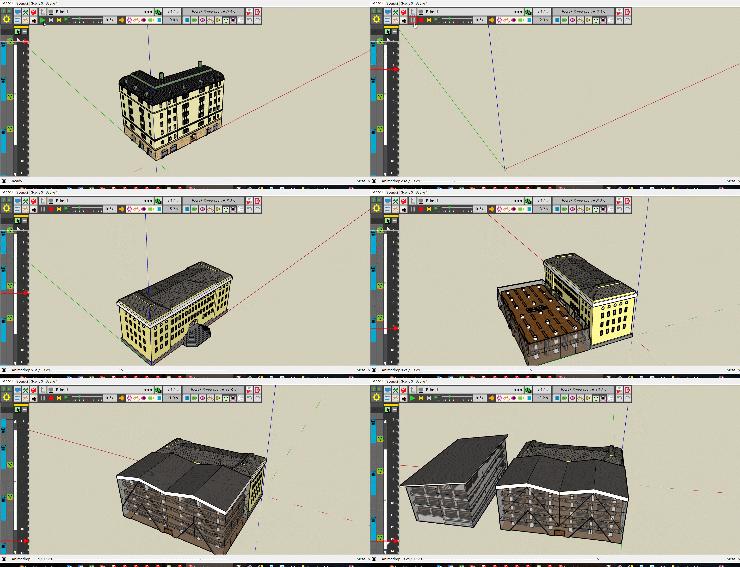
          This is the second video with the correct result


          Correct result

          1 條回覆 最後回覆 回覆 引用 0
          • HornOxxH 離線
            HornOxx
            最後由 編輯

            hi all - recently I finally found a start with this impressive tool - thanks Fredo! and in the meantime I'm already getting, at least by my standards, quite impressive results.
            My 2 questions today are:
            Is it possible to assign the same kind of movement already assigned to one group to one or more other groups later on? - in some kind of "animator-properties-copy-paste"?
            and my 2nd really stupid question:
            even if I delete movments which I often do as I am still learning, the list so far made moves is growing and growing - is there an intention or a benefit associated with this list which I don't recognise?

            never trust a skinny cook

            1 條回覆 最後回覆 回覆 引用 0
            • fredo6F 離線
              fredo6
              最後由 編輯

              @hornoxx said:

              Is it possible to assign the same kind of movement already assigned to one group to one or more other groups later on? - in some kind of "animator-properties-copy-paste"?

              There is a Copy button in the sequence editor. It copies the sequence parameters and let you change the selected object(s).

              Animator - Copy Sequence.png

              @hornoxx said:

              even if I delete movments which I often do as I am still learning, the list so far made moves is growing and growing - is there an intention or a benefit associated with this list which I don't recognise?

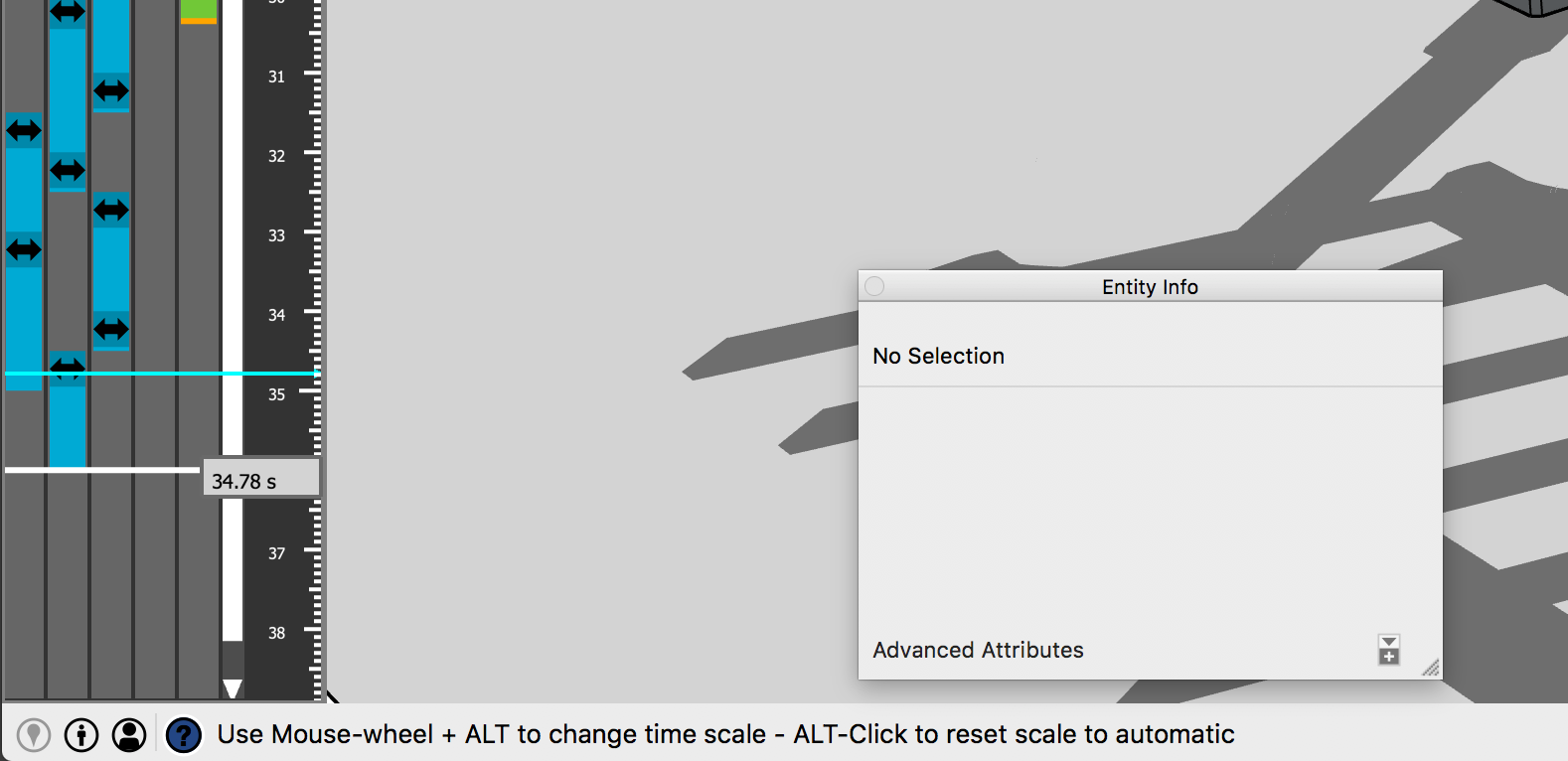
              You can manage and cleanup the sequences with the Maintenance dialog (click on the button in the main palette).

              Animator - Maintenance button.png

              This dialog shows all sequences, where they are used, and which one are no longere referenced in animation clips (so you can purge them).

              Animator - Maintenance dialog.png

              1 條回覆 最後回覆 回覆 引用 0
              • HornOxxH 離線
                HornOxx
                最後由 編輯

                👍 👍 thank you for these helpful screenshots! (no idea why I didn't find these options!).

                never trust a skinny cook

                1 條回覆 最後回覆 回覆 引用 0
                • HornOxxH 離線
                  HornOxx
                  最後由 編輯

                  @fredo6 said:

                  ...There is a Copy button in the sequence editor. It copies the sequence parameters and let you change the selected object(s).

                  ... sorry, I still need a little help here please 😄 😉 ok, I managed to find and ckick this Copy-button 😄 but I am not able to figure out the procedure of linking (pasting) this onto another group now.

                  never trust a skinny cook

                  1 條回覆 最後回覆 回覆 引用 0
                  • fredo6F 離線
                    fredo6
                    最後由 編輯

                    @hornoxx said:

                    ok, I managed to find and ckick this Copy-button 😄 but I am not able to figure out the procedure of linking (pasting) this onto another group now.

                    Just remove the selection (with button) and select other object(s)

                    1 條回覆 最後回覆 回覆 引用 0
                    • ntxdaveN 離線
                      ntxdave
                      最後由 編輯

                      @fredo6 said:

                      @hornoxx said:

                      ok, I managed to find and ckick this Copy-button 😄 but I am not able to figure out the procedure of linking (pasting) this onto another group now.

                      Just remove the selection (with button) and select other object(s)

                      Perhaps you could create an example and post it here. I would try it myself but my laptop died and my iPad is all I have to work with right now.

                      Press F1...thank me later

                      1 條回覆 最後回覆 回覆 引用 0
                      • D 離線
                        Dorjiw
                        最後由 編輯

                        I have recently installed the Fredo6 Animator and as per the information, its validity will expire end of this month. So does it mean that this animator cannot be used after March 2022? Or will there be a new version of this animator that needs to be purchased?

                        1 條回覆 最後回覆 回覆 引用 0
                        • fredo6F 離線
                          fredo6
                          最後由 編輯

                          @dorjiw said:

                          I have recently installed the Fredo6 Animator and as per the information, its validity will expire end of this month. So does it mean that this animator cannot be used after March 2022? Or will there be a new version of this animator that needs to be purchased?

                          I will publish an updated version by then.

                          I keep expiration dates for some plugin to maintain a reasonable support to recent versions.

                          1 條回覆 最後回覆 回覆 引用 0
                          • D 離線
                            Dorjiw
                            最後由 編輯

                            I have a further inquiry on animation using the Animator. If I make a streetscape with cars on the street in the animation, how do I group the sequence and clip? The Animation of a car ( car motion and wheels turning) will be in a group and then another car animation in another group. I have a bit of confusion about how to create several cars animation using the animator.

                            1 條回覆 最後回覆 回覆 引用 0
                            • D 離線
                              Dorjiw
                              最後由 編輯

                              I have been using animator for the last few weeks for streetscape with cars movement. I have a few queries in this regard as I have not been able to move forward efficiently due to issues.
                              I created car motion animation and set everything ( such as positioner and motion using 'on path tool') and works fine initially and then save the file.

                              Then every time I open the files, the cars would have moved from their initial positions or the car would have rotated. I keep adjusting this and have not been able to move forward.

                              I may be missing some steps. Does this issue occur with other users as well?

                              The second query is about the 'Tools on surface' plugin that I have installed to create car animation on the path. This plugin will have to be purchased as per the comments I saw earlier. So if I buy the latest plugin, will this affect the car animation created?

                              1 條回覆 最後回覆 回覆 引用 0
                              • fredo6F 離線
                                fredo6
                                最後由 編輯

                                @dorjiw said:

                                I have been using animator for the last few weeks for streetscape with cars movement. I have a few queries in this regard as I have not been able to move forward efficiently due to issues.
                                I created car motion animation and set everything ( such as positioner and motion using 'on path tool') and works fine initially and then save the file.

                                Then every time I open the files, the cars would have moved from their initial positions or the car would have rotated. I keep adjusting this and have not been able to move forward.

                                I may be missing some steps. Does this issue occur with other users as well?

                                In general, it is a good idea to save the initial position of all objects with the SAVE POSITIONNER (last button in the toolbar), so that you can restore it whenever something becomes messy.

                                @dorjiw said:

                                The second query is about the 'Tools on surface' plugin that I have installed to create car animation on the path. This plugin will have to be purchased as per the comments I saw earlier. So if I buy the latest plugin, will this affect the car animation created?

                                It should not. The licensing is independent from the plugin functionality.

                                1 條回覆 最後回覆 回覆 引用 0
                                • D 離線
                                  Dorjiw
                                  最後由 編輯

                                  Thank you so much for the prompt reply.

                                  It seems like the new version of animator is out.If I update the old version, I just hope that the work that I have done is not affected.
                                  If you could please recommend comprehensive tutorial videos on using animator.i have watched most of your tutorials on animation.

                                  As for the tool on surface plugin, when is the last date for purchase? And will the process for installation be same like the intial one.

                                  1 條回覆 最後回覆 回覆 引用 0
                                  • fredo6F 離線
                                    fredo6
                                    最後由 編輯

                                    @dorjiw said:

                                    It seems like the new version of animator is out.If I update the old version, I just hope that the work that I have done is not affected.

                                    it should not

                                    @dorjiw said:

                                    If you could please recommend comprehensive tutorial videos on using animator.i have watched most of your tutorials on animation.

                                    I posted a few videos in the Tutorial thread, but nothing comprehensive yet.
                                    You could also have a look at a good video by TutorialsUp.

                                    @dorjiw said:

                                    As for the tool on surface plugin, when is the last date for purchase? And will the process for installation be same like the initial one.

                                    The licensing is independent from the downloading and upgrading.

                                    1 條回覆 最後回覆 回覆 引用 0
                                    • BoxB 離線
                                      Box
                                      最後由 編輯

                                      Fredo, I haven't looked too hard yet, but is there an option to add animated geometry from one model to another?
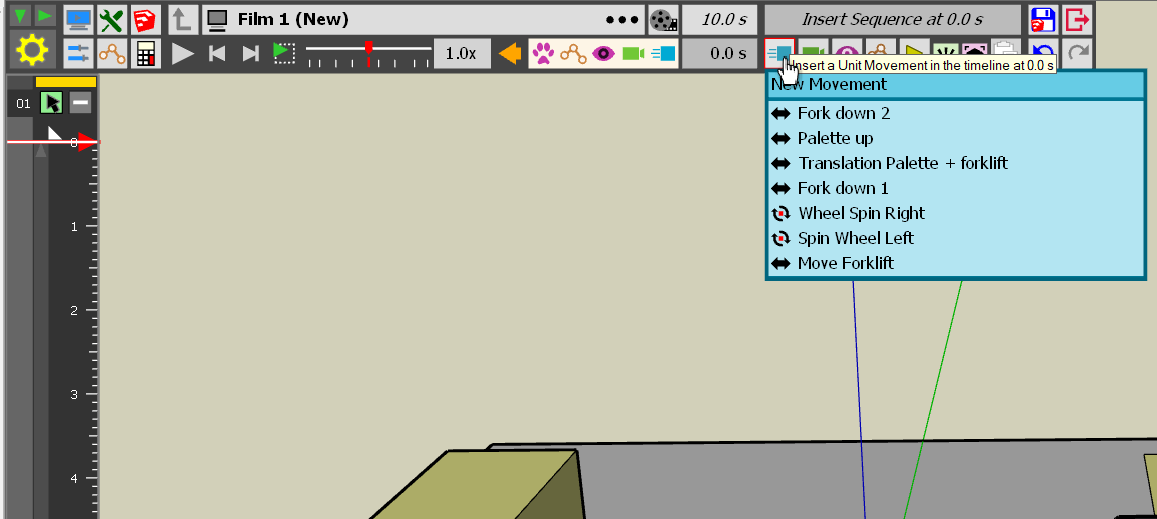
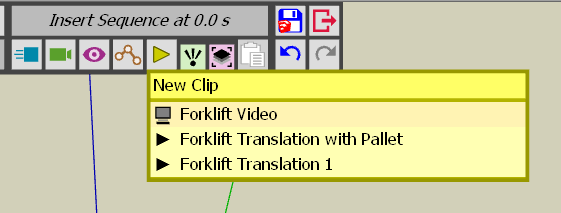
                                      For example you have created a walking figure in one model and a forklift in another model, can you combine the two models without having to start from scratch with the one you insert into the other?

                                      1 條回覆 最後回覆 回覆 引用 0
                                      • Rich O BrienR 離線
                                        Rich O Brien Moderator
                                        最後由 編輯

                                        @Box

                                        There's no way I know of nesting a .skp with animation data into another .skp file and have that file 'see' the animation data.

                                        Download the free D'oh Book for SketchUp 📖

                                        1 條回覆 最後回覆 回覆 引用 0
                                        • BoxB 離線
                                          Box
                                          最後由 編輯

                                          Thanks for letting me know Rich, I can stop looking for it.
                                          Have to prod Fredo with it as a feature request.
                                          I often work with things in multiple files and it would be nice to be able to combine them, and build up a collection of insertable components with predefined animation properties.

                                          1 條回覆 最後回覆 回覆 引用 0
                                          • Rich O BrienR 離線
                                            Rich O Brien Moderator
                                            最後由 編輯

                                            Yeah, I once made a series of animated files I wanted to merge. I thought the [filename].animator file that is saved with the .skp would contain something I could import but no luck.

                                            Download the free D'oh Book for SketchUp 📖

                                            1 條回覆 最後回覆 回覆 引用 0
                                            • 1
                                            • 2
                                            • 3
                                            • 4
                                            • 3 / 4
                                            • 第一個貼文
                                              最後的貼文
                                            Buy SketchPlus
                                            Buy SUbD
                                            Buy WrapR
                                            Buy eBook
                                            Buy Modelur
                                            Buy Vertex Tools
                                            Buy SketchCuisine
                                            Buy FormFonts

                                            Advertisement