[Plugin] Animator - v4.6a - 18 Dec 25




-
@fredo6 said:
@treadshot a1 said:
Restarted Trinity's animation with Natural Rendering on two machines again to confirm; both animations were successful with no freezing, no frames repeated. Script Errors happened on both machines for Frames 1-10 on both; one machine also had Script Errors for the last 3 Frames, the other had them for the last 10 Frames.
Could you tell me which Script Errors you get in Natural rendering.
Fredo
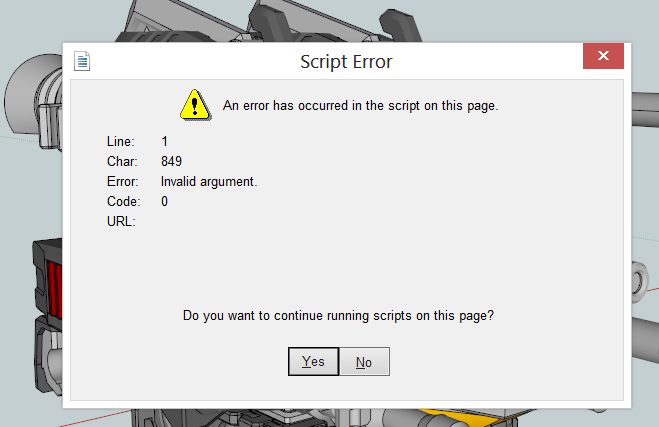
Consistently get "Invalid Argument" Script Errors. Not sure what that means though.
-
Which version of Windows do you have?
-
@fredo6 said:
Which version of Windows do you have?
Happens on both Windows 8 and Windows 10. Internet Explorer is up to date, Ive unchecked the 'Display a notification about every script error' box in settings, and checked both 'Disable Script Debugging (Internet Explorer)' and 'Disable Script Debugging (Others)'.
-
Hello sorry with my English, I will try to make a question regarding this post. I have also freezing screen, when I launch "Generate video for the film".
I have Windows 10 and sketchup 2015 and 2016 and that is the same problem.
I have 2 computers laptop, and with same project and same configuration one works( Samsung ) and not the other ( Asus ).
I made the film on the Asus, and copy to the Samsung , the generate panel open immediately.
I tried to delete the Lib and the animator plugins and reinstall, and nothing happend.That is a problem, with the processor ? with the video program missing or something else ?
Thank you for your help.
Michel ( France )
-
Could you open the Ruby console and check if there are errors.
Also can you be more precise on the 'freezing'
- is this with Natural rendering (i.e. no rendering) ?
- do you see some frames process before the freeze ?
Thanks
Fredo
-
Thank you for your quick answer.
I don't see any frame. I don't see the panel to manage the type of video or output to chose.
I have an error in the Ruby console. You are right !! I have SU Podium render on the computer where the problem is. And not on the other computer where all is working.
I didn't know that your Animator could be in accordance with a rendering program.
I thought it was only a simple rendering like the basic Sketchup rendering.What can I do to generate basic rendering ? And is it possible to have a SU Podium rendering ?
Here the Ruby console's error message :
ambient init nil nil
ambient init nil nil
Twilight declare nil
Error: #<NameError: undefined methodrendering_podium_frame' for classTraductor::VideoManager'>
c:/users/michel/appdata/roaming/sketchup/sketchup 2016/sketchup/plugins/fredo6_!libfredo6/body_lib6videomanager.rbe:414:inmethod' c:/users/michel/appdata/roaming/sketchup/sketchup 2016/sketchup/plugins/fredo6_!libfredo6/body_lib6videomanager.rbe:414:inblock in rendering_init'
c:/users/michel/appdata/roaming/sketchup/sketchup 2016/sketchup/plugins/fredo6_!libfredo6/body_lib6videomanager.rbe:413:ineach' c:/users/michel/appdata/roaming/sketchup/sketchup 2016/sketchup/plugins/fredo6_!libfredo6/body_lib6videomanager.rbe:413:inrendering_init'
c:/users/michel/appdata/roaming/sketchup/sketchup 2016/sketchup/plugins/fredo6_animator/animatordialogvideogeneration.rbe:334:indialog_invoke' c:/users/michel/appdata/roaming/sketchup/sketchup 2016/sketchup/plugins/fredo6_animator/animatortool.rbe:1820:inmovie_dialog'
c:/users/michel/appdata/roaming/sketchup/sketchup 2016/sketchup/plugins/fredo6_animator/animatortool.rbe:1790:inmovie_clip_generation' c:/users/michel/appdata/roaming/sketchup/sketchup 2016/sketchup/plugins/fredo6_animator/animatorpalette.rbe:771:inblock in palette_clip_name_duration_video'
c:/users/michel/appdata/roaming/sketchup/sketchup 2016/sketchup/plugins/fredo6_!libfredo6/body_lib6palette.rbe:3407:incall' c:/users/michel/appdata/roaming/sketchup/sketchup 2016/sketchup/plugins/fredo6_!libfredo6/body_lib6palette.rbe:3407:inexecute_button'
c:/users/michel/appdata/roaming/sketchup/sketchup 2016/sketchup/plugins/fredo6_!libfredo6/body_lib6palette.rbe:3212:inonLButtonUp' c:/users/michel/appdata/roaming/sketchup/sketchup 2016/sketchup/plugins/fredo6_!libfredo6/lib6palette.rbe:93:inonLButtonUp'
c:/users/michel/appdata/roaming/sketchup/sketchup 2016/sketchup/plugins/fredo6_animator/animatortool.rbe:1159:in `onLButtonUp' -
@mike_fr60 said:
You are right !! I have SU Podium render on the computer where the problem is. And not on the other computer where all is working.
My fault! Animator detects Podium, but does not check whether animated rendering is supported.
I'll fix that in a next version.Fredo
-
New Release: Animator - v1.5a - 12 Dec 17
Requirement: LibFredo6 v7.5a
**Maintenance release
- bug fixing and cosmetic changes
- introduction of Trajectory Visual effect (see video)**
See main post for RBZ files
-
OK - Fredo, there is now another product for you to connect with. I do not know if you have seen the thread about Enscape but the product looks amazing and would really be awesome combined with Animator.
-
Well, I finally updated to Animator's newest version (thanks to the old version reminding me it was expired). I had a working animation before, but I can't access it now because v1.5a doesn't open. The Video Player and Clip Editor don't seem to load(?); at least, it never gets to showing the UI. Animator 1.5a is running with LibFredo 7.5b, SU8Free.
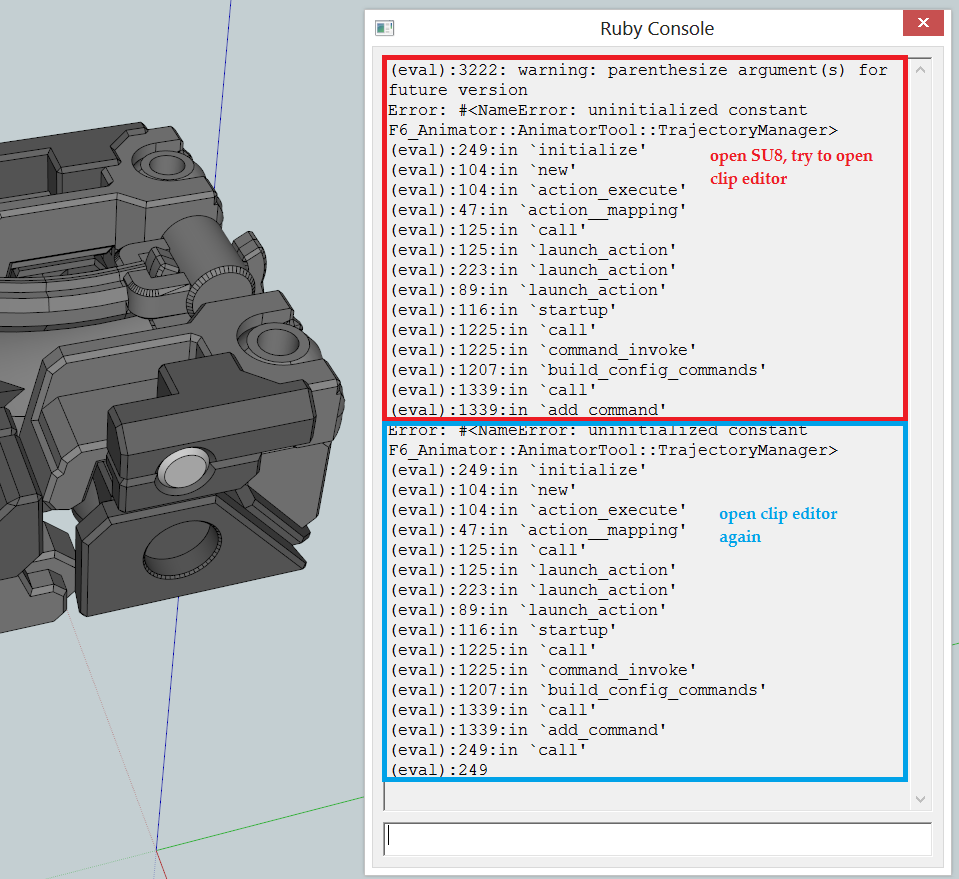
Ruby console output is attached; first section is what happens when I open a model, and try to open clip editor without doing anything else. The model_name.skp and model_name.animator files were functional in v1.4. Second section is trying to open clip editor again, since the first time didn't result in anything showing up on screen. The "(eval):249" line at the end seems to be consistently where it stops when clip editor is opened, except for not reaching that line the first time it's opened after opening the model.
*I have no idea what the TrajectoryManager it asks for is; is it something I need to install separately?
-
New Release: Animator - v1.5b - 15 Mar 17
Requirement: LibFredo6 v7.5a
Maintenance release
- bug fixing for SU8 and SU2013, as reported by Treadshot A1
See main post for RBZ files
-
@fredo6 said:
Maintenance release
- bug fixing for SU8 and SU2013, as reported by Treadshot A1
Wow, that was fast! Thanks a lot fredo, I'm almost convinced there's some wizardry/magic involved in how you fixed the code so quickly.

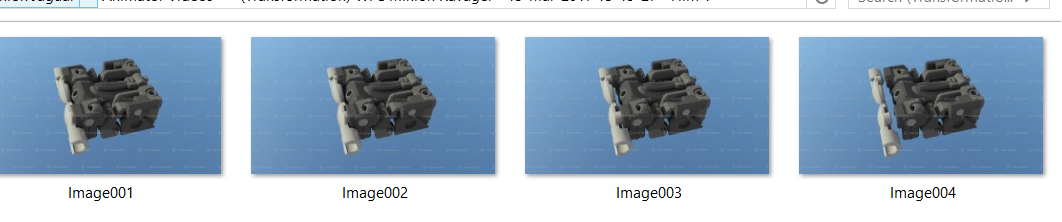
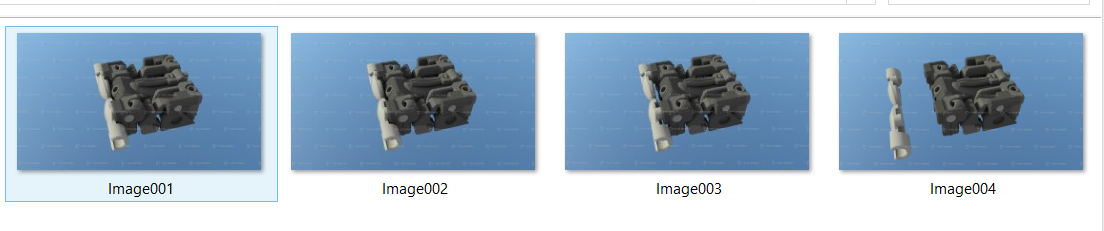
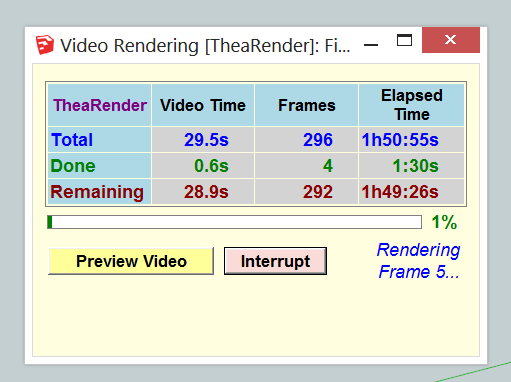
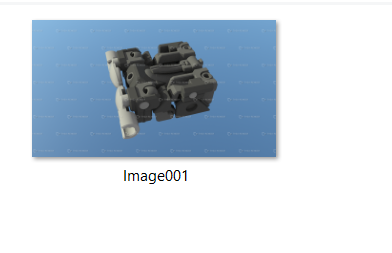
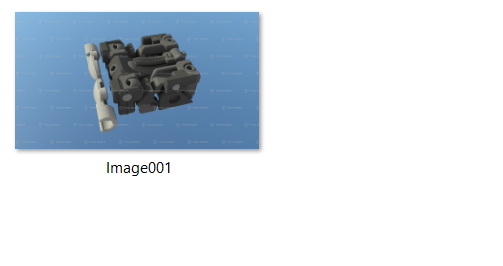
That said, I'm not sure if what I have for you is good news or bad news. I can confirm v1.5b works on SU8Free (which is awesome!). I still have the "Script Error" popup I mentioned before, difference is I see the actual consequences now. Previously, all it meant was I pressed "Interrupt", then "Cancel", and it would redo the frame (say, stuck on Frame 5, okay, Animator regenerates Frame 5). Now, same process, it regenerates Frame 5, but actually with Frame 6's data (I can see components move when I hit "Cancel" to their new positions). This gets saved as "Frame_004" (yes 004), even though it's actually Frame 6.
Let's say that it's stuck on Frame 5, then I interrupt and cancel to get it going again, then it gets stuck again. I repeat the process. Then I get a "Frame_004", but with Frame 7's data. It's consistent, each time it freezes, it moves one frame's worth of data ahead. I've attached to screenshots from File Explorer of the frames being generated, with 004 overwritten, while Animator says it is stuck on Frame 5 (the overwritten 4 is pictured 2 frames later, I think).
*I did check if maybe Animator was simply saving the picture before moving to the next frame and not actually stuck, just in case I wasn't patient enough; can confirm Task Manager shows 0% activity from Sketchup-related processes.
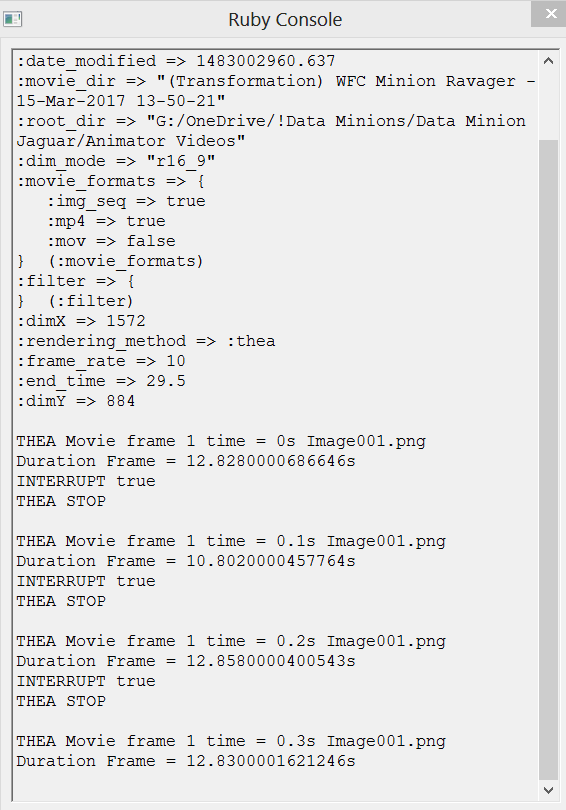
*This happens only with Thea rendering on; Natural rendering works fine, no glitches. I do recall suggestions that Trial versions of Thea may have issues with weird dimensions, so I tried 16:9, 4:3, Viewport settings. Glitch above still happens regardless.
EDIT: Sorry, forgot to screenshot Ruby output. Attached are "test_2" images of frames overwritten, and ruby output.
-
Actually, there is a problem with Thea which does not always notify Animator when it has finished rendering a frame.
Other users are encountering similar problems, even on SU2017. See this thread.
Fredo
-
@fredo6 said:
Actually, there is a problem with Thea which does not always notify Animator when it has finished rendering a frame.
Other users are encountering similar problems, even on SU2017. See this thread.
Fredo
Ah, I see. My apologies Fredo, I was not aware of that thread before. You are correct, starting animation from Thea does indeed work, frames are coming out smoothly. Tested on SU8Free, Win 10. Will show the results when done.
As always, thank you very much Fredo!
-
Good day, Fredo!
Thanks again for the great plugin.
I wanted to ask, can you add the option - "save as default" forMovement?
I'm doing an assembly diagram and all the movements have to be said for three seconds and the Easing is the same. Now I have to constantly monitor this. -
One more question.
Can you add the option "start numbering from 0 seconds"?
I use the Images Sequence to save the animation. My video has more than 2500 frames. And it's rendered for a long time.
If I need to fix just a few seconds of this movie I'm trying to use "Start at:" and "End at:" options.
But as a result I get files with numberings like this "Image0001"
It would be better if it was possible to call the file not from scratch but from the current position. E.g. Image1551 -
Ithil,
You are right. Because rendering and video generation are long, it is a good idea to find a way to have partial re-generation.
I need to think about it.
Fredo
-
@ithil said:
One more question.
Can you add the option "start numbering from 0 seconds"?
I use the Images Sequence to save the animation. My video has more than 2500 frames. And it's rendered for a long time.
If I need to fix just a few seconds of this movie I'm trying to use "Start at:" and "End at:" options.
But as a result I get files with numberings like this "Image0001"
It would be better if it was possible to call the file not from scratch but from the current position. E.g. Image1551Just out of interest, what renderer are you using? When I'm rendering with Thea, I call the animation from Thea, which lets me choose what frames to render. When I was rendering my Jaguar model, if I wanted to redo frames jaguar_0100 to jaguar_0120, I can just go into Thea and set it to render frames 100 to 120, which it correctly names. I've not tried messing with Animator's built in "Start at:" and "End at:" options, but that's mainly because I find a frame range to be more precise for what I'm testing now.
That said, I agree that such an option would be useful natively in Animator.
-
I use direct save from sketchup to sequencing .png files.
But it's still quite long. Approximately 40-50 minutes.
For a part of 100-150 frames, I do not want to lose these minutes. -
Hi Fredo. I have difficulty with the camera. I want the camera to move around the object. Now around the headboard camera moves irregularly. Maybe there is a way to clone Sketchup cameras from scenes ?
Sketchup scenes
Animator scenes




Hello! It looks like you're interested in this conversation, but you don't have an account yet.
Getting fed up of having to scroll through the same posts each visit? When you register for an account, you'll always come back to exactly where you were before, and choose to be notified of new replies (either via email, or push notification). You'll also be able to save bookmarks and upvote posts to show your appreciation to other community members.
With your input, this post could be even better 💗
Register Login


Advertisement