sketchucation logo sketchucation
    • 登入
    Oops, your profile's looking a bit empty! To help us tailor your experience, please fill in key details like your SketchUp version, skill level, operating system, and more. Update and save your info on your profile page today!
    ⚠️ Important | Libfredo 15.6b introduces important bugfixes for Fredo's Extensions Update

    SubD examples and models

    已排程 已置頂 已鎖定 已移動 SUbD
    renderpluginsextensions
    1.7k 貼文 81 Posters 1.0m 瀏覽 79 Watching
    正在載入更多貼文
    • 從舊到新
    • 從新到舊
    • 最多點贊
    回覆
    • 在新貼文中回覆
    登入後回覆
    此主題已被刪除。只有擁有主題管理權限的使用者可以查看。
    • HornOxxH 離線
      HornOxx
      最後由 編輯

      😄 👍 ... again a so nice model idea - especially with the box-shaped carriage, I wouldn't have guessed SubD first 😄

      never trust a skinny cook

      1 條回覆 最後回覆 回覆 引用 0
      • HornOxxH 離線
        HornOxx
        最後由 編輯

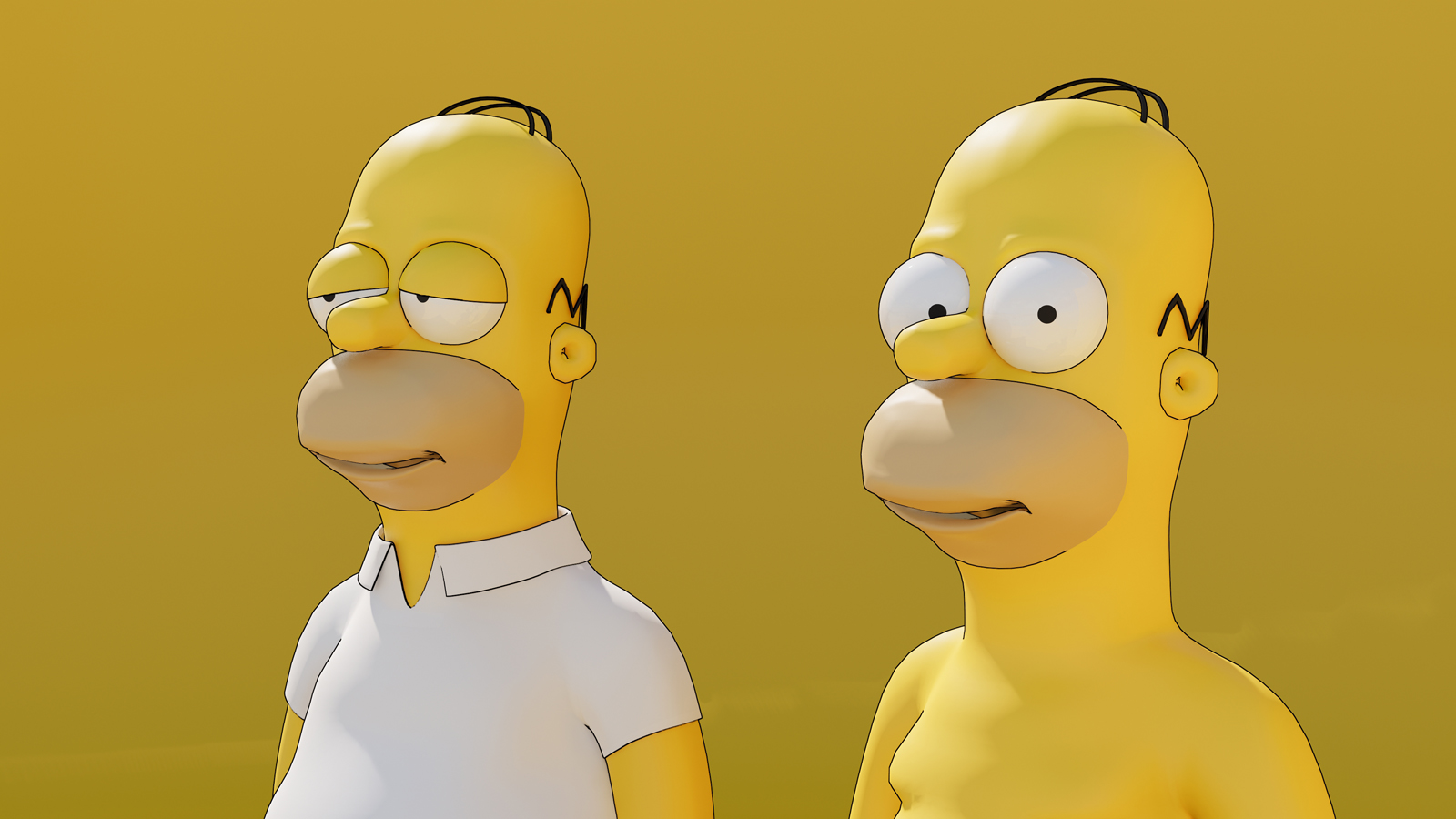
        Hi All - To bring my Homer Simpson endless project to an end, I finally decided to put him on his white shirt, his blue pants and his shoes. Finally the winter is approaching here and Homer should not freeze 😄
        If anyone wants to SubD-play with this thick cuddly yellow guy himself, I´ll add the entire proxy model here...
        The rendered model, without SubD-function then, is also available in the 3D Warehouse:
        https://3dwarehouse.sketchup.com/model/60074a83-9b9d-4f29-85aa-73cf6e29be75/Homer-Simpson-by-HornOxx

        edit: pic2 - did some minor modeling improvements at Homer's mouth
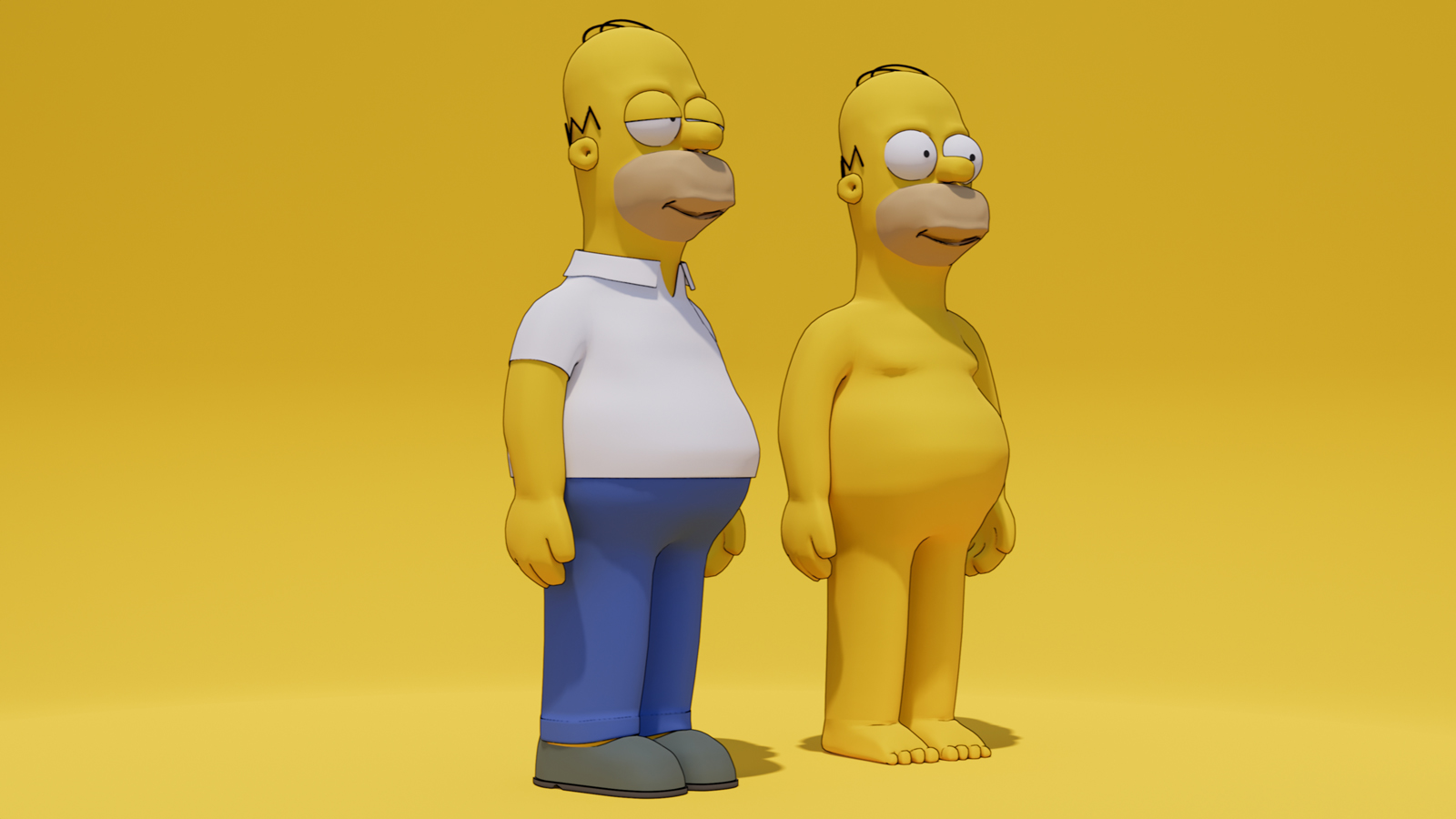

        PROXY model


        Homer Simpson HornOxx Final ENSC 1600.jpg


        Homer Simpson HornOxx Final 3 1600.jpg

        never trust a skinny cook

        1 條回覆 最後回覆 回覆 引用 0
        • BoxB 離線
          Box
          最後由 編輯

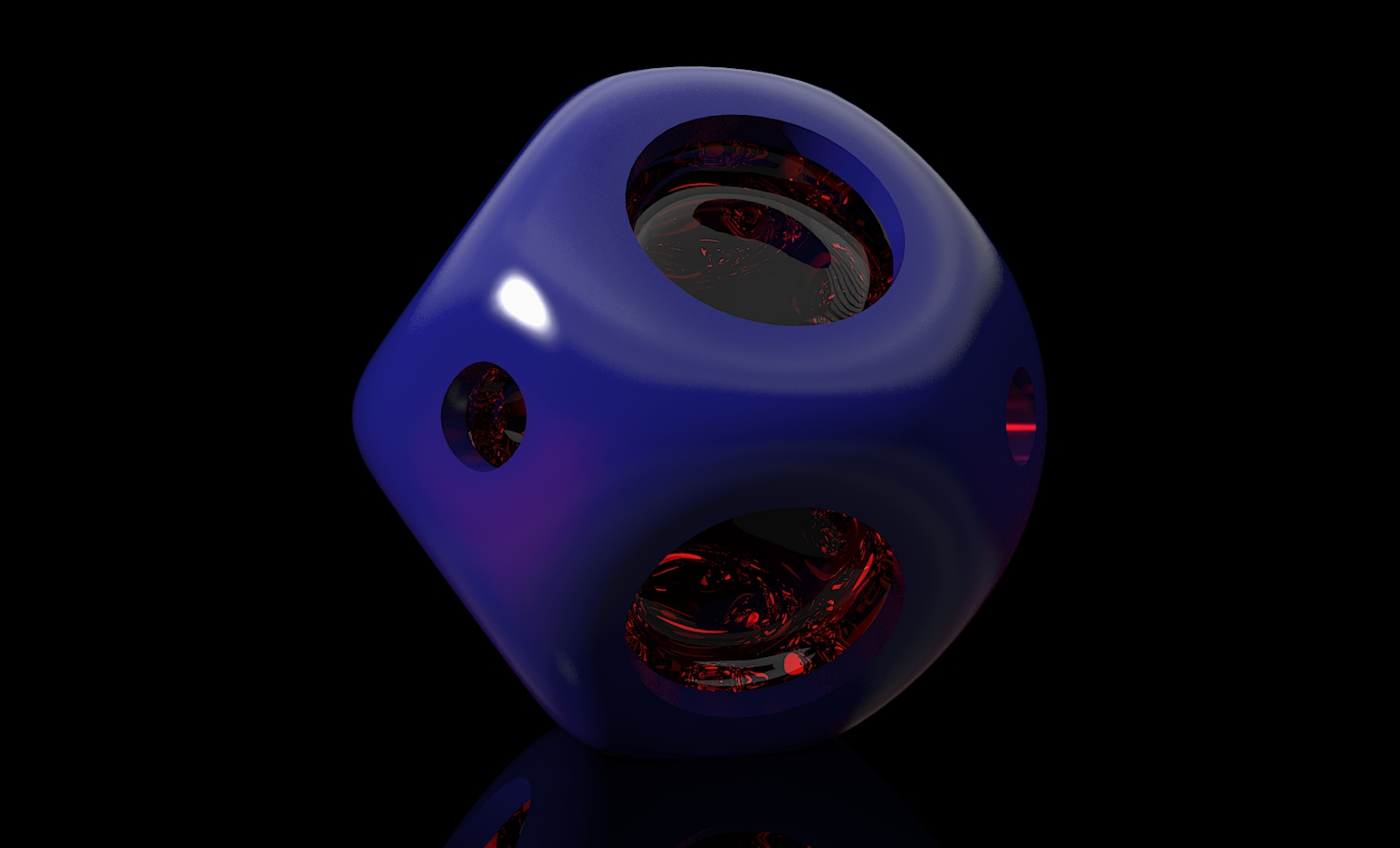
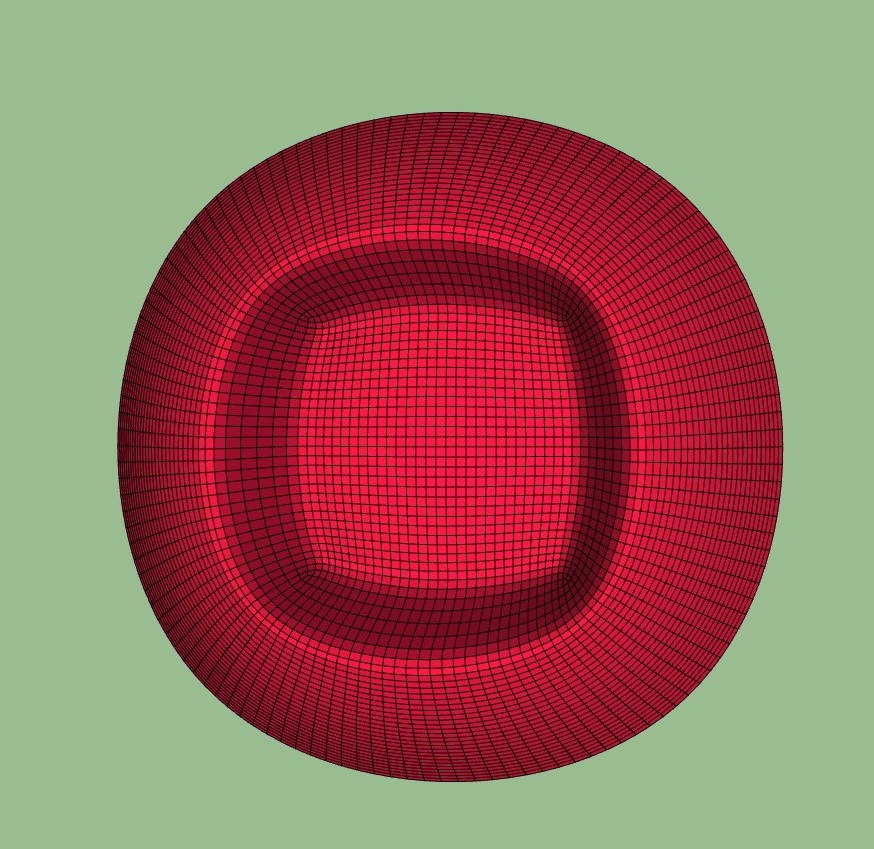
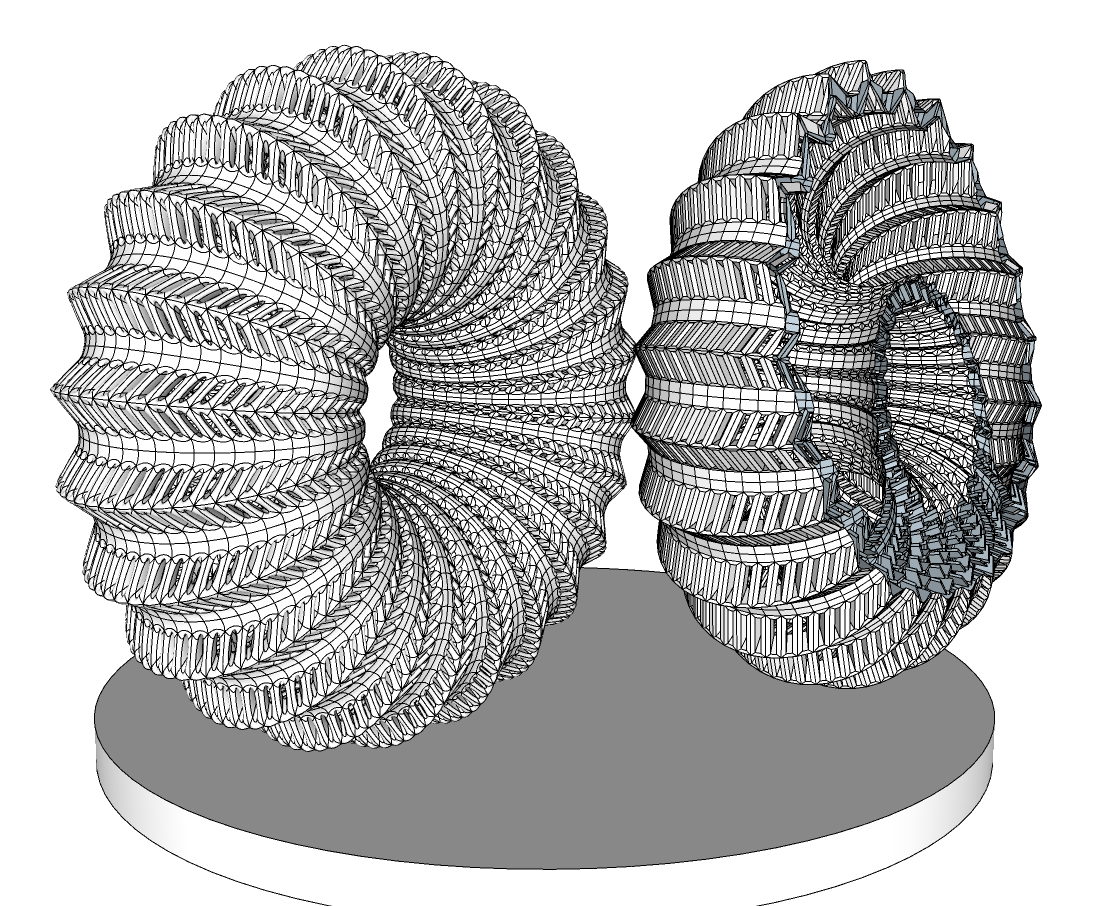
          A little early morning SUbD insanity, took quite a while to subdivide. I wouldn't have done the whole thing if I had thought about it properly, just one segment and array. But this is all one piece with thickness and is a solid. Added the cutaway to see the inner structure.
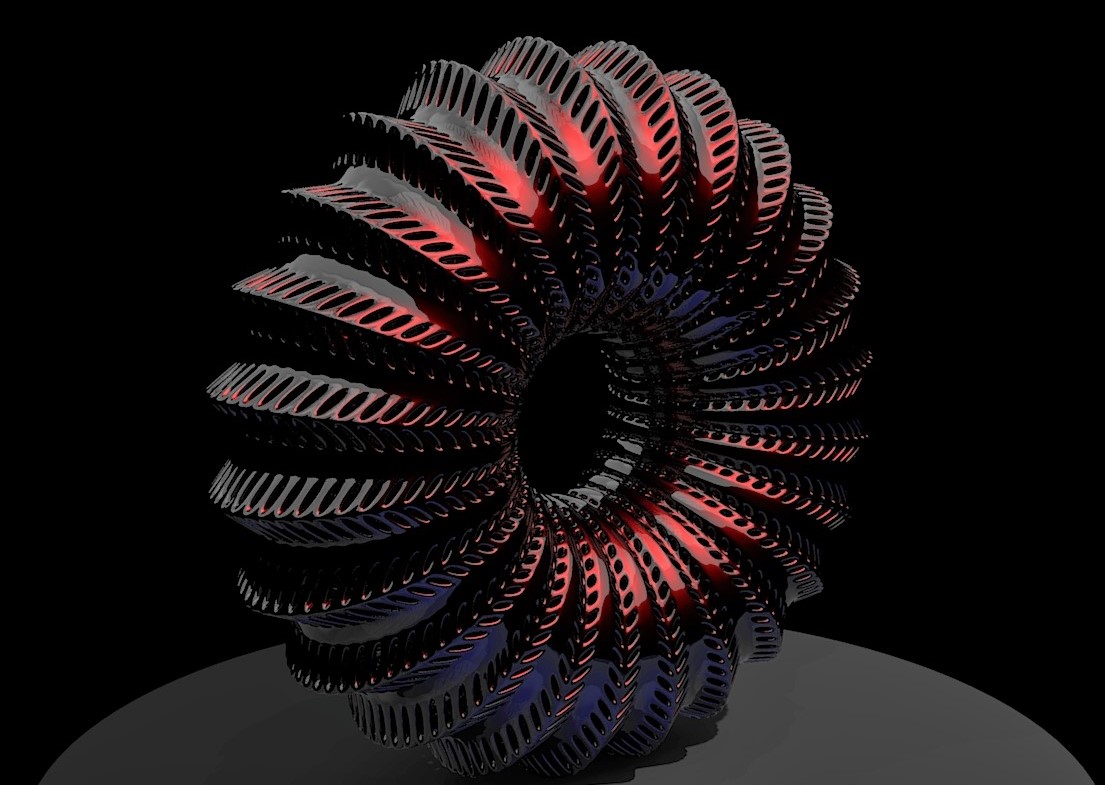
          Urchin001.jpg


          Urchin.png

          1 條回覆 最後回覆 回覆 引用 0
          • pilouP 離線
            pilou
            最後由 編輯

            Frenchy Pilou
            Is beautiful that please without concept!
            My Little site :)

            1 條回覆 最後回覆 回覆 引用 0
            • BoxB 離線
              Box
              最後由 編輯

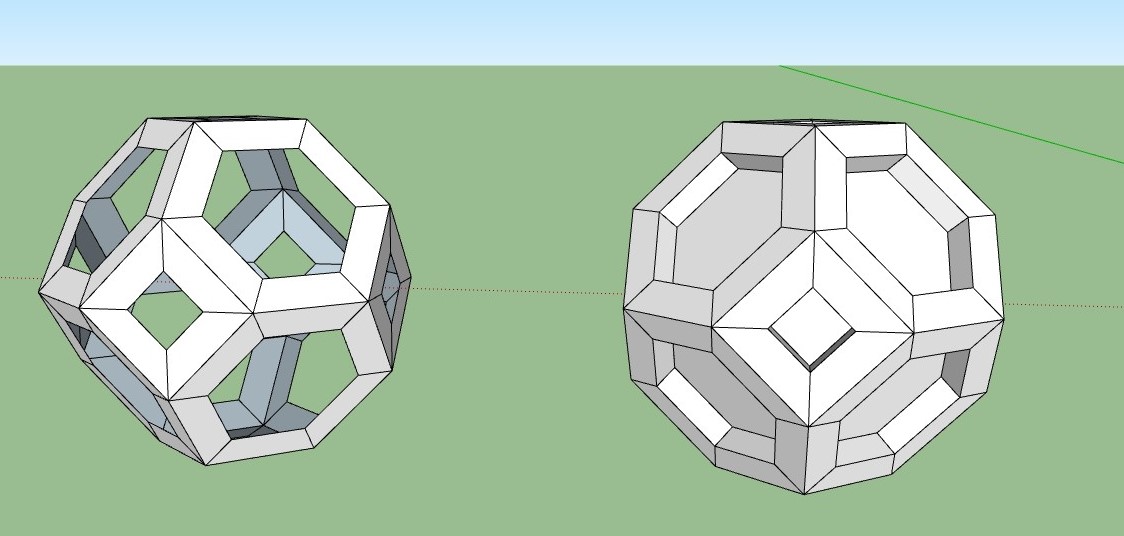
              Just a bit of fun. For the absolute simplicity of it.

              SUbD Ball.jpg


              Block.jpg

              1 條回覆 最後回覆 回覆 引用 0
              • HornOxxH 離線
                HornOxx
                最後由 編輯

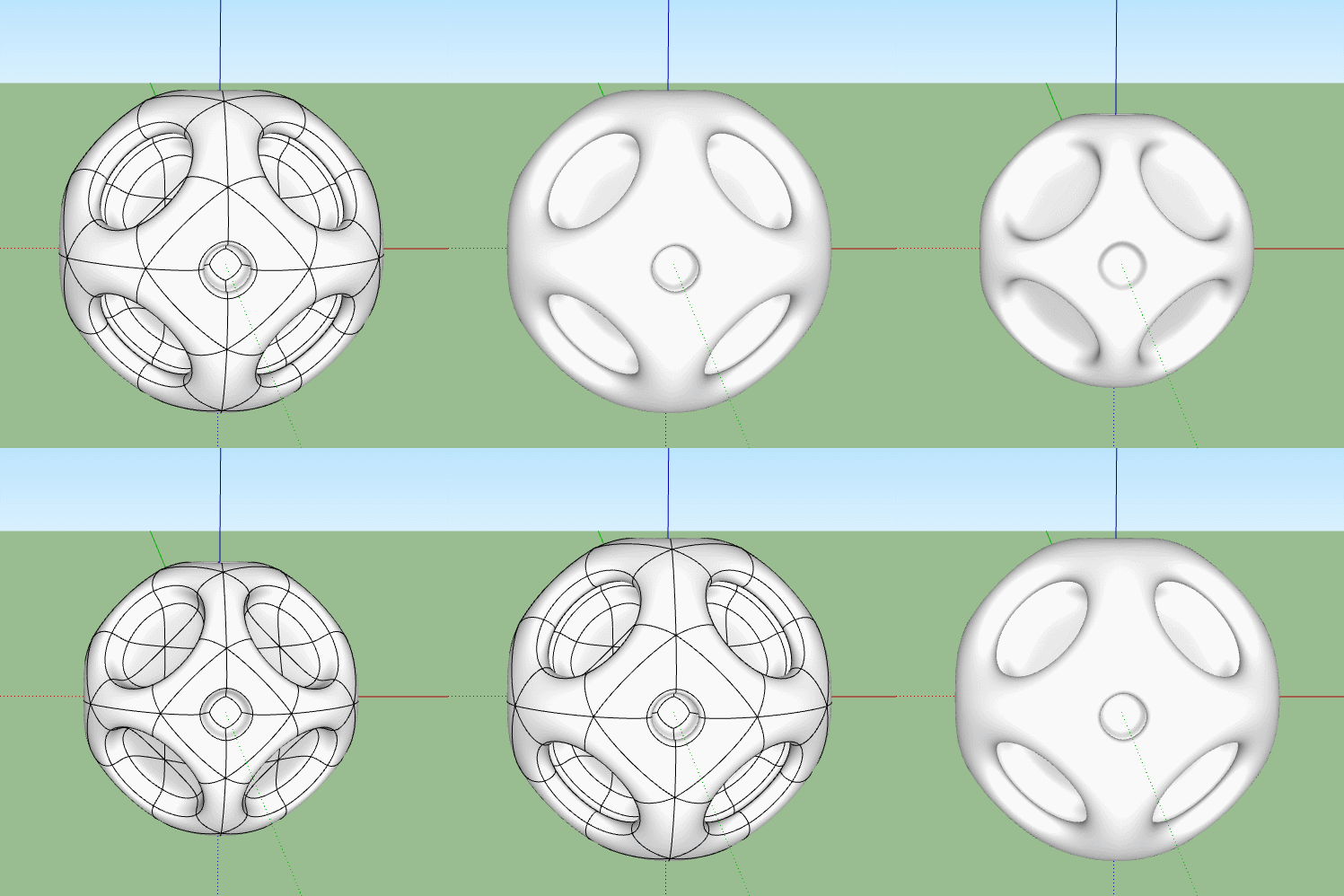
                ... wunderbar - how does this inner glass shape look like (raw)? Somewhere I read of "extra thumbs up" - you know where it right now comes from...

                never trust a skinny cook

                1 條回覆 最後回覆 回覆 引用 0
                • BoxB 離線
                  Box
                  最後由 編輯

                  Is this what you mean?
                  I didn't save the model so I reproduced it.
                  Note the outer layer I have thickened with JPP, not shown in the original image.

                  Raw.gif

                  1 條回覆 最後回覆 回覆 引用 0
                  • BoxB 離線
                    Box
                    最後由 編輯

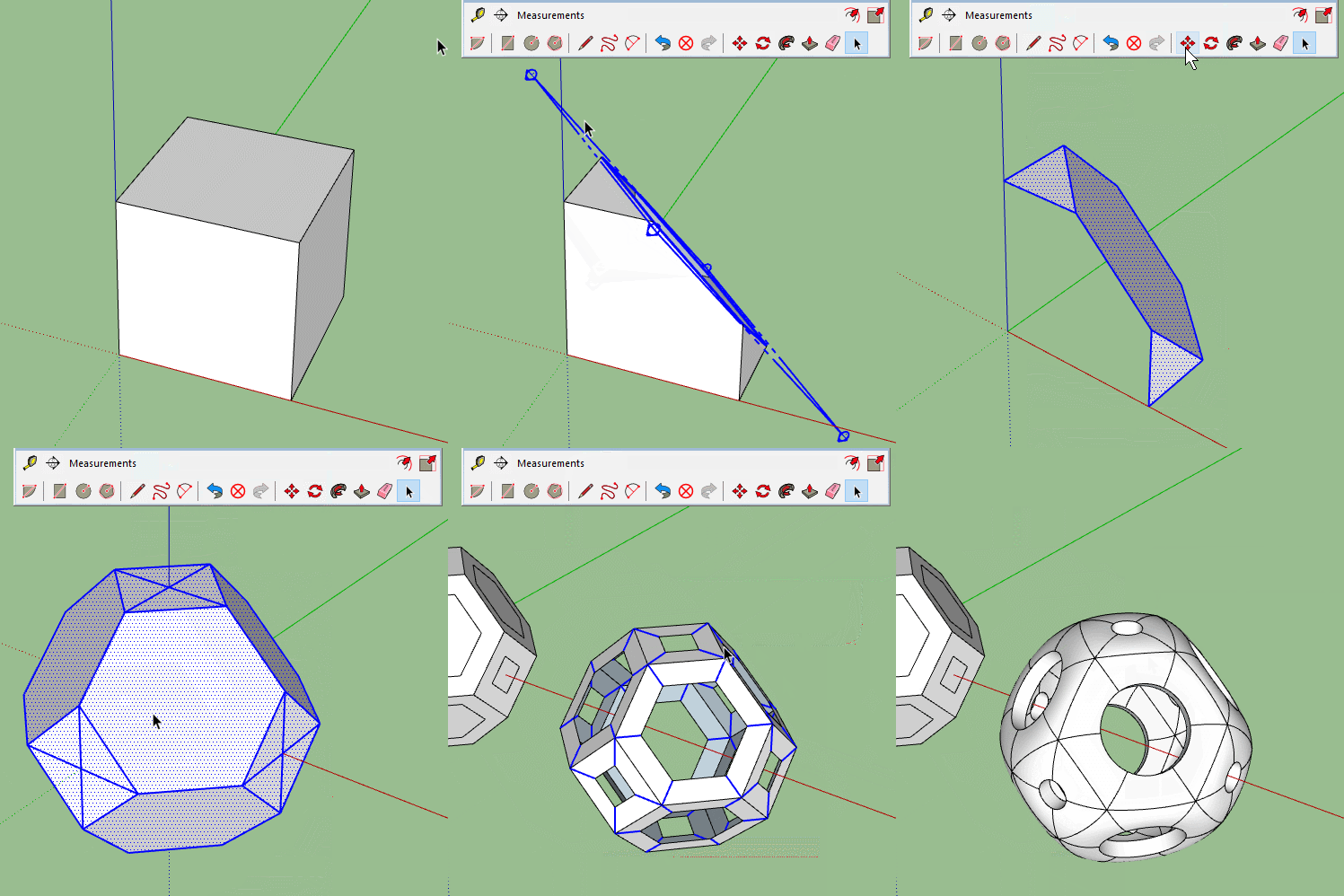
                    This one shows how if you SUbD before JPP you get the sharp edges in the original render rather than the soft ones in the second model.

                    Oddball.gif

                    1 條回覆 最後回覆 回覆 引用 0
                    • HornOxxH 離線
                      HornOxx
                      最後由 編輯

                      Thanks, now I got it 😄 - I first assumed to see 2 shapes above. To see your competent handling with geometry is impressive allways 👍 - for exampe that you started with a section plane to generate this first shape ...

                      never trust a skinny cook

                      1 條回覆 最後回覆 回覆 引用 0
                      • BoxB 離線
                        Box
                        最後由 編輯

                        No, you are right, there are two shapes, the red and the blue. The blue one fits around the red one.
                        Here's the rest of it, hope that makes sense.
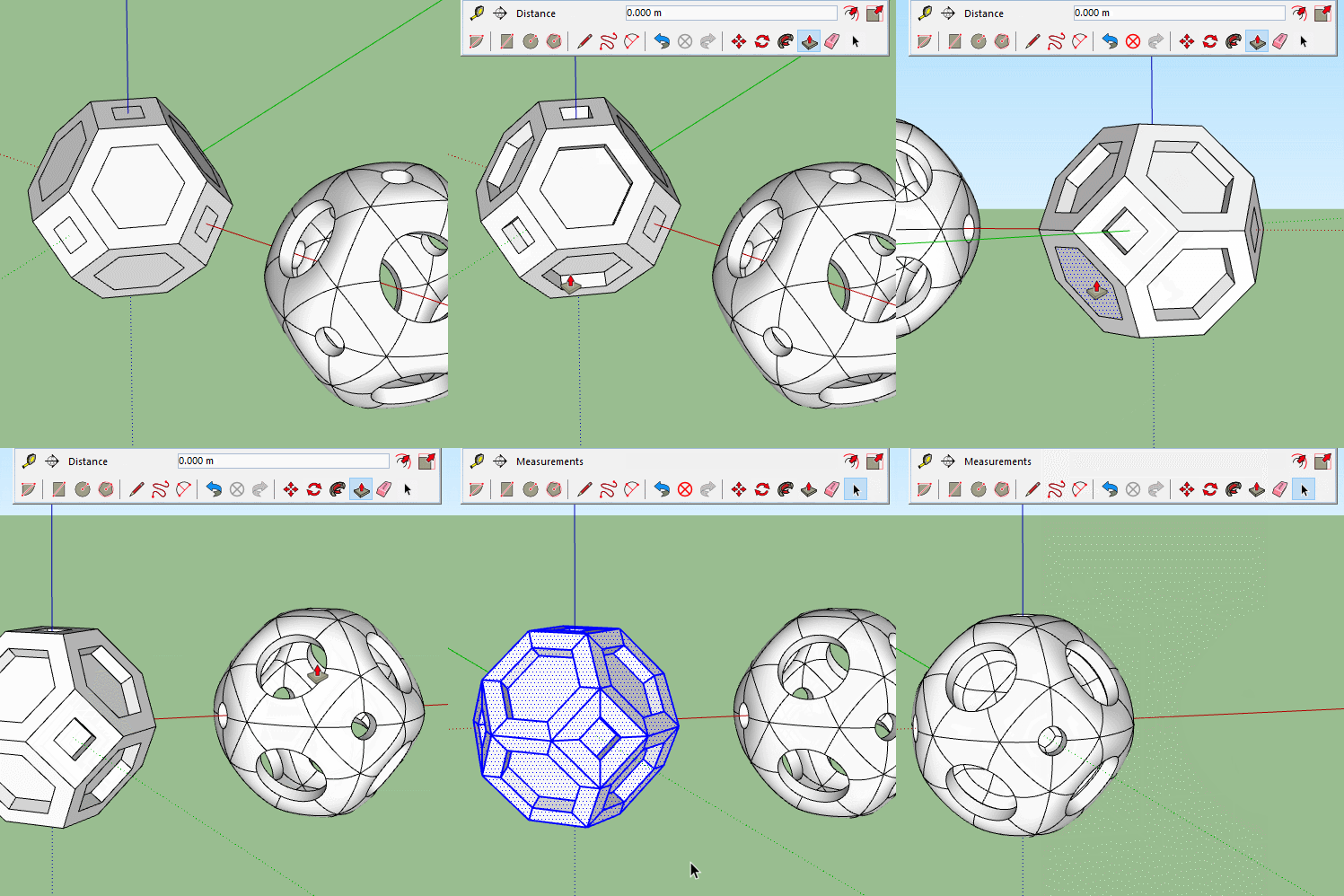

                        Oddball2.gif

                        1 條回覆 最後回覆 回覆 引用 0
                        • HornOxxH 離線
                          HornOxx
                          最後由 編輯

                          Yes 😄 - and I really enjoy this kind of geometry exercises ...

                          never trust a skinny cook

                          1 條回覆 最後回覆 回覆 引用 0
                          • V 離線
                            Vizan
                            最後由 編輯

                            @cotty said:

                            Hopefully the beginning of a looong and helpful topic...
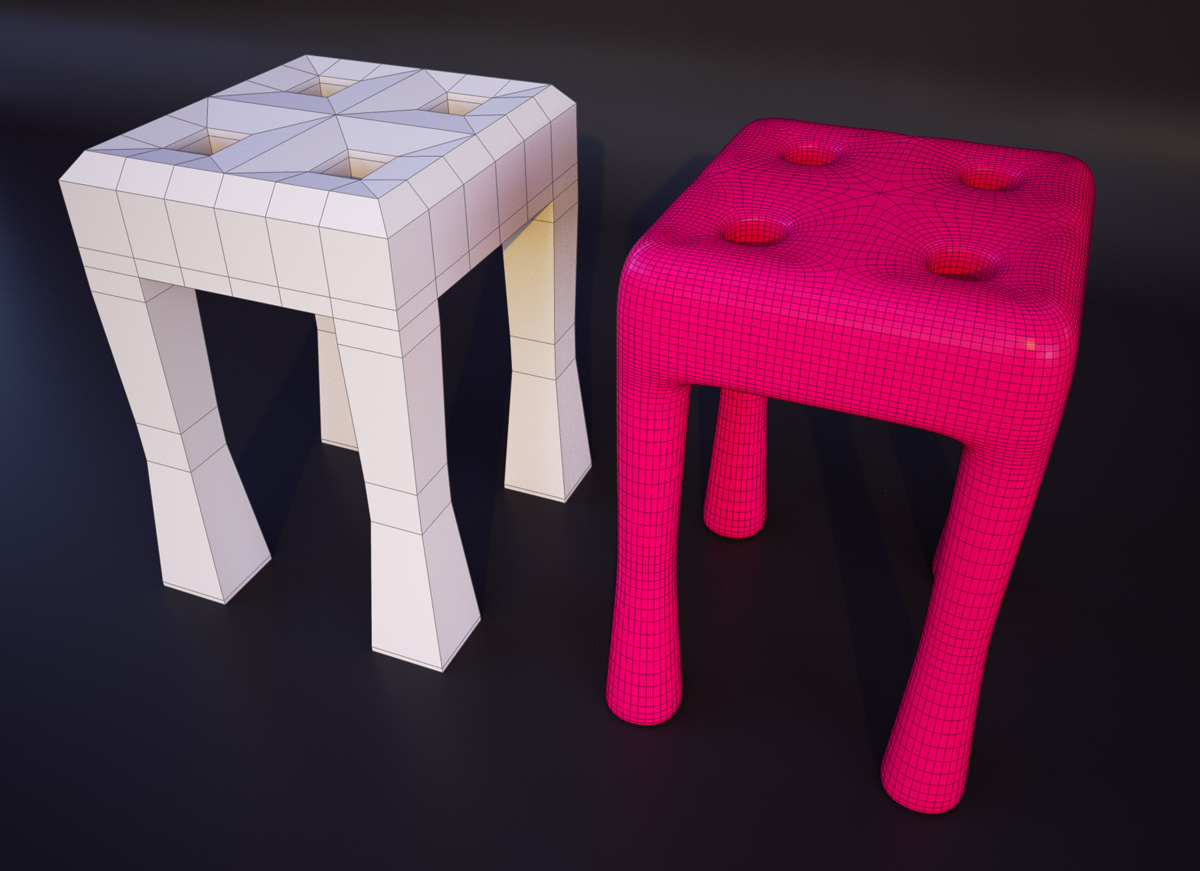
                            subd6.jpg

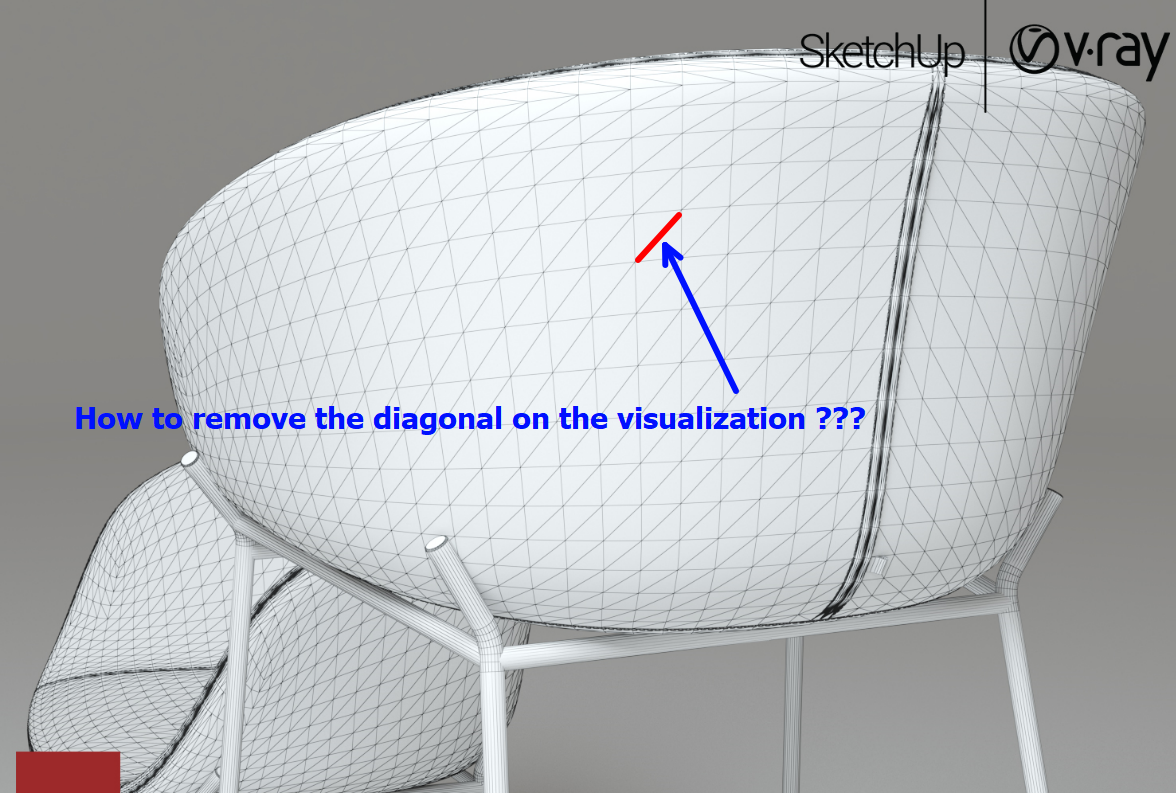
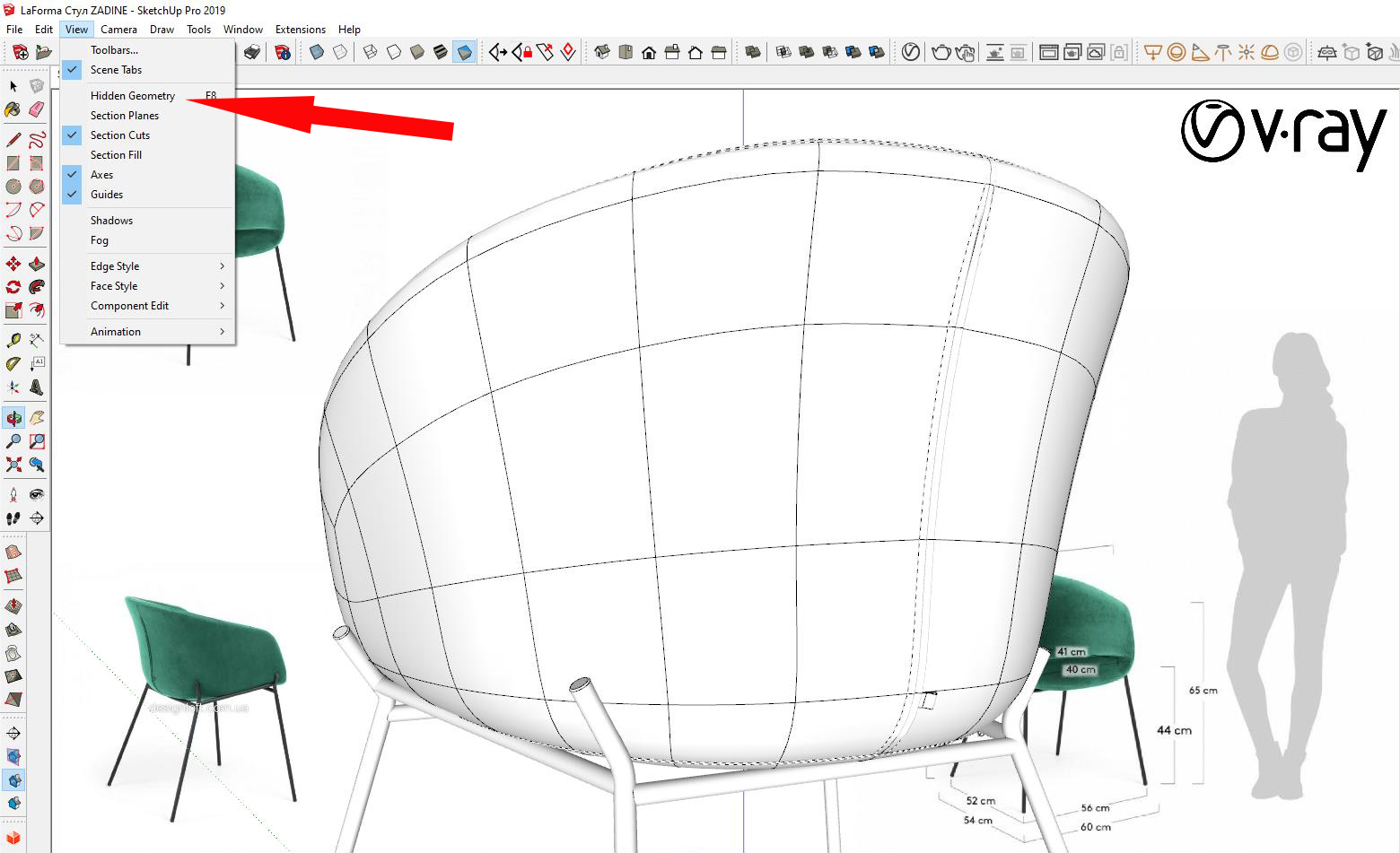
                            How did you render with a square grid without triangles? It doesn’t work out for me((
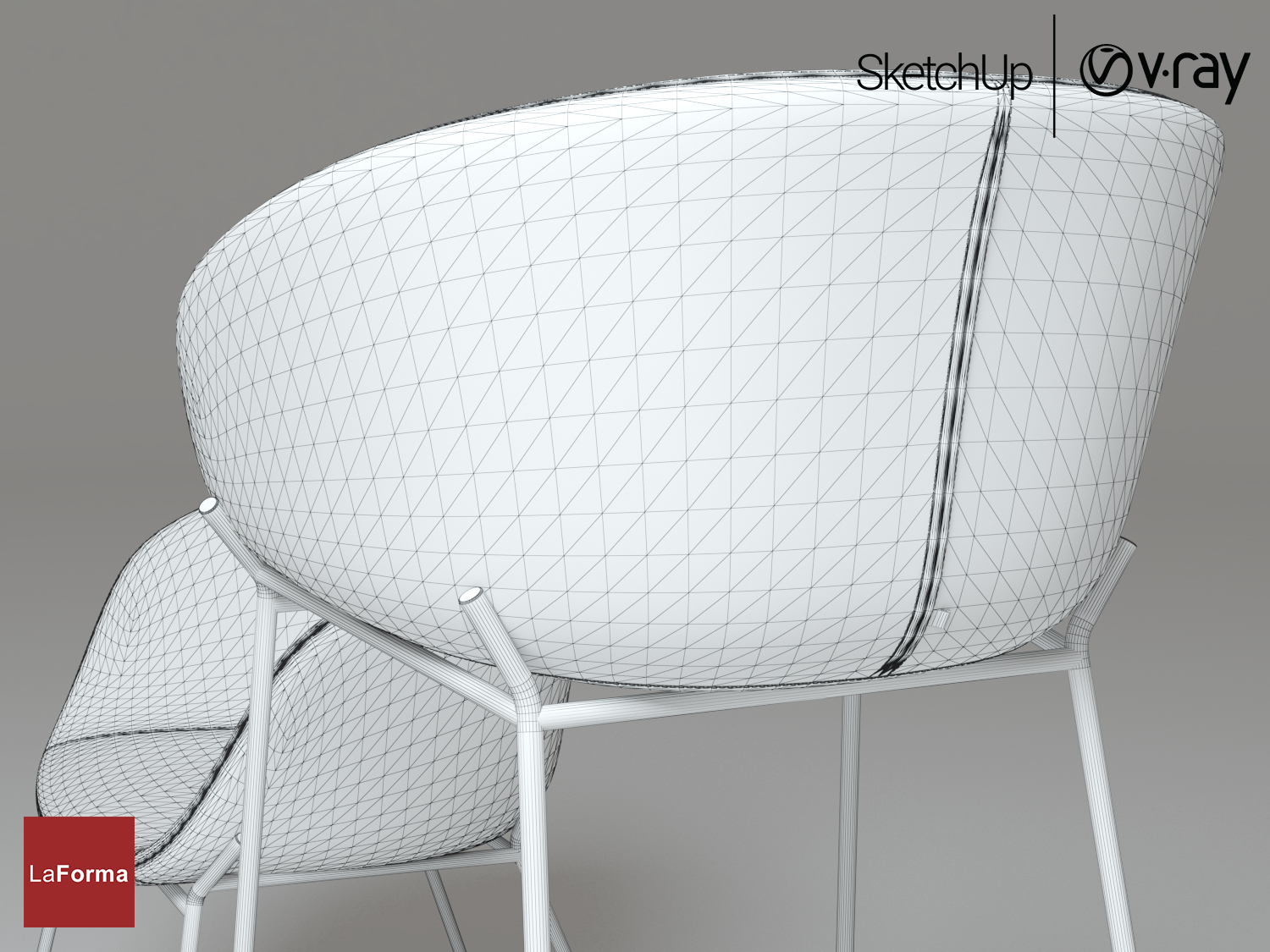

                            LaForma Стул ZADINE+Барный стул ZADINE_06.jpg


                            screenshot50.png

                            1 條回覆 最後回覆 回覆 引用 0
                            • C 離線
                              Callegari_hr
                              最後由 編輯

                              In QuadFaceTools plugin there is Convert Triangulated Mesh to Quads, select two triangles of one quad and run that tool.

                              1 條回覆 最後回覆 回覆 引用 0
                              • cottyC 離線
                                cotty
                                最後由 編輯

                                You can use this tool with no visible hidden geometry for it.
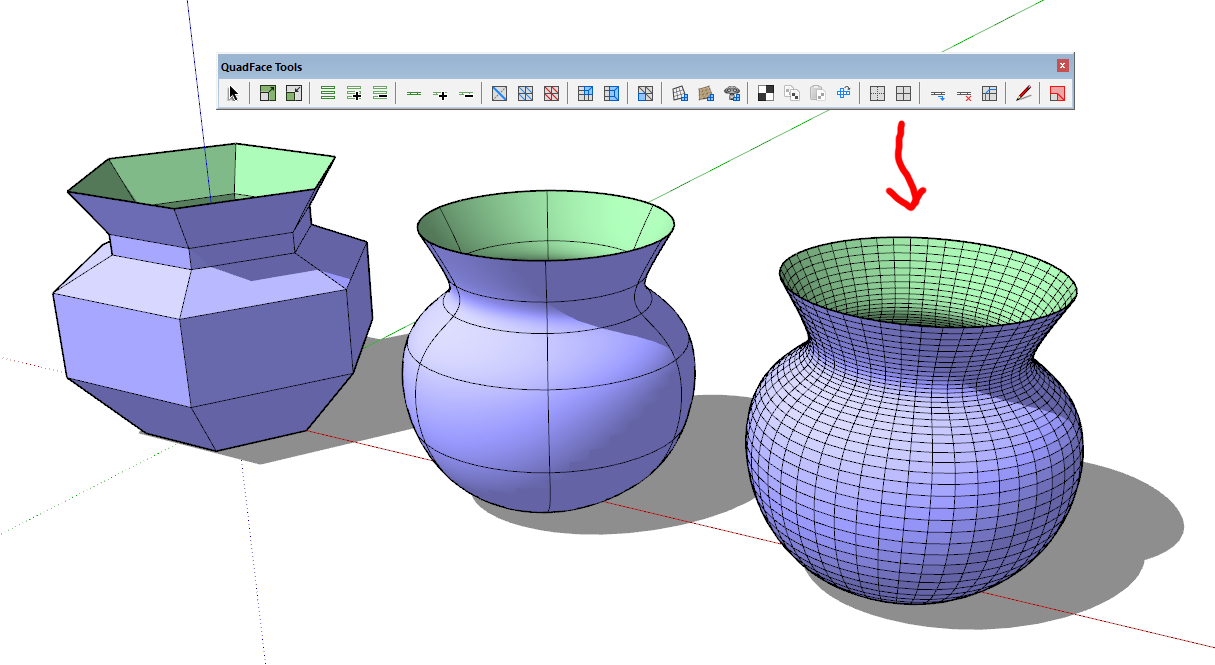
                                quads.jpg

                                my SketchUp gallery

                                1 條回覆 最後回覆 回覆 引用 0
                                • V 離線
                                  Vizan
                                  最後由 編輯

                                  @cotty said:

                                  You can use this tool with no visible hidden geometry for it.

                                  [attachment=4:3726vs77]<!-- ia4 -->quads.jpg<!-- ia4 -->[/attachment:3726vs77]

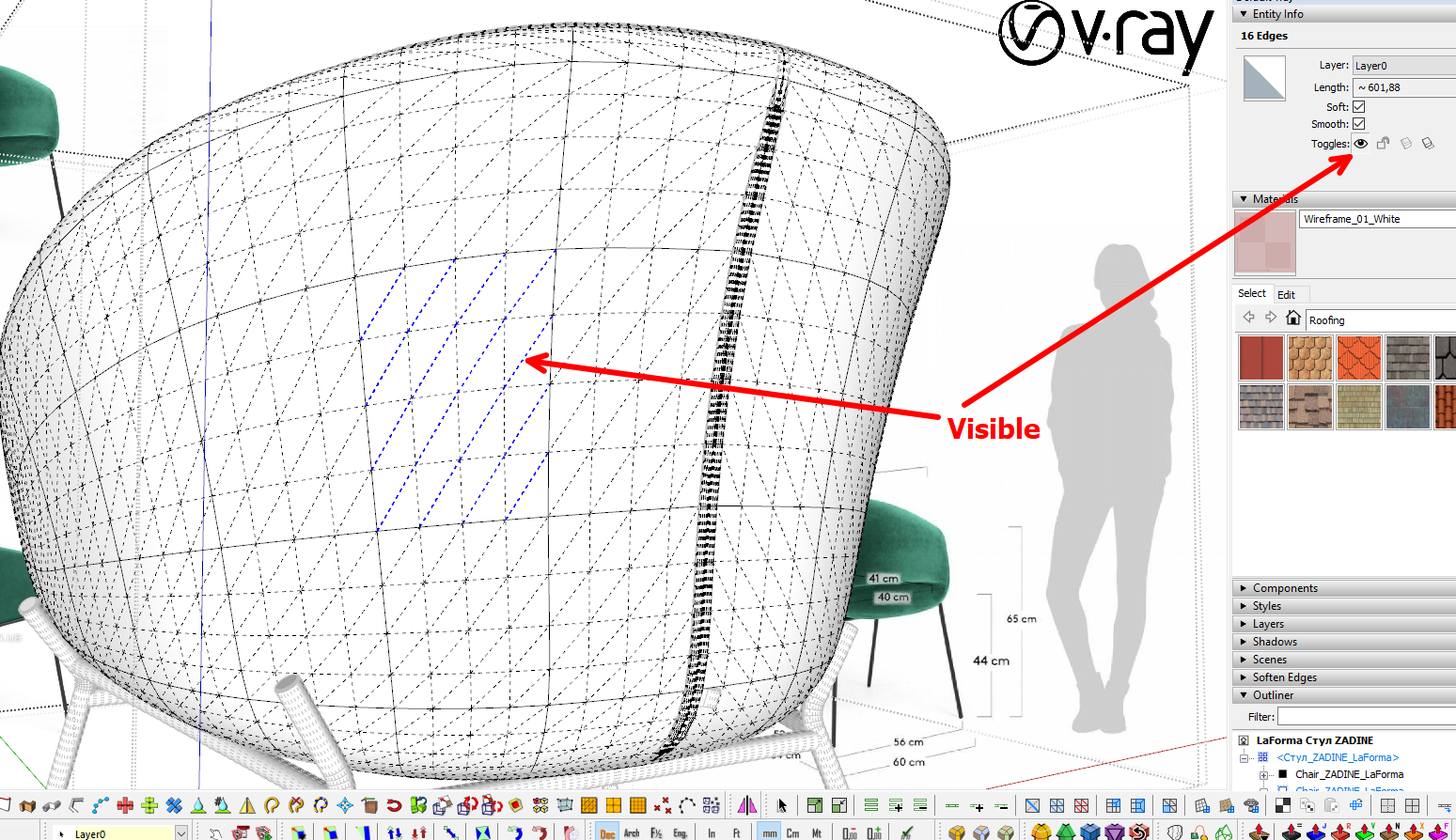
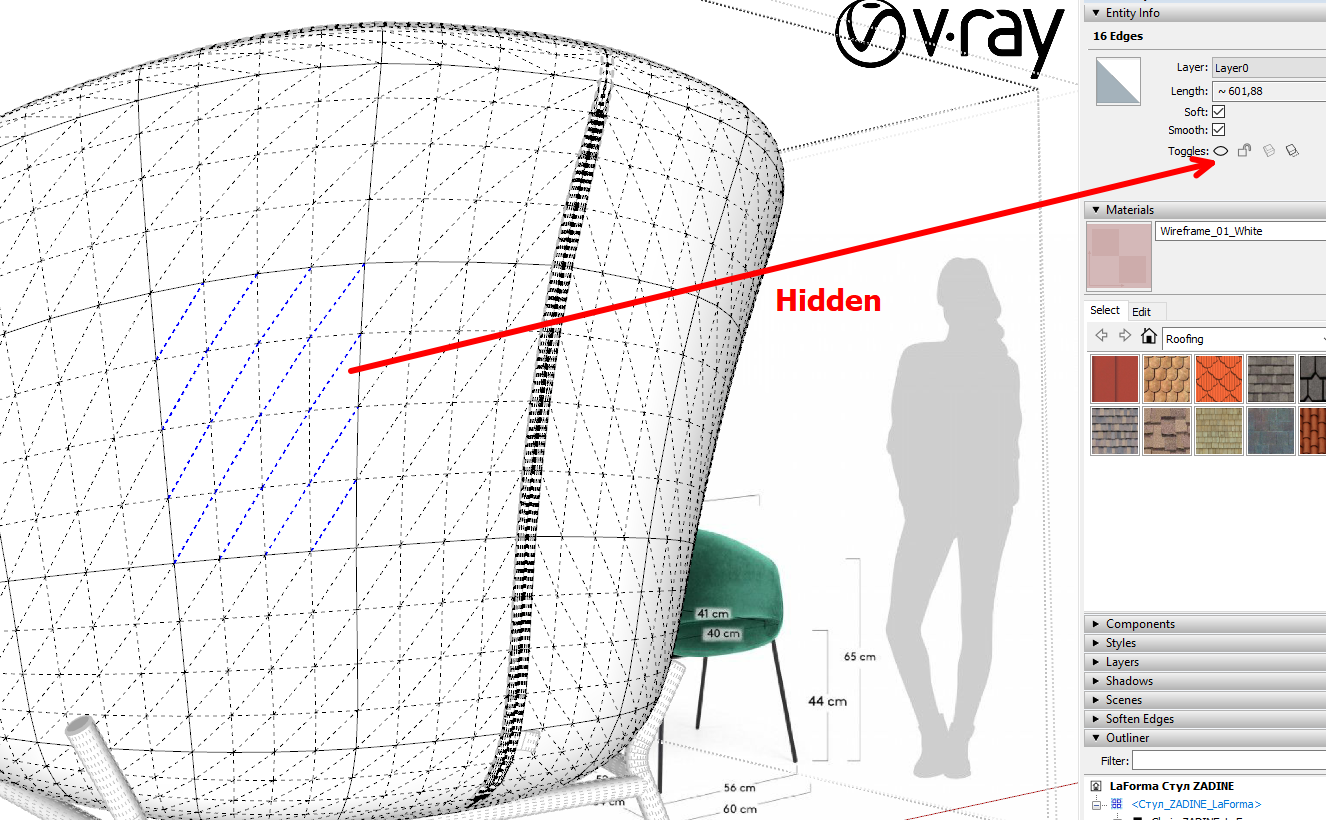
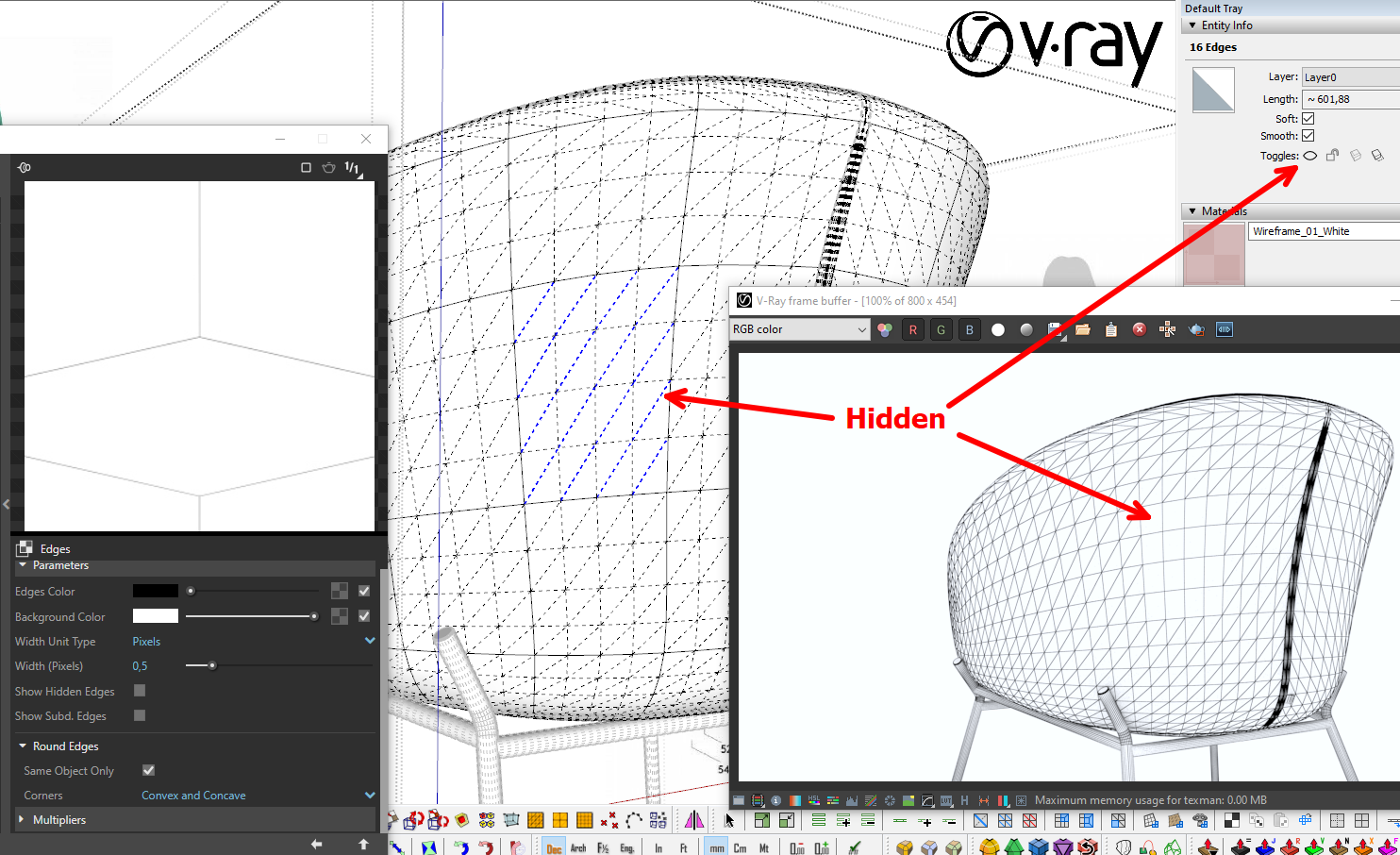
                                  After the Subd plugin, my model looks like on a screenshot. But when rendering a polygon mesh in Vray, I see triangles. I noticed that if the dividing line of the square is hidden, then it is not visible on the visualization.
                                  It would be great if the Subd plugin itself hid this dividing line, or there would be some sort of automatic way.
                                  img_15122019_161259.jpg


                                  screenshot52.png


                                  screenshot53.png


                                  screenshot54.png

                                  1 條回覆 最後回覆 回覆 引用 0
                                  • BoxB 離線
                                    Box
                                    最後由 編輯

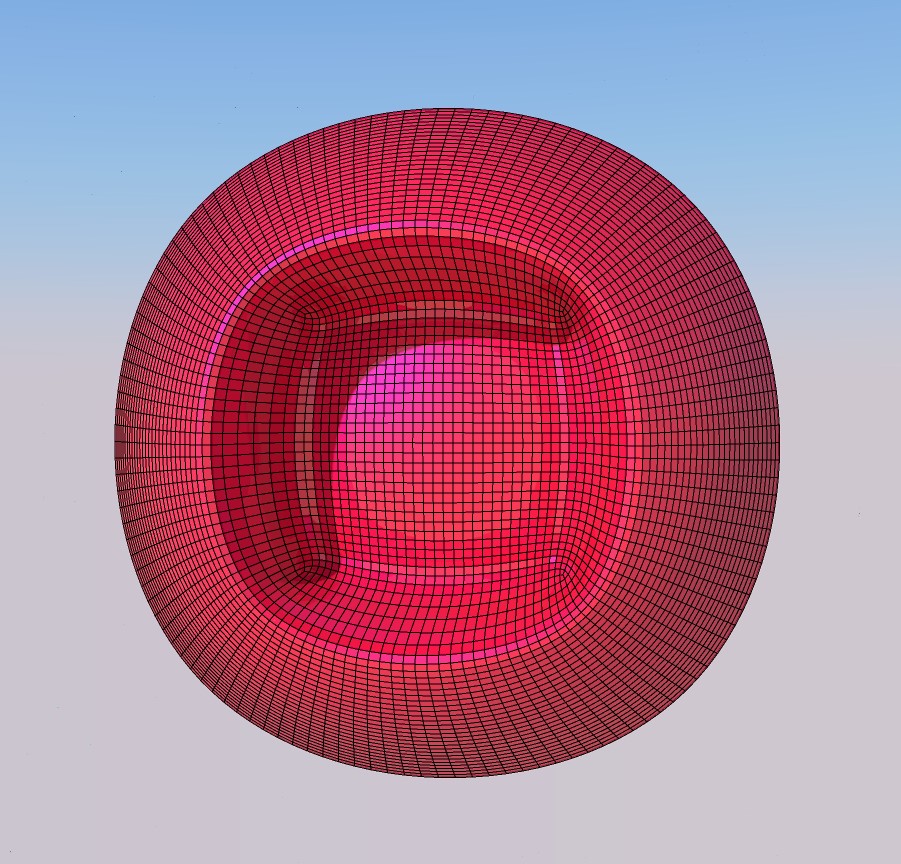
                                    This is more of a v-ray question, if V-ray doesn't have an option to render specific edges then you need to be a bit clever.
                                    Render the shape then export the edges as a transparent background .png and combine the two.
                                    Hera's a very simple example.


                                    Pink.jpg


                                    PinkSu.jpg

                                    1 條回覆 最後回覆 回覆 引用 0
                                    • V 離線
                                      Vizan
                                      最後由 編輯

                                      @box said:

                                      This is more of a v-ray question, if V-ray doesn't have an option to render specific edges then you need to be a bit clever.
                                      Render the shape then export the edges as a transparent background .png and combine the two.
                                      Hera's a very simple example.

                                      Thanks! This is a good idea)))

                                      1 條回覆 最後回覆 回覆 引用 0
                                      • thomthomT 離線
                                        thomthom
                                        最後由 編輯

                                        @vizan said:

                                        It would be great if the Subd plugin itself hid this dividing line, or there would be some sort of automatic way.
                                        I'll logged it as something to look into. I just need to make sure it doesn't have any other unintended side-effects.

                                        Thomas Thomassen — SketchUp Monkey & Coding addict
                                        List of my plugins and link to the CookieWare fund

                                        1 條回覆 最後回覆 回覆 引用 0
                                        • pilouP 離線
                                          pilou
                                          最後由 編輯

                                          Frenchy Pilou
                                          Is beautiful that please without concept!
                                          My Little site :)

                                          1 條回覆 最後回覆 回覆 引用 0
                                          • B 離線
                                            bahri06
                                            最後由 編輯

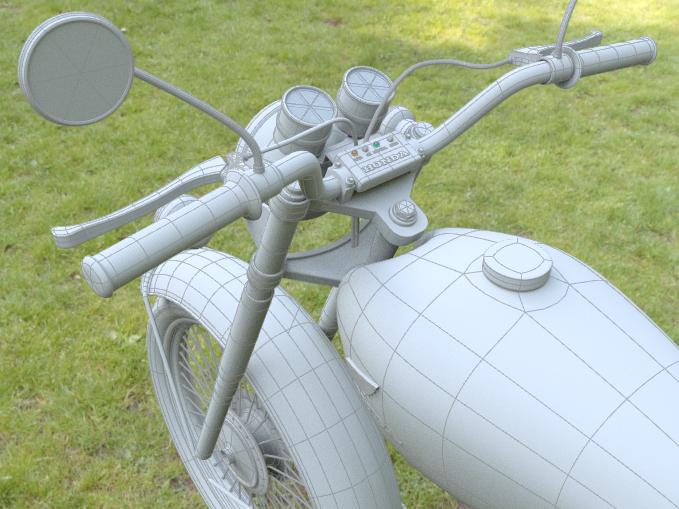
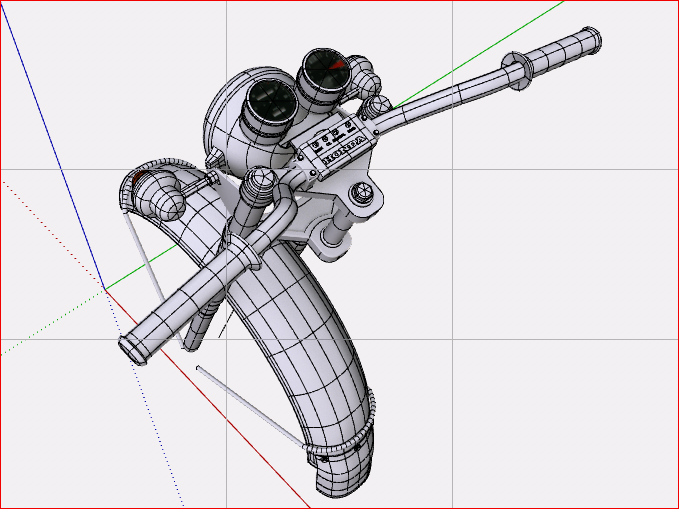
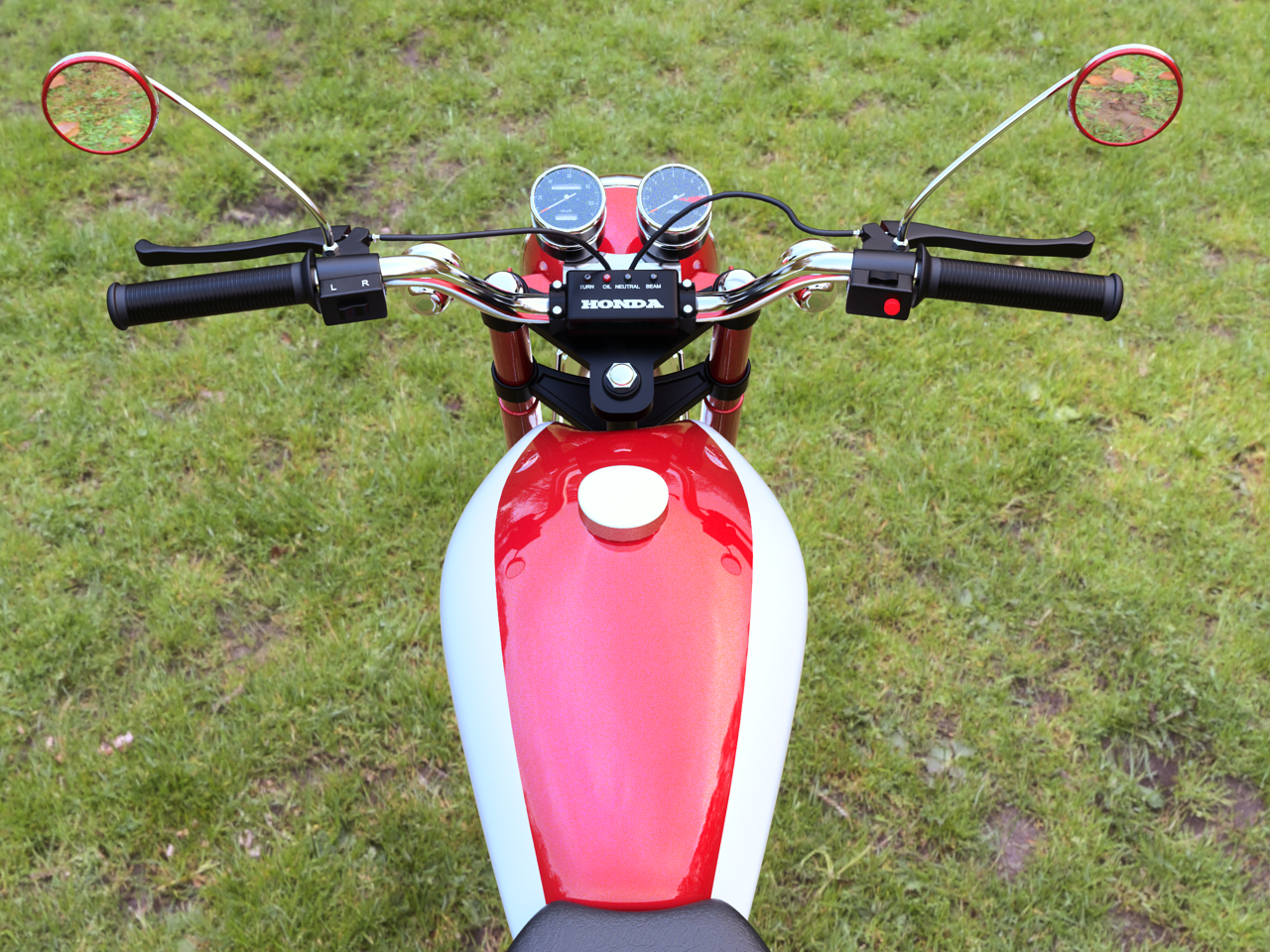
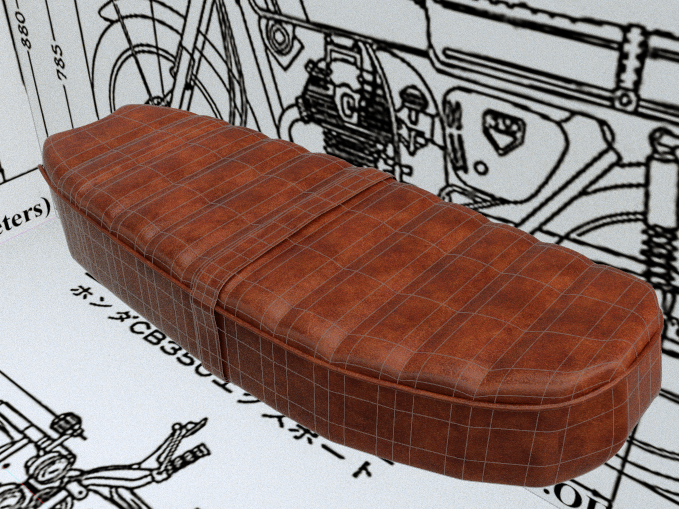
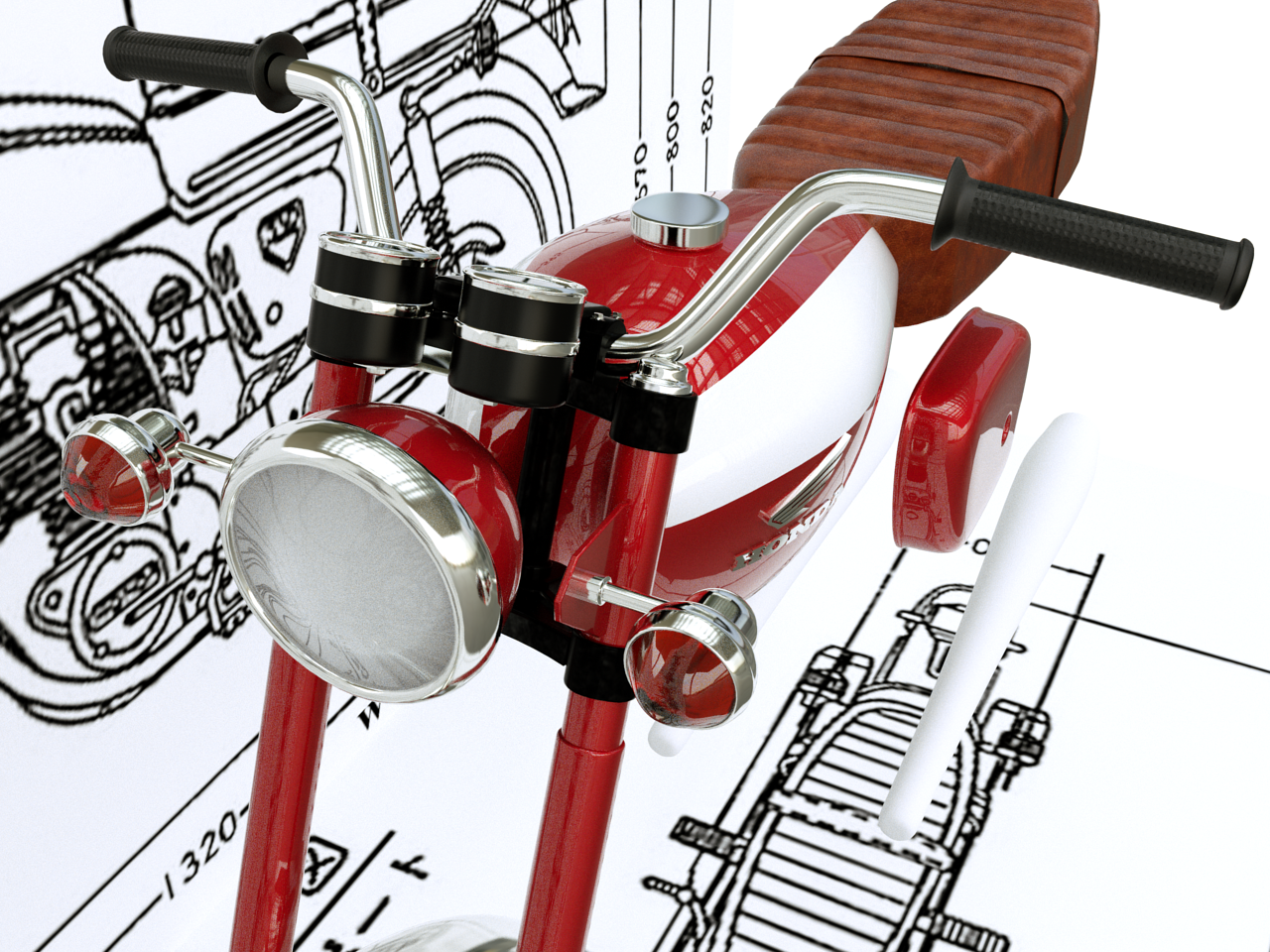
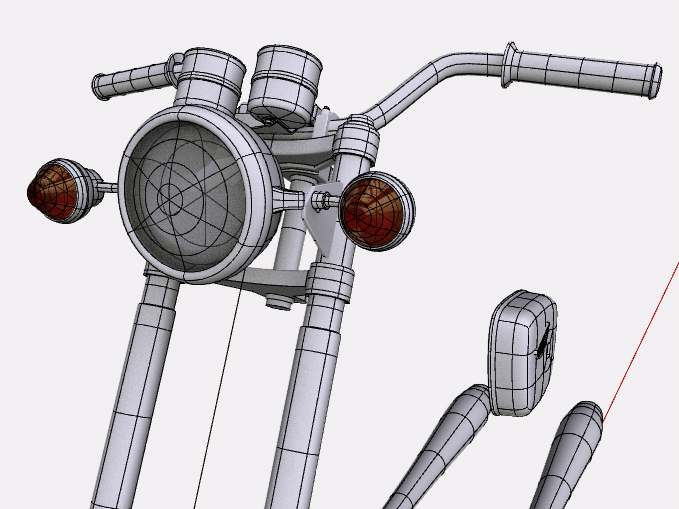
                                            My first post here... still WIP Honda CB 175
                                            Thanks to Pilou for all your tutorial on you tube channel

                                            hg.png


                                            AutoSave_CB 350 II-Scene 1yu.png


                                            ki.png


                                            finale front.png


                                            AutoSave_CB 350 II-Scene 1r.png


                                            2.png

                                            1 條回覆 最後回覆 回覆 引用 0
                                            • 1
                                            • 2
                                            • 37
                                            • 38
                                            • 39
                                            • 40
                                            • 41
                                            • 82
                                            • 83
                                            • 39 / 83
                                            • 第一個貼文
                                              最後的貼文
                                            Buy SketchPlus
                                            Buy SUbD
                                            Buy WrapR
                                            Buy eBook
                                            Buy Modelur
                                            Buy Vertex Tools
                                            Buy SketchCuisine
                                            Buy FormFonts

                                            Advertisement