[Plugin][$] JointPushPull Interactive - v4.9a - 02 Apr 25




-
There are two strings cannt be translated
Processing time = %1s
Time calculation = -
@hebeijianke said:
There are two strings cannt be translated
Processing time = %1s
Time calculation =There may be a problem with the = sign.
So just use : instead for the time beingFredo
-
Effectively Tapering negative gives some funny results!

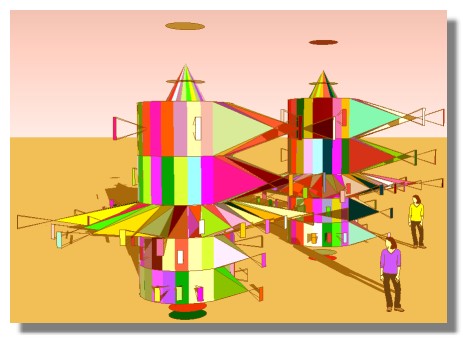
-
Very good job! Thanks!
And about to make the object like before the operation by this plug in? Will be great... -
NEW RELEASE: JointPush Pull Interactive v3.0h - 29 Oct 13
JointPushPull Interactive 3.0h is a minor release fixing a few problems and adjustments
See main post of this thread for Download.
Fredo
-
Thanks you very much!!

I needed some of new features. I have created the new spanish (Spain) language file -
Salutations Fredo:
I like your new version. However, I will not download until I can make a donation. -
Thanks you very much

-
Doesn't seem to work in my Windows 8.1 machine. Previous push/pull still works fine. It will highlight sections but not select more than one or if one is selected it will not extrude. Anyone else with this problem?
-
@bruceg said:
Doesn't seem to work in my Windows 8.1 machine. Previous push/pull still works fine. It will highlight sections but not select more than one or if one is selected it will not extrude. Anyone else with this problem?
Hello,
i've got similar problems. No extrusion on selected faces, but the plugin works on groups/components when they are closed and so, all the faces of the group/component will be extruded and not only those who i would like to. That's a good new fonction but not in any case...

Fredo ? Any help ?

-
NEW RELEASE: JointPush Pull Interactive v3.1a - 27 Nov 13
JointPushPull Interactive 3.1a is a release for future Sketchup compatibility.
See main post of this thread for Download.
Fredo
-
@bruceg said:
Doesn't seem to work in my Windows 8.1 machine. Previous push/pull still works fine. It will highlight sections but not select more than one or if one is selected it will not extrude. Anyone else with this problem?
Try running sketchup.exe in compatibility mode for Windows 7/8. It worked for me.
-
any chance you know whats causing this error?
Date: 11-Dec-13 15:01:48
An error occured in Joint Push Pull
Error in Analysis of modelundefined method `entityID' for nil:NilClass
JointPushPullAlgo.rb: 377 -- algo_analyze_groupings
JointPushPullAlgo.rb: 489 -- algo_prepare_calculation_exec
JointPushPullAlgo.rb: 476 -- algo_prepare_calculation
JointPushPullTool.rb: 892 -- modify_preparation
JointPushPullTool.rb: 910 -- modify_execute
JointPushPullTool.rb: 931 -- modify_offset
JointPushPullTool.rb: 1128 -- execute_validate
JointPushPullTool.rb: 1327 -- onReturn -
It's a small bug when
- you do a first Push pull
- then you press Return, whereas there is no face selected
I'll fix it in a next release
Fredo
-
-
It worked for me, Pilou. You should try it.
-
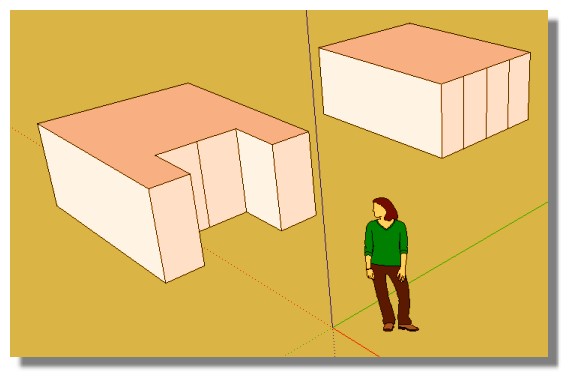
With the old version the best was that!

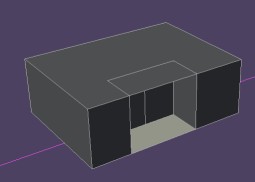
Cool now with this new version that is working as wished!
-
Thanks a lot!
-
Greetings!
I'm having a problem with trying to use this tool. When I open SU I get an error msg regarding LibFredo as below:
Error Loading File C;/Program Files (x86)/DESIGN/SketchUp '13/Plugins/Fredo6_!LibFredo6/__loader.rb
(eval);1;in `effective_load_part2'; compile error
(eval);1; syntax error, unexpected tINTEGER, expecting ')'
...Files (x86)/DESIGN/SketchUp '13/Plugins/Fredo6_!LibFredo6', '...
                              ^
(eval);1; syntax error, unexpected tCONSTANT, expecting kDO or '{' or '('
... '13/Plugins/Fredo6_!LibFredo6', 'LibFredo6') ; MYDEFPARAM =...
                              ^
(eval);1; syntax error, unexpected tCONSTANT, expecting kEND
...Fredo6_!LibFredo6', 'LibFredo6') ; MYDEFPARAM = MYPLUGIN.cre...
                              ^
(eval);1; syntax error, unexpected tCONSTANT, expecting kEND
..._PLATFORM =~ /darwin/i) ? 'MAC' ; 'PC' ;RUN_ON_MAC = false ;...
                              ^
(eval);1; syntax error, unexpected tCONSTANT, expecting kEND
...RM =~ /darwin/i) ? 'MAC' ; 'PC' ;RUN_ON_MAC = false ;end
                              ^
(eval);1; unterminated string meets end of file
(eval);1; syntax error, unexpected $end, expecting kEND
... 'PC' ;RUN_ON_MAC = false ;end
                              ^
Error Loading File C;/Program Files (x86)/DESIGN/SketchUp '13/Plugins/Fredo6_ToolsOnSurface/__loader.rb
(eval);1;in `effective_load_part2'; compile error
(eval);1; syntax error, unexpected tINTEGER, expecting ')'
...Files (x86)/DESIGN/SketchUp '13/Plugins/Fredo6_ToolsOnSurface...
                              ^
(eval);1; syntax error, unexpected tSTRING_BEG, expecting kDO or '{' or '('
...Plugins/Fredo6_ToolsOnSurface', 'ToolsOnSurface') ; MYDEFPAR...
                              ^
(eval);1; syntax error, unexpected tCONSTANT, expecting kEND
...olsOnSurface', 'ToolsOnSurface') ; MYDEFPARAM = MYPLUGIN.cre...
                              ^
(eval);1; syntax error, unexpected tCONSTANT, expecting kEND
..._PLATFORM =~ /darwin/i) ? 'MAC' ; 'PC' ;RUN_ON_MAC = false ;...
                              ^
(eval);1; syntax error, unexpected tCONSTANT, expecting kEND
...RM =~ /darwin/i) ? 'MAC' ; 'PC' ;RUN_ON_MAC = false ;end
                              ^
(eval);1; unterminated string meets end of file
(eval);1; syntax error, unexpected $end, expecting kEND
... 'PC' ;RUN_ON_MAC = false ;end
                              ^
I've just installed Ruby, as well, although not where it wants to go (in the root of C:. Nothing goes there unless Security logs!) Its been installed to the same sub-folder in Program Files as SketchUp.
Any hints or tips to help me?
On a good note (always leave 'em happy Elmer!!) I've just installed the bezier curve tool. What a little beauty!!
-
You should never use special characters in path names!
in your case: '13...










Hello! It looks like you're interested in this conversation, but you don't have an account yet.
Getting fed up of having to scroll through the same posts each visit? When you register for an account, you'll always come back to exactly where you were before, and choose to be notified of new replies (either via email, or push notification). You'll also be able to save bookmarks and upvote posts to show your appreciation to other community members.
With your input, this post could be even better 💗
Register Login


Advertisement