sketchucation logo sketchucation
    • Login
    Oops, your profile's looking a bit empty! To help us tailor your experience, please fill in key details like your SketchUp version, skill level, operating system, and more. Update and save your info on your profile page today!
    ⚠️ Important | Libfredo 15.6b introduces important bugfixes for Fredo's Extensions Update

    Hide dimensions text

    Scheduled Pinned Locked Moved SketchUp Discussions
    sketchup
    14 Posts 4 Posters 5.6k Views 4 Watching
    Loading More Posts
    • Oldest to Newest
    • Newest to Oldest
    • Most Votes
    Reply
    • Reply as topic
    Log in to reply
    This topic has been deleted. Only users with topic management privileges can see it.
    • Dave RD Offline
      Dave R
      last edited by

      If you are just editing the dimension text manually, just use a space. No apostrophes. That would be a catastrophe. πŸ˜„

      Etaoin Shrdlu

      %

      (THERE'S NO PLACE LIKE)

      G28 X0.0 Y0.0 Z0.0

      M30

      %

      1 Reply Last reply Reply Quote 0
      • K Offline
        KeeneAnderson
        last edited by

        That works perfect! Saved me from a catastrophe. πŸ˜† Thanks again!

        1 Reply Last reply Reply Quote 0
        • TIGT Offline
          TIG Moderator
          last edited by

          If I had put a space alone without the '' you wouldn't have seen it, and if I typed it as 'space' you'd have typed it πŸ˜’
          BTW IF you want to revert to the actual dimension add <>
          If you want to add text AND the actual dimension use TEXT <> and the <> part is auto-replaced with the dimension in current units.
          πŸ˜•

          TIG

          1 Reply Last reply Reply Quote 0
          • jgbJ Offline
            jgb
            last edited by

            Simpler yet, just put all your text/dimension objects on a separate Documentation layer. That way you can turn them on or off at will.


            jgb

            1 Reply Last reply Reply Quote 0
            • Dave RD Offline
              Dave R
              last edited by

              @jgb said:

              Simpler yet, just put all your text/dimension objects on a separate Documentation layer. That way you can turn them on or off at will.

              How do you separate the dimension text from the arrows?

              Etaoin Shrdlu

              %

              (THERE'S NO PLACE LIKE)

              G28 X0.0 Y0.0 Z0.0

              M30

              %

              1 Reply Last reply Reply Quote 0
              • jgbJ Offline
                jgb
                last edited by

                @dave r said:

                @jgb said:

                Simpler yet, just put all your text/dimension objects on a separate Documentation layer. That way you can turn them on or off at will.

                How do you separate the dimension text from the arrows?

                Good point; I thought he meant all of the dim.

                I will slink off now.... 😳


                jgb

                1 Reply Last reply Reply Quote 0
                • TIGT Offline
                  TIG Moderator
                  last edited by

                  You can't layer a dim's geometry and text separately.
                  However, layering dims/text IS a very useful tool...
                  To 'hide' a dim's text, but leave its line/arrows you have to replace the dim's text with a space ' '...
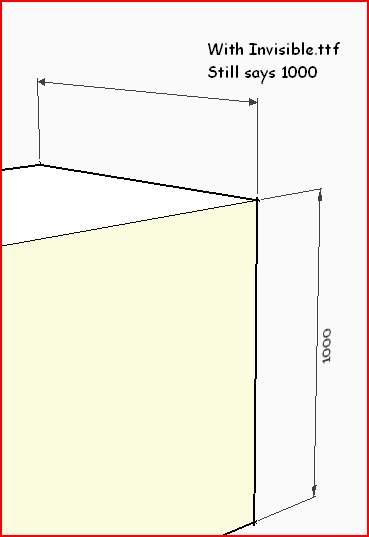
                  OR make/find/install a custom ttf font where all the characters are 'blank' and then use that font for your [selected] dims [temporarily], so they are not visible [but retain their text, with not further editing needed].
                  Later on you can swap back to a standard font - say 'Arial' - which makes the dim's text visible again...

                  TIG

                  1 Reply Last reply Reply Quote 0
                  • jgbJ Offline
                    jgb
                    last edited by

                    I started to play with this, however limited that is.

                    One partial solution (sort of!) is to make the text 1 point or .001 in high. That effectively makes the text almost invisible (looks like a small line) πŸ‘ but, and a big but... the arrowheads also disappear. πŸ‘Ž πŸ˜’


                    jgb

                    1 Reply Last reply Reply Quote 0
                    • TIGT Offline
                      TIG Moderator
                      last edited by

                      Get a 'blank ttf' Font... This 'Invisble.ttf' is OK. The 'infinity' symbol is its visible character [tiny dot]...Invisible.zipCapture.PNG

                      TIG

                      1 Reply Last reply Reply Quote 0
                      • jgbJ Offline
                        jgb
                        last edited by

                        This would be ideal to hide copyright notices within the model.

                        See topic.....

                        http://forums.sketchucation.com/viewtopic.php?f=15&t=42399&p=379799#p379799


                        jgb

                        1 Reply Last reply Reply Quote 0
                        • Dave RD Offline
                          Dave R
                          last edited by

                          @jgb said:

                          This would be ideal to hide copyright notices within the model.

                          See topic.....

                          http://forums.sketchucation.com/viewtopic.php?f=15&t=42399&p=379799#p379799

                          πŸ‘

                          Etaoin Shrdlu

                          %

                          (THERE'S NO PLACE LIKE)

                          G28 X0.0 Y0.0 Z0.0

                          M30

                          %

                          1 Reply Last reply Reply Quote 0
                          • 1 / 1
                          • First post
                            Last post
                          Buy SketchPlus
                          Buy SUbD
                          Buy WrapR
                          Buy eBook
                          Buy Modelur
                          Buy Vertex Tools
                          Buy SketchCuisine
                          Buy FormFonts

                          Advertisement