sketchucation logo sketchucation
    • 登入
    Oops, your profile's looking a bit empty! To help us tailor your experience, please fill in key details like your SketchUp version, skill level, operating system, and more. Update and save your info on your profile page today!
    🔌 Smart Spline | Fluid way to handle splines for furniture design and complex structures. Download

    [Plugin] QuadFaceTools

    已排程 已置頂 已鎖定 已移動 Plugins
    673 貼文 116 Posters 544.8k 瀏覽 116 Watching
    正在載入更多貼文
    • 從舊到新
    • 從新到舊
    • 最多點贊
    回覆
    • 在新貼文中回覆
    登入後回覆
    此主題已被刪除。只有擁有主題管理權限的使用者可以查看。
    • Le Quoc HungL 離線
      Le Quoc Hung
      最後由 編輯

      A question: Is there a way to chamfer quad faces? Look like that :

      302 Found

      favicon

      (www.mariussilaghi.com)

      1 條回覆 最後回覆 回覆 引用 0
      • thomthomT 離線
        thomthom
        最後由 編輯

        Hmm... I wonder if Fredo's RoundCorner extensions support quads? I know a few of this extensions support quad faces like QuadFaceTools'.

        Thomas Thomassen — SketchUp Monkey & Coding addict
        List of my plugins and link to the CookieWare fund

        1 條回覆 最後回覆 回覆 引用 0
        • K 離線
          Kristusea
          最後由 編輯

          How would i go about texturing this? When i select the road part it only textures those 2 faces and when i select the sidewalk it doesn't work at all. Am i doing something wrong?
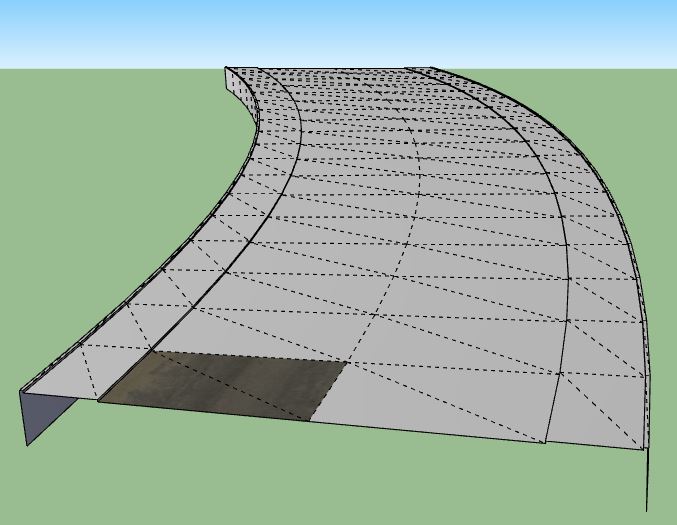

          Capture.JPG

          1 條回覆 最後回覆 回覆 引用 0
          • pbacotP 離線
            pbacot
            最後由 編輯

            Turn off hidden geometry to select whole surfaces.

            MacOSX MojaveSketchUp Pro v19 Twilight v2 Thea v3 PowerCADD

            1 條回覆 最後回覆 回覆 引用 0
            • K 離線
              Kristusea
              最後由 編輯

              I did select the whole surface but that's all it paints.

              1 條回覆 最後回覆 回覆 引用 0
              • TIGT 離線
                TIG Moderator
                最後由 編輯

                View > Hidden Geometry > OFF
                THEN paint surface ?

                TIG

                1 條回覆 最後回覆 回覆 引用 0
                • K 離線
                  Kristusea
                  最後由 編輯

                  That's not the point! I know how to turn off hidden edges.
                  What i'm saying is when i select the UV Mapping Tool i can only select one axes.
                  The only part where i can select 2 axes is that part on the pic. Nothing else gets textured even when the whole thing is selected. I hope i made myself clear now.

                  1 條回覆 最後回覆 回覆 引用 0
                  • TIGT 離線
                    TIG Moderator
                    最後由 編輯

                    Can you post the problem SKP, so we can look at it ?

                    TIG

                    1 條回覆 最後回覆 回覆 引用 0
                    • jo-keJ 離線
                      jo-ke
                      最後由 編輯

                      I am using this plugin to texture a special curtain model.

                      I used SU7 with Quadfacetools and changed now to SU2015pro. and the UV mappingtool doesn't work anymore.

                      I've downloaded the latest version.

                      did I do something wrong?

                      http://www.zz7.de

                      1 條回覆 最後回覆 回覆 引用 0
                      • KrisidiousK 離線
                        Krisidious
                        最後由 編輯

                        Works for me... Maybe you need TT's new library?

                        By: Kristoff Rand
                        Home DesignerUnique House Plans

                        1 條回覆 最後回覆 回覆 引用 0
                        • jo-keJ 離線
                          jo-ke
                          最後由 編輯

                          Is also installed the latest version with su2015. I'll post both files here....

                          http://www.zz7.de

                          1 條回覆 最後回覆 回覆 引用 0
                          • jo-keJ 離線
                            jo-ke
                            最後由 編輯

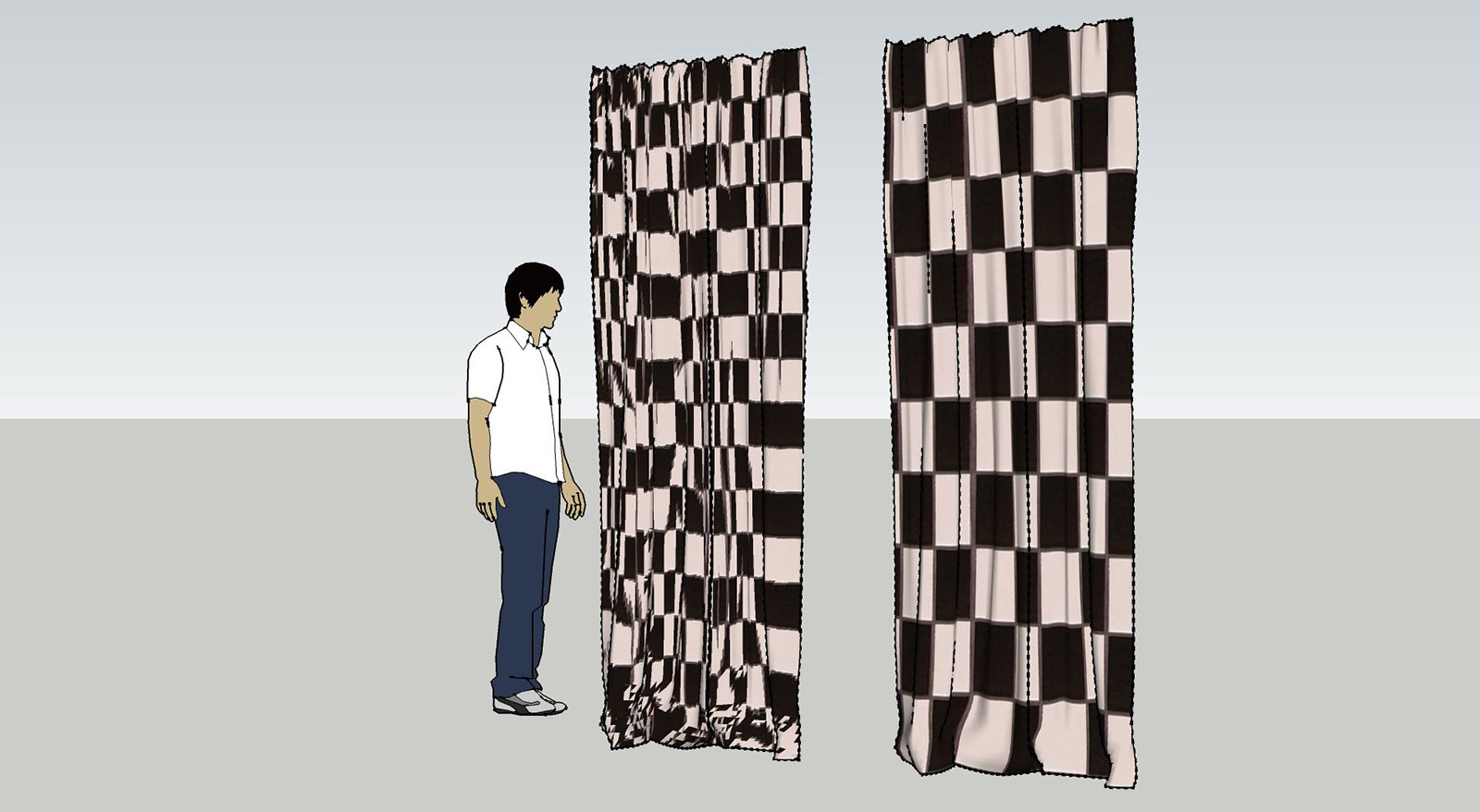
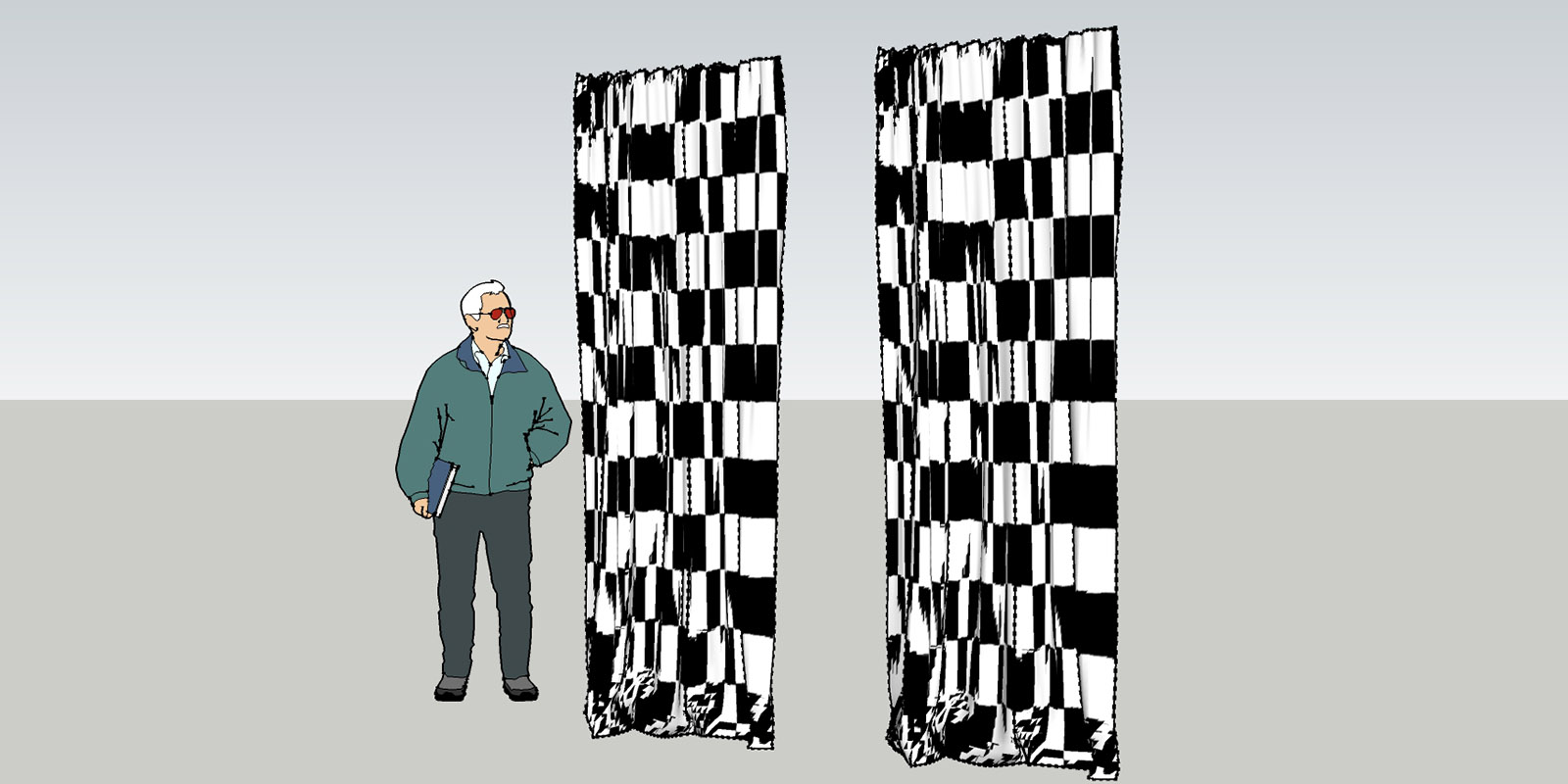
                            here is the comparison


                            quad-su7.jpg


                            quad-su2015.jpg

                            http://www.zz7.de

                            1 條回覆 最後回覆 回覆 引用 0
                            • jo-keJ 離線
                              jo-ke
                              最後由 編輯

                              here are the files

                              su7 works
                              su2015 doesn't work


                              quad-su2015.skp


                              quad-su7.zip

                              http://www.zz7.de

                              1 條回覆 最後回覆 回覆 引用 0
                              • thomthomT 離線
                                thomthom
                                最後由 編輯

                                If you open the Ruby Console while you try to use QuadFace Tools - do you see any error message?

                                Also, can you describe the steps you perform in more detail?

                                Thomas Thomassen — SketchUp Monkey & Coding addict
                                List of my plugins and link to the CookieWare fund

                                1 條回覆 最後回覆 回覆 引用 0
                                • jo-keJ 離線
                                  jo-ke
                                  最後由 編輯

                                  when I start the uv mapper in version 2015 it doesn't show the horizontal and the vertical line to set the direction of the texture. so I can't use it.

                                  http://www.zz7.de

                                  1 條回覆 最後回覆 回覆 引用 0
                                  • jo-keJ 離線
                                    jo-ke
                                    最後由 編輯

                                    it seems to be that the model in version SU7 is quad face and when I import it to SU2015 it is a sandbox mesh.

                                    I converted it again to quadface and the UV texture mapper worked.

                                    everything fine!
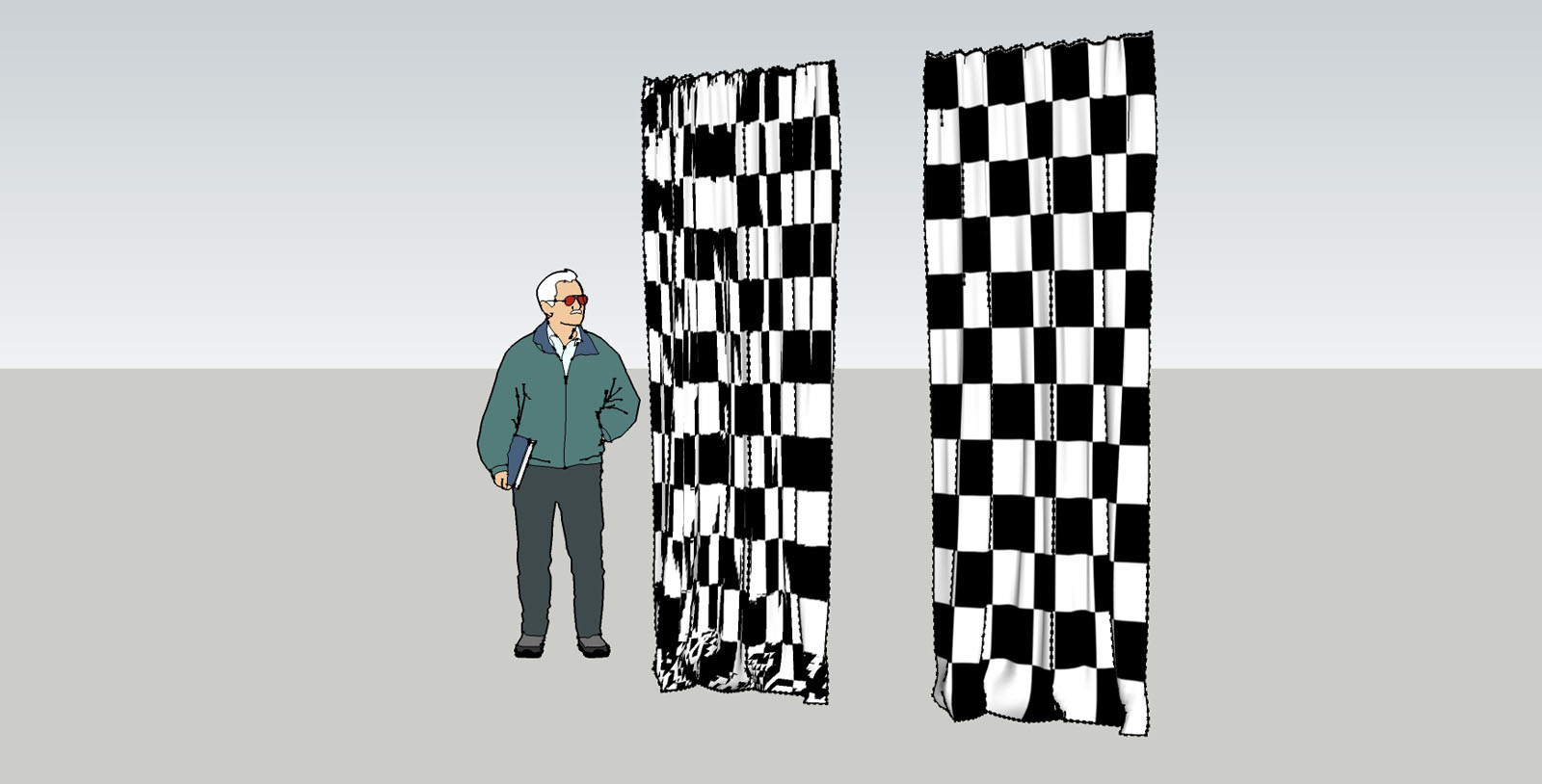

                                    quad-su2015-2.jpg

                                    http://www.zz7.de

                                    1 條回覆 最後回覆 回覆 引用 0
                                    • thomthomT 離線
                                      thomthom
                                      最後由 編輯

                                      Did you remember to convert the Sandbox Tool mesh into a QuadFace Tools compatible mesh first?
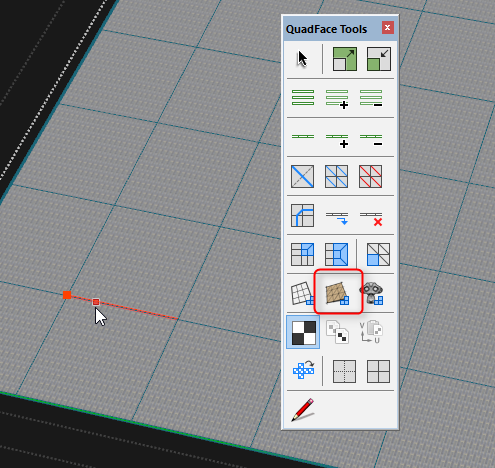

                                      uvmapping.png

                                      Thomas Thomassen — SketchUp Monkey & Coding addict
                                      List of my plugins and link to the CookieWare fund

                                      1 條回覆 最後回覆 回覆 引用 0
                                      • jo-keJ 離線
                                        jo-ke
                                        最後由 編輯

                                        Yes. I've did it like that and saved the component as SU7 some years ago and used it many times, just using the UV Mapper.

                                        But now, when I import the same component to SU2015 it lost the Quadface- Information and I have to reconvert it to quads, as you described above.

                                        http://www.zz7.de

                                        1 條回覆 最後回覆 回覆 引用 0
                                        • thomthomT 離線
                                          thomthom
                                          最後由 編輯

                                          Any chance you can provide a sample model with exact steps (video?) of what you do?

                                          Thomas Thomassen — SketchUp Monkey & Coding addict
                                          List of my plugins and link to the CookieWare fund

                                          1 條回覆 最後回覆 回覆 引用 0
                                          • jo-keJ 離線
                                            jo-ke
                                            最後由 編輯

                                            the sample model is attached above.

                                            here's the component:

                                            If you load it in SU7 it is already converted to quadface
                                            If you load it in SU2015 you have to convert it to quadface

                                            0-schal-leger-tex.skp

                                            http://www.zz7.de

                                            1 條回覆 最後回覆 回覆 引用 0
                                            • 1
                                            • 2
                                            • 3
                                            • 4
                                            • 5
                                            • 6
                                            • 7
                                            • 33
                                            • 34
                                            • 5 / 34
                                            • 第一個貼文
                                              最後的貼文
                                            Buy SketchPlus
                                            Buy SUbD
                                            Buy WrapR
                                            Buy eBook
                                            Buy Modelur
                                            Buy Vertex Tools
                                            Buy SketchCuisine
                                            Buy FormFonts

                                            Advertisement