[Plugin][Code]SKMtools,Material/ImageTools
-
Happy to help.
I don't know of any SketchUp plugins to do that but there are a number of raster to vector programs that could take an image from your PDF and create a DXF or DWG file. Do a Google search for 'raster to vector'. It might be that Photoshop or Illustrator could do that directly from a PDF file but I'm not that familiar with them.
-
Just tried to autoinstall this plugin using the sketchucation store plugin and it doesn't install. Nothing in my toolbars and no skmtools.rb in the plugins folder.
Any help appreciated, thanks
-
So you aren't finding Image Trimmer in the Tools menu nor Image Animator in the Toolbars list?
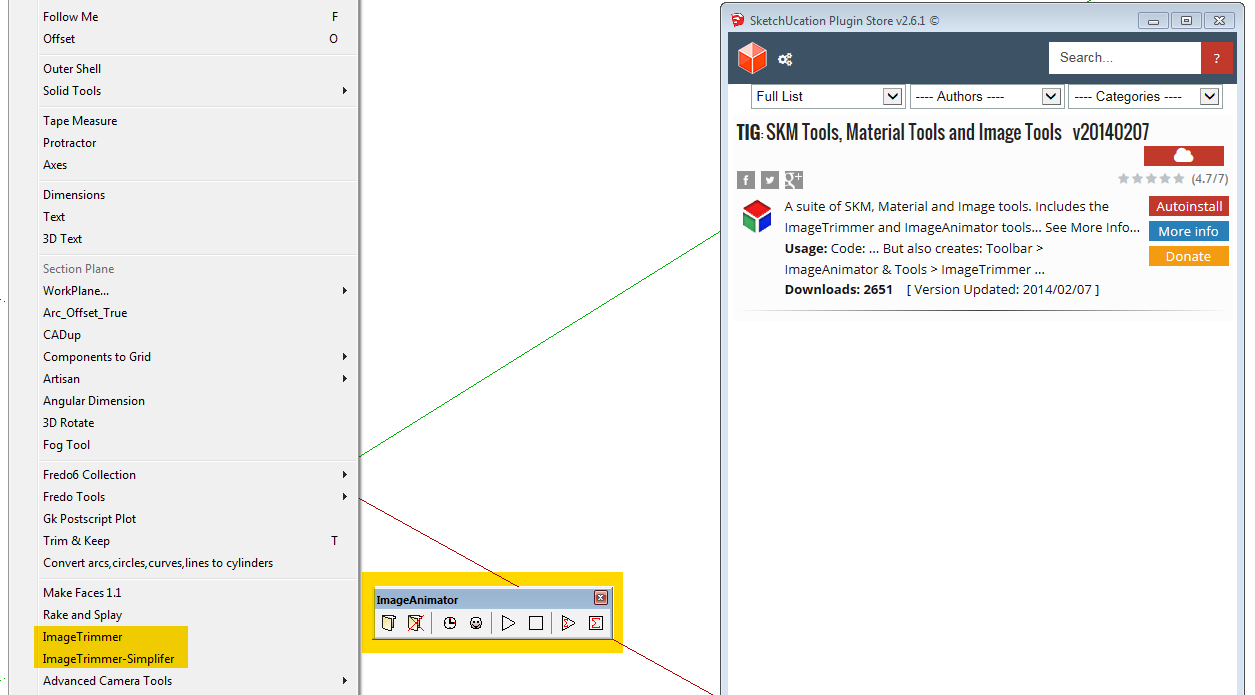
What version of SketchUp? What operating system? Please complete your profile and give some useful information to help diagnose the problem.
-
No Image Trimmer in the Tools menu nor Image Animator in the Toolbars list nor skmtools.rb in the plugins folder.
When I attempt to autoinstall with the sketchucation plugin, SU askes if I want to install plugin and I click "yes". Then the User Account Control asks if I want to allow Extended Copy Utility to make changes. I click "yes", then get the rotating blue circle for a few seconds. But the plugin isn't installed.
Operating system is windows 7, SU is free version 8.0.16846
Will update user profile
Thanks for your help
-
If you download the RBZ from the PluginStore and try to install it using Preferences > Extensions > Install... button what happens ?
http://sketchucation.com/pluginstore?pln=SKMtoolsWhat is this 'User Account Control asks if I want to allow Extended Copy Utility to make changes...'
Do you have admin powers ?
Do you have SketchUp set up under Properties > Compatibility set to 'run as administrator' ?
Do you and all others listed under Properties > Security have FULL permissions to read/write files in the Plugins folder ?
There's a Tutorial on setting these up properly...Are there any 'SKM' files or subfolder in your Plugins folder ?
To find the folder use the SketchUcation submenu item... -
I was able to use Preferences > Extensions > Install to successfully install the plugin
For my own information, can you direct me to the tutorial on setting up admin powers?
Before the successful install there were no skm files in the plugins folder
Thanks for your help and quick responses
-

How to set Security Permissions for the Plugins folder in SketchUp | SketchUcation
The complete guide to fixing Security Permissions for SketchUp on Mac and PC
(sketchucation.com)
-
Error; #<Errno;;ENOENT; No such file or directory - C;\Users\user\Desktop\TrimmedImages\BIMBA_6[Edges].dat>
C;/Users/user/AppData/Roaming/SketchUp/SketchUp 2015/SketchUp/Plugins/SKMtools/ImageTrimmer.rb;264;in `readlines'
C;/Users/user/AppData/Roaming/SketchUp/SketchUp 2015/SketchUp/Plugins/SKMtools/ImageTrimmer.rb;264;in `make_edges'
C;/Users/user/AppData/Roaming/SketchUp/SketchUp 2015/SketchUp/Plugins/SKMtools/ImageTrimmer.rb;196;in `process_image'
C;/Users/user/AppData/Roaming/SketchUp/SketchUp 2015/SketchUp/Plugins/SKMtools/ImageTrimmer.rb;165;in `initialize'
C;/Users/user/AppData/Roaming/SketchUp/SketchUp 2015/SketchUp/Plugins/SKMtools/ImageTrimmer.rb;818;in `new'
C;/Users/user/AppData/Roaming/SketchUp/SketchUp 2015/SketchUp/Plugins/SKMtools/ImageTrimmer.rb;818;in `block in <top (required)>'
SketchUp;1;in `call'
Hi TIG.... I am trying to use this image trimmer, but I get nothing... I opened the ruby console and I got some error...
-
@jenujacob said:
Error; #<Errno;;ENOENT; No such file or directory - C;\Users\user\Desktop\TrimmedImages\BIMBA_6[Edges].dat>
> C;/Users/user/AppData/Roaming/SketchUp/SketchUp 2015/SketchUp/Plugins/SKMtools/ImageTrimmer.rb;264;in `readlines'
> C;/Users/user/AppData/Roaming/SketchUp/SketchUp 2015/SketchUp/Plugins/SKMtools/ImageTrimmer.rb;264;in `make_edges'
> C;/Users/user/AppData/Roaming/SketchUp/SketchUp 2015/SketchUp/Plugins/SKMtools/ImageTrimmer.rb;196;in `process_image'
> C;/Users/user/AppData/Roaming/SketchUp/SketchUp 2015/SketchUp/Plugins/SKMtools/ImageTrimmer.rb;165;in `initialize'
> C;/Users/user/AppData/Roaming/SketchUp/SketchUp 2015/SketchUp/Plugins/SKMtools/ImageTrimmer.rb;818;in `new'
> C;/Users/user/AppData/Roaming/SketchUp/SketchUp 2015/SketchUp/Plugins/SKMtools/ImageTrimmer.rb;818;in `block in <top (required)>'
> SketchUp;1;in `call'
Hi TIG.... I am trying to use this image trimmer, but I get nothing... I opened the ruby console and I got some error...
It's failing to make the 'Edges' dat file...
Do you have Java installed and enabled on you PC ?
Do you have .jar files set to open with Java - some compression tools hijack that file-type and stop it working.
These tools rely on tiny .jar files to do some of the complex image processing etc.
If they don't run the file's aren't made and so it breaks...
Report back... -
hi TIG!
Thanks for the reply!
I did have issues with the .jar file being opened with winrar. I associated the .jar file type to be opened with java.exe. But, i have no idea if it is working. Is there a way i can test it???I cant test right now. Its in my work PC. I will try to test tomorrow at work.
Edit :
I have tested it at office now. I downloaded and installed the latest java from their website. Associated .jar files to java.exe, but still nada. I am still getting the error.I am attaching a screen shot.
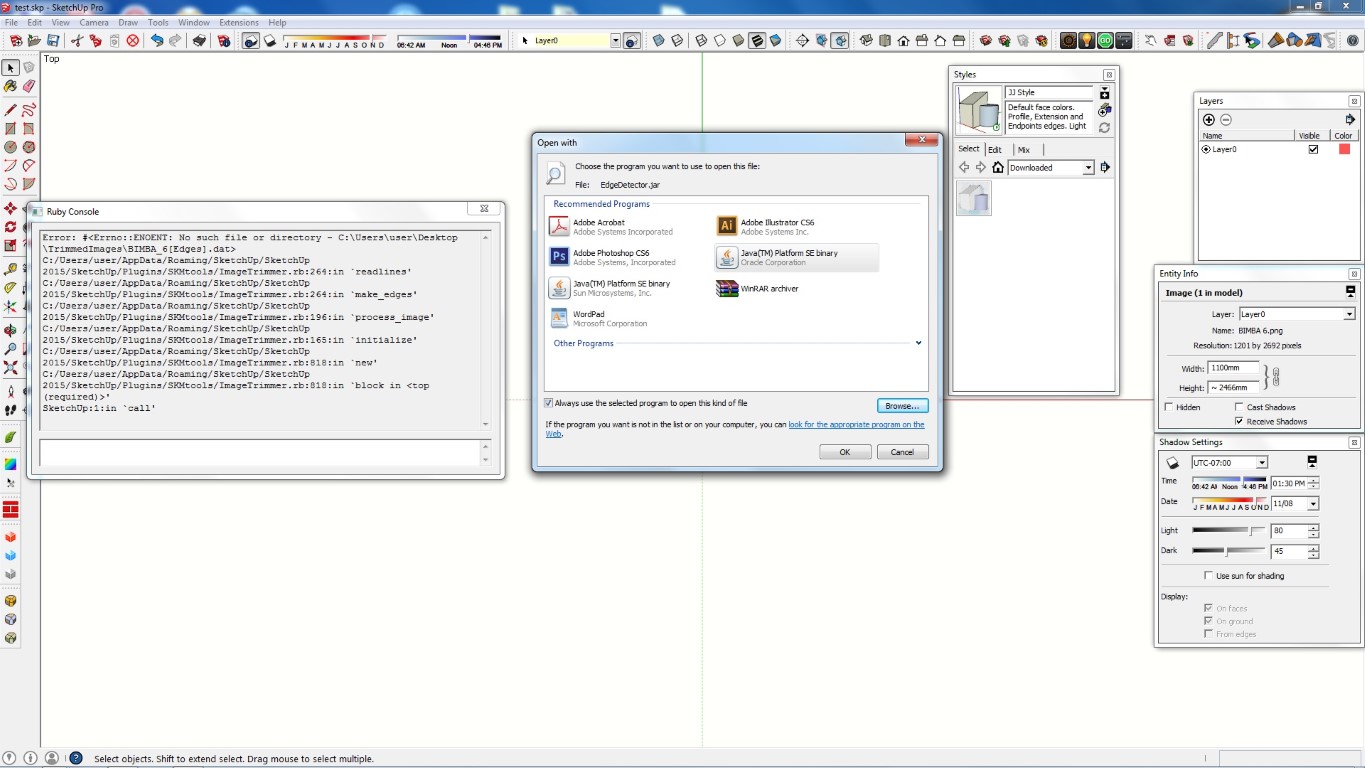
-
Pling!

-
Installed it on Sk7.1 Web accessed page not working
-
error on photo texture startup
line 1123
https://3dwarehouse.sketchup.com/compiled_8b0304b.js -
Perhaps you missed the widely publicized announcement that as of June 1, web-based services would no longer function in SketchUp versions earlier than SU2014. SketchUp is no longer using the Google-based servers those services point to in the old versions. The solution it to upgrade to at least SU2014.
-
Bonjour à tous !
Hello every body !Sorry for my english !
I have trouble with the imageTrimmer
Each step i do :
- 1- I open a new .skp file
2- I importe a .png image with transparence part of image.
3- I save my .skp file
4- I select my image
5- I run ImageTrimmer plugin
6- I wait ( I see the progress bar ......)
7- Nothing change !
This is the report of the ruby console :
Error; #<Errno;;ENOENT; No such file or directory - D;\Sketchup\Modèles\TrimmedImages\forme4[Edges].dat>
C;/Users/simjo/AppData/Roaming/SketchUp/SketchUp 2016/SketchUp/Plugins/SKMtools/ImageTrimmer.rb;264;in `readlines'
C;/Users/simjo/AppData/Roaming/SketchUp/SketchUp 2016/SketchUp/Plugins/SKMtools/ImageTrimmer.rb;264;in `make_edges'
C;/Users/simjo/AppData/Roaming/SketchUp/SketchUp 2016/SketchUp/Plugins/SKMtools/ImageTrimmer.rb;196;in `process_image'
C;/Users/simjo/AppData/Roaming/SketchUp/SketchUp 2016/SketchUp/Plugins/SKMtools/ImageTrimmer.rb;165;in `initialize'
C;/Users/simjo/AppData/Roaming/SketchUp/SketchUp 2016/SketchUp/Plugins/SKMtools/ImageTrimmer.rb;818;in `new'
C;/Users/simjo/AppData/Roaming/SketchUp/SketchUp 2016/SketchUp/Plugins/SKMtools/ImageTrimmer.rb;818;in `block in <top (required)>'
SketchUp;1;in `call'
If someone give me help, Thank you.
Simon
- 1- I open a new .skp file
-
Bonjour à tous
Bonjour TIG !Hello !
My English is not perfect so excuses me !
I had a ttrouble with the imagetrimmer !
In the ruby console, I have this message report :
Error; #<Errno;;ENOENT; No such file or directory - D;\Sketchup\Modèles\TrimmedImages\forme4[Edges].dat>
C;/Users/simjo/AppData/Roaming/SketchUp/SketchUp 2016/SketchUp/Plugins/SKMtools/ImageTrimmer.rb;264;in `readlines'
C;/Users/simjo/AppData/Roaming/SketchUp/SketchUp 2016/SketchUp/Plugins/SKMtools/ImageTrimmer.rb;264;in `make_edges'
C;/Users/simjo/AppData/Roaming/SketchUp/SketchUp 2016/SketchUp/Plugins/SKMtools/ImageTrimmer.rb;196;in `process_image'
C;/Users/simjo/AppData/Roaming/SketchUp/SketchUp 2016/SketchUp/Plugins/SKMtools/ImageTrimmer.rb;165;in `initialize'
C;/Users/simjo/AppData/Roaming/SketchUp/SketchUp 2016/SketchUp/Plugins/SKMtools/ImageTrimmer.rb;818;in `new'
C;/Users/simjo/AppData/Roaming/SketchUp/SketchUp 2016/SketchUp/Plugins/SKMtools/ImageTrimmer.rb;818;in `block in <top (required)>'
SketchUp;1;in `call'
List of step I do :
[1]New skp model
[2]Import image .png
[3]Save file
[4]Run plugin ImageTrimmer
[5]Waiting
I read some thing like this in the forum but i had already instal and update my java
the .jar is already join with javaCan you help me !
Thanks you !Simon
-
Your path to the model contains an accented character 'Modèles'
On PCs accents use to be a definite no-no with earlier SketchUp's Ruby, as it causes failures - the folder/file path is regarded as false.
However, since v2015 the newer Ruby is more robust and often allows accented characters.
I suspect that the code used in this fairly old script is somewhat antiquated and doesn't force the text into UTF-8 encoding...
I'll look to see if it's relatively simple to fix.
If so, then I'll publish an update and post something here...
Give we a little time... -
Merci TIG
J'ai modifié "Modèles" en "Modeles" et ça à fonctionner pour un petit PNG.
Je suis en train de tester sur une jolie image d'erable du Japon !
Je posterai les résultats!
Merci encore pour ton super travail ! -
I have looked into this and the Ruby side is working fine, however the Java [jar] side is having issues with the encoded paths IF they contain an accented character.
I am trying to see how I sidestep this...In the meanwhile when using ImageTrimmer ensure that the model SKP has a folder path that does not contain accented characters...
Then it will work... -
Still struggling to get these jar file-paths to work with accents in them !
So for now use a folder-path/file-name that's accent-free !!






Advertisement