sketchucation logo sketchucation
    • 登入
    Oops, your profile's looking a bit empty! To help us tailor your experience, please fill in key details like your SketchUp version, skill level, operating system, and more. Update and save your info on your profile page today!
    🔌 Smart Spline | Fluid way to handle splines for furniture design and complex structures. Download

    [Plugin][Code]SKMtools,Material/ImageTools

    已排程 已置頂 已鎖定 已移動 Plugins
    176 貼文 36 Posters 274.2k 瀏覽 36 Watching
    正在載入更多貼文
    • 從舊到新
    • 從新到舊
    • 最多點贊
    回覆
    • 在新貼文中回覆
    登入後回覆
    此主題已被刪除。只有擁有主題管理權限的使用者可以查看。
    • TIGT 離線
      TIG Moderator
      最後由 編輯

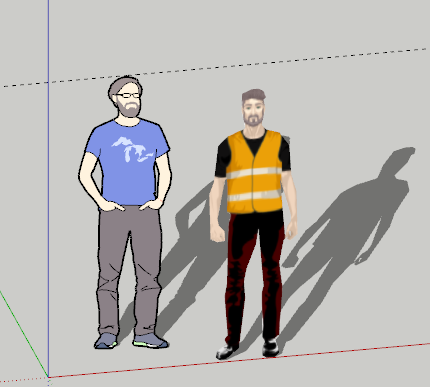
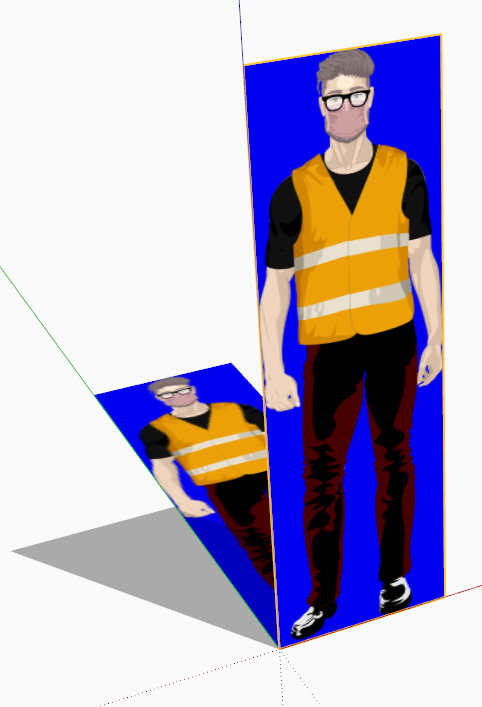
      If I flatten your PNG it works fine !
      See attached...
      So it must be some weird interaction of pixels ?

      Capture.PNG

      TIG

      1 條回覆 最後回覆 回覆 引用 0
      • TIGT 離線
        TIG Moderator
        最後由 編輯

        I thought it's because you have several pixels within the main image [eyes/glasses] that are transparent...
        I filled them, flattened the PNG, then made the blue background the alpha-channel and it still crashes !

        I'm still investigating...

        TIG

        1 條回覆 最後回覆 回覆 引用 0
        • deaneauD 離線
          deaneau
          最後由 編輯


          https://s12.directupload.net/images/200612/y73e5rhy.png

          without glasses this works hm, very mysterious

          MADE, BORN AND LIVING IN BERLIN
          Big Thank You to all Programmers
          Some German words are so long that they have a perspective. M.Twain

          1 條回覆 最後回覆 回覆 引用 0
          • deaneauD 離線
            deaneau
            最後由 編輯

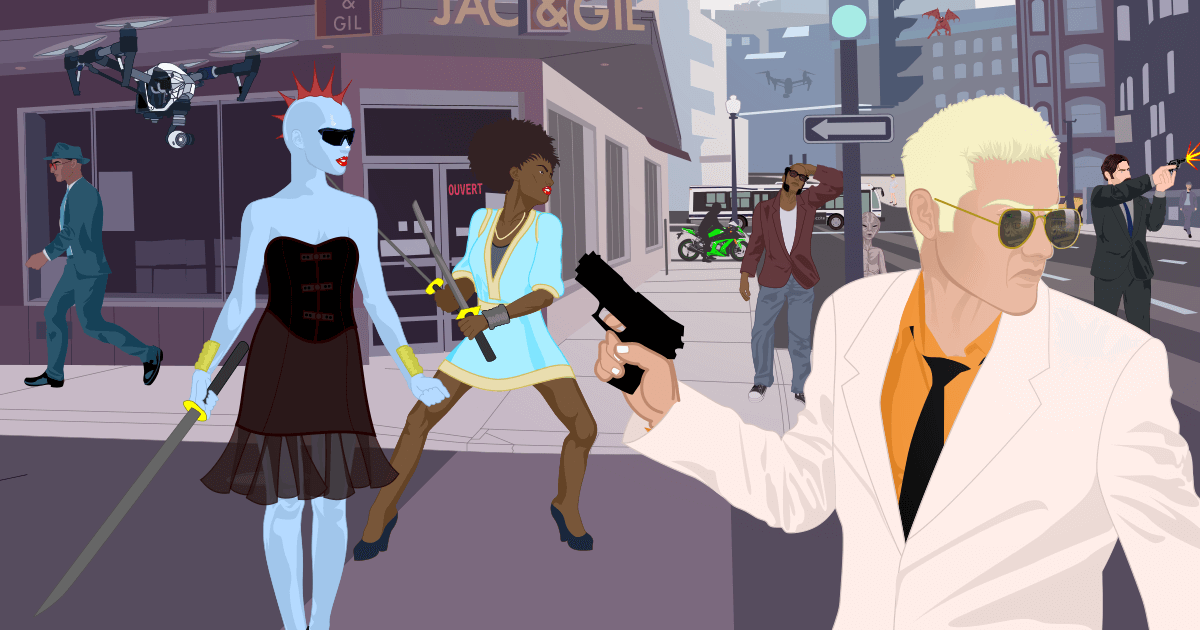
            TIG if you want you can try this here. I have only safe the svg to the PNG in different resolutions.
            Link Preview Image
            The Character Creator

            Create realistic characters for fun or for use in creative projects. Choose from a series of options to build your full body avatar in vector graphics.

            favicon

            (charactercreator.org)

            MADE, BORN AND LIVING IN BERLIN
            Big Thank You to all Programmers
            Some German words are so long that they have a perspective. M.Twain

            1 條回覆 最後回覆 回覆 引用 0
            • TIGT 離線
              TIG Moderator
              最後由 編輯

              It is something to do with some semi-transparent pixels around the eyes/glasses which mess up the outline of the form when the main transparent areas are discounted...

              Try flattening the image then deleting only the main 'blue' areas around the body to add back in the transparent alpha-channel...

              TIG

              1 條回覆 最後回覆 回覆 引用 0
              • deaneauD 離線
                deaneau
                最後由 編輯

                ok Thank you TIG.
                and stay healthy.

                MADE, BORN AND LIVING IN BERLIN
                Big Thank You to all Programmers
                Some German words are so long that they have a perspective. M.Twain

                1 條回覆 最後回覆 回覆 引用 0
                • joshtaysJ 離線
                  joshtays
                  最後由 編輯

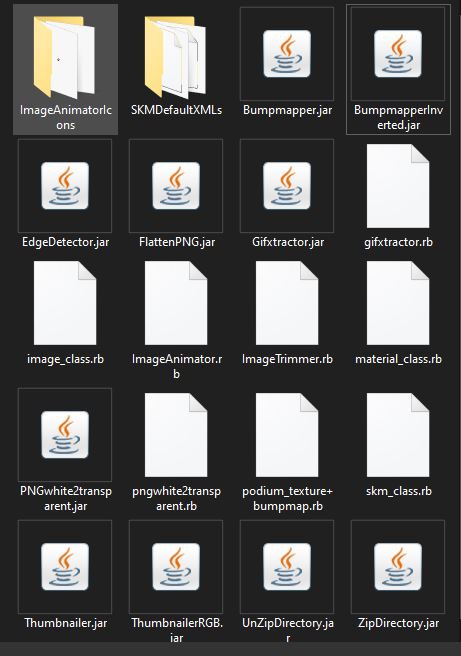
                  Java default.JPGStumped:
                  Deleted root level plugin folder and rb file
                  Downloaded fresh from Sketchucation
                  re-installed from extension manager
                  Uninstalled ALL compresssion apps
                  Ensured all jar files default to java
                  Ran 2021 installer as admin, repair
                  deleted SKMTools temp folder

                  Still getting creating edges, then no dialogue box for simplify, standup, etc, like plugin used to do, processing ends, image remains png.

                  File is 100% alpha on image and 0% on background, confirmed in PS

                  TrimmedImages folder with png from SU file is generated in root folder that SU file lives in.
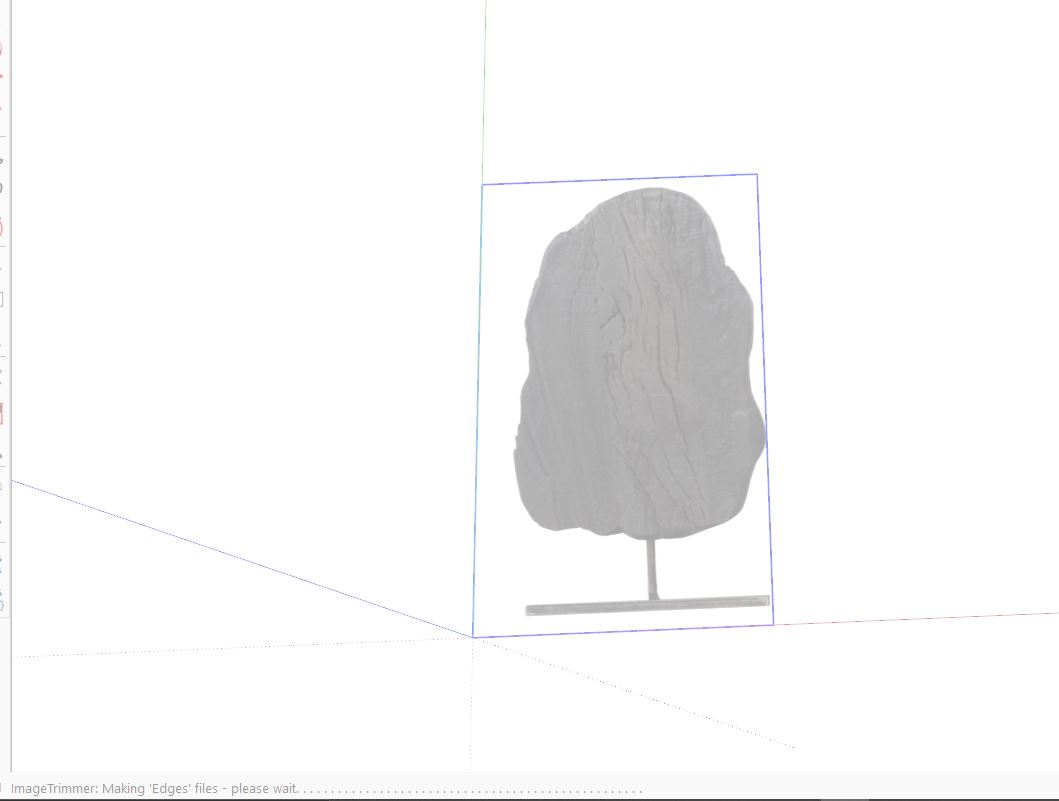

                  Making edges.JPG


                  click to drag.JPG

                  1 條回覆 最後回覆 回覆 引用 0
                  • Dave RD 離線
                    Dave R
                    最後由 編輯

                    What version of SketchUp are you using? SketchUp 7 as indicated in your profile?

                    Etaoin Shrdlu

                    %

                    (THERE'S NO PLACE LIKE)

                    G28 X0.0 Y0.0 Z0.0

                    M30

                    %

                    1 條回覆 最後回覆 回覆 引用 0
                    • TIGT 離線
                      TIG Moderator
                      最後由 編輯

                      Run it with the Ruby Console open and see if there are any error messages.
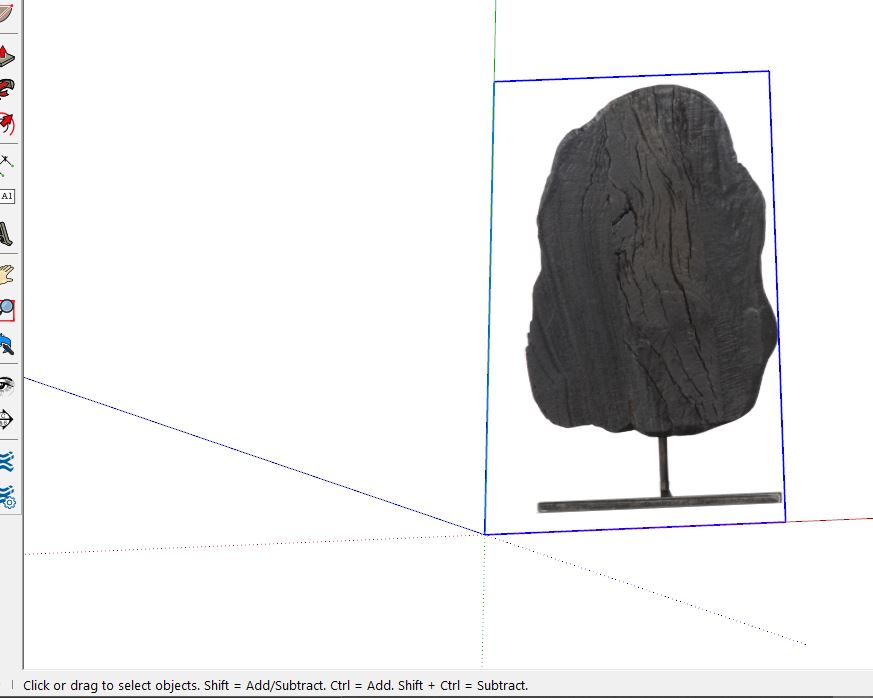
                      Also you PNG image has not been 'optimized' there are large areas of 'blank-space' around the tree...
                      Ensure that only the background pixels have transparency and that the image is cropped to minimize those, to speed up processing...
                      What files in in the temp folder after processing ?

                      TIG

                      1 條回覆 最後回覆 回覆 引用 0
                      • joshtaysJ 離線
                        joshtays
                        最後由 編輯

                        Dave R, no sorry been a while since I've updated my profile, LOL. I'll update shortly

                        SU V20.0.391 Win 64

                        Machine is a gen 10 I7 desktop with RTX 3070 64GB RAM

                        TIG - I'll try cropping the image harder, but this is happening with images that I have had success with in the past as well. In the temp folder that comes up in model location, the only file inside is a copy of the PNG.Edit not the temp folder you were asking about... Going to run with console on then check the temp folder and get back.

                        1 條回覆 最後回覆 回覆 引用 0
                        • joshtaysJ 離線
                          joshtays
                          最後由 編輯

                          -Ruby console-

                          Error: #<Errno::ENOENT: No such file or directory @ rb_sysopen - C:\Users\2atay\Desktop\TrimmedImages\Etsy_Oaxacan_rug_zapotec[Edges].dat>
                          C:/Users/2atay/AppData/Roaming/SketchUp/SketchUp 2021/SketchUp/Plugins/SKMtools/ImageTrimmer.rb:277:in readlines' C:/Users/2atay/AppData/Roaming/SketchUp/SketchUp 2021/SketchUp/Plugins/SKMtools/ImageTrimmer.rb:277:in make_edges'
                          C:/Users/2atay/AppData/Roaming/SketchUp/SketchUp 2021/SketchUp/Plugins/SKMtools/ImageTrimmer.rb:201:in process_image' C:/Users/2atay/AppData/Roaming/SketchUp/SketchUp 2021/SketchUp/Plugins/SKMtools/ImageTrimmer.rb:170:in initialize'
                          C:/Users/2atay/AppData/Roaming/SketchUp/SketchUp 2021/SketchUp/Plugins/SKMtools/ImageTrimmer.rb:834:in new' C:/Users/2atay/AppData/Roaming/SketchUp/SketchUp 2021/SketchUp/Plugins/SKMtools/ImageTrimmer.rb:834:in block in <top (required)>'

                          -Temp Folder-
                          EdgeDetector.jar
                          from.ini
                          to.ini
                          the ini files are pointing to the trimmed images folder, which for this test happens to be on my desktop

                          1 條回覆 最後回覆 回覆 引用 0
                          • TIGT 離線
                            TIG Moderator
                            最後由 編輯

                            The error relating to the creation of the ..\TrimmedImages\Etsy_Oaxacan_rug_zapotec[Edges].dat file suggest several possible issues...

                            A possibility...

                            1. Could you post the PNG you are using...
                              If that image has all of its pixels with even some transparency, then they will get ignore because they'll be regarded as 'background', so you might end up with nothing to form 'edges' - and no .dat file...

                            A known cause...
                            2. Are your .JAR file-types set to be executed [opened] in Java ?
                            Some compression applications can hijack that file-type, and so they try to open the file instead of letting it run as a the small Java applet [aka JAR] - vital to parse the image's pixel-data.
                            Check any compression app's setting for file-types and do NOT include .JAR...

                            TIG

                            1 條回覆 最後回覆 回覆 引用 0
                            • MikeG73M 離線
                              MikeG73
                              最後由 編輯

                              Hello TIG,

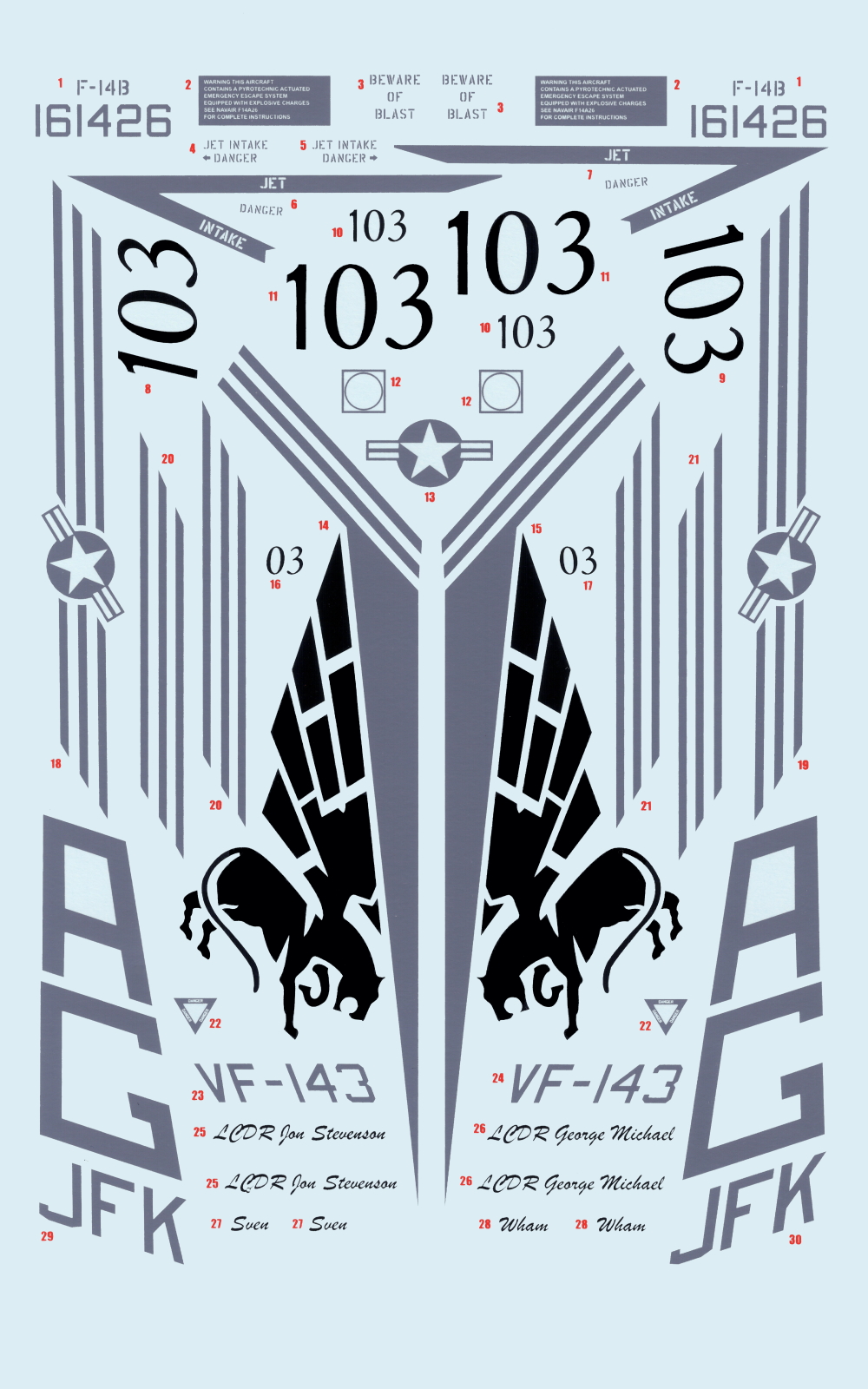
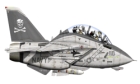
                              Your extension offers a lot of promise, and I would like to know your recommendations for trimming and using this image as stampers for an F-14D Tomcat. Thank you!

                              F-14D:
                              https://3dwarehouse.sketchup.com/model/72e1cdcb882b6993c1006ed55bc1a3fc/Grumman-F-14D-Super-Tomcat

                              Stampers:
                              https://3dwarehouse.sketchup.com/model/691a25cbb1e7c3b420ca70e6f850f66e/Stampers-Tutoral
                              https://3dwarehouse.sketchup.com/model/eaa7f7401f84d2ef67939c61bbcfb315/LOGO-Star-of-Life

                              Decals:
                              https://3dwarehouse.sketchup.com/model/0804427b-632e-436b-a445-768fd47e8ab2/German-Decals

                              Cheers Mate! 😎


                              Test_c.jpg

                              1 條回覆 最後回覆 回覆 引用 0
                              • R 離線
                                rustar123
                                最後由 編輯

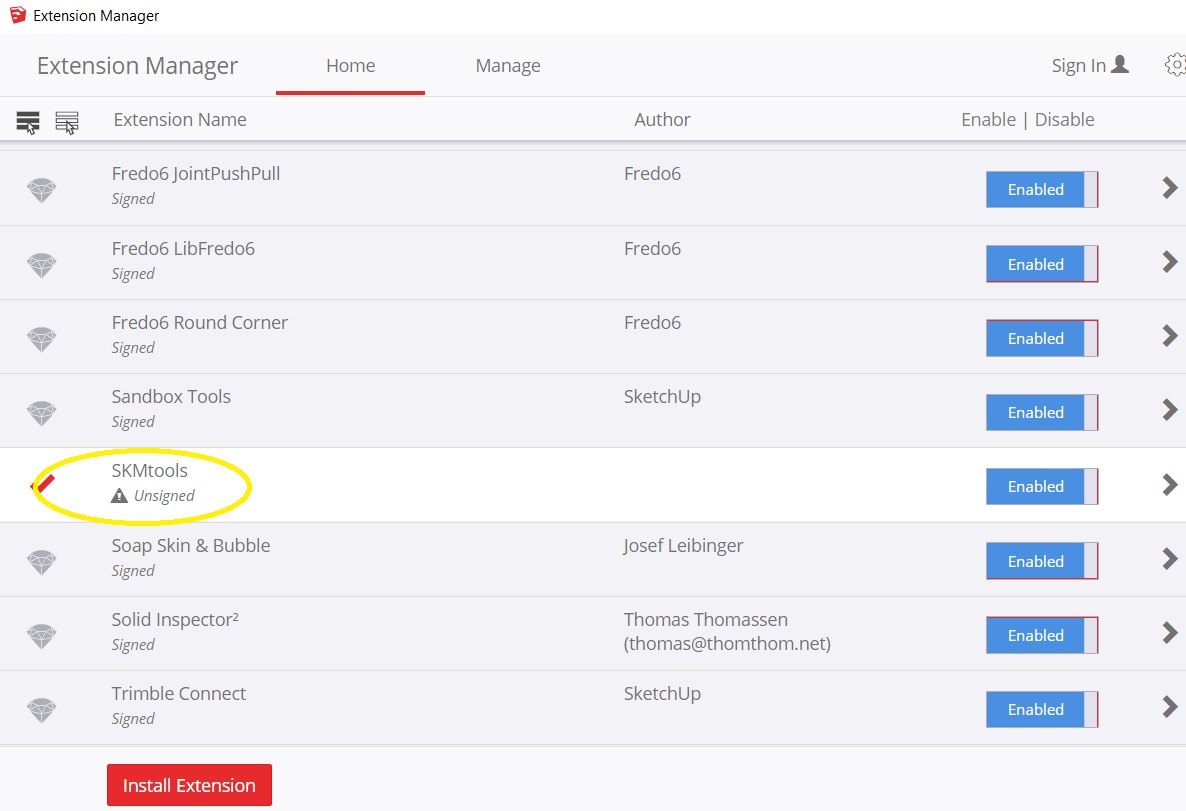
                                I cannot install this. Why?
                                Please help me!

                                12.jpg

                                1 條回覆 最後回覆 回覆 引用 0
                                • Dave RD 離線
                                  Dave R
                                  最後由 編輯

                                  @rustar123 said:

                                  I cannot install this. Why?
                                  Please help me!

                                  According to your screen shot it is installed. Unsigned doesn't mean it's not installed. As long as you have the loading policy set to allow unsigned extensions to load, they will load. This extension works just fine.

                                  Etaoin Shrdlu

                                  %

                                  (THERE'S NO PLACE LIKE)

                                  G28 X0.0 Y0.0 Z0.0

                                  M30

                                  %

                                  1 條回覆 最後回覆 回覆 引用 0
                                  • R 離線
                                    rustar123
                                    最後由 編輯

                                    @dave r said:

                                    @rustar123 said:

                                    I cannot install this. Why?
                                    Please help me!

                                    According to your screen shot it is installed. Unsigned doesn't mean it's not installed. As long as you have the loading policy set to allow unsigned extensions to load, they will load. This extension works just fine.

                                    So how to make it work? pls help!!

                                    1 條回覆 最後回覆 回覆 引用 0
                                    • TIGT 離線
                                      TIG Moderator
                                      最後由 編輯

                                      If you have your Extension Manager's Loading Policy set to 'Unrestricted' then you need to restart SketchUp...
                                      Then the SKM toolset loads...

                                      There are several code method additions defined.
                                      However, I suspect you want to use one of its specialize tools - e.g. ImageTrimmer...
                                      you haven't explained what your exact problem is...
                                      ImageTrimmer has its own thread in which its usage is explained and discussed in great detail...
                                      It runs from an entry in the Tools menu...

                                      Please explain what you want to do...

                                      TIG

                                      1 條回覆 最後回覆 回覆 引用 0
                                      • Dave RD 離線
                                        Dave R
                                        最後由 編輯

                                        What do you want to use the extension for? There are some different tools included in the set.

                                        Etaoin Shrdlu

                                        %

                                        (THERE'S NO PLACE LIKE)

                                        G28 X0.0 Y0.0 Z0.0

                                        M30

                                        %

                                        1 條回覆 最後回覆 回覆 引用 0
                                        • R 離線
                                          rustar123
                                          最後由 編輯

                                          I want to import this jpg to sketchup for push/pull. Then print 3d.
                                          So what is the easiest way to do this? thank's


                                          1.png

                                          1 條回覆 最後回覆 回覆 引用 0
                                          • Dave RD 離線
                                            Dave R
                                            最後由 編輯

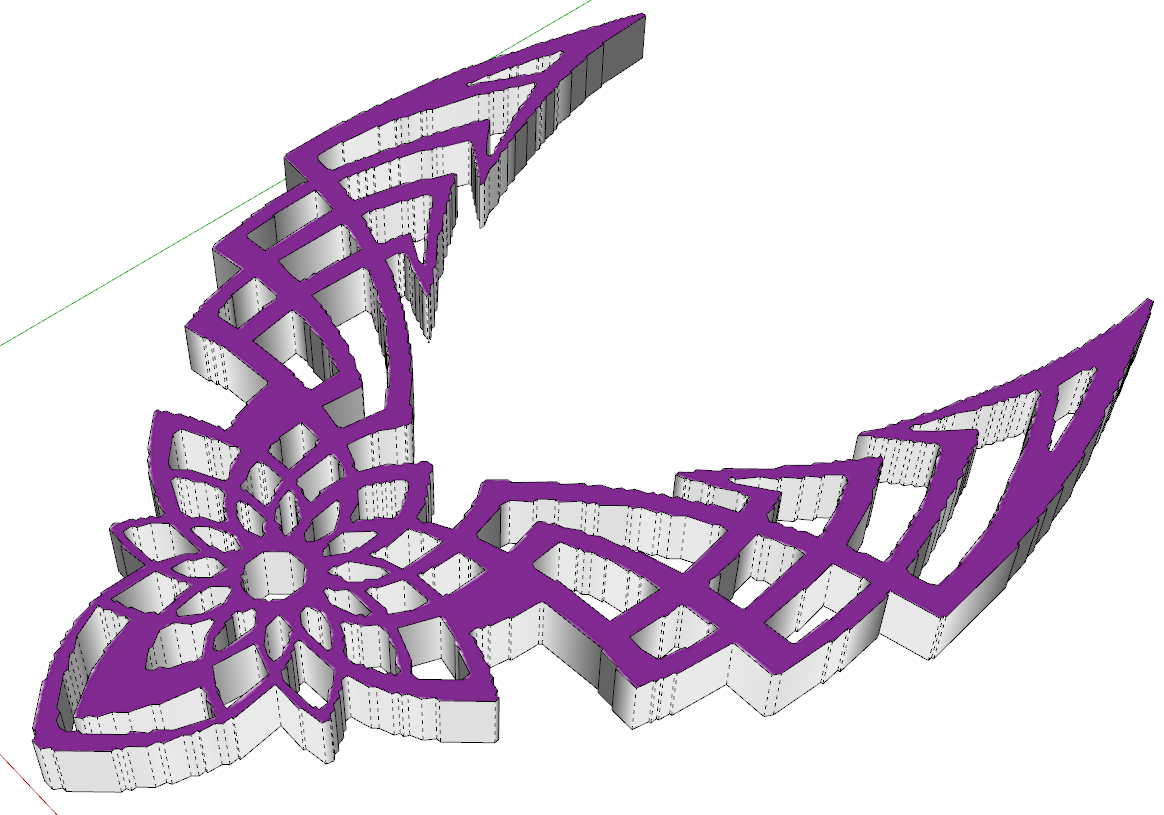
                                            The Image Trimmer feature of SKM Tools would be a good way to go but you need to follow the directions. It requires a PNG not a JPG and the white area needs to be transparent, not white. Use an image editor to make a suitable image and go to town.

                                            Frankly, it's not a very complex thing. I'd probably just import the image as an image and use it as a reference for drawing it with the native drawing tools. The image you uploaded isn't very high resolution either so running Image Trimmer will likely result in pixelated edges.

                                            Here's an example. This was with simplification set to 0.25. Any higher and the curves get straightend out quite a bit.
                                            Screenshot - 10_9_2021 , 12_03_44 PM.png

                                            Etaoin Shrdlu

                                            %

                                            (THERE'S NO PLACE LIKE)

                                            G28 X0.0 Y0.0 Z0.0

                                            M30

                                            %

                                            1 條回覆 最後回覆 回覆 引用 0
                                            • 1
                                            • 2
                                            • 5
                                            • 6
                                            • 7
                                            • 8
                                            • 9
                                            • 7 / 9
                                            • 第一個貼文
                                              最後的貼文
                                            Buy SketchPlus
                                            Buy SUbD
                                            Buy WrapR
                                            Buy eBook
                                            Buy Modelur
                                            Buy Vertex Tools
                                            Buy SketchCuisine
                                            Buy FormFonts

                                            Advertisement