SketchUP 8
-
@frederik said:
Just like you I don't give sh*t about the shadow problem...
Well, I do care about the shadow bug.
It makes animation in SU worthless without rendering.
Why should I exept a known fault in a "pro" app?
And show me one single other software that uses Open GL that has this bug.
I surely havent heard of any._______________
Grumpy old man. -
i thought this was sort of funny from the 'what's new in 8 video'
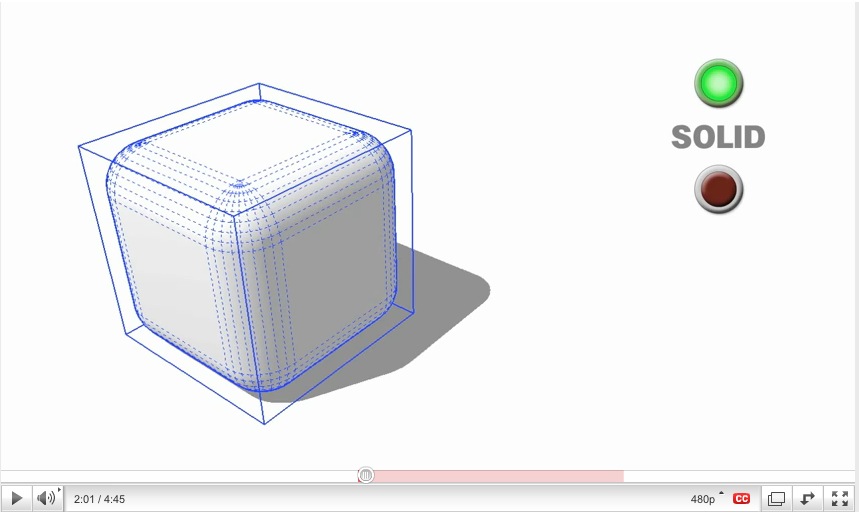
that's almost impossible (well, definitely not impossible but a major pita) to draw in vanilla sketchup.. followme can't make corners like that (a true 1/8th sphere).. 99% sure they used fredo's plugin for it. [or even TIG's lathe would make it much easier than vanilla sketchup]
[edit -- the reason i find it funny is because if you tried to do that in regular sketchup without going to extraordinary lengths, it would not be recognized as a solid yet they're using it for an example of solids]
[edit2.. the two easiest and/or fastest ways i can think of to draw a corner like that in sketchup without plugins are these..]
[flash=660,405:3263zlv3]http://www.youtube.com/v/Hn7HIr8zt4E?fs=1&hl=en_US&rel=0&color1=0x2b405b&color2=0x6b8ab6&border=1[/flash:3263zlv3]
-
@pixero said:
@frederik said:
Just like you I don't give sh*t about the shadow problem...
Well, I do care about the shadow bug.
It makes animation in SU worthless without rendering.
Why should I exept a known fault in a "pro" app?
And show me one single other software that uses Open GL that has this bug.
I surely havent heard of any._______________
Grumpy old man.I realize that the following is not a solution and the problem should be corrected, but it is a process that I have used successfully. Typically I record at 30 fps, edit, and convert to wav. In the process I edit out the flickering frames, and get a usable video.
-
Don't get me wrong, Jan...
I just don't export SU animations...
I prefer rendered animations, hence I have no need for SU shadows...
But I acknowledge that others might have the need...
(The debate about the shadow bug and why they can't fix it easily has been dealt with ever since ver. 5... I recall a loooooong debate back in the old @Last SU forum...) -
i installed Sketchup 8 free. I copied all my plugins and found four Rubies with Syntax errors.
Error Loading File balustrade_components.rb
C:/Program Files (x86)/Google/Google SketchUp 8/Plugins/balustrade_components.rb:228: syntax error, unexpected ',', expecting ')'
if (n1.between? (n2 - interval), (n2 + interval))
^Error Loading File C:/Program Files (x86)/Google/Google SketchUp 8/Plugins/cd_power_m.rb
(eval):6094: compile error
(eval):4921: syntax error, unexpected ',', expecting ')'
if (n1.between? (n2 - interval), (n2 + interval))
^Error Loading File cd_power_extension_m.rb
(eval):6094: compile error
(eval):4921: syntax error, unexpected ',', expecting ')'
if (n1.between? (n2 - interval), (n2 + interval))
^Error Loading File cd_power_m.rb
(eval):6094: compile error
(eval):4921: syntax error, unexpected ',', expecting ')'
if (n1.between? (n2 - interval), (n2 + interval))
^Error Loading File cutting_windows.rb
(eval):719: compile error
(eval):610: syntax error, unexpected ',', expecting kEND
faces_and_heights[0].pushpull (faces_and_heights[1]), false
^Error Loading File point.rb
C:/Program Files (x86)/Google/Google SketchUp 8/Plugins/point.rb:41: syntax error, unexpected ',', expecting kEND
Sketchup::set_status_text ("Specify first Point:"), SB_PROMPT
^
C:/Program Files (x86)/Google/Google SketchUp 8/Plugins/point.rb:83: syntax error, unexpected ',', expecting kEND
Sketchup::set_status_text ("Click for next point:"), SB_PROMPT
^
C:/Program Files (x86)/Google/Google SketchUp 8/Plugins/point.rb:84: syntax error, unexpected ',', expecting kEND
Sketchup::set_status_text ("Length"), SB_VCB_LABEL
^ -
quick question, I'll save my comments for later...
THEY TOOK OUT INTERSECT IN FREE?!?!

-
Hi,
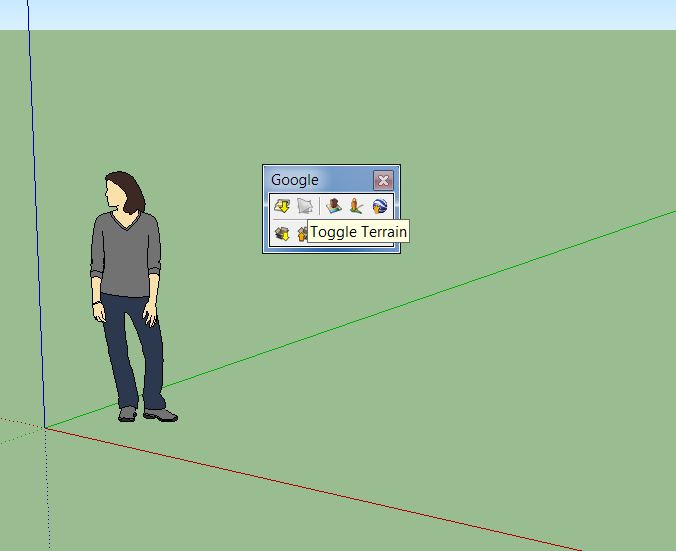
I miss the "Google Earth Tool > Get current view". I found only "Toggle Terrain" in the Google toolbar. Any Idea where it could be?
Charly
-
@kxi system said:
quick question, I'll save my comments for later...
THEY TOOK OUT INTERSECT IN FREE?!?!
No they didn't, don't start rumours

I at least still see the option in the free version 8. -
@kxi system said:
quick question, I'll save my comments for later...
THEY TOOK OUT INTERSECT IN FREE?!?!
not sure as i'm using pro but come on.. i highly doubt that
-
Hi,
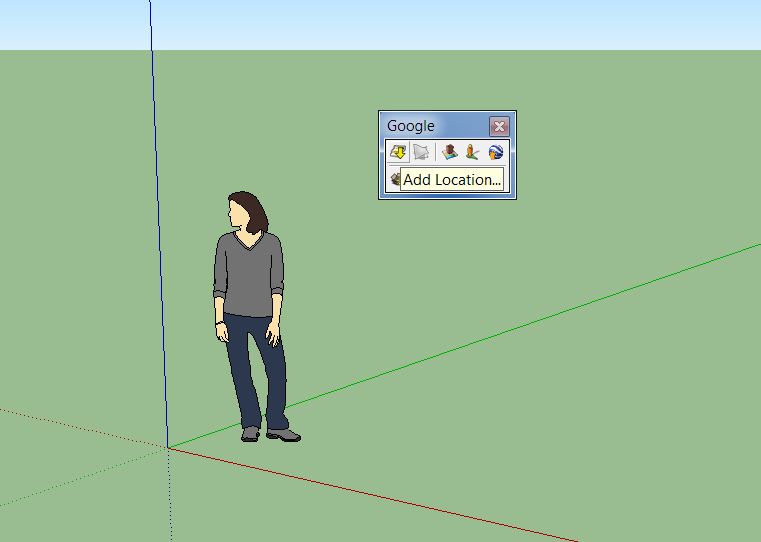
i found it! It is now "Add Location"
Charly
-
@charly2008 said:
I miss the "Google Earth Tool > Get current view". I found only "Toggle Terrain" in the Google toolbar. Any Idea where it could be?
Guten Abend,
they streamlined the geo-positioning. It is now not anymore done via the Google Earth client, but via integrated Google Maps. This allows to get colored satellite image as well as more detailed terrain. You can find on the Google toolbar a new "Add Location" icon.
Unfortunately removing the "Get current View" added some new incompatibilities. -
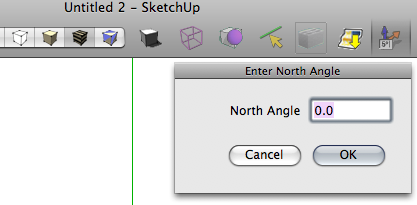
I'll be honest here. I am extremely displeased with Google's lack of response to user requests in their development of this release. Most especially, I find the fact that they REMOVED the ability to set the north angle in free version highly inconvenient, and a bit of a slap in the face; as has been said previously, you don't remove features. This is a tool I use frequently, but in all honesty, I cannot afford (or justify) the nearly $500 pricetag for the Pro version, just to keep ONE tool, and that is what it would cost me to go Pro edition with things. Solid Tools only available in Pro? Well, they would have been nice, and should have been in SU for years. Upgrading the push pull tool? good work. This is something that needed to be done for a long time. Supposedly increased support for animation, I. Don't. Need. It. I honestly could care less about animation. Not something I use. Several of my plugins being b0rkd at start up? Why am I not surprised? Further, the fact that Google has failed to get with the program and accomodate multi-core processing, and also failed to fix the poly-count issue really is ridiculous.
At this point, I highly doubt that I will be using SUv8, either free, or Pro, until plugins become available to make up the deficiencies, notably the north angle setting. I am NOT asking for super high-end performance, I am just asking for something that works right, and has all the features I have come to expect from previous editions. I could not care less than I already do about Google Earth modeling, and frankly, the idea of retrieving components from 3dw is repulsive, considering the garbage quality of quite a few of the models, and the widespread use of the scramble plugin. Hint, folks; If you don't want other people using your models, don't upload them to a place like 3dwarehouse. Common sense here.What it comes down to in the end?
"Don't be evil..."?
Google=EPIC FAIL
-10,000
Translation: Don't be evil? Google; you have failed completely and utterly!Edit:Oh, and a simple rearrangement of the icons on the toolbars does NOT help qualify this as a new release, either.
Yes I will still be using this program, until something better comes along, because there are not many other choices available. I did want to make my opinion known, however. Not that Google gives a rip what I as a user and potential customer want... -
@unknownuser said:
FYI --- I transfered my ruby collection and everything seems to work. Have not actually TRIED everything yet, but at least no error messages on startup. All the tool bars come up etc. EXCEPT the IRender Plus. My Podium works, but Al Hart just notified me they have to issue an upgrade to the renderer so it works with V8.
SketchUp 8 ruby added a new, small, bug when converting a SketchUp color (32 bits) into an integer. Technically it is an unsigned integer, and the new version burps when you convert it to a signed integer - which to old version had no problem with. We have the fix and should post a new version tomorrow - or after the weekend.
Al Hart

IRender nXt from Render Plus -
Did they really not include the Solar North Toolbar in the Free version? Is it maybe just not enabled in the Preferences > Extensions dialog?
If it is not included, then it just seems like an over-sight. The same functionality is available from a Ruby plugin, and any number of the scripters here could reproduce it in a few hours at the most.
-
I'm pretty surprised by the new release. It's pretty ballsy to release a new version that contains no new tools. We already had bool tools (those of us who wanted them anyhow, I always found intersect geometry worked fine for me), push/pull 2.0? more like 1.1 (I originally misunderstood and thought they'd made it more like JPP which would have been more noteworthy), and all the links with other google programs aren't really new tools since you could use them before, just not linked with SU. And Layout...is that thing still around?
I think the update will be nice. It's not that the changes are bad, really, it's just that it looks like something a small team could have probably worked out in a couple weeks ("Bob, here's $10. Go to smustard and find something you think people will pay $95 for").
They didn't even bother to change the desktop icon for heaven's sake. Come on people, take some pride in your work.
-Brodie
-
@jim said:
Did they really not include the Solar North Toolbar in the Free version? Is it maybe just not enabled in the Preferences > Extensions dialog?
Note - Pro only.
-
@unknownuser said:
Did they really not include the Solar North Toolbar in the Free version? Is it maybe just not enabled in the Preferences > Extensions dialog?
Did not test the free version, but if it's real, It's worth than I thought...how to make a release by google :
- Turn one of existing ruby script in a new tool (solid tool)
- Add a option to an existing tool (push pull), give it a new number...but still far from what ruby scripts does.
- Remove some options from the free version, to "satisfy" pro users and get on free users nerves...
I'm not ignoring the opengl improvements that're already welcome...but this relase is a bug fix one...And another thing : thoses fabulous dynamic components of previous release, which could be with a little imagination a good support for animating objects, not a word on it ? not any improvements for them ?
-
-
And the Generate Report is still useless - only inches...

-
And again, nothing included what users asked for a long time. One huge dissapointment and my choice is now 3ds max. Google you suck!













Advertisement