sketchucation logo sketchucation
    • Login
    Oops, your profile's looking a bit empty! To help us tailor your experience, please fill in key details like your SketchUp version, skill level, operating system, and more. Update and save your info on your profile page today!
    ⚠️ Important | Libfredo 15.6b introduces important bugfixes for Fredo's Extensions Update

    [Plugin] ChrisP_ColorEdge

    Scheduled Pinned Locked Moved Plugins
    67 Posts 35 Posters 94.4k Views 35 Watching
    Loading More Posts
    • Oldest to Newest
    • Newest to Oldest
    • Most Votes
    Reply
    • Reply as topic
    Log in to reply
    This topic has been deleted. Only users with topic management privileges can see it.
    • CadFatherC Offline
      CadFather
      last edited by

      thank you Chris.. love this script - i now have plan lines in green, elevations in blue and pink, makes intersecting 2d cad information easier
      (really sketchup fun changing the colours 😛 )

      if the snapping of the lines could be controlled this could be a great tool to draw strange plans at various angles

      1 Reply Last reply Reply Quote 0
      • J Offline
        Jörg
        last edited by

        Thank you Chris, this is amazing!!!!
        I waited for the dottet lines for years!

        Jörg

        😍 😍 😍
        ☀ ☀ ☀ ☀ ☀

        1 Reply Last reply Reply Quote 0
        • DavidBoulderD Offline
          DavidBoulder
          last edited by

          I trick for color by profile. Not very smooth, but if you have to tools it works nice.

          • Work as normal in SketchUp
          • Drop views into Layout
          • Export from Layout as vector PDF
          • Import into Adobe Illustrator
          • Select "Final all lines with same width"
          • You can now isolate them and color or alter as desired

          note: If you have depth cue turned on in SketchUp this won't work as line widths will not all be the same.

          David

          --

          David Goldwasser
          OpenStudio Developer
          National Renewable Energy Laboratory

          1 Reply Last reply Reply Quote 0
          • S Offline
            stefx
            last edited by

            I use Mac and it looks like it doesn't work..... 😞
            any tips?

            stef.

            1 Reply Last reply Reply Quote 0
            • C Offline
              c.plassais
              last edited by

              @stefx said:

              I use Mac and it looks like it doesn't work..... 😞
              any tips?

              stef.

              Oops!
              Sorry but I do not test on Mac.
              cmeed uses the plugin successfully on Mac
              can you send me a copy of the errors returned

              Christophe

              1 Reply Last reply Reply Quote 0
              • S Offline
                stefx
                last edited by

                Hi Christophe,
                I have solved the problem just restarting my Mac.
                Sorry for the trouble,

                Thank you for the amazing plugin!

                stef.

                1 Reply Last reply Reply Quote 0
                • C Offline
                  c.plassais
                  last edited by

                  no problem
                  it suits me 😉

                  1 Reply Last reply Reply Quote 0
                  • C Offline
                    c.plassais
                    last edited by

                    Hi Everyone,

                    a new version ChrisP_ColorEdge 0.2.2

                    Adding the management layer
                    Draw an edge by layer, with a color of your choice or the color of the active layer.
                    Recolor the edges by filtering by layer, with a color of your choice or the color of the active layer.
                    Dotted lines by filtering by layer
                    Thank you to TIG for his plugin ListeLayerColors

                    [flash=425,350:29yeejxt]http://www.youtube.com/v/GQ-DpoUOiTM[/flash:29yeejxt]

                    Enjoy

                    Christophe

                    1 Reply Last reply Reply Quote 0
                    • C Offline
                      c.plassais
                      last edited by

                      Hi,

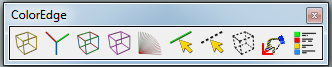
                      Adding icons designed by Max (CadFather)

                      Icons designed by max

                      A big thank you max 👍

                      Icons designed by max

                      Christophe

                      1 Reply Last reply Reply Quote 0
                      • C Offline
                        c.plassais
                        last edited by

                        Hi,

                        ****14/07/2010 Version 0.2.3 Fixed problem layer's observer

                        http://forums.sketchucation.com/viewtopic.php?f=323&t=28957#p251619

                        Regards

                        Christophe

                        1 Reply Last reply Reply Quote 0
                        • Y Offline
                          yvan79
                          last edited by

                          good plugin to counter autoCAD colored edges....

                          1 Reply Last reply Reply Quote 0
                          • J Offline
                            jsteacy
                            last edited by

                            Very cool, 😎

                            Thanks

                            1 Reply Last reply Reply Quote 0
                            • P Offline
                              plf10
                              last edited by

                              thank you for your share 💚

                              1 Reply Last reply Reply Quote 0
                              • D Offline
                                dtrarch
                                last edited by

                                Chris

                                A gotta have script and just super for tracing over scan'd drawings and such.
                                Thank you so very much. 😍

                                Note that if one selects a color visually from materials it will be the default for the line tool color.

                                Works well especially as on can sample on screen colors too this way for repeats.

                                Cheers 😄

                                dtr

                                1 Reply Last reply Reply Quote 0
                                • A Offline
                                  akigrimm
                                  last edited by

                                  Is there anything special about the installation. I can't see the plugin in SU . I unpacked to plugins and it created a folder and a rb file ChrisP_ColorEdge_EN. Anything else? I would be very happy when I could draw dotted lines.

                                  1 Reply Last reply Reply Quote 0
                                  • J Offline
                                    JuanV.Soler
                                    last edited by

                                    It is under ...VIEW __TOOLBARS ^`...Color Edge

                                    ,))),

                                    1 Reply Last reply Reply Quote 0
                                    • C Offline
                                      c.plassais
                                      last edited by

                                      Thanks Juan 👍

                                      1 Reply Last reply Reply Quote 0
                                      • B Offline
                                        Builder Boy
                                        last edited by

                                        Shade by 3 colors dosn't work for me 😞 Instead, it gives me the dialog, and when I click ok, NOTHING HAPPENS! 😠

                                        All my plugins

                                        1 Reply Last reply Reply Quote 0
                                        • J Offline
                                          JuanV.Soler
                                          last edited by

                                          Yes,
                                          I don´t understand the tool neither. Use it for lines, enough for me. Sorry.
                                          I have to investigate though I have the feeling that it is not tunned yet or updated.

                                          ,))),

                                          1 Reply Last reply Reply Quote 0
                                          • C Offline
                                            c.plassais
                                            last edited by

                                            Hi,
                                            This tool allows to colorize the edges on a same plane by a mixture of two basic colors depending on the angle and possibly a second plane and a third color

                                            1 Reply Last reply Reply Quote 0
                                            • 1
                                            • 2
                                            • 3
                                            • 4
                                            • 2 / 4
                                            • First post
                                              Last post
                                            Buy SketchPlus
                                            Buy SUbD
                                            Buy WrapR
                                            Buy eBook
                                            Buy Modelur
                                            Buy Vertex Tools
                                            Buy SketchCuisine
                                            Buy FormFonts

                                            Advertisement