[Plugin][$] Curviloft 2.0a - 31 Mar 24 (Loft & Skinning)


-
NEW RELEASE: Curviloft v1.3a - 27 Nov 13
Curviloft 1.3a is a release for future Sketchup compatibility. It is advised to upgrade even if there are no functional changes.
See main post of this thread for Download.
Fredo
-
Hey Fredo Wow Great Plug in but I am trying to make a ship Hull...kinda like your profile picture shows. since most people use the loft to the most in building ships or planes or cars to name a few can you show a tutorial or maybe even explain how one would make a ship hull for say like a pirate ship...anyway good tutorials still tryng to figure out the plugin
-
@thedevil said:
can you show a tutorial or maybe even explain how one would make a ship hull for say like a pirate ship...
It really all boils down to what you have to define the curves needed to generate a loft.
For a ship, you need to define the deck curve (waterlines), the keel curve (buttock lines) and at least 1 (preferably 2 or 3) curves defining the shape of the hull (station lines).
Do a 1/2 hull only. When done, make the loft a component, then copy and flip it for the other side. That way edits to one side are reflected to the other side.
Best practice is to make the 1/2 hull in 3 pieces. The bow section, the hull section, which is usually a straight extrusion for a "pirate ship" type hull, and then the stern section. Merge the 3 sections into one 1/2 hull.
When you create the perimeter curves, pay extra attention to the endpoints where the 3 curves meet. They MUST be attached at the same endpoint. A "constrained" point will NOT loft.
Try to maintain a very similar length of all the defining curve segments, or you will end up with a myriad of tiny triangles.
If you need more help, post here again.
-
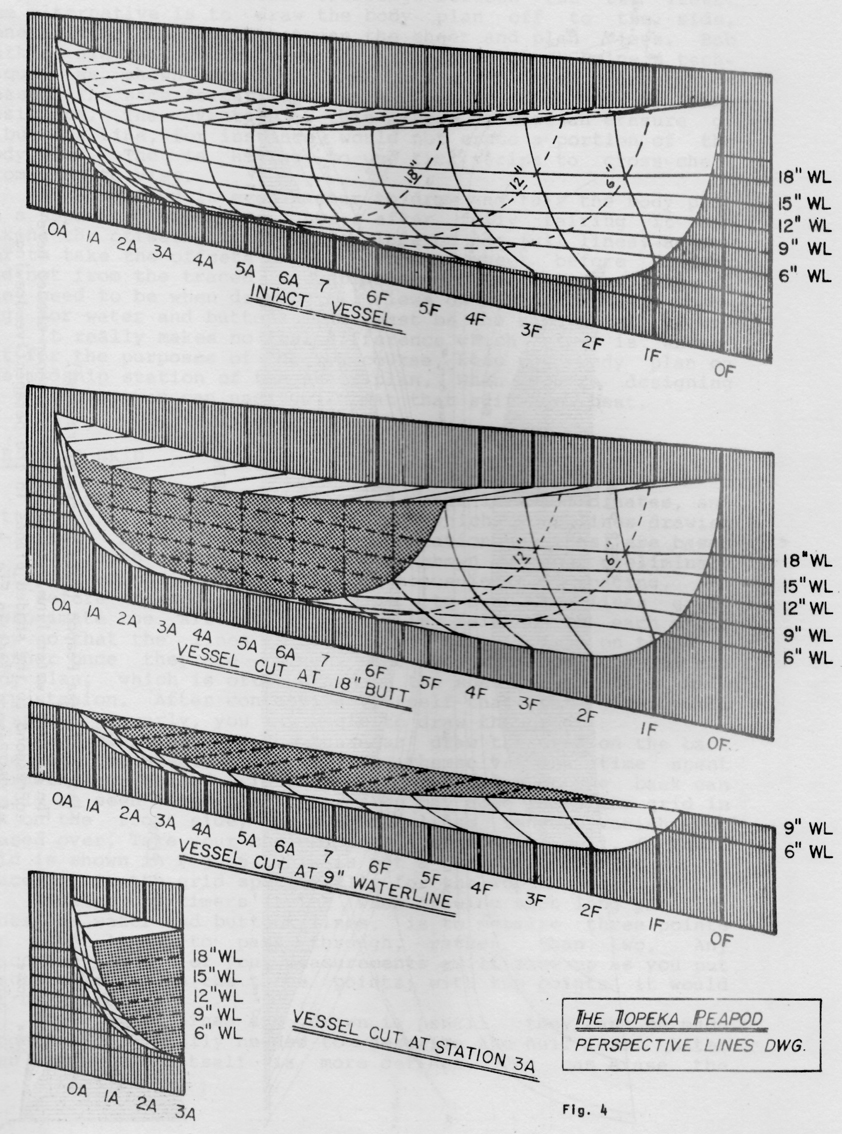
Here's a good illustration showing the lines used to define a boat's hull. The sheer line at the top (JGB's deck curve), waterlines (horizontal lines parallel with the water, not curved), stations (vertical sections that run laterally across the boat's centerline) and buttocks (the sections shown perpendicular to the waterlines and parallel to the longitudinal centerline). You can construct these from a table of offsets if you can find it for the vessel you're drawing. You might also get the diagonals which will give you a double check for the other lines.
-
I wasn't sure how much nautical knowledge he had so I tried to keep it very simple.
And that IS a good illustration, BTW. -
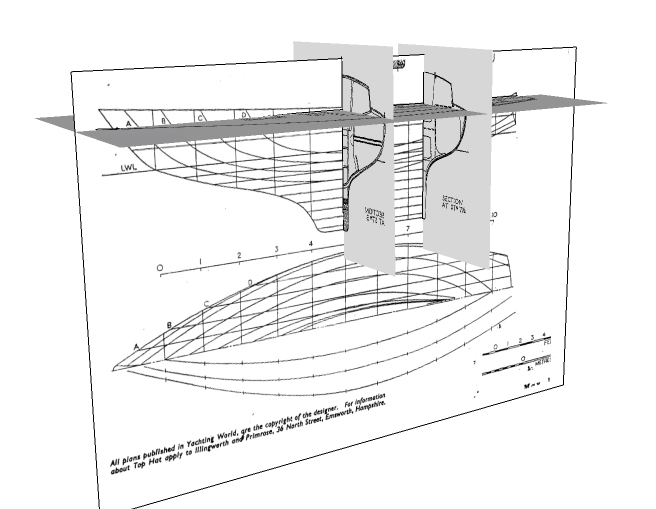
And here's the same idea again but in SU ready to have the lines traced.
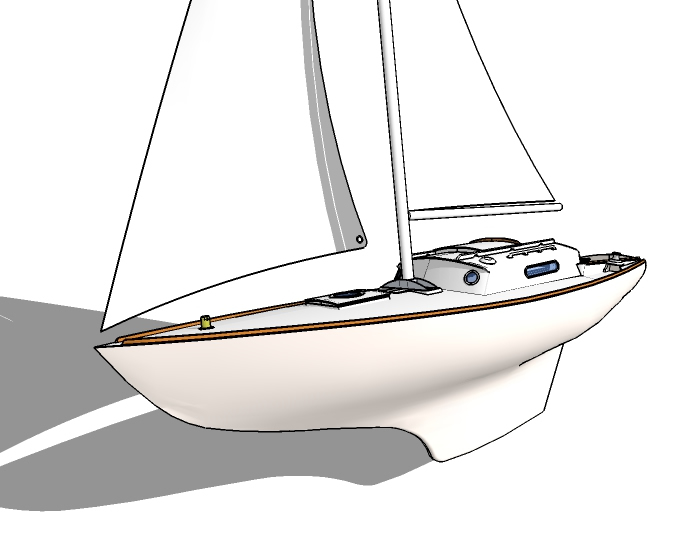
(Plans scanned and imported as images).And below is the (un)finished result. Not sure I will ever finish it.
-
guys, how could i make a surface from those contours? just a narrow face beetween the lines

thnks
-
There could be a number of things preventing the completion of the face within the lines. If you post your .skp file, others can review and advise.
It could be a scale issue.
It could be a non coplanar issue.
It could be a non closed figure.
It could be something else. -
CL will fail on any one of the following most common conditions... (as well as a few others)
- 2 lines not joined at "endpoints" although they look like they do. Endpoints joined when "Constrained by" will not loft.
- a tiny fragment at an endpoint is taken as part of the perimeter CL finds, or you define by selection.
When CL defines its perimeter, use the colours as a guide to where problems may lurk. Fredo has stated that the colours are not meaningful by design, but I have noticed that if the perimeter segment is a complete yellow it has no problems, but that is NOT a given. It can be almost any other colour, and it could still have a problem, usually at the very ends. However I have found that red indicates a problem that could be at either endpoint, or anywhere on the curve.
If a perimeter is made up from several colours, then there may be a problem at the endpoints where the colour changes.
The common fix is to zoom in on the endpoint CL has indicated to perhaps be a problem, and fix it.
Another way is to widely left-to-right select one line segment that includes the 2 endpoints and delete it. That will get rid of any gaps or fragments. Then redraw endpoint to endpoint. Make sure you do not join the lines on an endpoint that is "constrained by" or that is on a point outside the current context.
On a large complex loft you may want to put temporary lines in to breakup the large curve into several smaller ones, and CL each of them. The one that will not loft contains the problem. All this does is narrow down where to look. Delete all the temp lofts when done.
On a long complex curve as you posted, I would split it in a binary fashion. CL one 1/2. If it lofts, split the other half in 2 and repeat. If it fails, split that in 1/2 and repeat. Do this until you get down to a manageable few lines to look at in detail. This does not preclude multiple problems, but it does find clean sections as well as the problem ones.
And finally, when CL does not loft a seemingly clean perimeter that is attached to other geometry in the model, do this;
Select all of the perimeter lines manually and move/copy them to some free space along an axis line. You could also make the perimeter a group and edit the group.
Inspect and fix the perimeter for gaps and fragments.
CL should then loft.
Simply move the grouped loft along the axis back to its original position. -
@jgb said:
CL will fail on any one of the following most common conditions... (as well as a few others)
- 2 lines not joined at "endpoints" although they look like they do. Endpoints joined when "Constrained by" will not loft.
- a tiny fragment at an endpoint is taken as part of the perimeter CL finds, or you define by selection.
you keep saying this stuff but it's not curviloft which is failing..
unless you also consider sketchup itself is failing at creating a surface to my square in this scenario: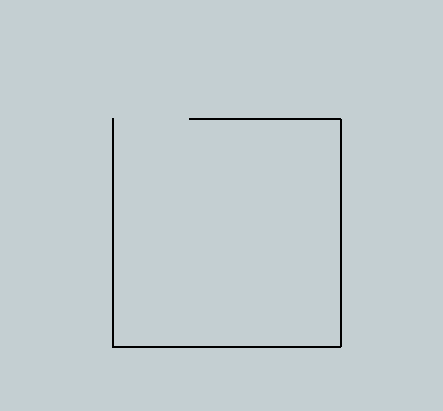
and your situation '2' is just poor user selection.. i'm not really sure what you're expecting the plugin to do in that scenario..

-
@yanosiento said:
guys, how could i make a surface from those contours? just a narrow face beetween the lines
http://s14.postimg.org/oebxw5ab5/d_vida.png
thnks
from the image you posted, it looks like all you would have to do is select all of it then use curviloft's skin contours function. (the 3rd icon in the toolbar)
-
If none of the preceding comments apply or fix your issue... then please attach a SKP to a post and we'll look at it...
It will be 'do-able'...
-
Jeff
You are being picky.

Of course the "fail to loft" is not a CL fault. It is the geometry faults that "prevent" CL from lofting.
-
Hello Fredo or someone who can help me.....
I have installed Fredo pluggins like Round Corner, Join Push Pull and curviloft on MACOSX 10.9.1 macbook pro 15" 2014 retina
When I use Fredo´s plugging Round Corner, Join Push Pull and curviloft the window with the different options and parameters are really, really small. Is impossible understand anything.
Can you help me ?
Kind regards
-
It's a known problem with retina displays...
-
Thank you very much Cotty.
I´ll be waiting for a solution....
kind regards
-
@oli_sketch said:
Thank you very much Cotty.
I´ll be waiting for a solution....
kind regards
You should share your details here, maybe it will help Fredo to find a solution ...
-
Hello,
This is my first post.I am having trouble skinning the curve that I have attached. Am I am doing something wrong?
I will appreciate any help.
I am running this on SU 2014 pro.
Thanks in advance. Appreciate all the help I can get.
-Sam
-
It is VERY faceted - several tens of thousands for potential facets !
The biggest 'arc' has 240 segments on its own...
Can you simplify the segmentation ?
-
Had some stray lines!
Also file is too large to load here see Dropbox link https://www.dropbox.com/s/xmtune9hovo9cqk/TestSkin11.skp used Fredo's Curviloft to skin and done using SU v8










Advertisement