[Plugin][$] Curviloft 2.0a - 31 Mar 24 (Loft & Skinning)


-
@dave r said:
As Jeff asked, post the SKP file where it doesn't work.
I'm sorry I was in a hurry when I wrote my last reply and I was unable to look into the forums for the last few days. I have attached a sample file with explaining notes. However, this appears to happen with every flat surface, at least the ones I tried.
-
I fail to see why you need to use this tool to do this...
If you select one or more edges in the coplanar set... and run one of the several 'add-faces' tools available... it faces almost instantly...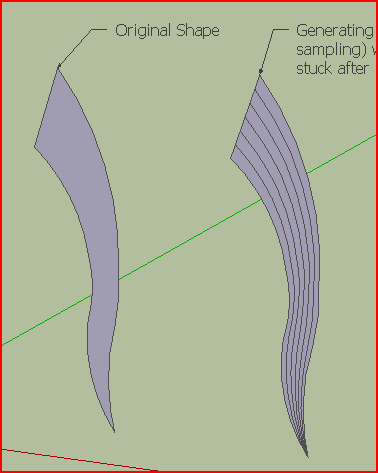 If you want to 'mesh' the 'flat' one face then my ExtrudeEdgesByRails will do it thus.
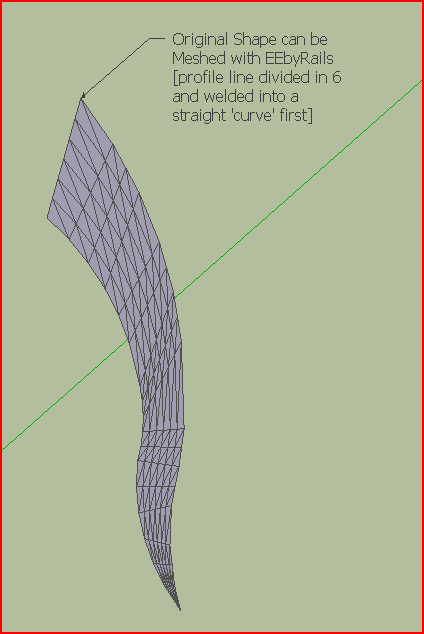 No smoothing etc to show messy mesh because of uneven vertices distribution in the two original wavy curves...
 -
Yes I tried to do what your ExtrudeEdgesByRails appears to do. Will try it in a minute! I realize that the edges are not perfect for that purpose, but it's just an example file.
edit: It works. Thank you!
-
@pherim said:
@dave r said:
As Jeff asked, post the SKP file where it doesn't work.
I'm sorry I was in a hurry when I wrote my last reply and I was unable to look into the forums for the last few days. I have attached a sample file with explaining notes. However, this appears to happen with every flat surface, at least the ones I tried.
[attachment=0:xnznwx1c]<!-- ia0 -->Skin_test.skp<!-- ia0 -->[/attachment:xnznwx1c]
a workaround you can do at this time is:
select the edges / choose curviLoft 'skinning of shapes'
under Geometry in curviloft, click 'Generate the Junctions as SU Curves' (the last icon in geometry)this will give you the lines you're seeking, albeit they are softened..
(for purposes of this example, explode the curviloft generated group at this time)select everything then right-click -> Soften/Smooth edges
set the slider to zero which will unhide the lines..
switch to wireframe mode then select all the lines and copy/move them to a new location..
switch back to a shaded mode and only your curves/junction edges will in the copied set of geometry..(and maybe the way i described it there sounds worse than doing it in reality..
 .. it's pretty quick/painless )
 -
Thank you, that worked!
-
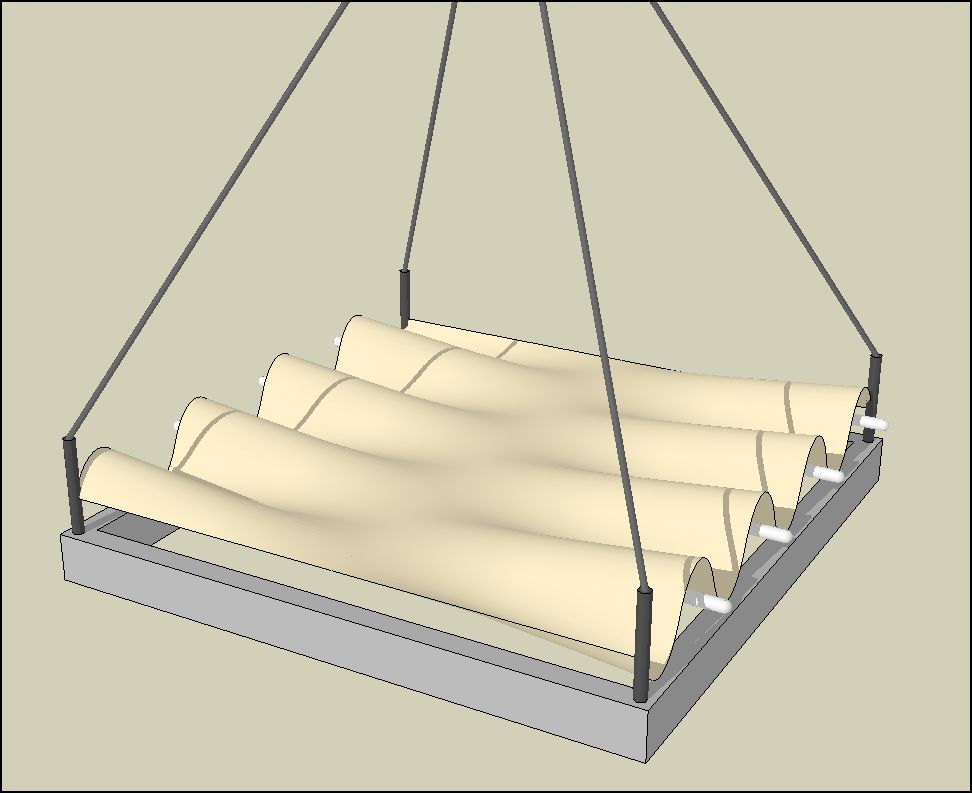
Just a quick note of thanks to Fredo. Here's a pic of a modest result which well pleases me.
Merci, monsieur.
-
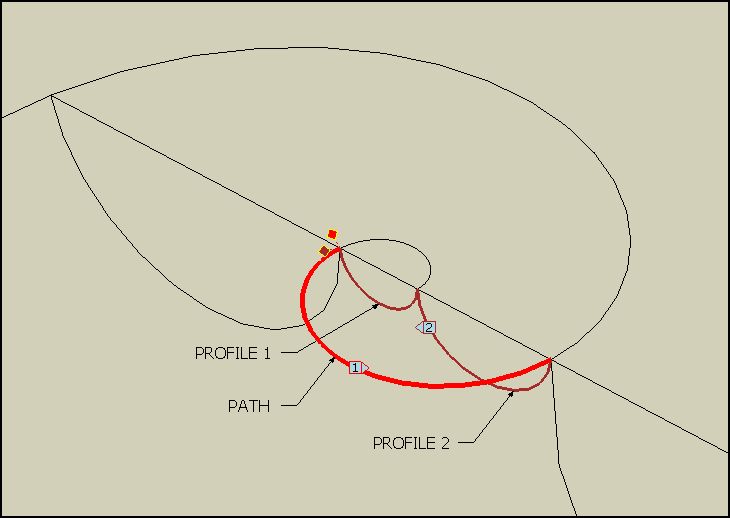
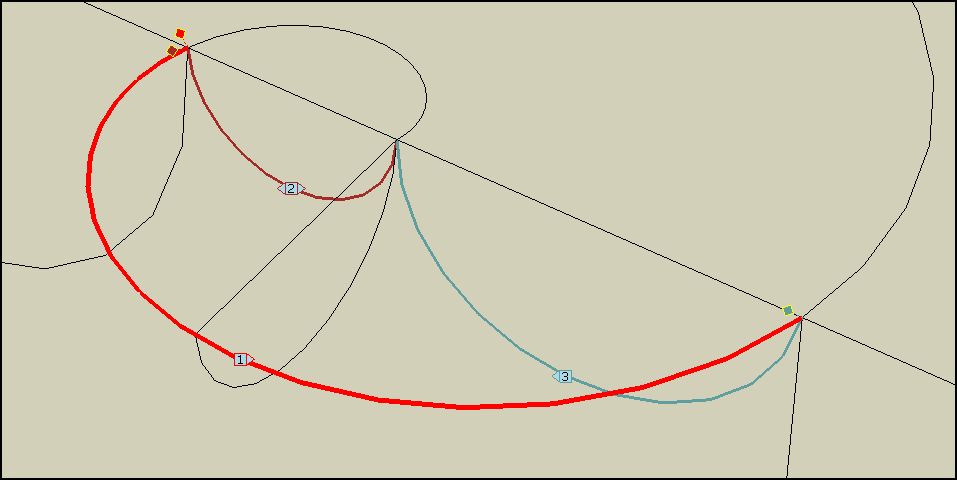
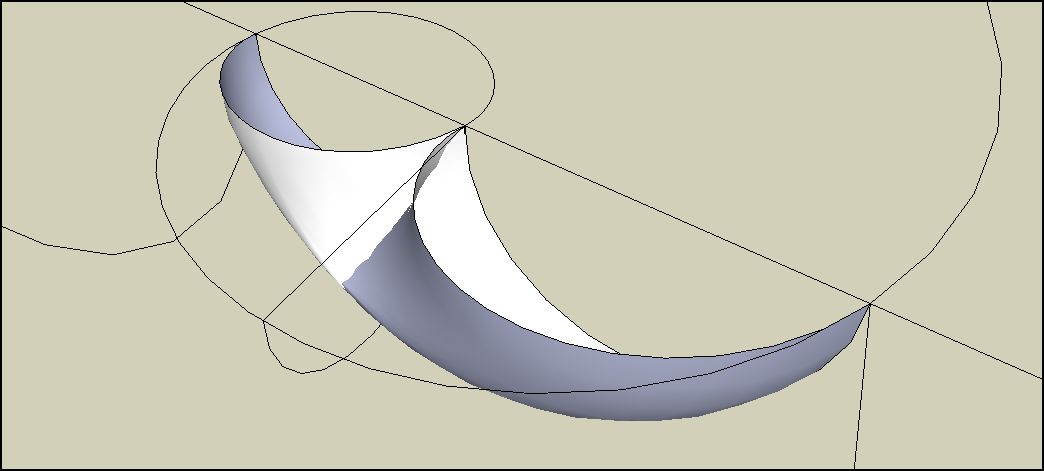
The pic shows two arc profiles desired to be swept along an arc path in red. Though the two profiles are separate curves, 'loft along path' makes them one when picked. One should be a beginning transitioning to the other as an ending.
-
@brookefox said:
The pic shows two arc profiles desired to be swept along an arc path in red. Though the two profiles are separate curves, 'loft along path' makes them one when picked. One should be a beginning transitioning to the other as an ending.
It depends on the edge selection you choose (follow or curve) and also you need to click in the empty space to force the separation of the 2 contours since they are contiguous
Fredo
-
I guess there is no way as even if the two arcs are perpendicular to each other it treats them as one.
-
I got the profiles distinguished as you said, but have had no success with the sweep, no matter the settings. But it is a complex tool and I do not have a solid grasp of the variables, to say the least. Merci, Fredo.
-
@unknownuser said:
It depends on the edge selection you choose (follow or curve) and also you need to click in the empty space to force the separation of the 2 contours since they are contiguous.
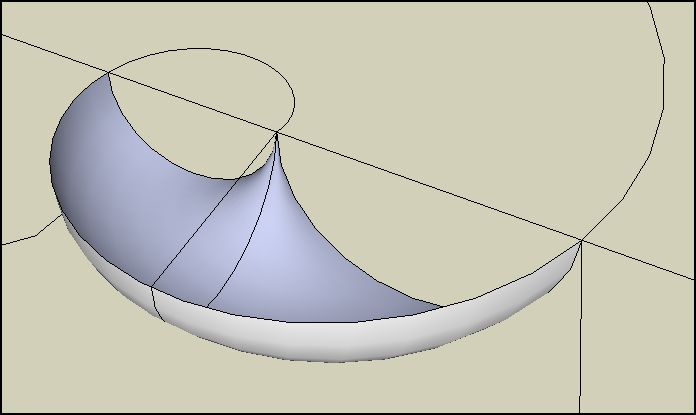
OK, I thought I had tried that. I will now for sure. Thank you. For me a work around is to make it in two moves with 'skinning'. Pic shows the desired and thusly achieved results.
-
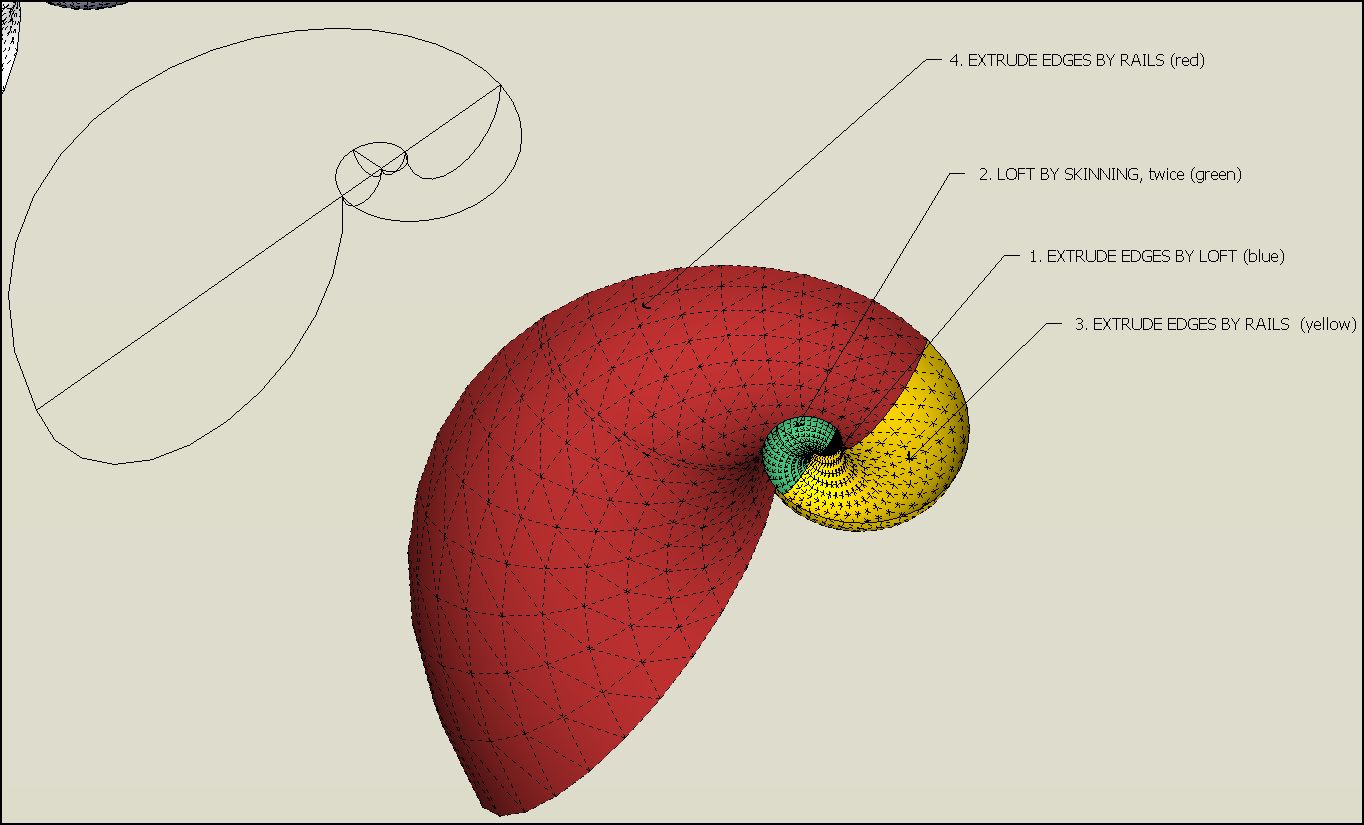
Cross post from elsewhere to here, where it may be of some use...model here with Fredo's Curviloft tools and TIG's Extrusion Tools.
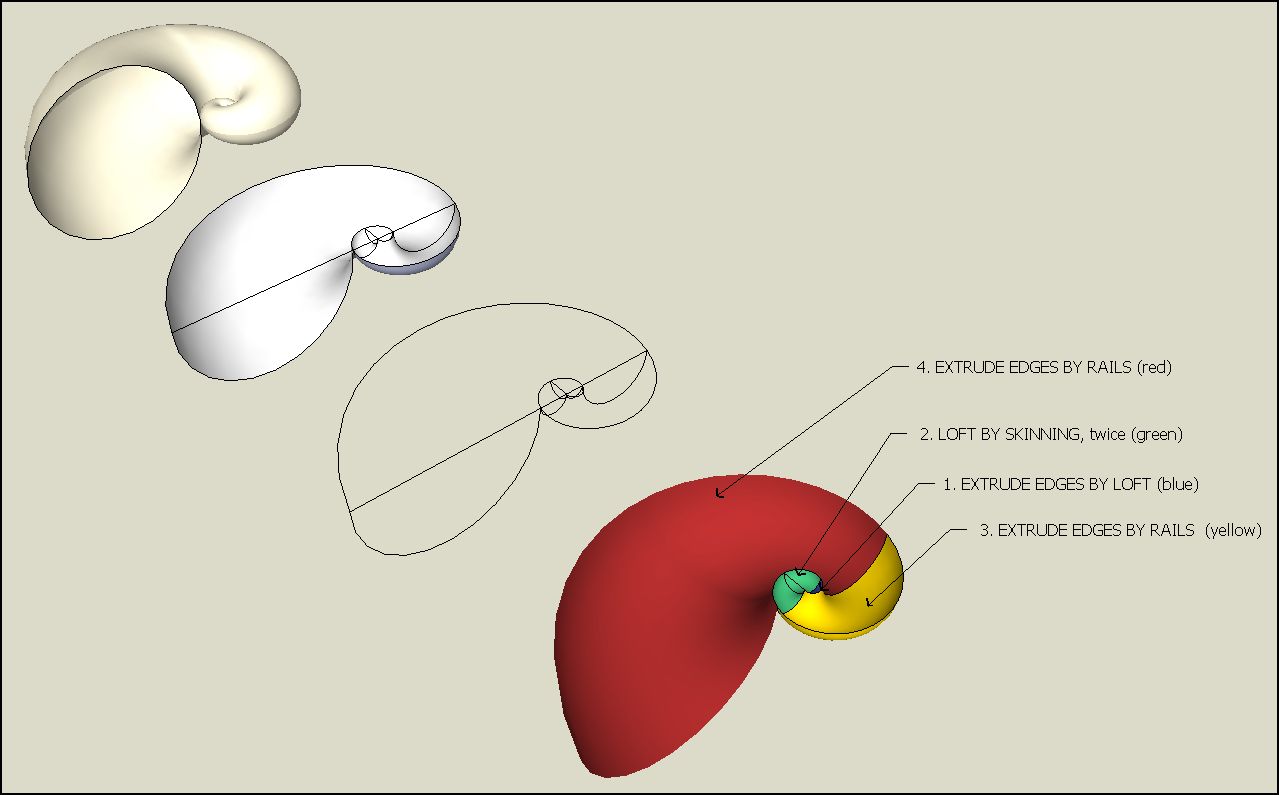
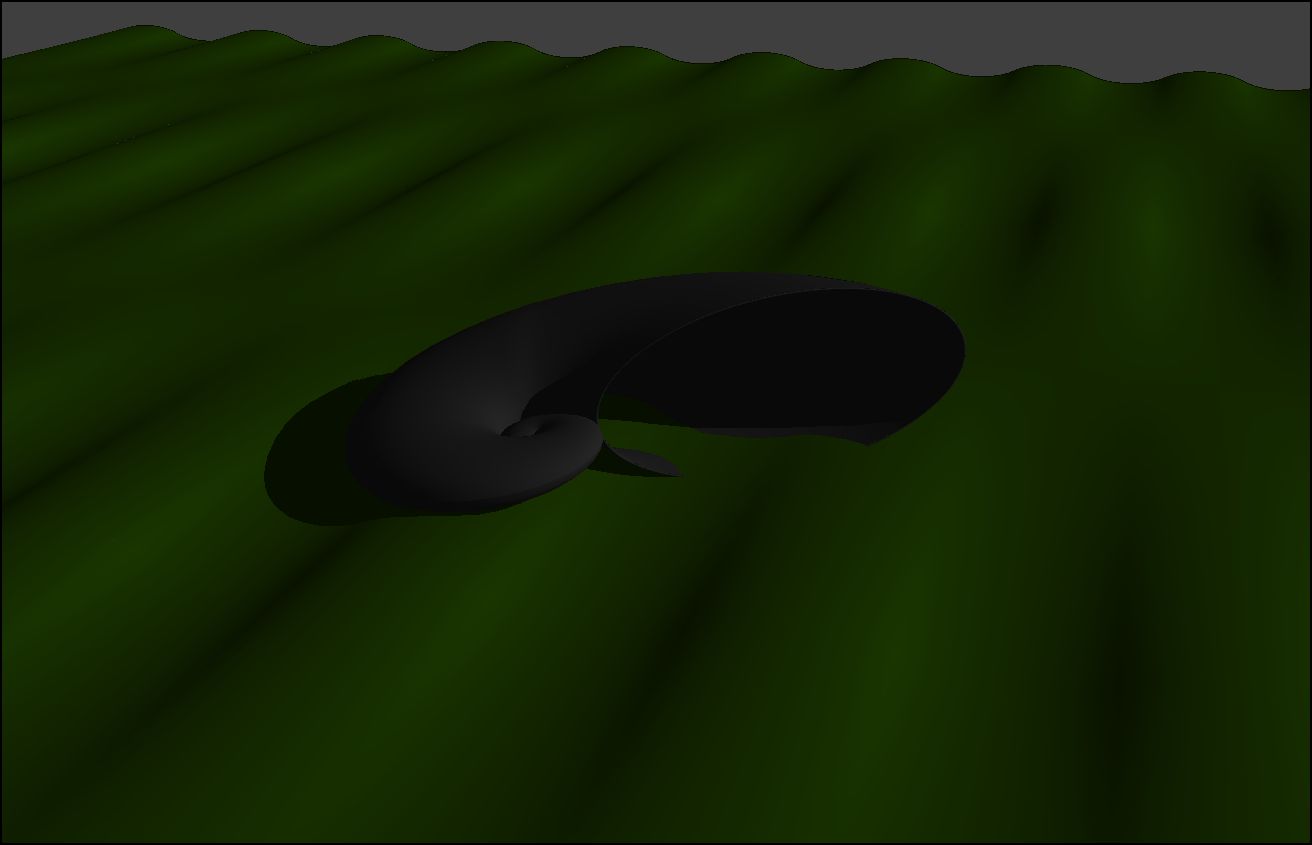
-
Hi Guys
I am new in this scetchup world and I need some help.
I am trying to download .rb in my scetchup8. I do everything it was asked and put in scetchup plugin foldr but for some reason nothing comes out.. Please have someone help me out.
I am also tring to download this .rb for round corners , but cand find a link for download. -
@artcrazy1313 said:
Hi Guys
I am new in this scetchup world and I need some help.
I am trying to download .rb in my scetchup8. I do everything it was asked and put in scetchup plugin foldr but for some reason nothing comes out.. Please have someone help me out.
I am also tring to download this .rb for round corners , but cand find a link for download.
The download link is almost always on the first post in any tools thread [it also has '[Plugin]' at the start of the thread's title]. The Plugins Idex red-button takes you to a page that in turn links off to all plugins available here, and a few elsewhere too...
Be sure to read the tool's download page - sometimes you need to get and install a help file or a library of helpers [like this tool] that are kept in their own subfolder.
Be sure to follow the tool's instructions for download, extraction and placement in the Plugins folder.
If the tool comes in a zip file ensure that the 'loose' files go into the Plugins folder and that any helper files zipped inside a subfolder are put into Plugins still INSIDE that subfolder - never move files around as the tool will break.
You are on a MAC so ensure you are using the right root-level 'HD' library Plugins folder and NOT a 'user' one...
There are several helpful threads about installing scripts/plugins - do a forum Search.
Thomthom has also made a 'Simple Installer' tool [>=v8M2 only] that will automatically install scripts and extract/install from archives of scripts - look for that in the Plugins Index...
Note that some tools [like this one] are Extensions that need activating [one-time-only] from the Window > Preferences dialog, then the tool's Toolbar probably needs activating from the View...menu item...
Note also how each tool is activated/used...
Many new tools do appear in the Plugins-menu... BUT many do not - for example the menu items for this very tool are found in Tools > Fredo Collection > CurviLoft submenu !!! -
Off topic.
Tig, you are so patient and helpful. I saw this post and my first thought was has he tried 'search', has he looked at the 'how to download plugins' tut, has he made any effort at all? Or is he a first poster who needs some direction about how to help him/her self
I guess what I'm trying to say is that you and others on this forum contribute so much, I worry that you get overloaded with things that don't really help to progress SU.
Your call though, I'm inclined to 'tough love' myself. -
@tig said:
@artcrazy1313 said:
Hi Guys
I am new in this scetchup world and I need some help.
I am trying to download .rb in my scetchup8. I do everything it was asked and put in scetchup plugin foldr but for some reason nothing comes out.. Please have someone help me out.
I am also tring to download this .rb for round corners , but cand find a link for download.
The download link is almost always on the first post in any tools thread [it also has '[Plugin]' at the start of the thread's title]. The Plugins Idex red-button takes you to a page that in turn links off to all plugins available here, and a few elsewhere too...
Be sure to read the tool's download page - sometimes you need to get and install a help file or a library of helpers [like this tool] that are kept in their own subfolder.
Be sure to follow the tool's instructions for download, extraction and placement in the Plugins folder.
If the tool comes in a zip file ensure that the 'loose' files go into the Plugins folder and that any helper files zipped inside a subfolder are put into Plugins still INSIDE that subfolder - never move files around as the tool will break.
You are on a MAC so ensure you are using the right root-level 'HD' library Plugins folder and NOT a 'user' one...
There are several helpful threads about installing scripts/plugins - do a forum Search.
Thomthom has also made a 'Simple Installer' tool [>=v8M2 only] that will automatically install scripts and extract/install from archives of scripts - look for that in the Plugins Index...
Note that some tools [like this one] are Extensions that need activating [one-time-only] from the Window > Preferences dialog, then the tool's Toolbar probably needs activating from the View...menu item...
Note also how each tool is activated/used...
Many new tools do appear in the Plugins-menu... BUT many do not - for example the menu items for this very tool are found in Tools > Fredo Collection > CurviLoft submenu !!!@unknownuser said:
First of all I want to thank you for your detail info and your time... As much as I appreciate your help , this is to me a Chinese
I was wondering if we could connect and I gave you permission to enter in my computer and show me how to install this things. I really need your plug ins. They re great. I am willing to pay for your time... thank you.. -
-
Hi all,
another noob having problems installing to sketchup 8 here. But I have done my research before posting... I have extraced the files and moved them into the plugin folder as described, but upon starting SU the error windows keep coming up.
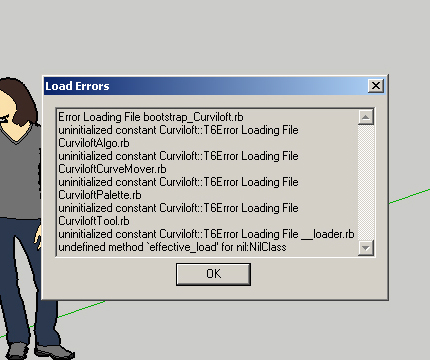
I tried extracting them with winrar, explorer and 7-zip, even tried installing the plugin-finding plugin as suggested in earlier posts, but to no avail.
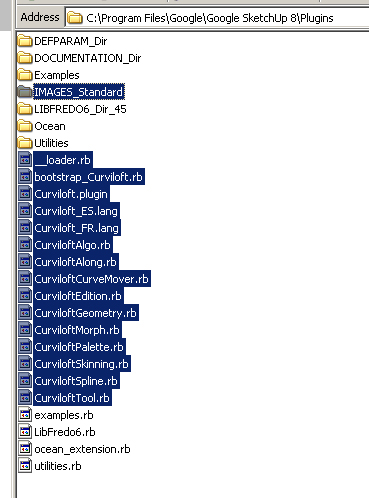
and yes, the latest libfredo plugin is loaded and running fine. I have tried this process at two computers to the same result. Ideas?
Also just wanted to say well done for taking a frustratingly basic modelling platform and taking it up to the next level. As somebody who learnt Rhino before SU I've had moments of agony, but this is bringing it up to speed.. Assuming I can get it to work.. I wonder how long before we see the equivelant of Grasshopper and Kangaroo for Rhino....
-
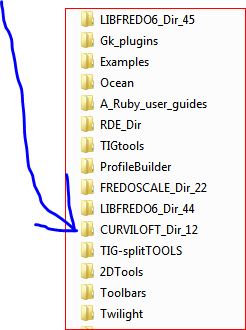 I think you have the files in the wrong place. On my puter the files you show are in Plugins/CURVILOFT_Dir_12
You seem to have lost the parent folder. -
@leroy_elroy said:
another noob having problems installing to sketchup 8 here. But I have done my research before posting...
You missed the footprint description:
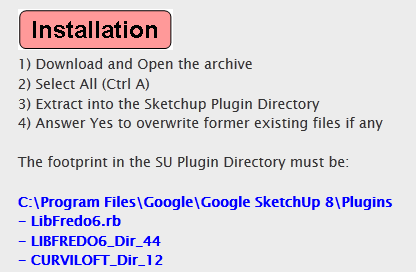
You extracted the content of the CURVILOFT_Dir_12 folder directly into your plugins folder instead of preserving it.
I made a small utility plugin to help the installation process: http://forums.sketchucation.com/viewtopic.php?t=42315








Advertisement