sketchucation logo sketchucation
    • 登入
    Oops, your profile's looking a bit empty! To help us tailor your experience, please fill in key details like your SketchUp version, skill level, operating system, and more. Update and save your info on your profile page today!
    🔌 Smart Spline | Fluid way to handle splines for furniture design and complex structures. Download

    [Plugin][$] Curviloft 2.0a - 31 Mar 24 (Loft & Skinning)


    已排程 已置頂 已鎖定 已移動 Plugins
    1.3k 貼文 299 Posters 2.5m 瀏覽 297 Watching
    正在載入更多貼文
    • 從舊到新
    • 從新到舊
    • 最多點贊
    回覆
    • 在新貼文中回覆
    登入後回覆
    此主題已被刪除。只有擁有主題管理權限的使用者可以查看。
    • BoxB 離線
      Box
      最後由 編輯

      @jumpjack said:

      What is the attachment?

      It is a simple sandbox model with a random mars landscape as a texture, and the rover roughly lifted from your model and dropped on it.
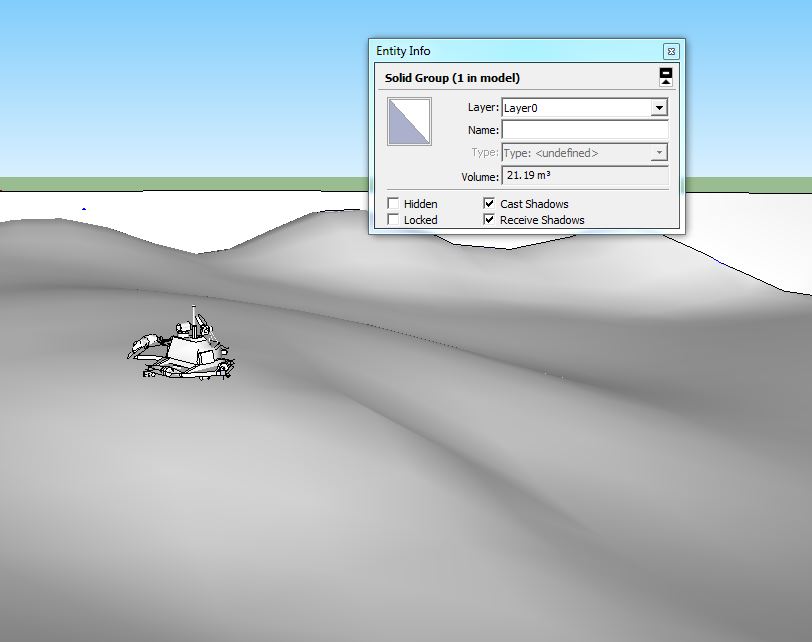

      Quick Mars.skp


      Snap1.JPG

      1 條回覆 最後回覆 回覆 引用 0
      • T 離線
        thefreestman
        最後由 編輯

        **I love this plugin, especially the splice feature.

        Does anyone know of another similar feature that creates a grided planar surface in a similar effect- to that of the black mesh that appears in modeling before it generates a smooth surface?!

        Thanks!**

        1 條回覆 最後回覆 回覆 引用 0
        • TIGT 離線
          TIG Moderator
          最後由 編輯

          At any time you can make any 'smoothed surface' into a 'mesh', with fully visible edges, by selecting the surface and using the native 'Soften/Smooth Edges' tool [context-menu], with minimal angle-slider setting and the two options ticked...
          Of course you can do the reverse [on any 'mesh'] - select all of the facets required and move slider to right so the surface becomes smooth...
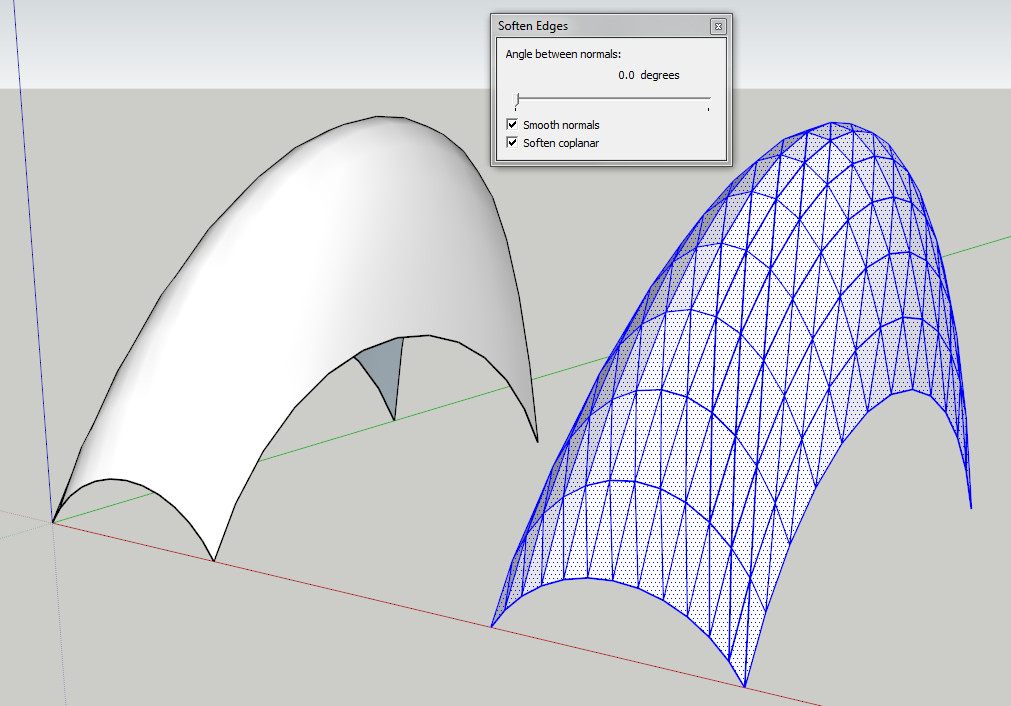

          Capture.PNG

          TIG

          1 條回覆 最後回覆 回覆 引用 0
          • BoxB 離線
            Box
            最後由 編輯

            And what Tig has modestly left out, a lot of his plugins allow you to choose quads, if that is the full square grid you are after.
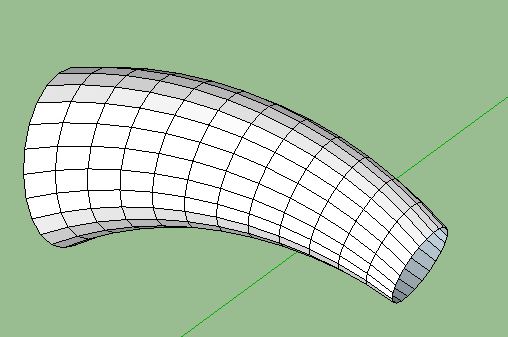

            Quads.JPG

            1 條回覆 最後回覆 回覆 引用 0
            • T 離線
              thefreestman
              最後由 編輯

              Great Thanks!

              1 條回覆 最後回覆 回覆 引用 0
              • D 離線
                dana2048
                最後由 編輯

                This tool did exactly what I needed! Great work!
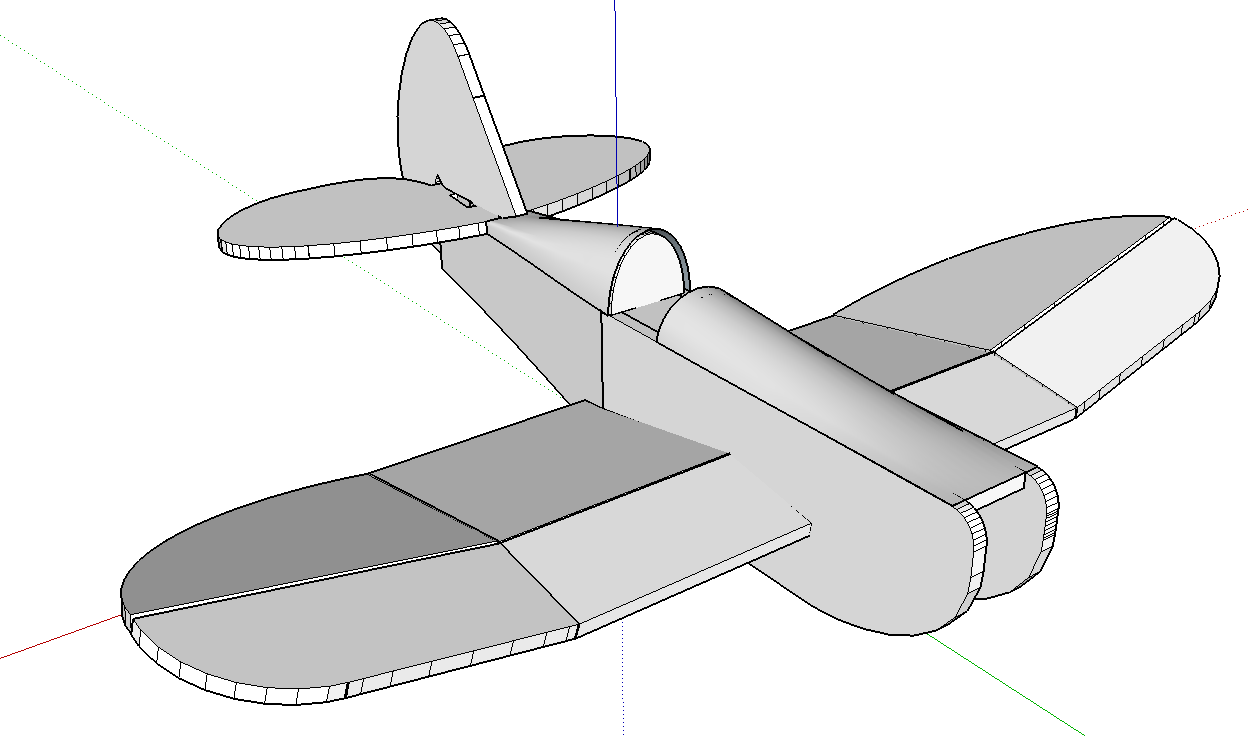
                MiniSpeedster

                1 條回覆 最後回覆 回覆 引用 0
                • JClementsJ 離線
                  JClements
                  最後由 編輯

                  Could this plugin be adapted into a new/similar plugin but for sheet metal fabrication? With some of the functions described here in this SolidsWorks video; in particular bend lines and flattening functions?

                  favicon

                  (www.hawkridgesys.com)

                  John | Illustrator | Beaverton, Oregon

                  1 條回覆 最後回覆 回覆 引用 0
                  • O 離線
                    Osuki99
                    最後由 編輯

                    thankk you very much ^^

                    1 條回覆 最後回覆 回覆 引用 0
                    • R 離線
                      ronys
                      最後由 編輯

                      Thank you for this amazing plugin.

                      I am trying to use the outcome of the Curviloft for hotwiring foam (with CNC) for RC airplanes.
                      My problem is that the some of the faces created are triangular - which is great for the purpose of lofting in SU, but is not good for hotwiring. If I use the path of triangles, the speed of the wire will not be constant on both faces.

                      Anyway, my question is:
                      Is there a way to make Curviloft create only quadratian faces?
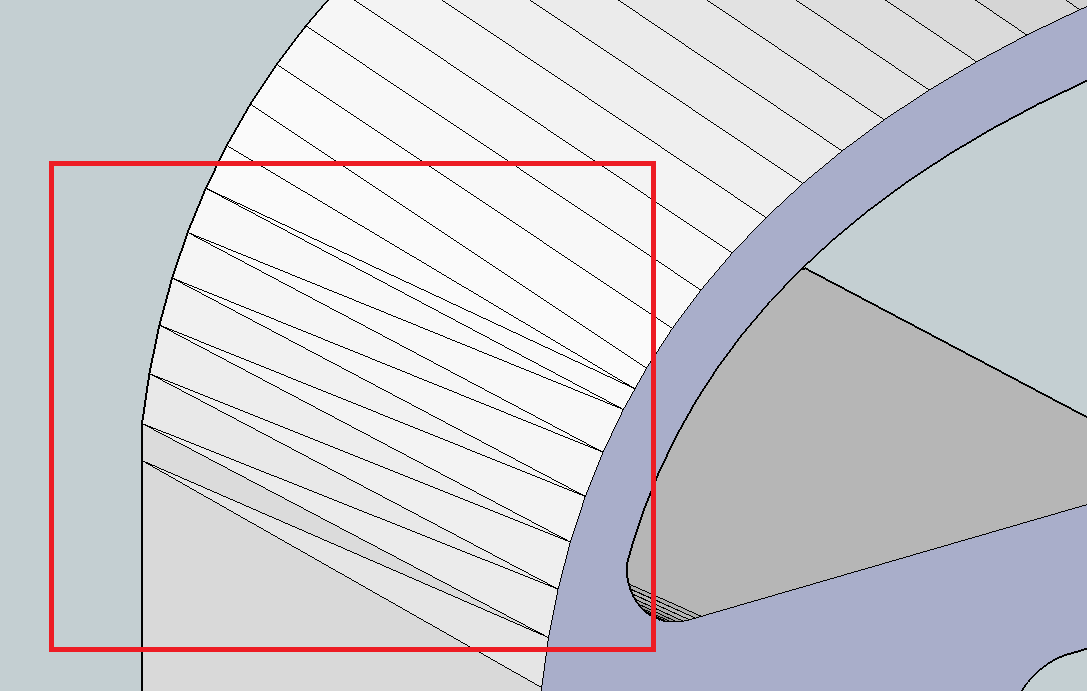
                      Triangular faces

                      Thanks,
                      Rony

                      1 條回覆 最後回覆 回覆 引用 0
                      • jgbJ 離線
                        jgb
                        最後由 編輯

                        This is not a Curviloft (CL) problem.

                        Only when a 4 sided face is defined by opposite parallel lines will it form a face without triangles. A triangles face is, by definition, always flat.

                        If a 4 sided (or more) face has any 1 vertex not in exactly the same plane, SU and CL will define the face with triangles.

                        In your model, the lines defining the curves are not quite parallel in the lower 7 segments, and therefore cannot be defined by a 4 sided flat surface. You can prove this to yourself by drawing lines and seeing that they will not face. Other than adjusting one side or the other, there is nothing CL can do to fix that.


                        jgb

                        1 條回覆 最後回覆 回覆 引用 0
                        • jeff hammondJ 離線
                          jeff hammond
                          最後由 編輯

                          @ronys said:

                          Anyway, my question is:
                          Is there a way to make Curviloft create only quadratian faces?

                          [attachment=0:358vs3zr]<!-- ia0 -->curviloft.png<!-- ia0 -->[/attachment:358vs3zr]

                          Thanks,
                          Rony

                          post the .skp (or that portion of the model).. there's probably a way to get better results than the long triangles you're getting.. (via better curve segmentation and/or curvilot settings)

                          dotdotdot

                          1 條回覆 最後回覆 回覆 引用 0
                          • J 離線
                            Jimmymino
                            最後由 編輯

                            Hey community.

                            Im having a bit of trouble with this plugin. Maybe the way I am applying it or maybe Im doing something wrong. Could someone help?

                            Every time I attempt to loft an object along a path, the preview looks fine but the final result has tons of faces missing.

                            I am trying to get information on what the various options in the toolbar are once you see the preview, (ie, sampling, interpolating, etc) and what they do, but cant find any info on it.

                            Can some help?

                            Jimmy Miño
                            Owner
                            the archiTECHtural workshop
                            http://www.thearchitechturalworkshop.com

                            1 條回覆 最後回覆 回覆 引用 0
                            • Dave RD 離線
                              Dave R
                              最後由 編輯

                              Very likely you're working on something that is small and you're running up against the short edges/small faces issue. It would be most helpful if you would upload a sample SKP file that exhibits the problem you're having. Otherwise we're taking stabs in the dark.

                              Etaoin Shrdlu

                              %

                              (THERE'S NO PLACE LIKE)

                              G28 X0.0 Y0.0 Z0.0

                              M30

                              %

                              1 條回覆 最後回覆 回覆 引用 0
                              • P 離線
                                peterromao
                                最後由 編輯

                                Hey, great tool tat I've been using for some time.

                                Funny that only now did I come across this green dialog box stating:

                                "Handling Needle Eyes and other defects! -1"

                                Could someone enlighten me as to what this signifies?

                                Thanks!

                                1 條回覆 最後回覆 回覆 引用 0
                                • fredo6F 離線
                                  fredo6
                                  最後由 編輯

                                  @peterromao said:

                                  Funny that only now did I come across this green dialog box stating:

                                  "Handling Needle Eyes and other defects! -1"

                                  Could someone enlighten me as to what this signifies?

                                  Thanks!

                                  There are a few checks on the contours, but this is not very accurate.

                                  Needle eyes are defects which derive from the suprposition of two contours, creating small loops.

                                  In general, Edge defects are better handled by EdgeInspector.

                                  Fredo

                                  1 條回覆 最後回覆 回覆 引用 0
                                  • C 離線
                                    cemileca
                                    最後由 編輯

                                    Hi, Friends..

                                    Curviloft not working in 2015 vercion SU 😞

                                    1 條回覆 最後回覆 回覆 引用 0
                                    • TIGT 離線
                                      TIG Moderator
                                      最後由 編輯

                                      @cemileca said:

                                      Hi, Friends..

                                      Curviloft not working in 2015 vercion SU 😞
                                      Resolved in a parallel thread... http://sketchucation.com/forums/viewtopic.php?p=555210#p555210

                                      TIG

                                      1 條回覆 最後回覆 回覆 引用 0
                                      • E 離線
                                        empty00
                                        最後由 編輯

                                        why it says I'm not authorized to download it

                                        1 條回覆 最後回覆 回覆 引用 0
                                        • TIGT 離線
                                          TIG Moderator
                                          最後由 編輯

                                          @empty00 said:

                                          why it says I'm not authorized to download it
                                          You are clearly a member and logged in here to do this post...
                                          Are you logged in to the side of the forum which hosts the PluginStore etc ?
                                          Top-right corner of the page 'log-in' in red...
                                          Currently there are two parts, each needing a member to be logged-in to access all possibilities - however, after logging in you should be remembered thereafter in either [unless you have cookies disabled], unless you haven't visited for a long time...
                                          Please log-in there and retry.
                                          If that doesn't fix it report back...

                                          TIG

                                          1 條回覆 最後回覆 回覆 引用 0
                                          • K 離線
                                            Kashaki
                                            最後由 編輯

                                            Great plugin, i am loving it! I have just discovered it silly me.

                                            Still! Hope someone can help me out. I make 3d belzier curves, copy array 15 of them and place them behind each other with space in between. Group them after welding and then use Sketchy FFD to make an organic form of those 15 curves. When i then ungroup them, select them all and use Curviloft it starts working till around 90% and then Sketchup crashes. Can someone help me? Thanks in Advance. When i reduce the curves and just use two of them all is good. Working on Mac with 16 GB RAM.

                                            Kashaki!

                                            1 條回覆 最後回覆 回覆 引用 0
                                            • 1
                                            • 2
                                            • 55
                                            • 56
                                            • 57
                                            • 58
                                            • 59
                                            • 65
                                            • 66
                                            • 57 / 66
                                            • 第一個貼文
                                              最後的貼文
                                            Buy SketchPlus
                                            Buy SUbD
                                            Buy WrapR
                                            Buy eBook
                                            Buy Modelur
                                            Buy Vertex Tools
                                            Buy SketchCuisine
                                            Buy FormFonts

                                            Advertisement





