sketchucation logo sketchucation
    • 登入
    Oops, your profile's looking a bit empty! To help us tailor your experience, please fill in key details like your SketchUp version, skill level, operating system, and more. Update and save your info on your profile page today!
    🔌 Smart Spline | Fluid way to handle splines for furniture design and complex structures. Download

    [Plugin] Make Fur v.2.1.0(20140323)

    已排程 已置頂 已鎖定 已移動 Plugins
    650 貼文 255 Posters 1.1m 瀏覽 254 Watching
    正在載入更多貼文
    • 從舊到新
    • 從新到舊
    • 最多點贊
    回覆
    • 在新貼文中回覆
    登入後回覆
    此主題已被刪除。只有擁有主題管理權限的使用者可以查看。
    • mitcorbM 離線
      mitcorb
      最後由 編輯

      @steph52:
      Viewing your example suggested that you may need to set up a more regular mesh on that slope instead of stretched triangles. More like a fishnet grid. I may have misinterpreted the image, however.

      I take the slow, deliberate approach in my aimless wandering.

      1 條回覆 最後回覆 回覆 引用 0
      • T 離線
        tak2hata
        最後由 編輯

        Hi,eidam655 and db9black and mitcorb.
        Thanks for your replys. 😄
        eidam655...
        Your request is difficult for me.
        I did not try processing from a picture yet.
        I will search the method for that solution.
        Please wait (without Expectation...Sorry.)


        by TAK2HATA

        1 條回覆 最後回覆 回覆 引用 0
        • A 離線
          azp136
          最後由 編輯

          fur、txt、Oh, thank you

          1 條回覆 最後回覆 回覆 引用 0
          • peter_shawP 離線
            peter_shaw
            最後由 編輯

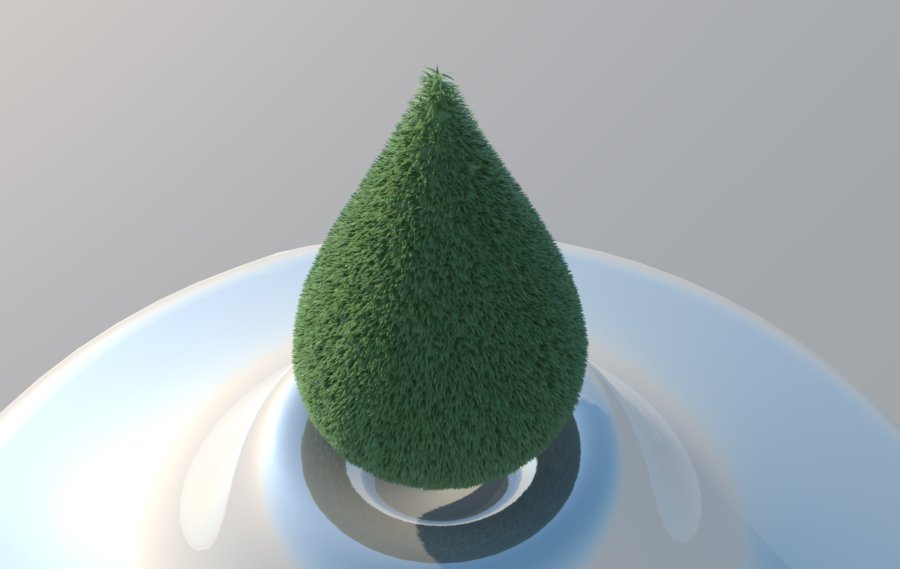
            grastropfen.jpg
            just found this plugin, it's awesome!

            1 條回覆 最後回覆 回覆 引用 0
            • T 離線
              tak2hata
              最後由 編輯

              @peter_shaw said:

              [attachment=0:p83hevax]<!-- ia0 -->grastropfen.jpg<!-- ia0 -->[/attachment:p83hevax]
              just found this plugin, it's awesome!

              Hi ,peter_shaw.
              very nice! 😍


              by TAK2HATA

              1 條回覆 最後回覆 回覆 引用 0
              • eidam655E 離線
                eidam655
                最後由 編輯

                hi,

                here's what i thought of:

                current algorithm distributes fur to the whole face/polygon according to a function with multiple parameters, density being one of them. i would suggest something like:

                request min and max density from user
                request/load the density map from user (file)
                stretch image on the face (300x300 px image onto a 1m x 1m face for example)
                go through every pixel in image //yeah, this sucks while 1. there's no getPixelColor method in sketchup's sdk as far as i can see, and 2. this is a loop in a loop and takes ages to complete 😄
                color value divided by white (100%) is the percentage
                therefore current density for this area is minDensity+percentage*(maxDensity-minDensity)

                ...and so on.

                yes, there are probably more effective ways to do this.
                no, i'm not a computer scientist.
                no, i don't know ruby or sketchup's sdk.
                no, i'm not sure how this should have helped you.

                I'm using SketchUp 2017, V-Ray 3.4

                1 條回覆 最後回覆 回覆 引用 0
                • S 離線
                  ssw
                  最後由 編輯

                  CREATING GRASS with HIDDEN EDGES in model with visible edges?

                  Any way to use the create grass function to do this? Can do this in the create crowd function, but it doesn't have the controls of the blade shape.

                  A wonderful plug-in that really helps create lush landscaping.

                  1 條回覆 最後回覆 回覆 引用 0
                  • J 離線
                    jdcamc
                    最後由 編輯

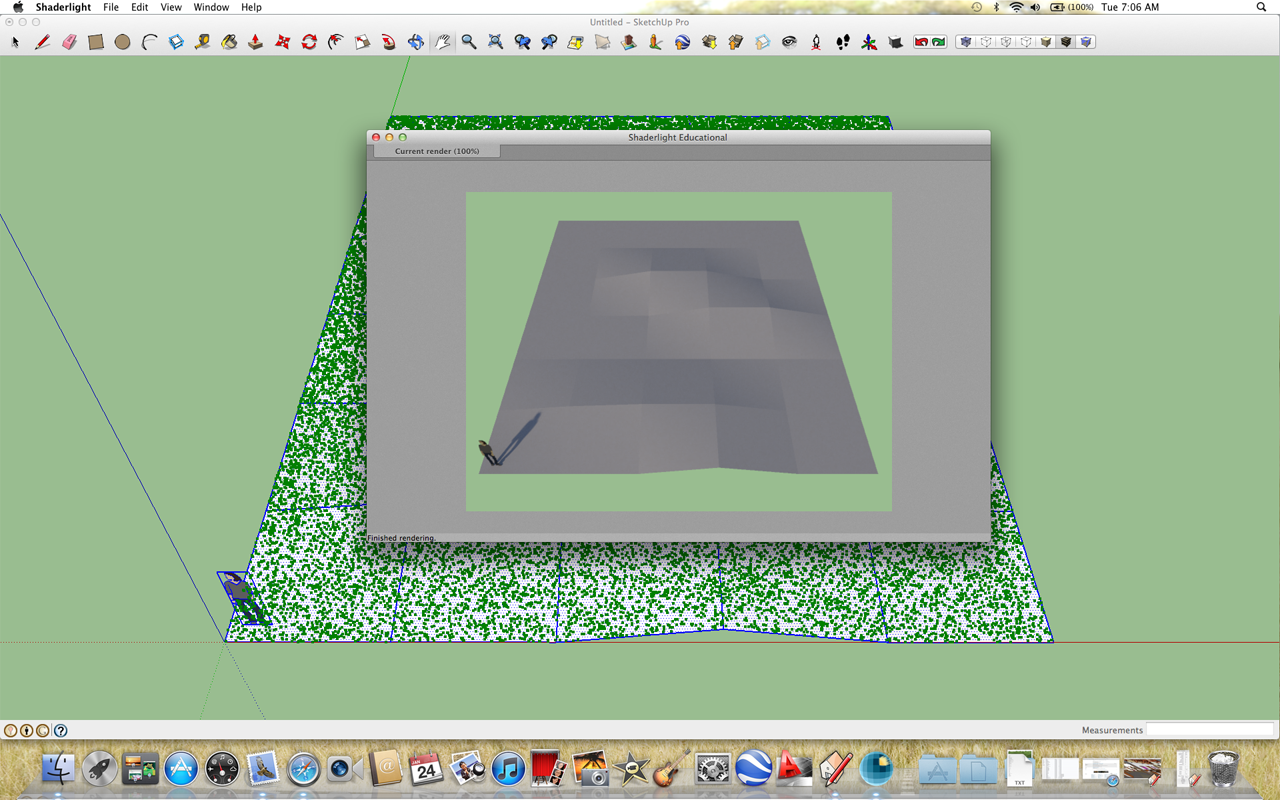
                    Help! I'm doing something wrong. Here is my setup:
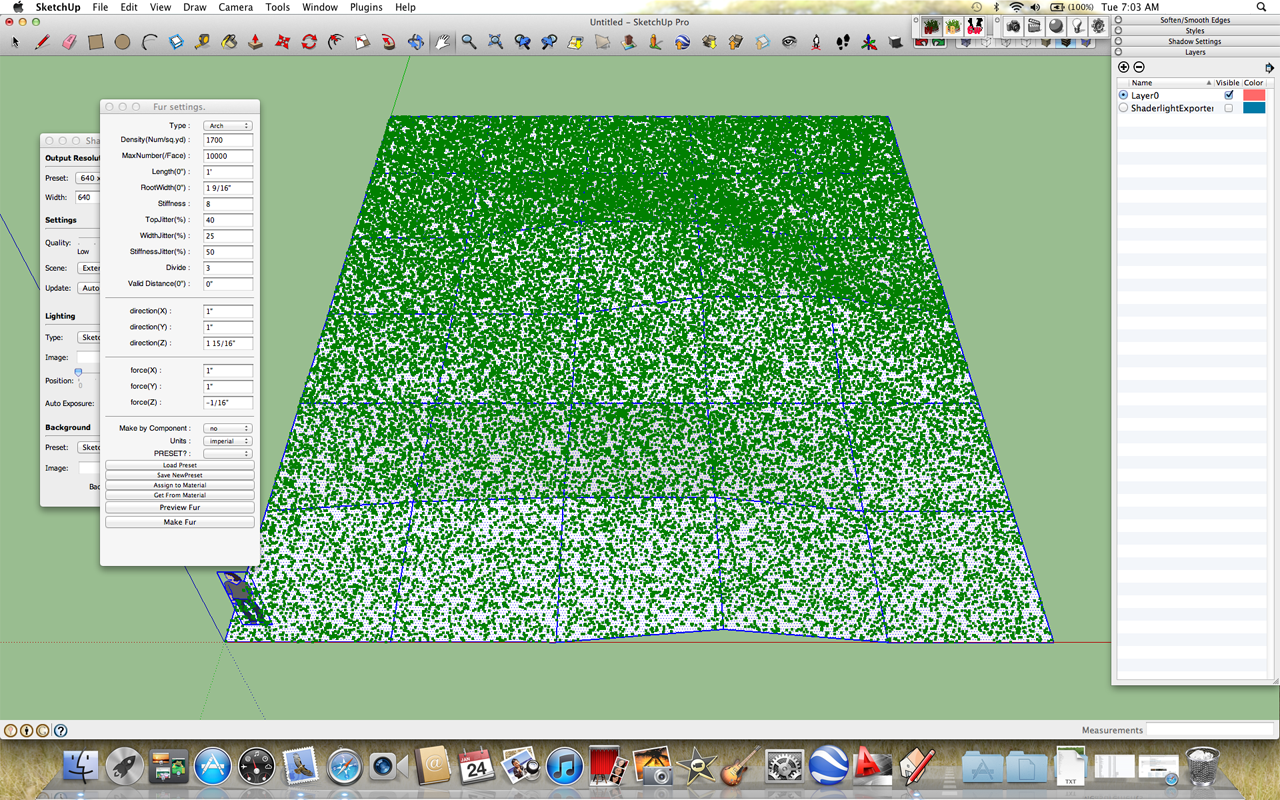
                    settings
                    and my render:
                    render
                    As you can see, the grass is just little green dots and the rendering shows nothing at all. What am I doing wrong? ❓

                    1 條回覆 最後回覆 回覆 引用 0
                    • GaieusG 離線
                      Gaieus
                      最後由 編輯

                      Those green dots are the preview only. Did you also press the Make fur button?

                      Gai...

                      1 條回覆 最後回覆 回覆 引用 0
                      • J 離線
                        jdcamc
                        最後由 編輯

                        Well, I thought I did. Let me try it again just to make sure.

                        Thanks.

                        1 條回覆 最後回覆 回覆 引用 0
                        • J 離線
                          jdcamc
                          最後由 編輯

                          yippee!! grass and everything - now I guess I'l have to start mowing....
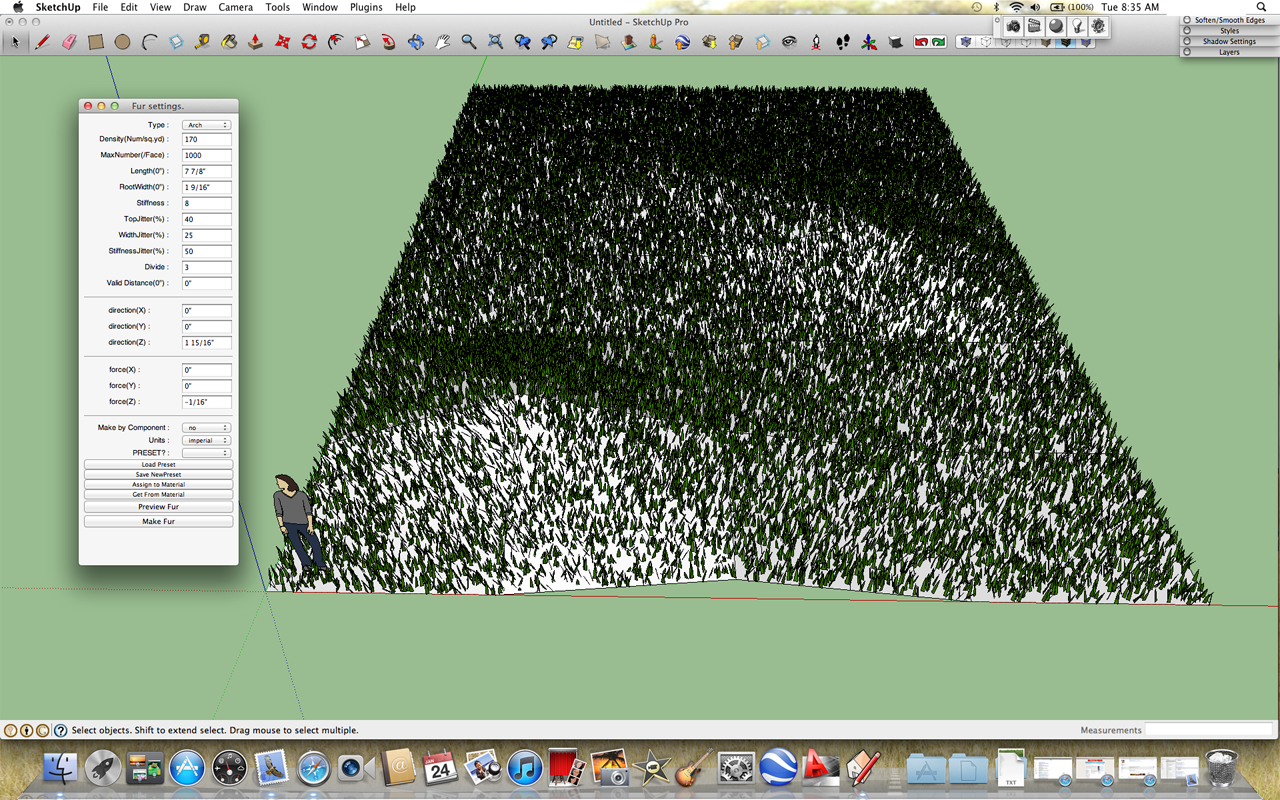
                          Screen Shot 2012-01-24 at 8.35.09 AM copy.png

                          😍

                          1 條回覆 最後回覆 回覆 引用 0
                          • N 離線
                            negiaf
                            最後由 編輯

                            thanks alot
                            its amazing

                            1 條回覆 最後回覆 回覆 引用 0
                            • A 離線
                              asmendong
                              最後由 編輯

                              IVE DOWNLOADED THE MAKE FUR, BUT NO .EXE FILE, ONLY FUR_EN, NOT AND INSTALLER, ONLY IMAGES. ANY HELP PLSSS??

                              1 條回覆 最後回覆 回覆 引用 0
                              • TIGT 離線
                                TIG Moderator
                                最後由 編輯

                                @asmendong said:

                                IVE DOWNLOADED THE MAKE FUR, BUT NO .EXE FILE, ONLY FUR_EN, NOT AND INSTALLER, ONLY IMAGES. ANY HELP PLSSS??
                                Arman
                                Follow the installation instructions on the download page.
                                There is no 'exe' file or an 'installer' etc. 😕
                                Various files/subfolder in the downloaded 'archive' file will need extracting into the Sketchup Plugins folder... Before you restart Sketchup to get the expected menus/toolbars/etc...
                                It sounds like you are a complete installation newbie ??? 😒
                                There are many posts explaining how to do this in some detail... do a search on the SCF forums...
                                Please [re]read these and the tools download page guidance notes - if you still can't install it come back to us...
                                PS: Please don't post using ALL CAPS - it looks like you are shouting at us, it is also harder to read... AND it is generally regarded as bad manners on almost all forums... 😞

                                TIG

                                1 條回覆 最後回覆 回覆 引用 0
                                • P 離線
                                  pogogt
                                  最後由 編輯

                                  THHAAAAAAAAAAAANNNNKKKKK YOU!!!! this will be very helpfull with my models : )

                                  1 條回覆 最後回覆 回覆 引用 0
                                  • A 離線
                                    Arrakis10
                                    最後由 編輯

                                    hello this plug in is marvellous.

                                    Just a silly question.

                                    I finally manage to create some grass but it makes me a white model. I dont manage to change the color. It seems to be not a component (herb) so i have to change the color of every single blade of grass?

                                    1 條回覆 最後回覆 回覆 引用 0
                                    • eidam655E 離線
                                      eidam655
                                      最後由 編輯

                                      does subdividing the face into smaller regions help?

                                      I'm using SketchUp 2017, V-Ray 3.4

                                      1 條回覆 最後回覆 回覆 引用 0
                                      • T 離線
                                        tak2hata
                                        最後由 編輯

                                        @eidam655 said:

                                        does subdividing the face into smaller regions help?

                                        Hi,eudam655.

                                        The face Your saying is blade of grass?
                                        Subdivide of blade setting is "DIVIDE".
                                        The blade will be generated more divides when you set it Large number.

                                        Thanks.


                                        by TAK2HATA

                                        1 條回覆 最後回覆 回覆 引用 0
                                        • F 離線
                                          FGomes
                                          最後由 編輯

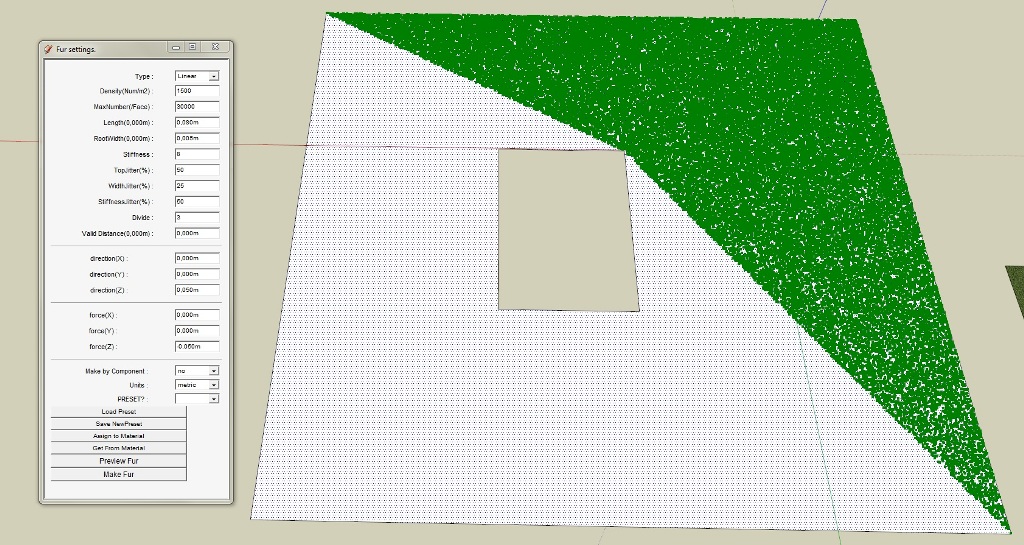
                                          No. dividing the area does not help. The problem still occurs.

                                          This is very strange... for example, I made a flat rectangle, anda making fur preview, half the side as more "fur" than the other... I tried dividing the area in smaller areas but the problem persists...

                                          error.jpg

                                          1 條回覆 最後回覆 回覆 引用 0
                                          • F 離線
                                            FGomes
                                            最後由 編輯

                                            First of all, I would like to confratulate on this excelente plugin.

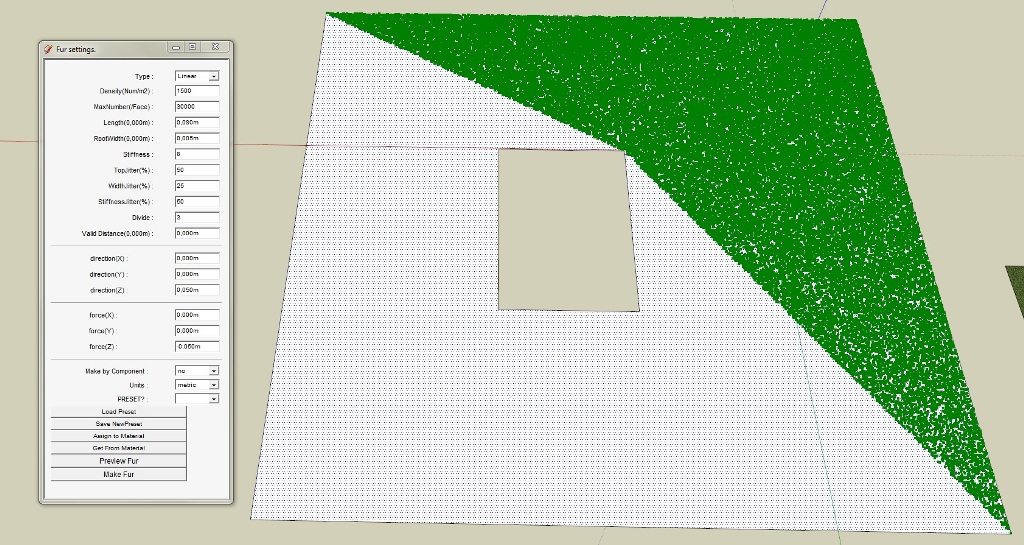
                                            Im having a little problem with this plugin... When I make "grass", the plugin does not cover all the face.

                                            Could any one help please?

                                            Thanks a lot

                                            error.jpg

                                            1 條回覆 最後回覆 回覆 引用 0
                                            • 1
                                            • 2
                                            • 3
                                            • 4
                                            • 5
                                            • 6
                                            • 7
                                            • 8
                                            • 32
                                            • 33
                                            • 6 / 33
                                            • 第一個貼文
                                              最後的貼文
                                            Buy SketchPlus
                                            Buy SUbD
                                            Buy WrapR
                                            Buy eBook
                                            Buy Modelur
                                            Buy Vertex Tools
                                            Buy SketchCuisine
                                            Buy FormFonts

                                            Advertisement