[Plugin] Material Replacer
-
Rombout,
You can change materials while keeping the same UV with Fredo Tool's Thrupaint. There's an Icon with a multicolor brush there that does that. That doesn't do it automatically, but you can paint without being inside the group wich is handy.
-
TT:
Wow! Thanks very much. Great tool that does what it names says. Rare these days.
Ron
-
Thank you!
-
]I think it would be great to be able to consolidate materials by selecting in the material palette. I've seen the script that isolates objects by material (material selector), but it doesn't seem to work in my model. Besides, I'm trying to take a hundred-ish materials and reduce them to a more manageable figure.
I've run your material consolidator, but the materials aren't exactly the same.
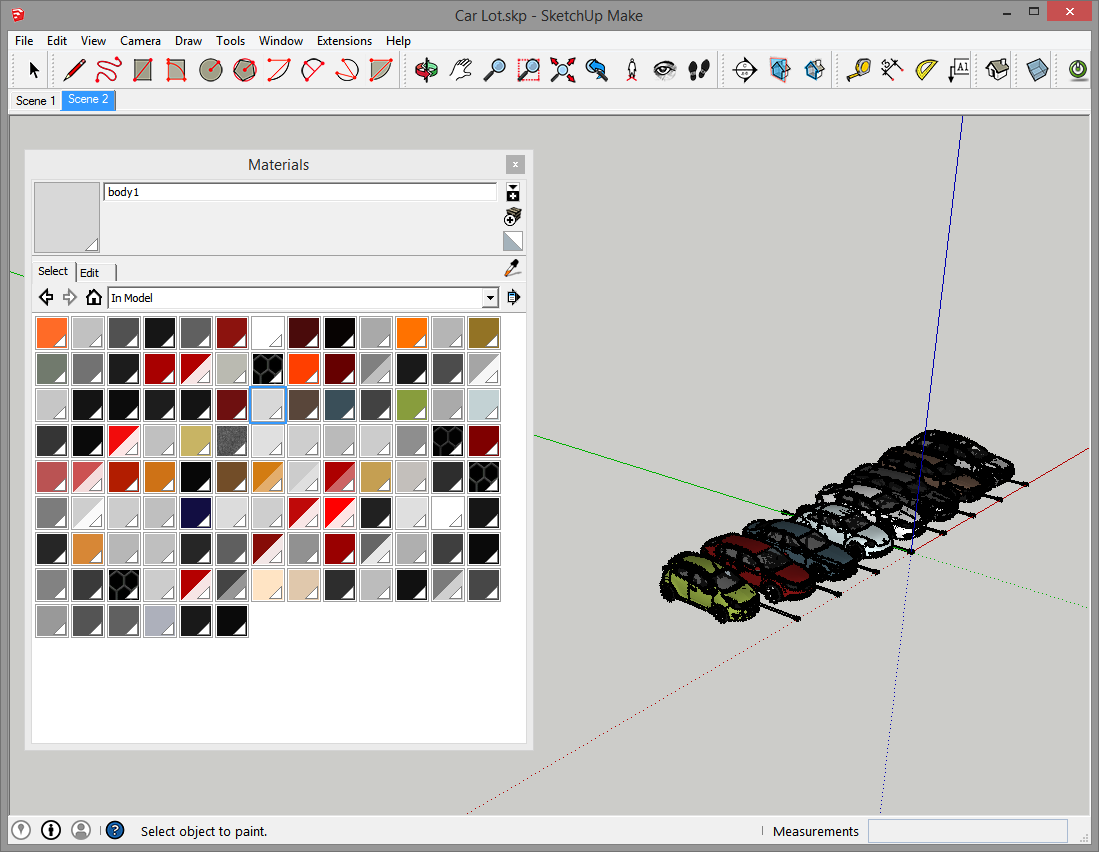
As you can see... if I could select a couple dozen similar grays and tell them to be one... life would be much better.
-
I'm using this plug in a lot. Changing materials all the time in my work. It would be good to have an option to change materials in a group or component only and not in all model. Would that be difficult to integrate?
thanks! -
Can you continue to improve this version for su2019?
-
@huybinhktr said:
Can you continue to improve this version for su2019?
It should work in v2019.
Are you having issues ?
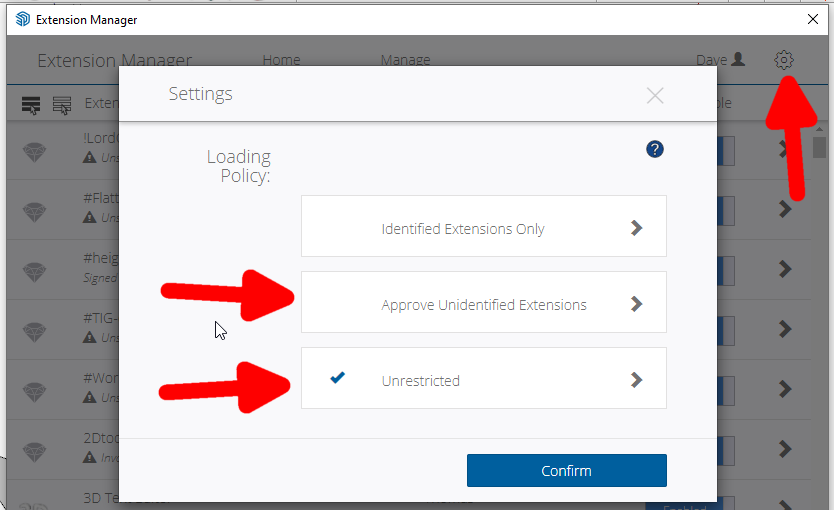
If so, then what are they ??Note: because it hasn't been updated for many years it is not 'signed' for full compatibility with all Extension Loading Policies in the newer SketchUp versions - BUT this doesn't matter provided that you have your newer SketchUp's Extension Manager's Loading Policy set to 'Unrestricted'...
-
I use a very old plugin Material_Maintenance that still works up to SU 2018 Pro.
Really super for material replace and edit.
Author Akira Yamada and not to be found anywhere.
His web listed as http://www.KeepingMyHandIn.com but a dead end.
It is free to edit and distribute
I have folder in the SU plugins and the Material_Maintenance.rb copied to same.
Works for me and check it out and see if it can be configured properly as an rbz
Help from the Masters needed.dtrarch
-
It's nice this works in the model. It would be nice too if one could do the material replacement in the browser.
Another nice thing is how the material replacer can give you the name of a material immediately. This is a slow, painful process on the Mac. Why?
-
Hei there! This pluigin was one of the best things to use last year for me, but since I upgradated to sketchup 2023 I ca't seem to install it. It shows "unsigned". Can anyone help?
-
@irinapopescu said:
... but since I upgradated to sketchup 2023 I ca't seem to install it. It shows "unsigned".
Unsigned doesn't mean it won't install. You just have to make sure you have set loading policy in Extension Manager to allow unsigned extensions to load.
Please update your forum profile. It is way out of date.
-
I need to paint only those face with default material inside a model of a window I've created. But if I a replace with the Replace Material plugin it will change all the file default faces.
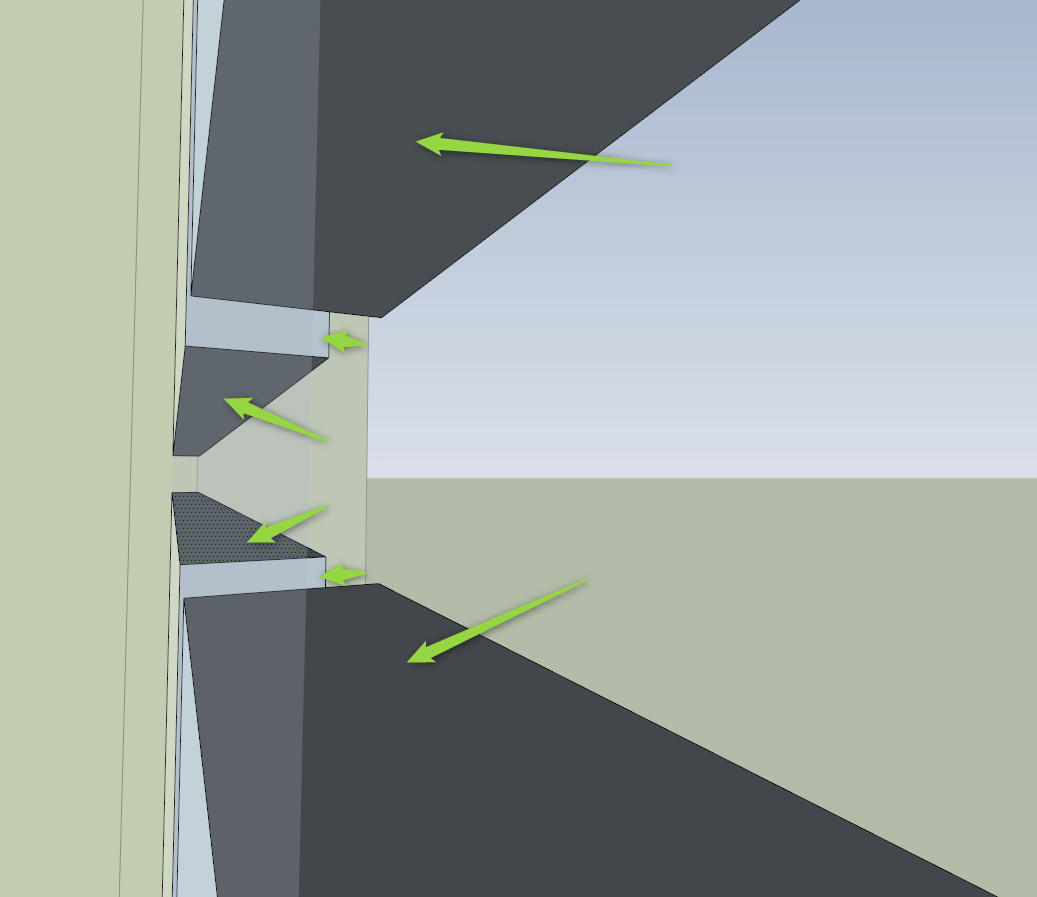
Any tips? Thank you.
-
@mtanure1234, just use the 'B' button on the UI, which will color only the backside face. Then, use the 'All adjacent faces with the same material' button to map material to all of them in that object.
-
Hello,
"Material Replacer 1.3.0" from sketchucation.com is actually installed as "SubD"
Best regards R. -
'tt_mat_replace_v1.3.0' is actually installed as 'SubD'
-
I have tested the RBZ and it is definitely installing SubD in error, although the RBZ is properly named ?? Perhaps @thomthom or @rich-o-brien or @Gábor can shed some light on this weirdness
-
@layacz I've contacted Thom to get it sorted
-
me sale como si fuera otro plugin
-
I have found a good version of the RBZ which installs v1.3.0 of the tool properly. It's now in the PluginStore / ExtensionStore³...
Just tested it and it works fine...






Hello! It looks like you're interested in this conversation, but you don't have an account yet.
Getting fed up of having to scroll through the same posts each visit? When you register for an account, you'll always come back to exactly where you were before, and choose to be notified of new replies (either via email, or push notification). You'll also be able to save bookmarks and upvote posts to show your appreciation to other community members.
With your input, this post could be even better 💗
Register Login


Advertisement