sketchucation logo sketchucation
    • Login
    Oops, your profile's looking a bit empty! To help us tailor your experience, please fill in key details like your SketchUp version, skill level, operating system, and more. Update and save your info on your profile page today!
    Mac User? | Join the Rayscaper Beta for Mac Learn More

    [Plugin] Material Replacer

    Scheduled Pinned Locked Moved Plugins
    79 Posts 42 Posters 94.6k Views 42 Watching
    Loading More Posts
    • Oldest to Newest
    • Newest to Oldest
    • Most Votes
    Reply
    • Reply as topic
    Log in to reply
    This topic has been deleted. Only users with topic management privileges can see it.
    • I
      irinapopescu
      last edited by

      Hei there! This pluigin was one of the best things to use last year for me, but since I upgradated to sketchup 2023 I ca't seem to install it. It shows "unsigned". Can anyone help?

      1 Reply Last reply
      Reply Quote 0
      • Dave RD
        Dave R
        last edited by

        @irinapopescu said:

        ... but since I upgradated to sketchup 2023 I ca't seem to install it. It shows "unsigned".

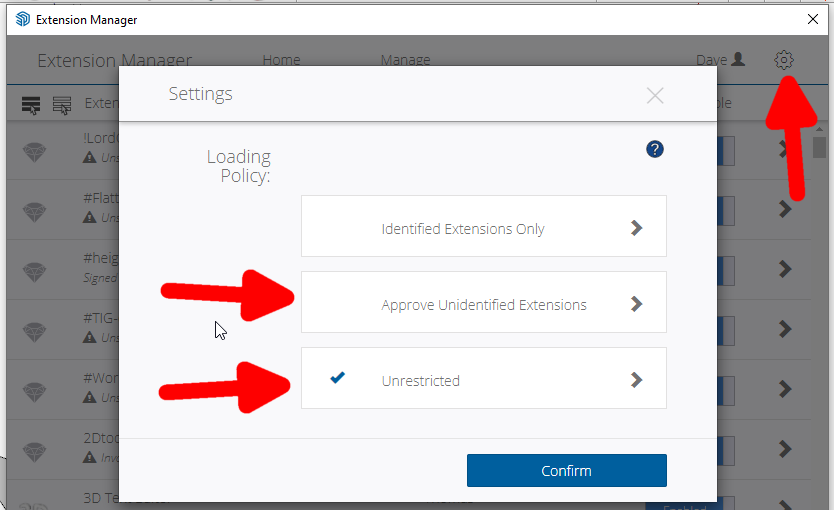
        Unsigned doesn't mean it won't install. You just have to make sure you have set loading policy in Extension Manager to allow unsigned extensions to load.
        Screenshot - 2_5_2024 , 7_07_10 AM.png

        Please update your forum profile. It is way out of date.

        Etaoin Shrdlu

        %

        (THERE'S NO PLACE LIKE)

        G28 X0.0 Y0.0 Z0.0

        M30

        %

        1 Reply Last reply
        Reply Quote 0
        • M
          mtanure1234
          last edited by

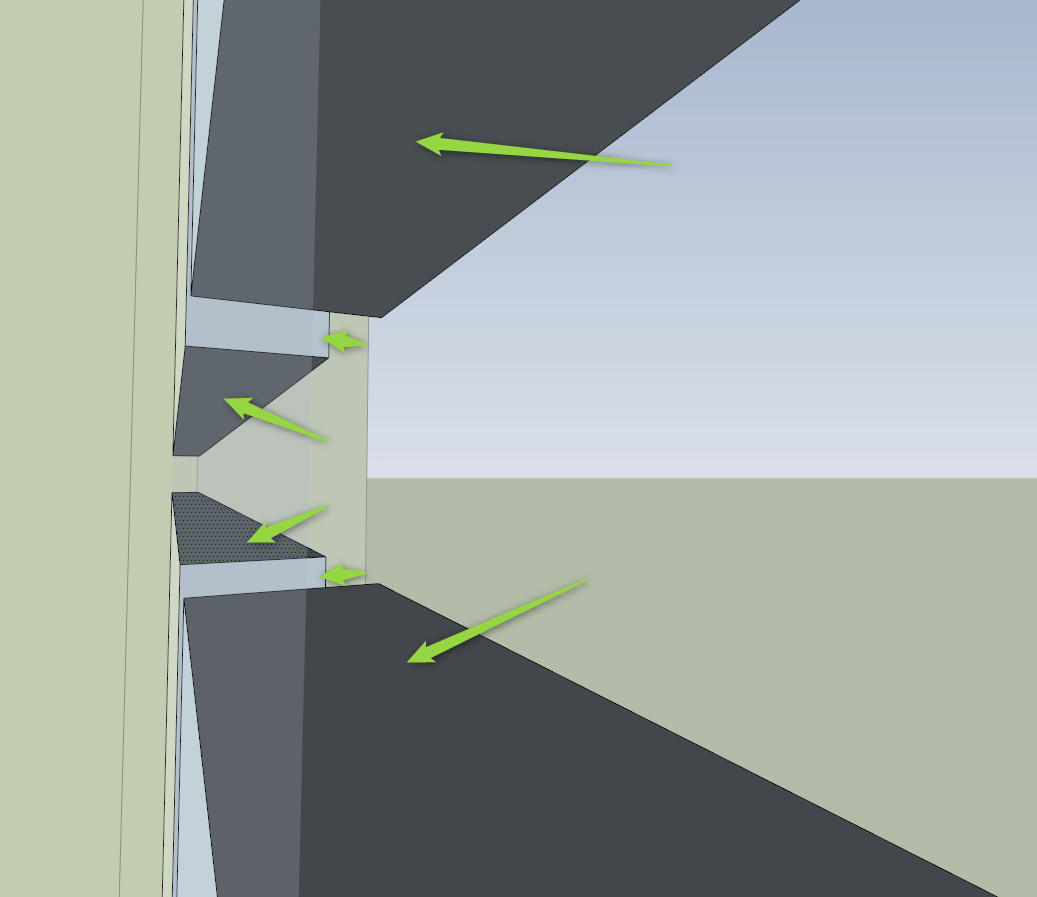
          I need to paint only those face with default material inside a model of a window I've created. But if I a replace with the Replace Material plugin it will change all the file default faces.
          8155a995-4f9d-4b6b-a71b-0f568f8c5cf9-image.png

          Any tips? Thank you.

          N 1 Reply Last reply
          Reply Quote 0
          • N
            nlipovac @mtanure1234
            last edited by

            @mtanure1234, just use the 'B' button on the UI, which will color only the backside face. Then, use the 'All adjacent faces with the same material' button to map material to all of them in that object.

            1 Reply Last reply
            Reply Quote 0
            • L
              LayaCZ
              last edited by

              Hello,
              "Material Replacer 1.3.0" from sketchucation.com is actually installed as "SubD"
              Best regards R.

              1 Reply Last reply
              Reply Quote 0
              • L
                LayaCZ
                last edited by

                'tt_mat_replace_v1.3.0' is actually installed as 'SubD'

                1 Reply Last reply
                Reply Quote 0
                • TIGT
                  TIG Moderator
                  last edited by TIG

                  @LayaCZ

                  I have tested the RBZ and it is definitely installing SubD in error, although the RBZ is properly named ?? Perhaps @thomthom or @rich-o-brien or @Gábor can shed some light on this weirdness

                  TIG

                  1 Reply Last reply
                  Reply Quote 0
                  • Rich O BrienR
                    Rich O Brien Moderator
                    last edited by

                    @layacz I've contacted Thom to get it sorted

                    Download the free D'oh Book for SketchUp 📖

                    1 Reply Last reply
                    Reply Quote 0
                    • N
                      nay_bernilla
                      last edited by

                      me sale como si fuera otro plugin

                      1 Reply Last reply
                      Reply Quote 0
                      • TIGT
                        TIG Moderator
                        last edited by TIG

                        I have found a good version of the RBZ which installs v1.3.0 of the tool properly. It's now in the PluginStore / ExtensionStore³...
                        Just tested it and it works fine...

                        TIG

                        1 Reply Last reply
                        Reply Quote 0

                        Hello! It looks like you're interested in this conversation, but you don't have an account yet.

                        Getting fed up of having to scroll through the same posts each visit? When you register for an account, you'll always come back to exactly where you were before, and choose to be notified of new replies (either via email, or push notification). You'll also be able to save bookmarks and upvote posts to show your appreciation to other community members.

                        With your input, this post could be even better 💗

                        Register Login
                        • 1
                        • 2
                        • 3
                        • 4
                        • 4 / 4
                        • First post
                          Last post
                        Buy SketchPlus
                        Buy SUbD
                        Buy WrapR
                        Buy eBook
                        Buy Modelur
                        Buy Vertex Tools
                        Buy SketchCuisine
                        Buy FormFonts

                        Advertisement

