sketchucation logo sketchucation
    • 登入
    Oops, your profile's looking a bit empty! To help us tailor your experience, please fill in key details like your SketchUp version, skill level, operating system, and more. Update and save your info on your profile page today!
    🔌 Smart Spline | Fluid way to handle splines for furniture design and complex structures. Download

    [Plugin] Edge Tools

    已排程 已置頂 已鎖定 已移動 Plugins
    211 貼文 74 Posters 283.9k 瀏覽 74 Watching
    正在載入更多貼文
    • 從舊到新
    • 從新到舊
    • 最多點贊
    回覆
    • 在新貼文中回覆
    登入後回覆
    此主題已被刪除。只有擁有主題管理權限的使用者可以查看。
    • TIGT 離線
      TIG Moderator
      最後由 編輯

      Not sure I understand why it can't be done by hand...

      Make a guide-line through the line AB.
      Ensure nothing is selected.
      Activate the Move tool.
      Pick the start of the line AB and snap it to the guide's intersections with the face's edge.
      Repeat for the end of the line AB.
      Now line AB has extended to meet the two face-edges...
      Erase the superfluous guide-line.

      Alternatively draw a new line across the face from the intersections of the guide and the face's edges... erase the guide.

      TIG

      1 條回覆 最後回覆 回覆 引用 0
      • thomthomT 離線
        thomthom
        最後由 編輯

        @tig said:

        Not sure I understand why it can't be done by hand...

        Make a guide-line through the line AB.
        Ensure nothing is selected.
        Activate the Move tool.
        Pick the start of the line AB and snap it to the guide's intersections with the face's edge.
        Repeat for the end of the line AB.
        Now line AB has extended to meet the two face-edges...
        Erase the superfluous guide-line.

        Because one click is nicer than many. 😉

        When cleaning up plans there's often a lot of edges that need extending - and the less clicks the better.

        I've been meaning to find the time to allow the Close Edge tool in Edge Tools to do this. So when it highlights an open end edge you can just click on it and have it extend - even though it would be outside the radius.

        Thomas Thomassen — SketchUp Monkey & Coding addict
        List of my plugins and link to the CookieWare fund

        1 條回覆 最後回覆 回覆 引用 0
        • TIGT 離線
          TIG Moderator
          最後由 編輯

          There's already my 2dTools Adjust ?
          Works in any plane...
          Wipe the two types of edges and - objects/targets and they adjust by extending or trimming...

          TIG

          1 條回覆 最後回覆 回覆 引用 0
          • R 離線
            rv1974
            最後由 編輯

            @thomthom said:

            Because one click is nicer than many. 😉

            It should be a permanent headline in the ruby sub-forum.

            1 條回覆 最後回覆 回覆 引用 0
            • JQLJ 離線
              JQL
              最後由 編輯

              Thomthom,

              Since Sketchup 2013 the inspect tool in Edgetools2 has been very unstable.

              Split faces is working fine, erase stray edges is perfect as ever and I can also use align vertices. However most of the time I try the inspect tool Sketchup crashes sometimes it's only when I press the circles, but it also happens just for executing the tool. The strange thing is that it actually inspects correctly but then SU stops responding.This is happening with both complex and simple models.

              I have the most recent version installed and also TT Library. I erased both folders and reinstalled from Sketchucation Plugin Store.

              As I don't see anyone saying the same thing I suppose it might be my problem, but would you have some kind of guidelines for figuring out what I can do?

              Thanks and best regards,

              EDIT: I just isolated both TTLib and Edgetools and removed every other plugin from plugins folder and it crashed again...

              JQL

              www.casca.pt
              Visit us on facebook!

              1 條回覆 最後回覆 回覆 引用 0
              • halroachH 離線
                halroach
                最後由 編輯

                I've got an idea for a nice feature that could make this plugin even more powerful.
                Having the option to limit the "edge gap closing" to points that are on the same Z. Any chance for that?

                FlexTools - Super Quick Windows, Doors, Slats...

                1 條回覆 最後回覆 回覆 引用 0
                • C 離線
                  calvin200001
                  最後由 編輯

                  does this work for mac? I get an error:

                  Error Loading File /Users/****/Library/Application Support/SketchUp 2013/SketchUp/Plugins/TT_EdgeTools/core.rb
                  no such file to load -- TT_Lib2/core.rb
                  Error Loading File tt_edgetools.rb
                  no such file to load -- TT_Lib2/core.rb

                  1 條回覆 最後回覆 回覆 引用 0
                  • TIGT 離線
                    TIG Moderator
                    最後由 編輯

                    @calvin200001 said:

                    does this work for mac? I get an error:

                    Error Loading File /Users/****/Library/Application Support/SketchUp 2013/SketchUp/Plugins/TT_EdgeTools/core.rb
                    no such file to load -- TT_Lib2/core.rb
                    Error Loading File tt_edgetools.rb
                    no such file to load -- TT_Lib2/core.rb
                    Have you installed the latest version of the TT_Lib2 and restarted SketchUp ?
                    http://sketchucation.com/resources/pluginstore?pln=TT_Lib

                    TIG

                    1 條回覆 最後回覆 回覆 引用 0
                    • C 離線
                      calvin200001
                      最後由 編輯

                      SO sorry, I didnt see that. Works amazingly now.

                      1 條回覆 最後回覆 回覆 引用 0
                      • halroachH 離線
                        halroach
                        最後由 編輯

                        Hi Thomthom,

                        I've been using edge tools for a long time. It's great!

                        A little idea that could be a great time saver.
                        It would be nice if you could add to the 'Inspect & Close' function, an option of dragging the mouse over a bunch of edges to have them all fixed at once.

                        (... Like when there is a long staircase imported from dwg where all of the steps aren't connecting... drag a selection all around them... and viola - all taken care of).

                        FlexTools - Super Quick Windows, Doors, Slats...

                        1 條回覆 最後回覆 回覆 引用 0
                        • pbacotP 離線
                          pbacot
                          最後由 編輯

                          I find that with "Split faces into multiple pieces" the "X" key is not recognized to create more multiple edges. The * key on the 10-key pad is recognized however. This is on a Mac. Is that intended?

                          MacOSX MojaveSketchUp Pro v19 Twilight v2 Thea v3 PowerCADD

                          1 條回覆 最後回覆 回覆 引用 0
                          • JQLJ 離線
                            JQL
                            最後由 編輯

                            @pbacot said:

                            I find that with "Split faces into multiple pieces" the "X" key is not recognized to create more multiple edges. The * key on the 10-key pad is recognized however. This is on a Mac. Is that intended?

                            Duh! I didn't know one could do that. It works (though my "X" is assigned to other function and I always use "*" for that sort of stuff)

                            www.casca.pt
                            Visit us on facebook!

                            1 條回覆 最後回覆 回覆 引用 0
                            • pbacotP 離線
                              pbacot
                              最後由 編輯

                              did you know you could place the line on many other faces in context, not just the contingent face? I am not sure what decides which faces apply, but probably has something to do with having an edge that is a parallel to the contingent face. I just found that out today.

                              MacOSX MojaveSketchUp Pro v19 Twilight v2 Thea v3 PowerCADD

                              1 條回覆 最後回覆 回覆 引用 0
                              • cottyC 離線
                                cotty
                                最後由 編輯

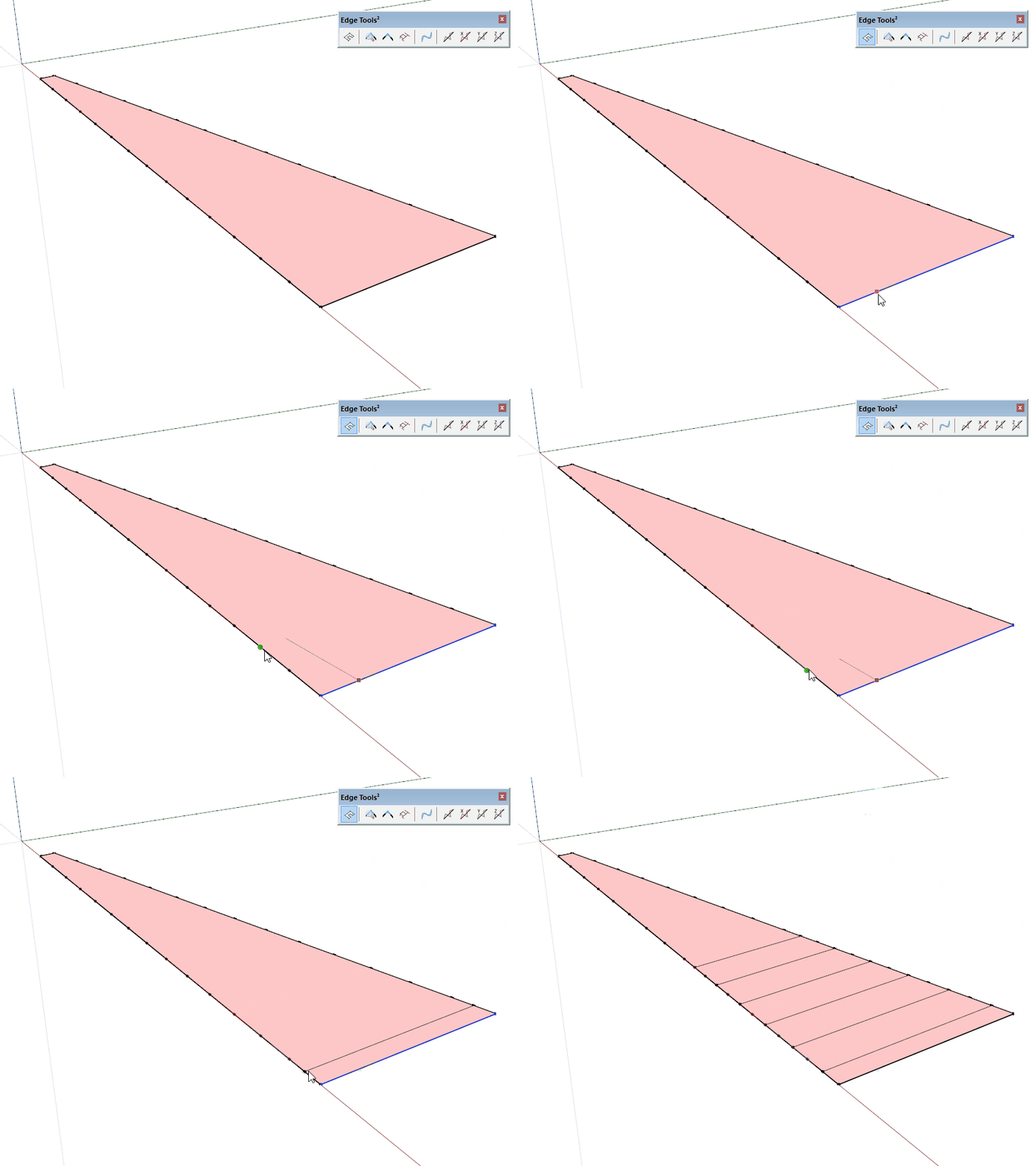
                                I would like to get a line at the next vertex (see animation) and not only in between the vertices, is it possible?
                                edgeatvertex.gif

                                my SketchUp gallery

                                1 條回覆 最後回覆 回覆 引用 0
                                • JQLJ 離線
                                  JQL
                                  最後由 編輯

                                  @pbacot said:

                                  did you know you could place the line on many other faces in context, not just the contingent face? I am not sure what decides which faces apply, but probably has something to do with having an edge that is a parallel to the contingent face. I just found that out today.

                                  Yes that I knew already! We are tied! The only thing needed is coplanar faces...

                                  @cotty said:

                                  I would like to get a line at the next vertex (see animation) and not only in between the vertices, is it possible?

                                  That only happens when the edge hits two simultaneous vertexes.

                                  I never split faces but sometimes that happens if I use split faces around a box. I can split 3 faces but the last only works if I draw a line. I used to think it had something to do with that final edge generating a face but it has to do with joining two END vertexes.
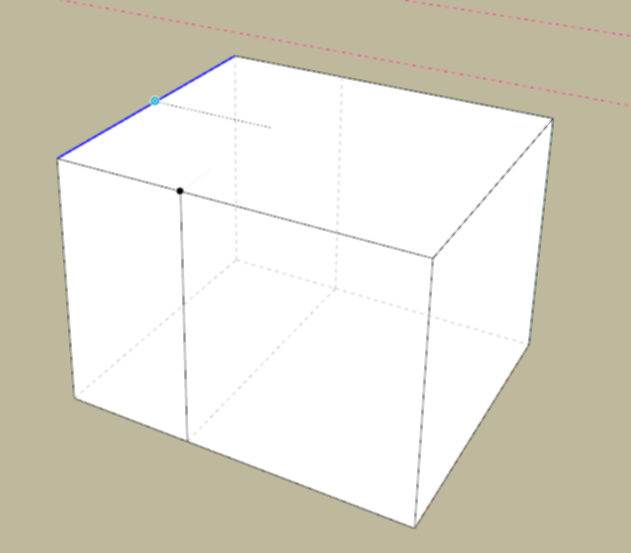
                                  split box.jpeg

                                  It can split if the vertexes are in the middle.
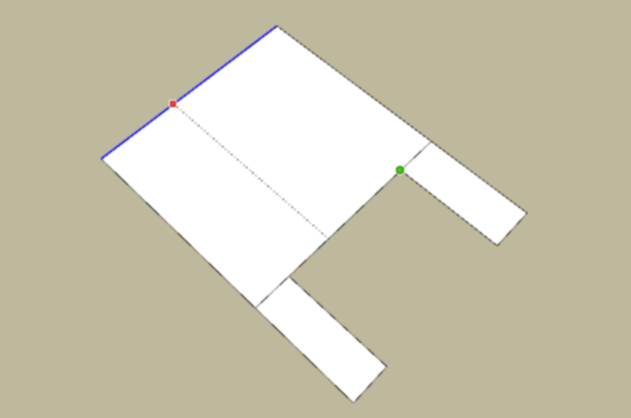
                                  split middle vertexes.jpg

                                  www.casca.pt
                                  Visit us on facebook!

                                  1 條回覆 最後回覆 回覆 引用 0
                                  • pbacotP 離線
                                    pbacot
                                    最後由 編輯

                                    Yep, The faces don't need to be coplanar. They can be parallel faces and perpendicular but parallel to edge, plus more--but I haven't figured out what and probably cannot

                                    MacOSX MojaveSketchUp Pro v19 Twilight v2 Thea v3 PowerCADD

                                    1 條回覆 最後回覆 回覆 引用 0
                                    • A 離線
                                      alamin
                                      最後由 編輯

                                      any pdf tutorial ?

                                      1 條回覆 最後回覆 回覆 引用 0
                                      • A 離線
                                        AMena
                                        最後由 編輯

                                        @thomhom

                                        Hi, i installed Edge tools² in my sketchup pro 2017, but i'm not able to find it in the menu "View » Toolbars » Edge Tools²" or in "Tools » Edge Tools²" , i've tried to reinstal it, but it did't work.

                                        Pd: i already installed the TT_Lib² — 2.7.0 before instal the Edge tools²

                                        Thanks for the help

                                        1 條回覆 最後回覆 回覆 引用 0
                                        • TIGT 離線
                                          TIG Moderator
                                          最後由 編輯

                                          Assuming you installed it from its RBZ using the Install Extension tool...
                                          Check under the Extension Manager dialog that it is activated - if it's not, then no menu items or toolbars will appear...

                                          TIG

                                          1 條回覆 最後回覆 回覆 引用 0
                                          • F 離線
                                            filatelik
                                            最後由 編輯

                                            Hi Thomthom, first of all many thanks for this useful plugin.

                                            Just would like to ask you if exist or you plan to make its equivalent for newer versions of Sketchup? I mean *.rbz suffix of file. Many thanks in advance for your answer.

                                            Filip

                                            1 條回覆 最後回覆 回覆 引用 0
                                            • 1
                                            • 2
                                            • 3
                                            • 4
                                            • 5
                                            • 6
                                            • 7
                                            • 10
                                            • 11
                                            • 5 / 11
                                            • 第一個貼文
                                              最後的貼文
                                            Buy SketchPlus
                                            Buy SUbD
                                            Buy WrapR
                                            Buy eBook
                                            Buy Modelur
                                            Buy Vertex Tools
                                            Buy SketchCuisine
                                            Buy FormFonts

                                            Advertisement



