sketchucation logo sketchucation
    • 登入
    Oops, your profile's looking a bit empty! To help us tailor your experience, please fill in key details like your SketchUp version, skill level, operating system, and more. Update and save your info on your profile page today!
    🔌 Smart Spline | Fluid way to handle splines for furniture design and complex structures. Download

    [Plugin][$] RoundCorner - v3.4a - 31 Mar 24


    已排程 已置頂 已鎖定 已移動 Plugins
    1.5k 貼文 473 Posters 3.4m 瀏覽 472 Watching
    正在載入更多貼文
    • 從舊到新
    • 從新到舊
    • 最多點贊
    回覆
    • 在新貼文中回覆
    登入後回覆
    此主題已被刪除。只有擁有主題管理權限的使用者可以查看。
    • P 離線
      PapaBear60
      最後由 編輯

      I love Sketchup - well, did love it. But I'm finding that it's not wise to upgrade every time a new version comes out. Take these extensions, for example. I went to SU14 and now can't for the life of me figure out how to install (or even if I can install) this extension. For me, SU14 is pretty useless without it. I can't even find the Plugins root directory in SU14. What gives?

      1 條回覆 最後回覆 回覆 引用 0
      • Dave RD 離線
        Dave R
        最後由 編輯

        There's plenty written about installing plugins in SU2014 and it doesn't take much to find it.

        If you download the rbz file from the first post in this thread, you can use Install Extension under Preferences>Extensions to install it automatically. Or you could install the Sketchucation Plugin Store using Install Extension (there's even a video to show you how to install it) and then download and install the plugin from there. In either case the files will get installed correctly into the proper location. Make sure you also get the current LibFredo6 files installed, too.

        Don't just copy files from your old Plugins directory to the one for SU2014. That's a sure way to create a headache.

        Etaoin Shrdlu

        %

        (THERE'S NO PLACE LIKE)

        G28 X0.0 Y0.0 Z0.0

        M30

        %

        1 條回覆 最後回覆 回覆 引用 0
        • E 離線
          eddybo
          最後由 編輯

          First of all, thanks for the cool plugin!

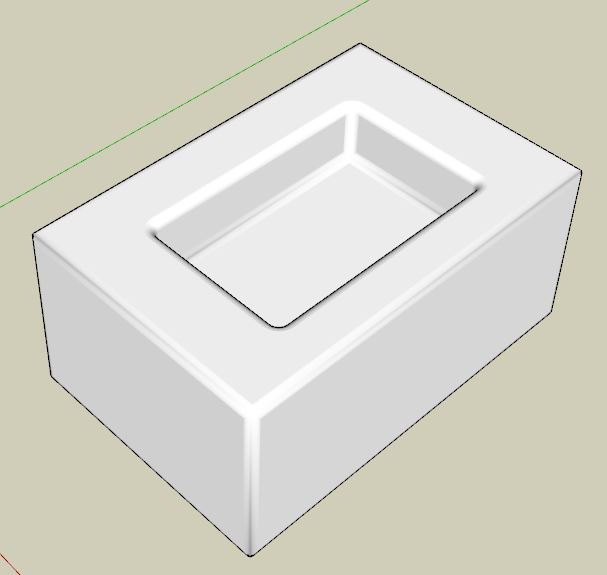
          I'm running into what I would think is a fairly common problem though: RoundCorner seems to "destroy" any concave insets I create. Instead of trying to explain in words I've created a 2 minute video which demonstrates an easy way for me to reproduce the problem.

          Any ideas or help would be appreciated!

          Thanks,
          Eddy

          1 條回覆 最後回覆 回覆 引用 0
          • massimoM 離線
            massimo Moderator
            最後由 編輯

            That is a well known behaviour. At the end, pick the select tool and just click on the created surface where you should have a hole and press del.
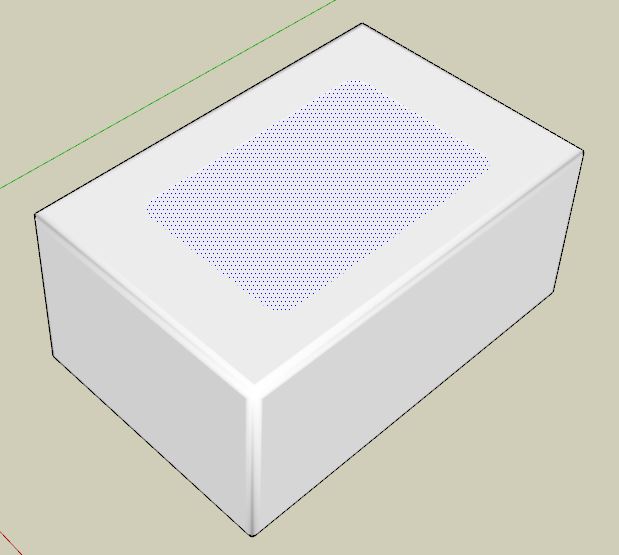
            Cattura_01.JPG
            Cattura.JPG

            1 條回覆 最後回覆 回覆 引用 0
            • E 離線
              eddybo
              最後由 編輯

              Ah, that did the trick. Thank you!

              1 條回覆 最後回覆 回覆 引用 0
              • M 離線
                mattiab
                最後由 編輯

                SketchUp crashes each time i try to use this plugin, do you know why?

                1 條回覆 最後回覆 回覆 引用 0
                • TIGT 離線
                  TIG Moderator
                  最後由 編輯

                  @mattiab said:

                  SketchUp crashes each time i try to use this plugin, do you know why?
                  Do you have the latest version?
                  Do you have the latest version of the require Lib Fredo ?
                  What do you mean by 'crash'?
                  Are there any error-messages as SketchUp loads?
                  Are there any messages in th Ruby Console when you try using this tool ?

                  I note you say you are on SketchUp 7 - that's 3 steps behind most people !
                  Expecting compatibility is perhaps hopeful...

                  TIG

                  1 條回覆 最後回覆 回覆 引用 0
                  • fredo6F 離線
                    fredo6
                    最後由 編輯

                    @mattiab said:

                    SketchUp crashes each time i try to use this plugin, do you know why?

                    Do you have an old version of Vray?

                    1 條回覆 最後回覆 回覆 引用 0
                    • Dave RD 離線
                      Dave R
                      最後由 編輯

                      @mattiab said:

                      SketchUp crashes each time i try to use this plugin, do you know why?

                      You sure haven't given much in the way of useful information so that anyone can help you.

                      Etaoin Shrdlu

                      %

                      (THERE'S NO PLACE LIKE)

                      G28 X0.0 Y0.0 Z0.0

                      M30

                      %

                      1 條回覆 最後回覆 回覆 引用 0
                      • W 離線
                        whitelock
                        最後由 編輯

                        Hi I would like to ask what edge prop filter, border and inner edge settings need to be on to have the effect below (I have had to soften all edges and then redraw the lines to show what I need) where the outer edges of the round are visible and the inner edges are hidden. I have tried every kind of variation I can think of and they all end up showing all the additional edges created. Please help if you can

                        thanks

                        Luke
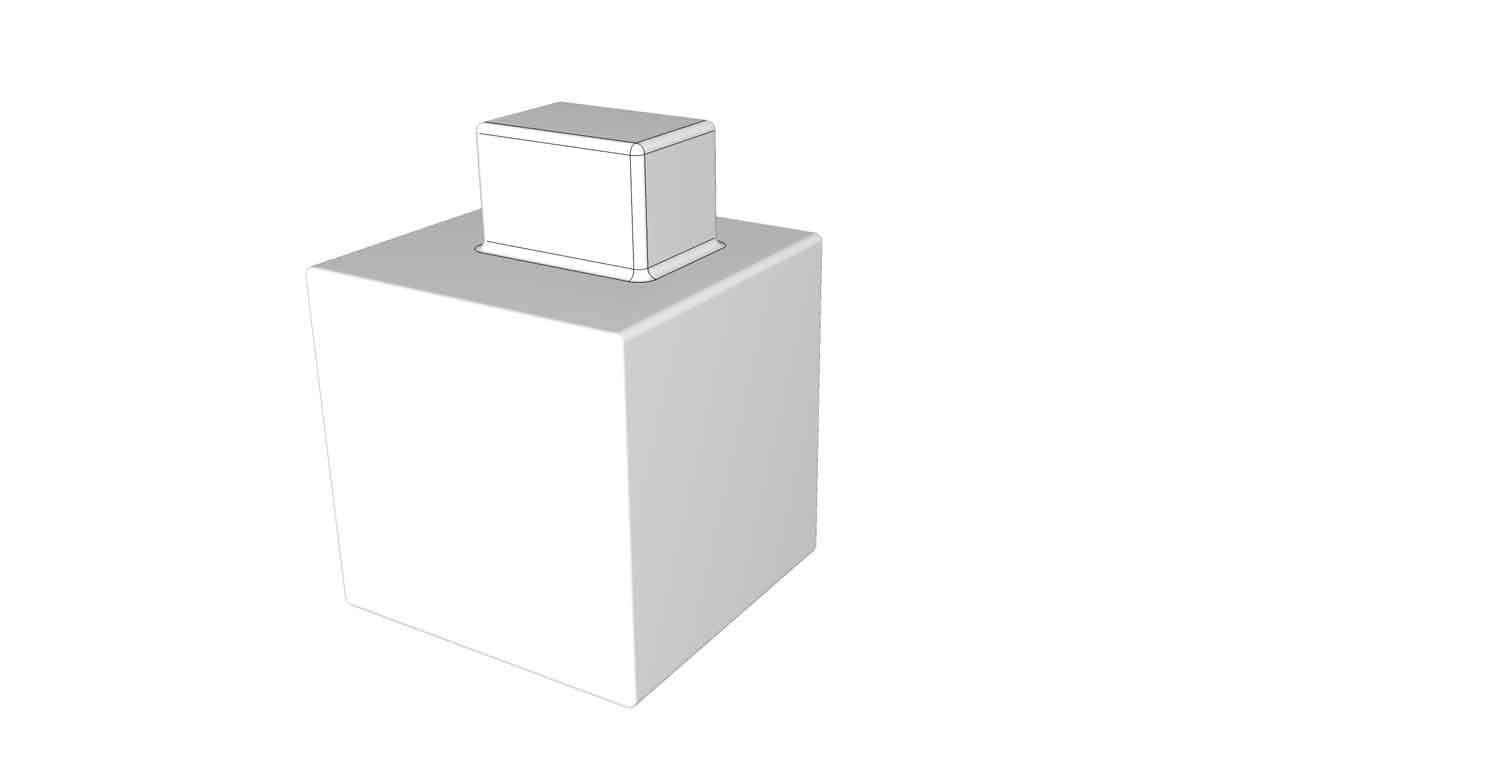

                        test.jpg

                        1 條回覆 最後回覆 回覆 引用 0
                        • Dave RD 離線
                          Dave R
                          最後由 編輯

                          Is this what you're after?

                          2014-07-31_05-51-01.png

                          Etaoin Shrdlu

                          %

                          (THERE'S NO PLACE LIKE)

                          G28 X0.0 Y0.0 Z0.0

                          M30

                          %

                          1 條回覆 最後回覆 回覆 引用 0
                          • W 離線
                            whitelock
                            最後由 編輯

                            Hi Dave,
                            thanks for the reply I am actually after this look as shown below, where the outer edges of the Radius are shown only so that when I put the model into Layout I not only have points that I can snap to for measurements but you can also make out the edge.
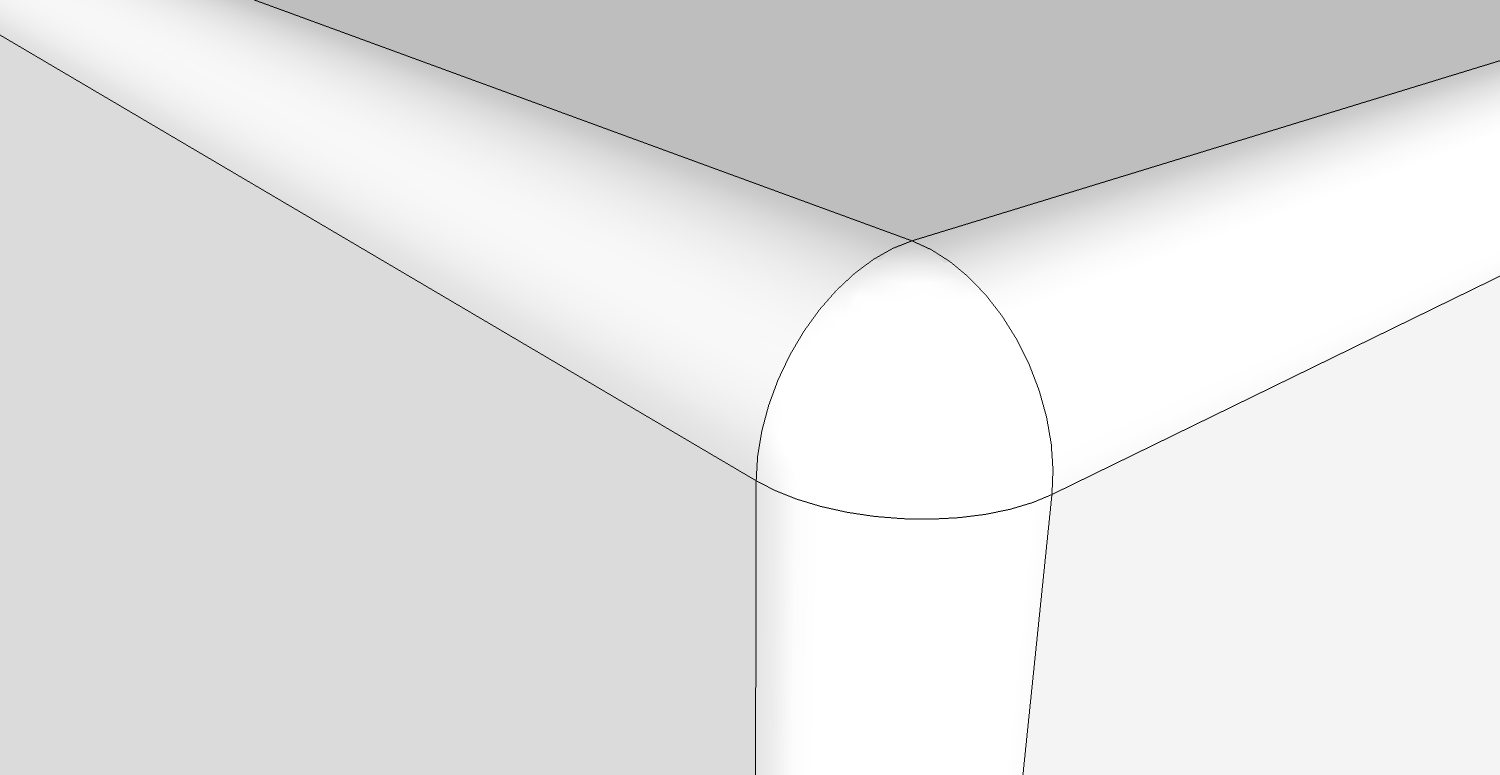

                            test 2.jpg

                            1 條回覆 最後回覆 回覆 引用 0
                            • Dave RD 離線
                              Dave R
                              最後由 編輯

                              You could do this:
                              2014-07-31_08-48-21.png

                              And maybe you could get the additional edges at the corners if you run the plugin on limited selections and run it more than once.

                              If you aren't able to see the edges in LO, it makes me wonder what you have Profiles set to for the style you use.

                              Etaoin Shrdlu

                              %

                              (THERE'S NO PLACE LIKE)

                              G28 X0.0 Y0.0 Z0.0

                              M30

                              %

                              1 條回覆 最後回覆 回覆 引用 0
                              • W 離線
                                whitelock
                                最後由 編輯

                                Thanks dave, big help 😄

                                1 條回覆 最後回覆 回覆 引用 0
                                • N 離線
                                  numerobis
                                  最後由 編輯

                                  @whitelock said:

                                  Hi Dave,
                                  thanks for the reply I am actually after this look as shown below, where the outer edges of the Radius are shown only so that when I put the model into Layout I not only have points that I can snap to for measurements but you can also make out the edge.

                                  I wanted to ask the same today 😆
                                  I need it to get a proper shading in rendering without additional supporting edges. For now i'm doing this manually for every object after i have rounded the corners:

                                  • select the whole object and set it to the lowest needed angle to get softed edges.
                                  • double click on every side to select the bounding edges, then deselect faces with filter plugin.
                                  • hit the edge loop function to select the crossing edges at the corners
                                  • set the softening angle to 0

                                  So, it would be nice to have an option in RoundCorner to do this automatically!

                                  But thanks Dave! 👍 I will try your suggested setting to see if this is enough to get a proper shading (not sure about that).

                                  1 條回覆 最後回覆 回覆 引用 0
                                  • Dave RD 離線
                                    Dave R
                                    最後由 編輯

                                    @james kayten said:

                                    I find it dismaying that for all the info provided, there's no link to download the plugin. I've been online now nearly an hour trying to figure out how I managed to install the item last year. There's an ill-concieved quality about so much of the SU interface and plugins system - amateurish and fucking annoying.

                                    I find it dismaying that despite how obvious it is, you still can't find the links in the first post of the thread. And then have the gall to use foul language and make insults that are uncalled for and expect others to help you anyway. 😒

                                    2014-08-12_13-26-21.png

                                    Etaoin Shrdlu

                                    %

                                    (THERE'S NO PLACE LIKE)

                                    G28 X0.0 Y0.0 Z0.0

                                    M30

                                    %

                                    1 條回覆 最後回覆 回覆 引用 0
                                    • Rich O BrienR 離線
                                      Rich O Brien Moderator
                                      最後由 編輯

                                      Amateurish is use of foul language to make point.

                                      Amateurish is spending an hour trying to figure the obvious.

                                      What's even more amateurish is missing out on something so blatantly obvious....

                                      http://img.tapatalk.com/d/14/08/13/atade7yd.jpg

                                      Download the free D'oh Book for SketchUp 📖

                                      1 條回覆 最後回覆 回覆 引用 0
                                      • Rich O BrienR 離線
                                        Rich O Brien Moderator
                                        最後由 編輯

                                        Haha.

                                        Did he poke your button too?

                                        Download the free D'oh Book for SketchUp 📖

                                        1 條回覆 最後回覆 回覆 引用 0
                                        • T 離線
                                          tkridero
                                          最後由 編輯

                                          thank mak mak

                                          1 條回覆 最後回覆 回覆 引用 0
                                          • T 離線
                                            Toon Master
                                            最後由 編輯

                                            Thank you very much!

                                            1 條回覆 最後回覆 回覆 引用 0
                                            • 1
                                            • 2
                                            • 3
                                            • 4
                                            • 5
                                            • 73
                                            • 74
                                            • 2 / 74
                                            • 第一個貼文
                                              最後的貼文
                                            Buy SketchPlus
                                            Buy SUbD
                                            Buy WrapR
                                            Buy eBook
                                            Buy Modelur
                                            Buy Vertex Tools
                                            Buy SketchCuisine
                                            Buy FormFonts

                                            Advertisement