[Plugin][$] FredoScale - v3.7c - 19 Aug 26




-
No toolbar after install.
-
@michael_kelso said:
No toolbar after install.
Did you install the required LibFredo6 as well? Did you quit and restart SketchUp? Did you look in the Tool Palettes for it?
-
NEW RELEASE: FredoScale v3.2a - 30 Jan 22
Requirement: LibFredo6 12.4a.
IMPORTANT: FredoScale is no longer supported for Sketchup versions lower than SU2017.
FredoScale 3.2a provides a workaround to an annoying bug introduced by SU2022 which affects the dimension dialog box (called by TAB). Used this version, pending a fix by Sketchup.
Home Page of FredoScale for information and Download.
-
NEW RELEASE: FredoScale v3.3a - 13 Feb 22
Requirement: LibFredo6 12.4a.
IMPORTANT: FredoScale is no longer supported for Sketchup versions lower than SU2017.
FredoScale 3.3a provides compatibility with 3D mouse devices; in some cases, the visual display could be desynchronized from the view when set by the 3D mouse.
Home Page of FredoScale for information and Download.
-
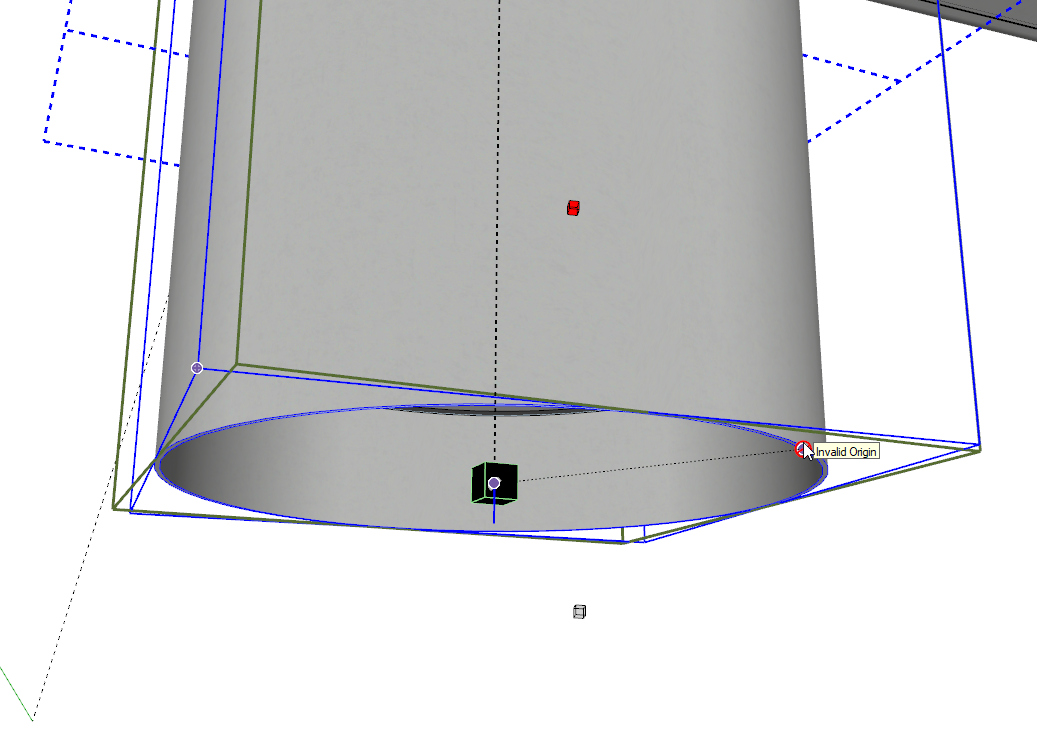
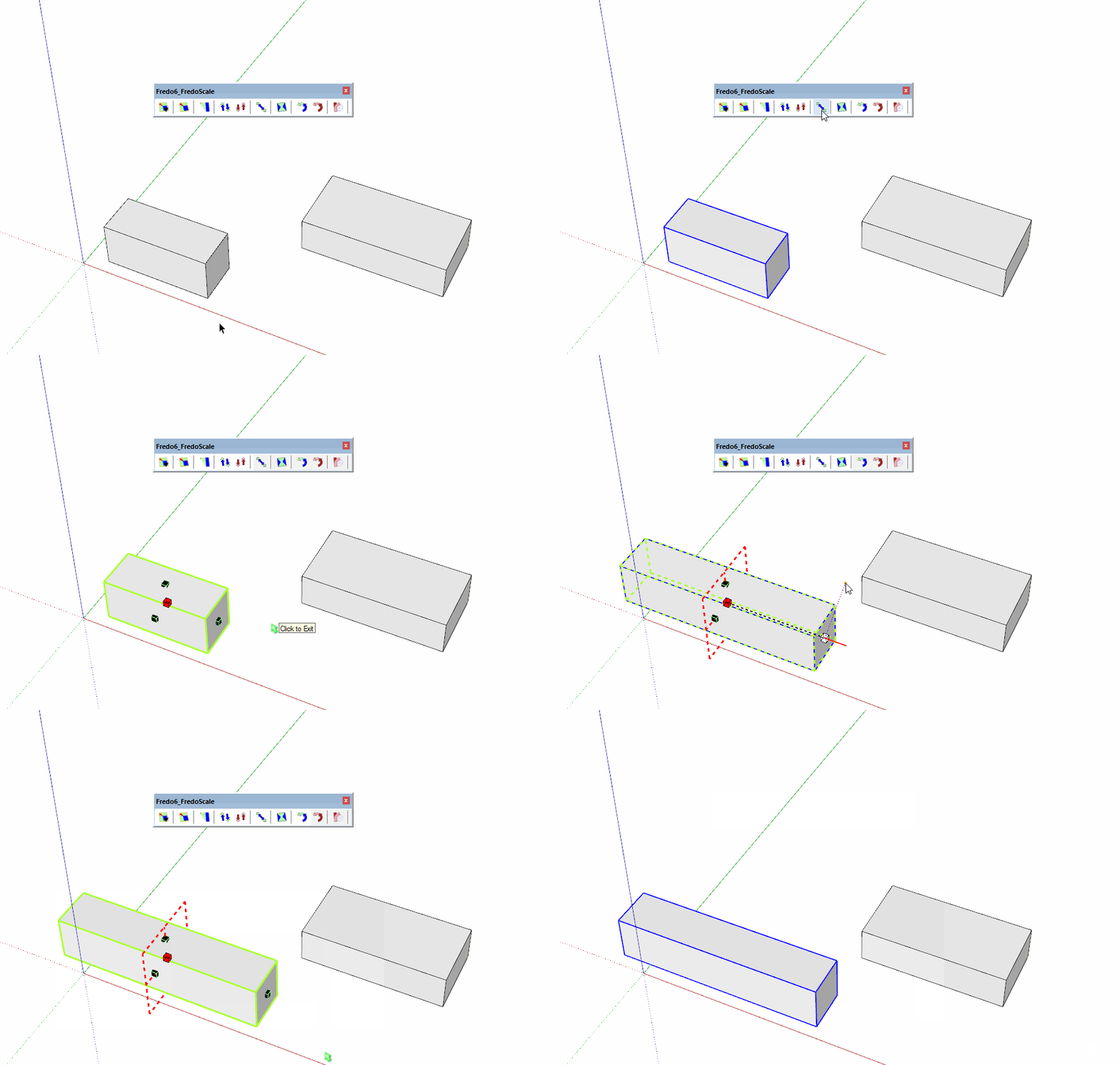
When using the "Stretch to target tool" I get "invalid origin" no matter where i try to start from.. Is this a bug in the software or in the user ?? (read: Me)
-
Obviously, there is a big bug here.
I will have a closer look and try to fix.
-
NEW RELEASE: FredoScale v3.4a - 15 Feb 22
Requirement: LibFredo6 12.4a.
IMPORTANT: FredoScale is no longer supported for Sketchup versions lower than SU2017.
FredoScale 3.4a fixes a major bug whereby all tools 'To Target' were not usable and showed a message 'Invalid Origin'.
Home Page of FredoScale for information and Download.
-
I normally fixed the bug in FredoScale v3.4a.
Could you confirm this is OK with you.
Many thanks
Fredo
-
Uppdated, and all is back to normal... Phew.. Thank you for this quick fix

-
Windows 11
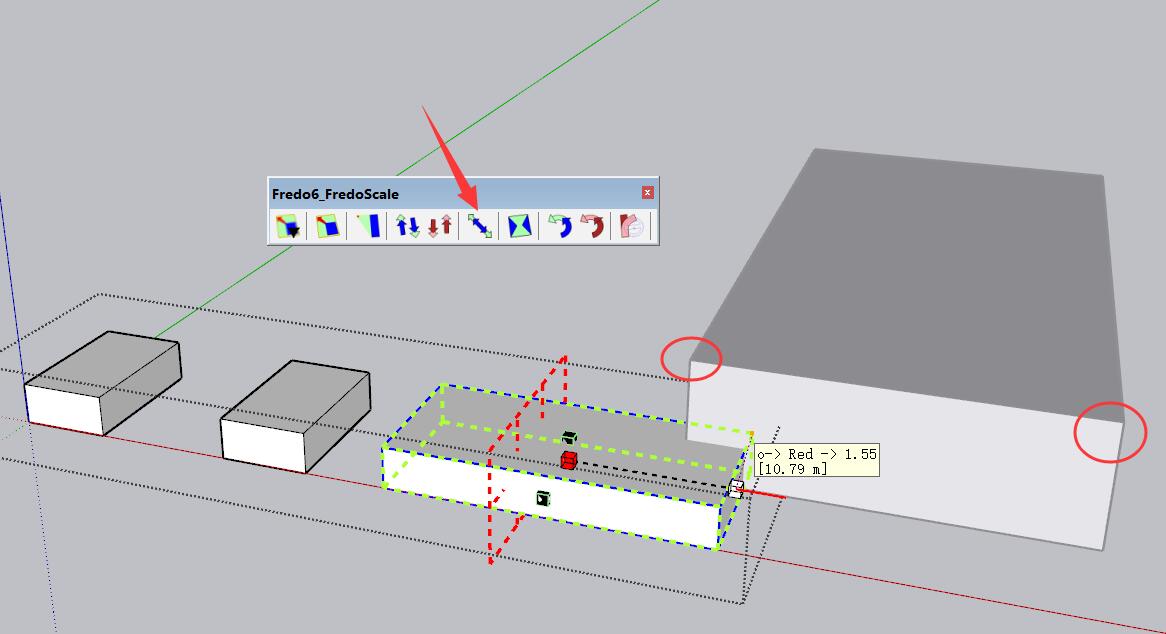
Stretch can't snap object outside group.
-
@wantao said:
Windows 11
Stretch can't snap object outside group.
[attachment=0:2wnbpg4f]<!-- ia0 -->20220311215448.jpg<!-- ia0 -->[/attachment:2wnbpg4f]
Not related to Windows 11, but more to a limitation of the Ruby API unfortunately.
-
-
-
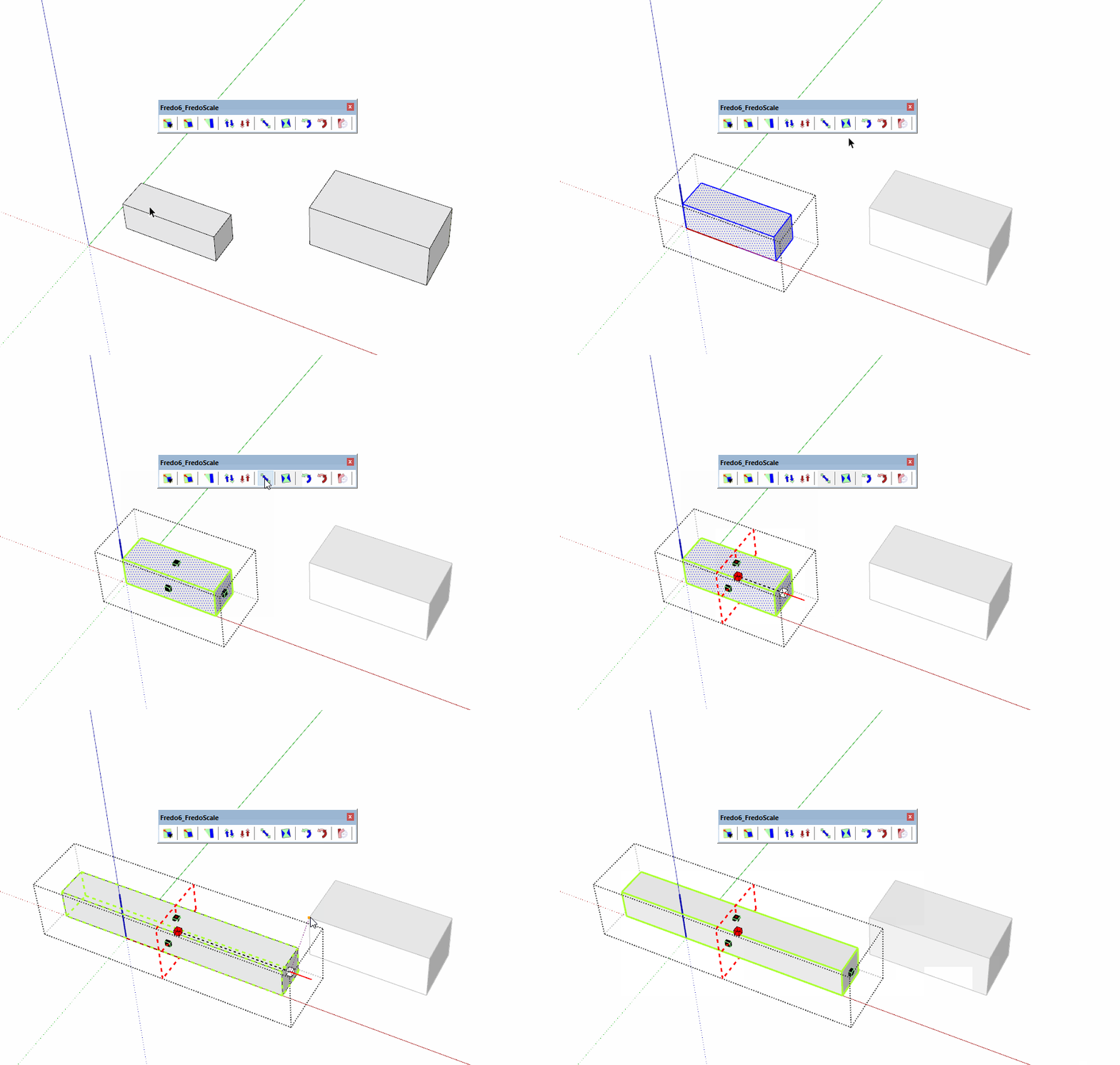
Sorry. I forgot to open it. How about this?
-
The inference with the small orange point does not force alignment.
I think that I did that to avoid that there are too many inferences when you work inside a container context.
I think I can enable it.
-
NEW RELEASE: FredoScale v3.4b - 11 Mar 22
Requirement: LibFredo6 12.4a.
IMPORTANT: FredoScale is no longer supported for Sketchup versions lower than SU2017.
FredoScale 3.4b includes:
- Inferences outside current context (see video below)
- Updated Chinese translation by Arc
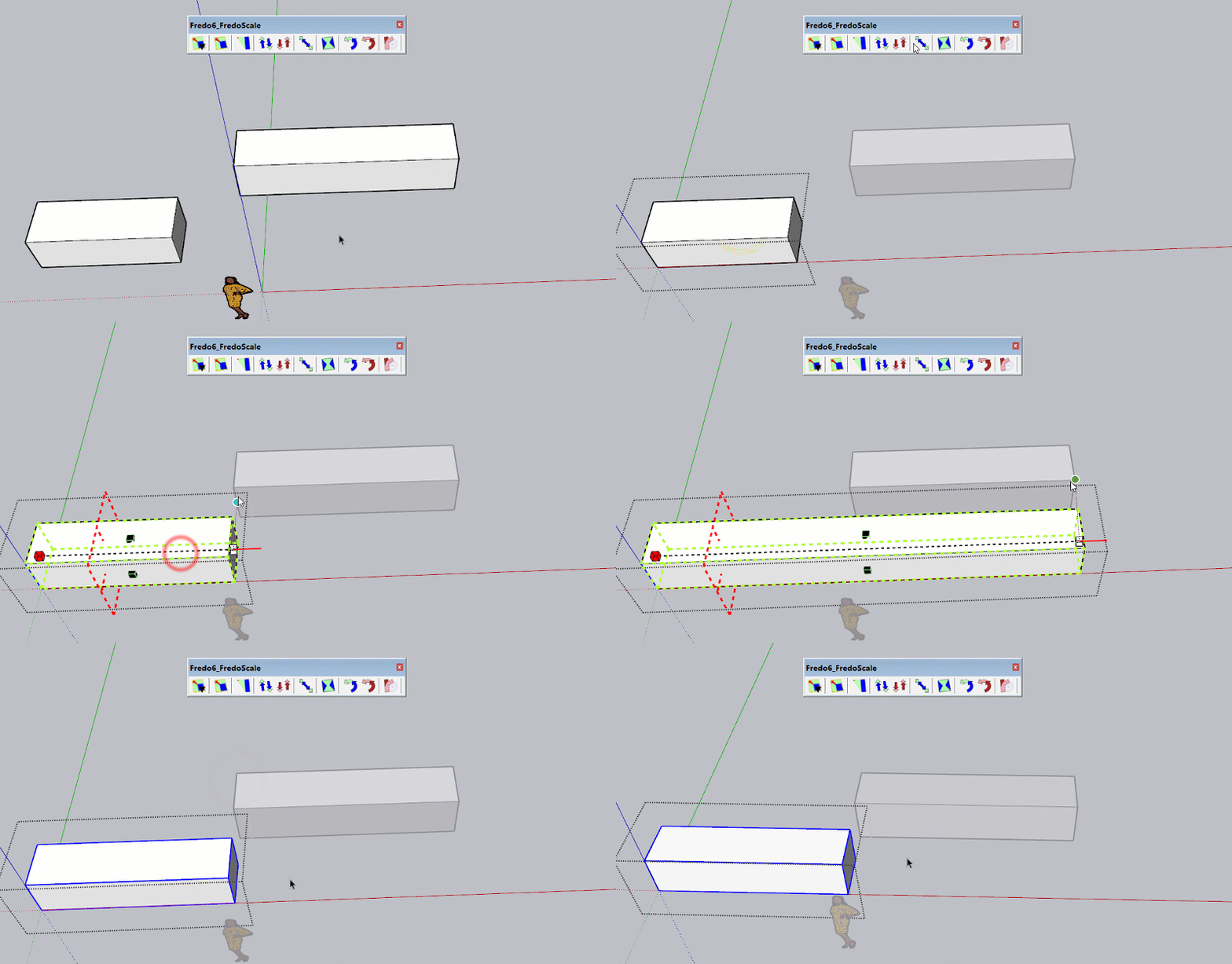
Home Page of FredoScale for information and Download.
-
Bonjour J'ai acheté hier matin le plugin fredoscale et je n'ai toujours pas l'accès est-ce normal?
Merci de me donner la marche à suivre. Bonne journée, Pascal (skp 21 pro) -
@pascal1964 said:
Bonjour J'ai acheté hier matin le plugin fredoscale et je n'ai toujours pas l'accès est-ce normal?
Merci de me donner la marche à suivre. Bonne journée, Pascal (skp 21 pro)Go to https://sketchucation.com/webshop/my-licences.php to retrieve your license files if the email has not arrived or is sitting in Spam
-
J'ai déjà vérifier il est nul part

-
There is no purchase history for your account. Can you send us info to support[at]sketchucation.com with Transaction ID, Username and Email associated to payment?




Hello! It looks like you're interested in this conversation, but you don't have an account yet.
Getting fed up of having to scroll through the same posts each visit? When you register for an account, you'll always come back to exactly where you were before, and choose to be notified of new replies (either via email, or push notification). You'll also be able to save bookmarks and upvote posts to show your appreciation to other community members.
With your input, this post could be even better 💗
Register Login


Advertisement