sketchucation logo sketchucation
    • Login
    Oops, your profile's looking a bit empty! To help us tailor your experience, please fill in key details like your SketchUp version, skill level, operating system, and more. Update and save your info on your profile page today!
    ⚠️ Update | Sketchucation Tools 5.0.8 released with licensing improvements and bugfixes Download

    [Plugin][$] FredoScale - v3.7c - 19 Aug 26


    Scheduled Pinned Locked Moved Plugins
    1.2k Posts 347 Posters 3.3m Views 345 Watching
    Loading More Posts
    • Oldest to Newest
    • Newest to Oldest
    • Most Votes
    Reply
    • Reply as topic
    Log in to reply
    This topic has been deleted. Only users with topic management privileges can see it.
    • fredo6F
      fredo6
      last edited by

      @wantao said:

      Windows 11

      Stretch can't snap object outside group.

      [attachment=0:2wnbpg4f]<!-- ia0 -->20220311215448.jpg<!-- ia0 -->[/attachment:2wnbpg4f]

      Not related to Windows 11, but more to a limitation of the Ruby API unfortunately.

      1 Reply Last reply
      Reply Quote 0
      • Dave RD
        Dave R
        last edited by

        @wantao said:

        Stretch can't snap object outside group.

        It does work for me.
        Click on the picture

        Etaoin Shrdlu

        %

        (THERE'S NO PLACE LIKE)

        G28 X0.0 Y0.0 Z0.0

        M30

        %

        1 Reply Last reply
        Reply Quote 0
        • fredo6F
          fredo6
          last edited by

          @dave r said:

          It does work for me.

          I think the problem is when you are within the group.

          1 Reply Last reply
          Reply Quote 0
          • Dave RD
            Dave R
            last edited by

            Sorry. I forgot to open it. How about this?
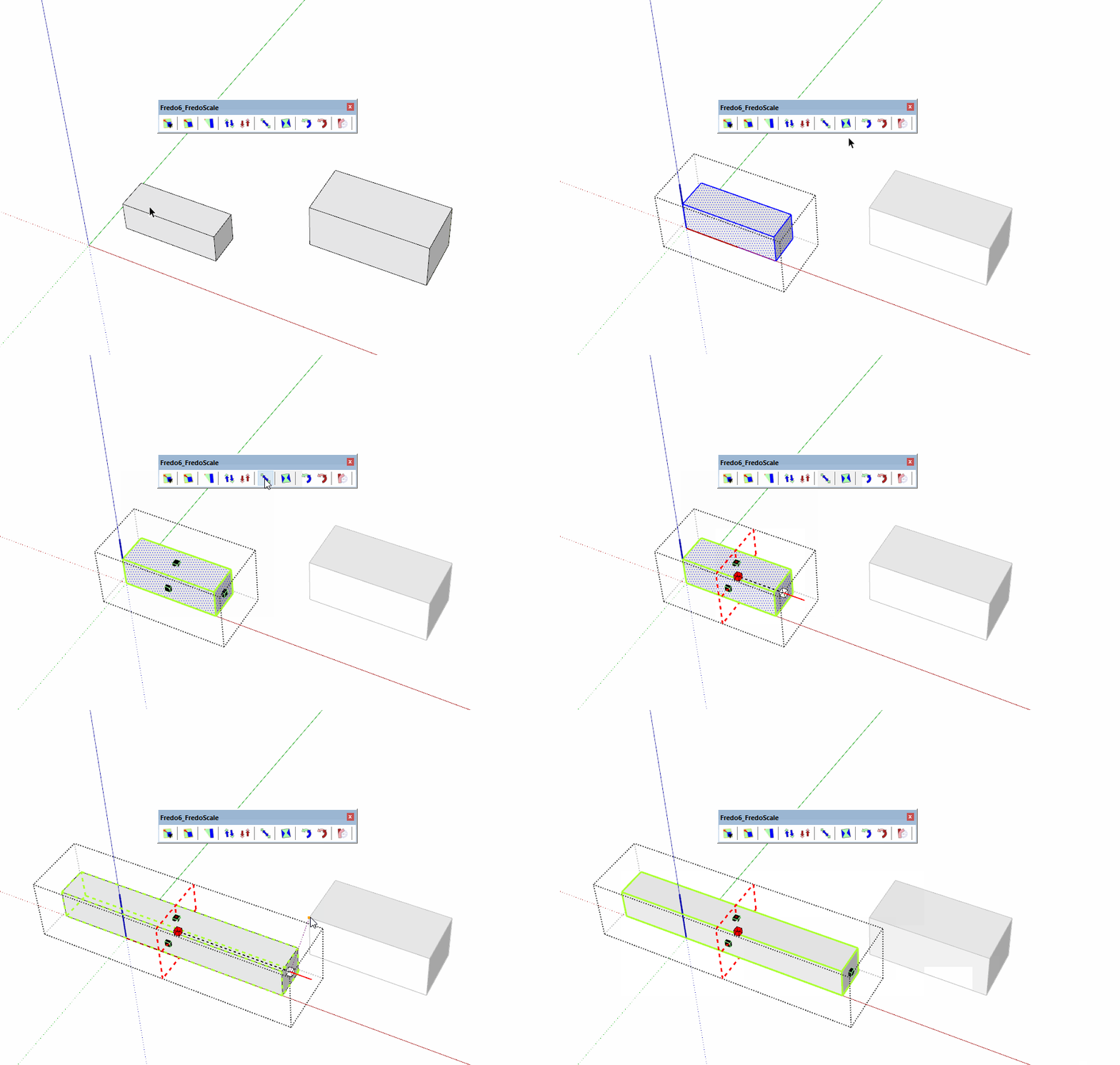
            click on the picture

            Etaoin Shrdlu

            %

            (THERE'S NO PLACE LIKE)

            G28 X0.0 Y0.0 Z0.0

            M30

            %

            1 Reply Last reply
            Reply Quote 0
            • fredo6F
              fredo6
              last edited by

              The inference with the small orange point does not force alignment.

              I think that I did that to avoid that there are too many inferences when you work inside a container context.

              I think I can enable it.

              1 Reply Last reply
              Reply Quote 0
              • fredo6F
                fredo6
                last edited by

                NEW RELEASE: FredoScale v3.4b - 11 Mar 22

                Requirement: LibFredo6 12.4a.

                IMPORTANT: FredoScale is no longer supported for Sketchup versions lower than SU2017.

                FredoScale 3.4b includes:

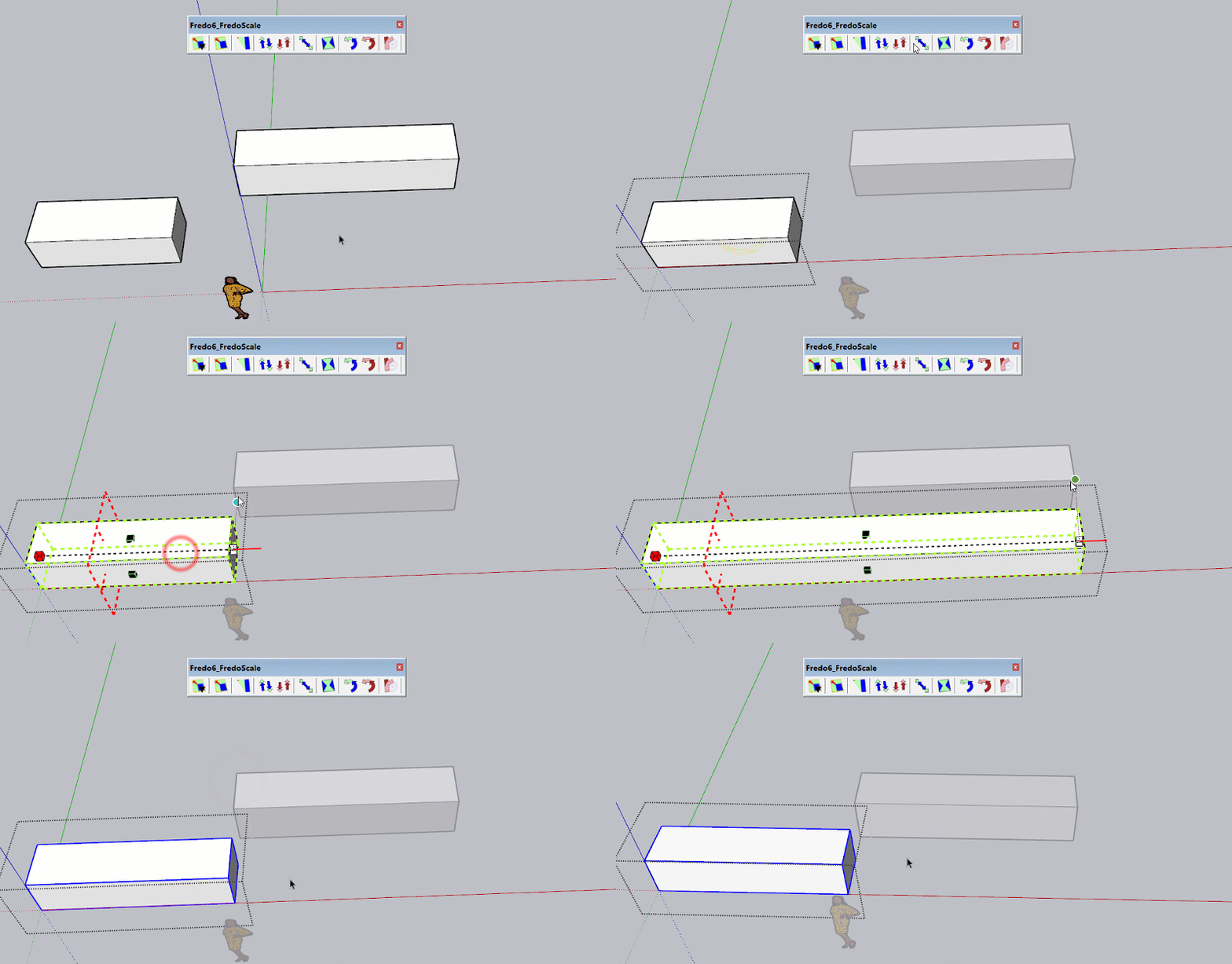
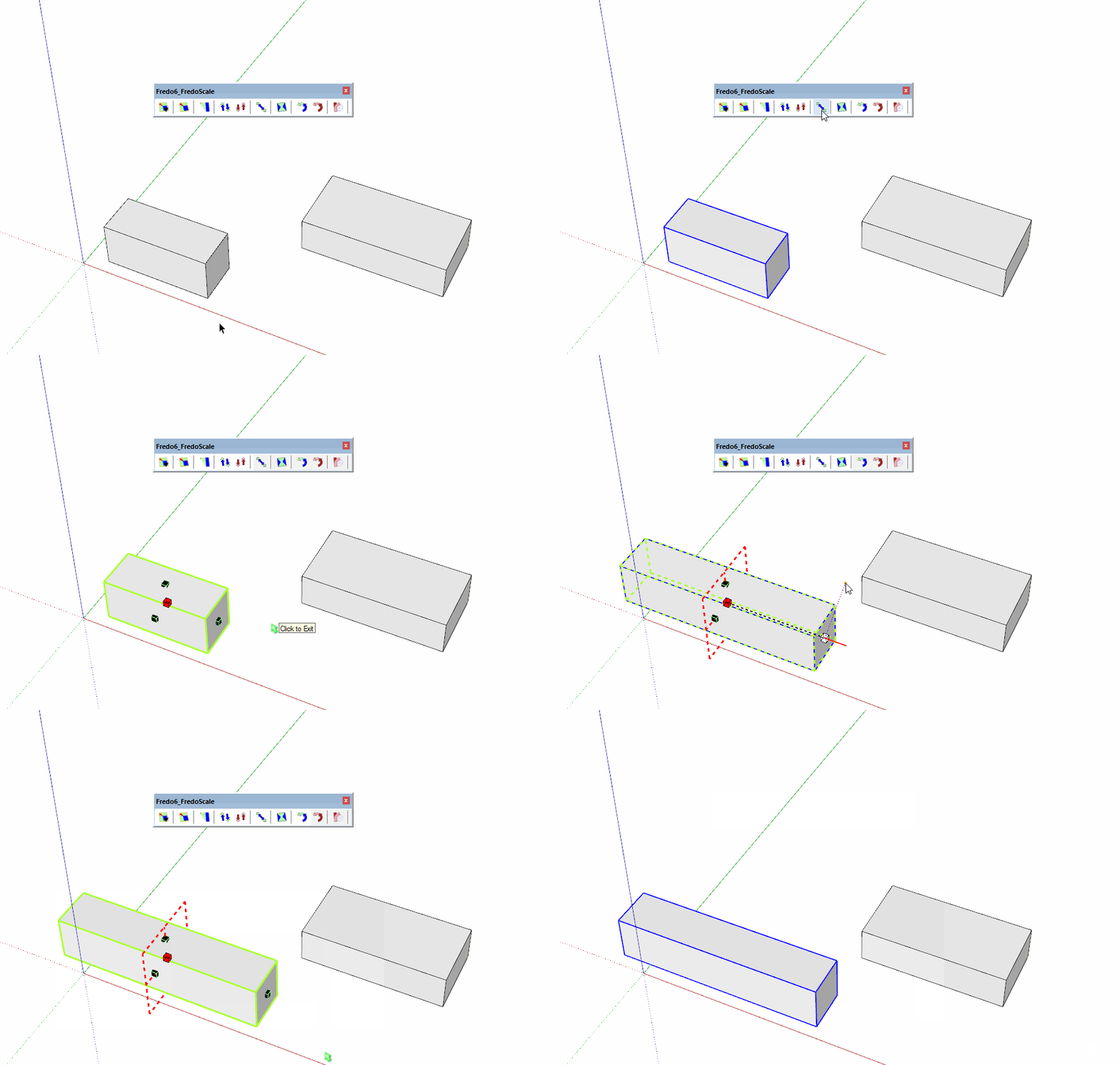
                • Inferences outside current context (see video below)
                • Updated Chinese translation by Arc

                FredoScale - Inference outside context.gif


                Home Page of FredoScale for information and Download.

                Main post of this FredoScale thread.

                1 Reply Last reply
                Reply Quote 0
                • pascal1964P
                  pascal1964
                  last edited by

                  Bonjour J'ai acheté hier matin le plugin fredoscale et je n'ai toujours pas l'accès est-ce normal?
                  Merci de me donner la marche à suivre. Bonne journée, Pascal (skp 21 pro)

                  1 Reply Last reply
                  Reply Quote 0
                  • Rich O BrienR
                    Rich O Brien Moderator
                    last edited by

                    @pascal1964 said:

                    Bonjour J'ai acheté hier matin le plugin fredoscale et je n'ai toujours pas l'accès est-ce normal?
                    Merci de me donner la marche à suivre. Bonne journée, Pascal (skp 21 pro)

                    Go to https://sketchucation.com/webshop/my-licences.php to retrieve your license files if the email has not arrived or is sitting in Spam

                    Download the free D'oh Book for SketchUp 📖

                    1 Reply Last reply
                    Reply Quote 0
                    • pascal1964P
                      pascal1964
                      last edited by

                      J'ai déjà vérifier il est nul part 😒

                      1 Reply Last reply
                      Reply Quote 0
                      • Rich O BrienR
                        Rich O Brien Moderator
                        last edited by

                        There is no purchase history for your account. Can you send us info to support[at]sketchucation.com with Transaction ID, Username and Email associated to payment?

                        Download the free D'oh Book for SketchUp 📖

                        1 Reply Last reply
                        Reply Quote 0
                        • S
                          S1919
                          last edited by

                          HI Fredo,

                          I'm an extensive user of fredoscale box stretching with exact size input. 😄 Normal image (1)
                          I sometime have an issue with the select box of geometry, I wonder if this is an error or a way how FredoScale works.

                          When I select geometry the green selection box is not aligned with the axis of the geometry nor the model. It's wroke, box stretching does not work then... (2)
                          Why is the divider wroke? (3)

                          Here you can find the screen shots: https://postimg.cc/gallery/3wyH9rC

                          Can you help me explaining? Is there a way to reset this behavior?

                          Searchie

                          [url=https://postimg.cc/SnNBjWhd:in8rql33]
                          https://i.postimg.cc/SnNBjWhd/1.png
                          [/url:in8rql33]

                          [url=https://postimg.cc/21cPWVjD:in8rql33]
                          https://i.postimg.cc/21cPWVjD/2.png
                          [/url:in8rql33]

                          [url=https://postimg.cc/1fHx9vL4:in8rql33]
                          https://i.postimg.cc/1fHx9vL4/3.png
                          [/url:in8rql33]

                          1 Reply Last reply
                          Reply Quote 0
                          • fredo6F
                            fredo6
                            last edited by

                            There is a slight imprecision in the orientation of the bounding box....

                            ...but you can realign the bounding box easily: just hover one edge of the solid. when it highlights in orange, just click on it to align the bounding box.

                            1 Reply Last reply
                            Reply Quote 0
                            • Vendel3DV
                              Vendel3D
                              last edited by

                              Is there another free extension like Fredoscale ? I'm one cheap ass mofo, and I don't want to spend $40 on this.

                              1 Reply Last reply
                              Reply Quote 0
                              • Dave RD
                                Dave R
                                last edited by

                                I don't know of any other extension that does what FredoScale does.

                                A license for it is only $12. For $40 you also get licenses for seven other extensions, too.

                                Etaoin Shrdlu

                                %

                                (THERE'S NO PLACE LIKE)

                                G28 X0.0 Y0.0 Z0.0

                                M30

                                %

                                1 Reply Last reply
                                Reply Quote 0
                                • S
                                  sdfsdfs888
                                  last edited by

                                  I'm translating the sentence.I'm sorry if the sentence is strange.

                                  FredoScale suddenly stopped working.
                                  I get an error.

                                  ■■■■■■■■■■■■

                                  SketchUp

                                  This version of FredoScale has expired
                                  Please upgrade to latest version

                                  Open the Plugin Home page?
                                  https://sketchucation.com/plugin/1169-fredoscale

                                  OK Cancel

                                  ■■■■■■■■■■■■■

                                  my environment is
                                  FredoScale is the latest version 3.4b

                                  LibFredo6 is the latest version 12.9a

                                  I am using sketchup2017.

                                  I have already purchased a perpetual license.

                                  how to
                                  Will FredoScale be available?

                                  1 Reply Last reply
                                  Reply Quote 0
                                  • A
                                    arjunmangaldas
                                    last edited by

                                    @fredo6 said:

                                    NEW RELEASE: FredoScale v3.4b - 11 Mar 22

                                    Requirement: LibFredo6 12.4a.

                                    IMPORTANT: FredoScale is no longer supported for Sketchup versions lower than SU2017.

                                    FredoScale 3.4b includes:

                                    • Inferences outside current context (see video below)
                                    • Updated Chinese translation by Arc

                                    [attachment=0:2nudz2d0]<!-- ia0 -->FredoScale - Inference outside context.gif<!-- ia0 -->[/attachment:2nudz2d0]


                                    Home Page of FredoScale for information and Download.

                                    Main post of this FredoScale thread.

                                    Fredo Scale is not working and says: "this version has expired and release latest version" - even though I have the latest version installed. Please help! (I have purchased perpetual licence and it is showing validated).

                                    1 Reply Last reply
                                    Reply Quote 0
                                    • ArcA
                                      Arc
                                      last edited by

                                      @sdfsdfs888 said:

                                      I'm translating the sentence.I'm sorry if the sentence is strange.

                                      FredoScale suddenly stopped working.
                                      I get an error.

                                      ■■■■■■■■■■■■

                                      SketchUp

                                      This version of FredoScale has expired
                                      Please upgrade to latest version

                                      Open the Plugin Home page?
                                      https://sketchucation.com/plugin/1169-fredoscale

                                      OK Cancel

                                      ■■■■■■■■■■■■■

                                      my environment is
                                      FredoScale is the latest version 3.4b

                                      LibFredo6 is the latest version 12.9a

                                      I am using sketchup2017.

                                      I have already purchased a perpetual license.

                                      how to
                                      Will FredoScale be available?

                                      Me too, the other fredo6 plugins are working fine expect FredoScale.

                                      1 Reply Last reply
                                      Reply Quote 0
                                      • C
                                        coolbix
                                        last edited by

                                        FredoScale stops working suddenly with the same error message above!!

                                        1 Reply Last reply
                                        Reply Quote 0
                                        • fredo6F
                                          fredo6
                                          last edited by

                                          NEW RELEASE: FredoScale v3.5a - 31 Jul 22

                                          Requirement: LibFredo6 12.9a.

                                          FredoScale 3.5a includes:

                                          • Bug fixing
                                          • Removal of validity period

                                          Home Page of FredoScale for information and Download.

                                          Main post of this FredoScale thread.

                                          1 Reply Last reply
                                          Reply Quote 0
                                          • H
                                            hugenota
                                            last edited by

                                            I have perpetual licence of FreedoScale and while in the midle of important project, it stops working because there is an update. Now I have to look for this update, install it (and figure out how to do it, it's not straight forward), hoping that it will let me finish my project. Really?


                                            1 Reply Last reply
                                            Reply Quote 0

                                            Hello! It looks like you're interested in this conversation, but you don't have an account yet.

                                            Getting fed up of having to scroll through the same posts each visit? When you register for an account, you'll always come back to exactly where you were before, and choose to be notified of new replies (either via email, or push notification). You'll also be able to save bookmarks and upvote posts to show your appreciation to other community members.

                                            With your input, this post could be even better 💗

                                            Register Login
                                            • 1
                                            • 2
                                            • 50
                                            • 51
                                            • 52
                                            • 53
                                            • 54
                                            • 58
                                            • 59
                                            • 52 / 59
                                            • First post
                                              Last post
                                            Buy SketchPlus
                                            Buy SUbD
                                            Buy WrapR
                                            Buy eBook
                                            Buy Modelur
                                            Buy Vertex Tools
                                            Buy SketchCuisine
                                            Buy FormFonts

                                            Advertisement