[Plugin][$] FredoScale - v3.6a - 01 Apr 24




-
@kabisdokh said:
Hello. I have a small problem with radial bending tool. When I try to use it my figures loose some surfaces and edges as in example. What I did wrong? Could you help me with it?
I suggest you check the scale of your model. When it is too small (in mm), Sketchup is reluctant to create faces (and so does FredoScale or any plugin).
The solution is simply to scale up the model by a factor of x10 or more.Fredo
-
**Hi Fredo,
Firstly I want to say thank you so much for all your works and plugins, not only they work so perfect with good use, also for your continuously effort to improve it . Thank you.
I'm working on this model of 3D female character. The shapes and textures are all on and completed, but the form still not good enough, so I used Tapering Scale to kinda reform the model. Problem is : after scaling finished, the textures are all messed up. A quick study help me understand the reason is perhaps Tapering Scale changes the model's verticals coordination but not the textures ones, new lines/verticals are also added, so the the textures seems to lose their "matched" faces.
I've tried but couldn't find a way to "lock" the textures into the applied meshes/faces , and the model is quite complex to do a face-by-face texture position edit. I'm not expecting any kind of detailed walk-through or complaining about the plugin, with true respect - your plugins just great ! Just hoping if there's any hint/advise or some way to go around this issue, please help. Ill be so thankful !
Properly my first post here, hopefully you and everyone can forgive my rush question if my problem here is already acknowledged and solved, in that case, please give me a hint/ID of the post so I would figure out myself, thanks all.**
-
Tapering (as opposed to Scale) modifies the relative shape of individual faces. So this will impact the UV coordinates very likely. That's why the usual workflow is to prepare the model without textures and only do the painting in the end.
I am not sure FredoScale can do something, but I am interested in seeing the problem, if you post the model.
Fredo
-
Hi Fredo, thanks for your prompt reply.
I'm posting below some screen shots showing my problem, along with my model, fyi
 .
.I guess a bit more explanation should help : I've managed to get this model as and OBJ file, along with material settings, then easy to re-composing the model with its maps by using 3D-Max, since there is no UVW Map Unwrap/Re mapping tool in Sketchup. But for the model developing/shape editing works, I've always used Sketchup (my 3D Max skill just not enough).
So then I found out the model is kind of "squeezed" by some perspective-affection, making it not in an ISO-3D form, but actually into a Perspective form (like a cubic box with front face is bigger than back face - following perspective rule of view). Thought it'd be easy to tweak it with Tapering Scale, but .. things just not easy as it seems to be, hah.
Again, appreciated your help and thank you.
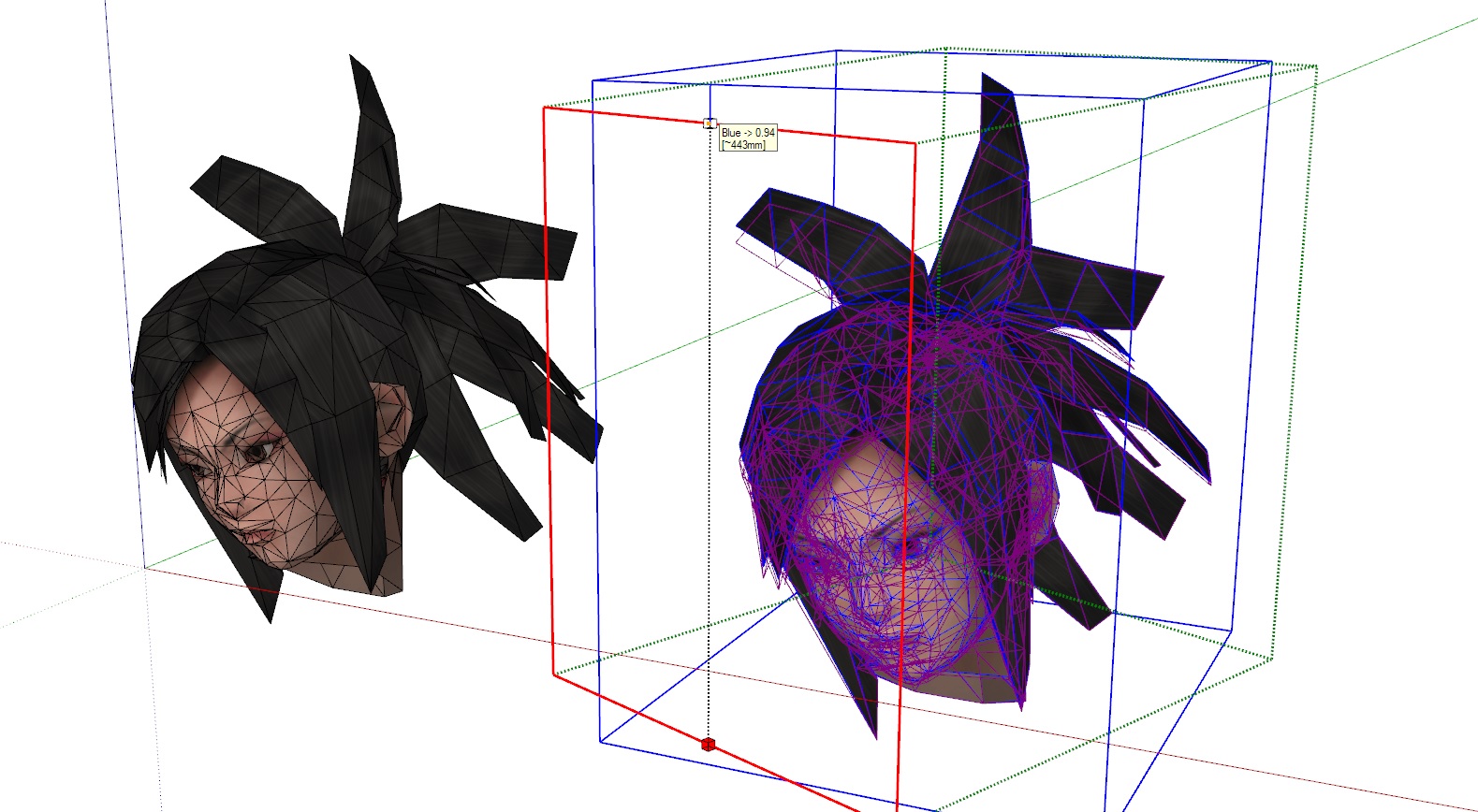
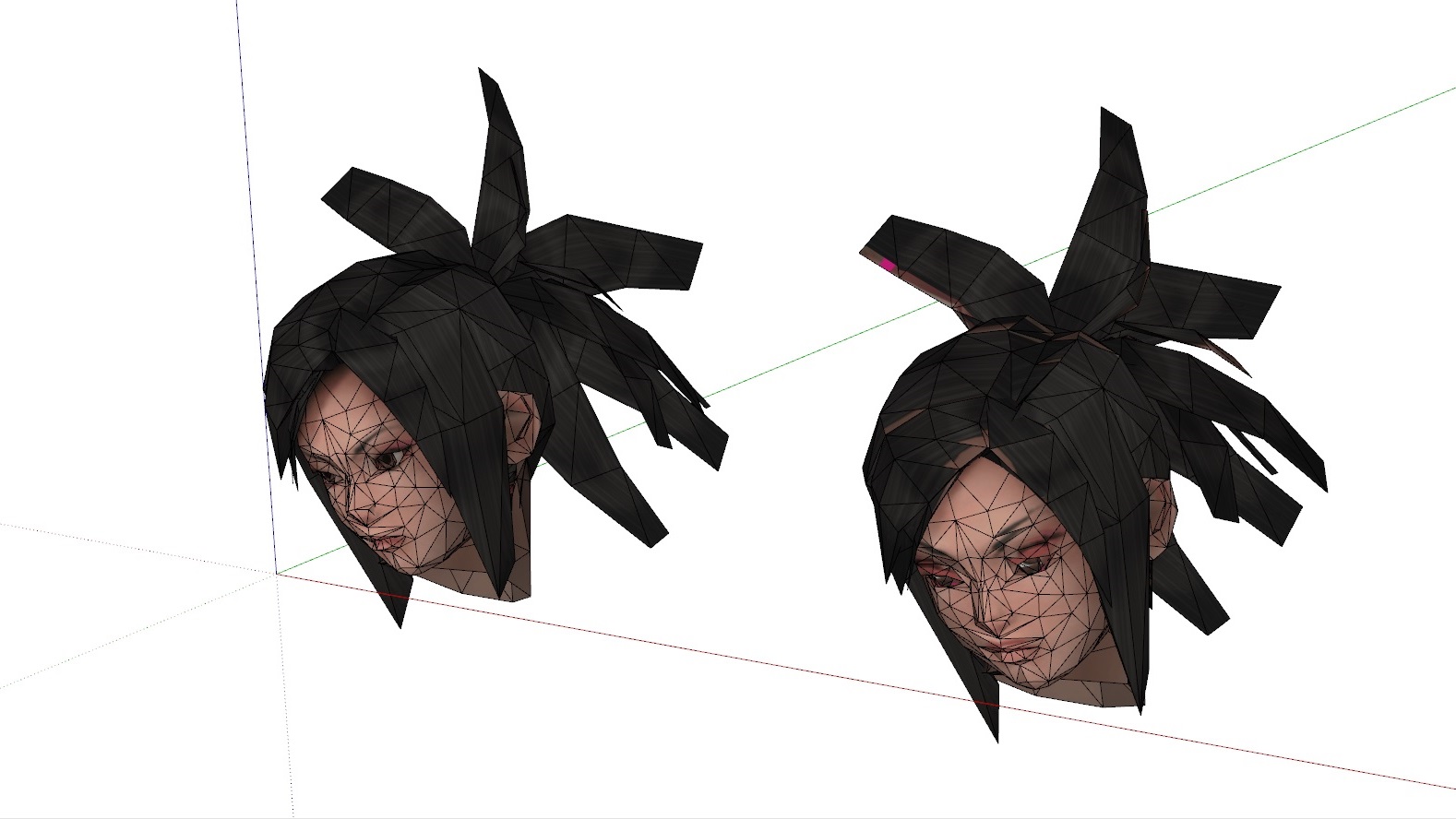
-
Just want to add : properly you will find the model looks just fine, but I have other parts/ models that is worse affected, just posting here the one I'm currently working on. Thanks.
-
Hi!
I think "Twisting" could be added to the manual. It takes a while to find out that TAB brings slicing settings

Or there could be a hint in the left-bottom corner of UI "press TAB to set slicing params"
-
Hi!
I am using Box Tapering. Is it possible to orientate the deformation box to bounding box instead of "best-fitting"?
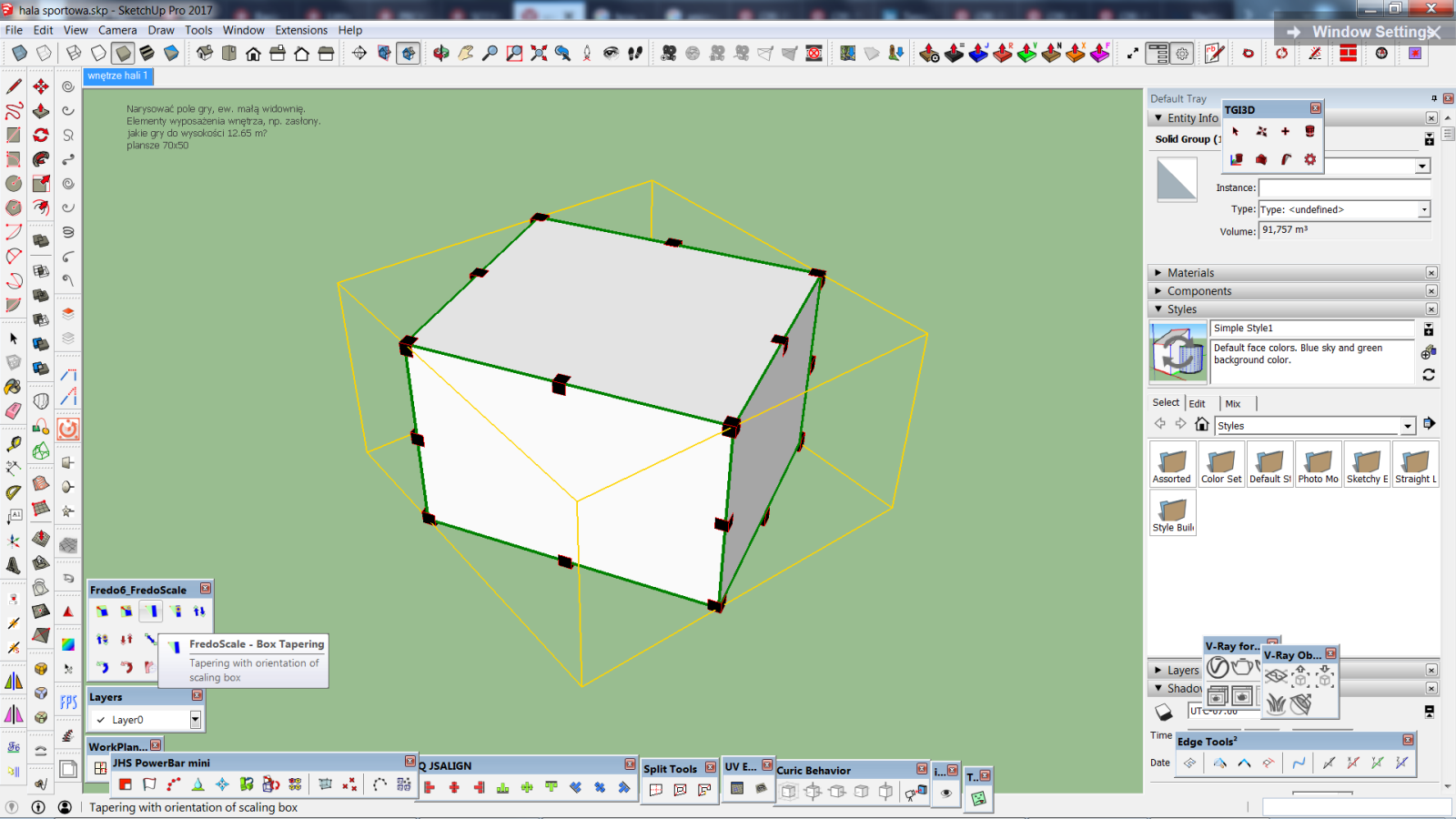
-
@einstein said:
Hi!
I am using Box Tapering. Is it possible to orientate the deformation box to bounding box instead of "best-fitting"?
Just find an edge or a face in the model which has the proper direction and click on it to orientate the box.
You can also type Arrow Up, which default to the XYZ bounding box along axis.
Fredo
-
Hi!
I have an idea for next upgrade.
As you can see in the picture, if I apply Box Tapering on a bunch of loose edges (not grouped), the content is copied and only then transformed. What if we could use it as a "sculpting" tool? I mean such behaviour that geometry is not copied, just transformed with its connected edges staying connected, so it would be "content aware". In the illustrated case changes would apply to the mesh.
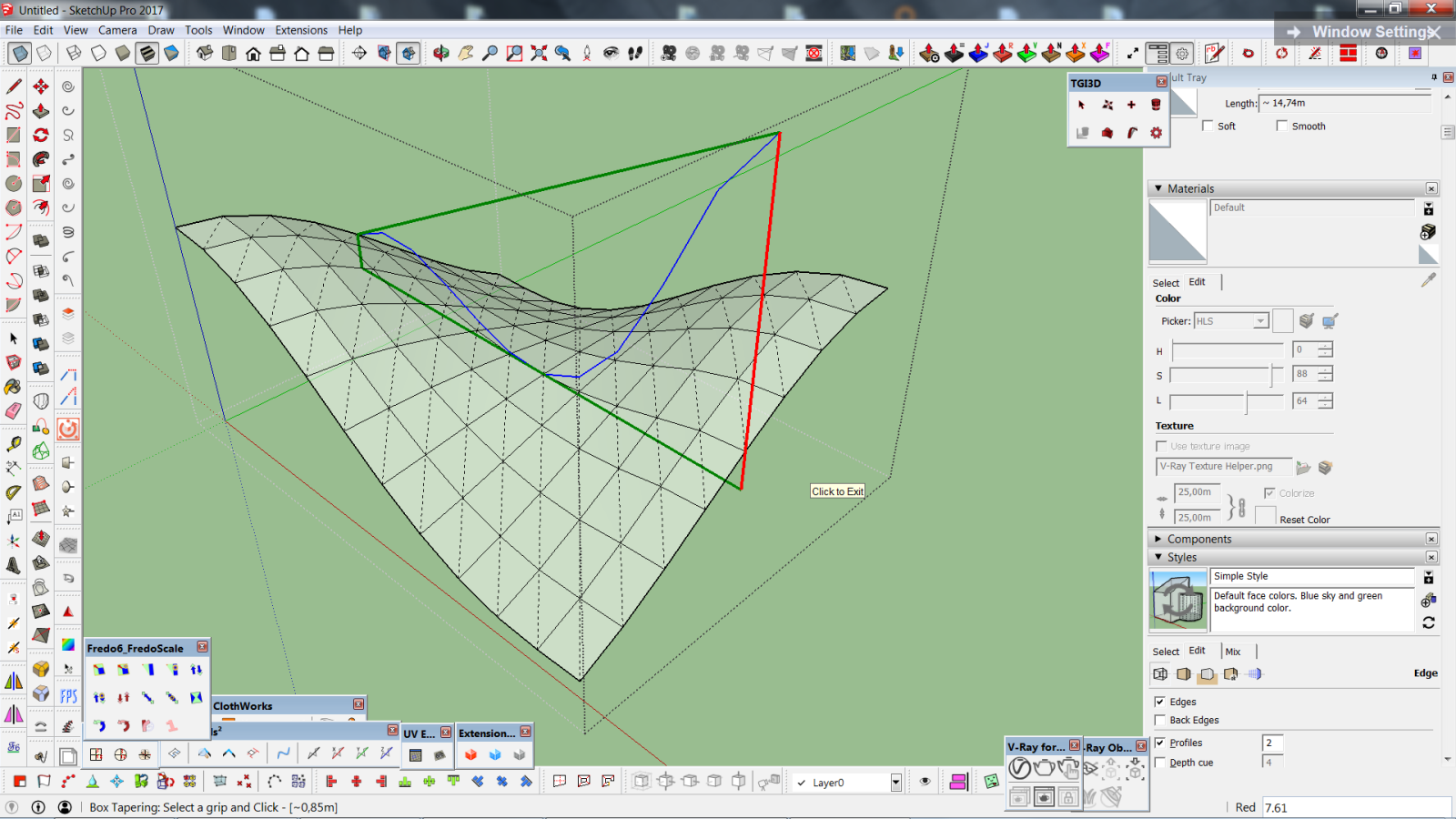
-
You are just a f***ing genius.
Merci, merci, merci.
-
Hi!
I have problem matching deformation box to my group's bounding box. Normally it goes by clicking an edge of a target group but my group is rotated and mesh is more complicated (not just cuboid) so clicking one edge doesn't do proper matching. Is there an option like "match deformation box to gruop's bounding box"? so that deformation box would be matched just as with normal scale tool.
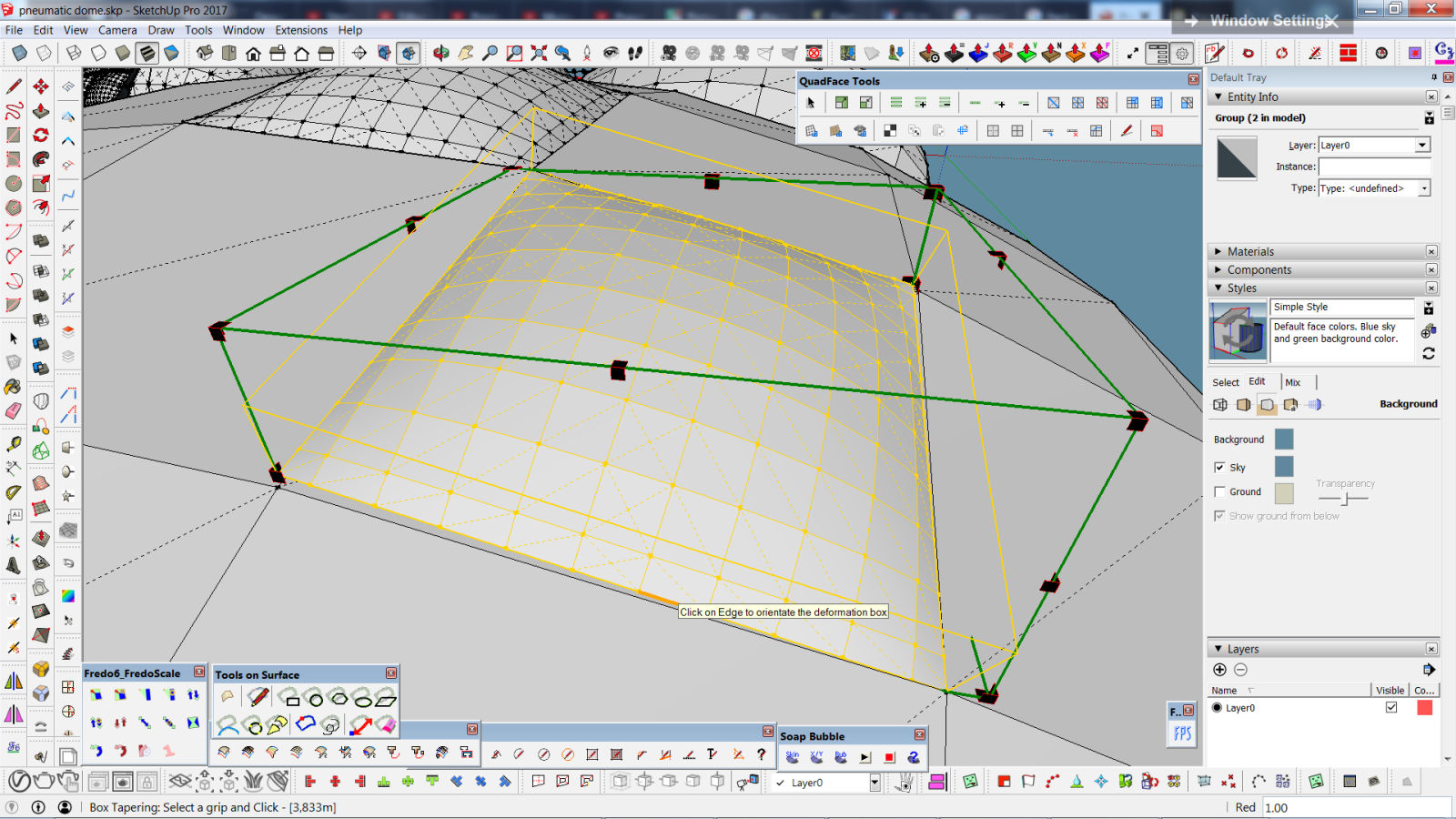
-
Hi Fredo, muchos gracias for this awesome plugin!
Recently I stumbled upon a problem. Aiming at stretching models of woodworking furniture (say, a bookcase) to individual sizes (width, depth, height) the standard method of SketchUp (Scale) scales everything evenly, that is, the thickness of the material, the hardware, the proportions of moldings etc.) which renders it useless. Stretching with FredoScale does exactly, what I looked for. However, after applying that function kind of disintegrates the model, respectivly make multiple used components unique. That is, before using that function, changing one instance of the component A changes every instances of A - intended behavior. After using that function, changing one instance of the component A does not change the other instances. Whoops!
Ist there
(a) something I'm doing plain wrong?
(b) some limitation with your plugin?
(c) another way to stretch models along an imaginary section through the model?Thanks in advance!
-
@hafer said:
After using that function, changing one instance of the component A does not change the other instances. Whoops!
Ist there
(a) something I'm doing plain wrong?Yes. It sounds like you aren't opening the component for editing before running Box Stretching. If you were going to modify the components with other tools, you would need to open one instance for editing first. You need to do the same with Fredoscale as well.
@hafer said:
(b) some limitation with your plugin?
Not anymore limitation than any other tool has for modifying components.
@hafer said:
(c) another way to stretch models along an imaginary section through the model?
It can be done with native Move tool. Select the geometry that needs to move with the dimension change and use the Move tool to move that by the required distance.
-
NEW RELEASE: FredoScale v3.1a - 18 Dec 18
Requirement: LibFredo6 8.7a
FredoScale 3.1a provides a Quick Launcher for all FredoScale tools. The divider is also enabled by default for the Stretch tool.
Home Page of FredoScale for information and Download.
-
Fredo,
Maybe I as usual miss something but I thought it'd be a great improvement if there was an option to pull the grip and then input a number with +- with units abbreviation. Say +50cm.
And the tool would incrementally add 50cm in ordered direction. It'd be super awesome if it could add (those 50cm) to multiple objects simultaneously.
P.S. I attach something with some overhelming features, maybe it could be interesting for you -
@rv1974 said:
Fredo,
Maybe I as usual miss something but I thought it'd be a great improvement if there was an option to pull the grip and then input a number with +- with units abbreviation. Say +50cm.
And the tool would incrementally add 50cm in ordered direction.It's difficult to do it in the VCB because FredOscale would not know if you talk about the scale factor or the dimension, and in absolute or relative term.
What you can do currently is
- hover a handle
- Press TAB
- you get a dialog box where you the dimension(s), one, two or three fields depending on the active handle.
Since formulas are supported in the dimension fields you can modify the field and type "+50" or "+50cm".
Fredo
-
FredoScale fails to pick up the right reference data when objects are deep in the context. When I, for experiment sake, pull the objects out of contect, the tool works smoothly. Was this problem discussed earlier?
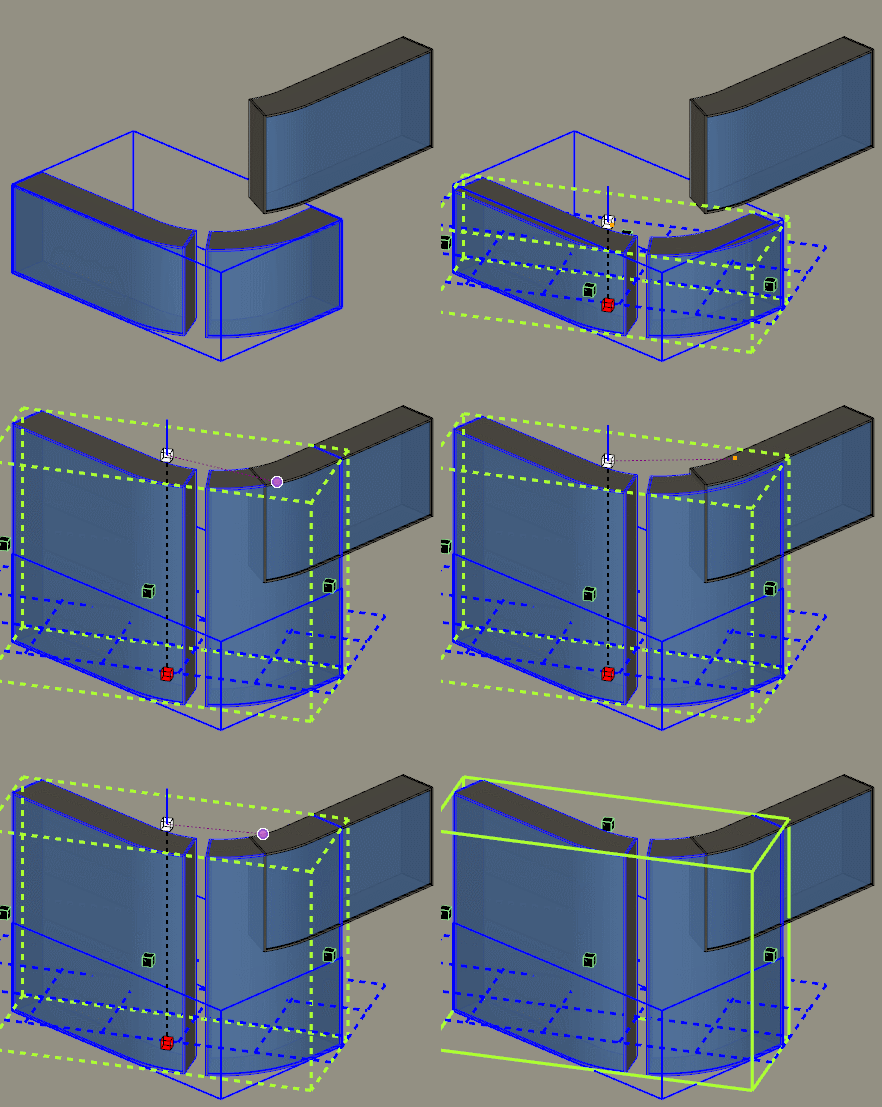
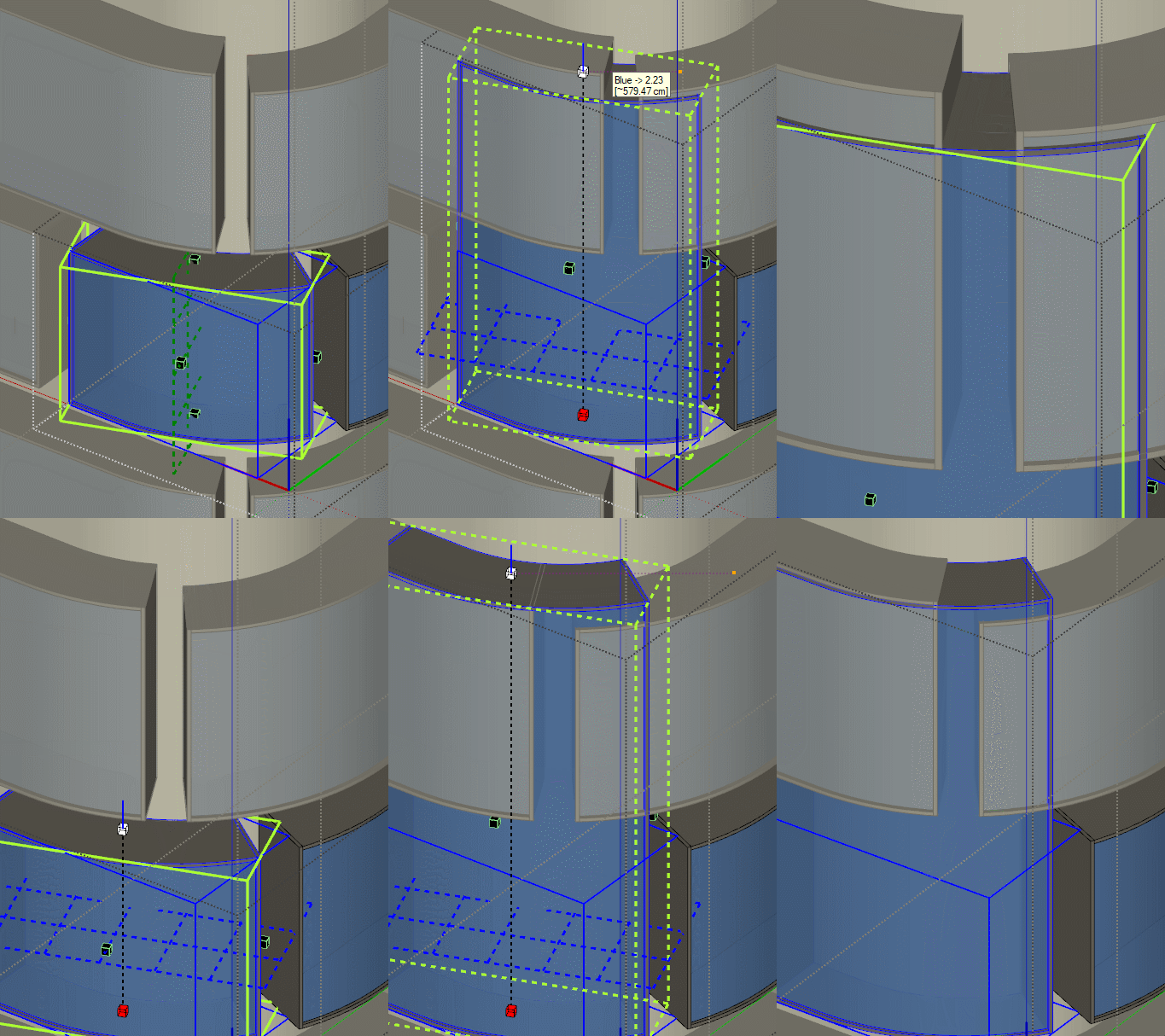
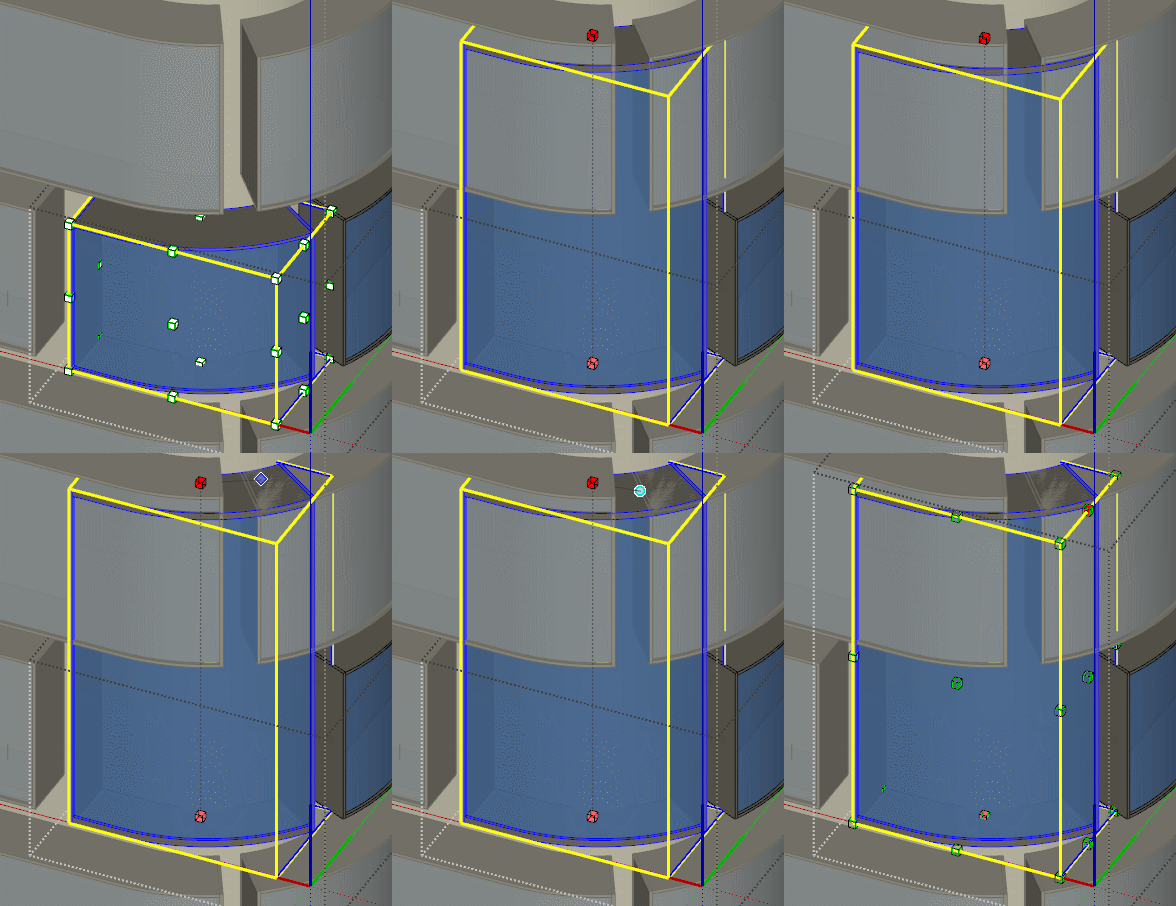
-
Yes. This is a bug which is on my list. This happens when you try to get the inference from an object which is another instance from the component you scale. My code for avoiding self-referencing need to be adjusted.
-
@rv1974 & @fredo6
I noticed that when you use "box stretching to target" (that is, when you double click the control boxes), Inferencing usually works fine... even with objects outside the group (nevertheless it would be nice if it would work without using "box stretching to target").@fredo6
When I scale any components (with box stretching), Fredoscale makes it a unique component. This is reasonable when I just scale one component, but if I scale two or more of the same component and at the same time, it would be nice if they still stay as the same, and don't become unique.Thanks for your hard work.
Greetings,
Mileno. -
@Mileno no help from double clicking on my end





Advertisement