sketchucation logo sketchucation
    • 登入
    Oops, your profile's looking a bit empty! To help us tailor your experience, please fill in key details like your SketchUp version, skill level, operating system, and more. Update and save your info on your profile page today!
    🔌 Smart Spline | Fluid way to handle splines for furniture design and complex structures. Download

    [Plugin][$] FredoScale - v3.6a - 01 Apr 24


    已排程 已置頂 已鎖定 已移動 Plugins
    1.1k 貼文 345 Posters 2.4m 瀏覽 342 Watching
    正在載入更多貼文
    • 從舊到新
    • 從新到舊
    • 最多點贊
    回覆
    • 在新貼文中回覆
    登入後回覆
    此主題已被刪除。只有擁有主題管理權限的使用者可以查看。
    • solid-woodS 離線
      solid-wood
      最後由 編輯

      Hi Fredo,

      Why don't I get the same functions in Mac 10.6 for "Streching" target?
      Can't move the fixed point...windows is what I am trying to strech.
      Only moves in the center glass, the L&R glas stayes the same. Doesn't matter where I put the "X"
      Please help. Thanks
      Solid-Wood

      1 條回覆 最後回覆 回覆 引用 0
      • solid-woodS 離線
        solid-wood
        最後由 編輯

        Hi Fredo,

        Just got it...From the new video, thanks. Works like a charm.
        Wonderful!
        SW

        1 條回覆 最後回覆 回覆 引用 0
        • guanjinG 離線
          guanjin
          最後由 編輯

          Hello Fredo6

          In sketchup2013 normal display Chinese language, Chinese language does not show sketchup8M5 is still in English.
          I LibFredo6 5.2 or higher

          Thank you

          I come from China, is to learn

          1 條回覆 最後回覆 回覆 引用 0
          • fredo6F 離線
            fredo6
            最後由 編輯

            @guanjin said:

            Hello Fredo6

            In sketchup2013 normal display Chinese language, Chinese language does not show sketchup8M5 is still in English.
            I LibFredo6 5.2 or higher

            Thank you

            I know and this is true for all languages.

            This is related to the change of naming conventions. I need to republish.

            In the meantime, just replace __Module = FredoScale by __Module = F6_FredoScale in the file FredoScale_ZH.lang

            Fredo

            1 條回覆 最後回覆 回覆 引用 0
            • guanjinG 離線
              guanjin
              最後由 編輯

              @fredo6 said:

              @guanjin said:

              Hello Fredo6

              In sketchup2013 normal display Chinese language, Chinese language does not show sketchup8M5 is still in English.
              I LibFredo6 5.2 or higher

              Thank you

              I know and this is true for all languages.

              This is related to the change of naming conventions. I need to republish.

              In the meantime, just replace __Module = FredoScale by __Module = F6_FredoScale in the file FredoScale_ZH.lang

              Fredo

              Thank you, waiting for your new release! 👍

              I come from China, is to learn

              1 條回覆 最後回覆 回覆 引用 0
              • fredo6F 離線
                fredo6
                最後由 編輯

                NEW RELEASE: FredoScale v2.5b - 15 Sep 13

                FredoScale 2.5b fixes a bug preventing language translations to load.

                FredoScale 2.5 requires LibFredo6 5.2 or higher.

                See main post of this thread for Download.

                Fredo

                1 條回覆 最後回覆 回覆 引用 0
                • D 離線
                  dedmin
                  最後由 編輯

                  @fredo6 said:

                  NEW RELEASE: FredoScale v2.5b - 15 Sep 13

                  FredoScale 2.5b fixes a bug preventing language translations to load.

                  FredoScale 2.5 requires LibFredo6 5.2 or higher.

                  See main post of this thread for Download.

                  Fredo

                  After the update:
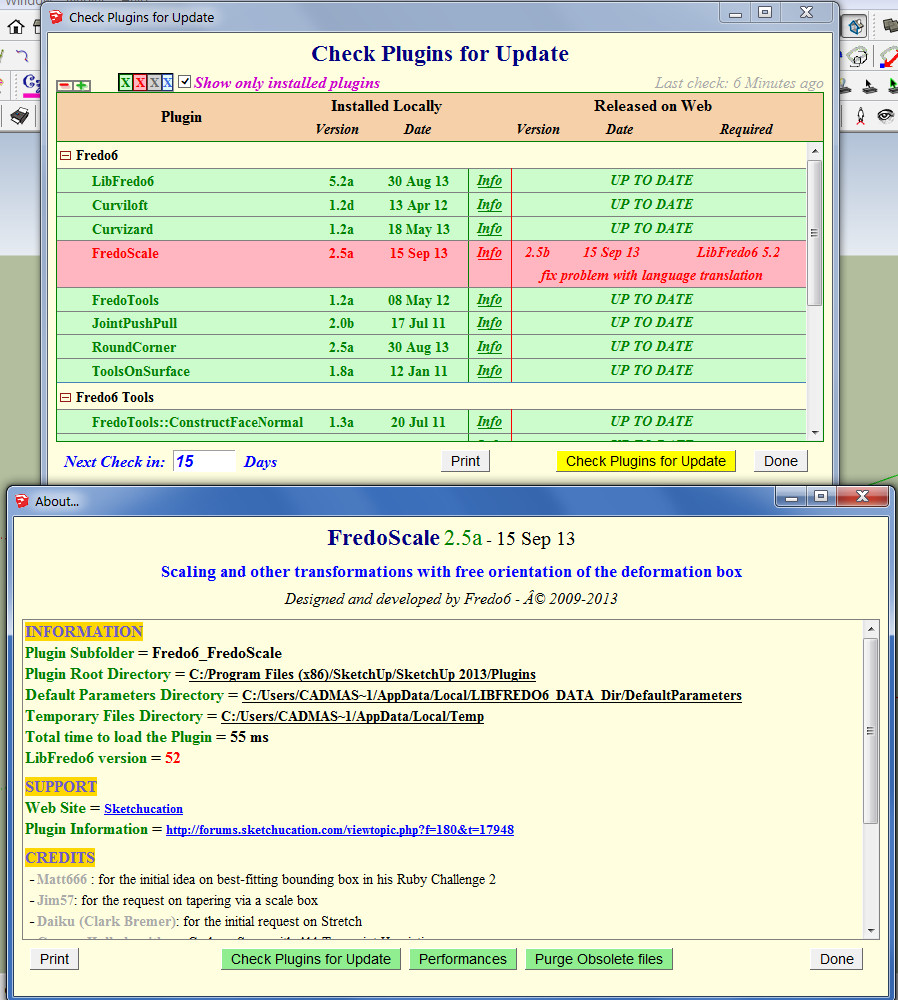
                  2013-09-15_151520.jpg

                  1 條回覆 最後回覆 回覆 引用 0
                  • fredo6F 離線
                    fredo6
                    最後由 編輯

                    @dedmin

                    Thanks very much. I updated the post and Plugin Store today at 15h.

                    Fredo

                    1 條回覆 最後回覆 回覆 引用 0
                    • D 離線
                      dedmin
                      最後由 編輯

                      👍 👍
                      BTW, did You see this:
                      http://sketchucation.com/forums/viewtopic.php?f=323&t=46473&start=90
                      http://sketchucation.com/forums/viewtopic.php?f=323&t=54176

                      1 條回覆 最後回覆 回覆 引用 0
                      • fredo6F 離線
                        fredo6
                        最後由 編輯

                        @dedmin said:

                        :thumb: 👍
                        BTW, did You see this:
                        http://sketchucation.com/forums/viewtopic.php?f=323&t=46473&start=90
                        http://sketchucation.com/forums/viewtopic.php?f=323&t=54176

                        1. For Curvizard Edge Prop, I had found the bug actually but forgot to republish

                        2. For BezierSpline, I have to investigate. This is old code and the tooltip may not reflect the correct alignment

                        Fredo

                        1 條回覆 最後回覆 回覆 引用 0
                        • guanjinG 離線
                          guanjin
                          最後由 編輯

                          Thank timely updates, thank you 😍

                          I come from China, is to learn

                          1 條回覆 最後回覆 回覆 引用 0
                          • LanaL 離線
                            Lana
                            最後由 編輯

                            Thank you, thank you, thank you....is very good.

                            1 條回覆 最後回覆 回覆 引用 0
                            • enigmaticE 離線
                              enigmatic
                              最後由 編輯

                              Hi Fredo,

                              Is it normal dimensions differences in?
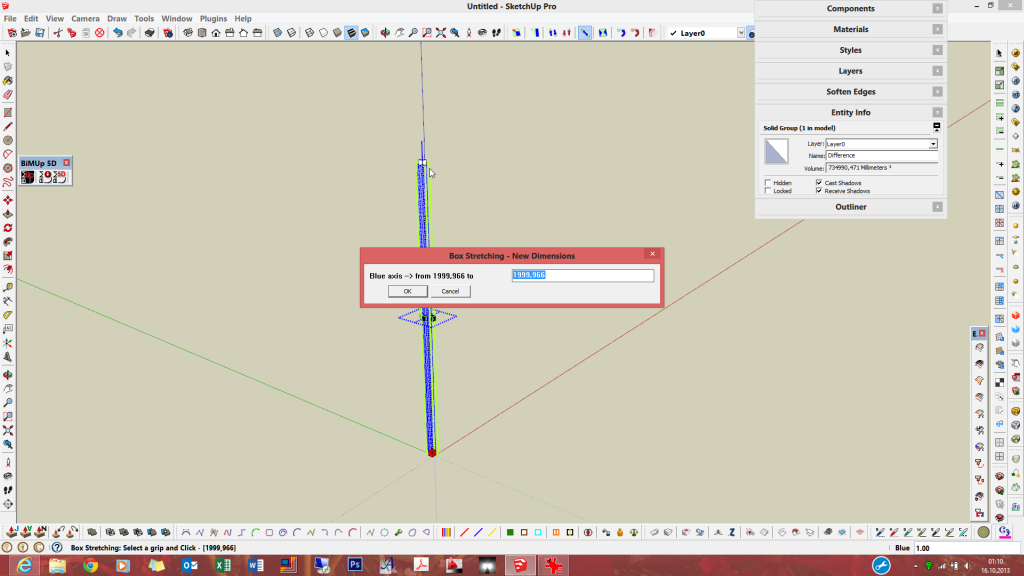

                              scale_01


                              scale_02

                              1 條回覆 最後回覆 回覆 引用 0
                              • dereiD 離線
                                derei
                                最後由 編輯

                                @enigmatic said:

                                Hi Fredo,

                                Is it normal dimensions differences in?
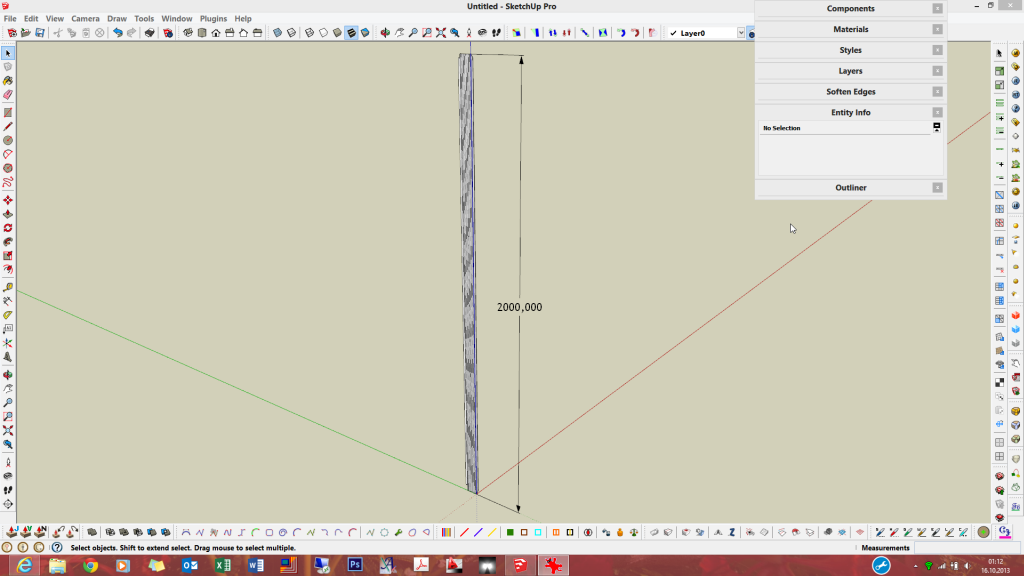
                                Maybe some rounding ... bug? I'm guessing it rounds in all situations, not considering the units used (and number of decimals) ?

                                DESIGNER AND ARTIST DEREI.UK

                                1 條回覆 最後回覆 回覆 引用 0
                                • S 離線
                                  samothrace41
                                  最後由 編輯

                                  Bonjour,

                                  J'utilise régulièrement FredoScale et Curviloft et je viens de télécharger Joint Push/Pull. Je voudrais te faire une petite donation (symbolique) mais je ne veux pas passer par PayPal. Je voudrais t'envoyer un mail mais je n'ai pas ton adresse. Le mien est samothrace41 @ yahoo.fr
                                  A+
                                  Sylvie

                                  1 條回覆 最後回覆 回覆 引用 0
                                  • J 離線
                                    jumpjack
                                    最後由 編輯

                                    I don't understand if this plugin can help me.

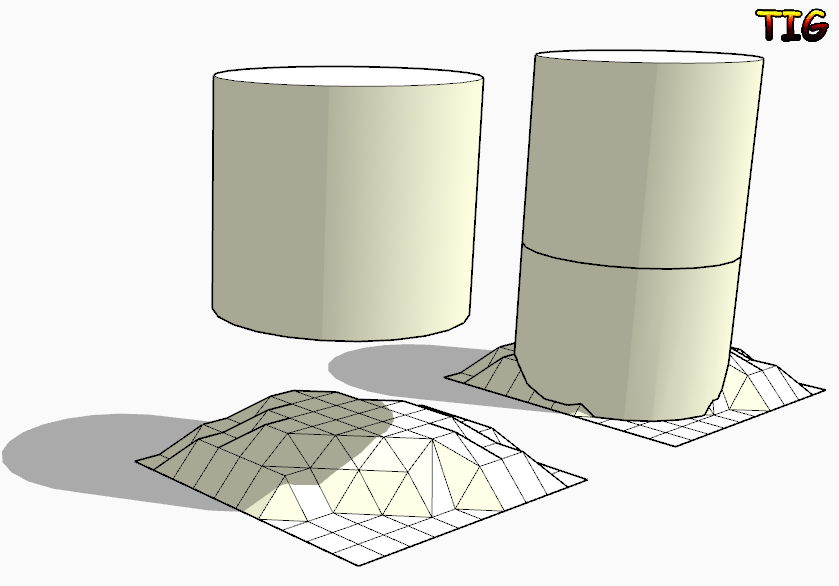
                                    I have a non-planar surface close to a cylindrical surface; I want to extrude a region of the non-planar surface up to the cylinder to create a solid 3d joint between cylinder and the non-planar surface.

                                    Can I use this plugin, or do I need another one?

                                    1 條回覆 最後回覆 回覆 引用 0
                                    • TIGT 線上
                                      TIG Moderator
                                      最後由 編輯

                                      @jumpjack said:

                                      I don't understand if this plugin can help me.

                                      I have a non-planar surface close to a cylindrical surface; I want to extrude a region of the non-planar surface up to the cylinder to create a solid 3d joint between cylinder and the non-planar surface.

                                      Can I use this plugin, or do I need another one?
                                      If you want to project the bottom face of the cylinder down onto the surface then look at my ExtrudeEdgesByVector[ToObject] tool.
                                      Edit the cylinder [group?] and copy the bottom face.
                                      Exit the edit and use Edit>PlaceInPlace.
                                      Select the face-copy [double-click].
                                      Activate EEby..Object tool and pull a vertical [blue] vector down through your surface.
                                      The face is extruded and stops on the surface...
                                      With some finely divided surfaces the 'auto-trim' might fail, so in that case extrude through and manually intersect/delete parts.. With the simple 'toVector' version of the tool it extrudes through the surface - in that case then edit the grouped extrusion and Select its geometry and then use Intersect with Model: now Select [by fence] for the unwanted lower geometry and delete it.

                                      Capture.PNG

                                      TIG

                                      1 條回覆 最後回覆 回覆 引用 0
                                      • S 離線
                                        sunchart
                                        最後由 編輯

                                        Thanks!

                                        1 條回覆 最後回覆 回覆 引用 0
                                        • hamedmemarH 離線
                                          hamedmemar
                                          最後由 編輯

                                          excellent
                                          your amazing tools are very useful
                                          thank you very mach fredo

                                          1 條回覆 最後回覆 回覆 引用 0
                                          • fredo6F 離線
                                            fredo6
                                            最後由 編輯

                                            NEW RELEASE: FredoScale v2.6a - 27 Nov 13

                                            FredoScale 2.6a is a release for future Sketchup compatibility. It is advised to upgrade even if there are no functional changes.

                                            See main post of this thread for Download.

                                            Fredo

                                            1 條回覆 最後回覆 回覆 引用 0
                                            • 1
                                            • 2
                                            • 22
                                            • 23
                                            • 24
                                            • 25
                                            • 26
                                            • 56
                                            • 57
                                            • 24 / 57
                                            • 第一個貼文
                                              最後的貼文
                                            Buy SketchPlus
                                            Buy SUbD
                                            Buy WrapR
                                            Buy eBook
                                            Buy Modelur
                                            Buy Vertex Tools
                                            Buy SketchCuisine
                                            Buy FormFonts

                                            Advertisement