sketchucation logo sketchucation
    • 登入
    Oops, your profile's looking a bit empty! To help us tailor your experience, please fill in key details like your SketchUp version, skill level, operating system, and more. Update and save your info on your profile page today!
    🔌 Easy Offset | Offset selected faces in SketchUp in positive and negative offsets. Download

    The "Duh!" thread (aka the Doh! thread)

    已排程 已置頂 已鎖定 已移動 SketchUp Discussions
    sketchup
    696 貼文 135 Posters 295.8k 瀏覽 135 Watching
    正在載入更多貼文
    • 從舊到新
    • 從新到舊
    • 最多點贊
    回覆
    • 在新貼文中回覆
    登入後回覆
    此主題已被刪除。只有擁有主題管理權限的使用者可以查看。
    • JQLJ 離線
      JQL
      最後由 編輯

      Sh** I'm doing it right now in several ways, but can't gif it!!!!

      www.casca.pt
      Visit us on facebook!

      1 條回覆 最後回覆 回覆 引用 0
      • JQLJ 離線
        JQL
        最後由 編輯

        wait a moment... changing computer!

        www.casca.pt
        Visit us on facebook!

        1 條回覆 最後回覆 回覆 引用 0
        • BoxB 離線
          Box
          最後由 編輯

          I think you have made my point for me. If the profile is in a group it causes a different result because it relates the group axis to the global axis. But if the profile is in a group it simply uses the group Axis.
          QED

          1 條回覆 最後回覆 回覆 引用 0
          • Rich O BrienR 線上
            Rich O Brien Moderator
            最後由 編輯

            #handbags

            Download the free D'oh Book for SketchUp 📖

            1 條回覆 最後回覆 回覆 引用 0
            • BoxB 離線
              Box
              最後由 編輯

              at forty paces!

              1 條回覆 最後回覆 回覆 引用 0
              • JQLJ 離線
                JQL
                最後由 編輯

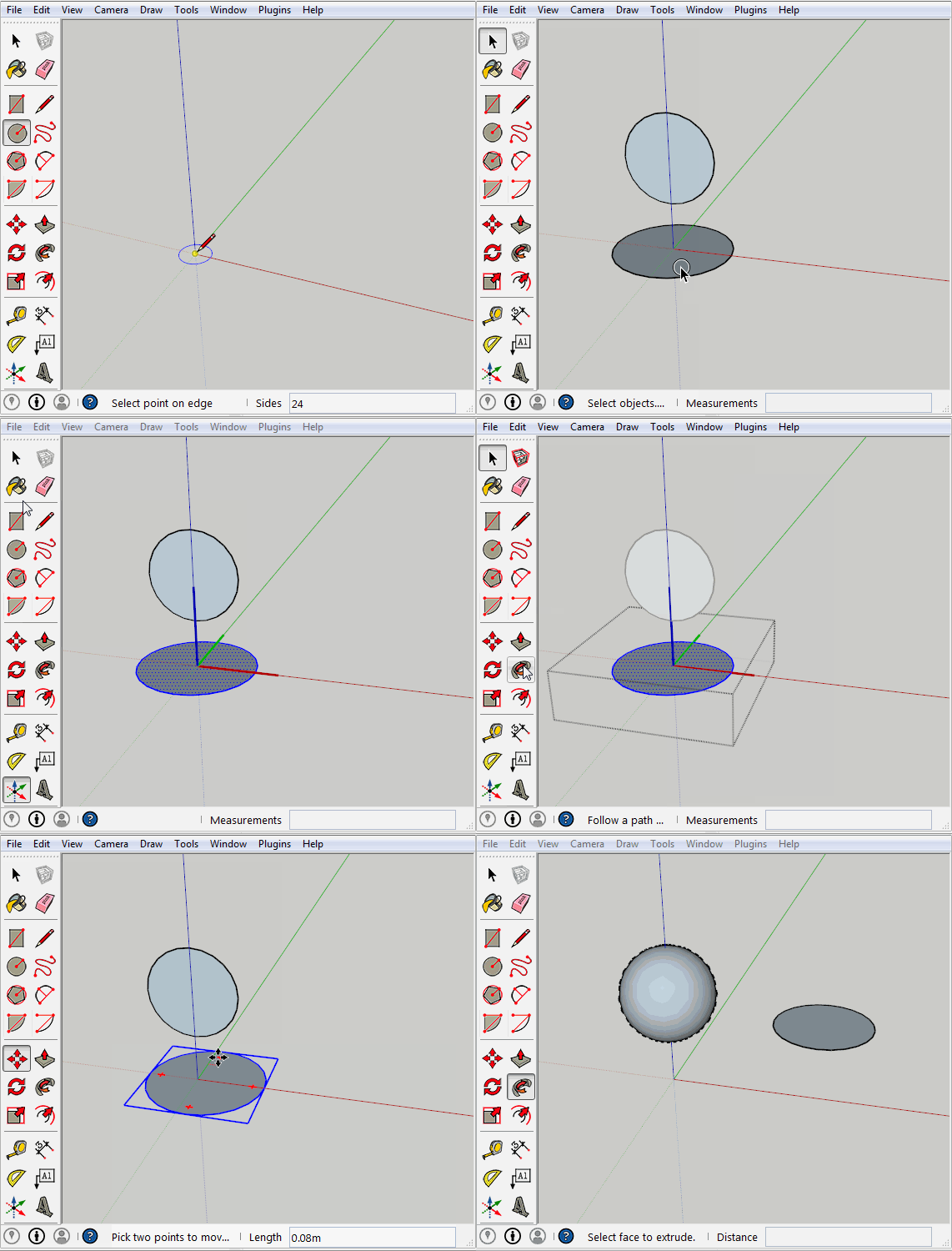
                circle.gif

                Well what was your point exactly?

                www.casca.pt
                Visit us on facebook!

                1 條回覆 最後回覆 回覆 引用 0
                • BoxB 離線
                  Box
                  最後由 編輯

                  Which proved my point, the follow me reacts differently if the profile is grouped rather than the path being grouped. The origin axis comes into play when the path is grouped.
                  So my original assertion that odd things occur when you group the path is true.
                  Also my original model was orthographically correct and shows the relationship between the global axis and the group axis. If I did the follow me the other way it would have produced a sphere.
                  Moving the axis of the path solves the problem but is unrelated to the original post.

                  I simply pointed out that while Carsten was showing something that works beautifully one way it doesn't work the same way when reversed.

                  I'll add this for luck.
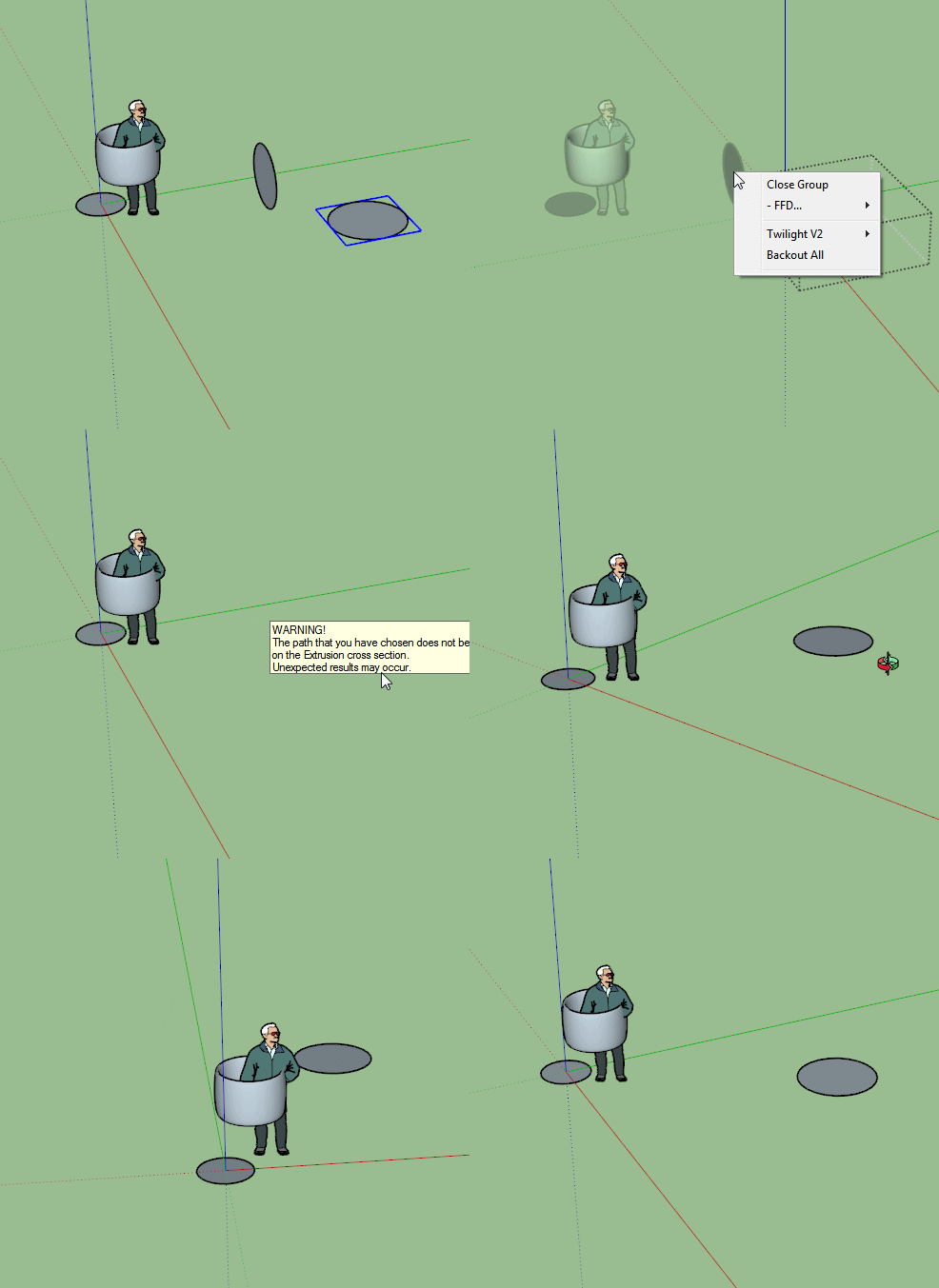

                  Unexpexted.gif

                  1 條回覆 最後回覆 回覆 引用 0
                  • JQLJ 離線
                    JQL
                    最後由 編輯

                    Duh!

                    www.casca.pt
                    Visit us on facebook!

                    1 條回覆 最後回覆 回覆 引用 0
                    • pmolsonP 離線
                      pmolson
                      最後由 編輯

                      Did you know

                      When you have a group open and everything else is faded away and hard to see you can click on the
                      (use sun for shading button check box) and the rest of the model is then clear to see.

                      I like this option for when I want to reference my open group to other parts of the model.
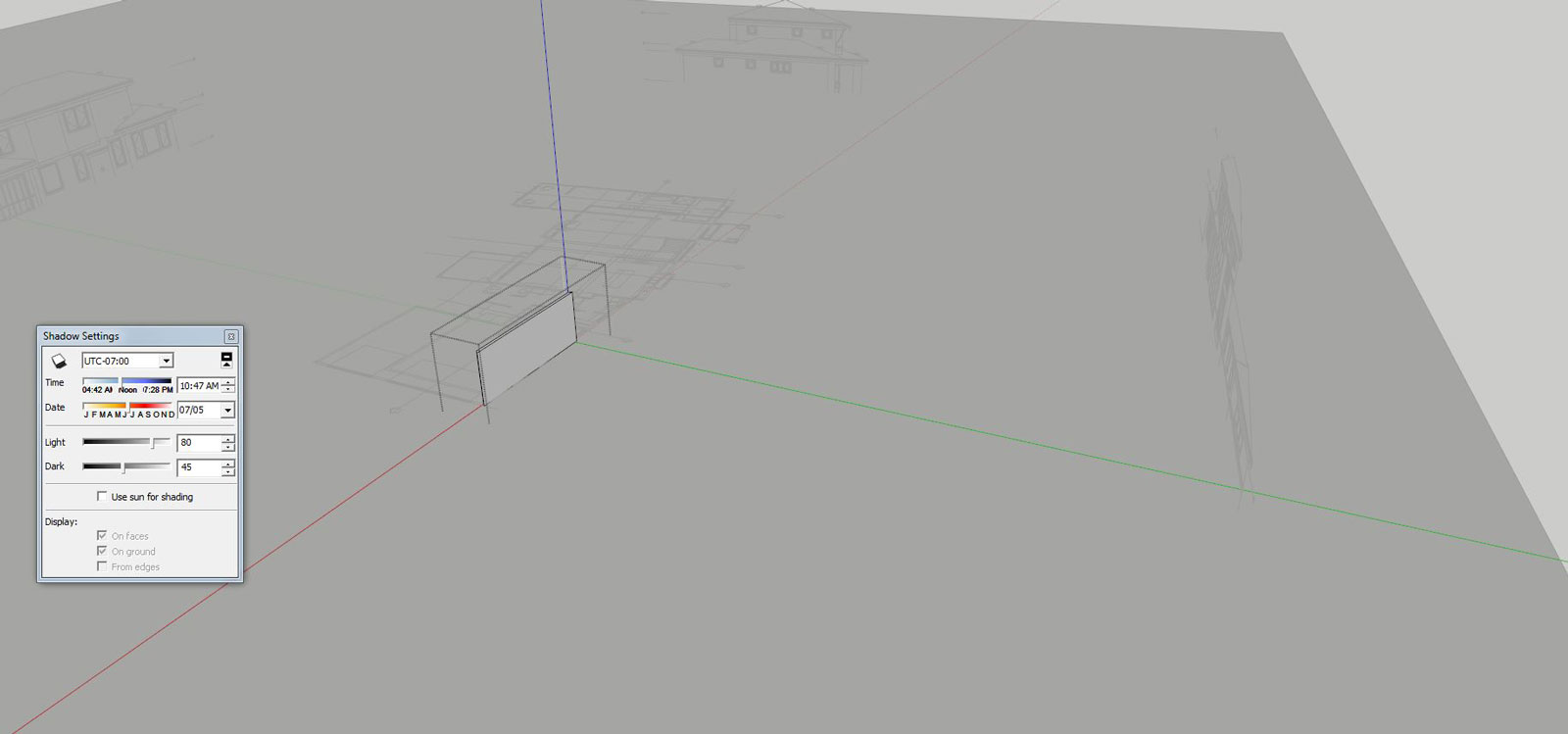
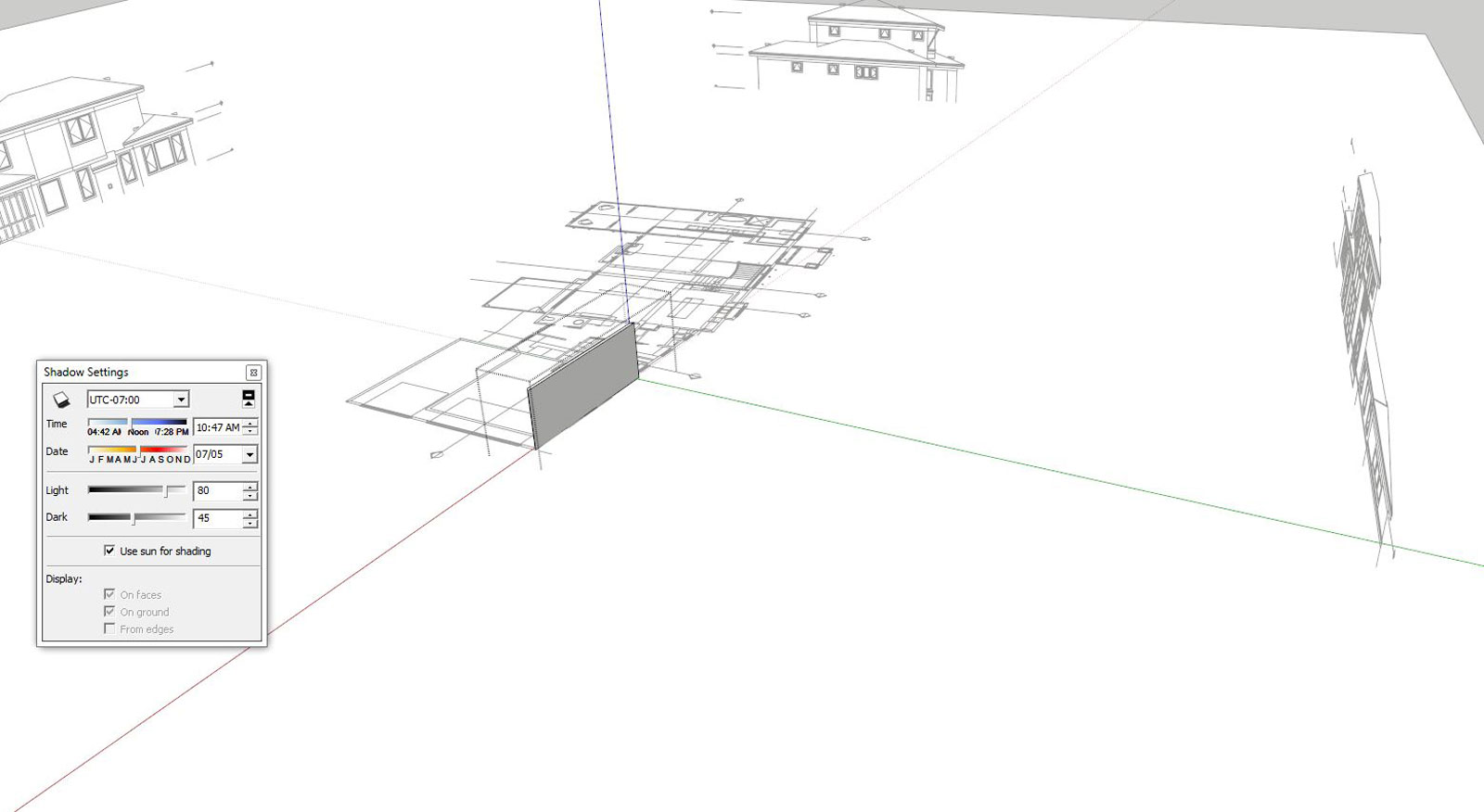
                      01_group-open-shadows-off-s.JPG

                      02_group-open-shadows-off-s.JPG

                      1 條回覆 最後回覆 回覆 引用 0
                      • cottyC 離線
                        cotty
                        最後由 編輯

                        👍
                        In addition, you can influence this here furthermore...
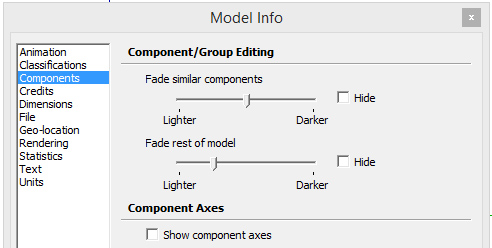
                        compfade.jpg

                        my SketchUp gallery

                        1 條回覆 最後回覆 回覆 引用 0
                        • pbacotP 離線
                          pbacot
                          最後由 編輯

                          Just came across the follow me showdown. Maybe cause I'm coming off a cold ...I'm confused. Would be nice to know the best practice for other than circle paths. I have always thought it was a hassle needing to have the objects in the same context...but now I find you don't . Duh!!!

                          MacOSX MojaveSketchUp Pro v19 Twilight v2 Thea v3 PowerCADD

                          1 條回覆 最後回覆 回覆 引用 0
                          • icedkaszI 離線
                            icedkasz
                            最後由 編輯

                            Just discovered that ctrl+shift+V pastes in place. Didn't know that for 3 versions. I've made messes out of contour maps by being millimeters off.

                            1 條回覆 最後回覆 回覆 引用 0
                            • cottyC 離線
                              cotty
                              最後由 編輯

                              @icedkasz said:

                              Just discovered that ctrl+shift+V pastes in place. Didn't know that for 3 versions. I've made messes out of contour maps by being millimeters off.

                              In the preferences, you can switch those two and use Ctrl+V for paste in place and Ctrl+Shift+V for simple pasting (I'm using pasting in place much more often).

                              my SketchUp gallery

                              1 條回覆 最後回覆 回覆 引用 0
                              • Bob JamesB 離線
                                Bob James
                                最後由 編輯

                                @icedkasz said:

                                Just discovered that ctrl+shift+V pastes in place. Didn't know that for 3 versions.

                                You're not alone

                                i7-4930K 3.4Ghz, 2x GTX780 6GB, 32GB DDR3-1600 ECC, OCZ Vertex 4 500GB, WD Black 3TB, 32TB NAS, 4x 27" Monitors, SpaceMouse Pro, X-keys XK-60

                                1 條回覆 最後回覆 回覆 引用 0
                                • JQLJ 離線
                                  JQL
                                  最後由 編輯

                                  @bob james said:

                                  @icedkasz said:

                                  Just discovered that ctrl+shift+V pastes in place. Didn't know that for 3 versions.

                                  You're not alone

                                  I never found that myself because that was exactly the shortcut I used with V8. As I always imported shortcuts I thought that was exclusively my command... I guess that counts as a Duh!

                                  www.casca.pt
                                  Visit us on facebook!

                                  1 條回覆 最後回覆 回覆 引用 0
                                  • thomthomT 離線
                                    thomthom
                                    最後由 編輯

                                    Oh - wait - that shortcut is now out of the box?

                                    Thomas Thomassen — SketchUp Monkey & Coding addict
                                    List of my plugins and link to the CookieWare fund

                                    1 條回覆 最後回覆 回覆 引用 0
                                    • JQLJ 離線
                                      JQL
                                      最後由 編輯

                                      It isn't? I always export/import it before I try it... so how would I know?

                                      It seems this will get some more duhs!

                                      www.casca.pt
                                      Visit us on facebook!

                                      1 條回覆 最後回覆 回覆 引用 0
                                      • thomthomT 離線
                                        thomthom
                                        最後由 編輯

                                        I'm glad it's now a default - as it's the first shortcut I ever set up. (Though I also import so I missed this.)

                                        Thomas Thomassen — SketchUp Monkey & Coding addict
                                        List of my plugins and link to the CookieWare fund

                                        1 條回覆 最後回覆 回覆 引用 0
                                        • pbacotP 離線
                                          pbacot
                                          最後由 編輯

                                          I set mine to just shift-v long ago and didn't know the default setting. Oddly I made so it is opposite of CAD, instead of changing the regular paste short-cut-- if that makes sense, so really I keep switching from one program to the other. Why am I writing this? Sitting here on first cup of coffee just killing time that I will want for later on...

                                          MacOSX MojaveSketchUp Pro v19 Twilight v2 Thea v3 PowerCADD

                                          1 條回覆 最後回覆 回覆 引用 0
                                          • jiminy-billy-bobJ 離線
                                            jiminy-billy-bob
                                            最後由 編輯

                                            @icedkasz said:

                                            Just discovered that ctrl+shift+V pastes in place. Didn't know that for 3 versions. I've made messes out of contour maps by being millimeters off.

                                            Are you sure?

                                            Not on my PC. No shortcut is assigned to Paste in Place.

                                            25% off Skatter for SketchUcation Premium Members

                                            1 條回覆 最後回覆 回覆 引用 0
                                            • 1
                                            • 2
                                            • 3
                                            • 4
                                            • 5
                                            • 6
                                            • 34
                                            • 35
                                            • 4 / 35
                                            • 第一個貼文
                                              最後的貼文
                                            Buy SketchPlus
                                            Buy SUbD
                                            Buy WrapR
                                            Buy eBook
                                            Buy Modelur
                                            Buy Vertex Tools
                                            Buy SketchCuisine
                                            Buy FormFonts

                                            Advertisement