sketchucation logo sketchucation
    • 登入
    Oops, your profile's looking a bit empty! To help us tailor your experience, please fill in key details like your SketchUp version, skill level, operating system, and more. Update and save your info on your profile page today!
    🔌 Smart Spline | Fluid way to handle splines for furniture design and complex structures. Download

    [Plugin] GreyscaleMode

    已排程 已置頂 已鎖定 已移動 Plugins
    133 貼文 56 Posters 153.6k 瀏覽 56 Watching
    正在載入更多貼文
    • 從舊到新
    • 從新到舊
    • 最多點贊
    回覆
    • 在新貼文中回覆
    登入後回覆
    此主題已被刪除。只有擁有主題管理權限的使用者可以查看。
    • kuponoK 離線
      kupono
      最後由 編輯

      Same error as Bruce. I did as suggested for Bruce: removed files in the plugin folder, then renamed zip to rbz, installed, exited, restarted,and got the same error. I see grayscale in the Plugins Manager, but not a sign of it in Tools, Extensions, or context menu.
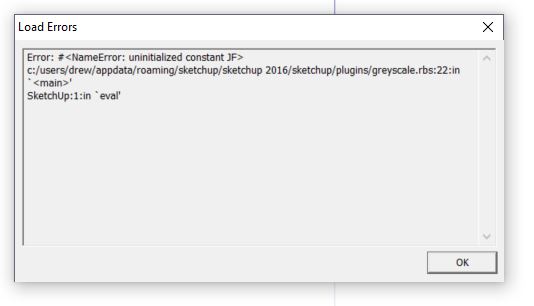

      Error.JPG

      1 條回覆 最後回覆 回覆 引用 0
      • Dave RD 離線
        Dave R
        最後由 編輯

        Check your PMs.

        Etaoin Shrdlu

        %

        (THERE'S NO PLACE LIKE)

        G28 X0.0 Y0.0 Z0.0

        M30

        %

        1 條回覆 最後回覆 回覆 引用 0
        • kuponoK 離線
          kupono
          最後由 編輯

          Jim, This is a fantastic! Thanks.
          Dave, Thanks for the help.

          1 條回覆 最後回覆 回覆 引用 0
          • D 離線
            darospa
            最後由 編輯

            what is a PMs? thank you in advance

            1 條回覆 最後回覆 回覆 引用 0
            • Dave RD 離線
              Dave R
              最後由 編輯

              @darospa said:

              what is a PMs? thank you in advance

              PMs = Private Messages

              Etaoin Shrdlu

              %

              (THERE'S NO PLACE LIKE)

              G28 X0.0 Y0.0 Z0.0

              M30

              %

              1 條回覆 最後回覆 回覆 引用 0
              • B 離線
                Bruce Watt
                最後由 編輯

                I have done as Dave has kindle suggested but I get the same error as Kupono.

                Looked at PM nothing there, although the inbox states (Inbox(1)) but nothing shows.
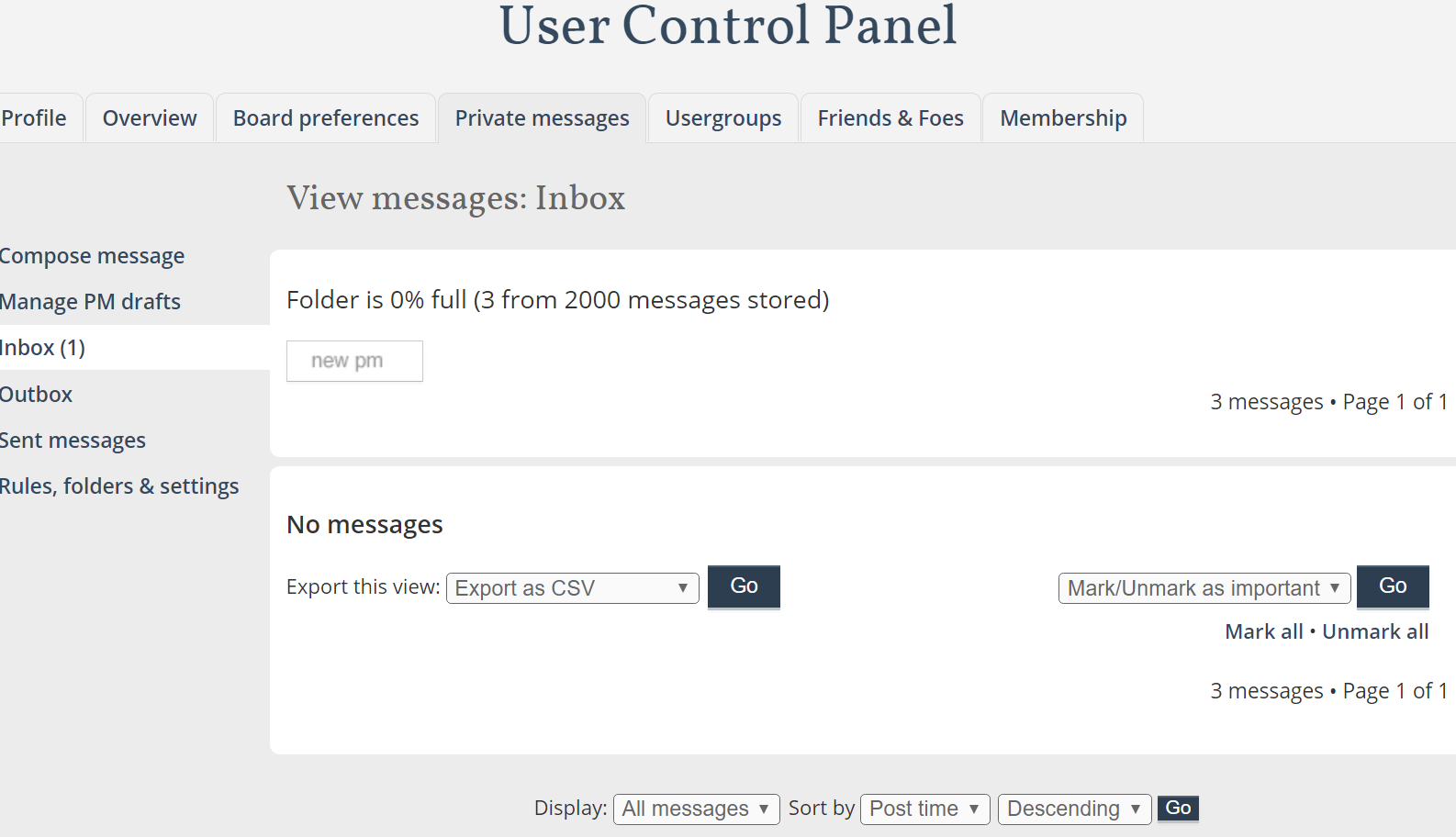

                PM box shows one message...but no message

                SKUP PRO 2021 latest version / update
                Windows 10 Pro
                Dell Alienware Aurora R10 AMD
                AMD Ryzen™ 9 3900X
                NVIDIA® GeForce RTX™ 2080 Ti 11GB GDDR6

                1 條回覆 最後回覆 回覆 引用 0
                • B 離線
                  Bruce Watt
                  最後由 編輯

                  Thanks Dave and Jim

                  SKUP PRO 2021 latest version / update
                  Windows 10 Pro
                  Dell Alienware Aurora R10 AMD
                  AMD Ryzen™ 9 3900X
                  NVIDIA® GeForce RTX™ 2080 Ti 11GB GDDR6

                  1 條回覆 最後回覆 回覆 引用 0
                  • L 離線
                    lesourdsville
                    最後由 編輯

                    I'm also getting that same error. Any advice?

                    1 條回覆 最後回覆 回覆 引用 0
                    • T 離線
                      tex77903
                      最後由 編輯

                      Same error for me as well. Any advice would be greatly appreciated.

                      1 條回覆 最後回覆 回覆 引用 0
                      • Dave RD 離線
                        Dave R
                        最後由 編輯

                        @tex77903 said:

                        Same error for me as well. Any advice would be greatly appreciated.

                        Check your PMs.

                        Etaoin Shrdlu

                        %

                        (THERE'S NO PLACE LIKE)

                        G28 X0.0 Y0.0 Z0.0

                        M30

                        %

                        1 條回覆 最後回覆 回覆 引用 0
                        • T 離線
                          tex77903
                          最後由 編輯

                          Thanks Dave!!

                          1 條回覆 最後回覆 回覆 引用 0
                          • R 離線
                            RandyInLA
                            最後由 編輯

                            Running SU Make 2016 on OSX El Capitan.

                            I too have downloaded the zip, renamed the extension to .rbz, successfully imported via the Extenstions section of Preferences but it throws that "Error: #<NameError: uninitialized constant JF>" error. Not sure why the solution isn't posted, but I'd like to request a PM as well, Dave. 😄

                            Thanks!
                            -=Randy

                            1 條回覆 最後回覆 回覆 引用 0
                            • GMthompsonG 離線
                              GMthompson
                              最後由 編輯

                              @utiler said:

                              First of all I'll echo Dave_R's comments. Jim, you are a generous fella...

                              For those of you who didn't see how this evolved, see http://www.sketchucation.com/forums/scf/viewtopic.php?f=40%26amp;t=12226%26amp;p=88778#p88778

                              Sometime, a schematic presentations seem to be best a little less 'in your face' in grey scale...

                              I tried it out on a little modular house I designed...

                              The only problem with it is that it doesn't act like 'face styles' in that changing from one scene to another it doesn't save with styles....

                              Not complaining though!!! :sketchstatic: Would love to see it included in SU7.0 face styles...

                              i 100% agree at times less is better i set up scenes/models very similar at times for LO

                              you can learn something everyday by paying attention

                              1 條回覆 最後回覆 回覆 引用 0
                              • Bob JamesB 離線
                                Bob James
                                最後由 編輯

                                @dave r said:

                                Sepo, after making the model all grey, right click on a face containing the color you wish to show. Choose Revert color from the menu. 😉

                                This extension, now called Grey Scale, is available at the Extension Store. Is there another, more capable, paid version somewhere?

                                In my case, I have a modification to a large building, but some of the colors in the modification are also used in the original building and some of the surrounding equipment.

                                The big problem with this extension is that if the color you are reverting is anywhere else in the part you want to stay grey, it will also revert, ruining the effect of having the part stand out.

                                Is it possible to have the reversion limited to a selected group without affecting any of the other groups in the model?
                                Or, maybe it could be limited to affecting only one layer.

                                Another difficulty I'm having is that I can find no way to revert the entire model.

                                In addition to the GreyScale Mode there is another option called "Front Face Mode". I couldn't figure out what that does. 😞

                                i7-4930K 3.4Ghz, 2x GTX780 6GB, 32GB DDR3-1600 ECC, OCZ Vertex 4 500GB, WD Black 3TB, 32TB NAS, 4x 27" Monitors, SpaceMouse Pro, X-keys XK-60

                                1 條回覆 最後回覆 回覆 引用 0
                                • Dave RD 離線
                                  Dave R
                                  最後由 編輯

                                  Bob, I don't know of another version of this extension, commercial or otherwise. Since it is working on the materials not on the geometry, I don't know how it could treat the material in one place and not another. I guess I would make new materials for the ones you want to show in gray. That's easily done in the Materials window. Maybe you then end up with Red Brick and Red Brick GS (GS for Gray Scale).

                                  Etaoin Shrdlu

                                  %

                                  (THERE'S NO PLACE LIKE)

                                  G28 X0.0 Y0.0 Z0.0

                                  M30

                                  %

                                  1 條回覆 最後回覆 回覆 引用 0
                                  • T 離線
                                    turbodizayn
                                    最後由 編輯

                                    Hello Jim!
                                    I cant disable grayscale mode=((( Revert does not work! Help!!!

                                    1 條回覆 最後回覆 回覆 引用 0
                                    • Dave RD 離線
                                      Dave R
                                      最後由 編輯

                                      @turbodizayn said:

                                      Hello Jim!
                                      I cant disable grayscale mode=((( Revert does not work! Help!!!

                                      So you don't have Revert in the context menu when you right click on a painted face?
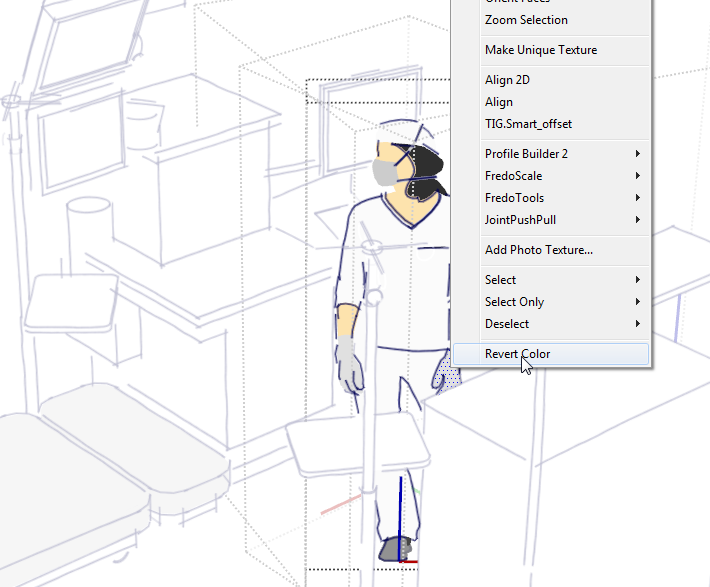
                                      Screenshot - 11_16_2016 , 5_58_28 AM.png

                                      Etaoin Shrdlu

                                      %

                                      (THERE'S NO PLACE LIKE)

                                      G28 X0.0 Y0.0 Z0.0

                                      M30

                                      %

                                      1 條回覆 最後回覆 回覆 引用 0
                                      • J 離線
                                        Jim
                                        最後由 編輯

                                        Although I wrote it, I have an irrational dislike of this particular plugin. Lol.

                                        I will look into it this afternoon. Please send the faulty model before making too many changes- I'm afraid it may become unrecoverable.

                                        Hi

                                        1 條回覆 最後回覆 回覆 引用 0
                                        • T 離線
                                          TBoy
                                          最後由 編輯

                                          Thank you for this great plugin!
                                          Is it possible to add something like Sepia mode (I imagine it with slider controlling yellowness)
                                          Another good effect is De-saturated mode (saturation is about 5-10% for all colors instead of 0% as seen in HSL when in GreyscaleMode).
                                          Again - Thank you for the excellent plugin.

                                          P.S. Sepia mode is inside the script but not exposed. After small edit of script I see "Sepia" looks OK too 😆

                                          1 條回覆 最後回覆 回覆 引用 0
                                          • N 離線
                                            nujak
                                            最後由 編輯

                                            Hello Jim,
                                            I am a residential designer. I use Sketchup and Layout exclusively for the design and construction drawings for my projects.

                                            Your GreyScale plugin is essential to my workflow. (The building department here in Oregon does not except drawings with color on them. I have been using the FrontFace mode to toggle my model to "black and white" for the creation of my construction drawings.)

                                            I've been using your plugin successfully in Sketchup2015 and 2016 by renaming the plugin file from .rb to .rbz.

                                            I am switching my workflow to the latest version of Sketchup 2017. I've attempted, once again, to rename the plugin to an .rbz and install in SU2017, but the plugin will not load.

                                            As I said, the Frontface mode function of your plugin is essential to my workflow and the only plugin that I am missing in order to upgrade to SU2017. Without Frontface mode I am lost and unable to upgrade to the newer versions of SU.

                                            I am willing to do whatever is necessary if I can persuade you to make your plugin compatible with SU2017.

                                            It is essential to my business.

                                            I would greatly appreciate if you could contact me and let me know what it would take to make this happen.

                                            Thank you.

                                            1 條回覆 最後回覆 回覆 引用 0
                                            • 1
                                            • 2
                                            • 3
                                            • 4
                                            • 5
                                            • 6
                                            • 7
                                            • 6 / 7
                                            • 第一個貼文
                                              最後的貼文
                                            Buy SketchPlus
                                            Buy SUbD
                                            Buy WrapR
                                            Buy eBook
                                            Buy Modelur
                                            Buy Vertex Tools
                                            Buy SketchCuisine
                                            Buy FormFonts

                                            Advertisement