sketchucation logo sketchucation
    • Login
    Oops, your profile's looking a bit empty! To help us tailor your experience, please fill in key details like your SketchUp version, skill level, operating system, and more. Update and save your info on your profile page today!
    Mac User? | Join the Rayscaper Beta for Mac Learn More

    [Plugin] GreyscaleMode

    Scheduled Pinned Locked Moved Plugins
    133 Posts 56 Posters 168.5k Views 56 Watching
    Loading More Posts
    • Oldest to Newest
    • Newest to Oldest
    • Most Votes
    Reply
    • Reply as topic
    Log in to reply
    This topic has been deleted. Only users with topic management privileges can see it.
    • kuponoK
      kupono
      last edited by

      Excited to find this on Smustard, but it's not working for me on SU Pro 2016. It errors on loading. Me or has it not been updated?

      1 Reply Last reply
      Reply Quote 0
      • Dave RD
        Dave R
        last edited by

        It works fine for me in SU2016. Perhaps you didn't install it correctly? What's the error message?
        Click on the picture

        Etaoin Shrdlu

        %

        (THERE'S NO PLACE LIKE)

        G28 X0.0 Y0.0 Z0.0

        M30

        %

        1 Reply Last reply
        Reply Quote 0
        • B
          Bruce Watt
          last edited by

          Hi All,

          I would like to try this plugin.
          I can not find a paid version of this plugin. any pointers please. Happy to pay for it.

          I have downloaded a free version off Smustard. I am working in SK UP 2016

          Where do I put the file contained within the Zip file. I have a jf_tools folder, jf_tools.rb, and greyscales.rbs files.

          I have tried.
          C:\ProgramData\SketchUp\SketchUp 2016\SketchUp\Plugins
          and
          C:\Users\Bruce\AppData\Roaming\SketchUp\SketchUp 2016\SketchUp\Plugins

          but get errors on loading Sketchup;

          Error: #<NameError: uninitialized constant JF>
          c:/users/bruce/appdata/roaming/sketchup/sketchup 2016/sketchup/plugins/greyscale.rbs:22:in <main>' SketchUp:1:in eval'

          There is not any .rbz file to install under the normal way through sketchup- windows menu- preferences etc etc

          Any help would be appreciated.

          SKUP PRO 2021 latest version / update
          Windows 10 Pro
          Dell Alienware Aurora R10 AMD
          AMD Ryzen™ 9 3900X
          NVIDIA® GeForce RTX™ 2080 Ti 11GB GDDR6

          1 Reply Last reply
          Reply Quote 0
          • Dave RD
            Dave R
            last edited by

            Bruce, first, go to the Plugins folder and remove any files you've installed that are related to this plugin. Then find the ZIP file you downloaded and change the extension from .zip to.rbz. Next, in SketchUp, go to Window>Preferences>Extensions. Click on Install Extension... Navigate to the rbz file, select it, choose Open and all affirmative responses. Click OK to close Preferences and then look in the Extensions menu. It should be there. If not, quit SketchUp and restart.

            Etaoin Shrdlu

            %

            (THERE'S NO PLACE LIKE)

            G28 X0.0 Y0.0 Z0.0

            M30

            %

            1 Reply Last reply
            Reply Quote 0
            • Dave RD
              Dave R
              last edited by

              FWIW, I just installed on SU2016 on my work computer and it works fine here, too.

              Etaoin Shrdlu

              %

              (THERE'S NO PLACE LIKE)

              G28 X0.0 Y0.0 Z0.0

              M30

              %

              1 Reply Last reply
              Reply Quote 0
              • kuponoK
                kupono
                last edited by

                Same error as Bruce. I did as suggested for Bruce: removed files in the plugin folder, then renamed zip to rbz, installed, exited, restarted,and got the same error. I see grayscale in the Plugins Manager, but not a sign of it in Tools, Extensions, or context menu.
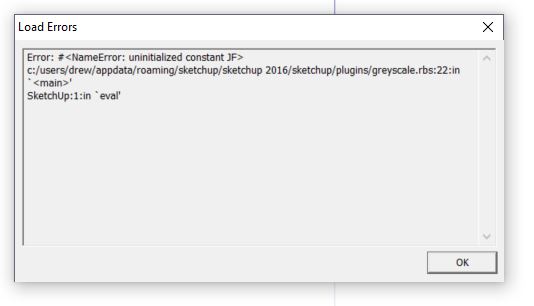

                Error.JPG

                1 Reply Last reply
                Reply Quote 0
                • Dave RD
                  Dave R
                  last edited by

                  Check your PMs.

                  Etaoin Shrdlu

                  %

                  (THERE'S NO PLACE LIKE)

                  G28 X0.0 Y0.0 Z0.0

                  M30

                  %

                  1 Reply Last reply
                  Reply Quote 0
                  • kuponoK
                    kupono
                    last edited by

                    Jim, This is a fantastic! Thanks.
                    Dave, Thanks for the help.

                    1 Reply Last reply
                    Reply Quote 0
                    • D
                      darospa
                      last edited by

                      what is a PMs? thank you in advance

                      1 Reply Last reply
                      Reply Quote 0
                      • Dave RD
                        Dave R
                        last edited by

                        @darospa said:

                        what is a PMs? thank you in advance

                        PMs = Private Messages

                        Etaoin Shrdlu

                        %

                        (THERE'S NO PLACE LIKE)

                        G28 X0.0 Y0.0 Z0.0

                        M30

                        %

                        1 Reply Last reply
                        Reply Quote 0
                        • B
                          Bruce Watt
                          last edited by

                          I have done as Dave has kindle suggested but I get the same error as Kupono.

                          Looked at PM nothing there, although the inbox states (Inbox(1)) but nothing shows.
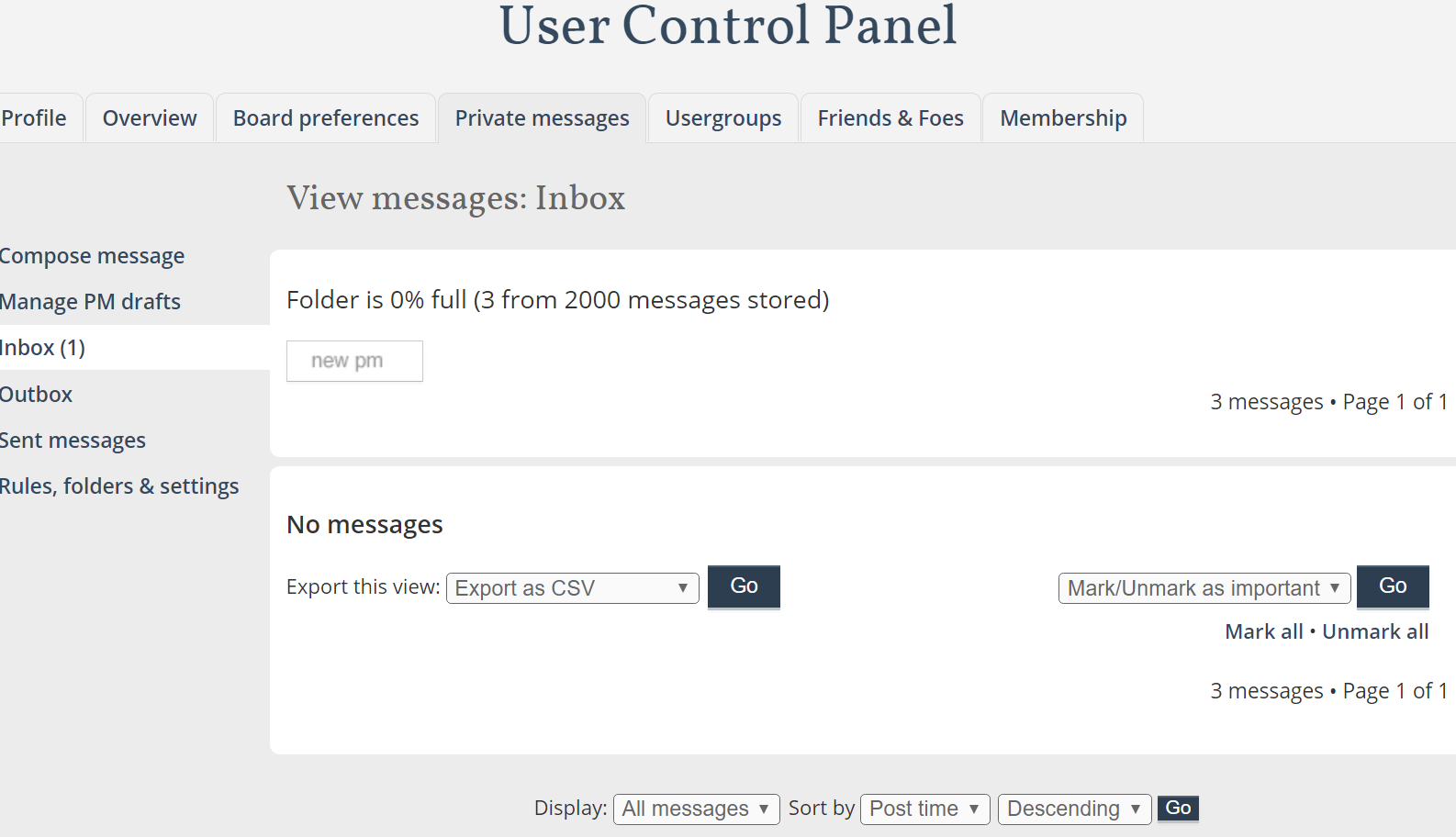

                          PM box shows one message...but no message

                          SKUP PRO 2021 latest version / update
                          Windows 10 Pro
                          Dell Alienware Aurora R10 AMD
                          AMD Ryzen™ 9 3900X
                          NVIDIA® GeForce RTX™ 2080 Ti 11GB GDDR6

                          1 Reply Last reply
                          Reply Quote 0
                          • B
                            Bruce Watt
                            last edited by

                            Thanks Dave and Jim

                            SKUP PRO 2021 latest version / update
                            Windows 10 Pro
                            Dell Alienware Aurora R10 AMD
                            AMD Ryzen™ 9 3900X
                            NVIDIA® GeForce RTX™ 2080 Ti 11GB GDDR6

                            1 Reply Last reply
                            Reply Quote 0
                            • L
                              lesourdsville
                              last edited by

                              I'm also getting that same error. Any advice?

                              1 Reply Last reply
                              Reply Quote 0
                              • T
                                tex77903
                                last edited by

                                Same error for me as well. Any advice would be greatly appreciated.

                                1 Reply Last reply
                                Reply Quote 0
                                • Dave RD
                                  Dave R
                                  last edited by

                                  @tex77903 said:

                                  Same error for me as well. Any advice would be greatly appreciated.

                                  Check your PMs.

                                  Etaoin Shrdlu

                                  %

                                  (THERE'S NO PLACE LIKE)

                                  G28 X0.0 Y0.0 Z0.0

                                  M30

                                  %

                                  1 Reply Last reply
                                  Reply Quote 0
                                  • T
                                    tex77903
                                    last edited by

                                    Thanks Dave!!

                                    1 Reply Last reply
                                    Reply Quote 0
                                    • R
                                      RandyInLA
                                      last edited by

                                      Running SU Make 2016 on OSX El Capitan.

                                      I too have downloaded the zip, renamed the extension to .rbz, successfully imported via the Extenstions section of Preferences but it throws that "Error: #<NameError: uninitialized constant JF>" error. Not sure why the solution isn't posted, but I'd like to request a PM as well, Dave. 😄

                                      Thanks!
                                      -=Randy

                                      1 Reply Last reply
                                      Reply Quote 0
                                      • GMthompsonG
                                        GMthompson
                                        last edited by

                                        @utiler said:

                                        First of all I'll echo Dave_R's comments. Jim, you are a generous fella...

                                        For those of you who didn't see how this evolved, see http://www.sketchucation.com/forums/scf/viewtopic.php?f=40%26amp;t=12226%26amp;p=88778#p88778

                                        Sometime, a schematic presentations seem to be best a little less 'in your face' in grey scale...

                                        I tried it out on a little modular house I designed...

                                        The only problem with it is that it doesn't act like 'face styles' in that changing from one scene to another it doesn't save with styles....

                                        Not complaining though!!! :sketchstatic: Would love to see it included in SU7.0 face styles...

                                        i 100% agree at times less is better i set up scenes/models very similar at times for LO

                                        you can learn something everyday by paying attention

                                        1 Reply Last reply
                                        Reply Quote 0
                                        • Bob JamesB
                                          Bob James
                                          last edited by

                                          @dave r said:

                                          Sepo, after making the model all grey, right click on a face containing the color you wish to show. Choose Revert color from the menu. 😉

                                          This extension, now called Grey Scale, is available at the Extension Store. Is there another, more capable, paid version somewhere?

                                          In my case, I have a modification to a large building, but some of the colors in the modification are also used in the original building and some of the surrounding equipment.

                                          The big problem with this extension is that if the color you are reverting is anywhere else in the part you want to stay grey, it will also revert, ruining the effect of having the part stand out.

                                          Is it possible to have the reversion limited to a selected group without affecting any of the other groups in the model?
                                          Or, maybe it could be limited to affecting only one layer.

                                          Another difficulty I'm having is that I can find no way to revert the entire model.

                                          In addition to the GreyScale Mode there is another option called "Front Face Mode". I couldn't figure out what that does. 😞

                                          i7-4930K 3.4Ghz, 2x GTX780 6GB, 32GB DDR3-1600 ECC, OCZ Vertex 4 500GB, WD Black 3TB, 32TB NAS, 4x 27" Monitors, SpaceMouse Pro, X-keys XK-60

                                          1 Reply Last reply
                                          Reply Quote 0
                                          • Dave RD
                                            Dave R
                                            last edited by

                                            Bob, I don't know of another version of this extension, commercial or otherwise. Since it is working on the materials not on the geometry, I don't know how it could treat the material in one place and not another. I guess I would make new materials for the ones you want to show in gray. That's easily done in the Materials window. Maybe you then end up with Red Brick and Red Brick GS (GS for Gray Scale).


                                            Etaoin Shrdlu

                                            %

                                            (THERE'S NO PLACE LIKE)

                                            G28 X0.0 Y0.0 Z0.0

                                            M30

                                            %

                                            1 Reply Last reply
                                            Reply Quote 0

                                            Hello! It looks like you're interested in this conversation, but you don't have an account yet.

                                            Getting fed up of having to scroll through the same posts each visit? When you register for an account, you'll always come back to exactly where you were before, and choose to be notified of new replies (either via email, or push notification). You'll also be able to save bookmarks and upvote posts to show your appreciation to other community members.

                                            With your input, this post could be even better 💗

                                            Register Login
                                            • 1
                                            • 2
                                            • 3
                                            • 4
                                            • 5
                                            • 6
                                            • 7
                                            • 6 / 7
                                            • First post
                                              Last post
                                            Buy SketchPlus
                                            Buy SUbD
                                            Buy WrapR
                                            Buy eBook
                                            Buy Modelur
                                            Buy Vertex Tools
                                            Buy SketchCuisine
                                            Buy FormFonts

                                            Advertisement