sketchucation logo sketchucation
    • Login
    Oops, your profile's looking a bit empty! To help us tailor your experience, please fill in key details like your SketchUp version, skill level, operating system, and more. Update and save your info on your profile page today!
    Mac User? | Join the Rayscaper Beta for Mac Learn More

    [Plugin] Lines to tubes

    Scheduled Pinned Locked Moved Plugins
    131 Posts 61 Posters 312.2k Views 61 Watching
    Loading More Posts
    • Oldest to Newest
    • Newest to Oldest
    • Most Votes
    Reply
    • Reply as topic
    Log in to reply
    This topic has been deleted. Only users with topic management privileges can see it.
    • pilouP
      pilou
      last edited by

      Excellent! πŸ‘

      And can we imagine the same with any section ?

      Frenchy Pilou
      Is beautiful that please without concept!
      My Little site :)

      1 Reply Last reply
      Reply Quote 0
      • R
        rv1974
        last edited by

        My $0.02:

        1. Fredo's Make curves (weld)
        2. S4u 'Make Frame'

        GIF.gif

        1 Reply Last reply
        Reply Quote 0
        • pilouP
          pilou
          last edited by

          Yes but quid of differents number of segments of sections ? πŸ˜‰

          @Sdmitch
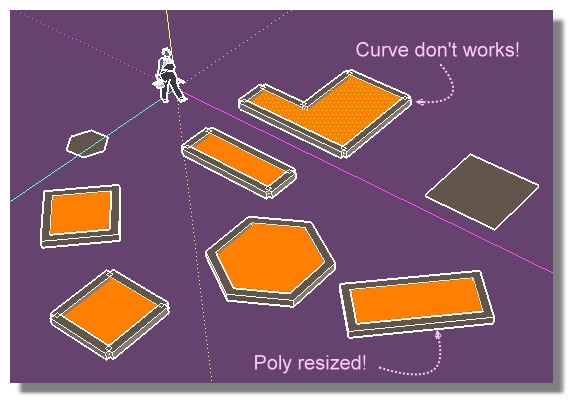
          Seems the "Do Curve" don't works in the new version!
          Edit: Sorry I don't draw a polygon but a rectangle! 😳
          The trick is draw a poly with 4 edges then resize with FredoScale! πŸ˜„
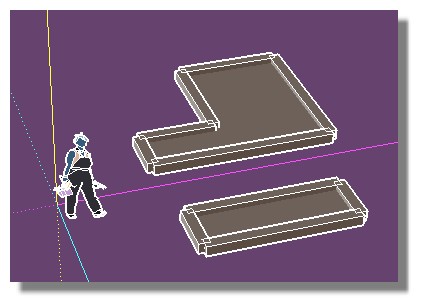
          no_more.jpg

          no_curve1.jpg

          Frenchy Pilou
          Is beautiful that please without concept!
          My Little site :)

          1 Reply Last reply
          Reply Quote 0
          • fionmacoolF
            fionmacool
            last edited by

            Merci pour le Plugin. : )

            Zere are still some architectes zat do not know ow to use ze SketchUp..... Zis is unbelievable....

            1 Reply Last reply
            Reply Quote 0
            • H
              huajiet
              last edited by

              @sdmitch said:

              Yes, but this particular plugin is scrambled so only the creator can make that change.

              I'm hoping to set the default 'Precision' input at 20. looked into the .rb file but it's all scrambled. anyone can help?

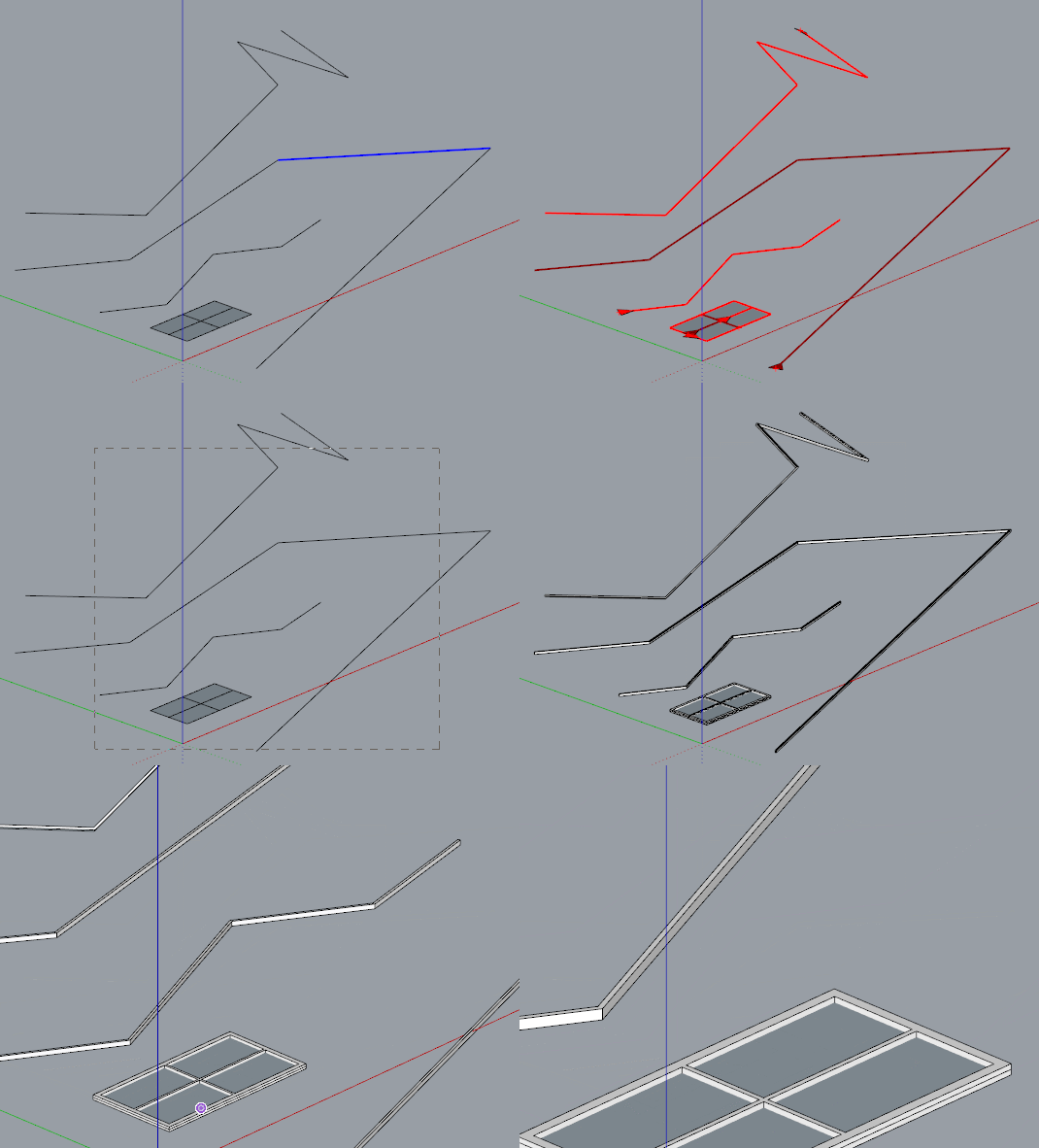
              sdmitch, where can I download your Edge_to_Tube plugin?

              1 Reply Last reply
              Reply Quote 0
              • M
                Munene
                last edited by

                How do you download the extension

                1 Reply Last reply
                Reply Quote 0
                • Didier BurD
                  Didier Bur
                  last edited by

                  Hi,
                  Go to the Resources tab and select the PluginStore option.
                  Regards

                  DB

                  1 Reply Last reply
                  Reply Quote 0
                  • S
                    samodelkin_77
                    last edited by

                    @huajiet said:

                    @sdmitch said:

                    I'm hoping to set the default 'Precision' input at 20. looked into the .rb file but it's all scrambled. anyone can help?

                    look at this plugin:

                    https://transfiles.ru/lwtkd

                    1 Reply Last reply
                    Reply Quote 0
                    • S
                      samodelkin_77
                      last edited by

                      and how to insert images when responding? I didn't find where to click.press. I had to upload it to a file sharing service..

                      1 Reply Last reply
                      Reply Quote 0
                      • Dave RD
                        Dave R
                        last edited by

                        @samodelkin_77 said:

                        and how to insert images when responding? I didn't find where to click.press.

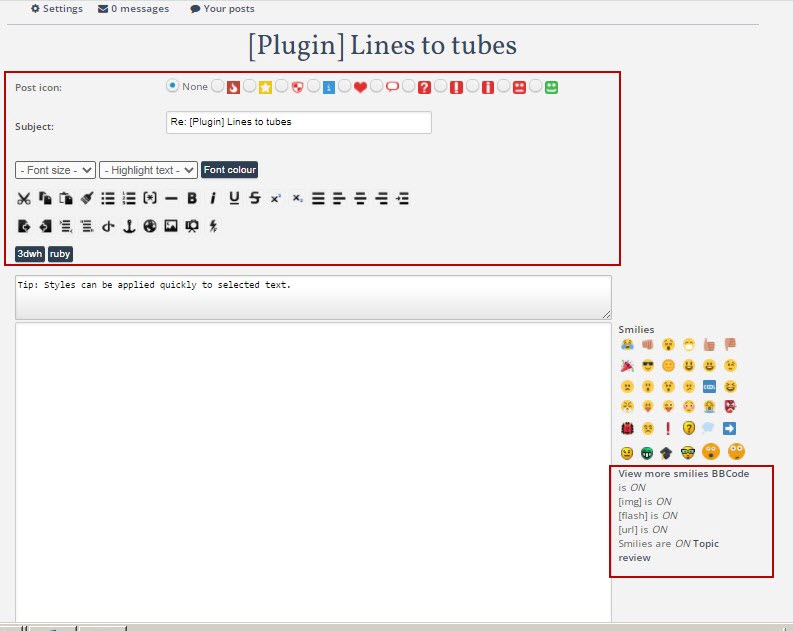
                        You didn't find the part of the Reply page shown in the red box, below?
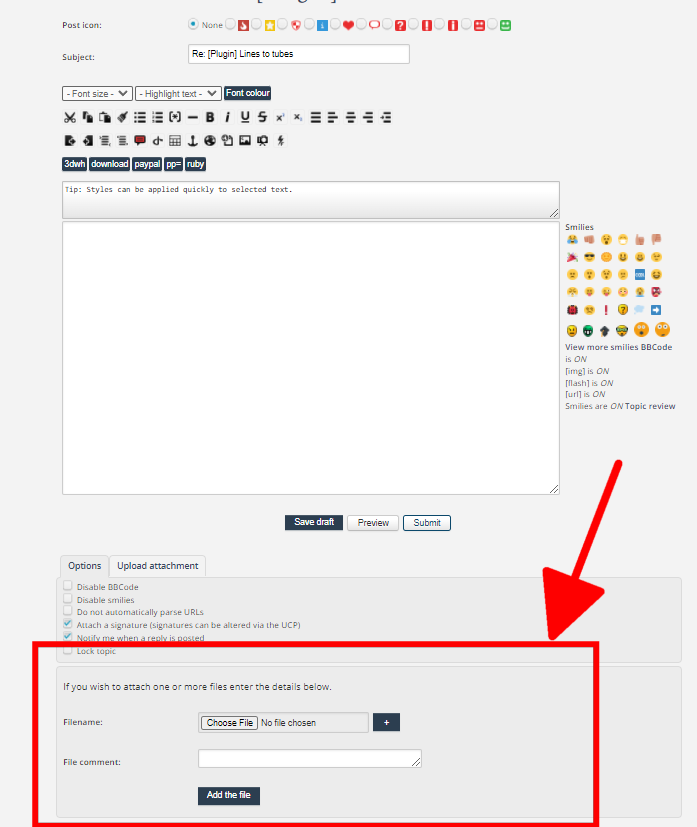
                        Screenshot - 2_7_2022 , 7_09_09 AM.png

                        Click on Choose File, select the file on your computer, click Add the file.

                        Etaoin Shrdlu

                        %

                        (THERE'S NO PLACE LIKE)

                        G28 X0.0 Y0.0 Z0.0

                        M30

                        %

                        1 Reply Last reply
                        Reply Quote 0
                        • S
                          samodelkin_77
                          last edited by

                          .


                          And I was looking at the top and side)) and it wasn't even visible below... it didn't fit into the screen)) thanks.


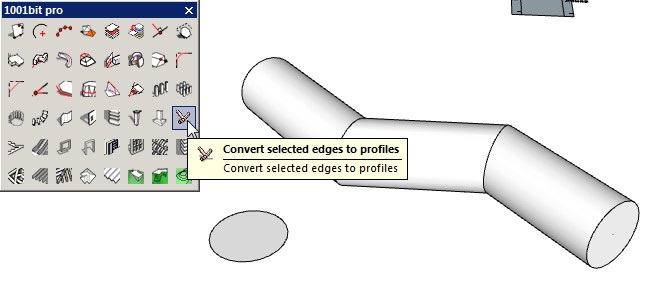
                          And I threw this picture on the file sharing site, maybe this plugin (1001) will help with pipes...

                          1 Reply Last reply
                          Reply Quote 0
                          • massimoM massimo referenced this topic on
                          • M
                            Mahasamaritan Newcomers @Chris Fullmer
                            last edited by

                            @Chris-Fullmer said in [Plugin] Lines to tubes:

                            It was listed just fine for me on Vista 64bit in the tools menu. Great plugin!

                            Here's a helix, triple helix, double helix, something that isn't a helix, but sort of close, then another 10x helix or something. I'm sure most of those names are wrong, so just look at the picture πŸ˜„

                            Chris


                            HELIX.png

                            How can you make Lines to Tubes work in Sketchup 2014?

                            Dave RD 1 Reply Last reply
                            Reply Quote 0
                            • Dave RD
                              Dave R @Mahasamaritan
                              last edited by TIG

                              @Mahasamaritan said in [Plugin] Lines to tubes:

                              How can you make Lines to Tubes work in Sketchup 2014?

                              Just install it using the Sketchucation ExtensionStore tool, select the edges and then run it. It works just fine in older SketchUps.
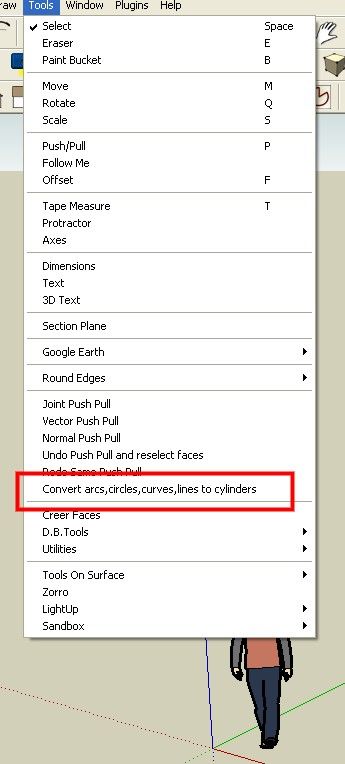
                              UFmw_what_can_isay.jpg

                              Etaoin Shrdlu

                              %

                              (THERE'S NO PLACE LIKE)

                              G28 X0.0 Y0.0 Z0.0

                              M30

                              %

                              1 Reply Last reply
                              Reply Quote 1
                              • M
                                mleslieperez Newcomers
                                last edited by

                                Mine is saying "unsigned" so it isn't able to install on my sketchup... can you help me fix this?

                                1 Reply Last reply
                                Reply Quote 0
                                • TIGT
                                  TIG Moderator
                                  last edited by TIG

                                  Being 'unsigned' need not be a problem.

                                  Edit your native Extension Manager settings - Loading Policy > Unrestricted

                                  Restart SketchUp and version-compatible, but 'unsigned', extensions [i.e. usually older] will then load OK.
                                  Only install extensions from trustworthy sources - like SketchUcation, the Extension-Warehouse and a few developers' sites which offer direct downloads...


                                  TIG

                                  1 Reply Last reply
                                  Reply Quote 1

                                  Hello! It looks like you're interested in this conversation, but you don't have an account yet.

                                  Getting fed up of having to scroll through the same posts each visit? When you register for an account, you'll always come back to exactly where you were before, and choose to be notified of new replies (either via email, or push notification). You'll also be able to save bookmarks and upvote posts to show your appreciation to other community members.

                                  With your input, this post could be even better πŸ’—

                                  Register Login
                                  • 1
                                  • 2
                                  • 3
                                  • 4
                                  • 5
                                  • 6
                                  • 7
                                  • 2 / 7
                                  • First post
                                    Last post
                                  Buy SketchPlus
                                  Buy SUbD
                                  Buy WrapR
                                  Buy eBook
                                  Buy Modelur
                                  Buy Vertex Tools
                                  Buy SketchCuisine
                                  Buy FormFonts

                                  Advertisement