Some help please
-
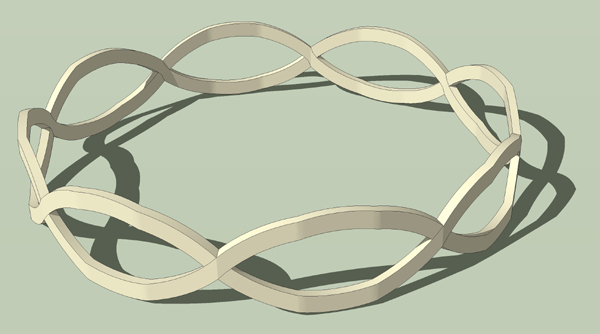
I need to know how to take my intertwined faces and form a perfect circle or wrap them around my circle so that I could do an intersect and erase any unwanted geometry. I also want the intertwined faces to have a thickness so I'm guessing I should use push/pull before following any other steps? Thanks.
Mike
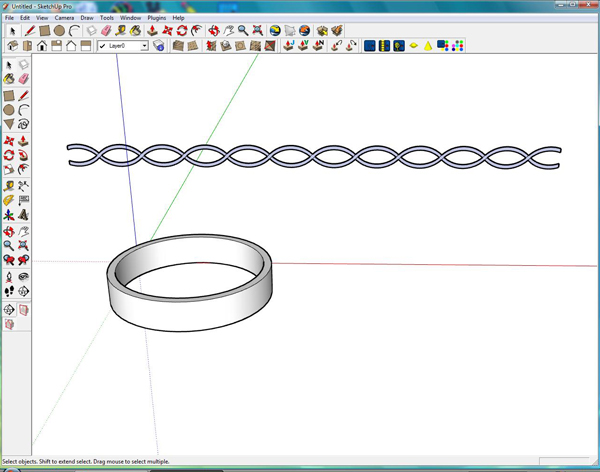
-
Hi Mike,
I'm not sure that I understand what exactly you want to accomplish. Could you also attach an skp file?
-
Gaieus, I hope this explains it better. I will also post the skp if needed but all it is, is exactly what you see, a shape that I want to turn into a circle. Thanks.
Mike
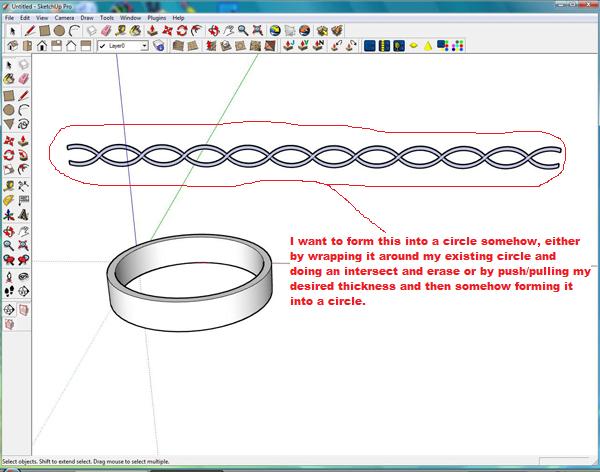
-
The problem is that you cannot just wrap geometry around anything in SU (like you can with images). What I'd do is to model a piece of that geometry on the face of just one segment of the cylinder (but in a way that the pieces meet) and then copy/rotate that around as many times as you created the cylinder from.
Still not an easy task and I1m not sure about the result.
-
Thanks Gaieus, I was hoping someone had a method or trick to simplify this a little.
Mike
-
Mike, if you were to do what you want, you'd end up with a massive file. I would work out one segment of the intertwined "wires" on a portion of a cylinder of the proper radius. Then I would it a component and make a radial array of it. Hide the end line segments and it'll look pretty good.
If you want to send me the model you have there, I'll make a demo for you.
Dave
-
Thanks Dave, I really appreciate it. This is only the first stage of this, I am definitely gonna have lots more questions. I have posted the skp.
-
-
Thanks TIG. You beat me to it.
Mike, do you still want me to do that for you?
-
Here's an example - the method is pretty much the same as Dave R's except that I intersected one link of the chain with the plain band to get curved surfaces. Looking at it the band is a perhaps a bit thick.
Bob
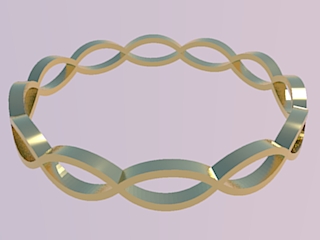
-
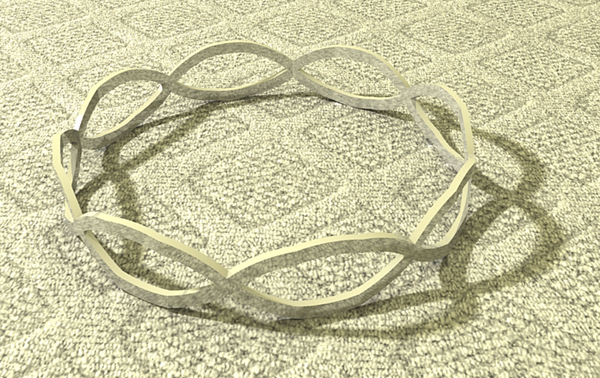
In a similar vein here's my tutorial version but with a rectangular extrusion rather than a tube...
![IntertwiningRing[Flat].jpg](/uploads/imported_attachments/vENf_IntertwiningRingFlat.jpg)
-
Made one ring and copied an array using the protractor multiple paste method.

-
-
Thanks for all the input guys, I'm sure that I'm gonna have some more questions as I continue.
Mike
-
just in case it's meant to be braid-like.... i guessed a certain reference point which was close but not totally right.. if i have to do it again, i'll be able to fix that..
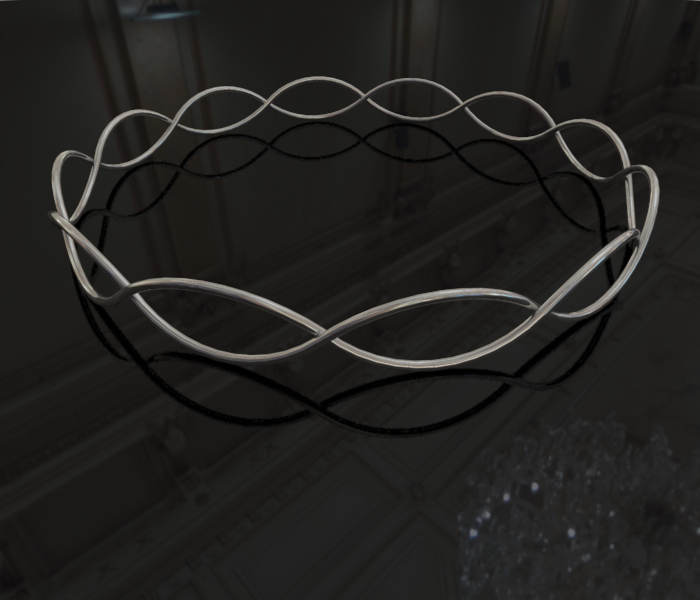
-
Yes Jeff, that's exactly what I was looking for, I guess I should of said braided instead of intertwined. I really appreciate everyone's help on this.
Mike
-
i don't have time for a tut right now but i can show you how i did it later.. in the mean time, it looks like a lot of people are into trying this shape so maybe someone else can do it..
for now, here's the skp of my version..
-
ok, so i figured out how to draw it more to my liking but doing a tutorial for this thing might be a little bit much.. it would be about 25 scenes with weird to describe curve manipulations in there.. if someone really wants to see a step-by-step, i'll do it but i'm going to hold off for now.. it will probably take ~2hrs to put together..
it's sort of similar to TIG's method except i used two circles to begin with instead of one (one inside of the other).. i then alternate between the two circles which allows for the weaving..
here's the fixed version skp..
-
With our combined IQ well in excess of 'genius' we have got some great ideas here.
-
I haven't had time to go through all of these, but it seems that you might also be able to do it by producing a ring of braid that is only skin-thick, then using Vector PP on it. Did anyone try it that way?







Hello! It looks like you're interested in this conversation, but you don't have an account yet.
Getting fed up of having to scroll through the same posts each visit? When you register for an account, you'll always come back to exactly where you were before, and choose to be notified of new replies (either via email, or push notification). You'll also be able to save bookmarks and upvote posts to show your appreciation to other community members.
With your input, this post could be even better 💗
Register Login


Advertisement