sketchucation logo sketchucation
    • Login
    Oops, your profile's looking a bit empty! To help us tailor your experience, please fill in key details like your SketchUp version, skill level, operating system, and more. Update and save your info on your profile page today!
    Mac User? | Join the Rayscaper Beta for Mac Learn More

    Joint Push Pull Classic (Old version) - v2.2a - 26 Apr 17

    Scheduled Pinned Locked Moved Plugins
    368 Posts 150 Posters 2.2m Views 150 Watching
    Loading More Posts
    • Oldest to Newest
    • Newest to Oldest
    • Most Votes
    Reply
    • Reply as topic
    Log in to reply
    This topic has been deleted. Only users with topic management privileges can see it.
    • jeff hammondJ
      jeff hammond
      last edited by

      [EDIT] daniel posted the latest update while i was typing this reply.. iconsformac2 are correct..

      i switched to the first icons and they worked ok..

      Picture 1.jpg

      the new pngs display as sharp in all other apps except sketchup.. i compared the blurry ones against the sharp ones in PS and found the image sizes are different.. i changed the blurry J & V files to the following size..
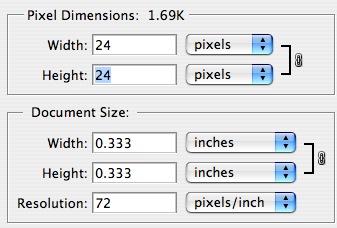
      Picture 3.jpg

      ..and now the new icons look ok..
      Picture 4.jpg

      it's a strange thing to me because the new icons are all 24x24 px.. it's just the resolution and wxh are set different but i would have thought they would display on a monitor according to the pixel size alone..
      fwiw - the blurry icons are set to 24 x 24 px... .08 x .08 inches .... resolution 299.974..

      dotdotdot

      1 Reply Last reply
      Reply Quote 0
      • urgenU
        urgen
        last edited by

        M-m-m-many thanks to Fredo6 ! very conveniently! 😍 ...
        ...and let's write it in the end in "jointpushpull.rb" :
        #------------------------------------------------------
        UI.add_context_menu_handler do |menu|
        menu.add_separator
        menu.add_item("Joint Push Pull ") { JointPushPull.execute 'J' }
        menu.add_item("Vector Push Pull ") { JointPushPull.execute 'V' }
        menu.add_item("Normal Push Pull ") { JointPushPull.execute 'N' }
        menu.add_item("Undo") { JointPushPull.undo }
        menu.add_item("Redo") { JointPushPull.redo }
        end
        #--------------------------------------------------------------

         ....right click mouse we select the  face and activate skript board Simultaneously :stuck_out_tongue: ...Process of drawing will be faster! :tada:
        

        --pupil forever...------

        1 Reply Last reply
        Reply Quote 0
        • fredo6F
          fredo6
          last edited by

          Urgen,

          Very good idea and quite natural in Sketchup.
          I updated the files in the script repository (also with non blurry icons).
          http://www.sketchucation.com/forums/scf/viewtopic.php?f=153&t=6708&p=42783#p42783

          Thanks

          Fredo

          1 Reply Last reply
          Reply Quote 0
          • PixeroP
            Pixero
            last edited by

            There is a bug in the latest version there should be a ] in this line:
            menu.add_item(Traductor[DLG_MnuRedo]) { JointPushPull.redo }

            1 Reply Last reply
            Reply Quote 0
            • fredo6F
              fredo6
              last edited by

              Oops...!!
              Updated with correct code in Ruby repository

              Fredo

              1 Reply Last reply
              Reply Quote 0
              • boofredlayB
                boofredlay
                last edited by

                @unknownuser said:

                @unknownuser said:

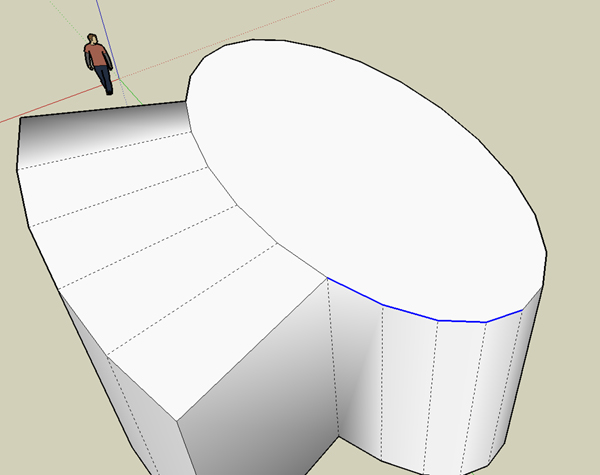
                Is it possible for this script to explode the curve after it is run? Or at least segment it into parts. It would cut down on a step if you are trying to erase lines for a cleaner face. See image.

                I put precisely some code to keep curves on the original surface (to be as less destructive as possible). Note however that the generated corresponding contour is not welded as a curve. Is it the situation you have?

                The generated contour is not welded correct.
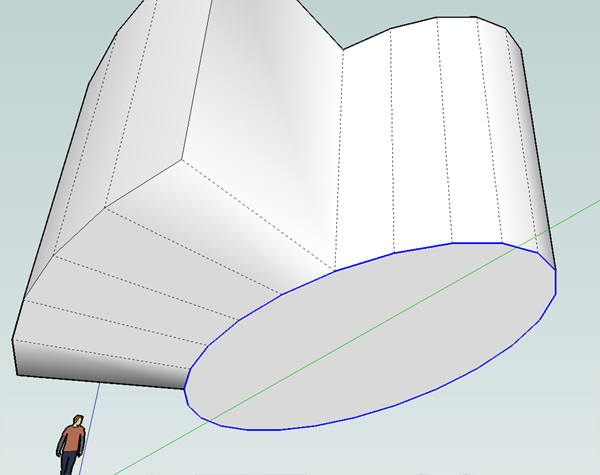
                The original is however. I did another test after installing the latest and I get conflicting results. The top ellipse is broken into 2 welded curves that do not correspond the the new JPP created. The bottom ellipse stays completely intact.
                See images.
                Again, thanks for this script.
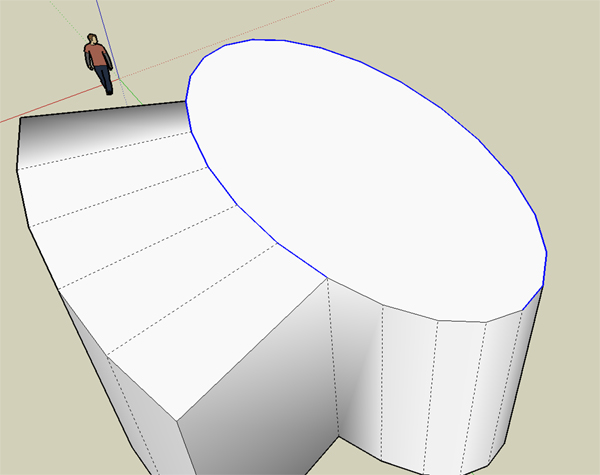

                Top1.jpg


                Top2.jpg


                Bottom.jpg

                http://www.coroflot.com/boofredlay

                1 Reply Last reply
                Reply Quote 0
                • fredo6F
                  fredo6
                  last edited by

                  Coen

                  If you scale uniformly a surface, it will never match the original (think of a sphere for instance). However, this is somehow an approximate way to offset its contour, while preserving the overall shape of the surface.

                  With the first method (only offset the borders), you just use the shape of the outer borders and ignore the ones which are inside. So if you offset by a large distance, you will certainly 'dilute' the shape of the surface.

                  Both methods have their own benefits and drawbacks, and both can be implemented via a script.

                  That's what I meant.

                  Fredo

                  1 Reply Last reply
                  Reply Quote 0
                  • X
                    xrok1
                    last edited by

                    where is this offset tool?????

                    β€œThere are three classes of people: those who see. Those who see when they are shown. Those who do not see.”

                    http://www.Twilightrender.com try it!

                    1 Reply Last reply
                    Reply Quote 0
                    • FletchF
                      Fletch
                      last edited by

                      beautiful, Fredo... simply fantastic. Thank you so much for your generosity in sharing!

                      Fletch
                      3D Modeling addict. Former owner/developer of Twilight Render. sleepinggiantvisual.com

                      1 Reply Last reply
                      Reply Quote 0
                      • M
                        mateo soletic
                        last edited by

                        Thanks for a great script.

                        Concept Illustrations

                        1 Reply Last reply
                        Reply Quote 0
                        • urgenU
                          urgen
                          last edited by

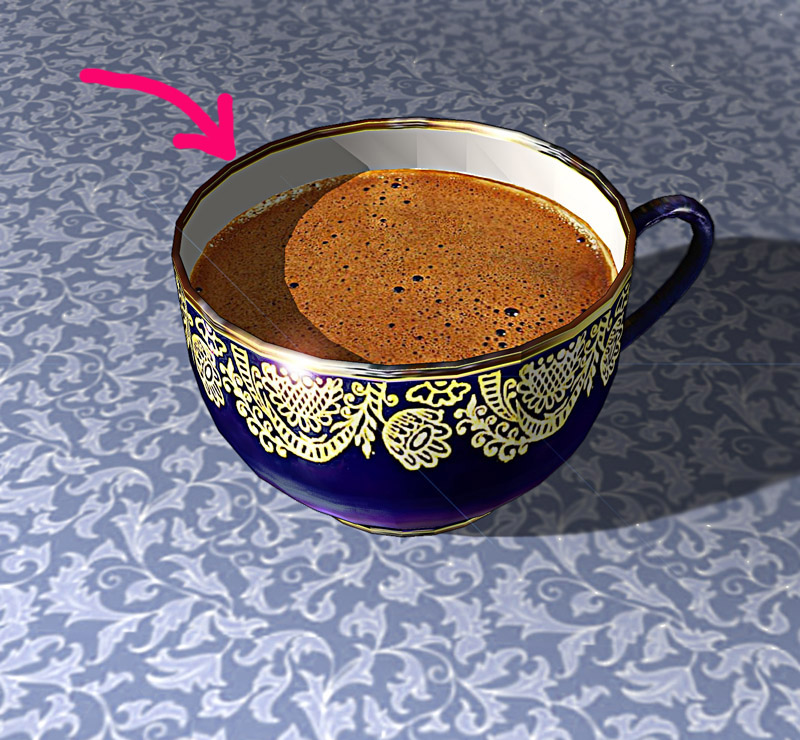
                          ...Here I have applied this script, very pleasant in work.... Thanks once again! πŸ‘


                          cup1.jpg

                          --pupil forever...------

                          1 Reply Last reply
                          Reply Quote 0
                          • erikBE
                            erikB
                            last edited by

                            Thanks fredo for this wonderfull new tool. Works like a charme 😍 and with the use of the icons it seems like if they have always been part of the original program. GREAT scripting !!!
                            erikB

                            1 Reply Last reply
                            Reply Quote 0
                            • ToboboT
                              Tobobo
                              last edited by

                              WOW!!

                              All my SU life i've been waiting for this!

                              Thank You Thank You Thank You Thank You Thank You Thank You Thank You Thank You Thank You Thank You Thank You Thank You Thank You Thank You Thank You Thank You Thank You Thank You Thank You Thank You Thank You Thank You Thank You Thank You Thank You Thank You Thank You Thank You Thank You Thank You Thank You Thank You Thank You Thank You Thank You Thank You Thank You Thank You Thank You Thank You Thank You Thank You Thank You Thank You Thank You Thank You Thank You Thank You Thank You Thank You Thank You Thank You Thank You Thank You Thank You Thank You Thank You Thank You Thank You Thank You Thank You Thank You Thank You Thank You Thank You Thank You Thank You Thank You Thank You Thank You Thank You Thank You Thank You Thank You Thank You Thank You Thank You Thank You Thank You Thank You Thank You Thank You Thank You Thank You

                              Toby

                              Philippians 4:13

                              I can do everything through him who gives me strength.

                              1 Reply Last reply
                              Reply Quote 0
                              • jim smithJ
                                jim smith
                                last edited by

                                I must add by belated THANKS!!! Fredo for this super, great, etc. tool. As usual, I am a bit late finding such gems, but glad I found it now since next week I will be working on a curvy building project that will now be much easier to model.

                                Glad to "bump" this file up to the top of the list so maybe more late comers can find it.

                                Spectacular job - again - many thanks

                                "Out of clutter find simplicity,
                                from discord find harmony,
                                In the middle of difficulty lies opportunity"
                                Albert Einstein

                                1 Reply Last reply
                                Reply Quote 0
                                • sk.lionS
                                  sk.lion
                                  last edited by

                                  Awsome, yet another great tool for creating things like stairs. And the ofset tool for the curved surfaces would be great too.

                                  1 Reply Last reply
                                  Reply Quote 0
                                  • B
                                    Bryden
                                    last edited by

                                    Great tool πŸ‘ πŸ‘ the normal push pull reminds me of the extrude tool in Wings 3d which i've always liked.

                                    http://img7.imageshack.us/img7/8487/googlesketchupuserbarzh3.jpg

                                    1 Reply Last reply
                                    Reply Quote 0
                                    • ToboboT
                                      Tobobo
                                      last edited by

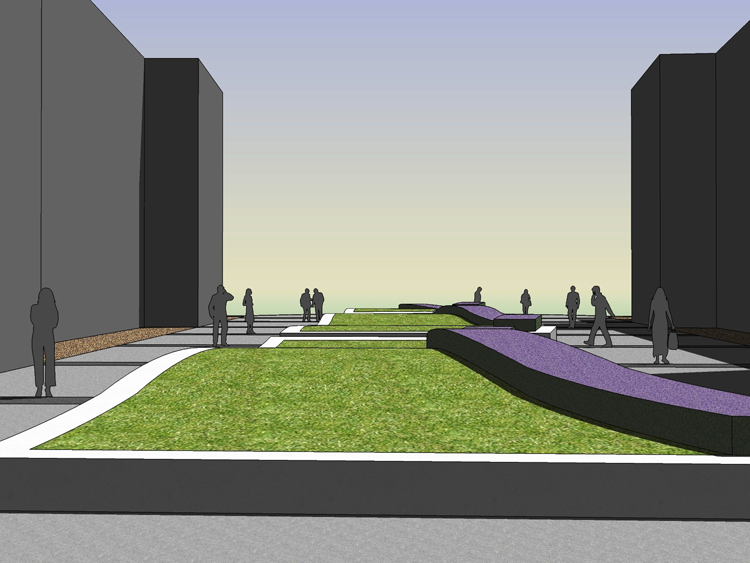
                                      I have just used this Ruby to create a lavender hedge on to of contour grass mounds.

                                      It has saved me days (well maybe hours) in time.
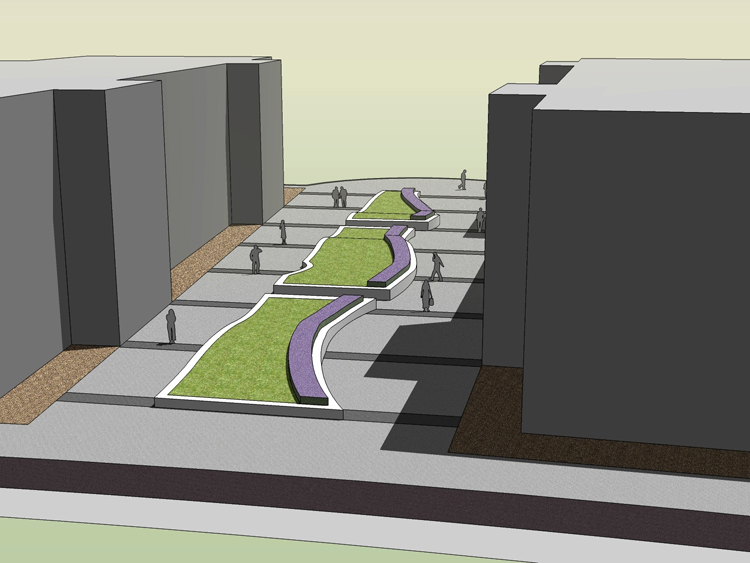
                                      View0004.jpg

                                      View0005.jpg

                                      Thanks Mate

                                      Toby

                                      Toby

                                      Philippians 4:13

                                      I can do everything through him who gives me strength.

                                      1 Reply Last reply
                                      Reply Quote 0
                                      • ely862meE
                                        ely862me
                                        last edited by

                                        wooooow, i want that offset tool :-O,it s a very usefull tool,until this i have to do the contour by hand on curved surfaces. U*re the man!!!

                                        UPDATE After searching i realised that isn t done yet,but i ll wait for it πŸ˜’ πŸ˜„ πŸ˜†

                                        Elisei (sketchupper)


                                        Before no life was done on Earth it was THE LIFE ITSELF...GOD
                                        Come and See EliseiDesign

                                        1 Reply Last reply
                                        Reply Quote 0
                                        • T
                                          thinkbuild
                                          last edited by

                                          Cher M. Fred,

                                          Your script is awesome. But, I've installed it but it seems to be crashing everytime on my mac. Not sure what I am doing wrong. I got the old version to work fine. This new one - 20 Feb 2008 - loads, icons are crisp and beautiful. I select a face, pull it out - even just one face - and then, progress bar pops, looks nice ... freeze ... pause - su disappears. ;(

                                          Has anyone else seen this? I am running su pro 6/ mac leopard/ intel 2.4mhz/ 3GB ram .... ? What to do?
                                          Perhaps it is my installation ... ?

                                          Happy for any advice.

                                          Merci bien en avance et best from Berlin,

                                          Jason

                                          1 Reply Last reply
                                          Reply Quote 0
                                          • fredo6F
                                            fredo6
                                            last edited by

                                            Thinkbuild,

                                            I did not test the version on Mac as I have no Mac myself, but I guess there are other users on this platform.
                                            I did not have reports on crash either since I published the script, but that does not mean nobody had any.
                                            The best at this stage is to post the model so that we can have a look

                                            1 Reply Last reply
                                            Reply Quote 0

                                            Hello! It looks like you're interested in this conversation, but you don't have an account yet.

                                            Getting fed up of having to scroll through the same posts each visit? When you register for an account, you'll always come back to exactly where you were before, and choose to be notified of new replies (either via email, or push notification). You'll also be able to save bookmarks and upvote posts to show your appreciation to other community members.

                                            With your input, this post could be even better πŸ’—

                                            Register Login
                                            • 1
                                            • 2
                                            • 10
                                            • 11
                                            • 12
                                            • 13
                                            • 14
                                            • 18
                                            • 19
                                            • 12 / 19
                                            • First post
                                              Last post
                                            Buy SketchPlus
                                            Buy SUbD
                                            Buy WrapR
                                            Buy eBook
                                            Buy Modelur
                                            Buy Vertex Tools
                                            Buy SketchCuisine
                                            Buy FormFonts

                                            Advertisement