SCFLicense: Extension Licensing on Sketchucation
-
Hi,
I don't know what happened, however, although I can see the licenses online, when I try to upload the license file, this happens (pls see attached image)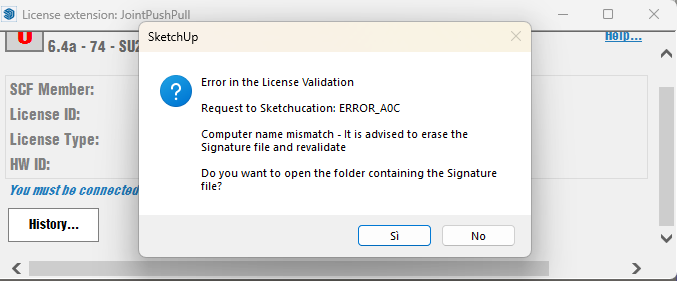
-
Did you try doing the Signature file deletion that the dialog suggested and try again ? Also check that the following extensions are up to date and installed and SketchUp restarted - SketchUcation toolset [for the licensing], the actual Extension[s] in question and if appropriate LibFredo6.
If you have renamed your computer or copied files over from elsewhere, then this error can occur. If you Computer's name [and indeed your User-name] go against the recommended format of just ASCII letters + numbers and some limited punctuation - e.g. you've used accented letters or special-characters etc - then this can also cause errors like this - so try to rename your computer sensibly...
-
I downloaded FredoCorner to evaluate but the expiration date is listed as Sun 10 Mar 2024. How can that be resolved?
-
If you have exceeded the trial period you must buy a license...
-
-
do you need a license for round coner now?
Yes, for a few years it has been commercial.
-
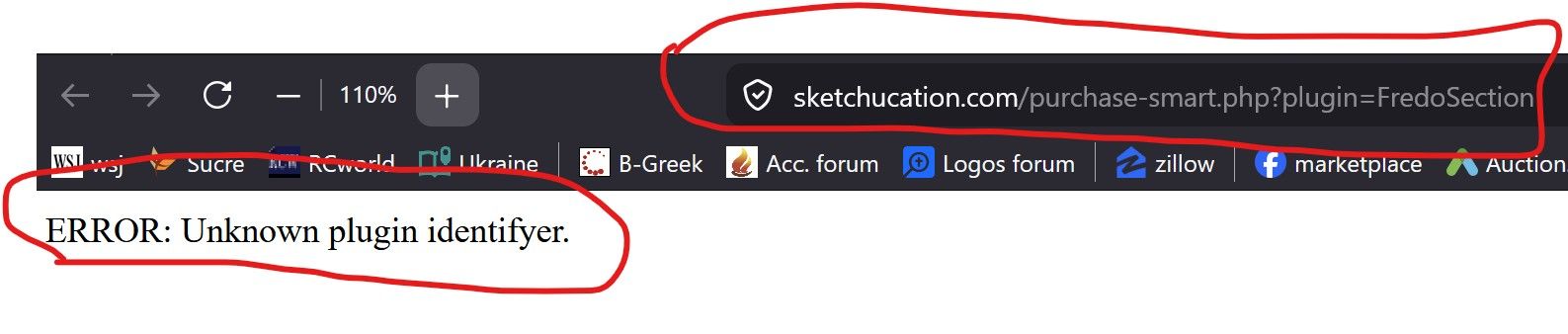
Hi, I cannot purchase Fredosection. I end up with this (Firefox Browser, Win 11):
-
Hi, I cannot purchase Fredosection. I end up with this (Firefox Browser, Win 11):
Can you update LibFredo and FredoSection to latest releases. FredoSection is not commercial yet so you are probably running outdated extensions.
-
@Rich-O-Brien Thanks, that did the trick.
-
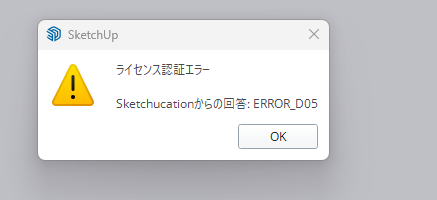
i purchased the license and trying to validate the file, but its returning this dialogue
-
@Eikhine2712 Could you please tell us what version of SketchUp you are using?
The problem is probably caused by some NON-ASCII characters in your computer name. There are 2 possible solutions:
- you change your computer name and erase the signature file OR
- We are beta testing a new version of the licensing system currently which is addressing this issue. If you are willing to help us with beta testing, I can send you the beta version and give you the instructions on how to install it.
-
항상 루비를 개발 해주셔서 감사합니다 잘쓰고 있습니다
-
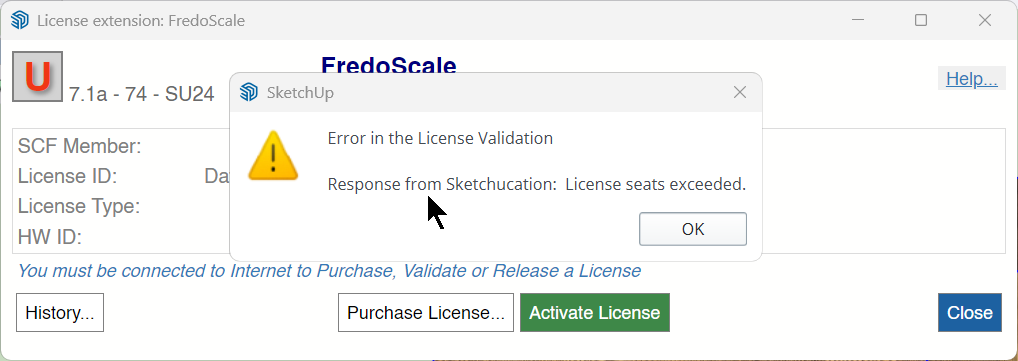
Since yesterday, the Sketchauction licenses no longer work. What happened? I tried to update both the Sketchauction plugin and it asks me to activate the licenses. I try to activate them but this is the error that comes up. What can I do?
-
Their was a glitch in the version of SketchUcation tools that was available briefly a few days ago.
If you installed that you can get license error messages.
It was reverted to to previous version v5.0.6 in the PluginStore, and you should try and install that to see if the error is resolved.
After a restart, if the problem continues let us know.
A correct and updated version will be published asap... -
The same problem also with version 5.06.
Is there a limit to installing licenses or can I install unlimited licenses?
With SketchUp 2025 I have the following error attached with the image. While with SketchUp 2026 I have no errors but it doesn't work. The cold plug-ins don't open.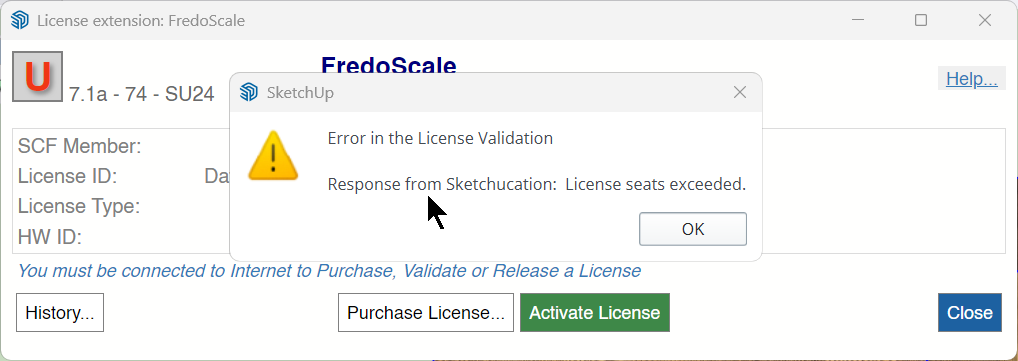
-
Is there a limit to installing licenses or can I install unlimited licenses?
You can have 3 seats activated before you see the exceeded message.
If you visit https://sketchucation.com/webshop/my-licences.php you can release seats or do at the devices.
Download the free D'oh Book for SketchUp 📖
-
@Rich-O-Brien I have 1 computer but on one I installed the SketchUp version 2024 2025 2026 and to do the tests I installed the licenses several times. The 2024 version is clean and has no other plugins specifically for testing. I had the same problems so it is not a conflict with other things.
-
That's still a single device.
What do you see at https://sketchucation.com/webshop/my-licences.php ?
Can you click the blue chevron and see occupied seats with a checkbox to release seats?
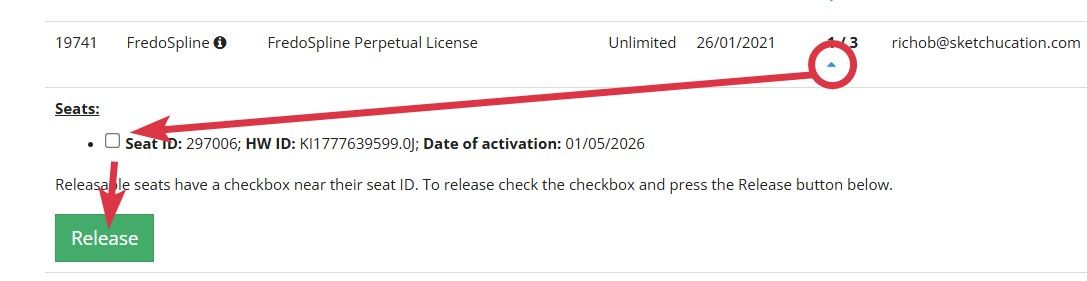
-
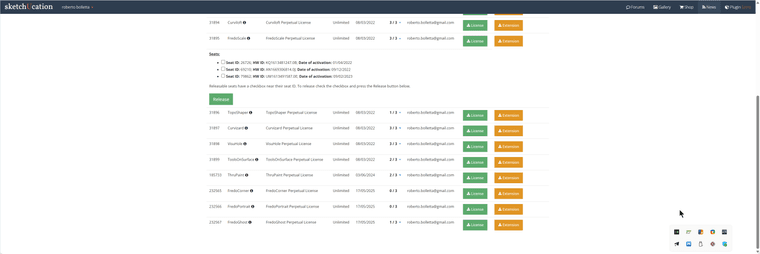
Can you remove some activations from me?
-
You can do it. Click checkbox and then release



Hello! It looks like you're interested in this conversation, but you don't have an account yet.
Getting fed up of having to scroll through the same posts each visit? When you register for an account, you'll always come back to exactly where you were before, and choose to be notified of new replies (either via email, or push notification). You'll also be able to save bookmarks and upvote posts to show your appreciation to other community members.
With your input, this post could be even better 💗
Register Login


Advertisement