Fredo6 Toposhaper Error
-
Dear All, and @fredo6
I am getting an error when invoking TopoShaper.
My setup: Macbook pro M2, Sonoma 14.5, Sketchup pro 2024 v0.554, latest versions of Fredo6 library and TopoShaper.
The error file is reads:
Date: 04-Jul-24 08:16:04 - SU2024.0
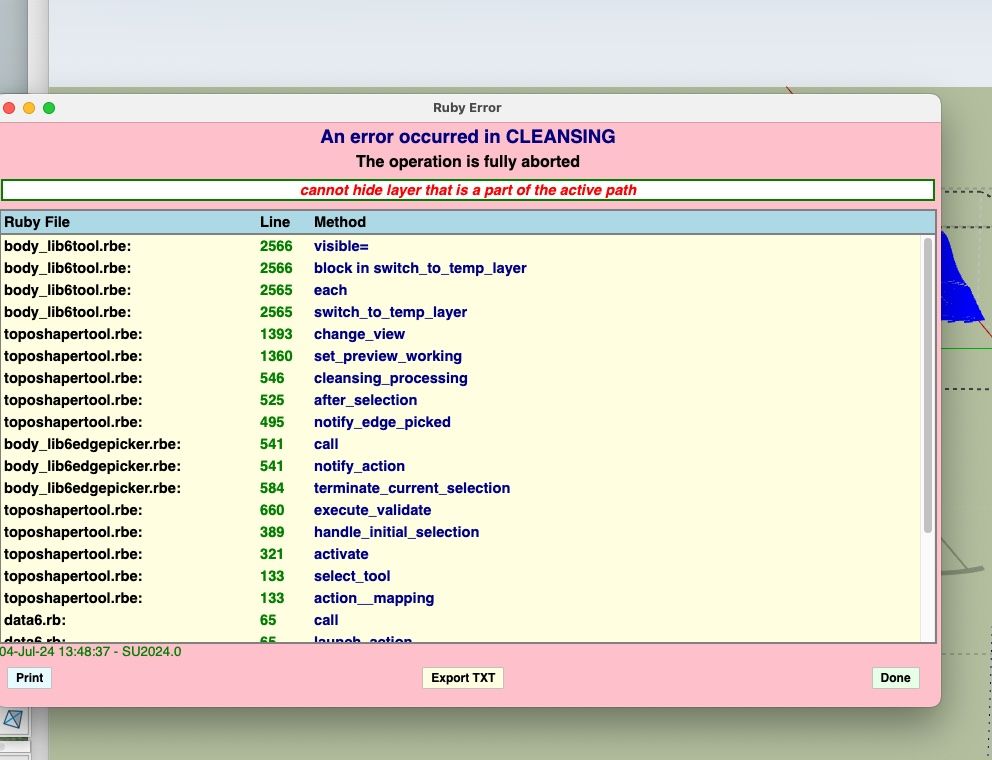
An error occurred in CLEANSING
The operation is fully aborted

cannot hide layer that is a part of the active path

body_lib6tool.rbe:: 2566 -- visible=
body_lib6tool.rbe:: 2566 -- block in switch_to_temp_layer
body_lib6tool.rbe:: 2565 -- each
body_lib6tool.rbe:: 2565 -- switch_to_temp_layer
toposhapertool.rbe:: 1393 -- change_view
toposhapertool.rbe:: 1360 -- set_preview_working
toposhapertool.rbe:: 546 -- cleansing_processing
toposhapertool.rbe:: 525 -- after_selection
toposhapertool.rbe:: 495 -- notify_edge_picked
body_lib6edgepicker.rbe:: 541 -- call
body_lib6edgepicker.rbe:: 541 -- notify_action
body_lib6edgepicker.rbe:: 584 -- terminate_current_selection
toposhapertool.rbe:: 660 -- execute_validate
toposhapertool.rbe:: 389 -- handle_initial_selection
toposhapertool.rbe:: 321 -- activate
toposhapertool.rbe:: 133 -- select_tool
toposhapertool.rbe:: 133 -- action__mapping
data6.rb:: 65 -- call
data6.rb:: 65 -- launch_action
lib6plugin.rbe:: 244 -- launch_action
bootstrap_toposhaper.rbe:: 83 -- launch_action
bootstrap_toposhaper.rbe:: 149 -- block in startup
lib6plugin.rbe:: 1463 -- command_invoke
lib6plugin.rbe:: 1443 -- block (2 levels) in build_config_commands
lib6traductor.rbe:: 1468 -- block in add_command
The topo lines were imported into Sketchup from a dwg file. I would attach the files, but I can't see to do that.
Anyone have any ideas? If not, how do I send Fredo6 the error report?
Thanks,
Tom
-
@Chip_Cookie
Use Toposhaper from outside the group not inside. -
@Chip_Cookie If you @fredo6 he'll see it. If you want to share a file you could try a cloud hosting
-
@Chip_Cookie one thing you could try while waiting for Fredo is to remove the tags from the geometry in the import .dwg. Make sure all of the edges areuntagged.
-
-
@Rich-O-Brien said in Fredo6 Toposhaper Error:
If you want to share a file you could try a cloud hosting
Maybe this works:
-
@Chip_Cookie I ran TopoShaper on your contours and got this.
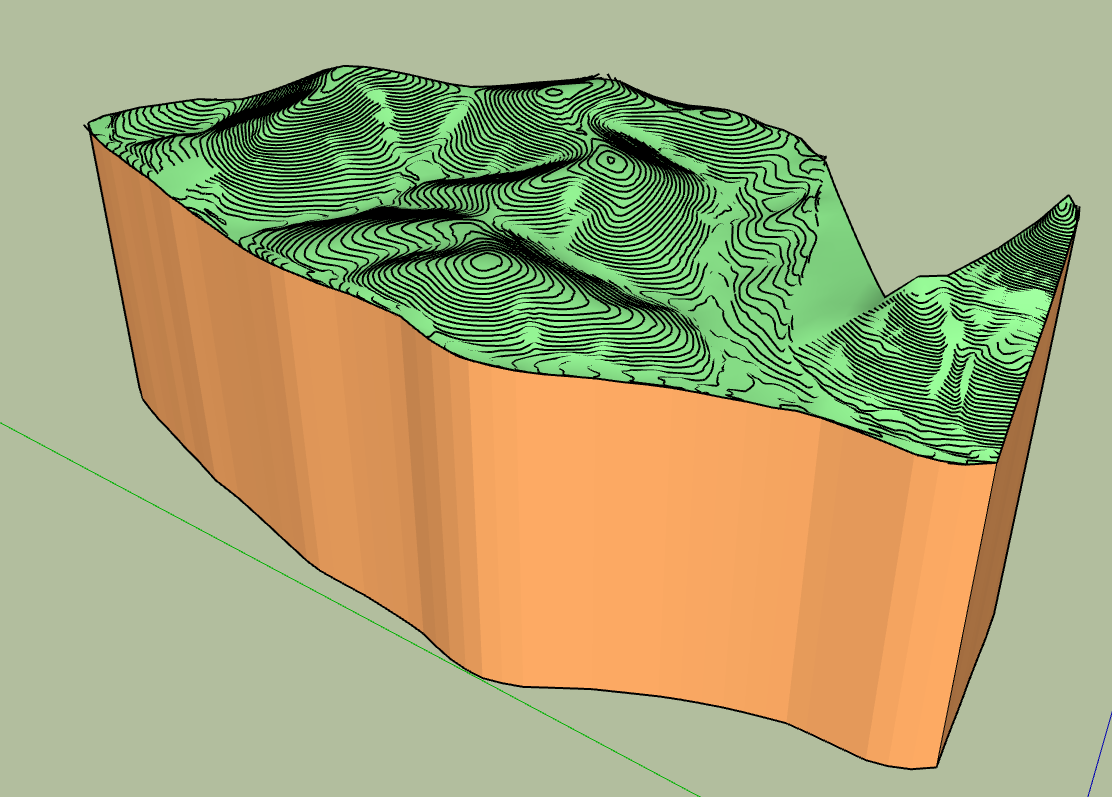
It's in SU2024. What steps did you take when you ran it?
-
One more thing, the native Sandbox tool 'from contours' works fine.
-
@Chip_Cookie
Use Toposhaper from outside the group not inside. -
My mistake was not having the contour group as the outermost container. I had two groups, Contours group and Plat group, inside another group I called Survey. If I select (but don't enter) the Contour group within Survey and try to apply TopoShaper it fails. If I explode Survey, then select Contour, it works great.
Thank you both for your help.
-
 R Rich O Brien marked this topic as a question on
-
R Rich O Brien has marked this topic as solved on
-
Dear Fredo, I have been trying for 2 days now to get Toposhaper to work in Sketchup and keep getting the the same error messsage "cannot hide layer that is a part of the active path". You have said a few times in various forums that you have to use Toposhaper from outside the group not inside, but I do not understand what you exactly mean with this.
I import contour lines from autocad cilvil 3d to sketchup as a dwg file. (these contour work fine in Sandbox). I then put the contours in a seperate group. Then I select the contours in that group and start Toposhaper, it then works for a while and then I get the mentioned error message.
Toposhaper has worked on 2-3 occissions, but it never was clear to me why it worked in tose cases. I could never replicate it afterwards.
-
You might be inside the group.
Go outside, select the group and call TopoShaper. This should work.
-
Sorry for being ignorant but I do not understand what you mean by being in the group?
I have created a group with only the contour lines in it. How do I selct that group without being in it?
-
This is a videao of what I am doing, maybe that helps....
-
Just click on the group. Toposhaper will pick what is inside.
-
It does, but then I get the error message, see the video......




Hello! It looks like you're interested in this conversation, but you don't have an account yet.
Getting fed up of having to scroll through the same posts each visit? When you register for an account, you'll always come back to exactly where you were before, and choose to be notified of new replies (either via email, or push notification). You'll also be able to save bookmarks and upvote posts to show your appreciation to other community members.
With your input, this post could be even better 💗
Register Login


Advertisement